
13 Best AI Content Creators for Social Media Content (2026)

Creating enough social media content to stay relevant across multiple platforms is a grind, and most teams can't keep up. That's exactly why AI content creators have gone from "nice to have" to essential tools in 2026. Whether you need short-form video scripts, carousel copy, or full blog posts repurposed for social, AI-powered platforms now handle tasks that used to eat up entire workdays.
But not every tool does the same thing. Some generate captions and visuals for Instagram and TikTok. Others focus on long-form written content or even operate as virtual influencers with their own audiences. Picking the right one depends on what you actually need, and where your content bottleneck is. If your bottleneck is SEO content specifically, that's what we built RankYak to solve: it automates keyword research, article creation, and publishing on autopilot so your organic traffic grows daily without the manual effort.
This guide breaks down 13 of the best AI content creator tools available right now, covering everything from social media post generators to AI-driven video editors and virtual personas. For each one, you'll get a clear look at what it does, who it's best for, and what it'll cost you, so you can make an informed choice without wading through hype.
1. RankYak
Unlike most ai content creators that focus on captions and short-form visuals, RankYak targets the part of content marketing that drives compounding returns: SEO-optimized articles that rank on Google and appear in AI chat platforms like ChatGPT and Perplexity. It automates the entire workflow from keyword discovery to publishing so you can focus on running your business.
What it does best
RankYak handles the full SEO content pipeline end to end. You connect your website, and the platform identifies high-potential keywords, builds a daily content plan, writes fully optimized articles up to 5,000 words, and publishes them directly to your CMS. No briefing, no manual keyword research, and no hitting publish yourself.
If consistent organic traffic growth is your goal, RankYak replaces an entire SEO team's worth of daily work.
Standout features for social and SEO content
Every article RankYak produces is built on competitor research and search intent analysis, so it's structured to outperform existing results rather than just fill a word count. The platform also manages internal linking and topic clusters automatically, which means your site builds real authority over time instead of producing isolated posts. Featured images are included with every article, and the built-in brand voice adaptation makes the output sound like your team wrote it.
Multi-site management lets you run multiple websites from a single account, each with its own keyword plan and publishing schedule. RankYak supports 40+ languages and integrates directly with WordPress, Shopify, Webflow, Wix, Zapier, and Make, so connecting it to your existing setup takes minutes.
Best for
RankYak is the right fit if you run a content-heavy website and want organic traffic growth without managing the SEO process yourself. It works best for small to mid-sized businesses, agencies, and entrepreneurs who need consistent daily publishing but don't have a dedicated content team on hand.
Pricing
The pricing is straightforward: $99 per month covers every feature, including keyword discovery, daily article generation, automatic publishing, backlink exchange, and multi-site support. A 3-day free trial is available with no commitment required, so you can test the full platform before spending anything.
2. ChatGPT
ChatGPT, built by OpenAI, is one of the most widely used ai content creators available today. It works as a conversational text generator, letting you produce drafts, refine copy, and brainstorm ideas through a simple chat interface that requires no technical setup.
What it does best
When it comes to written content, ChatGPT excels at generating and refining copy at speed. You can ask it to write a LinkedIn post, rework a blog intro, or produce five caption variations in seconds. The platform's natural language generation is strong, and the more context and direction you give it, the better the output becomes.
Treat ChatGPT like a writing partner: the quality of what it produces depends heavily on how clearly you brief it.
Standout features for social content workflows
For social media specifically, ChatGPT handles caption writing, content repurposing, and ideation across platforms. You can feed it a long article and ask for a Twitter thread, a LinkedIn post, or a short video script in return. With a Plus subscription, you also get access to custom GPTs and memory features, which let you save brand voice guidelines and reuse them across sessions without re-entering instructions each time.
Best for
ChatGPT suits individuals, freelancers, and small teams who need a flexible writing assistant without committing to a specialized platform. It works especially well for people who handle multiple content formats and want one tool to cover drafting across all of them.
Pricing
ChatGPT offers a free tier with access to GPT-4o mini. The Plus plan costs $20 per month and unlocks GPT-4o, higher usage limits, and advanced features like custom GPTs and extended context windows.
3. Claude
Claude, built by Anthropic, is a conversational AI that stands out among ai content creators for its ability to handle long, nuanced text without losing coherence. It processes large amounts of content in a single session, making it genuinely useful when you need to work through complex documents or maintain consistency across extended pieces of writing.
What it does best
Claude's biggest strength is handling long-context tasks with precision. You can paste in a full transcript, a brand guide, or an existing article and ask Claude to rewrite, summarize, or build on it without the tool losing track of earlier instructions. Its tone control is notably accurate, which matters when output needs to fit a specific brand voice rather than default to generic AI prose.
If you regularly work with long documents or need nuanced tone matching, Claude is worth serious consideration.
Standout features for scripting and editing
Claude performs well when you use it for video scripts and editorial refinement. You can give it a rough draft and ask for structural improvements, tighter phrasing, or a different narrative angle, and it handles those requests without losing context. It also supports multi-step editing workflows cleanly, letting you work through a piece iteratively inside one conversation.
Best for
Claude suits writers, marketers, and content strategists who prioritize quality and nuance over raw output speed. It's a strong fit for:
- Long-form drafting and script development
- Detailed editing and tone matching
- Brand voice consistency across extended projects
Pricing
Claude offers a free tier with access to limited model capabilities. The Pro plan costs $20 per month and unlocks the most capable models, higher usage limits, and priority access during peak hours.
4. Canva
Canva has grown well beyond a drag-and-drop design tool. Today it stands as one of the more accessible ai content creators for teams that need to produce polished social visuals without a dedicated graphic designer on staff. Its AI features are woven directly into the design workflow, so you don't switch between separate tools to get the job done.
What it does best
Canva handles visual content creation for social media faster than most alternatives at its price point. You get access to thousands of templates built specifically for Instagram, LinkedIn, TikTok, Pinterest, and more, and the platform's Magic Design and Magic Write features let you generate layouts and copy from a simple text prompt. The learning curve is low, which means you can produce publish-ready graphics in minutes even without prior design experience.
If your team produces high volumes of social graphics regularly, Canva's template library and AI tools cut production time significantly.
Standout features for social visuals
Canva's Brand Kit lets you lock in your colors, fonts, and logo so every asset your team creates stays on brand automatically. The Magic Resize feature converts a single design into multiple platform-specific dimensions in one click, which saves real time when you're repurposing the same content across channels.
Best for
Canva works best for small business owners, social media managers, and marketing teams who need consistent visual output without relying on a professional designer for every asset.
Pricing
Canva offers a free plan with solid core features. The Pro plan runs $15 per month per person and unlocks the full Brand Kit, Magic Resize, premium templates, and expanded AI tools.
5. Adobe Express and Firefly
Adobe Express is Adobe's answer to the growing demand for fast, AI-assisted design tools. Unlike generic ai content creators, Adobe Express pairs its template-based design workflow with Firefly, Adobe's proprietary generative AI model, giving you a creative toolkit built with commercial licensing in mind from day one.
What it does best
The platform handles visual content production for social media across formats including posts, stories, reel covers, and animated graphics. Firefly powers the AI generation inside the platform, letting you create images, text effects, and backgrounds from simple text prompts. Because Firefly is trained on licensed Adobe Stock content, everything you generate is cleared for commercial use without the licensing ambiguity you get from other AI image generators.
That commercial-safe approach makes Adobe Express and Firefly a practical choice for brands that need to avoid intellectual property risk.
Standout features for brand-safe creative
Your brand stays consistent with the built-in Brand Kit, where you store your logo, fonts, and colors for reliable output across every asset. The Generative Fill and text-to-image tools powered by Firefly let you extend backgrounds, remove objects, and build original visuals without leaving the platform, keeping your entire production workflow in one place.
Best for
This tool suits marketing teams and brand managers who already work inside the Adobe ecosystem and need commercially safe AI-generated visuals. It works especially well for teams producing high volumes of branded social assets who cannot afford licensing uncertainty.
Pricing
You can start with a free plan that covers core features. The Premium plan costs $9.99 per month and unlocks Firefly credits, premium templates, the full Brand Kit, and advanced AI tools.
6. CapCut
CapCut, originally developed by ByteDance, has become one of the most widely used ai content creators for short-form video production. What started as a mobile editing app now includes a full desktop suite with AI-powered tools that cut editing time significantly for social media creators, small businesses, and solo marketers.
What it does best
CapCut handles short-form video editing with a set of AI tools that automate the most repetitive parts of the process. Auto-captions, background removal, and smart cut features work directly inside the editor, so you can take raw footage and turn it into a polished clip without touching expensive software or hiring an outside editor.
Standout features for short-form video
The platform's AI auto-caption tool generates and syncs text to your video in seconds, supporting multiple languages and custom font styles. You also get AI-generated templates that analyze your footage and suggest edits, transitions, and effects that match trending short-form formats on TikTok and Instagram Reels.
CapCut's template library updates regularly to reflect current trending formats, which saves you research time when you want content that fits what's already performing well.
Best for
CapCut suits social media creators and small business owners who produce short-form video content regularly and need a fast, low-cost editing workflow without sacrificing output quality.
Pricing
CapCut offers a free plan with access to most core editing features. The Pro plan costs $9.99 per month and unlocks expanded AI tools, additional cloud storage, and premium templates.
7. Descript
Descript takes a different approach from most ai content creators by treating your video or podcast as a text document. Instead of scrubbing through a timeline frame by frame, you edit the transcript and the media follows, which removes most of the friction from talking-head content production.
What it does best
Descript's core strength is text-based video and audio editing. You record or import footage, and the platform generates a transcript that syncs precisely to the media. From there, you cut filler words, restructure segments, and remove silences by editing text rather than manually trimming clips. The Overdub feature lets you fix mistakes by typing corrected words, and the AI generates a voice clone that matches your original recording.
That combination of transcript editing and voice correction makes Descript especially practical for creators who record talking-head videos regularly and need fast turnarounds.
Standout features for talking-head content
Descript's Underlord AI suite handles several editing tasks automatically so you spend less time on technical cleanup. Key features include:
- Filler word removal that strips out "um," "uh," and repeated phrases in one click
- Eye contact correction that adjusts your gaze toward the camera even when you're reading notes
- Studio Sound to clean up audio recorded in noisy or echo-prone environments
Best for
Descript fits podcasters, course creators, and video marketers who produce regular talking-head or interview content. It works well for anyone who publishes both audio and video formats from the same recording and wants to cut editing time without hiring a dedicated editor.
Pricing
Descript offers a free plan with limited transcription hours. Paid plans start at $24 per month for the Hobbyist tier, with higher tiers unlocking more transcription hours, additional Overdub voices, and expanded AI features.
8. OpusClip
OpusClip is one of the more focused ai content creators on this list, built specifically to turn long-form video into short, shareable clips without manual scrubbing or editing. If you create webinars, podcast recordings, or YouTube content and want to extract value from that footage for social media, OpusClip handles that process automatically.
What it does best
The platform uses AI to scan your long-form video, identify the most engaging moments, and package them into short clips ready for TikTok, Instagram Reels, and YouTube Shorts. It scores each clip based on predicted virality, so you can prioritize the segments most likely to perform well rather than guessing which moments to cut.
That automated scoring system saves you real time when you're working through hours of recorded content on a tight publishing schedule.
Standout features for repurposing long videos
OpusClip generates AI captions and speaker labels automatically and positions them to match popular social formats. The platform also includes a B-roll integration feature that inserts supplemental footage to support spoken content, which makes clips feel more produced without additional editing effort on your end.
Best for
This tool fits content marketers, podcasters, and course creators who record long video regularly and want a reliable way to repurpose that content into platform-ready social clips without spending hours in a video editor.
Pricing
OpusClip offers a free plan with limited monthly credits. Paid plans start at $15 per month and unlock higher clip volumes, advanced AI features, and additional export options.
9. Buffer
Buffer sits in a different category from most ai content creators on this list. Rather than generating visuals or editing video, it focuses on social media scheduling and publishing, with AI tools layered in to help you write and optimize posts before they go live.
What it does best
Buffer handles multi-channel social media management from a single dashboard. You connect your accounts across Instagram, LinkedIn, X, Facebook, TikTok, and Pinterest, then draft, schedule, and analyze your content without jumping between platforms. The AI Assistant built into Buffer generates caption drafts, rewrites existing copy in a different tone, and suggests improvements based on your past performance data.
That combination of scheduling and AI writing in one place removes the need to draft copy in a separate tool before pasting it into a scheduler.
Standout features for AI-assisted scheduling
Buffer's Start Page feature lets you create a simple link-in-bio landing page, keeping your profile links organized without a separate tool. For content planning, the AI Assistant can repurpose a long-form post into shorter variations for different platforms automatically, which saves time when you publish across multiple channels on the same day.
Best for
Buffer works well for small business owners and solo social media managers who need a reliable scheduling tool with built-in writing assistance. It suits teams that prioritize consistent publishing cadence over complex creative production.
Pricing
Buffer offers a free plan for up to three social channels. Paid plans start at $6 per month per channel and unlock additional AI features, analytics, and team collaboration tools.
10. Jasper
Jasper is a purpose-built AI writing platform designed specifically for marketing teams. While many ai content creators offer writing as a secondary feature, Jasper treats it as the core product, with tools built around brand consistency and campaign-scale content production.
What it does best
Jasper generates marketing copy across formats including social media posts, email sequences, ad copy, and long-form content. The platform uses a Brand Voice feature that stores your tone, vocabulary, and messaging guidelines so every piece of output sounds consistent regardless of who on your team runs the prompt.
That level of brand consistency is hard to maintain manually when you're producing content at volume, which is exactly where Jasper earns its value.
Standout features for brand voice and campaigns
Jasper's Campaigns feature lets you build a full content campaign from a single brief. You input the goal, audience, and key messaging, and Jasper produces multiple assets in your brand voice at once, covering social posts, blog outlines, and email copy in one pass. The platform also integrates with Google Docs and browser extensions, so you can pull Jasper into your existing workflow without switching tools entirely.
Best for
Jasper suits mid-sized marketing teams and content agencies that need to produce high volumes of branded copy across multiple channels without sacrificing consistency or requiring heavy manual editing after generation.
Pricing
Jasper does not publish a fixed free tier. Paid plans start at $49 per month for the Creator plan, with the Pro plan at $69 per month unlocking the Campaigns feature and multi-seat collaboration.
11. Copy.ai
Copy.ai positions itself as one of the more workflow-focused ai content creators available for marketing teams. Where most writing tools give you a blank prompt box, Copy.ai wraps its generation engine in structured workflows and templates designed specifically around marketing use cases, so you spend less time figuring out how to prompt the tool and more time using the output.
What it does best
Copy.ai handles sales copy and short-form marketing content with a template library built around the formats marketers actually use: product descriptions, ad copy, cold email sequences, and social media posts. The platform's workflow automation layer lets you chain multiple content tasks together, so you can go from a single input to several finished assets in one run without manually prompting each step.
That automation approach makes Copy.ai genuinely useful when you need to produce content at volume rather than one piece at a time.
Standout features for social-first copy
Copy.ai includes a dedicated social media post generator with format-specific templates for LinkedIn, Instagram, and X. You can feed it a product URL or a brief description and get platform-ready captions in multiple tones without rewriting from scratch. The infobase feature lets you store brand facts, offers, and tone guidelines so the tool references them automatically across every output.
Best for
Copy.ai fits growth-focused teams and solo marketers who need to produce social and sales copy quickly without building prompts from scratch each time.
Pricing
Copy.ai offers a free plan with limited monthly credits. Paid plans start at $49 per month for the Starter tier, which unlocks unlimited projects, workflows, and the full template library.
12. Perplexity
Perplexity is one of the more unusual ai content creators on this list because its primary function is research rather than generation. It works as an AI-powered search engine that pulls live information from the web and cites its sources, making it a practical tool for content creators who need accurate, up-to-date information before they start writing.
What it does best
Perplexity answers questions with cited sources, pulling from current web content rather than relying on a training data cutoff. That means when you research a topic for a social media post or article, you get current, verifiable information rather than outdated facts that could undermine your credibility with your audience.
That sourced approach is especially valuable when you're creating content on fast-moving topics where accuracy matters more than speed.
Standout features for fast, cited research
Perplexity's Pro Search feature digs deeper into queries by asking follow-up clarifying questions before generating a response, which produces more targeted answers than a standard search. The platform also lets you upload documents and ask questions about them, so you can pull insights from reports, transcripts, or briefs quickly without reading through them in full.
Best for
Perplexity suits researchers, journalists, and content marketers who need reliable, source-backed information to inform their content strategy before writing begins. It fits well into workflows where factual accuracy and current data take priority over raw writing output.
Pricing
Perplexity offers a free tier with standard search features. The Pro plan costs $20 per month and unlocks Pro Search, document uploads, and access to more capable AI models.
13. Synthesia
Synthesia is one of the most distinctive ai content creators on this list. It generates professional-quality videos using AI avatars rather than requiring you to record footage of yourself or hire on-screen talent, which makes it practical for businesses that need polished video content without a production crew.
What it does best
The platform turns text scripts into finished videos using a library of photorealistic AI avatars. You type your script, choose an avatar, select a voice, and Synthesia renders a video that looks like a professional presenter delivered your message on camera. This removes the need for recording equipment, studio space, or on-screen talent entirely.
Standout features for avatar-led social videos
With support for 120+ languages and accents, you can localize the same video for different markets without re-recording anything. Synthesia also includes a custom avatar feature that lets you create a digital version of yourself or a brand spokesperson, giving your video content a consistent on-screen presence across every channel.
That localization capability is particularly valuable if you run campaigns across multiple regions and need language-specific video content at scale.
Best for
Synthesia suits teams that need a repeatable, camera-free video production process. It works especially well for:
- Corporate marketers producing product demos and explainer videos
- Training teams who publish instructional content at regular intervals
- Brands that need the same video localized across multiple languages
Pricing
You can start with a free plan that includes limited monthly video credits. Paid plans start at $29 per month for the Starter tier, which unlocks additional video minutes, more avatars, and custom branding options.
A simple way to choose the right tool
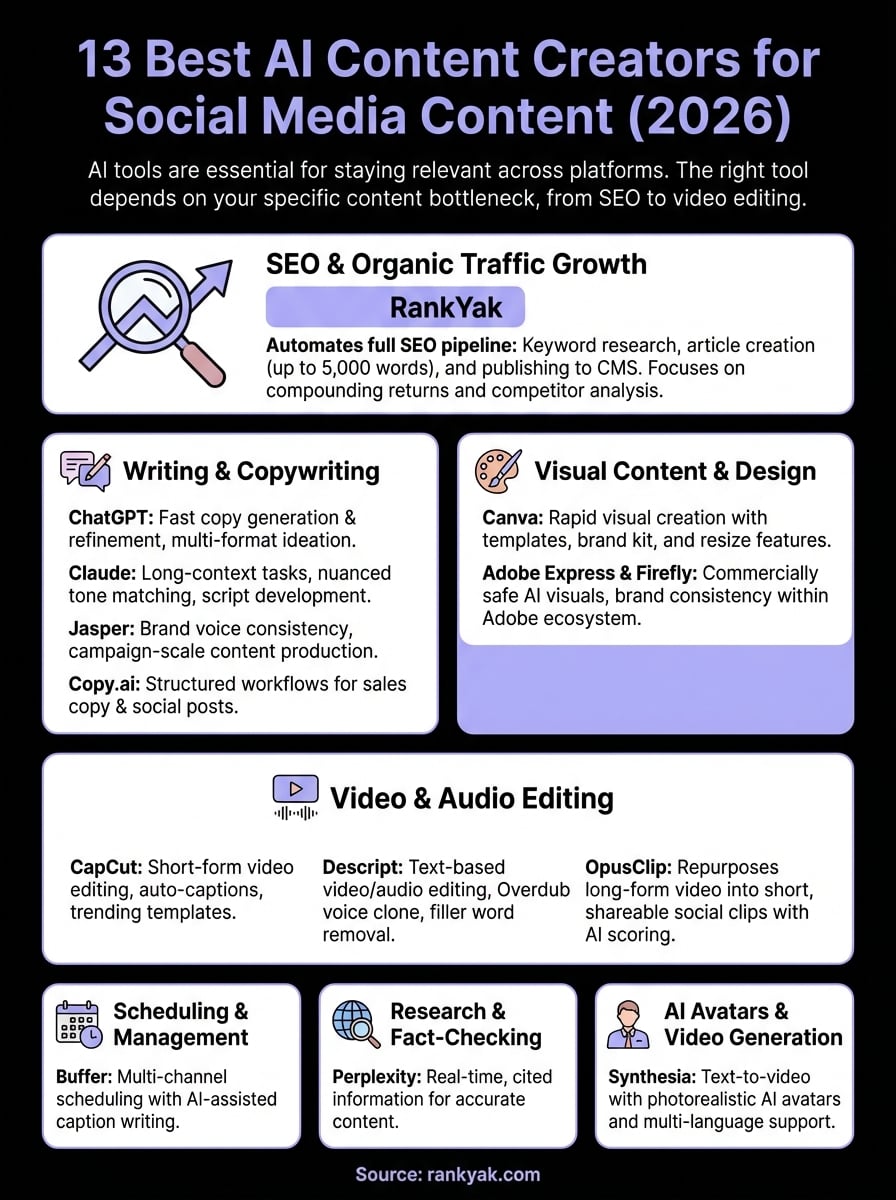
The best way to narrow down this list of ai content creators is to start with your biggest bottleneck. If you spend the most time editing video, look at CapCut, Descript, or OpusClip. If social copy and campaign content drain your schedule, Jasper or Copy.ai will return the most value. If you need reliable research before writing anything, Perplexity fits that gap well.
For SEO-driven content and organic traffic growth, the picture is clearer. Most tools on this list help you publish faster on social, but none of them handle the full pipeline from keyword research to published article automatically. That is where RankYak stands apart. It runs the entire SEO content workflow on autopilot so your site grows daily without requiring a dedicated team behind it. If that sounds like the problem you need to solve, start your free trial of RankYak and see what consistent publishing actually looks like.

Get Google and ChatGPT traffic on autopilot.
Start today and generate your first article within 15 minutes.

SEO revenue calculator
How much revenue is your website leaving on the table?
Take a quick quiz and see exactly how much organic revenue you're missing out on, along with personalized tips to fix it.
-
4 questions, under 1 minute
-
See traffic and revenue potential
-
No email required
Free · takes 1 minute · no signup needed
Question 1 of 4
Question 2 of 4
Question 3 of 4
Question 4 of 4
Your SEO growth potential
Extra visitors / month
after 6-12 months of consistent publishing
Revenue potential / year
at your niche's avg. conversion rate
Articles needed (12 mo)
to reach this traffic level
ROI with RankYak
at $99/mo ($1,188/year)
To hit that number, you'd need to:
- Build a topical authority strategy for your niche
- Research keywords & map out a full topical cluster
- Write, edit & publish an article every single day
- Build backlinks to the articles you publish
RankYak handles all of this automatically, every day.
* Estimates based on industry averages. Results vary by niche, competition, and domain authority. Most SEO results become visible after 3-6 months of consistent publishing.