8 Topic Cluster Examples That Build Topical Authority Fast
Publishing dozens of blog posts without a clear structure is one of the fastest ways to waste your SEO budget. Google rewards sites that demonstrate deep knowledge on a subject, and the most effective way to prove that depth is through topic clusters. If you've heard the term but need concrete topic cluster examples to actually see how it works, you're in the right place.
A topic cluster links a central pillar page to a set of related supporting articles, creating a web of internal links that signals authority to search engines. Done right, this strategy can move an entire group of pages up in rankings, not just one. It's also the core logic behind how RankYak plans and publishes daily content, automated keyword discovery and content planning are built to create these clusters for you over time.
Below, you'll find eight real-world topic cluster examples spanning different industries and formats. Each one breaks down the pillar page, the supporting content, and why the structure works, so you can model it for your own site.
1. RankYak automated topic clusters
RankYak is built around the idea that topic clusters work best when they grow consistently over time, not in one big sprint. The platform analyzes your site's niche, identifies high-potential keywords, and generates a daily content plan that gradually fills out your cluster structure without requiring you to manually research or brief a single article.
What the cluster looks like on your site
A RankYak cluster starts with a broad pillar page targeting a high-volume keyword in your niche, such as "email marketing" for a marketing software brand. Supporting pages then target long-tail variations and specific subtopics, like "email marketing for e-commerce" or "how to write a subject line that converts." Each supporting page links back to the pillar and connects to other relevant supporting articles within the same cluster.
Your cluster grows article by article, which means the structure becomes more complete and more authoritative with every passing week.
How RankYak builds the pillar and supporting pages
RankYak runs keyword discovery automatically, identifying which terms your audience searches for and which ones you have a realistic chance of ranking for given your domain's current authority. It then writes fully structured, SEO-optimized articles up to 5,000 words, complete with headings, citations, and internal links, and publishes them directly to your WordPress, Shopify, or Webflow site.
One article per day means your cluster fills in faster than most in-house teams could manage with manual workflows.
How to set up internal links and publishing cadence
RankYak handles internal linking automatically as each new article is generated, connecting relevant pages within your existing content library. Your publishing cadence is fixed at one article per day, which keeps your site active and gives search engines a consistent stream of new content to index.
Mistakes to avoid when you automate a cluster
The most common mistake is letting the tool run without confirming your pillar topic first. If the pillar targets a keyword that's too broad or too competitive for your current domain authority, the supporting pages lose their foundation. Also, check your published content list regularly to prevent overlapping subtopics, since each article should address a distinct angle rather than repeat what another page already covers.
2. HubSpot hub-and-spoke pillar clusters
HubSpot built one of the most referenced hub-and-spoke topic cluster examples in content marketing. Their model centers on a single long-form pillar page covering a broad topic, then links out to a set of focused supporting articles that each tackle one specific subtopic in depth.
What the pillar page covers vs the spokes
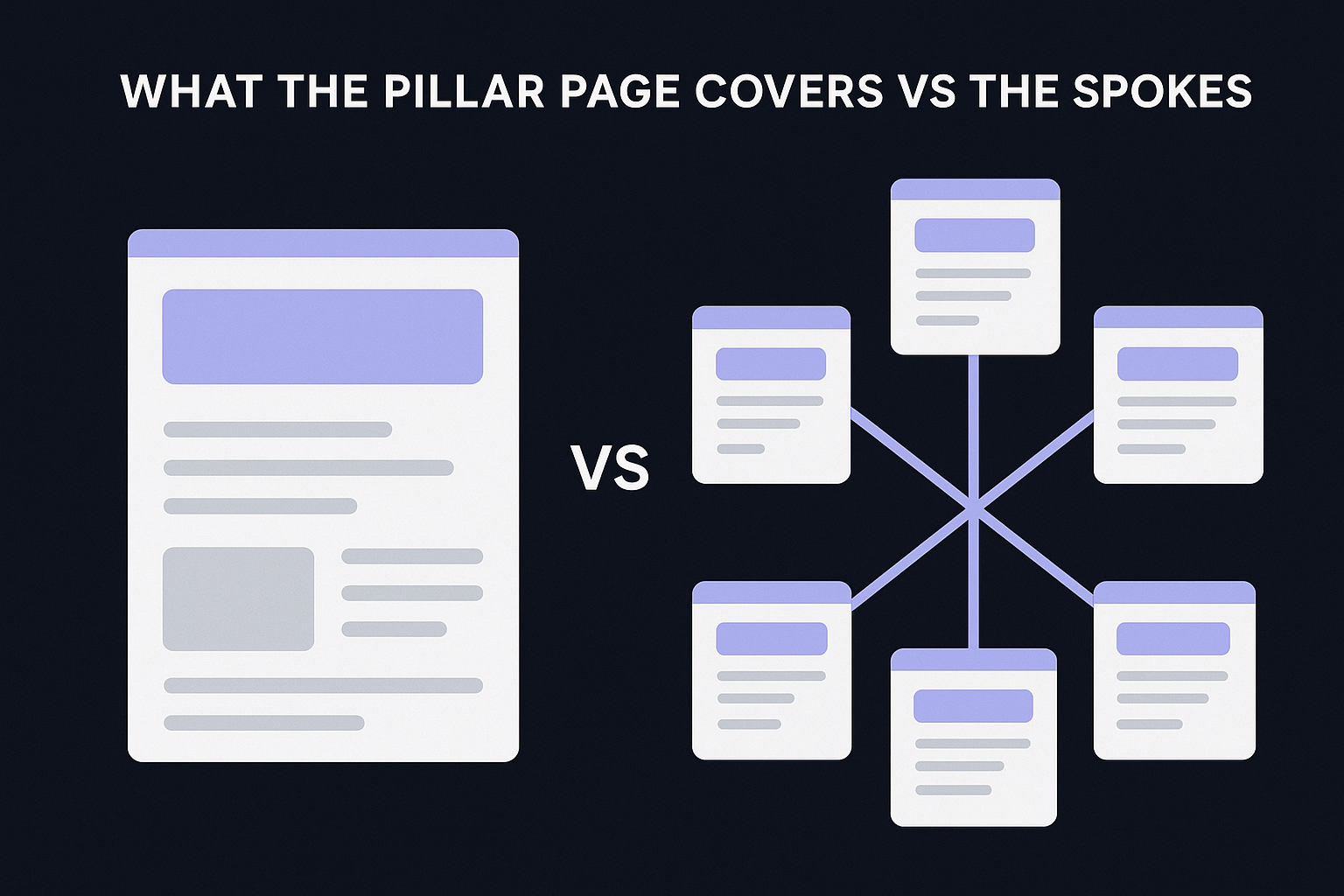
The pillar targets a broad, high-volume keyword like "social media marketing" and provides a complete overview without going deep on any single point. Each spoke page digs into one specific angle, covering it thoroughly before linking back to the pillar.
How HubSpot uses internal links to reinforce the hub
Every spoke links back to the central pillar page using consistent anchor text that matches the pillar's target keyword. This creates a clear link equity loop that strengthens the pillar's authority while helping Google understand the relationships between all pages in the cluster.
The internal linking structure is what separates a topic cluster from a random collection of blog posts.
How to replicate the structure without copying topics
Pick a broad topic your audience cares about, then identify 8 to 15 specific questions they ask around it. Each question becomes a spoke. Map your spokes to your own audience's search behavior rather than copying HubSpot's exact topics.
When the hub-and-spoke model works best
This model works best when one central subject branches into multiple distinct subtopics. If your niche has real depth and readers need detailed answers across several related areas, the hub-and-spoke structure gives you a solid framework to build authority consistently.
3. Zapier directory-style topic clusters
Zapier runs one of the most scalable directory-style topic cluster examples you'll find in the SaaS space. Instead of building one long pillar page, Zapier created a massive directory structure where each integration page serves as its own entry point into a tightly linked cluster of supporting content.
What a directory pillar page looks like
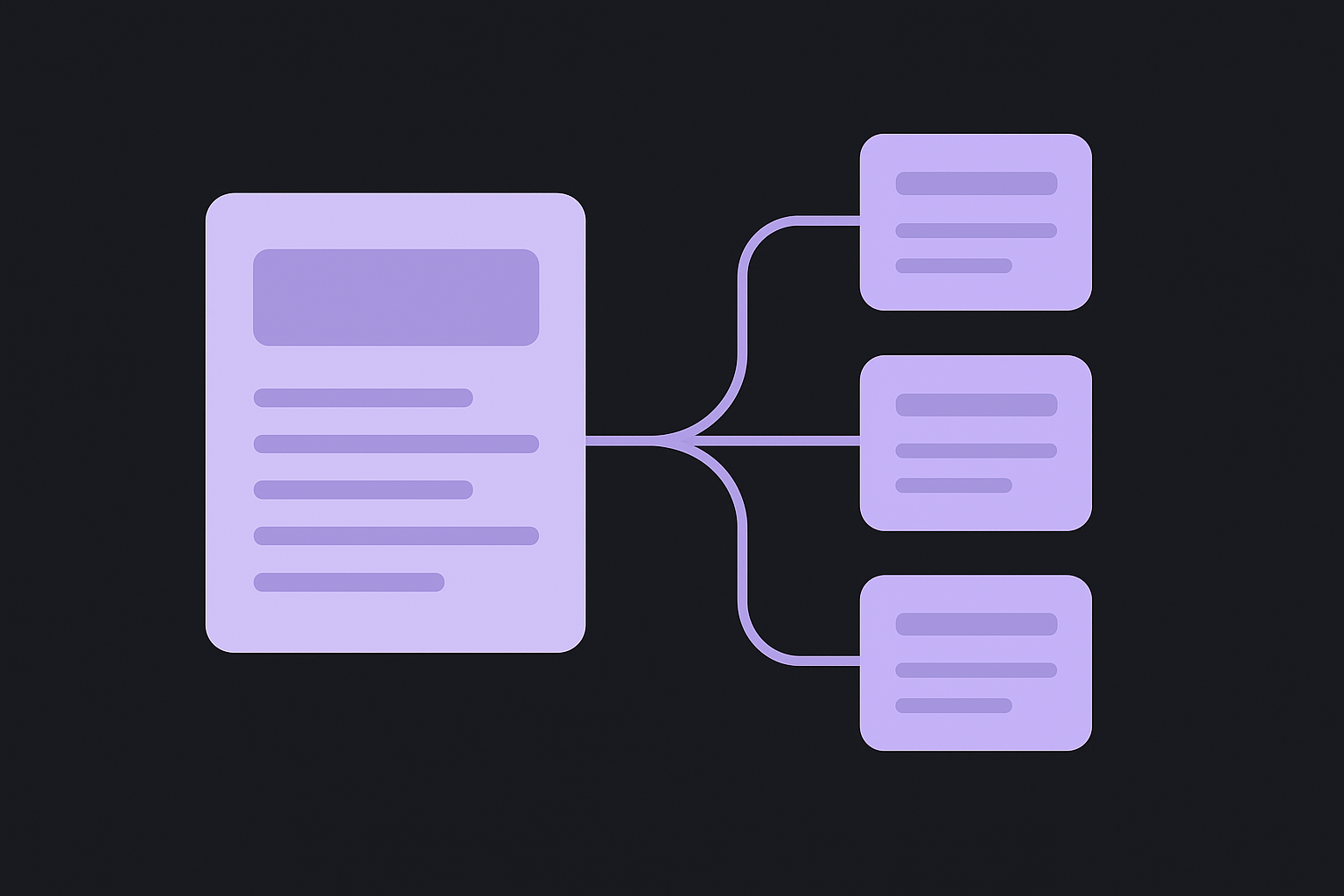
A directory pillar page is a structured index that lists and links to dozens or hundreds of subtopic pages, all organized under one parent category. For Zapier, each app integration page acts as the central hub, pointing to specific use cases, workflow templates, and how-to guides underneath it.
How Zapier organizes clusters for fast navigation
Zapier organizes its clusters by app name and action type, so users land exactly where they need to be. Each cluster page connects to related workflows, keeping visitors on the site while giving search engines clear topical signals about how the pages relate to each other.
Directory clusters work best when your content naturally groups into categories with hundreds of individual entries.
How to plan subfolders and URLs for directories
Structure your URLs so the parent category sits one level above each supporting page. A clean path like /integrations/[app-name] keeps the hierarchy readable for both users and crawlers, and it reinforces topical relevance across the entire cluster.
When to choose a directory over a long pillar
Choose a directory structure when your content volume is high and each entry targets its own distinct keyword. If you're producing dozens of similar pages that share a parent topic, a directory gives you far more long-term scalability than a single long-form pillar can provide.
4. BBC content library clusters by category
The BBC runs one of the largest content library cluster examples in media. Rather than building traditional pillar pages, it organizes content into category hubs that act as entry points into clusters of related articles, video pages, and topic-specific guides.
How category hubs function as cluster entry points
A category hub collects every piece of content under a shared subject, such as climate change or technology, and presents them in one organized location. Visitors land on the hub and navigate deeper into specific subtopics, while search engines use the hub to map the relationships between all the cluster pages below it.
Category hubs work best when your content volume under a single topic is large enough to justify its own dedicated landing page.
How BBC keeps freshness without losing evergreen value
The BBC keeps evergreen topic pages stable while regularly adding new articles beneath them. This approach protects the cluster's core authority while feeding search engines fresh signals that the hub is still active and current.
How to add tags, sections, and related links that help
Use consistent tagging to group related content across your cluster, and add a "related articles" block at the bottom of each page. These related links reinforce topical relevance and reduce bounce rates by giving readers a clear path forward.
Best-fit use cases for editorial and news-heavy sites
This cluster type suits editorial sites, publications, and news-heavy brands that produce high volumes of content on overlapping subjects. If your site regularly covers the same topics from multiple angles, a category hub structure gives you a scalable way to organize it all without rebuilding your architecture.
5. Wirecutter product guide clusters
Wirecutter built its authority on a product guide cluster model that treats every "best of" roundup as the central pillar for a network of in-depth product reviews. This is one of the clearest topic cluster examples in the affiliate and consumer review space, and it translates well for any brand selling or recommending physical products.
How "best of" guides act as pillars
A Wirecutter "best of" guide covers an entire product category, such as best laptops or best air purifiers, from a high level. It answers every question a first-time buyer might have, then links out to individual product reviews for readers who want more detail before committing.
How supporting reviews feed the main guide
Each individual product review targets a specific model or product name and links back to the relevant "best of" guide. This creates a two-way link structure that reinforces the pillar's authority while helping each supporting page rank for its own long-tail keyword.
The supporting pages do the detailed work so the pillar stays focused and scannable.
How to handle updates, replacements, and redirects
When a product gets discontinued, Wirecutter redirects the old review URL to the updated pillar or a replacement product page. This move preserves accumulated link equity and prevents dead ends that frustrate users and confuse search crawlers.
What makes this cluster type win high-intent searches
Buyers searching for specific products are close to a purchase decision, making this cluster ideal for commercial keywords. Your pillar captures broad traffic while your individual review pages pull in readers ready to convert.
6. Salesforce product-led pillar clusters
Salesforce built some of the strongest product-led topic cluster examples in B2B software content marketing. Their model pairs broad educational pillar pages with a clear path toward product content, guiding readers from awareness into consideration without feeling like a hard sell.
How a "what is" pillar connects to BOFU pages
A "what is" pillar defines a broad concept like CRM software or customer success, answering the core questions a new reader brings. From there, Salesforce links to bottom-of-funnel pages covering pricing, comparisons, and demos, creating a bridge between education and conversion.
How Salesforce blends education with product paths
Salesforce keeps its pillar content genuinely informative, covering the topic thoroughly before introducing its product as a solution. Supporting pages then handle specific use cases and features, connecting back to the pillar while moving readers closer to a decision.
The most effective product-led clusters teach first and sell second, which is exactly what Salesforce does.
What to copy for CTAs and conversion points
Place your primary CTA at the bottom of the pillar rather than the top, so readers reach it after gaining real value. Add secondary CTAs within supporting pages that point to a free trial or demo.
How to avoid turning the pillar into a sales page
Keep your pillar focused on answering real questions, not just promoting your product. If every paragraph pushes a feature, readers leave and your search rankings drop with them.
7. BrainStation subject guide clusters
BrainStation uses subject guide clusters to build topical authority in the competitive online education space. Their approach turns broad career topics into structured learning hubs, and it's one of the most instructive topic cluster examples for any brand that needs to educate its audience before it can convert them.
How a subject guide differs from a standard pillar
A subject guide is more than a long overview. It functions as a complete learning resource that covers a topic from multiple angles, including definitions, career paths, skills, and tools, all within one authoritative page. Unlike a standard pillar, a subject guide anticipates the reader's progression and structures content to match it.
How BrainStation sequences beginner-to-advanced pages
BrainStation moves readers from foundational concepts to career-level depth across its supporting pages. Each supporting article targets a specific stage in that learning journey, so a reader searching for "what is data science" finds a different entry point than one searching for "data science tools for machine learning."
Sequencing your cluster by skill level keeps readers on your site longer and signals genuine topical depth to search engines.
How to build a learning path with internal links
Link each supporting page to the next logical step in the learning sequence, not just back to the pillar. This creates a guided path that reduces drop-off and gives search engines a clear content hierarchy.
Best-fit use cases for education and training brands
This cluster type works best when your audience arrives with varying levels of prior knowledge and your product or service addresses multiple points in their learning journey.
8. Signaturely verticalized clusters by industry
Signaturely uses verticalized topic cluster examples to reach the same core audience across multiple industries without rebuilding their content strategy from scratch. Instead of one generic cluster on e-signatures, they build separate cluster branches for real estate, HR, legal, and other verticals, each targeting the same core topic through a different professional lens.
How vertical pages target the same topic for new audiences
Each vertical page addresses the same underlying product feature but frames it around the specific context, language, and pain points of a distinct industry. A real estate agent and an HR manager both need e-signatures, but they search using different keywords and terminology, so separate pages capture both without competing against each other.
How templates and examples support long-tail keywords
Supporting pages built around downloadable templates and use-case examples pull in long-tail search traffic that a broad pillar never reaches. A page targeting "lease agreement template for landlords" converts at a much higher rate than a generic overview because it matches exact search intent from a ready-to-act audience.
Templates are one of the highest-converting supporting page types in a verticalized cluster because they solve an immediate, specific problem.
How to structure industries, jobs, or use cases as subclusters
Treat each industry as its own mini-cluster under your main pillar, with a vertical landing page acting as a secondary hub. Supporting pages beneath it handle specific job titles, document types, or workflows.
How to prevent duplicate content across vertical pages
Differentiate each vertical page by using industry-specific examples, terminology, and regulations rather than swapping out a single word. If two pages read nearly identically, consolidate them or add enough unique context to justify keeping both live.
Your next steps
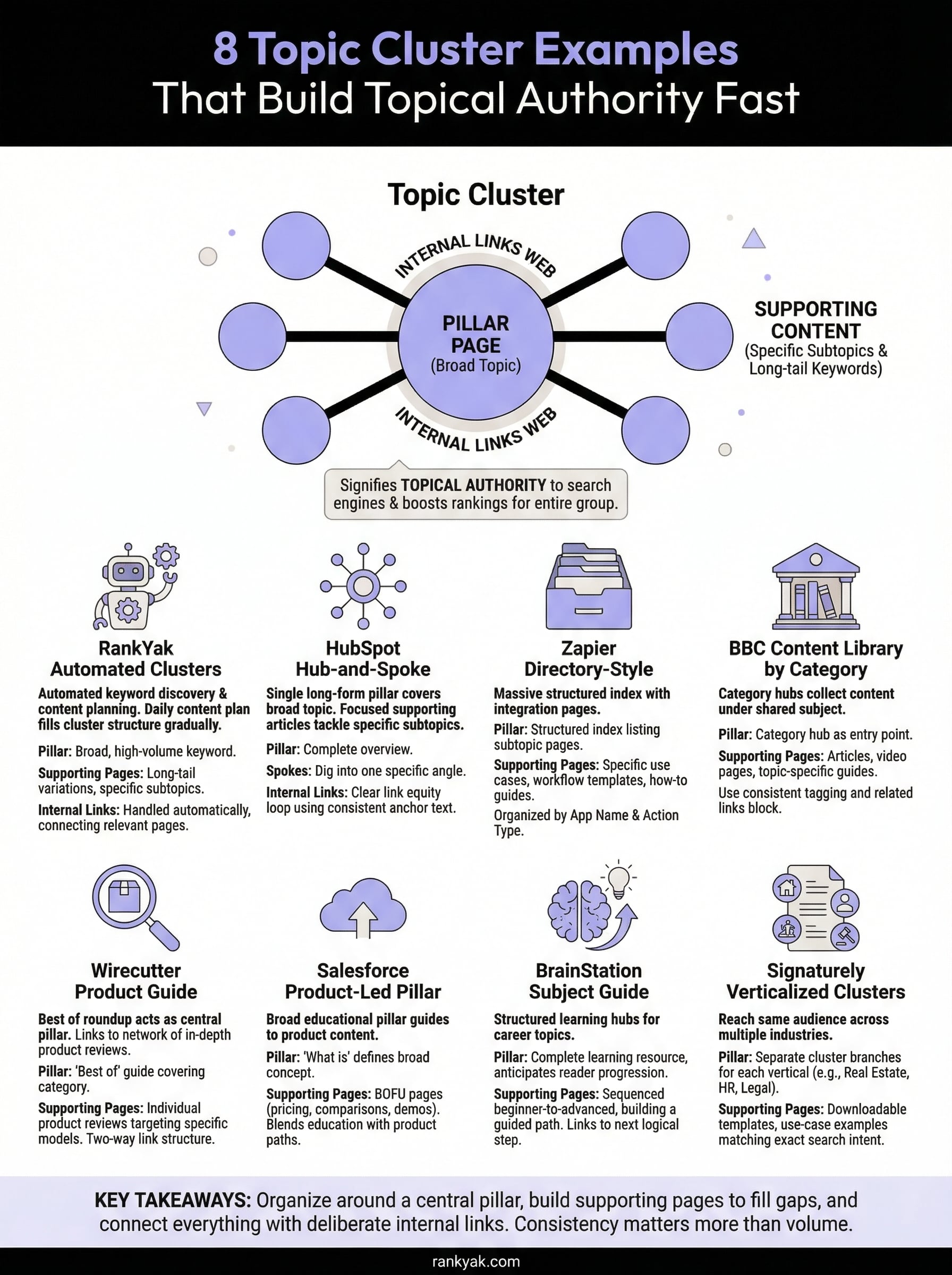
Each of the topic cluster examples above follows the same core principle: organize your content around a central pillar, build supporting pages that fill in the gaps, and connect everything with deliberate internal links. The format you choose depends on your industry, content volume, and how close your audience is to a buying decision.
Start by picking one broad topic your audience consistently searches for. Build the pillar page first, then map out eight to fifteen supporting subtopics you can publish over the coming weeks. Consistency matters more than volume, so a steady publishing schedule will outperform a one-time content sprint every time.
If you want to skip the manual planning and let automation handle your daily content and cluster structure, start a free 3-day trial and let RankYak build your clusters and see how fast your cluster fills in when the system does the heavy lifting for you.
Lars Koole is a co-founder of RankYak and has worked in SEO since 2021, on the side where a strategy has to become a live page: inside agencies, alongside them, for clients directly, and in-house on the products being ranked. He is a software engineer by trade, which is how that page gets built. Before RankYak he founded companies of his own, two of which were acquired. At RankYak he owns the engineering and everything AI, and works out the solution and the implementation of each new feature.
