Content Plan Examples: 8 Frameworks And Calendars That Work
You know you need to publish content consistently. You've probably even read a dozen blog posts telling you to "create a content plan." But when you sit down to actually build one, you're staring at a blank spreadsheet wondering what goes where. That's where content plan examples come in, seeing how others structure their plans makes it much easier to build your own.
The problem is that most examples floating around are either too vague to be useful or so complex they require a full marketing team to execute. If you're a small business owner or solo marketer, you need something practical, a framework you can actually stick with week after week. That's exactly why we built RankYak to automate the content planning and publishing process entirely, from keyword research to daily article creation.
But whether you use automation or prefer a hands-on approach, having a solid plan structure matters. In this guide, you'll find 8 proven content plan frameworks and calendars pulled from real-world use cases. Each one serves a different goal and team size, so you can pick the format that fits your situation and start organizing your content strategy right away.
What a content plan includes and why it matters
A content plan is not just a spreadsheet with titles and publish dates. It is a strategic document, part of a wider content strategy plan, that connects your business goals to the specific content you create and publish. When you study content plan examples from teams that rank consistently, you'll notice they share a repeatable set of components that separate intentional publishing from random posting.
The core components of a content plan
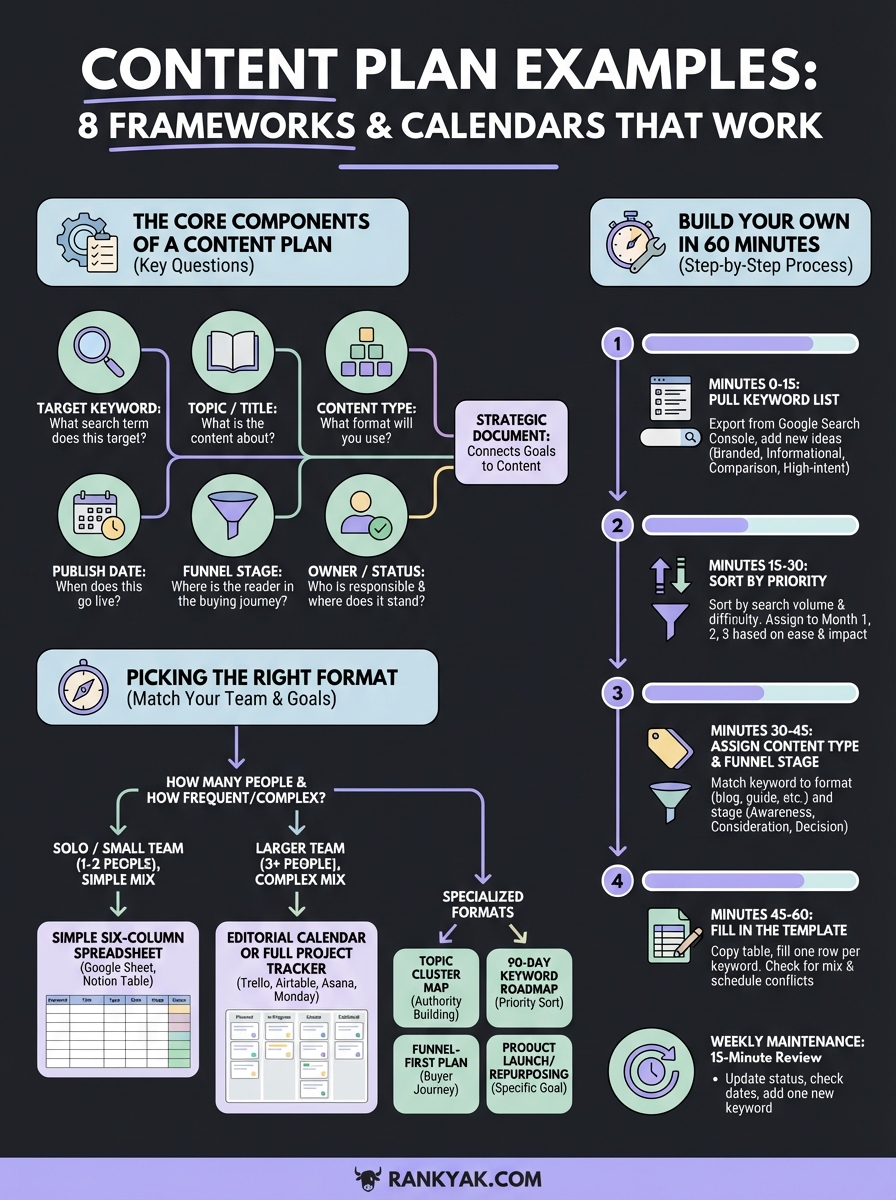
Every effective content plan answers six key questions about each piece of content. Together, these fields give you and your team a clear picture of what's being created, who it's for, and how it contributes to growth. Here's what those components look like in practice:
| Component | What it answers | Example |
|---|---|---|
| Target keyword | What search term does this piece target? | "project management software for freelancers" |
| Topic / title | What is the content actually about? | "Best Project Management Software for Freelancers in 2026" |
| Content type | What format will you use? | Blog post, landing page, comparison guide |
| Publish date | When does this go live? | April 3, 2026 |
| Funnel stage | Where is the reader in the buying journey? | Awareness, consideration, or decision |
| Owner / status | Who is responsible and where does it stand? | Writer assigned, in review, published |
Leaving any of these columns blank creates gaps that cost you later. Without a target keyword, your content has no anchor in search. Without a funnel stage, you risk publishing five awareness posts in a row while your decision-stage pages stay empty and your traffic never converts.
Why structure beats spontaneity
Most businesses that struggle with SEO are not struggling because they write bad content. They struggle because they publish without a system. A plan forces you to be intentional about which topics you cover, how often you publish, and how individual pieces connect to each other through internal linking and topic clusters.
Consistent, structured publishing builds compounding authority in ways that occasional bursts of content never can.
Releasing content on a predictable schedule also sends a trust signal to search engines. Google rewards sites that add useful, relevant content regularly, not sites that publish ten articles in one week and then disappear for two months. Your plan keeps output steady even when your motivation or bandwidth fluctuates.
What a content plan is not
It helps to be clear about the boundaries here. A content plan is not a content brief, which is the detailed document you hand to a writer for a single article, and you can turn a keyword into a writer-ready brief separately. It is also not a social media calendar, though your social posts can absolutely flow from it once you know what a content calendar actually covers. Think of your content plan as the master strategic document that governs your editorial direction over the next 30, 60, or 90 days. Every other document, the briefs, the drafts, the captions, are outputs of that plan, not replacements for it.
How a content plan connects to measurable results
Your plan only has value if it ties back to something you can track. Before you add a single title to your calendar, decide which core metric each piece is designed to move: organic traffic, keyword ranking, lead generation, or conversion rate. Assigning a goal to each piece of content makes it far easier to audit your plan later and cut topics that don't serve your actual business objectives. This is the step most people skip, and it's exactly why many content plans collect dust after the first month.
How to pick the right content plan format
Not every content plan format works for every situation. The right format depends on three variables: how many people are involved in your content process, how frequently you publish, and how complex your content mix is. Picking a format that's too simple leaves you without the structure you need, while picking one that's too complex means you'll abandon it by week three. Before you browse content plan examples and copy the first one you find, run through the two questions below.
Match format to team size
If you're a solo operator or a two-person team, a simple spreadsheet with six columns covers everything you need. You don't need project management software with custom views and automations. A Google Sheet with columns for keyword, title, format, publish date, status, and funnel stage gives you full visibility without the overhead. Here's how format complexity should scale with team size:
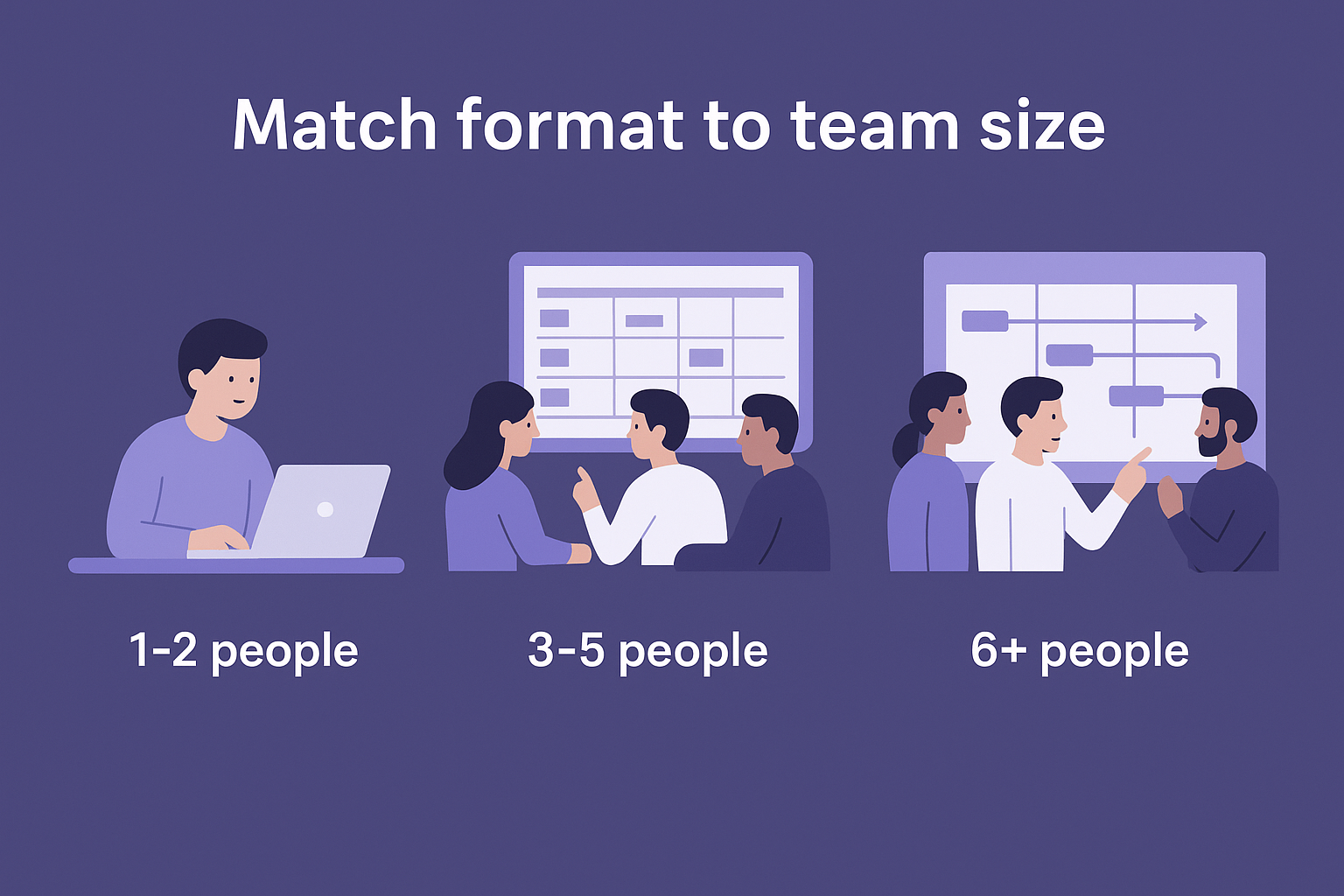
| Team size | Recommended format | Example tools |
|---|---|---|
| 1-2 people | Simple spreadsheet | Google Sheets, Notion table |
| 3-5 people | Editorial calendar with owner field | Trello, Airtable |
| 6+ people | Full project tracker with workflow stages | Asana, Monday |
Larger teams need more columns because accountability and handoffs become critical. You need to know not just what's being written but who owns each stage: research, writing, editing, and publishing.
Match format to your publishing goal
Your publishing frequency and content type mix also determine which format makes sense. If you publish one blog post per week and nothing else, a simple monthly table works fine. But if you're managing blog posts, landing pages, comparison guides, and video scripts simultaneously, you need a format that lets you filter and sort by content type so nothing gets missed.
The format you choose should reduce friction, not create it. If maintaining your plan takes longer than 15 minutes a week, it's too complex for your current operation.
When you look at high-output teams, most of them started with the simplest possible format and added complexity only when that version broke down. Start with the minimum structure that gives you visibility into what's live, what's in progress, and what's planned for the next 30 days. Columns and views are easy to add later once you understand exactly where your current process breaks.
Eight content plan examples you can copy today
Below you'll find eight practical content plan examples drawn from real publishing workflows. Each one solves a specific problem, so scan the descriptions and grab the format that matches where your content operation is right now.
The simple six-column spreadsheet
This format works for solo operators and small teams publishing one to three pieces per week. Open a Google Sheet and add these six columns: Keyword, Title, Content Type, Publish Date, Funnel Stage, Status, or start from one of these Google Sheets content calendar templates. That's it. Fill one row per article and update the Status column as each piece moves from "planned" to "in progress" to "published." Most teams outgrow this around month six, but it's the best starting point.
The topic cluster map
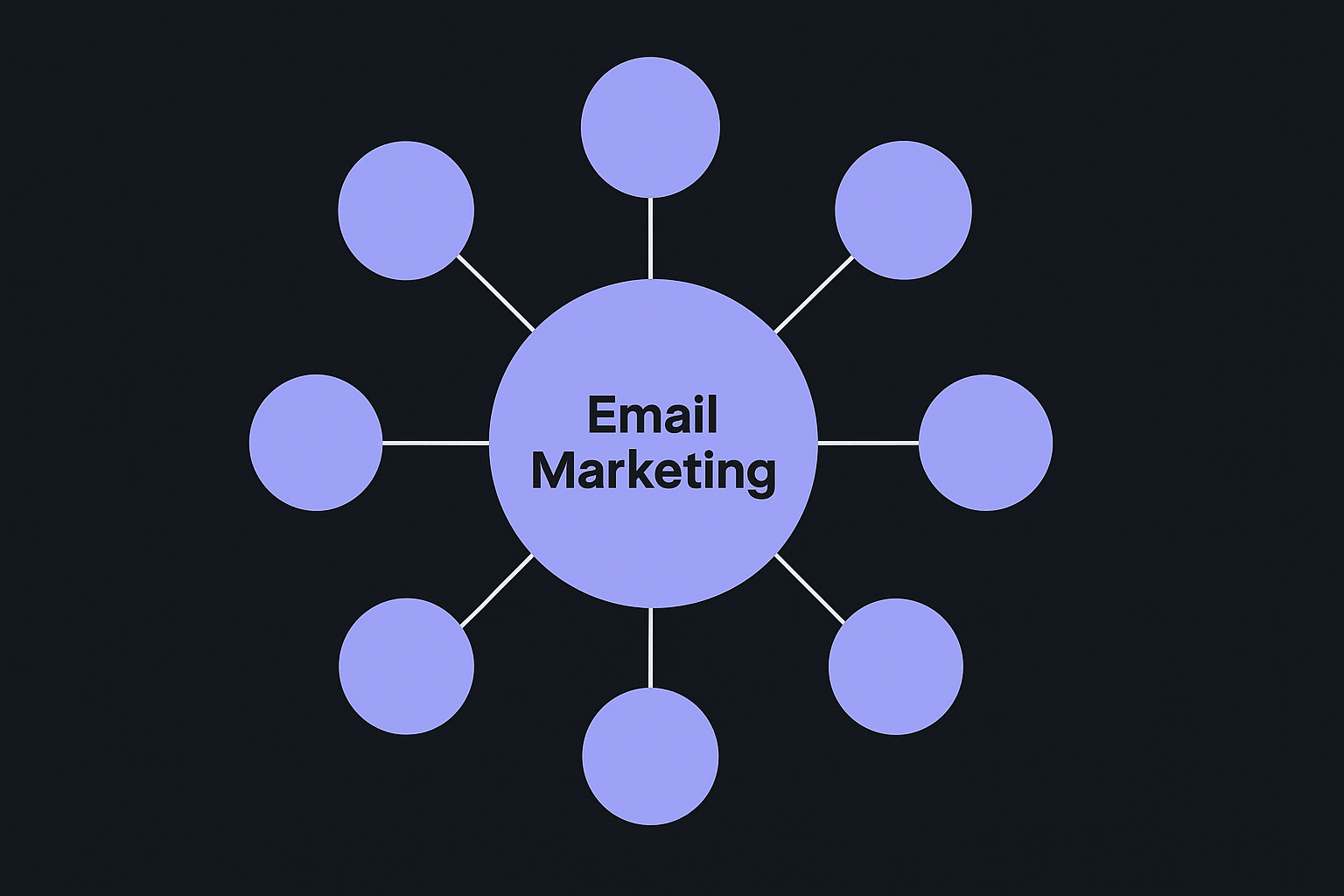
Instead of listing individual articles, this format organizes content around a central pillar topic. Draw one pillar page in the center (for example, "email marketing") and map 8 to 12 supporting cluster articles around it. Each cluster article targets a long-tail keyword and links back to the pillar. Use a Notion page, a simple diagram tool, or a free topical map generator to visualize it. This format is especially useful when you're building authority in a specific niche rather than chasing random traffic, and real topic cluster examples show how the pieces fit together.
The 90-day keyword roadmap
This plan uses a table sorted by keyword priority rather than publish date. Columns include: Keyword, Monthly Search Volume, Difficulty Score, Assigned Month (Month 1, 2, or 3), and Content Type. You populate it from your step-by-step keyword research workflow and then assign each keyword to a publishing window. The benefit is that you can see your full quarter at a glance and confirm you're covering awareness, consideration, and decision-stage terms in each month.
| Keyword | Volume | Difficulty | Month | Type |
|---|---|---|---|---|
| email marketing basics | 2,400 | Low | Month 1 | Blog post |
| best email marketing tools | 1,800 | Medium | Month 2 | Comparison |
| email marketing for ecommerce | 900 | Low | Month 1 | How-to guide |
| email automation software | 3,200 | High | Month 3 | Landing page |
Sorting by keyword difficulty first, then assign by month, so your easiest wins publish earliest and start building ranking momentum before the harder topics go live.
The remaining five formats at a glance
Not every format needs a full breakdown. These five cover common scenarios:
- Funnel-first plan: Three columns (Awareness, Consideration, Decision) with article titles slotted under each stage.
- Product launch calendar: Timeline view centered on a launch date with pre-launch, launch-week, and post-launch content assigned.
- Repurposing tracker: One source article per row with columns for each derivative format (email, LinkedIn post, short video script).
- Multilingual content plan: Same as the six-column spreadsheet but with a Language column and separate status fields per locale.
- Agency client template: Adds a Client column and a Reviewer column so approvals and handoffs stay visible across multiple accounts.
Build your own content plan in 60 minutes
You don't need a full week to build a working content plan. With a clear process and the right structure, you can go from a blank document to a complete 30-day plan in one focused hour. The content plan examples in this guide give you the format; this section gives you the step-by-step process to fill one in.
Minutes 0-15: Pull your keyword list
Start by listing every keyword your site should be targeting. Open Google Search Console, filter by impressions and average position, and export queries where you rank between positions 6 and 20. Those are your quickest ranking opportunities. Add new keyword ideas from your niche on top of that list, especially low competition keywords you can realistically win. Aim for 20 to 40 keywords to start:
- Branded queries you already own
- Informational terms your audience searches at the awareness stage
- Comparison and "best" keywords at the consideration stage
- High-intent, conversion-focused terms at the decision stage
Minutes 15-30: Sort by priority
With your keyword list in front of you, sort entries by two factors: search volume and keyword difficulty, the same scoring RankYak applies to every keyword it finds. High-volume, low-difficulty keywords go into Month 1. Medium-difficulty terms go into Month 2. Save your hardest targets for Month 3 once earlier posts have started building authority. This step turns a raw list into a sequenced publishing roadmap rather than a random pile of topics.
Assign your easiest keywords to the first publishing window so your plan generates ranking momentum before you tackle competitive terms.
Minutes 30-45: Assign content type and funnel stage
Go through each keyword and add two fields: content type (blog post, comparison guide, landing page) and funnel stage (awareness, consideration, decision). A keyword like "what is email automation" belongs in awareness. A keyword like "best email automation software" belongs in consideration. This step ensures your plan covers the full buyer journey instead of clustering all your content at one stage.
Minutes 45-60: Fill in the template
Copy the table below into a Google Sheet and fill in one row per keyword. You now have a working 30-day content plan ready to execute.
| # | Keyword | Title | Type | Funnel Stage | Publish Date | Status |
|---|---|---|---|---|---|---|
| 1 | [keyword] | [working title] | Blog post | Awareness | [date] | Planned |
| 2 | [keyword] | [working title] | Comparison | Consideration | [date] | Planned |
| 3 | [keyword] | [working title] | Landing page | Decision | [date] | Planned |
Once your rows are filled in, scan the Funnel Stage column to confirm you have a mix across all three stages. Then check that no two similar topics publish in the same week. Those two checks take five minutes and catch the most common planning gaps before they cost you traffic.
Keep your plan on track with a simple workflow
Having a solid content plan is only useful if you actually maintain it. Most plans fail not because they were built wrong, but because nobody scheduled time to update them. A simple weekly workflow keeps your plan accurate and removes the guesswork about what to work on next.
Run a weekly 15-minute review
Every Monday, open your content plan and run through three quick checks before you do anything else. This review takes 15 minutes and prevents your plan from drifting into irrelevance.
Here's the exact sequence to follow each week:
- Update status fields: Move anything that published last week to "Published" and confirm next week's article is "In Progress."
- Check your publish date column: If an article is behind schedule, shift its date forward and flag the delay with a note in the Status column.
- Add one new keyword: Pull a fresh term from Google Search Console or your running keyword list and drop it into the next open slot on the plan.
Keeping the weekly review short is what makes it sustainable. If it grows beyond 20 minutes, you've added too many fields.
That third step is important. Your keyword opportunities change over time as your site builds authority, new search trends emerge, and competitors shift their focus. Feeding one new keyword into your plan each week means your pipeline stays full without requiring a full audit every month.
Know when to update versus when to cut
Not every piece of planned content deserves to stay in your plan. When you review the plan each week, look for articles that have sat in the "Planned" status for more than 60 days without moving. That's a signal the topic either lost relevance or was never a strong fit.
Apply this simple rule to each stalled row:
- Update it: The keyword still has search potential but the title needs a sharper angle. Rewrite the title, reassign the publish date, and apply the usual content optimization checks.
- Cut it: The topic no longer fits your content strategy or the keyword has dropped in relevance. Delete the row and use that publishing slot for something stronger.
This pruning step is something you rarely see in content plan examples, but it's one of the highest-value habits you can build. A shorter, active plan beats a long, bloated one full of topics you'll never actually publish. Keeping your plan honest about what you'll realistically produce is what separates teams that execute from teams that just plan.
Next steps
You now have eight content plan examples to choose from, a 60-minute build process, and a weekly maintenance workflow that keeps your plan accurate over time. The next move is straightforward: pick the format that matches your team size and publishing frequency, open a Google Sheet, and fill in your first 30-day row. Starting simple beats waiting for the perfect system every time.
Once your plan is running, the biggest drain on your time shifts from planning to execution. Writing, formatting, and publishing one article after another is where most small teams stall. If you want to skip that bottleneck entirely, RankYak automates your entire content plan from keyword discovery through daily article creation and publishing, all for one flat rate. A three-day free trial lets you see exactly how a rolling content plan on autopilot works before you commit to anything.
Allan de Wit is a co-founder of RankYak and has worked in SEO since 2015: inside agencies, alongside them, for clients directly, and in-house on the products being ranked. He came to it as a software engineer building for marketers, which is why the platform is built the way it is. He went on to start companies of his own, two of which were acquired. At RankYak he sets the product direction and owns the features, the quality bar, the design, and the UX.
