
11 Content Calendar Examples To Plan And Publish Faster

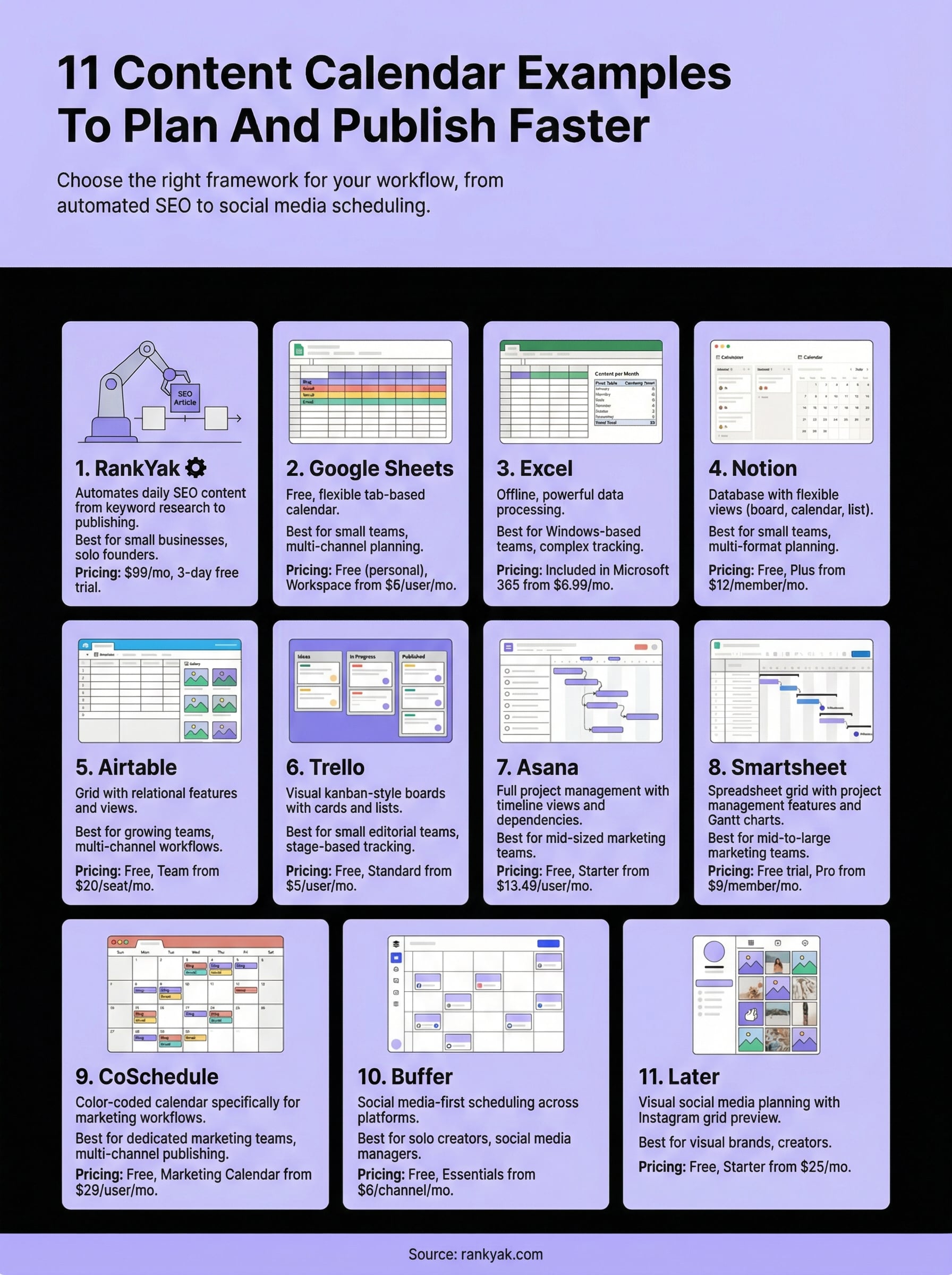
You know you need to publish consistently. You know a content calendar would help. But staring at a blank spreadsheet trying to figure out the right structure? That's where most people get stuck. Good content calendar examples give you a starting point, a framework you can steal, adapt, and actually use instead of building something from scratch that you'll abandon in two weeks.
The truth is, there's no single "correct" format for a content calendar. What works for a solo blogger managing one WordPress site looks nothing like what a marketing team running campaigns across six channels needs. The best calendar is the one that matches your workflow, your publishing cadence, and your goals. That's why seeing real examples across different tools, Google Sheets, Notion, Excel, Trello, and more, is so much more useful than reading generic advice about "planning ahead."
Below, you'll find 11 content calendar examples that cover a range of use cases: social media scheduling, blog content planning, multi-channel editorial workflows, and SEO-focused publishing. For each one, we break down what makes it work and who it's best suited for. And if your biggest bottleneck isn't organizing content but creating it consistently, that's exactly the problem we built RankYak to solve, it automates daily SEO content from keyword research to publishing, so your calendar never has empty slots. But first, let's get you the right template.
1. RankYak
RankYak takes a different approach from the typical content calendar examples you'll find online. Instead of giving you a blank template to fill in yourself, RankYak builds and executes your content calendar automatically, handling everything from keyword discovery to article creation to publishing without you manually scheduling a single post.
What this calendar looks like
RankYak generates a daily content roadmap based on your website and niche. The platform automatically identifies high-potential keywords and decides which ones to target each day, so your calendar never has empty slots. Inside the dashboard, you can see your upcoming content plan with each day's article already mapped to a specific keyword, giving you full visibility into what goes live and when without the overhead of maintaining a spreadsheet.
Your content calendar stops being something you maintain and starts being something that runs itself.
What it helps you plan and publish
RankYak focuses specifically on long-form SEO blog content up to 5,000 words per article. Each piece is fully optimized with internal linking, topic clusters, search intent matching, competitor research, and citations built in from the start. The platform publishes directly to WordPress, Shopify, Webflow, Wix, and other major CMS platforms, so an article moves from written to live without you touching it. A backlink exchange feature also runs alongside your content output to help build domain authority over time.
Who should use it
RankYak is built for small to medium-sized businesses, solo founders, and content marketers who need consistent SEO output but lack the time or budget for a full content team. If your biggest problem isn't organizing a calendar but filling it with quality articles that actually rank, this tool directly addresses that gap. It also works well for agencies managing multiple client websites, since each site gets its own dedicated content plan and subscription under one account.
Pricing
RankYak offers one straightforward plan at $99 per month, which includes all features: keyword discovery, daily article generation, automatic publishing, backlink exchange, and multi-site management. There is also a 3-day free trial with no commitment required, so you can test it against your current workflow before spending anything.
2. Google Sheets content calendar
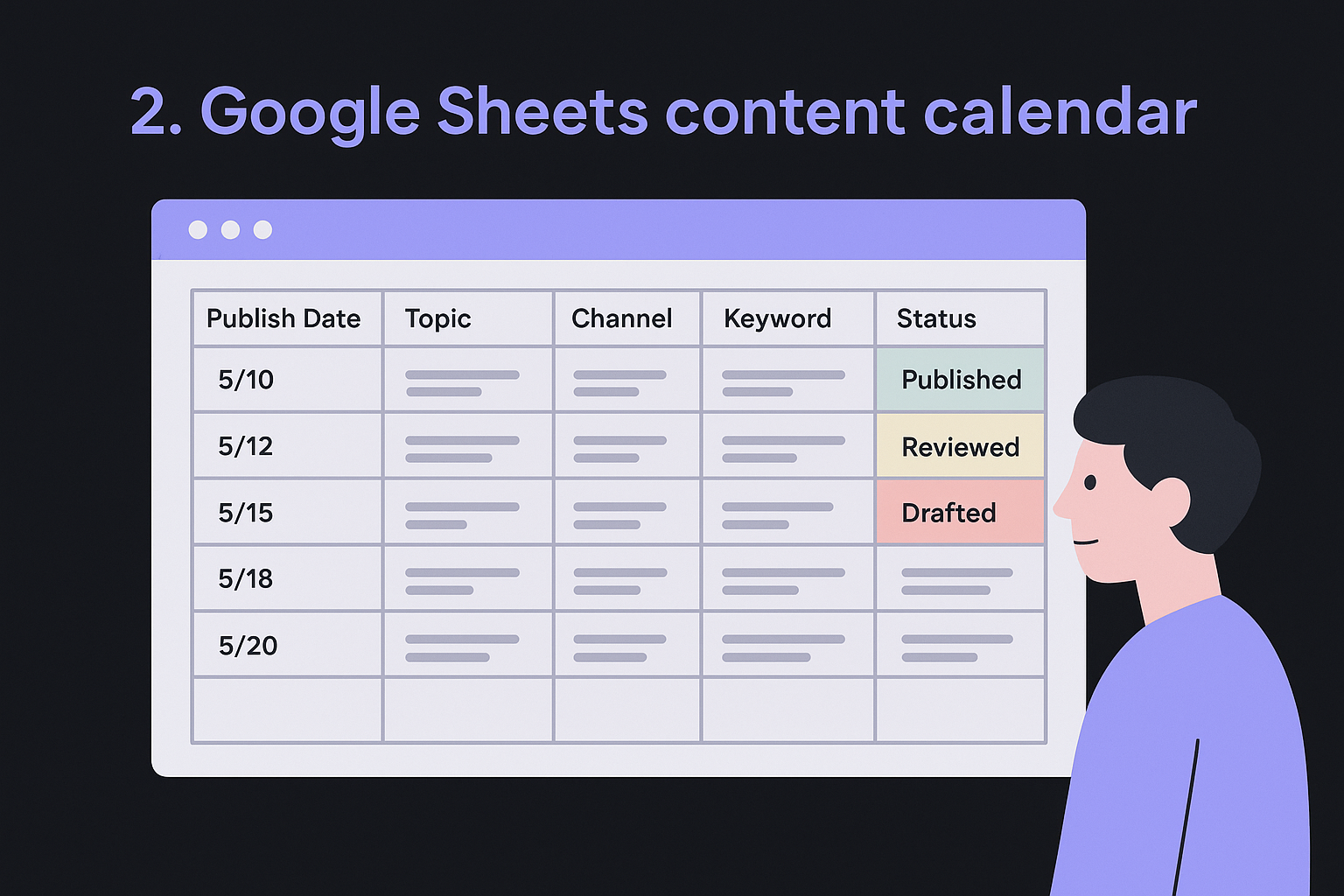
Google Sheets remains one of the most widely used content calendar examples for a simple reason: it's free, flexible, and works in any browser without installing anything. You can build a tab-based calendar that tracks publish dates, content titles, platforms, authors, and status columns all in one place.
What this calendar looks like
A typical Google Sheets calendar uses rows for individual content pieces and columns for attributes like publish date, topic, channel, keyword, status, and assigned writer. You can color-code rows by status (drafted, reviewed, published) using conditional formatting to get a quick visual read on where things stand across your pipeline.
Color-coded status columns turn a flat spreadsheet into something closer to a real editorial dashboard.
What it helps you plan and publish
Google Sheets works well for multi-channel planning across blog posts, email newsletters, and social updates in a single file. You can add filter views so different team members only see the content relevant to them, and shared editing means everyone works in the same document without version confusion.
Who should use it
This format suits small teams and solo marketers who want full control over their workflow without paying for a dedicated tool. If you are comfortable organizing data in a spreadsheet, Google Sheets gives you exactly as much structure as you choose to build into it, nothing more and nothing less.
Pricing
Google Sheets is completely free for personal use with a standard Google account. Google Workspace plans, which add business features like custom domains and advanced admin controls, start at $6 per user per month.
3. Excel content calendar
Microsoft Excel is one of the oldest content calendar examples in a marketer's toolkit, and it still holds up for good reason. Unlike Google Sheets, Excel runs locally on your machine, which means faster performance with large datasets and more advanced formula support right out of the box.
What this calendar looks like
An Excel content calendar typically uses a grid layout with columns for publish date, content title, target keyword, platform, writer, and current status. Many marketers also use Excel's built-in pivot tables to generate quick summaries of how much content is being produced per channel or per month, something that is harder to do cleanly in Sheets.
If you manage content across a large archive, Excel's local processing speed makes filtering and sorting through hundreds of rows noticeably faster.
What it helps you plan and publish
Excel works well for tracking content across multiple stages, from ideation through approval and publication. You can build dropdown menus using data validation to standardize status labels, and conditional formatting rules help highlight overdue items at a glance. It handles complex date formulas and cross-sheet references better than most browser-based alternatives.
Who should use it
This format suits Windows-based teams or individuals who already live inside the Microsoft ecosystem and prefer working offline. If your organization uses Microsoft 365, Excel integrates naturally with Teams and SharePoint for shared access.
Pricing
Microsoft Excel is included with Microsoft 365 personal plans, which start at $6.99 per month. A standalone perpetual license is also available for a one-time purchase.
4. Notion content calendar database
Notion has become one of the most popular content calendar examples for creators and marketers who want more than a flat spreadsheet. It combines database functionality with a flexible page structure, so you can view your content plan as a calendar, a kanban board, a table, or a simple list, all pulling from the same underlying data.
What this calendar looks like
A Notion content calendar database uses properties like publish date, content type, channel, status, and assigned owner to tag each content item. You can switch between views instantly, so you might work in a board view while drafting and flip to a calendar view when reviewing your monthly schedule. Each row also opens into a full page where you can write briefs, attach references, and leave comments.
Being able to draft, review, and schedule all inside one Notion entry removes a lot of the context switching that slows teams down.
What it helps you plan and publish
Notion handles multi-format content planning well, covering blog posts, social content, video scripts, and newsletters in one database. Filtered views let different team members see only their assigned items, and linked databases allow you to connect your content calendar to a separate ideas backlog or a campaign tracker.
Who should use it
Notion suits small teams and individual creators who want a more visual and organized alternative to spreadsheets without paying for a dedicated project management tool.
Pricing
Notion offers a free plan with core database features included. Paid plans start at $12 per member per month for the Plus tier, which adds unlimited file uploads and version history.
5. Airtable content calendar
Airtable sits between a spreadsheet and a full project management tool, making it one of the more versatile content calendar examples available today. It gives you the familiar feel of a grid while adding relational database features that pure spreadsheets cannot match, so linking a content item to a campaign, an author record, or a channel becomes straightforward.
What this calendar looks like
An Airtable content calendar uses a base with fields for publish date, content title, channel, status, assignee, and keyword. You can switch between a grid view, a gallery view, and a calendar view using the same underlying records, which makes it easy to move from a planning table to a monthly overview without duplicating any data. Each record also supports attachments and comments directly inline.
Seeing your entire month mapped in calendar view while keeping all the metadata in the grid makes scheduling decisions much faster.
What it helps you plan and publish
Airtable handles multi-channel editorial workflows well, letting you filter records by channel, status, or assignee in seconds. You can also set up automations to trigger status updates or send notifications when a deadline approaches, reducing the manual check-ins that slow editorial teams down.
Who should use it
Airtable works best for growing teams or content managers who have outgrown a basic spreadsheet but do not want the full complexity of a dedicated project management platform. It scales well as your content volume increases.
Pricing
Airtable offers a free plan for up to five editors. Paid plans start at $20 per seat per month on the Team tier.
6. Trello editorial calendar board
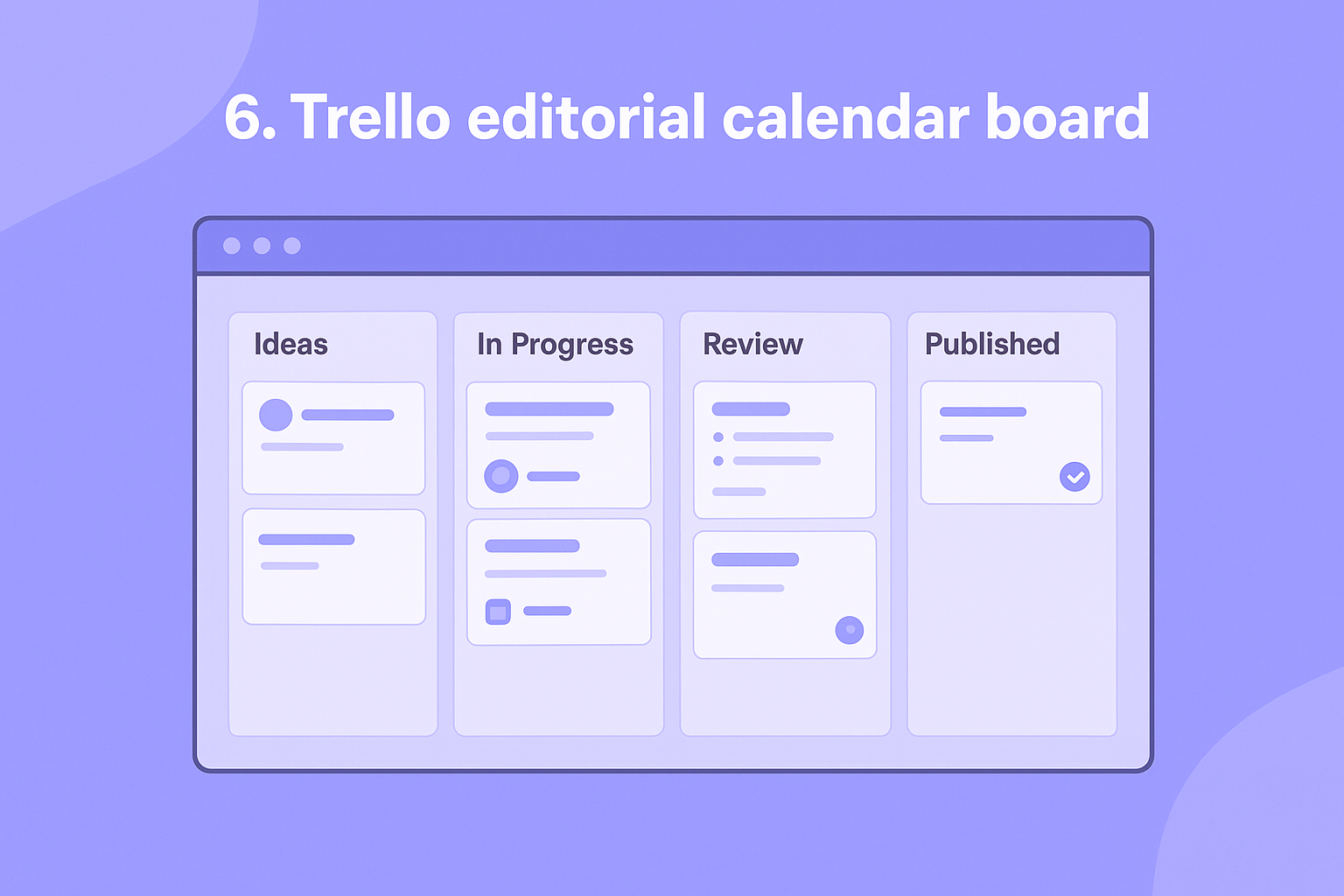
Trello brings a kanban-style approach to content planning that makes it one of the more visual content calendar examples in this list. Instead of rows and columns, you work with cards and lists that move across a board as your content progresses through each stage of your workflow.
What this calendar looks like
A Trello editorial board uses lists as pipeline stages, such as "Ideas," "In Progress," "Review," and "Published," with individual cards for each content piece moving left to right across the board. Each card holds your title, due date, assigned member, and any relevant attachments like briefs or drafts, giving you a clean, drag-and-drop view of your entire content pipeline at a glance.
Moving a card from "In Review" to "Published" gives you immediate, visual confirmation that a piece is done and live.
What it helps you plan and publish
Trello works well for managing content through distinct approval stages where multiple people touch each piece before it goes live. You can add checklists inside cards to track subtasks like writing, editing, and image sourcing, and Power-Ups let you connect to tools like Google Drive or Slack to keep communication and files in one place.
Who should use it
Small editorial teams and freelancers who prioritize a visual workflow over detailed reporting will find Trello fits their working style well. If your team thinks in stages rather than spreadsheets, a board layout matches that mental model without a steep learning curve.
Pricing
Trello offers a free plan with unlimited cards and up to 10 boards per workspace. Paid plans start at $5 per user per month on the Standard tier.
7. Asana content calendar
Asana is a full project management platform that doubles as one of the more structured content calendar examples in this list. Where tools like Trello keep things simple, Asana gives you task dependencies, timeline views, and workload management built into the same workflow, making it a strong fit for teams running complex content operations.
What this calendar looks like
Your content calendar in Asana lives as a project with individual tasks for each content piece. You can view those tasks as a list, a board, or a timeline (Gantt-style), which is especially useful when you need to map content to campaign launch dates and see how everything lines up over a month or quarter. Each task holds subtasks, due dates, attachments, and assignees without cluttering the main view.
Seeing your content lined up on a timeline next to campaign milestones makes it obvious when your schedule is too packed or too sparse.
What it helps you plan and publish
Asana handles multi-step content workflows well, letting you set task dependencies so a piece cannot move to editing until the draft is marked complete. You can also use rules and automations to move tasks between sections automatically when a status changes, which cuts down on manual updates across large content teams.
Who should use it
Asana suits mid-sized to larger marketing teams that need visibility across many projects at once and want more workflow control than a basic spreadsheet provides.
Pricing
Asana offers a free Personal plan for individuals and small teams. Paid plans start at $13.49 per user per month on the Starter tier.
8. Smartsheet content calendar
Smartsheet combines the familiar grid layout of a spreadsheet with built-in project management features, making it one of the more enterprise-ready content calendar examples on this list. If your team already manages operations and reporting in spreadsheet form but needs more structure around workflows and approvals, Smartsheet fills that gap without requiring you to rebuild your process from scratch.
What this calendar looks like
A Smartsheet content calendar looks like a spreadsheet at first glance, but each row can expand into a hierarchy of subtasks, making it easy to track every step of a content piece from brief to publication. You can switch to a calendar view or a Gantt chart view using the same underlying data, which gives you both a detailed task list and a high-level schedule without duplicating any entries.
Seeing your content schedule on a Gantt chart makes deadline conflicts visible weeks before they become a problem.
What it helps you plan and publish
Smartsheet handles multi-stage content workflows well, with automated alerts and approval requests that notify reviewers when a piece is ready for their input. You can also generate automated reports that pull data across multiple sheets, so leadership can see content output at a glance without digging through individual rows.
Who should use it
Smartsheet is a strong fit for mid-to-large marketing teams or organizations that need their content planning to connect directly with broader operational reporting and budget tracking across departments.
Pricing
Smartsheet offers a free trial, with paid plans starting at $9 per member per month on the Pro tier.
9. CoSchedule marketing calendar
Among the content calendar examples covered here, CoSchedule is the only one built specifically around marketing workflows rather than adapted from a general project management tool. Every feature on the platform centers on coordinating campaigns, blog posts, and social messages in a single place, which removes the workarounds that come with repurposing spreadsheets or task boards for content work.
What this calendar looks like
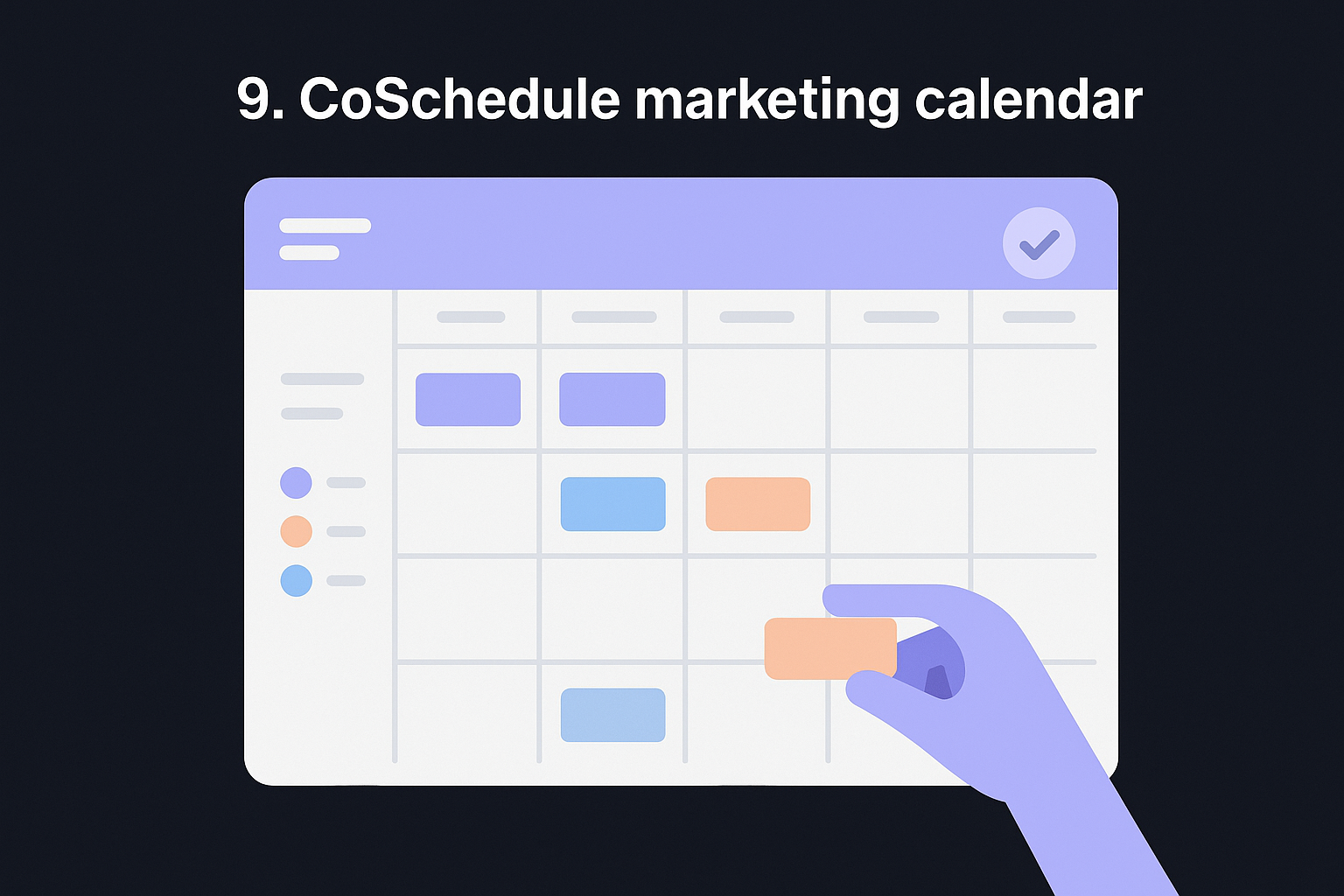
CoSchedule presents your content as a color-coded, drag-and-drop calendar where each item appears on its scheduled publish date. You can see blog posts, social messages, and email campaigns side by side in a monthly view, which makes it easy to spot gaps or overlaps in your publishing schedule at a glance without toggling between tools.
A unified view across every channel you run removes the guesswork from knowing what goes live and when.
What it helps you plan and publish
The platform connects directly to WordPress, social networks, and email tools, so scheduling a post pushes it all the way to publication without extra steps. CoSchedule also includes ReQueue, a feature that automatically reshares your top-performing content during calendar gaps to keep your channels active without additional manual effort on your part.
Who should use it
CoSchedule fits dedicated content marketing teams that publish across multiple channels at the same time and need a single tool to coordinate the full schedule rather than managing separate platforms for each channel.
Pricing
A free calendar plan is available for individuals. Paid plans for the Marketing Calendar start at $29 per user per month.
10. Buffer social media calendar
Buffer approaches the content calendar problem from a social media-first angle, making it one of the more focused content calendar examples in this list. Rather than handling blog posts or campaigns broadly, Buffer zeroes in on scheduling and publishing social content across multiple platforms from a single dashboard.
What this calendar looks like
The Buffer calendar displays your scheduled social posts in a clean calendar grid, organized by date and platform. Each post shows a preview of the content, the target platform, and the scheduled time, so you can scan your entire week or month at a glance and spot any gaps in your posting schedule before they become a problem.
A visual calendar that shows platform-level activity side by side makes it easy to balance your posting frequency without overcrowding one channel.
What it helps you plan and publish
Buffer connects directly to Instagram, Facebook, X (formerly Twitter), LinkedIn, Pinterest, and TikTok, pushing posts live automatically at your scheduled times. You can also use Buffer's built-in AI assistant to draft post variations quickly, which speeds up the process of filling your social calendar without starting every caption from scratch.
Who should use it
Buffer fits solo creators, small businesses, and social media managers who focus primarily on social content rather than long-form blog publishing. If social channels are your main distribution method, Buffer keeps everything organized and running on schedule without adding tools you do not actually need.
Pricing
Buffer offers a free plan for up to three social channels. Paid plans start at $6 per channel per month on the Essentials tier.
11. Later social media calendar
Later rounds out this list of content calendar examples as a platform built from the ground up for visual social media planning. It started as an Instagram scheduling tool and has since expanded to cover other major social platforms, keeping its core strength in helping you see exactly how your feed will look before anything goes live.
What this calendar looks like
Later's calendar uses a drag-and-drop visual grid that shows your upcoming posts organized by date and time across each connected platform. The standout feature is the Instagram grid preview, which lets you arrange posts so your overall feed aesthetic stays consistent before you commit to any scheduling decisions.
Seeing your Instagram grid before anything publishes prevents the visual inconsistencies that can hurt how your profile looks to new visitors.
What it helps you plan and publish
Later connects to Instagram, TikTok, Facebook, X, Pinterest, and LinkedIn, scheduling posts automatically at your chosen times without manual publishing steps. The platform also includes a link-in-bio tool that turns your Instagram posts into clickable links, helping you drive traffic from social directly to specific pages on your site.
Who should use it
Later fits visual brands, photographers, e-commerce businesses, and creators who treat Instagram or TikTok as their primary distribution channel. If aesthetic consistency matters as much as posting frequency to your audience, Later gives you tools that generic scheduling apps do not prioritize.
Pricing
Later offers a free plan with basic scheduling features. Paid plans start at $25 per month on the Starter tier.
Pick one and start posting
The 11 content calendar examples above cover a wide range of workflows, from drag-and-drop social schedulers to full project management platforms. The mistake most people make is spending more time comparing tools than actually committing to one. Pick the format that matches how you already work, test it for a few weeks, and refine from there. A good calendar does not need to be perfect on day one, it just needs to be in use.
If your real bottleneck is not organization but consistently producing high-quality content that ranks, a calendar template alone will not solve that. RankYak handles the entire content pipeline automatically, from keyword research to writing to publishing, so your calendar stays full without you manually creating every piece. You get one SEO-optimized article every day, pushed live to your site without manual effort on your part.
Start your free 3-day trial and see what a content plan that runs itself actually looks like.

Get Google and ChatGPT traffic on autopilot.
Start today and generate your first article within 15 minutes.

SEO revenue calculator
How much revenue is your website leaving on the table?
Take a quick quiz and see exactly how much organic revenue you're missing out on, along with personalized tips to fix it.
-
4 questions, under 1 minute
-
See traffic and revenue potential
-
No email required
Free · takes 1 minute · no signup needed
Question 1 of 4
Question 2 of 4
Question 3 of 4
Question 4 of 4
Your SEO growth potential
Extra visitors / month
after 6-12 months of consistent publishing
Revenue potential / year
at your niche's avg. conversion rate
Articles needed (12 mo)
to reach this traffic level
ROI with RankYak
on the Professional plan ($129/mo)
To hit that number, you'd need to:
- Build a topical authority strategy for your niche
- Research keywords & map out a full topical cluster
- Write, edit & publish an article every single day
- Build backlinks to the articles you publish
RankYak handles all of this automatically, every day.
* Estimates based on industry averages. Results vary by niche, competition, and domain authority. Most SEO results become visible after 3-6 months of consistent publishing.