Ecommerce SEO Strategy: Step-By-Step Plan That Drives Sales
Most online stores rely heavily on paid ads to drive traffic. The moment you stop spending, the traffic disappears. A solid ecommerce SEO strategy changes that equation entirely, it builds a pipeline of organic visitors who find your products through Google without you paying for every single click. But getting it right requires more than just adding keywords to product descriptions.
Ecommerce SEO has its own set of challenges: duplicate content across product variants, thin category pages, crawl budget issues on large catalogs, and the constant churn of seasonal inventory. Generic SEO advice doesn't cut it. You need a plan built specifically for how online stores work.
This guide walks you through a step-by-step ecommerce SEO strategy, from technical foundations and keyword research to content creation and link building, so you can increase organic visibility and turn search traffic into actual sales. Each step is actionable and prioritized so you know exactly where to start, whether you're launching a new store or optimizing an established one.
And if the idea of producing SEO-optimized content consistently sounds like a time sink, that's exactly the problem RankYak was built to solve, automating keyword discovery, article creation, and publishing so your store's content engine runs daily without draining your team.
What an ecommerce SEO strategy must include
A complete ecommerce SEO strategy is not a single tactic but a system of interconnected layers. Each layer handles a different part of how Google finds, understands, and ranks your store. Skip one layer and the others underperform. The four core pillars are technical health, keyword and intent alignment, on-page optimization, and content authority. Understanding what each one demands before you start keeps you from wasting effort on the wrong problems.
Technical health
Your store's technical foundation determines whether Google can crawl and index your pages in the first place. Site speed, crawlability, and indexation are not optional extras; they are prerequisites, and working through a 15-step checklist for crawling and indexing confirms yours hold up. An online store with thousands of product pages, faceted navigation, and variant URLs creates crawl complexity that a standard blog or brochure website never faces.
Key technical areas every ecommerce store must address:
- Core Web Vitals: Page speed and layout stability directly affect both rankings and conversion rates
- XML sitemap: Submit a clean sitemap to Google Search Console so new products and categories get discovered and indexed faster
- Robots.txt: Block filtered and parameterized URLs that create duplicate content traps at scale, and build a valid robots.txt from presets if you are starting from nothing
- HTTPS: Every page, including checkout, must serve over a secure connection
- Mobile usability: Google indexes the mobile version of your site first, so mobile experience sets your ranking ceiling
If Google cannot efficiently crawl your store, no amount of keyword optimization will move your rankings.
Keyword and intent alignment
Keyword research for ecommerce works differently from keyword research for editorial content. You need to match queries to the commercial stage of the buyer's journey. Someone searching "best running shoes for flat feet" is researching options; someone searching "buy Brooks Adrenaline GTS 24 size 10" is ready to purchase. Each query type maps to a different page format and content depth.
Your keyword strategy needs three tiers: transactional keywords for product and category pages, informational keywords for blog content and buying guides, and navigational keywords for your brand and specific product names. Without separating these tiers, you end up targeting the wrong intent on the wrong page type and ranking for nothing on both fronts.
On-page optimization
Once you know which keywords belong on which pages, you need to implement them correctly. Title tags, meta descriptions, header tags, and product copy all carry ranking signals. The goal is not to repeat keywords mechanically but to write clearly for shoppers while naturally including the terms Google associates with your product category.
On-page optimization also covers internal linking, which tells Google which pages carry the most authority within your site hierarchy. A category page that receives links from your homepage, blog articles, and related product pages signals more importance than an isolated page with no connections pointing to it.
Content and authority
Content and backlinks are how your store competes beyond its own product catalog. Buying guides, comparison articles, and how-to content attract informational search traffic and build topical authority, which lifts your category and product pages higher in results by association. Stores that publish consistent, genuinely helpful content earn more trust from Google over time than stores that only maintain product listings.
Backlinks from relevant, reputable sites amplify everything else in your strategy. Even a small number of high-quality links from industry publications or complementary businesses can meaningfully shift your domain authority and improve rankings across your entire catalog, not just the pages those links point to directly.
Step 1. Audit your store and set a baseline
Before you optimize anything, you need to know what your store looks like to Google right now. A baseline audit, run against a 20-step audit checklist, tells you which pages are indexed, which pages are throwing errors, and where your current rankings sit. Without this snapshot, you have no way to measure whether your ecommerce SEO strategy is actually working or which specific problems deserve your immediate attention.
Check indexation and crawl coverage
Open Google Search Console and navigate to the Coverage report. Look at the breakdown of Valid, Excluded, Warning, and Error pages. A healthy store has most product and category pages sitting in the Valid bucket. If you see large numbers of pages under "Crawled, currently not indexed" or "Discovered, currently not indexed," Google is finding your pages but choosing not to index them, usually a signal of thin or duplicate content.
Also run a quick check by entering site:yourdomain.com in Google. The total count returned gives you a rough sense of your indexed footprint. Compare that number against the actual published page count in your CMS to spot major discrepancies fast.
Identify technical errors that block rankings
Broken links (404 errors), redirect chains, and slow-loading pages are the most common blockers found during an ecommerce audit, and you can trace the full redirect chain for a whole list of URLs in one pass. Fixing these before you do any keyword work ensures your later optimization efforts land on pages Google can actually serve in results.
Crawl errors do not always cause immediate ranking drops, but they drain crawl budget and slow the rate at which new products get discovered and indexed.
Prioritize fixes using this framework after running a full site crawl:
| Issue | Priority | Action |
|---|---|---|
| 4xx errors on linked pages | High | Redirect to correct URL or fix the source link |
| Redirect chains (3+ hops) | High | Update all hops to a single direct 301 |
| Pages blocked by robots.txt | High | Review and unblock indexable pages |
| Slow page load (3s+) | Medium | Compress images and reduce third-party scripts |
| Missing canonical tags | Medium | Add self-referencing canonicals to all product pages |
Record your baseline metrics
Pull your current organic traffic numbers and keyword rankings from Google Search Console before making any changes. Note your top 10 landing pages by organic clicks, the queries generating impressions on category pages, and your average click-through rate. These numbers become your benchmark six weeks from now when you need to track SEO performance and prove what the work actually moved.
Step 2. Do keyword research and map search intent
Keyword research for an ecommerce SEO strategy is not about building the longest list of terms possible. Your actual goal is to identify which queries signal purchase intent, which signal comparison research, and which signal general curiosity, then assign each keyword to the right page type so Google receives a clear, consistent signal about what every URL on your store is for.
Build your keyword list by page type
Start with your category pages because they carry the most commercial weight and typically attract the highest volume of transactional search traffic. Enter your main product categories into Google and study the autocomplete suggestions along with the "People also search for" box at the bottom of results. These surface real queries your potential buyers use every day, without requiring any paid tool to get started.
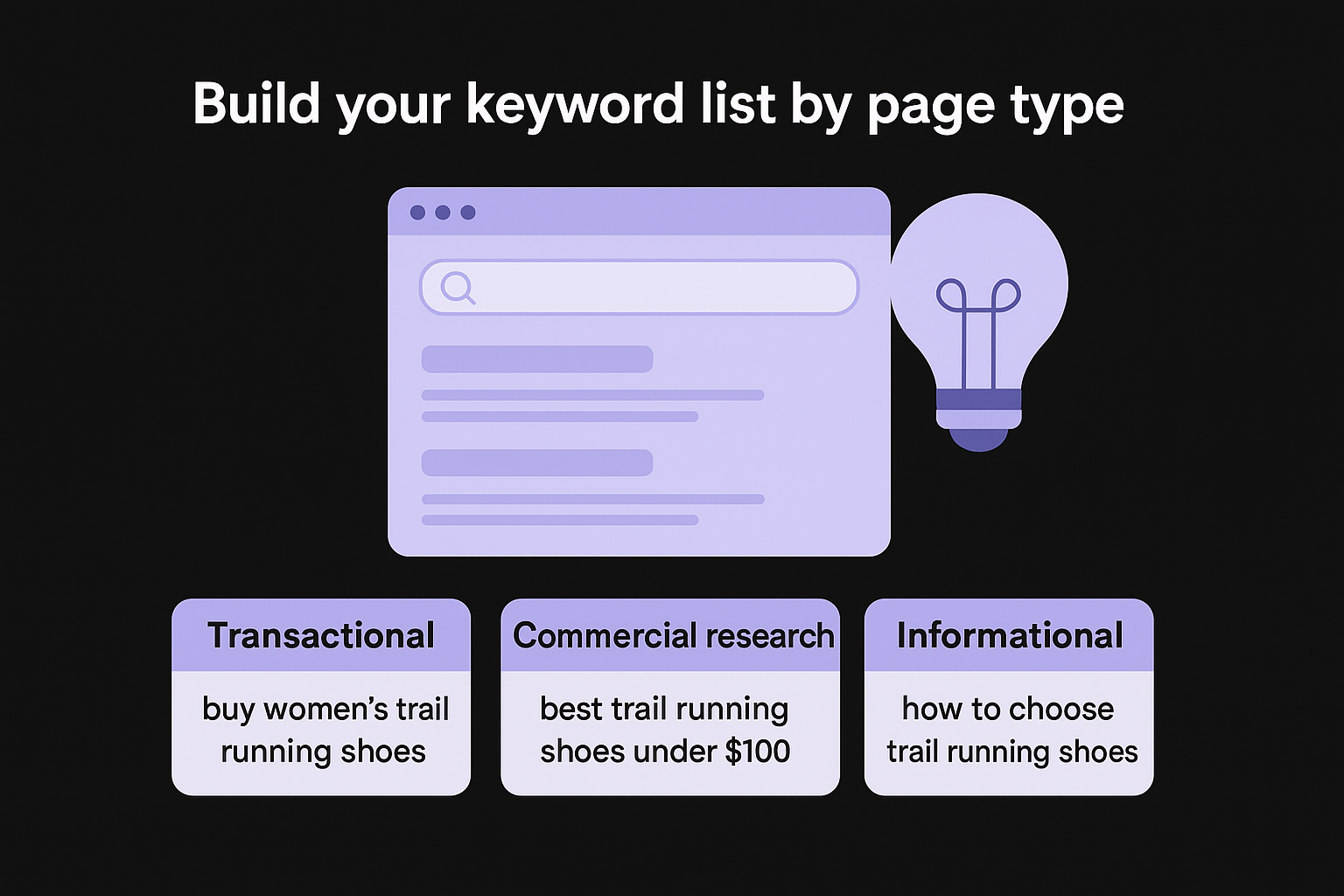
Organize your findings into three tiers before assigning anything to a specific page:
| Keyword tier | Example query | Best page type |
|---|---|---|
| Transactional | "buy women's trail running shoes" | Category or product page |
| Commercial research | "best trail running shoes under $100" | Buying guide or comparison page |
| Informational | "how to choose trail running shoes" | Blog article or FAQ page |
Mismatching keyword intent to page type is one of the most common reasons ecommerce stores fail to rank despite having technically sound pages.
Assign one primary keyword per page
Each page on your store should target one primary keyword and a tight cluster of semantically related terms around it. This prevents keyword cannibalization, which happens when two or more of your own pages compete for the same query and split the ranking signal between them.
For a product page selling waterproof hiking boots, your keyword assignment might look like this:
- Primary keyword: waterproof hiking boots women
- Supporting terms: women's waterproof trail boots, waterproof leather hiking boots
- Excluded from this page (belongs on category page): best hiking boots, hiking boots for women
Pull your existing pages into Google Search Console under the Performance report, filter by individual page, and check which queries already generate impressions for each URL. If two pages share the same top query, identify the stronger performer and rewrite the weaker page to target a distinct keyword rather than letting both pages compete and cancel each other out.
Step 3. Build a category-first site structure
Your site structure determines how Google distributes ranking authority across your store and how easily shoppers move from landing page to checkout. A category-first architecture, built on the same principles as any sound site architecture for SEO, puts your broadest, highest-traffic pages at the top of the hierarchy and places product pages underneath them, so link equity flows logically from your homepage down through categories and into individual products. Getting this right early in your ecommerce SEO strategy saves you from a costly restructure later when your catalog grows.
A flat, logical hierarchy means no important page sits more than three clicks from your homepage, which keeps both crawlers and shoppers from getting lost.
Keep the hierarchy shallow and logical
Your store should follow a simple three-level structure: homepage, category pages, and product pages. Sub-categories can add a fourth level when your catalog genuinely requires it, but adding extra depth without good reason pushes products further from your homepage and dilutes the authority those pages receive through internal links.
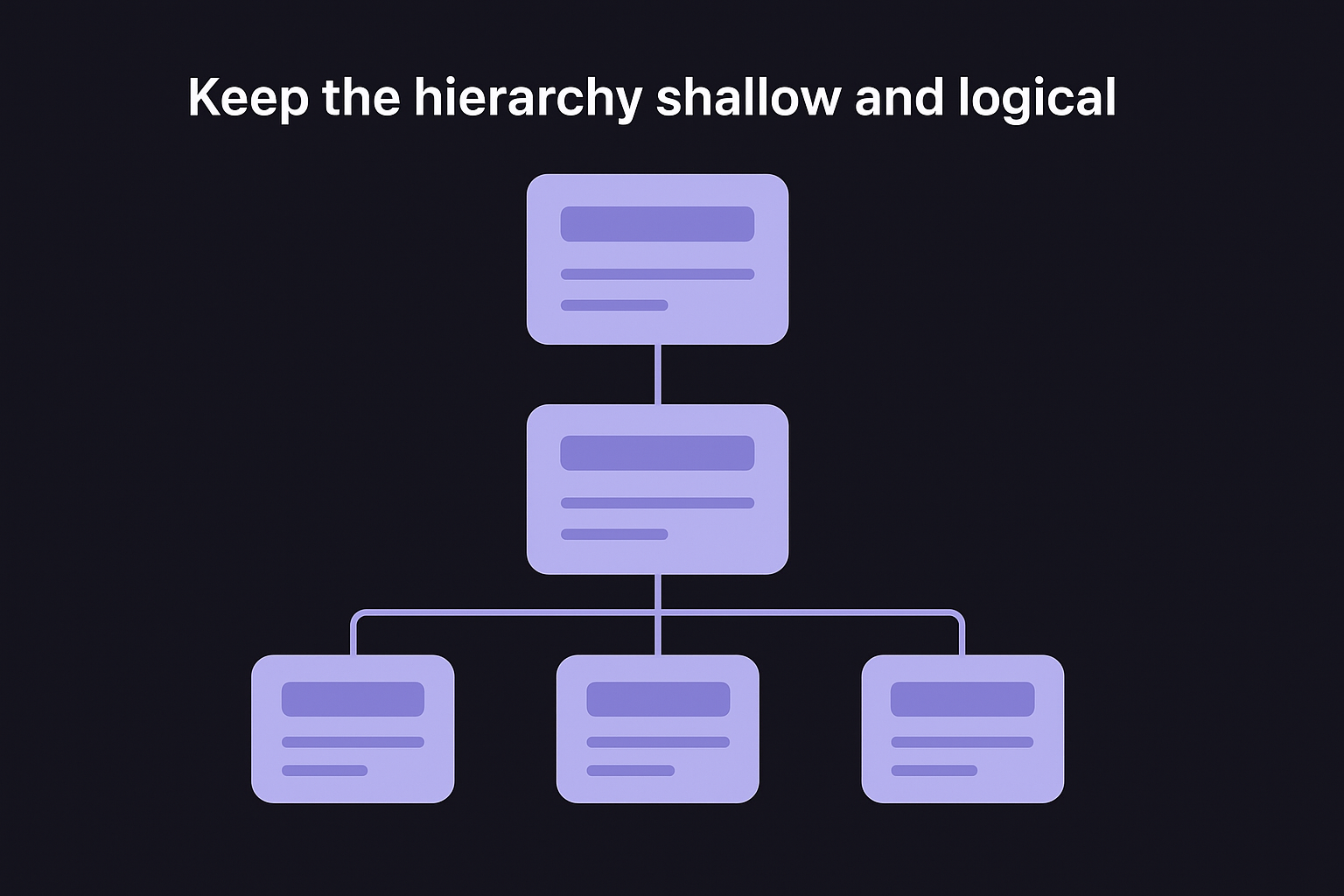
Use this framework to map your hierarchy before building or reorganizing:
| Level | Page type | Example |
|---|---|---|
| Level 1 | Homepage | yourdomain.com |
| Level 2 | Category | yourdomain.com/trail-running-shoes/ |
| Level 3 | Sub-category (optional) | yourdomain.com/trail-running-shoes/womens/ |
| Level 4 | Product | yourdomain.com/trail-running-shoes/womens/brooks-adrenaline/ |
Resist the temptation to create dozens of micro-categories for every possible product attribute. Thin category pages with fewer than 10 products often fail to rank because they carry too little content weight and too few internal links pointing at them from other parts of your site.
Use URL structure to reinforce hierarchy
Your URLs should mirror your site hierarchy exactly. Clean, descriptive URLs tell Google what a page covers before it even crawls the content. Keep them lowercase, use hyphens to separate words, and include your primary keyword for that page directly in the slug.
Follow this URL pattern for consistency across your catalog:
yourdomain.com/[category-keyword]/[sub-category-keyword]/[product-name]/
Avoid including dates, session IDs, or unnecessary parameters in your URLs. These create duplicate content problems at scale and make your internal links harder to manage as your catalog expands over time.
Step 4. Optimize category and product pages
Category and product pages are where your ecommerce SEO strategy either converts traffic into revenue or loses shoppers to competitors. These pages need clear on-page signals for Google and compelling copy for buyers, and both goals point toward the same outcome: write specifically about what the page sells, not vaguely about a broad topic.
Write title tags and meta descriptions that drive clicks
Title tag optimization is the single most influential on-page element for rankings, and your meta description controls whether a ranking position turns into an actual click. Every category and product page needs a unique title tag that includes the primary keyword as close to the front as possible, followed by a differentiator like price range, brand selection, or a key benefit.
Use this template as your starting point for both page types:
Category page:
[Primary Keyword] - [Differentiator] | [Brand Name]
Example: Women's Trail Running Shoes - 50+ Styles from $65 | StoreName

Product page:
[Product Name] - [Key Feature] | [Brand Name]
Example: Brooks Adrenaline GTS 24 - Maximum Support Running Shoe | StoreName
Keep title tags under 60 characters so they display in full on the search results page. Write meta descriptions under 155 characters, or run the page through a meta description generator, and include a clear action phrase like "Shop now" or "Free shipping on orders over $50" to improve click-through rate.
Build product copy that satisfies both Google and buyers
Thin product descriptions are one of the most common reasons Google skips indexing product pages on large catalogs. Write at least 150 to 250 words of original copy per product that covers the specific use case, key materials or specifications, and who the product is right for. Do not copy the manufacturer's description verbatim; Google treats this as duplicate content and your page loses ranking priority to the original source.
A product page that explains the actual benefit of a feature, not just its name, gives shoppers a real reason to buy and gives Google a reason to rank it.
For category pages, add a descriptive paragraph above the product grid and a longer section below it. The above-grid copy targets your primary keyword naturally and orients the shopper, while the below-grid section lets you include supporting terms and answer common category-level questions without cluttering the browsing experience.
Step 5. Control filters, variants, and duplicate URLs
Faceted navigation and product variants generate the most duplicate content problems in any ecommerce store. When a shopper filters a category page by color, size, or price, your platform typically creates a new URL for each filter combination. Google crawls all of those URLs and finds nearly identical content on each one, which splits your ranking signals across dozens of thin pages instead of concentrating them on one strong page. Handling this correctly is a critical part of any ecommerce SEO strategy because it protects the authority your category pages have already earned.
Handle faceted navigation with canonical tags and robots.txt
Your two main tools for controlling filter pages are canonical tags and robots.txt directives. A canonical tag tells Google which URL is the "official" version of a page, so even if a filtered URL gets crawled, the ranking signals flow back to your clean category URL instead of scattering, which is why canonical tag best practices matter so much on a large catalog. Add a self-referencing canonical to your base category page and a canonical pointing back to that base URL on every filtered variation.
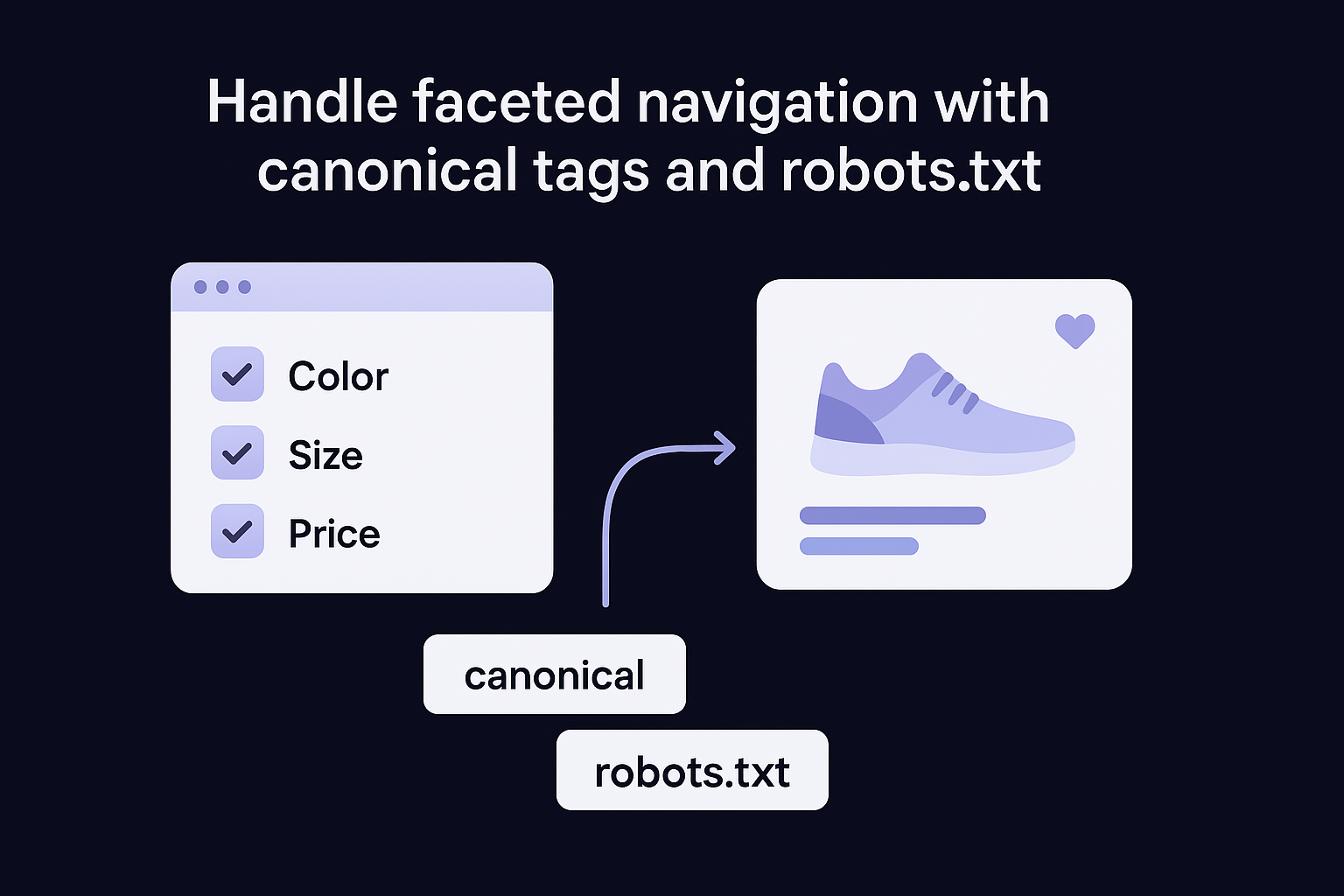
If your robots.txt blocks filtered URLs from crawling entirely, Google stops wasting crawl budget on pages that will never rank, which speeds up indexation for your real category and product pages.
Use robots.txt to disallow common parameter patterns that generate low-value filter combinations:
User-agent: *
Disallow: /category/?color=
Disallow: /category/?size=
Disallow: /category/?sort=
Pair this with canonical tags in your page <head> for any filtered pages that do get crawled:
<link rel="canonical" href="https://yourdomain.com/trail-running-shoes/" />
Manage product variants without splitting ranking signals
Color, size, and material variants each tempt platform defaults to generate separate URLs, which creates duplicate product pages with nearly identical copy. The right approach is to keep all variants under a single canonical product URL and let the variation selector on the page handle the shopper experience without creating new indexable pages.
Set the canonical tag on every variant URL to point back to the main product page, then check the canonicals across a list of variant URLs at once to catch the ones your platform got wrong. This keeps all the link equity and engagement signals consolidated on one URL, which ranks faster and stronger than splitting the same signals across ten nearly identical pages for the same product.
Step 6. Add product data and schema Google can trust
Structured data for SEO is the part of your ecommerce SEO strategy that most store owners skip, which means it's also one of the fastest ways to pull ahead of competitors in search results. When you add Product schema markup to your pages, Google can display rich results that include price, availability, and review ratings directly in the search listing, giving your result more visual space and more reasons for shoppers to click it over every plain blue link above and below it.
Rich results do not guarantee better rankings on their own, but they consistently improve click-through rates, which sends Google a positive engagement signal that compounds over time.
Implement Product schema markup
Add JSON-LD schema directly inside the <head> of every product page. This format is the simplest to implement and maintain because it sits separately from your HTML content, so updating it does not require touching your page copy. Use the following template as your baseline, or a Product schema markup generator, and replace the placeholder values with real product data:
<script type="application/ld+json">
{
  "@context": "https://schema.org/",
  "@type": "Product",
  "name": "Brooks Adrenaline GTS 24",
  "image": "https://yourdomain.com/images/brooks-adrenaline-gts-24.jpg",
  "description": "Maximum support running shoe for overpronators.",
  "sku": "BA-GTS24-W10",
  "brand": {
    "@type": "Brand",
    "name": "Brooks"
  },
  "offers": {
    "@type": "Offer",
    "url": "https://yourdomain.com/brooks-adrenaline-gts-24/",
    "priceCurrency": "USD",
    "price": "139.95",
    "availability": "https://schema.org/InStock"
  },
  "aggregateRating": {
    "@type": "AggregateRating",
    "ratingValue": "4.8",
    "reviewCount": "214"
  }
}
</script>
Validate your markup using Google's Rich Results Test before pushing it live. Errors in your schema block the rich result entirely, so testing each page type, category landing pages included, catches problems before they cost you impressions.
Connect Google Merchant Center for rich results
Google Merchant Center extends your product data into Shopping results and free product listings across Google Search, Images, and the Shopping tab. Connect your store's product feed through Google Merchant Center and keep the feed updated daily so price and availability data stays accurate. Google penalizes mismatches between your schema markup and your live product feed, so both sources need to show identical pricing and stock status at all times.
Step 7. Build authority with content and links
Content and backlinks are the two levers that push your ecommerce SEO strategy beyond the limits of on-page optimization alone. Your product and category pages can only rank so high on their own. Topical authority from helpful content and backlinks from reputable sites amplify every other signal you've built in the previous steps, lifting your entire domain rather than just individual pages.
Create content that earns search traffic and links
Your store's blog is not an afterthought; it's a direct lever for building topical authority across your product categories. As part of an ecommerce content strategy, write buying guides, how-to articles, and comparison pieces that target informational queries your potential customers search before they're ready to buy. When Google sees your store consistently publishing helpful content around a topic, it treats your category and product pages as more credible for that same topic.
A buying guide that ranks for an informational query feeds shoppers directly into your category pages through internal links, which shortens the path from search to purchase.
Use this content brief template when planning each article:
| Element | What to define |
|---|---|
| Primary keyword | The exact query the article targets |
| Search intent | Informational, commercial research, or navigational |
| Internal links | 2 to 3 category or product pages to link within the article |
| Target word count | Match or exceed the length of top-ranking pages for the query |
| Unique angle | One specific perspective competitors have not covered |
Publishing one to two well-researched articles per week builds topical depth faster than sporadic long posts. Consistent output also gives Google more reasons to crawl your site frequently, which helps new products get indexed faster.
Build backlinks through targeted outreach
Backlinks from relevant industry sites and publications carry far more value than links from generic directories. Identify blogs, news sites, and complementary businesses in your niche that publish content your audience reads. Send a direct pitch offering a specific, useful contribution, such as an expert quote, a data point from your store, or a guest article that earns a quality backlink on a topic you know better than anyone else writing about it.
A single link from a respected industry publication can improve rankings across your entire catalog by raising your domain's overall authority, so prioritize quality of source over volume of links every time.
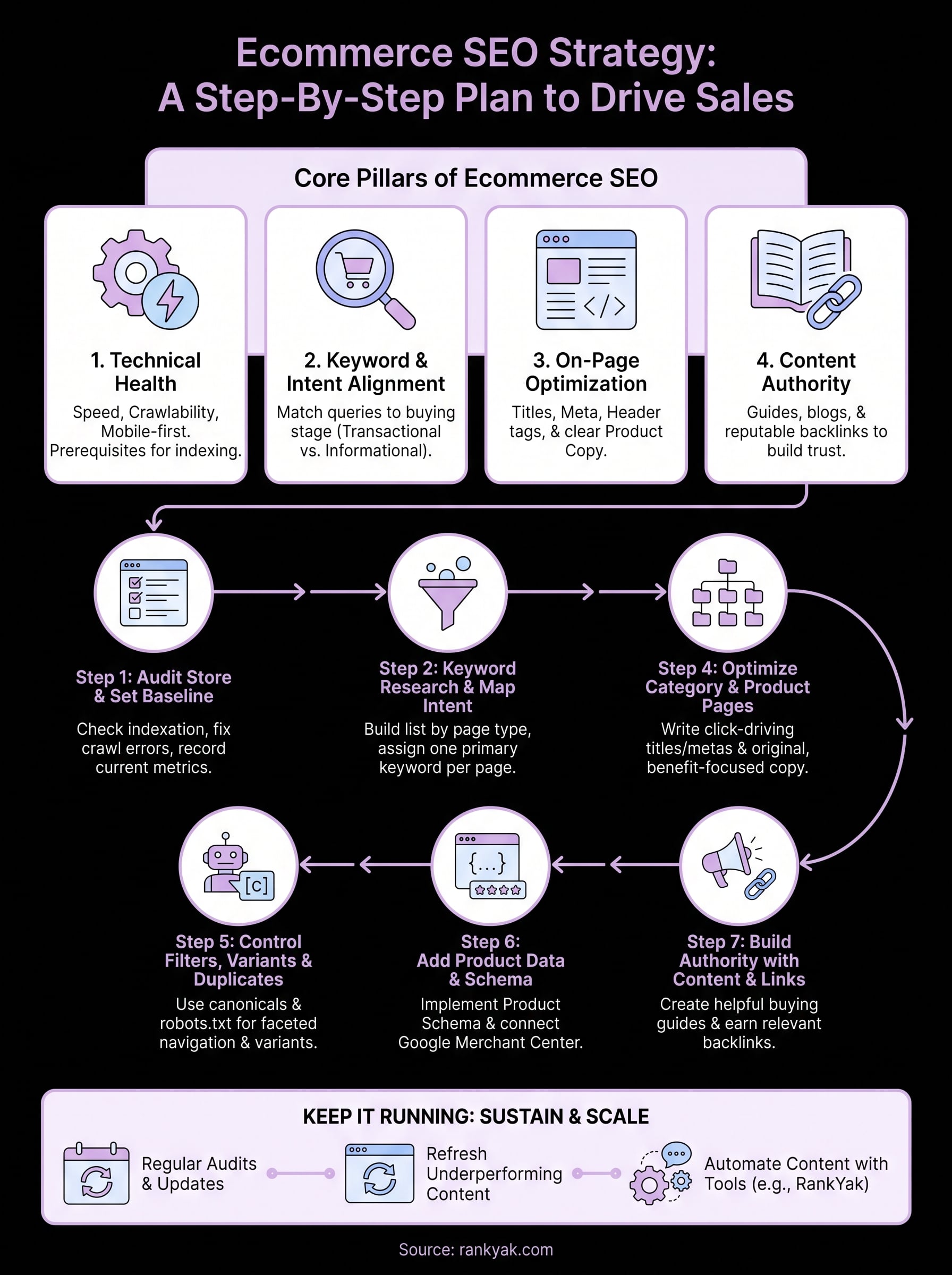
Keep it running
An ecommerce SEO strategy is not a project you finish and file away. The steps in this guide build on each other, but the real compounding happens when you run them consistently over months, not just once. Technical health, keyword alignment, content publishing, and link building all require regular attention as your catalog grows, Google's algorithm updates, and competitors adjust their own strategies.
Pick one section each week to revisit. Check your Google Search Console coverage report monthly, refresh underperforming product pages with updated copy every quarter, and keep publishing content on a predictable schedule. Consistency over time is what separates stores that plateau from stores that grow their organic traffic year after year.
If producing a steady stream of SEO-optimized content is the part that stalls your progress, see how RankYak works for online stores: it automates the entire content pipeline from keyword discovery to daily publishing, so your store keeps ranking for every category you sell while you focus on running the business.
Allan de Wit is a co-founder of RankYak and has worked in SEO since 2015: inside agencies, alongside them, for clients directly, and in-house on the products being ranked. He came to it as a software engineer building for marketers, which is why the platform is built the way it is. He went on to start companies of his own, two of which were acquired. At RankYak he sets the product direction and owns the features, the quality bar, the design, and the UX.
