Keyword Difficulty Checker Tool: Free Options & How to Pick
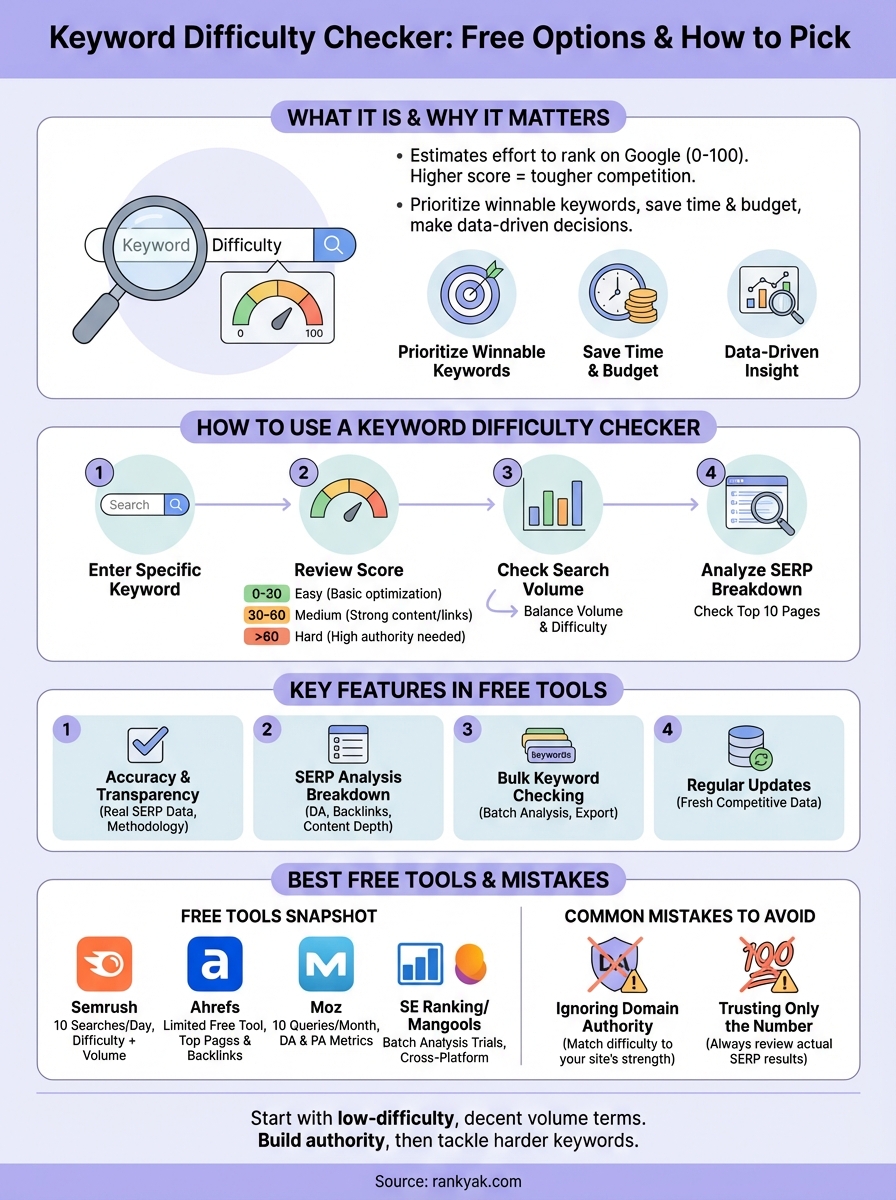
A keyword difficulty checker tool tells you how hard it is to rank for a specific keyword in Google. It analyzes competing pages and gives you a score (usually 0 to 100) that estimates the effort you need to reach the first page. The higher the score, the tougher the competition. These tools look at factors like domain authority, backlink strength, and content quality to predict your chances. Think of it as a shortcut that saves you from targeting keywords you have no realistic shot at ranking for.
This guide covers the best free keyword difficulty checker tools you can use right now in 2026. You'll learn what features matter most, how to interpret the scores, and which mistakes waste your time. We'll also show you how to pick a tool that fits your needs without paying for expensive premium plans. By the end, you'll know exactly which free option to use and how to make smarter keyword decisions that actually improve your rankings.
Why keyword difficulty checkers matter
You can't rank for every keyword you want. Search engines prioritize sites with authority, and if your domain is new or weak, targeting high-competition keywords burns time and budget. A keyword difficulty checker tool gives you data-driven insight before you commit resources. It shows which keywords are realistic targets and which require more backlinks, better content, or higher domain authority than you have.
Without this data, you're guessing. You might spend weeks writing content that never moves past page five. SEO teams waste thousands of dollars chasing keywords they can't win, while ignoring easier opportunities that could drive traffic. A difficulty checker cuts through the guesswork and shows the competitive landscape upfront.
Picking the wrong keywords costs you months of effort with zero traffic to show for it.
Choose battles you can win
Keyword difficulty scores help you prioritize. When you see a keyword with low difficulty and decent search volume, you know it's a smart target, and a repeatable system for finding low competition keywords makes those targets easier to surface. Your content has a real shot at ranking within weeks instead of months. You focus on winnable keywords first, build authority, then tackle harder terms later. The relationship between backlink strength and keyword difficulty is direct: keywords where top-ranking pages have thousands of referring domains will always score higher than terms where smaller sites compete.
How to use a keyword difficulty checker
The process to check keyword difficulty is straightforward. You start by entering your target keyword into the tool's search bar. Most free tools let you check one keyword at a time, though some allow batch uploads. The tool runs an analysis and returns a difficulty score within seconds. You'll see a number (typically 0 to 100) that represents how hard it is to rank. Lower scores mean easier opportunities. Higher scores signal tougher competition that demands more resources.
Enter your target keyword
Type in the exact phrase you want to rank for. Be specific. Don't enter broad terms like "shoes" when you actually mean "women's red high heels." The more precise your keyword, the more accurate the difficulty score. Many tools also show related keywords with their difficulty ratings, which helps you spot alternative targets if your first choice scores too high. These alternatives to keyword difficulty dead ends can reveal overlooked opportunities with less competition, and knowing how to find low difficulty keywords speeds that hunt up.
Review the difficulty score
Look at the number the keyword difficulty checker tool gives you. A score below 30 usually means you can rank with solid content and basic optimization. Scores between 30 and 60 require stronger backlinks and more comprehensive articles. Anything above 60 demands high domain authority and aggressive link building. Compare this score to your site's current authority before deciding whether to pursue the keyword.
Most keyword difficulty software uses a standard scale to help you evaluate results quickly: 0–14 is very easy, 15–29 is easy, 30–49 is moderate, 50–69 is hard, 70–84 is very hard, and 85–100 is extremely hard. Some tools also offer personalized keyword difficulty scores that factor in your specific domain's authority and existing backlink profile, giving you a more accurate picture of whether you can realistically compete, so it helps to know what a difficulty score actually measures before you act on it.

Match keyword difficulty to your site's strength, not your wishful thinking.
Check the search volume
Most tools display monthly search volume alongside difficulty. A keyword with low difficulty but zero searches won't bring traffic. You want a balance: decent search volume with manageable competition. If you find keywords with 500+ monthly searches and difficulty under 30, those become your priority targets.
Key features to look for in a free tool
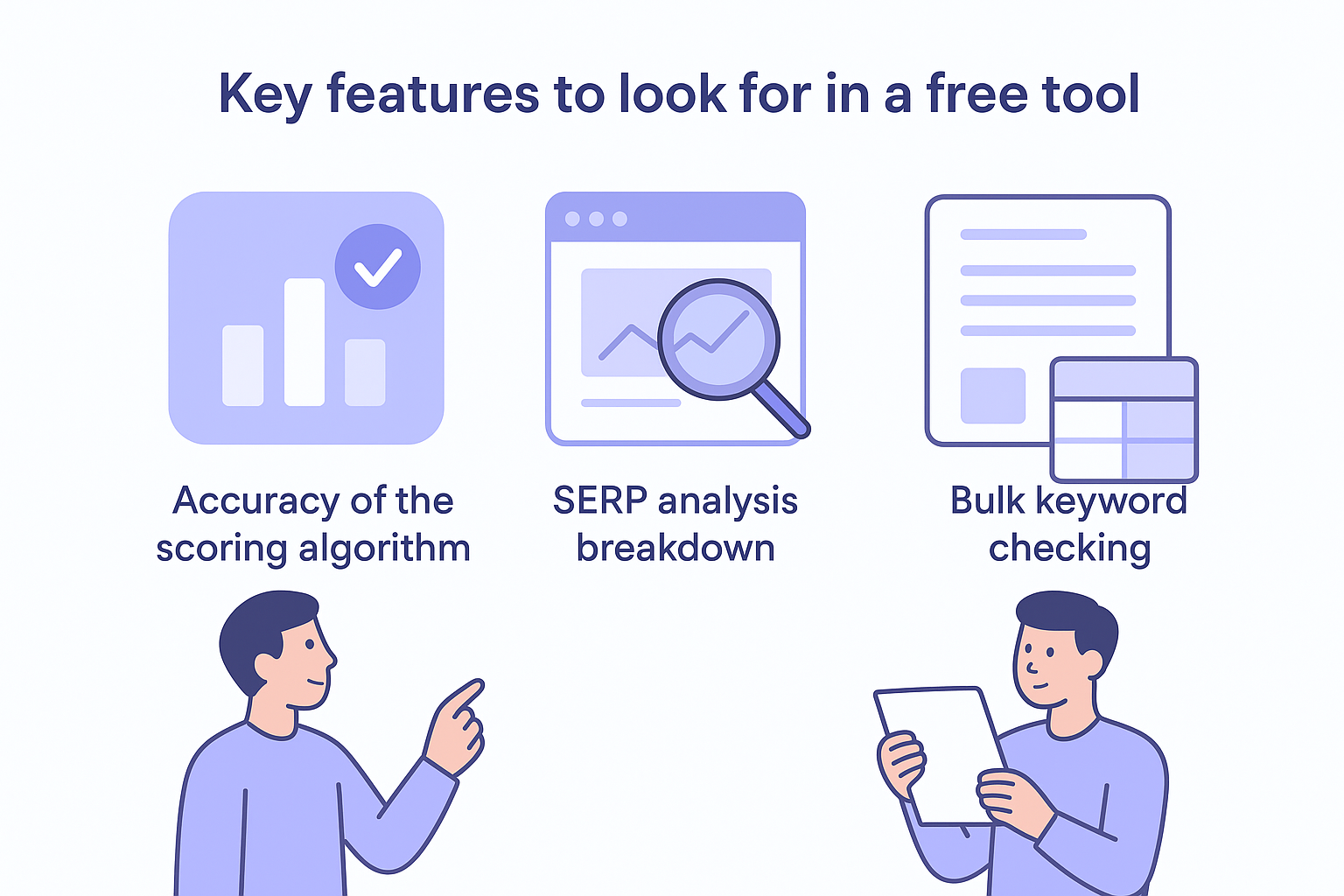
Not all free keyword difficulty checker tools give you the same value. The best ones provide accurate scores that reflect real competition, not arbitrary numbers. You need a tool that analyzes actual ranking pages and considers metrics like domain authority, backlinks, and content depth. If the tool just spits out a random number without showing how it calculated the score, you're working blind. Look for transparency in methodology and data sources.
Accuracy of the scoring algorithm
Different tools use different formulas, which means the same keyword gets wildly different scores across platforms. One tool might rate a keyword at 45 while another rates it at 65. You want a keyword difficulty check tool that bases its score on real SERP data instead of estimates. Check if the tool updates its database regularly, because competition shifts constantly. Outdated data leads to bad decisions. The best keyword difficulty software will clearly explain how it calculates scores, whether it weights backlink profiles, content relevance, domain authority, or a combination, so you can measure keyword difficulty with confidence.
SERP analysis breakdown
Top keyword difficulty and SERP analysis tools show you the top 10 ranking pages for your keyword, along with their domain authority, referring domains, and backlink counts. This breakdown lets you assess the competition manually instead of trusting a single number, which is the heart of a proper competitor keyword analysis. You can spot patterns, like whether the top results are all high-authority sites or if smaller domains have a shot.
Seeing the actual competition beats trusting a black-box score every time.
Bulk keyword checking
Free versions often limit you to checking one keyword at a time, which wastes hours if you're researching dozens of terms. The better free tools let you analyze multiple keywords simultaneously. Even if there's a daily limit, batch processing saves you from repetitive manual entries. Look for tools that export results to CSV files so you can compare keywords side by side.
Best free keyword difficulty checker tools
Finding the best keyword difficulty tool that's also free takes some comparison. Several free keyword difficulty checker tools offer reliable data without requiring payment. Semrush's Keyword Overview provides 10 free searches per day and shows difficulty scores alongside search volume and SERP features. You get a snapshot of the competitive landscape instantly. Ahrefs offers a free keyword difficulty checker that checks keyword difficulty and displays the top-ranking pages with their backlink profiles, and its paid Keywords Explorer metrics and pricing go further still. Both platforms use proprietary algorithms that analyze thousands of ranking factors.
Google doesn't offer a dedicated Google keyword difficulty tool, but Google Keyword Planner provides competition data for paid ads. A Google keyword difficulty check using Keyword Planner combined with Google Search Console data gives you a free way to gauge organic difficulty for terms you already rank for.
If you prefer lightweight options, several keyword difficulty checker extensions for Chrome let you see KD scores directly in search results without switching tabs. Extensions from Ahrefs, Semrush, and Keywords Everywhere overlay difficulty data right on the Google results page, speeding up your keyword difficulty evaluation as you browse. For anyone searching for a free SEO keyword difficulty tool, these browser extensions are often the cheapest and fastest entry point, and there are plenty of other SEO tools you can run without an account alongside them.
Tools with detailed SERP breakdowns
Moz's Keyword Explorer gives you 10 free queries per month with difficulty scores based on domain authority metrics. The tool shows you page authority and domain authority for each ranking URL, which helps you gauge whether your site can compete once you understand how Moz scores difficulty and volume. Backlinko's free checker (powered by Semrush) offers personalized keyword difficulty scores that factor in your domain's authority, making the results more relevant to your specific situation.
Your domain's authority matters more than the raw difficulty number.
Options for batch keyword analysis
SE Ranking and Mangools (KWFinder) both provide free trials that let you analyze multiple keywords at once. SE Ranking's free version works as a bulk keyword difficulty checker across different search engines, not just Google. This matters if you target international markets or alternative platforms. Keysearch delivers niche-specific difficulty scores and includes competitor analysis features in its free trial. You can export results and compare dozens of keywords side by side, which speeds up your research process significantly.
Pick a tool that updates its database regularly and shows you how it calculates scores. Transparency beats black-box algorithms when you're making strategic content decisions.
Common mistakes to avoid with KD scores
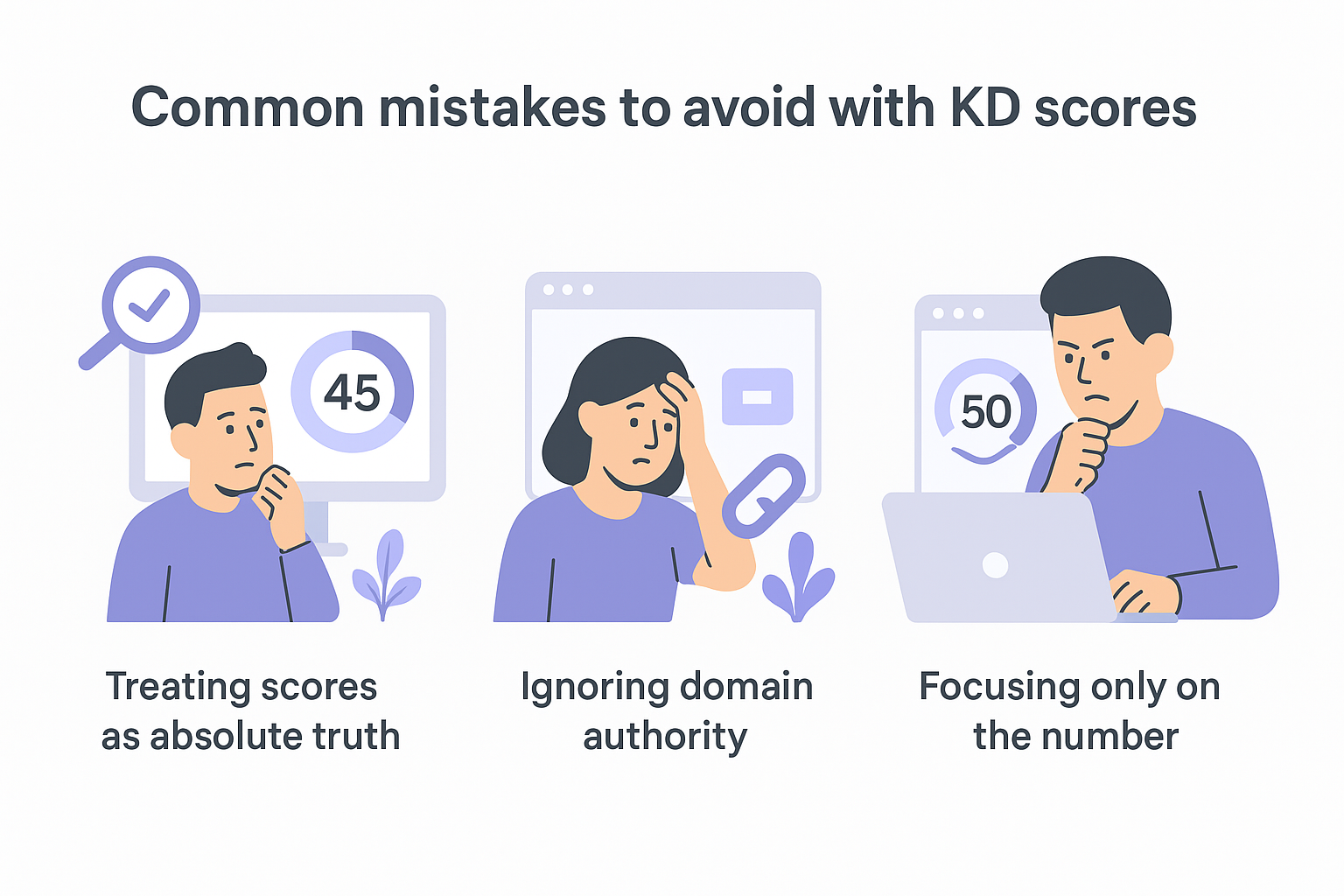
You waste time when you treat keyword difficulty scores as absolute truth. These numbers represent estimates, not guarantees. A score of 45 from one tool might be 60 from another because each platform uses different algorithms. You need to compare scores from multiple tools and cross-reference them with manual SERP analysis. Relying on a single keyword difficulty checker tool without verifying the results leads to poor decisions.
Ignoring your domain's current authority
The connection between domain authority and keyword difficulty is critical. Your site's domain authority determines which keywords you can realistically target. A keyword difficulty checker tool might show a score of 30, suggesting it's easy to rank. However, if your domain is brand new with zero backlinks, you'll struggle even with "easy" keywords. Sites with established authority can tackle higher difficulty scores than newer domains. Check your domain's metrics before committing to any keyword, regardless of its difficulty rating.
A low difficulty score means nothing if your domain has no authority to compete.
Focusing only on the number
SERP analysis matters more than the raw score. You might see a difficulty of 50, but when you examine the top 10 results, you notice they're mostly forums or weak content. That's an opportunity the score doesn't reveal. Conversely, a score of 35 with nothing but authoritative sites ranking means the keyword is harder than it appears.
Next steps
You now have the tools and knowledge to check keyword difficulty before committing to content creation. Pick a free keyword difficulty checker tool from the list above and start analyzing your target keywords today. Cross-reference scores from multiple platforms to get accurate readings, and always review the actual SERP results to understand what you're competing against.
Your next move is to build a content strategy around winnable keywords. Focus on low-difficulty terms with decent search volume first, then tackle harder keywords as your domain gains authority. If you want to skip the manual research, see how RankYak handles automated keyword discovery scored by volume and difficulty, then writes and publishes the articles for you. The system identifies high-potential keywords daily and publishes optimized articles automatically, saving you from repetitive analysis work.
Allan de Wit is a co-founder of RankYak and has worked in SEO since 2015: inside agencies, alongside them, for clients directly, and in-house on the products being ranked. He came to it as a software engineer building for marketers, which is why the platform is built the way it is. He went on to start companies of his own, two of which were acquired. At RankYak he sets the product direction and owns the features, the quality bar, the design, and the UX.
