How To Do SEO Yourself: A Step-By-Step Guide For Beginners
Hiring an SEO agency can cost anywhere from $1,000 to $10,000+ per month. For most small businesses and solopreneurs, that's not realistic, especially when you're just getting started. The good news: learning how to do SEO yourself is entirely doable, and the basics aren't as complicated as the industry makes them seem. You don't need a marketing degree or a decade of experience to start ranking on Google.
What you do need is a clear process. SEO breaks down into a handful of core tasks, keyword research, on-page optimization, content creation, technical fixes, and link building. Each one is learnable, and each one compounds over time. The challenge isn't complexity; it's consistency and time. Doing SEO yourself means committing to regular work that most business owners struggle to keep up with, which is exactly why tools like RankYak exist, to automate the repetitive parts so you can focus on strategy.
This guide walks you through every step of doing SEO on your own, from setting up your foundation to publishing content that actually ranks. Whether you plan to handle everything manually or use automation to speed things up, you'll leave with a clear, actionable roadmap to grow your organic traffic without hiring anyone.
What SEO does and what you need first
SEO (search engine optimization) is the process of making your website more visible in organic, unpaid search results. When someone types a question or searches for a product on Google, Google's algorithm scans billions of web pages and ranks the ones it considers most relevant and trustworthy. Your job with SEO is to signal to Google that your pages deserve to show up near the top. Understanding that process is the starting point for knowing how to do SEO yourself, and it's more logical than most people expect.
How search engines actually work
Google uses automated programs called crawlers to discover and read web pages. These crawlers follow links from page to page, collecting information about every URL they visit. That information gets stored in Google's index, which is essentially a massive database of web content. When a user submits a query, Google's algorithm pulls from that index and ranks pages based on hundreds of signals, including how relevant the content is, how authoritative the site is, and how good the overall user experience is.
The entire point of SEO is to make it easy for Google to crawl your pages, understand what they're about, and trust that they're worth ranking.
Three core pillars drive how Google evaluates your site. Technical SEO covers whether your site can be properly crawled and indexed. On-page SEO covers what's actually on each page: the content, keywords, headings, and metadata. Off-page SEO covers signals from outside your site, primarily backlinks from other websites pointing to yours. These three areas reinforce each other, and ignoring any single one puts a ceiling on what the other two can accomplish.
What you need before you start
Before you touch a single page, get the right tools in place. The good news is that the most important tools cost nothing, and there are free tools that run without an account for most checks you'll want to make. Google provides two free platforms that give you the data you need to make smart decisions. You also need to know what platform your website runs on, since some technical fixes take five minutes in WordPress but require a developer on a custom-built site. Here is what you need in place before doing any SEO work:
| Tool | Purpose | Cost |
|---|---|---|
| Google Search Console | Tracks search performance, indexing issues, and keyword impressions | Free |
| Google Analytics 4 | Measures traffic, user behavior, and conversions | Free |
| A keyword research tool | Identifies what your audience is actually searching | Free tiers available |
| Access to your CMS or site backend | Lets you edit pages, titles, and metadata | Depends on platform |
Both Google Search Console and Google Analytics 4 for SEO are non-negotiable starting points. Together they show you which pages Google has indexed, which search queries bring people to your site, how users behave once they arrive, and where traffic drops off. Without these two tools installed and verified, you're making changes with no feedback loop. Install them first, confirm they're collecting data, and only then move to the next step. Every decision you make from here on should be backed by what these tools tell you.
Step 1. Set up tracking and a baseline
Before you change anything on your site, you need to know where you currently stand. Skipping this step is the most common mistake people make when figuring out how to do SEO yourself: they optimize pages, publish content, and then have no data to confirm whether any of it worked. Google Search Console and Google Analytics 4 give you that feedback loop, and both take less than 30 minutes to set up from scratch, especially if you follow a walkthrough on setting up Google Search Console for your website.
Connect Google Search Console
Go to search.google.com/search-console and add your website as a property. Google offers several verification methods; the HTML tag method works on almost every platform. Copy the tag, paste it into your site's <head> section or into your CMS's header code field, then click verify. Once verified, navigate to the Sitemaps section in the left menu and enter sitemap.xml to submit your sitemap. This tells Google which pages to prioritize when crawling your site.
Submitting your sitemap right after verification can cut days or even weeks off Google's discovery time for your pages.
Pull your baseline numbers
Once Search Console starts collecting data, give it 48 to 72 hours and then record these five numbers in a spreadsheet. They become your starting reference point for measuring every change you make from this point forward.
| Metric | Where to find it | Why it matters |
|---|---|---|
| Total clicks (last 28 days) | Performance report | Shows current organic traffic volume |
| Total impressions | Performance report | Shows how often you appear in results |
| Average position | Performance report | Tracks overall ranking trend |
| Pages indexed | Indexing > Pages | Confirms Google can see your site |
| Core Web Vitals status | Experience > Core Web Vitals | Flags speed and usability problems |
Check your indexed page count against the total number of live pages on your site. If Google has indexed significantly fewer pages than you actually have published, you likely have a crawlability issue that needs to be resolved before other SEO work can gain traction. Save this baseline document and update it every month so you can track your progress with real numbers rather than guesswork.
Step 2. Find keywords and map them to pages
Step-by-step keyword research is the process of figuring out what your audience actually types into Google, so you can create pages that answer those exact queries. Without this step, you're guessing which topics to cover, and most guesses miss. When learning how to do SEO yourself, keyword research is the lever that separates content that gets traffic from content that gets ignored. The goal is to find terms that are specific enough to be winnable but popular enough to send meaningful traffic once you rank for them.
Find your target keywords
Start with the data you already have. Google Search Console's Performance report shows every query that triggered an impression for your site. Filter by impressions and look for keywords where you appear in positions 5 through 20. Those are your fastest wins because Google already considers you relevant. For new topics, open Google, type your main subject, and study the autocomplete suggestions and the "People also ask" box. Both reveal real queries from real users and cost nothing.
Position 5 to 20 keywords are the highest-leverage targets you can work on because a small ranking improvement moves you onto the first page.
For a free dedicated tool, Google Keyword Planner gives you search volume data at no cost. Enter a broad term related to your business and it returns hundreds of related queries with monthly search estimates. Focus on long-tail keywords (three words or more) because they are low competition keywords and signal clearer intent from the searcher.
Map one keyword to one page
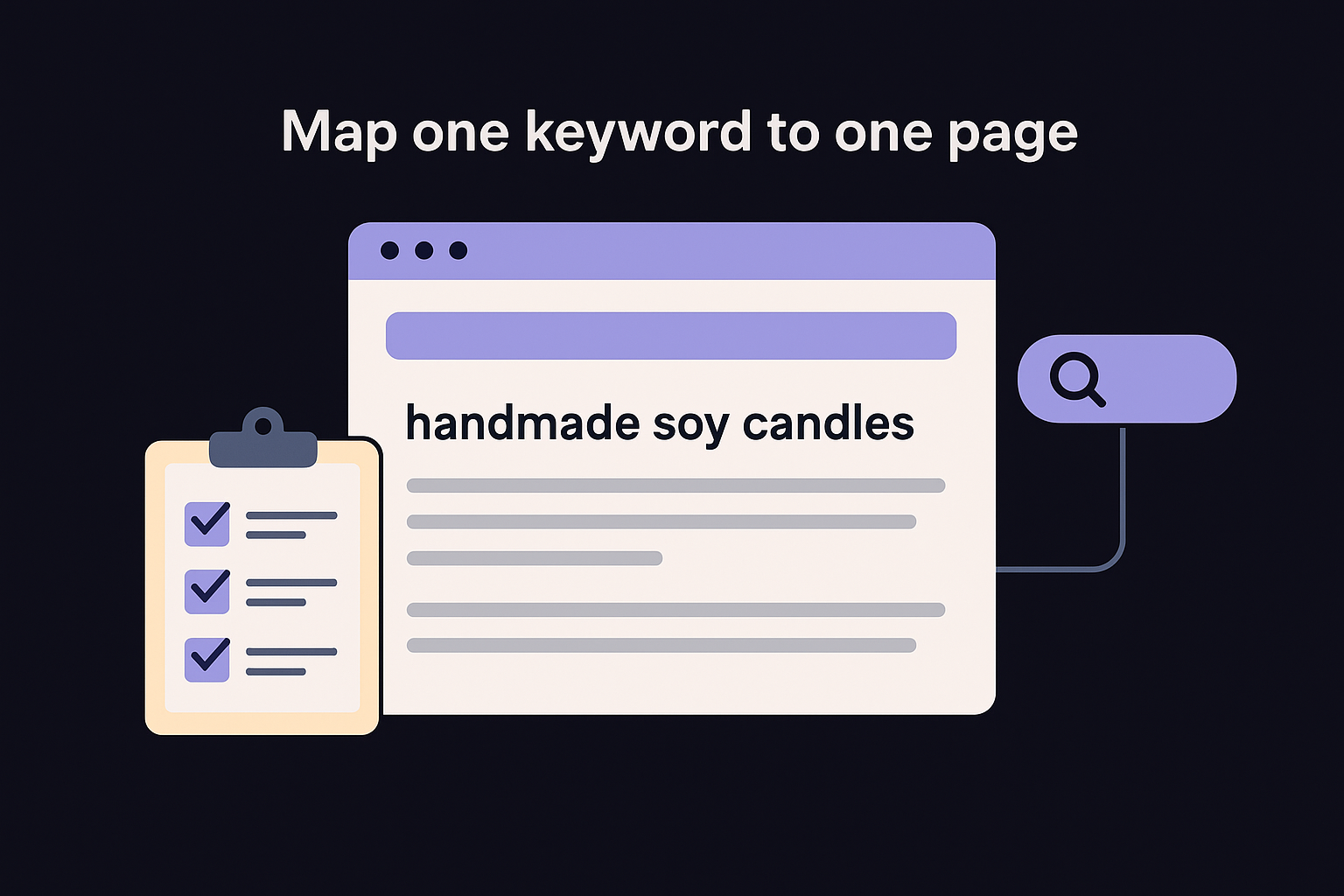
Once you have a list of target keywords, run a keyword analysis step by step and assign each one to a specific page on your site. This is called keyword mapping, and it prevents two pages from competing against each other for the same query. Create a simple tracking spreadsheet with three columns: keyword, target URL, and current ranking.
| Keyword | Target URL | Current Position |
|---|---|---|
| handmade soy candles | /products/soy-candles | 14 |
| how to clean soy candles | /blog/clean-soy-candles | Not ranking |
| soy candle gift set | /products/gift-sets | 22 |
Each page should target one primary keyword, with two to three closely related terms supporting it. This structure gives Google a clear signal about what each page covers and prevents you from accidentally splitting your ranking authority across duplicate content.
Step 3. Fix the on-page basics
On-page SEO refers to everything you control directly on each page: the title tag, meta description, headings, body copy, and internal links. These elements tell Google what your page is about and signal whether your content matches what the searcher wants. When figuring out how to do seo yourself, fixing on-page basics is where you'll see the fastest and most measurable ranking improvements, because you control every element and can implement changes the same day.
Write title tags and meta descriptions that match intent
Your title tag is the single most important on-page ranking factor, which is why title tag optimization best practices are worth learning first. It appears as the clickable headline in Google's search results, and Google reads it to understand your page's main topic. Keep your title tag under 60 characters, lead with your primary keyword, and be specific about what the page delivers. Avoid stuffing multiple keywords into one title; Google ignores the extras and it reads as spam.
A well-written title tag is the single highest-leverage edit you can make to any existing page.
Use this template as a starting point for your title tags and meta descriptions:
Title tag:     [Primary Keyword] + [Specific Benefit or Qualifier] | [Brand Name]
Example:       Handmade Soy Candles | Free Shipping Over $35 | CandleCo

Meta desc:     [Restate keyword naturally] + [clear value prop] + [soft CTA]
Example:       Shop handmade soy candles in 12+ scents. Each candle burns 60+ hours.
               Order by 2pm for same-day shipping.
Meta descriptions do not directly affect rankings, but a compelling description increases your click-through rate, which brings more traffic even before your position improves, and a meta description generator can draft a few angles for any page in seconds.
Structure headings and body content
Your H1 heading should appear once per page and contain your primary keyword. Under that, use H2 and H3 headings to break the content into scannable sections, then check your heading outline for missing H1s or skipped levels. Each heading should describe exactly what the paragraph below it covers; avoid vague headings like "More Information." Within your body copy, use your primary keyword in the first 100 words, then let related terms appear naturally throughout. Don't repeat the exact keyword phrase more than two or three times on a standard-length page.
Step 4. Publish content that matches intent
Publishing content without understanding search intent is one of the fastest ways to waste effort when learning how to do SEO yourself. Search intent is the reason behind a query: what the user actually wants to accomplish when they type something into Google. Google categorizes intent into four main types, and your content needs to match the right type or it will not rank, regardless of how well-optimized your page is technically.
Identify the intent behind each keyword
Before you write a single word, look at the top five results for your target keyword. Open Google, search the term, and study what type of content ranks. If the top results are all product pages, Google has determined that searchers want to buy, not read a guide. If the top results are tutorials or how-to articles, that signals you need to write educational content, not a sales page. The existing results are the clearest signal available for what Google considers a format match.
The content format that already ranks for your keyword is the format Google trusts for that query.
Each keyword falls into one of four intent categories, and it helps to know the types of keywords in SEO before you choose a format. Study this table before you write anything:
| Intent type | What the user wants | Content format to use |
|---|---|---|
| Informational | Learn something | How-to guide, explainer, FAQ |
| Navigational | Find a specific site or brand | Landing page, brand page |
| Commercial | Compare options before buying | Comparison post, review |
| Transactional | Purchase or take action | Product page, pricing page |
Write to cover the topic completely
Once you know the intent type, build your content to fully answer what the searcher needs. Use the "People also ask" box in Google to find related questions your page should address, then add a dedicated section for each one. Write a clear introduction, organize subtopics under H2 and H3 headings, and close with a summary or clear next step. Keep paragraphs short, between three and five sentences, so the page stays readable on mobile. A focused 900-word article that answers the question completely will outrank a padded 2,500-word page that repeats the same point in different words.
Step 5. Earn links and keep your site healthy
Links from other websites to yours, the SEO backlinks Google leans on, are one of its strongest trust signals. When a credible site links to your page, Google treats it as a vote that your content is worth referencing. This is the off-page piece of how to do SEO yourself that most beginners skip, and skipping it is exactly why many well-written pages stay stuck on page two. Consistent link building and monthly technical maintenance are the two habits that separate sites that plateau from sites that keep climbing.
Build links through simple outreach
The most reliable way to earn links is to reach out directly to people who already link to similar content, which is the basis of resource page link building. Open Google and search for a topic your site covers, then look at the pages that rank. Use a free tool like Google Search Console to check which sites link to your top-performing pages, then identify gaps where competing pages have links you don't. Write a short, direct outreach email and personalize it to the specific site.
The outreach emails that get responses are short, specific, and explain clearly why linking to your page helps the recipient's readers.
Use this template as your starting point:
Subject: Quick note about your article on [Topic]

Hi [Name],

I came across your article at [URL] while researching [Topic].
You link to [Competitor URL] in the section about [Subtopic].
I recently published a more detailed piece covering the same topic: [Your URL].

It includes [specific thing your article covers that theirs doesn't].
Might be worth a mention if you update the article.

Thanks for reading,
[Your name]
Run a monthly technical health check
Technical issues quietly drain ranking potential even when your content is strong. Set a monthly calendar reminder to work through a short technical SEO checklist in Google Search Console: new crawl errors, any drop in indexed pages, Core Web Vitals failures, and manual actions under the Security and Manual Actions tab. Each of these can block your pages from ranking even if everything else is optimized correctly.
Run your site through Google's PageSpeed Insights once a month and fix any issues flagged as "Poor" or "Needs Improvement" before they compound. Most speed problems come from uncompressed images and render-blocking scripts, both of which your CMS or hosting provider can usually fix with a single plugin or setting change.
Your next moves
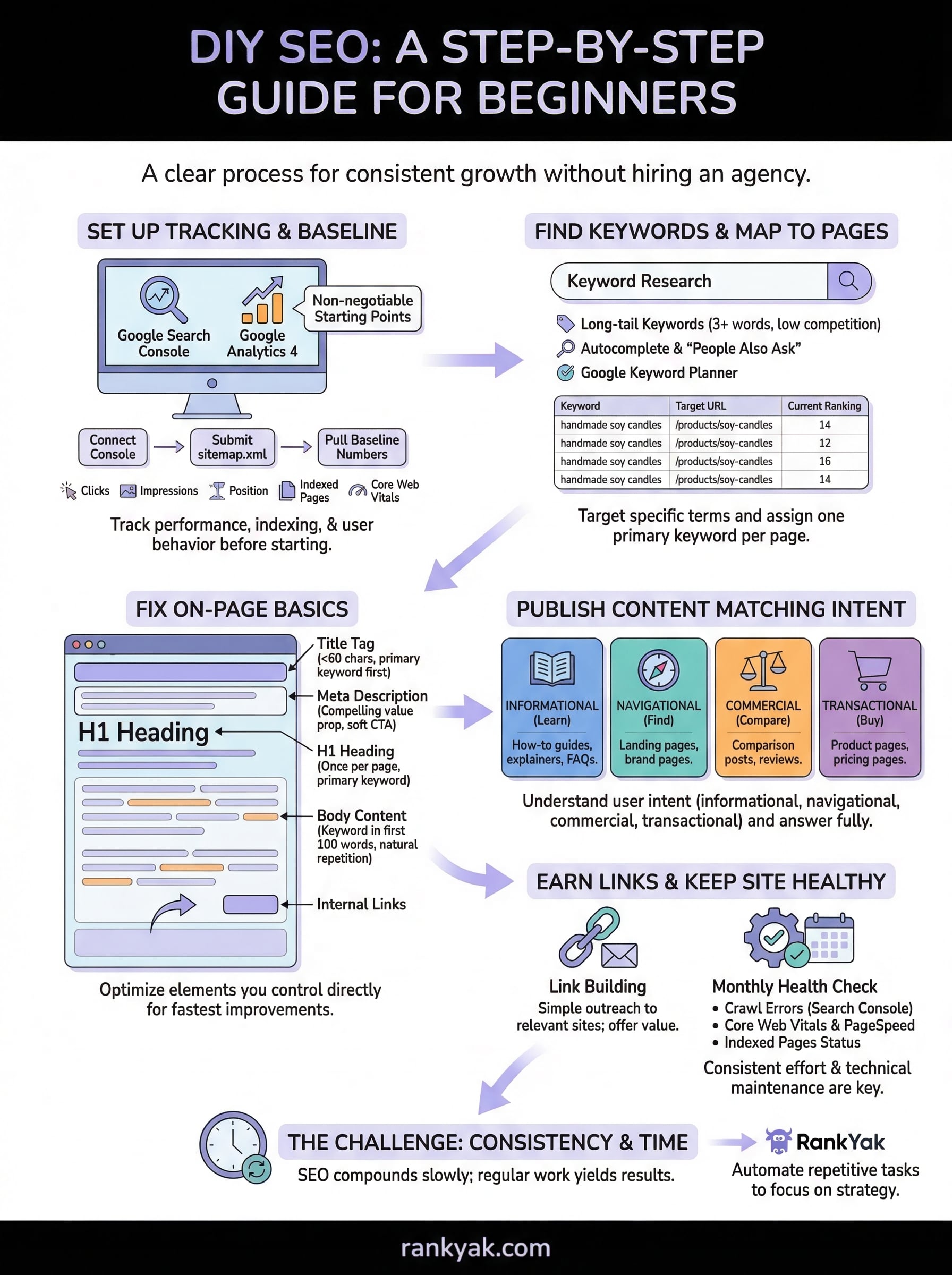
You now have a complete framework for how to do SEO yourself: set up tracking, find keywords, fix on-page elements, match search intent, earn links, and run monthly health checks. None of these steps require a big budget or technical background. What they do require is consistent follow-through over weeks and months, because SEO compounds slowly and rewards the people who show up repeatedly.
The biggest obstacle most business owners hit is not complexity; it is time. Keyword research, daily content publishing, and link outreach take hours every week, and those hours compete with everything else running your business demands. If you want the results without the manual grind, RankYak automates the entire cycle for you: keyword discovery, content creation, publishing, and backlink building, all on autopilot for $99 per month. See how automated SEO on autopilot works, and let the system do the repetitive work while you focus on growing your business.
Lars Koole is a co-founder of RankYak and has worked in SEO since 2021, on the side where a strategy has to become a live page: inside agencies, alongside them, for clients directly, and in-house on the products being ranked. He is a software engineer by trade, which is how that page gets built. Before RankYak he founded companies of his own, two of which were acquired. At RankYak he owns the engineering and everything AI, and works out the solution and the implementation of each new feature.
