How to Find Keywords for SEO: A Step-by-Step Method In 2026
Most website owners know that SEO starts with keywords. But when it comes to actually figuring out how to find keywords for SEO, the process can feel overwhelming fast. There are thousands of tools, conflicting advice, and metrics that seem to change every year. The result? Many people either guess at what to target or copy what competitors are doing without a real strategy behind it.
Here's the thing: keyword research isn't about finding the most popular search term and hoping for the best. It's about identifying specific queries your audience is already typing, then building content around those queries in a way that Google (and increasingly, AI platforms like ChatGPT and Perplexity) can surface. Done right, it becomes the foundation for predictable organic traffic growth. Done wrong, it's just busywork.
This guide breaks down a repeatable, step-by-step method for finding SEO keywords in 2026, from understanding search intent to evaluating keyword difficulty to building a content plan you can actually execute on. We'll cover free and paid tools, show you how to prioritize what to target first, and explain how the process connects to ranking. It's the same core approach we built into RankYak's automated keyword discovery engine, distilled into a framework you can follow manually or let automation handle for you.
Let's get into it.
What SEO keywords mean in 2026
The definition of an SEO keyword hasn't changed, but what makes a keyword valuable has shifted significantly. A keyword is any word or phrase that someone types or speaks into a search engine to find information, products, or services. What has changed is how search engines interpret those phrases and how they match them to content. Google no longer just looks for exact matches on a page; it evaluates whether your content genuinely satisfies the underlying goal behind a query.
Understanding this distinction is what separates keyword research that drives real traffic from keyword research that wastes your time.
Keywords as signals of intent, not just search terms
Every keyword carries an intent behind it. When someone types "best running shoes for flat feet," they signal a purchase decision in progress. When someone types "how to tie running shoes," they want a quick how-to answer. Google classifies these intents into four broad categories: informational, navigational, commercial, and transactional. Knowing which of the types of keywords in SEO a phrase falls into tells you what type of content to build and where in the buying journey that content belongs.
A single keyword can also carry multiple intents depending on context. "SEO tools" might mean someone wants a list, a comparison, or even a definition. That's why looking at the actual search results for a keyword before targeting it matters more than any metric a tool gives you. What Google chooses to rank on the first page tells you exactly what intent it has assigned to that query.
How AI search changed keyword strategy
In 2026, ranking for a keyword doesn't only mean appearing on a Google results page. AI-powered platforms like ChatGPT, Perplexity, and Google's AI Overviews now pull answers directly from web content and summarize them for users. This means your content can drive visibility even when someone never clicks through to your site, and it means the keywords you target need to work for both traditional search results and conversational AI queries.
The practical impact is that long-tail, question-based keywords have become more valuable than ever. A phrase like "how to find keywords for SEO without a paid tool" is exactly the kind of query an AI system references when answering a user, which extends your content's reach well beyond the traditional blue-link results page.
What makes a keyword worth targeting in 2026
Not every keyword with search volume deserves your attention. A keyword worth targeting meets three criteria: it matches what your audience actually wants, it aligns with a page you can realistically build or already have, and you have a reasonable shot at ranking for it given your site's current authority level.
Volume alone is a trap. A keyword with 500 monthly searches and clear commercial intent will almost always outperform a keyword with 10,000 searches and no real path to conversion, which is the heart of the short tail versus long tail tradeoff. As you work through the steps in this guide, keep that filter active. The goal isn't a long list of keywords; it's a focused list of keywords that move your business forward.
Step 1. Set your SEO goal and pick target pages
Before you touch any tool or start figuring out how to find keywords for SEO, you need a clear answer to one question: what do you want ranking to actually accomplish? Without that answer, you'll end up with a keyword list that looks thorough but doesn't connect to any real business outcome. Traffic means nothing if it doesn't move the needle on signups, sales, leads, or whatever metric your business tracks.
Define what ranking should do for your business
Your SEO strategy goal determines every keyword decision you make downstream. A SaaS company trying to increase free trial signups should target keywords with commercial or transactional intent tied to the problem their product solves. A content-heavy blog trying to build topical authority should focus on informational keywords that cover a subject comprehensively. These are fundamentally different strategies, and conflating them without clear intention wastes both time and content budget.
Clarify your primary SEO goal before you research a single keyword. Everything else flows from that decision.
Spend five minutes writing a one-sentence SEO goal before moving forward. For example: "We want to rank for terms that drive demo requests from small business owners looking for project management software." That sentence alone filters out hundreds of irrelevant keywords before you ever open a research tool.
Match goals to specific pages
Once you know your goal, tie it to specific pages on your site that will do the ranking work. Each page should have one primary keyword target and a defined purpose. Use this framework to map it out:
| Page type | Goal | Intent | Primary keyword theme |
|---|---|---|---|
| Homepage | Brand authority | Navigational | Brand + core category |
| Product or service page | Drive conversions | Transactional | "[Product] for [use case]" |
| Blog post | Top-of-funnel traffic | Informational | "How to..." or "What is..." |
| Comparison page | Capture decision-stage buyers | Commercial | "[Your product] vs [alternative]" |
New sites should prioritize 5 to 10 pages to start, not 50. Spreading keyword research across too many pages before any of them gain traction slows your ability to build authority in a focused area. Pick the pages most likely to drive your primary goal, lock in their purpose, and then move into the keyword research phase with clear direction.
Step 2. Build a seed list from your offers and audience
A seed list is a raw collection of words and phrases that describe your business, your products or services, and the problems your audience is trying to solve. You don't need any tools at this stage. The goal is to capture the language your customers actually use before you layer any data on top of it. This starting point shapes the entire direction of your research, including how to find keywords for SEO that convert visitors rather than just attract them.
Your seed list doesn't need to be perfect. It needs to be honest about what you sell and who you sell it to.
Start with what you sell and who buys it
Write down every product, service, feature, and use case your business offers. Then add the job title or description of the people most likely to buy it. Don't overthink the phrasing at this stage. You're capturing raw material, not finalized keyword targets.
Use this template to move quickly:
| What you offer | Who it's for | Problem it solves |
|---|---|---|
| SEO content automation | Small business owners | Spending too much time writing blog posts |
| Project management software | Freelance designers | Tracking client deliverables across multiple projects |
| Email marketing tool | eCommerce store owners | Low repeat purchase rates |
Each row becomes a direct source of seed phrases. "SEO content automation for small businesses," "content automation tool," and "automate blog posts" all come from that first example row alone. One offer can generate five to ten seed phrases without much effort.
Mine your audience's actual language
The most overlooked step in building a seed list, and one worth adding to any small business SEO checklist, is listening to how real customers describe their problems. Pull specific language from support tickets, sales call notes, product reviews, and social media comments. If someone wrote a review saying "I couldn't figure out how to consistently publish content," that phrase is a keyword candidate worth saving.
Your sales team is another strong source. The questions they hear on repeat map directly to informational keywords. Write them down verbatim, then simplify them into search-ready phrases. "How do I get more organic traffic without hiring an agency?" becomes "increase organic traffic without agency," which is a real keyword worth carrying into the next step.
Step 3. Expand ideas with Google suggestions and SERPs
Your seed list gives you a starting point, but Google itself is one of the most reliable free resources for expanding keyword ideas. When you type a phrase into the search bar, Google's autocomplete predictions reflect what real users are searching for right now, making them accurate, live signals of demand, much like checking demand in Google Trends. This step turns those signals into a fuller, more diverse keyword list without requiring a paid tool.
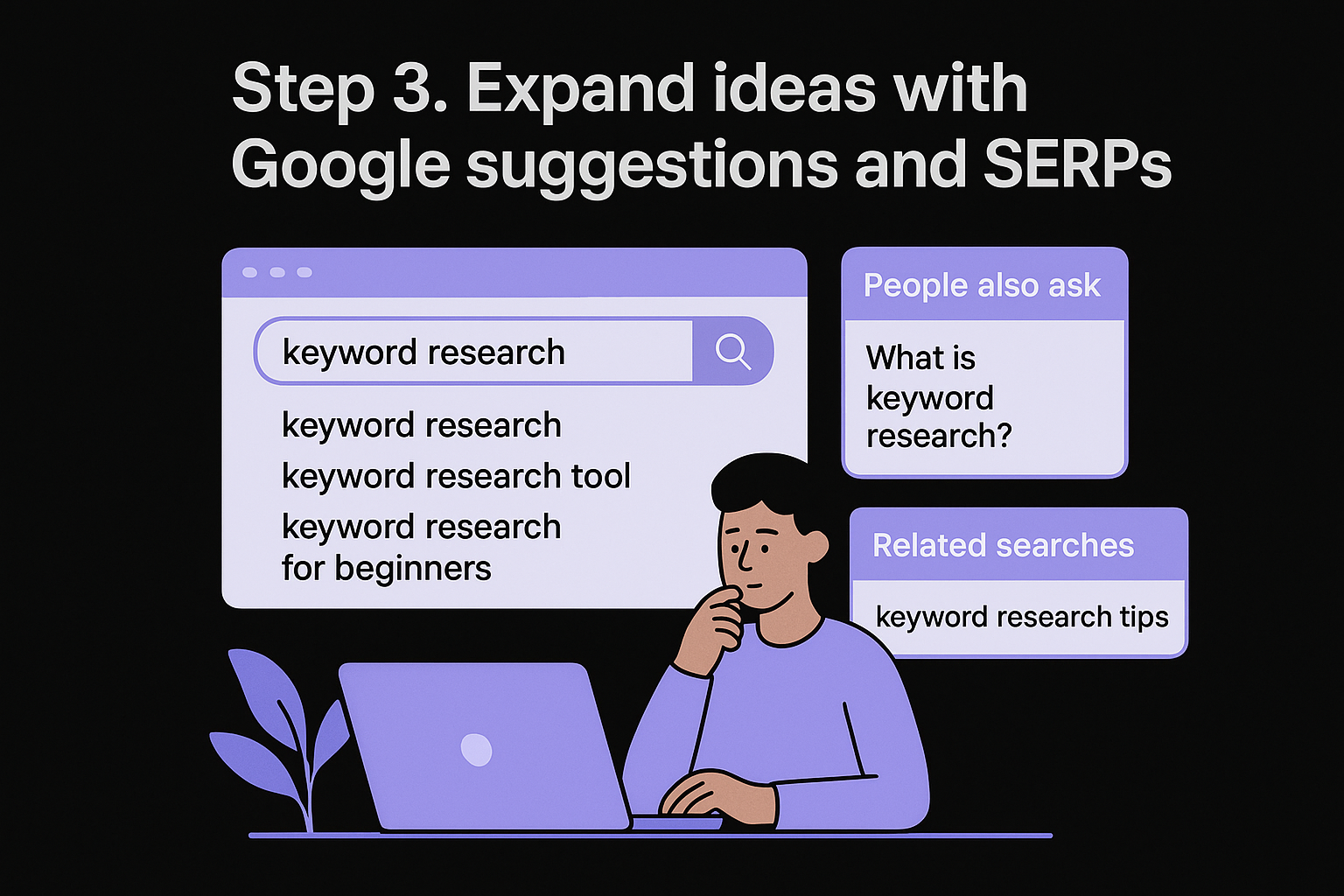
Use Google Autocomplete, People Also Ask, and Related Searches
Start by typing each seed phrase into Google and noting what the autocomplete dropdown suggests before you press enter. These completions come directly from aggregate search behavior, so they represent real queries with real volume. Write down every relevant suggestion you see for each phrase.
Once you run the search, check two more spots on the results page: the "People Also Ask" box and the "Related searches" section at the bottom. People Also Ask surfaces question-format keywords that often map to informational content. Related searches push your list into adjacent topics your audience is also exploring.
Run this process for every seed phrase on your list, and you can generate 50 to 100 keyword candidates in under an hour without spending a dollar.
Use this template to capture what you find:
| Seed phrase | Autocomplete suggestions | People Also Ask | Related searches |
|---|---|---|---|
| SEO content automation | SEO content automation tools, SEO content automation software | What is content automation in SEO? | automated SEO writing, content scheduling SEO |
| keyword research for beginners | keyword research for beginners free, keyword research for beginners guide | How do I start keyword research? | basic SEO keywords, find keywords free |
Read the SERP before you commit to a keyword
Before you add any keyword to your final list, look at what currently ranks for it. The results page tells you exactly what content format Google has decided satisfies the intent. If the top five results are all listicles, a single-page guide probably won't compete. If they are product pages, informational blog posts won't rank regardless of how well-written they are.
This is also where you learn how to find keywords for SEO you can realistically win. When the first page is filled with high-authority domains, look for a more specific variation of the same topic where competition is thinner and your site has a real chance.
Step 4. Pull winning queries from Google Search Console
If you want to know how to find keywords for SEO that are already working for your site, Google Search Console is the most direct source you have. Unlike third-party tools that estimate traffic based on panel data, Search Console pulls real impressions and clicks from Google's own systems, giving you accurate data on exactly which queries are bringing users to your pages right now.
Connect Your Site and Navigate to the Performance Report
Before you can use this data, your site needs to be verified in Google Search Console, and connecting Search Console to RankYak lets it skip keywords you already rank for. Once it is, open the Performance report from the left sidebar and set the date range to the last three months. This gives you enough data to spot patterns without including seasonal outliers that could skew what you prioritize.
The queries section inside Performance is one of the most underused keyword sources available, and it costs you nothing.
Under the "Queries" tab, you'll see a table with four columns: queries, clicks, impressions, and average position. Each of these tells you something different about how a keyword is performing for your site right now. Use this breakdown to interpret what you're looking at:
| Metric | What it tells you | What to do with it |
|---|---|---|
| High impressions, low clicks | Google shows you for this query, but your title or meta description isn't compelling | Update the page title and meta description to match intent |
| Clicks with average position 5 to 15 | You rank on page one but not in the top three | Strengthen the content and add internal links to the page |
| Clicks with average position below 20 | You have topical relevance but not enough authority | Build more supporting content around this keyword |
| Queries with zero clicks | May still be worth targeting if impressions are high | Treat these as untapped keyword opportunities |
Use Existing Data to Find Gaps in Your Content
Once you spot queries where your average position sits between 8 and 20, those are your highest-priority targets. Your site already has some relevance for those terms, meaning a focused content improvement can push you into the top five without starting from zero. Export the full query list as a CSV and filter it by that position range to build a quick-win keyword list you can act on immediately.
Step 5. Find competitor keywords you can realistically beat
Competitor keyword analysis is one of the fastest ways to build a relevant keyword list because someone else has already done the ranking work to validate demand. Instead of guessing which terms attract your audience, you can run a competitor keyword analysis to see what similar sites already rank for and identify gaps where your content has a real shot. This is a core part of figuring out how to find keywords for SEO that you can win, not just observe from page three.
Identify which competitors to analyze
Not every site in your space qualifies as a useful competitor for this exercise. You want search competitors: sites that rank for the same types of queries your target audience searches, even if they aren't direct business rivals. A large authority domain in your niche might rank for hundreds of terms you'll never touch. Smaller, more focused sites with domain authority closer to yours are far more useful targets for this step.
Search for two or three of your core seed phrases and note which sites consistently appear in the results. Those sites are your real search competitors. Write down five of them before moving forward.
Extract their keyword lists and find your opening
Free tools like Google Search Console won't show you competitor data directly, but paid tools such as Semrush or Ahrefs let you run a keyword gap report on a competitor URL and pull the full list of keywords they rank for. If you don't have access to a paid tool, manually reviewing competitor pages and cross-referencing them with Google Autocomplete still produces useful results.
When you have competitor keyword data, filter it using this approach:
| Filter | What to look for | Why it matters |
|---|---|---|
| Position 4 to 15 | Keywords where they rank but aren't dominant | You can compete with stronger content |
| Low-authority pages ranking | Thin or outdated content holding a spot | A well-researched page can displace it |
| Keywords matching your offers | Terms tied directly to what you sell | Drives relevant, converting traffic |
The best competitor keyword opportunities aren't the ones they dominate; they're the ones they rank for weakly.
Targeting keywords where competitors hold a fragile ranking with thin or outdated content gives you the clearest path to page one without needing significantly more domain authority than you currently have.
Step 6. Choose keywords by intent, value, and difficulty
At this point in the process, you likely have a list with dozens of keyword candidates. The real work of figuring out how to find keywords for SEO worth targeting is narrowing that list down to the ones that will actually move your rankings. Every keyword on your list needs to pass three filters before it earns a spot in your content plan: intent match, business value, and ranking difficulty.
Score each keyword against three criteria
Applying a simple scoring system prevents you from making keyword choices based on gut feeling or raw volume alone. For each keyword, assign a score from 1 to 3 across the three filters, then add the scores together to get a priority ranking. Keywords that score 7 or higher deserve your attention first.
| Criteria | Score 1 | Score 2 | Score 3 |
|---|---|---|---|
| Intent match | Poor fit with your page type | Partial match | Strong match to page goal |
| Business value | No path to conversion | Weak conversion potential | Directly drives leads or sales |
| Ranking difficulty | Dominated by high-authority sites | Mixed competition | Low-authority sites on page one |
Use this table as a literal scoring sheet. Copy your keyword list into a spreadsheet, add three columns for each criteria, and fill in a score for every keyword. The ones that cluster at the top of the ranked list become your first targets.
Prioritize based on your site's current state
A newer site with low domain authority needs a different prioritization strategy than an established site that already ranks for dozens of terms. If your site is under two years old or has fewer than 20 pages with inbound links, focus almost entirely on low difficulty keywords scoring a 3 for difficulty. Competing against strong domains before you have any authority built up wastes content resources.
The fastest path to ranking is targeting keywords where the current page-one results look weaker than the content you can produce right now.
An established site can afford to split its targeting between difficult high-value keywords for long-term gains and easier keywords for quick wins that build topical authority faster. Match your keyword priority list to where your site actually stands today, not where you hope it will be in a year.
Step 7. Cluster keywords and map them to content
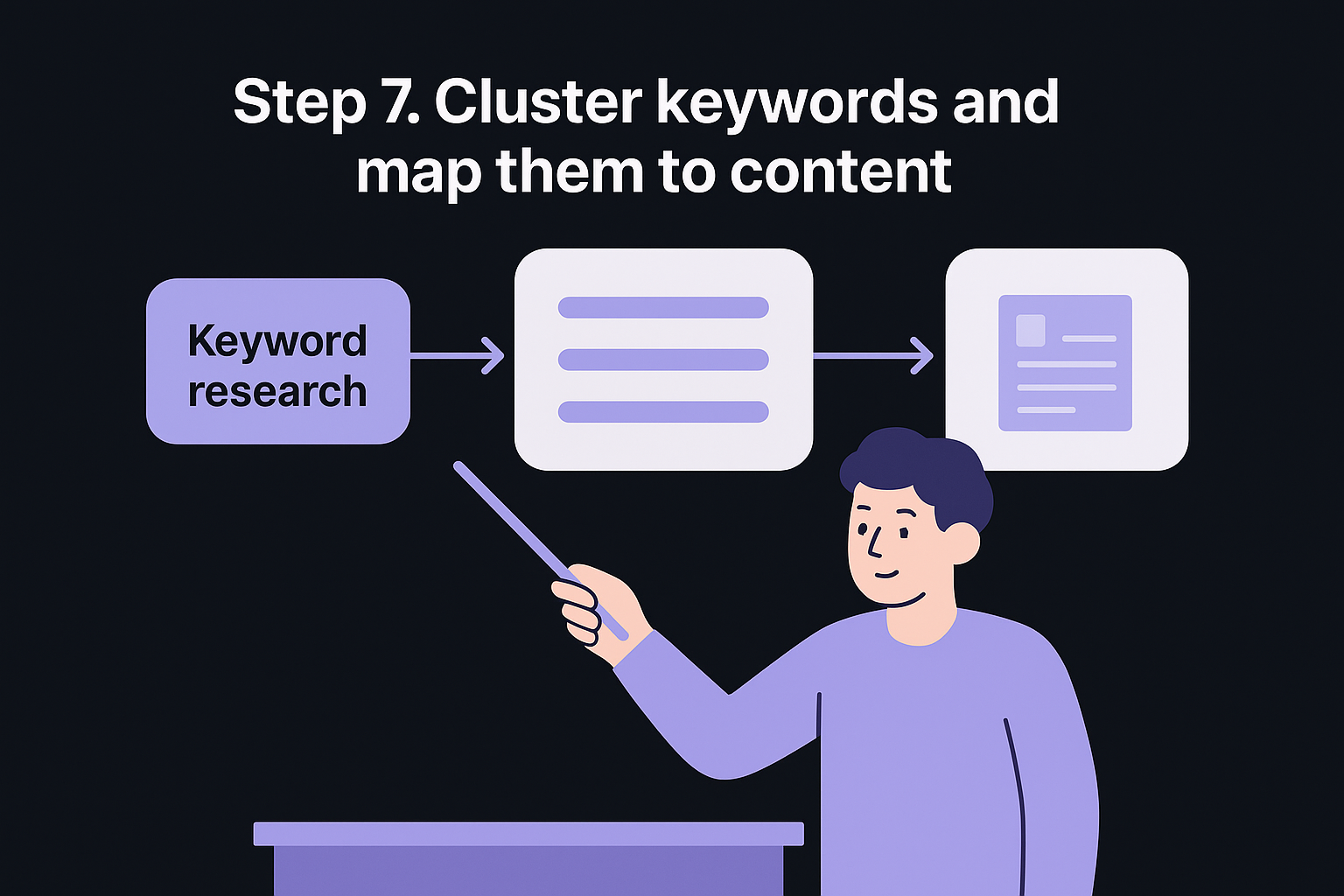
Keyword clustering is the step where a raw list becomes an actual content plan. Once you know how to find keywords for SEO, the next challenge is organizing those keywords so each piece of content covers a topic fully without competing against your own pages. Clustering groups related keywords together under a single content asset, which signals topical depth to Google and prevents you from splitting ranking potential across multiple thin pages, and you can group a pasted keyword list into clusters in one run.
Group keywords by topic, not just by similarity
Two keywords can look different on the surface but share the same underlying intent and deserve to live on the same page. "How to do keyword research" and "keyword research steps" are different phrases, but someone searching either one wants the same type of content. Grouping by intent instead of exact phrasing leads to stronger pages that rank for multiple related queries simultaneously.
Treat each cluster as a single topic your audience needs fully answered, not as a collection of phrases to stuff into one page.
Use this template to build your clusters before you assign them to pages:
| Cluster name | Primary keyword | Supporting keywords | Content type |
|---|---|---|---|
| Keyword research basics | how to find keywords for SEO | keyword research steps, find SEO keywords, keyword research guide | How-to blog post |
| On-page SEO | on-page SEO checklist | title tag optimization, meta description tips, heading structure | Checklist post |
| Link building | how to build backlinks | backlink outreach, earn links, guest posting strategy | Long-form guide |
Fill out one row per cluster before moving on to page assignment. If a cluster has more than eight supporting keywords, consider splitting it into two separate pages targeting slightly different angles of the same topic.
Assign one primary keyword per page
Each page in your content plan gets one primary keyword that anchors the title, the main heading, and the opening paragraph. Supporting keywords from the same cluster appear naturally throughout the body of the page without forcing extra repetition. This structure gives Google a clear primary signal while still capturing the broader set of related queries.
Match each cluster to a specific URL, whether it's a new page you plan to create or an existing page you plan to update, or sketch the whole subject as a topical map of pillars and supporting articles. Keeping a simple spreadsheet with the cluster name, primary keyword, supporting keywords, target URL, and content status gives your entire keyword plan a clear, executable structure you can hand off or act on immediately.
Step 8. Turn your list into a publishing and tracking system
A keyword list sitting in a spreadsheet does nothing for your rankings. The final step in learning how to find keywords for SEO is converting that list into a repeatable publishing schedule paired with a lightweight tracking system that tells you what's working and what needs attention. Without this structure, most keyword plans stall out after the first few posts.
Build a publishing calendar from your cluster map
Take the cluster map you built in Step 7 and create a content calendar with a publish date and responsible owner for each piece of content. Keep the structure simple. One primary keyword per week is a sustainable pace for most small teams, and it gives each piece of content enough time to gain traction before you start adding more. Use this template to manage your queue:
| Week | Primary keyword | Content type | Target URL | Status |
|---|---|---|---|---|
| Week 1 | how to find keywords for SEO | How-to guide | /blog/keyword-research | Live |
| Week 2 | on-page SEO checklist | Checklist post | /blog/on-page-seo | In draft |
| Week 3 | how to build backlinks | Long-form guide | /blog/link-building | Not started |
Update this table every time a piece goes live or moves stages. A calendar that reflects reality keeps your team aligned and prevents keyword targets from getting reassigned across multiple pages by accident.
Track positions and act on the data
Tracking keyword rankings gives you a clear signal on which pieces of content are gaining ground and which ones need reinforcement. Log the starting position for each primary keyword on the day you publish, then check again at 30, 60, and 90 days.
If a page hasn't moved by day 60, the problem is usually content depth, internal linking, or a mismatch between your page and the actual search intent.
When a page stalls, run through this three-part check before rewriting anything, or let a site audit find the pages losing clicks for you:
- Internal links: Add two or three internal links from higher-authority pages on your site pointing to the stalled page.
- Content depth: Compare your page word-for-word against the top three ranking results and identify what you left out.
- Title and meta description: Rewrite both to better reflect the dominant intent you see in the top-ranking results.
Repeating this audit cycle every 90 days turns your keyword list into a living system that compounds over time rather than a static document you revisit once.
Conclusion
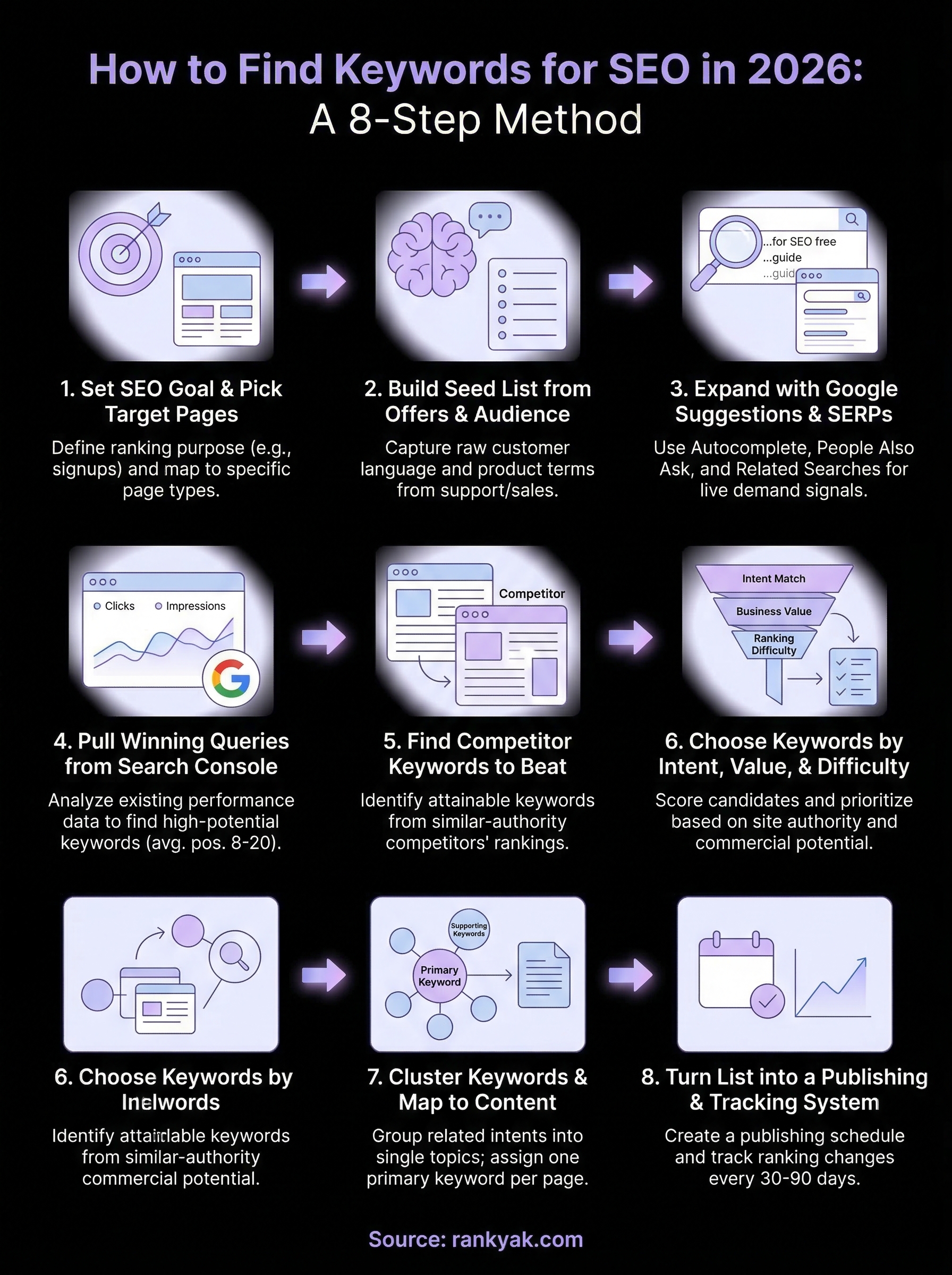
Knowing how to find keywords for SEO is only half the work. The other half is building a system that turns research into published, tracked, and improving content on a consistent schedule. The eight steps in this guide give you a repeatable process: set a goal, build a seed list, expand with Google, mine Search Console, study competitors, filter by intent and difficulty, cluster your keywords, and then publish and track.
You don't need every tool on the market to make this work. A clear goal, honest research, and a publishing calendar will outperform a bloated keyword list with no execution plan behind it.
If you want the entire process handled for you automatically, from keyword discovery to daily article publishing, see what RankYak costs and how much ground you can cover when the research and writing run on autopilot. Your first three days are free, no commitment required.
Allan de Wit is a co-founder of RankYak and has worked in SEO since 2015: inside agencies, alongside them, for clients directly, and in-house on the products being ranked. He came to it as a software engineer building for marketers, which is why the platform is built the way it is. He went on to start companies of his own, two of which were acquired. At RankYak he sets the product direction and owns the features, the quality bar, the design, and the UX.
