
11 Best Keyword Research Software Tools for SEO in 2026

Picking the right keyword research software can be the difference between content that ranks and content that collects dust. But with dozens of tools on the market, each promising better data, smarter suggestions, and easier workflows, it's hard to know which ones are actually worth your time and money in 2026.
Whether you're running a solo blog, managing an ecommerce store, or scaling SEO across multiple client sites, you need a tool that surfaces real opportunities, not just raw data dumps. At RankYak, keyword discovery is built directly into our automated SEO platform, but we also know that different businesses have different needs. Sometimes you want a dedicated research tool with granular filtering, competitor gap analysis, or PPC-specific metrics that go beyond what an all-in-one solution covers.
So we put together this list of 11 keyword research tools that are actually earning their keep right now. For each one, we'll break down what it does best, where it falls short, and who it's the best fit for, so you can stop second-guessing and start targeting the keywords that matter.
1. RankYak
RankYak takes a fundamentally different approach from traditional keyword research software. Instead of handing you a raw list of terms and leaving you to figure out what to do next, it automates the entire SEO process from keyword discovery through to a published article on your site. If you're tired of bouncing between multiple tools just to move from a keyword idea to live content, RankYak handles all of it under one roof.
How RankYak handles keyword discovery
RankYak analyzes your website and niche to automatically surface high-potential keywords without requiring you to manually seed the tool with topics or guess which terms are worth pursuing. Coverage extends beyond Google search to include AI platforms like ChatGPT, Gemini, and Perplexity, which are increasingly driving organic discovery in 2026. The platform builds your keyword list and content plan at the same time, so every keyword it identifies already has a clear path to becoming a published, optimized article.
Most keyword tools stop at data. RankYak connects that data directly to content creation and publishing, removing the manual steps that slow most SEO workflows down.
Best use cases for RankYak
RankYak fits best if you're a small to medium-sized business owner, content marketer, or SEO consultant who needs consistent output without dedicating hours each week to research, writing, and scheduling. It also works well for anyone managing multiple websites, since each site gets its own keyword plan, daily content schedule, and publishing workflow all under a single account, without paying for separate subscriptions or juggling separate logins.
Standout features for SEO workflows
Beyond keyword discovery, RankYak runs the full content lifecycle. It generates a daily content roadmap that determines which keywords to target for maximum growth, writes fully SEO-optimized articles up to 5,000 words, and publishes them directly to your CMS, whether that's WordPress, Shopify, Webflow, or a custom platform via API or Zapier.
Each article also includes built-in internal linking, topic clustering, competitor research, and brand voice adaptation. The platform supports 40+ languages, incorporates verifiable facts and citations to align with Google's helpful content guidelines, and includes a backlink exchange network that connects you with niche-relevant sites to build authority without doing manual outreach yourself.
RankYak pricing
RankYak runs on a single, transparent plan at $99 per month, which covers every feature: smart keyword discovery, daily article generation with featured images, automatic CMS publishing, backlink exchange, and multi-site management. There are no tiers, add-ons, or hidden limits to sort through. You can start with a 3-day free trial and cancel at any time with no questions asked.
2. Semrush
Semrush is one of the most widely used keyword research software platforms in SEO, and for good reason. It combines keyword data with competitive intelligence, site auditing, and content tools inside a single interface, giving you a broad view of your search landscape.
How Semrush supports keyword research
Semrush's Keyword Magic Tool gives you access to a database of over 25 billion keywords. You can filter by search volume, keyword difficulty, CPC, and search intent, making it straightforward to build targeted lists for both organic SEO and paid campaigns. The Keyword Gap feature lets you compare your domain against competitors and spot terms they rank for that you currently don't.
Semrush's competitive gap analysis is especially useful when you want to understand exactly where your organic footprint falls short against direct rivals.
Best use cases for Semrush
Semrush works best for established businesses and agencies that need a full-featured research and auditing platform. It handles everything from tracking keyword positions and auditing technical SEO issues to analyzing backlink profiles and content performance, making it a strong choice if your team regularly works across multiple SEO disciplines.
Standout features for SEO workflows
The Organic Research report shows you which keywords any domain currently ranks for, along with position history and traffic estimates. Semrush also includes a content brief builder that ties keyword data directly to writing briefs, helping content teams move faster from research to draft without switching platforms.
Semrush pricing
Semrush starts at $139.95 per month for the Pro plan, which covers keyword research, site auditing, and position tracking for one user. Higher tiers unlock additional users, more projects, and advanced features like the content marketing toolkit.
3. Ahrefs
Ahrefs is one of the most trusted names in keyword research software, especially among SEOs who want accurate difficulty scores and backlink data in the same platform. Its keyword index pulls from real clickstream data, which makes its traffic estimates more reliable than tools that rely purely on panel-based volume numbers.
How Ahrefs supports keyword research
Ahrefs' Keywords Explorer covers over 100 countries and shows keyword difficulty, click-through rate estimates, and traffic potential for each term. Rather than stopping at raw search volume, it accounts for how many searchers actually click organic results, giving you a more honest projection of the traffic you'd actually earn by ranking.
This click-adjusted traffic potential metric is one of the clearest advantages Ahrefs holds over tools that report volume without accounting for SERP features that absorb clicks.
Best use cases for Ahrefs
Ahrefs works best if you need a tool that connects keyword discovery directly to competitor research. It's a natural fit for content-heavy sites that want to reverse-engineer what's driving organic traffic for competing domains before committing budget to a content plan.
Your team will also find it useful for identifying keyword cannibalization issues across an existing content library, since the site-level filtering makes it easy to spot gaps and overlaps at scale.
Standout features for SEO workflows
The Content Gap tool lets you compare multiple competitor domains simultaneously to surface keywords they rank for that your site doesn't. Ahrefs also includes a Site Explorer that breaks down any domain's full organic keyword profile and backlink data, so you can build a research-backed content strategy rather than guessing.
Ahrefs pricing
Ahrefs starts at $129 per month for the Lite plan, covering keyword research, site auditing, and limited historical data. The Standard plan at $249 per month unlocks fuller historical data, additional users, and complete access to advanced filtering and content gap analysis.
4. Google Keyword Planner
Google Keyword Planner is the original keyword research software built directly into Google Ads, and it remains one of the most reliable sources of raw search data available to both SEOs and paid search managers.
How Google Keyword Planner supports keyword research
Google Keyword Planner pulls data straight from Google's own search index, so the volume estimates and trend data you see come from the source rather than third-party approximations. You can enter seed keywords or a URL to generate keyword suggestions, then filter results by location, language, and date range to focus on what's actually relevant for your market.
Because the data comes directly from Google, Keyword Planner is still the most authoritative baseline for confirming how often people search for a given term.
Best use cases for Google Keyword Planner
Keyword Planner works best if you're running Google Ads campaigns and need accurate CPC estimates alongside volume data to guide your bid strategy. It also serves as a solid cross-check tool for organic keyword research, especially when you want to verify volume numbers before committing to a content plan.
- Validating search volume before building out a content calendar
- Estimating seasonal demand shifts to time content publication effectively
- Building initial keyword lists for new niches without spending on paid tools
Standout features for SEO workflows
The Forecast feature projects clicks, impressions, and cost estimates for any keyword list you build, giving paid teams a clear view of expected results before launch. For organic use, historical metrics let you track how search interest for a topic rises and falls across the year, so you can plan content around actual demand rather than guessing.
Google Keyword Planner pricing
Google Keyword Planner is completely free with any Google Ads account. You don't need active campaigns to access it, though some volume data appears as broad ranges rather than exact figures unless your account has current spend running.
5. Google Search Console
Google Search Console is a free keyword research software resource that many SEOs overlook in favor of paid tools. It gives you direct data from Google about how your site is already performing in search, which makes it one of the most honest signal sources you have access to.
How Google Search Console supports keyword research
The Performance report in Google Search Console shows you every query that triggered an impression or click for your site over the past 16 months. You can filter by page, country, device, and date range to drill into exactly which search terms are driving traffic to specific pages, and where your rankings sit right now.
Unlike third-party tools that estimate traffic from panel data, Google Search Console pulls from real search activity, making it the most accurate picture of your current keyword footprint.
Best use cases for Google Search Console
Google Search Console works best for identifying low-hanging opportunities on pages you already own. If a page earns solid impressions but a low click-through rate, that signals a mismatch between your title tag and what searchers actually want. You can also spot queries where you rank on page two and prioritize those for targeted content updates instead of building net-new pages from scratch.
Standout features for SEO workflows
The Search Analytics API lets you pull query data into spreadsheets or BI tools for deeper analysis, which is useful if you manage large sites with hundreds of pages to review. The Coverage and Enhancements reports run alongside keyword data, so you can connect performance gaps to technical issues that may be suppressing your rankings.
Google Search Console pricing
Google Search Console is completely free for any verified website owner. There are no paid tiers, usage limits, or premium add-ons. You just need a Google account and verified ownership of your domain to access the full dataset.
6. Moz Keyword Explorer
Moz Keyword Explorer is a focused keyword research software tool that prioritizes simplicity without sacrificing depth. If you want clean, actionable keyword data without wading through a cluttered interface, Moz keeps the experience streamlined while still covering the core metrics SEOs rely on most.
How Moz Keyword Explorer supports keyword research
Moz Keyword Explorer shows you monthly search volume, keyword difficulty, organic click-through rate, and a priority score that factors all three into a single number. That priority score is genuinely useful because it stops you from chasing high-volume terms that are nearly impossible to rank for, and instead surfaces realistic opportunities where your site can actually compete.
The priority score is one of the clearest signals for teams that want a fast shortcut to targeting terms where effort is likely to pay off.
Best use cases for Moz Keyword Explorer
Moz works best for small to mid-sized websites and content teams that need reliable keyword data without the complexity of a full enterprise platform. It's a practical choice if you're building out a keyword list for a new site or content campaign and want a straightforward workflow from research to prioritized target list without a steep learning curve.
Standout features for SEO workflows
The SERP analysis view shows you what's currently ranking for any keyword along with each competing page's domain authority and page authority. This lets you gauge competition quickly without running separate backlink checks. Moz also includes keyword list management tools that let you organize and compare multiple keyword sets, which helps when you're planning content across several topic clusters simultaneously.
Moz Keyword Explorer pricing
Moz Pro starts at $49 per month for the Starter plan, which includes limited keyword queries and basic SERP analysis. The Medium plan at $99 per month significantly expands your monthly keyword lookups and unlocks fuller access to competitive research features.
7. KWFinder
KWFinder by Mangools is a focused keyword research software tool built around one goal: finding keywords with low competition and realistic ranking potential. It's designed to be approachable for smaller teams without sacrificing the data quality that drives actual SEO decisions.
How KWFinder supports keyword research
Entering a keyword, domain, or URL gives you keyword suggestions paired with monthly search volume trends, cost-per-click data, and a keyword difficulty score. What sets the difficulty metric apart is that it pulls from actual SERP data, analyzing the pages currently ranking rather than relying on a purely algorithmic calculation.
- Filter results by location, language, and search volume range to narrow your list quickly
- View historical trend data to spot seasonal demand patterns before building your content calendar
Best use cases for KWFinder
KWFinder fits best if you run a newer or smaller site that needs to avoid high-competition terms until your domain has earned more authority. Chasing keywords that established domains already own is a losing strategy early on, and KWFinder's difficulty scoring helps you find realistic gaps where your content can actually rank without years of link building first.
Standout features for SEO workflows
The SERP overview panel loads directly alongside keyword results, showing domain authority, page authority, and backlink count for every page in the current top 10. This saves you from opening a separate tool just to evaluate ranking competition for each term.
The local filtering capability is a genuine differentiator for consultants managing SEO for service-based businesses targeting specific cities or regions.
KWFinder also includes a local keyword research feature that narrows results down to specific cities or regions, which is a clear advantage if you handle location-based SEO campaigns.
KWFinder pricing
Mangools plans start at $29 per month for the Entry tier, covering a limited number of daily keyword lookups. The Premium plan at $44 per month expands those daily limits and unlocks more competitor keyword lookups per day.
8. SpyFu
SpyFu is a competitor-focused keyword research software built around revealing what your rivals are doing in both organic and paid search. If you want to understand which keywords competitors target, how long they've ranked for them, and which ad copy they've tested over time, SpyFu gives you that historical visibility in a way most tools don't.
How SpyFu supports keyword research
Entering any domain into SpyFu pulls up every keyword that site has ever ranked for organically or bid on in Google Ads, with data going back over a decade. You can scan a competitor's full organic and paid keyword history in one view, which makes it straightforward to identify patterns in what's working before you invest time and budget chasing the same terms.
SpyFu's historical data is one of the clearest ways to validate whether a content strategy has staying power or whether competitors have already quietly abandoned certain terms.
Best use cases for SpyFu
SpyFu works best for businesses running parallel SEO and PPC campaigns that want a single source of competitive intelligence across both channels. It also fits well if you're entering a new niche and want to reverse-engineer a proven content and ad strategy before building your own from scratch, saving months of guesswork.
Standout features for SEO workflows
The Kombat tool lets you compare up to three domains simultaneously to surface keyword overlaps and gaps across all of them at once. SpyFu also tracks ad history by competitor, showing which messages a rival tested, how long each ad ran, and which ones they kept, giving you a direct shortcut to understanding what messaging actually converts in your market.
SpyFu pricing
SpyFu starts at $39 per month for the Basic plan, which covers unlimited searches and core competitor research features. The Professional plan at $79 per month adds expanded data exports, custom reporting, and API access.
9. Ubersuggest
Ubersuggest is Neil Patel's entry into the keyword research software market, and it positions itself as an accessible alternative to premium platforms. It bundles keyword suggestions, content ideas, and basic site audit data in a single interface, making it a practical starting point for beginners or budget-conscious teams who need real data without a steep price tag.
How Ubersuggest supports keyword research
Entering a seed keyword returns search volume, SEO difficulty, paid difficulty, and CPC data alongside a list of related keyword suggestions. You can filter results by country and toggle between desktop and mobile search data, which is increasingly important now that mobile queries make up the majority of searches in most niches.
Best use cases for Ubersuggest
Ubersuggest works best for freelancers, bloggers, and small business owners who are getting started with SEO and want a straightforward tool without the complexity or cost of an enterprise platform. It gives you enough data to build a workable keyword list and spot content gaps relative to competitors without requiring advanced technical knowledge to interpret the results.
Ubersuggest is a reasonable entry point when your budget is tight, but growing sites often outgrow its data limits and accuracy as their SEO needs become more demanding.
Standout features for SEO workflows
The Content Ideas feature pulls up top-performing pages for any keyword, showing estimated visits, backlinks, and social shares for competing content. This lets you gauge what it actually takes to rank before committing time to a topic. Ubersuggest also includes a traffic analyzer that estimates organic traffic and top keyword rankings for any domain, so you can reverse-engineer competitor strategies with minimal effort.
Ubersuggest pricing
Ubersuggest offers a free tier with limited daily searches, which suits occasional research or light validation work. Paid plans start at $29 per month, and a lifetime access option is available as a one-time purchase for users who want to skip recurring subscription costs entirely.
10. Keywords Everywhere
Keywords Everywhere is a browser extension that brings keyword research software data directly into your browser without switching tabs or logging into a separate platform. It displays search volume, CPC, and competition scores as overlays on Google search results, Google Search Console, and several other platforms you already use daily.
How Keywords Everywhere supports keyword research
The extension displays search volume, CPC, and competition data directly on the Google results page as you search, so you gather keyword intelligence within your normal browsing workflow. It also shows related keywords and long-tail suggestions in a sidebar panel, letting you spot adjacent opportunities without running a separate tool session.
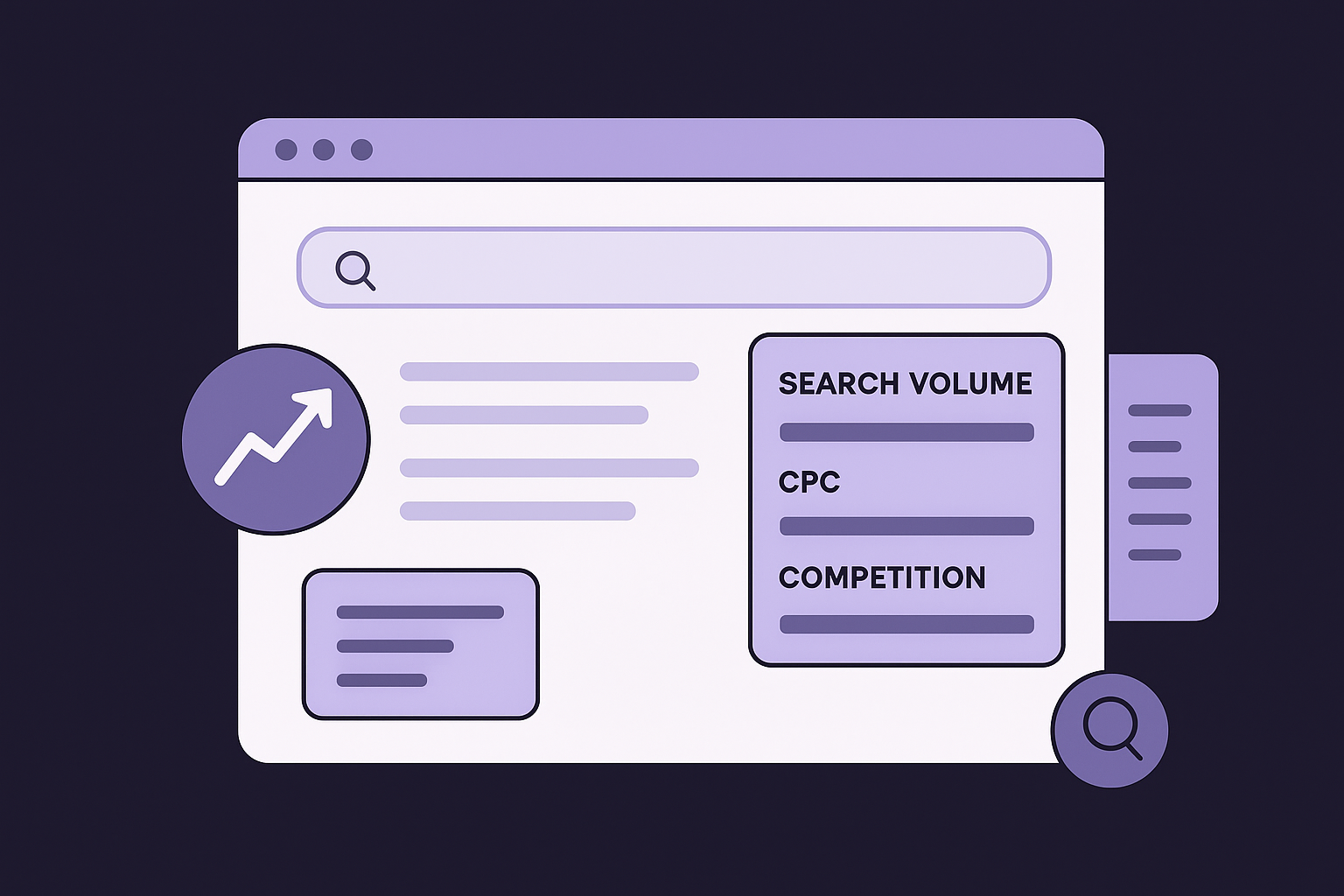
This inline approach is particularly useful when you want to quickly validate whether a topic is worth pursuing before committing research time to it.
Best use cases for Keywords Everywhere
Keywords Everywhere fits best if you do frequent ad-hoc research and want keyword metrics available without breaking your workflow. It works well alongside a primary platform, giving you a fast second opinion on search volume and competition while you browse competitor sites, forums, or social platforms for content ideas.
Standout features for SEO workflows
The Trend data widget shows a 12-month search volume graph directly on the results page, giving you a quick view of whether demand for a term is growing or fading. Keywords Everywhere also surfaces "People Also Search For" data with volume metrics attached, which helps you build out topic clusters without starting a fresh research session each time.
Keywords Everywhere pricing
Keywords Everywhere runs on a credit-based pricing model rather than a monthly subscription. You purchase credits starting at $15 for 100,000 credits, where each keyword lookup consumes one credit, making it one of the most cost-efficient options for supplementary research.
11. AnswerThePublic
AnswerThePublic takes a different angle than most keyword research software tools. Instead of focusing on volume and difficulty scores, it maps out the questions and phrases real people type when searching for a topic, giving you a direct view into search intent before you build a single piece of content.
How AnswerThePublic supports keyword research
Entering a seed keyword generates a visual map of question-based and preposition-based queries grouped by structure: who, what, where, when, why, how, and more. This breakdown shows you exactly how your audience thinks about a topic, which makes it far easier to write content that matches the way people actually search rather than guessing at phrasing.
This question-first approach makes AnswerThePublic especially useful for identifying content angles that more data-heavy tools tend to miss entirely.
Best use cases for AnswerThePublic
AnswerThePublic fits best if you're in the early stages of building out a content strategy and want to understand what your audience genuinely wants to know before committing to a keyword list. It also works well for FAQ sections, blog content, and video scripts where question-based phrasing naturally fits the format.
Standout features for SEO workflows
The tool organizes suggestions into downloadable CSV exports, so you can bring the data into your main research workflow without manual copying. AnswerThePublic also supports comparison and alphabetical query views, which surface longer-tail variations that standard keyword tools often filter out due to low individual volume but that collectively represent strong topical coverage.
AnswerThePublic pricing
AnswerThePublic offers a free tier with limited daily searches, suitable for occasional research. Paid plans start at $11 per month for the Individual plan, which removes the daily search cap and adds search history and data comparison features across time periods.
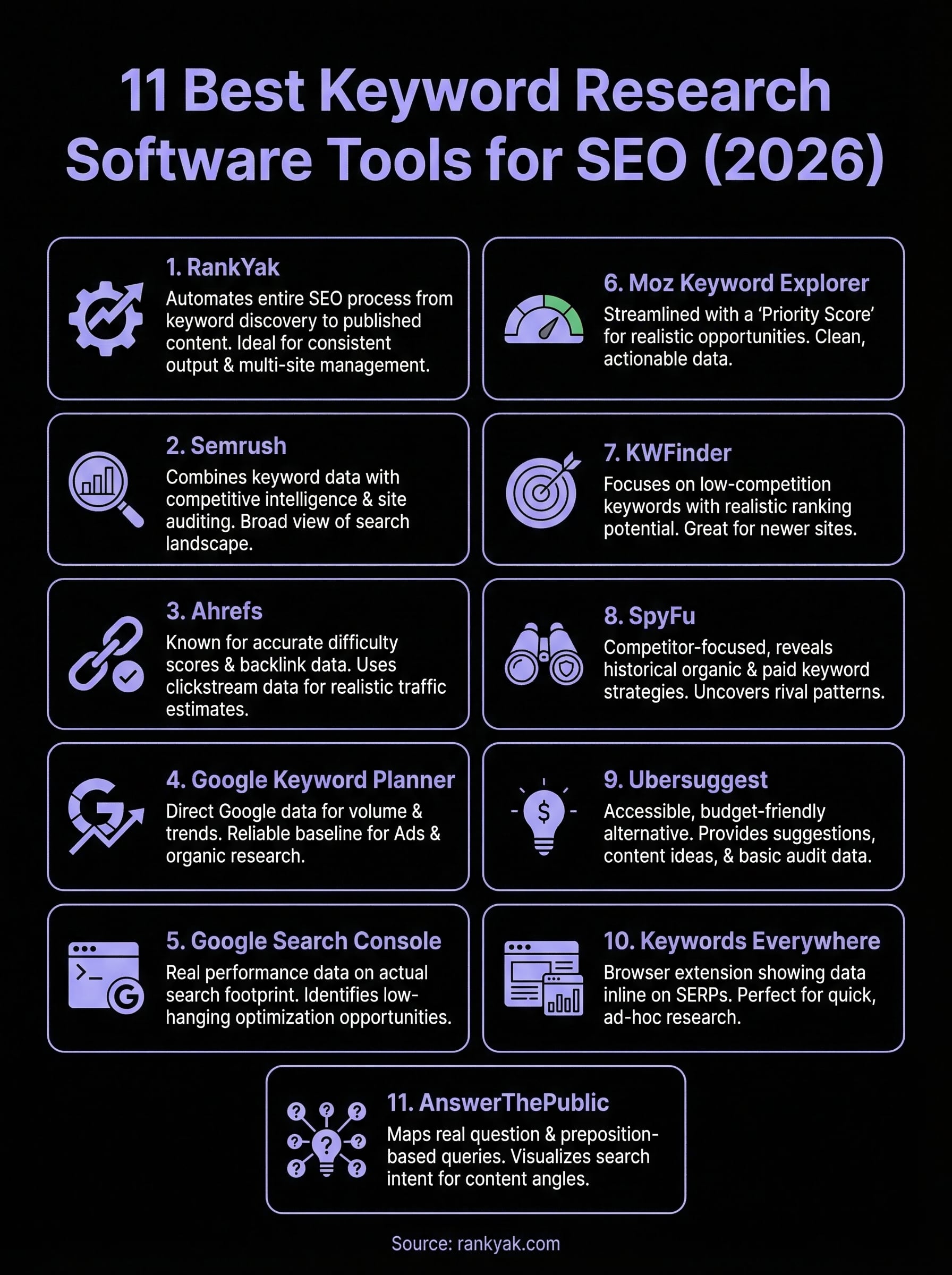
Next steps
Every tool on this list serves a different purpose, and the right keyword research software for your workflow depends on where you are right now. If you need granular competitor data and deep filtering, Ahrefs or Semrush will cover you. If budget is tight, Google Search Console and Google Keyword Planner give you solid data at no cost.
But if your actual problem is that keyword research takes too much time and those keywords rarely turn into published, ranking content, that's a different challenge entirely. RankYak handles the full cycle automatically: it finds your best keyword opportunities, writes optimized articles, and publishes them directly to your site every day without manual work on your end.
You can see how it works firsthand without committing to anything. Start your free 3-day trial of RankYak and let the platform build your first keyword-driven content plan for you.

Get Google and ChatGPT traffic on autopilot.
Start today and generate your first article within 15 minutes.

SEO revenue calculator
How much revenue is your website leaving on the table?
Take a quick quiz and see exactly how much organic revenue you're missing out on, along with personalized tips to fix it.
-
4 questions, under 1 minute
-
See traffic and revenue potential
-
No email required
Free · takes 1 minute · no signup needed
Question 1 of 4
Question 2 of 4
Question 3 of 4
Question 4 of 4
Your SEO growth potential
Extra visitors / month
after 6-12 months of consistent publishing
Revenue potential / year
at your niche's avg. conversion rate
Articles needed (12 mo)
to reach this traffic level
ROI with RankYak
at $99/mo ($1,188/year)
To hit that number, you'd need to:
- Build a topical authority strategy for your niche
- Research keywords & map out a full topical cluster
- Write, edit & publish an article every single day
- Build backlinks to the articles you publish
RankYak handles all of this automatically, every day.
* Estimates based on industry averages. Results vary by niche, competition, and domain authority. Most SEO results become visible after 3-6 months of consistent publishing.