Semrush Keyword Magic Tool: How To Find Profitable Keywords
Finding the right keywords can make or break your SEO strategy. The Semrush Keyword Magic Tool is one of the best keyword analysis tools for digging into keyword data, uncovering search volume, and building a list of terms worth targeting. Whether you're planning blog content, optimizing product pages, or mapping out a full content calendar, knowing how to use this tool properly gives you a real edge.
But here's the thing, keyword research is only the first step. Once you've identified profitable keywords, you still need to create optimized content around them and publish consistently. That's exactly why we built RankYak: to handle the entire process from keyword discovery through publishing, on autopilot, every single day. Some users pair tools like Semrush with RankYak to validate ideas or cross-reference data, which works well.
In this guide, you'll learn how to use the Keyword Magic Tool to find high-potential keywords, filter results effectively, and turn raw data into an actionable SEO plan. Let's get into it.
What the Semrush Keyword Magic Tool does
The Semrush Keyword Magic Tool is a keyword research database that gives you access to over 25 billion keywords across more than 140 geographic databases. You enter a seed keyword, and it returns a large list of related terms along with data points like monthly search volume, keyword difficulty, cost-per-click, and search intent. The tool is designed to help you move from a single phrase to a fully mapped list of content opportunities without running dozens of separate searches.
With the right filters applied, you can cut a list of thousands of keywords down to a focused shortlist worth actually targeting.
The core database and what's inside it
Semrush pulls keyword data from real search behavior and organizes it so you can browse and filter at scale. When you run a search, the tool groups related keywords into topic clusters called keyword groups, which appear in a left-hand panel. This lets you quickly navigate between broad topics and narrow subtopics in one session. For example, a seed keyword like "running shoes" will surface groups like "running shoes for women," "trail running shoes," and "running shoes men," each containing dozens or hundreds of related phrases.
Each keyword in the results comes attached to a SERP analysis snapshot, showing which pages currently rank for that term. This is useful because it tells you what type of content is winning for a given keyword, whether that's a listicle, a product page, a forum post, or a how-to guide.
Key metrics the tool surfaces
Every keyword result includes a set of metrics that help you decide whether a term is worth targeting. Here are the main ones you'll work with:
| Metric | What it tells you |
|---|---|
| Volume | Average monthly searches for the keyword |
| KD% (Keyword Difficulty) | How hard it is to rank on page one, scored 0-100 |
| CPC | Average cost per click if you were running paid ads |
| Intent | Whether the search is informational, navigational, commercial, or transactional |
| Trend | How search volume has shifted over the past 12 months |
Reading these metrics together, rather than in isolation, is what separates a useful keyword list from a random one, so it helps to know what each keyword metric actually measures. A keyword with high volume but a KD% above 80 is likely out of reach for a newer site. A keyword with lower volume but a KD% under 30 and clear transactional intent can be far more valuable for driving actual conversions and real business results.
Step 1. Start with a seed keyword and database
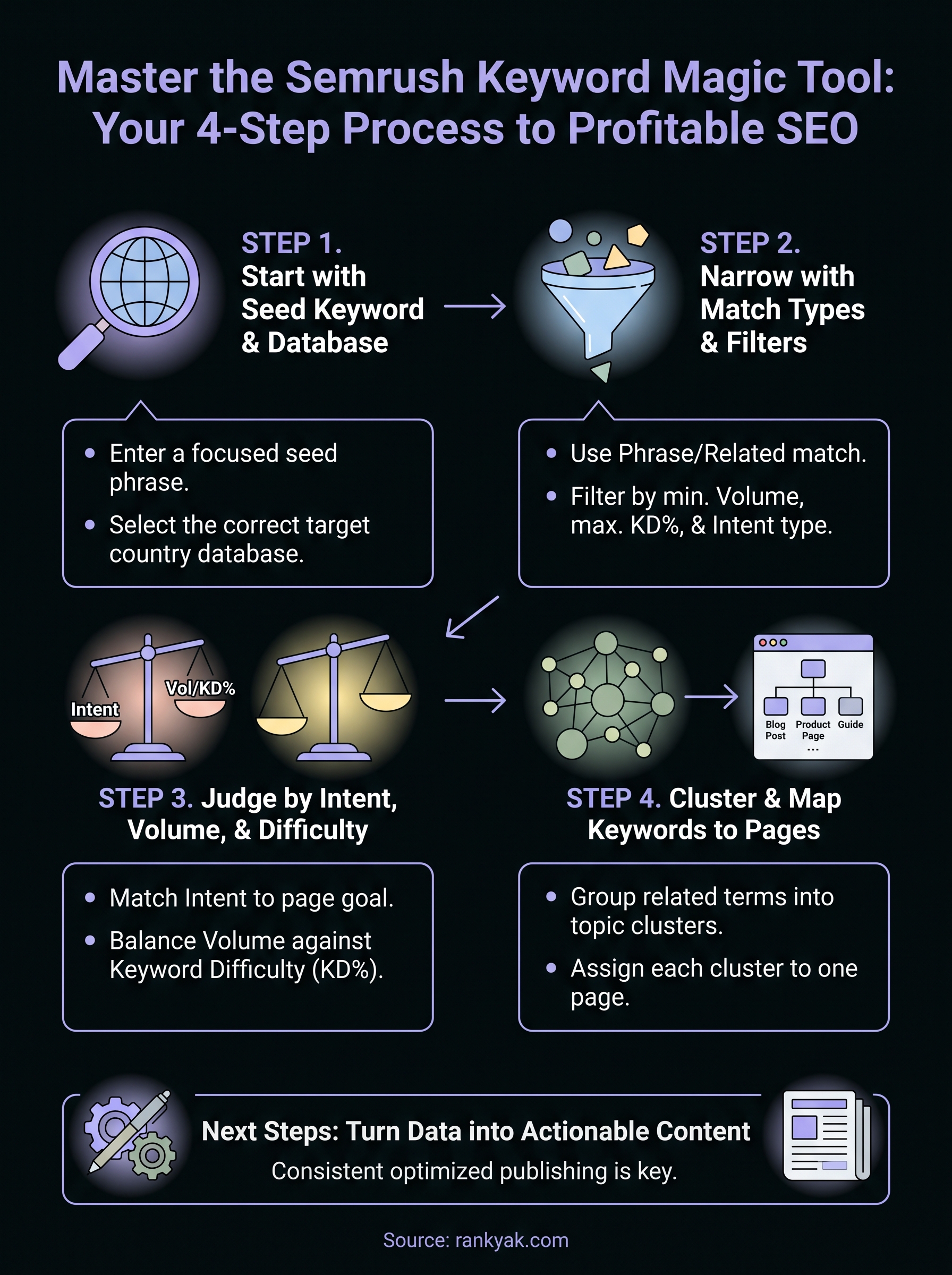
Opening the Semrush Keyword Magic Tool starts with two decisions: what seed keyword to enter and which country database to pull data from. A seed keyword is a short, broad phrase that represents your topic, like "email marketing" or "protein powder." The tool uses that starting phrase to generate hundreds or thousands of related keywords, so choosing the right seed keyword shapes everything that follows in your research session.
Choose a seed keyword that's focused but not too narrow
Your seed keyword should be broad enough to surface a wide range of related phrases, but specific enough to stay relevant to your business. If you run a local bakery, a seed like "bakery" is too generic. Something like "custom cakes" or "sourdough bread recipes" keeps the results much closer to what your actual customers search for.
Here are a few seed keyword formats that work well as starting points in any practical keyword research workflow:
- A core product or service: "project management software"
- A topic you want to own: "home office setup"
- A problem your audience faces: "how to reduce bounce rate"
Select the right database for your target market
After you type in your seed keyword, select the country database that matches your target audience before hitting Search. If you're targeting US readers, choose the United States database. Running separate searches per country matters if you operate across multiple markets.
Always match your database to where your audience actually searches, not where your business is physically located.
Mixing databases produces inaccurate volume data and pushes you toward optimizing pages for audiences that will never see them. Once you've confirmed your seed keyword and database, click Search and let the tool load your results. You're now ready to start cutting that list down to something actionable.
Step 2. Narrow results with match types and filters
A raw results list from the Semrush Keyword Magic Tool can return thousands of keywords from a single seed phrase. Without filtering, you're staring at noise. The match types and filter options at the top of the results panel let you cut that list down to terms that actually fit your strategy, so apply them before you try to evaluate anything.
Use match types to control keyword scope
Match types determine how closely results must relate to your seed keyword. The tool gives you four options: Broad Match, Phrase Match, Exact Match, and Related. Broad Match returns the widest range of results, including any keyword that contains words from your seed in any order. Phrase Match limits results to keywords that include your seed phrase as a continuous string. Exact Match shows only that specific phrase and close variants. Related surfaces semantically connected keywords that may not contain your exact seed words.
For most content campaigns, Phrase Match hits the right balance between variety and relevance, especially when your seed keyword is two or three words long.
Start with Phrase Match to keep results tight, then switch to Related if you want to find angles you may have missed.
Apply filters to cut the noise
Once you've set your match type, use the filter bar to remove keywords that don't meet your baseline criteria. The most useful filters to set immediately are:
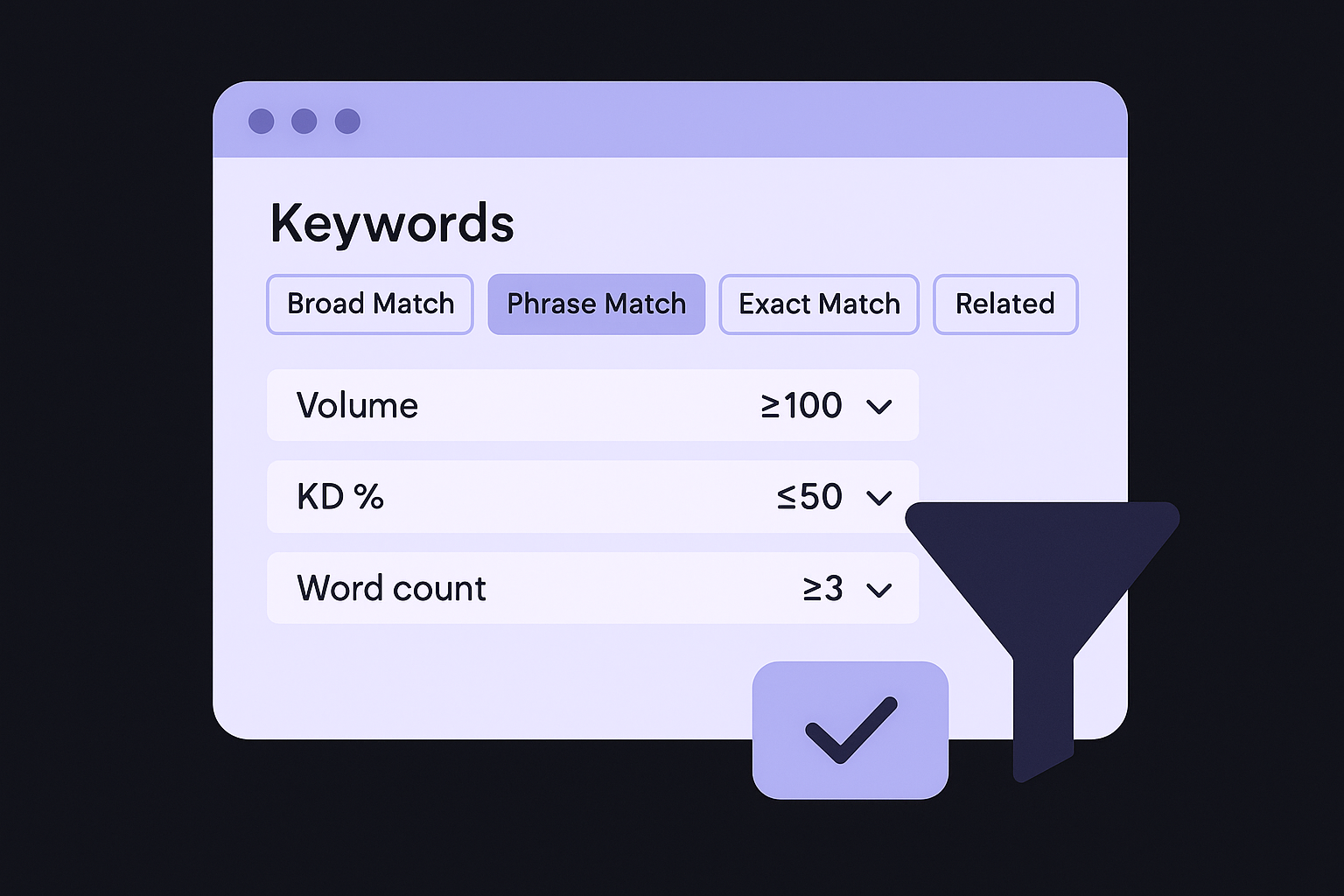
- Volume: Set a minimum of 100 monthly searches to exclude terms with no real traffic potential
- KD% (Keyword Difficulty): Cap at 50 if your site is newer, or 70 if you have strong domain authority
- Word count: Filter for keywords with three or more words to find longer, more specific phrases with clearer intent
- Intent: Select the intent type that matches your page goal, informational for blog posts, transactional for product or service pages
Applying these filters together narrows thousands of results into a focused, workable list you can actually move through.
Step 3. Judge keywords by intent, volume, and difficulty
Once your filtered list is ready in the Semrush Keyword Magic Tool, resist the urge to sort by volume and start picking the biggest numbers. High volume means nothing if the keyword pulls in the wrong kind of visitor or targets a difficulty level your site can't compete at yet. Judging each keyword requires looking at three data points together, and the order matters.
Read intent before volume
Intent tells you what a searcher is actually trying to do when they type a query. Semrush labels each keyword with one of four intent-based keyword types: informational (learning something), navigational (finding a specific site), commercial (comparing options), and transactional (ready to buy or sign up). Before you look at volume or difficulty, filter your list to the intent type that matches your page goal.
Targeting a transactional keyword with a blog post, or an informational keyword with a product page, wastes effort no matter how good your content is.
If you're building a product page, focus on transactional and commercial keywords. If you're writing a guide, informational intent is your target. Matching intent to page type is the single fastest way to improve your chances of ranking.
Balance volume against difficulty
After confirming intent, compare monthly search volume against KD% to find the best opportunities. Use this framework to score keyword viability based on your site's current authority:
| Site Authority Level | Recommended Max KD% | Minimum Monthly Volume |
|---|---|---|
| New site (DA under 20) | 30 | 100 |
| Growing site (DA 20-50) | 50 | 200 |
| Established site (DA 50+) | 70 | 500 |
A keyword with 500 monthly searches and a KD% of 25 will deliver faster, more reliable results than chasing a 10,000-volume term with a KD% of 85, which is why it pays to know how to find low difficulty keywords. Prioritize terms where your difficulty ceiling and the available volume overlap, and you'll build a list that generates real traffic rather than wishful ranking targets.
Step 4. Cluster keywords and map them to pages
After filtering and scoring your list in the Semrush Keyword Magic Tool, you're not done yet. A pile of individual keywords isn't a content plan. You need to group related keywords together and assign each group to a specific page, so you're targeting multiple relevant phrases with a single piece of content rather than writing a separate article for every minor variation.
Group keywords by shared topic
Keywords that share the same core topic and intent belong in the same cluster. Start by looking at the keyword groups the tool already surfaced in the left panel. Those groupings are a solid starting point. Then manually review your filtered list, or cluster your keyword list automatically, and pull together terms that would fit naturally in the same article.
Here's an example of how a cluster might look for a keyword set around project management:
| Cluster | Keywords to include |
|---|---|
| Project management basics | what is project management, project management definition, project management overview |
| Project management tools | best project management tools, project management software, free project management apps |
| Agile methods | agile project management, scrum vs kanban, agile methodology for small teams |
Each row represents one content piece targeting all the keywords in that cluster.
Map clusters to specific pages
Once you have your clusters, assign each one to either an existing page you plan to optimize or a new page you need to create. Use a simple spreadsheet to track this. The columns you need are: cluster name, target URL, primary keyword, supporting keywords, page type, and publish status.
A mapped keyword list forces you to make real decisions about what to build, which cuts wasted effort and keeps your content calendar focused.
If a cluster doesn't match any existing page and doesn't justify a new one, drop it from your plan rather than forcing a weak content piece just to cover the keyword.
Next steps
You now have a repeatable process for using the Semrush Keyword Magic Tool to find profitable keywords, filter out weak opportunities, and build a mapped content plan. The steps in this guide move from seed keyword to clustered, page-ready targets, giving you a foundation you can actually execute against instead of a bloated spreadsheet of guesses.
The real challenge starts after the research. You need to publish consistently optimized content around every cluster you've mapped, and that's where most sites fall behind. Writing, formatting, and publishing one SEO article after another takes more time than most teams have available.
That's exactly the gap RankYak closes: see how RankYak runs SEO end to end, automating daily article creation based on your keywords, publishing to your CMS, and building internal links automatically, so your content plan turns into actual output without manual effort every step of the way.
Allan de Wit is a co-founder of RankYak and has worked in SEO since 2015: inside agencies, alongside them, for clients directly, and in-house on the products being ranked. He came to it as a software engineer building for marketers, which is why the platform is built the way it is. He went on to start companies of his own, two of which were acquired. At RankYak he sets the product direction and owns the features, the quality bar, the design, and the UX.
