Jasper AI Writing Tool: Features, Pricing, And Use Cases
If you've spent any time researching AI writing tools tested and ranked, you've almost certainly come across the Jasper AI writing tool. Jasper has built a reputation as one of the more prominent platforms for generating marketing copy, blog posts, and other written content using artificial intelligence. But popularity alone doesn't tell you whether it's actually the right fit for your workflow, or worth the investment.
That's exactly what this guide breaks down. Whether you're a solo entrepreneur trying to keep up with content demands or a marketing team evaluating tools to scale output, understanding what Jasper actually does (and where it falls short) matters before you commit. We'll walk through its core features, pricing structure, and the specific use cases where it performs best, so you can make a grounded decision instead of relying on hype.
At RankYak, we automate the entire SEO content pipeline, from keyword research to publishing, so we spend a lot of time evaluating how different AI writing tools handle the realities of ranking content on Google. This article draws on that perspective to give you a clear, honest look at Jasper: what it offers, what it costs, and how it stacks up when your goal is content that actually drives organic traffic.
What the Jasper AI Writing Tool Is
Jasper is an AI-powered writing platform built primarily for marketing teams, content creators, and businesses that need to produce large volumes of written content. It uses large language models (LLMs) to generate text based on prompts, templates, and brand settings you configure. Think of it as a writing assistant that can draft blog posts, ad copy, email campaigns, and product descriptions at a much faster pace than a human writer working alone. Unlike a basic chatbot, Jasper is designed specifically around content marketing workflows, with features added to make it easier for teams to maintain brand consistency at scale.
How Jasper Started and Where It Sits Today
The platform launched in 2021 under the name Jarvis before rebranding to Jasper in 2022, a change driven largely by a trademark dispute with Marvel over the name Jarvis. Early versions of the product built its reputation around a single flagship feature called Boss Mode, which handled long-form generation before that capability got folded into the standard document editor you use today. It grew quickly in the AI writing space by targeting marketers who needed to move fast without sacrificing output volume. Over time, the platform expanded from simple template-based copy generation into a broader content platform that includes a document editor, browser extension, and integrations with tools like Google Docs. Today, Jasper positions itself as an enterprise-grade solution, with pricing and feature sets aimed at marketing teams inside larger organizations rather than solo freelancers.
Jasper has shifted its focus toward team-based marketing operations, which shapes everything from how its features are built to how its plans are priced.
What Jasper Is Actually Built On
The jasper ai writing tool runs on top of multiple LLMs, including models from OpenAI, to generate text. Jasper itself is not an underlying model; it is a product layer built on top of those models, which means it adds prompting logic, brand memory, and workflow tools around the raw AI output. This distinction matters because it affects what Jasper can and cannot do. It can follow your brand voice guidelines, apply templates, and maintain some consistency across documents, but it still relies on the same foundational models you could access directly through other AI writing tools.
One practical implication is that Jasper's output quality depends heavily on how well you configure your inputs. If you give it a detailed brief, clear instructions, and accurate brand voice settings, you get stronger results. If you use it with minimal guidance, you get generic text that still needs significant editing. Jasper does not automatically know your audience, your product nuances, or your SEO goals unless you feed that information into the platform yourself.
Who Jasper Is Designed For
Jasper targets marketing teams and content departments that produce high volumes of copy across multiple channels. The platform is built with collaboration in mind, so it works better when multiple people on a team need access to shared templates, brand settings, and document workspaces. Solo users can absolutely use it, but many of the more advanced features, like team seats, brand voice controls, and campaign management, are oriented toward group workflows rather than individual content production.
Your use case matters a lot here. If you are a small business owner who needs to write a few blog posts a week, Jasper can help, but the pricing structure may feel steep relative to what you actually use. If you are part of a mid-sized marketing team producing content across email, social, and web simultaneously, the platform starts to make more sense as a centralized content workspace where multiple contributors can work from the same brand guidelines and templates.
Why Teams Use Jasper for Marketing Content
Marketing teams face a consistent pressure: produce more content, faster, without letting quality slip or brand voice drift across channels. That pressure is the primary reason teams turn to the jasper ai writing tool. It is not that Jasper replaces skilled writers, but rather that it removes the friction points that slow down a content marketing production workflow running at high volume, like starting from a blank page, reformatting the same message for different channels, or waiting on one writer to finish before another task begins.
Speed Across Multiple Content Channels
The most immediate benefit teams report is raw speed. A campaign that once took a week to write out across blog posts, email sequences, and social captions can move significantly faster when Jasper handles the first drafts. Your writers shift from originating every sentence to refining and approving output, which changes how a content calendar actually gets executed. Teams can hit publish dates they previously missed simply because the drafting stage no longer creates a bottleneck.
Speed gains only hold up when your team is disciplined about reviewing and editing output before publishing, not skipping that step entirely.
Maintaining Brand Consistency at Scale
When multiple writers or contributors work across a shared content operation, voice inconsistency becomes a real problem. One person writes formally, another writes conversationally, and the result is a brand that feels disjointed across its own channels. Jasper addresses this through its brand voice settings, which allow teams to define tone, vocabulary preferences, and writing style guidelines that apply across every document generated on the platform. New team members or contractors can work within those guardrails without needing weeks of onboarding to get the voice right.
This consistency benefit is especially relevant for companies managing content across multiple markets or product lines, where keeping AI-assisted marketing content on brand without constant manual review takes significant effort. With shared templates and brand settings in place, Jasper gives teams a common foundation to build from rather than starting fresh every time.
Reducing Bottlenecks in the Content Workflow
Most content delays do not happen at the approval stage; they happen at the creation stage, when drafts take too long to materialize. Jasper reduces this friction by generating usable starting points quickly, which means editors and strategists spend less time waiting and more time improving existing drafts. For teams where content velocity directly affects pipeline generation or audience growth, cutting that creation lag has a measurable impact on output and, ultimately, results.
How Jasper Works for Writing and Editing
The jasper ai writing tool operates through a straightforward workflow: you provide inputs, the platform generates text, and you refine the output until it matches what you need. The actual writing process happens inside a document editor that resembles a standard word processor, with AI generation controls layered on top. You can trigger generation from scratch, work from a predefined template, or ask Jasper to expand, rephrase, or shorten content you have already written.
Starting With a Prompt or Template
When you open a new document, you choose whether to start with a template or write a custom prompt. Templates cover common content formats like blog post outlines, product descriptions, email subject lines, and ad copy. Each template asks you to fill in specific fields, such as your product name, target audience, and tone of voice, before generating output. If none of the templates fit, you write a free-form prompt directly in the editor and let Jasper respond to your instructions. The more specific your inputs, the more usable the output tends to be out of the gate.
Vague prompts produce generic text; treating each prompt like a clear written brief gets you much closer to publishable output on the first pass.
Jasper also pulls from your brand voice settings during generation, which means templates and custom prompts both reflect the tone and vocabulary guidelines your team has configured. This reduces how much manual correction you need to apply across documents when multiple people are generating content from the same account.
The Document Editor and Editing Flow
Once Jasper generates text, you work with it inside the document editor much like you would in Google Docs. You can highlight sections and ask Jasper to rewrite them, adjust tone, or make copy shorter or longer on demand. The editor supports inline editing alongside AI commands, so your workflow stays in one place rather than bouncing between windows.

The editing process still requires a human editing pass with a clear checklist before anything is ready to publish. Jasper can introduce factual inaccuracies, especially on technical or niche subjects, and it sometimes produces repetitive phrasing across longer documents. Your role shifts from writing from scratch to reviewing, correcting, and shaping the generated content into something accurate and specific to your audience. Teams that skip this review step typically end up publishing content that reads as generic and lacks the credibility that makes content actually rank or convert.
Jasper Features That Matter Most
Not every feature on Jasper's list deserves equal attention. The jasper ai writing tool has added a lot of functionality over time, but a handful of features drive most of the practical value for teams doing serious content production. Understanding which ones actually move the needle helps you avoid wasting time configuring things that will not affect your output quality.
Brand Voice and Knowledge Base
The Brand Voice feature is where Jasper separates itself from simpler AI writing tools. You feed it samples of your existing content, and it analyzes your tone, vocabulary patterns, and stylistic tendencies to create a reusable voice profile that applies to every document generated on your account, effectively saving your brand guidelines in one place so nobody has to redefine tone and vocabulary preferences project by project. Drafts come out closer to your actual style rather than a generic AI default, which cuts editing time significantly.

Your Knowledge Base works alongside this by letting you upload product sheets, company documentation, or background materials that Jasper can reference during generation. Instead of manually re-explaining your product every time you start a new document, Jasper pulls from that stored information to keep output grounded in your specific context rather than inventing plausible-sounding but inaccurate details.
Setting up both your brand voice and knowledge base before you start generating content is the single highest-leverage configuration step you can take in Jasper.
Templates and Campaign Workflows
Jasper includes over 50 content templates covering formats from blog post outlines to LinkedIn ads to cold email sequences. Each template prompts you for specific inputs, which structures the generation process and reduces how much you need to direct the AI through custom prompting. For teams managing content across multiple channels, templates create a repeatable production process that does not rely on any one person knowing how to prompt well.
The Campaigns feature groups related content pieces together so you can generate blog posts, social captions, and email copy that all tie back to the same brief and core messaging. This is particularly useful when you launch a product or run a promotion and need aligned output across every channel at once rather than drafting each piece in isolation.
Pipelines and Workflow Automation
Jasper's Pipelines feature lets you build repeatable, multi-step workflows that chain together research, drafting, and review steps instead of re-running the same sequence of prompts by hand every time you need a similar piece of content. You set up a pipeline once, for example pulling in a topic, generating a draft, running it through your brand voice settings, and routing it to a teammate for approval, and then reuse that sequence across dozens of future pieces without rebuilding it from scratch. This matters most for teams producing the same type of content on a recurring basis, like weekly blog posts or monthly newsletters, where the prompt sequence itself becomes a repeatable asset rather than something someone reconstructs from memory each time.
Integrations and Browser Extension
Jasper connects with Google Docs and Chrome through integrations that let you use the tool inside your existing workflow rather than forcing you into a separate platform every time. The Chrome extension is practical when you need to draft or rewrite content directly inside web-based tools you already have open.
The platform also integrates with Surfer SEO, which adds on-page optimization scoring to your document editor, though this requires a separate paid Surfer subscription on top of your Jasper plan.
Common Jasper Use Cases by Content Type
The jasper ai writing tool fits into a range of content workflows, but it performs better in some formats than others. Knowing where it adds the most value helps you use it where it genuinely speeds things up rather than pushing it into situations where manual writing will outperform generated output.
Blog Posts and Long-Form Articles
Blog posts are where many users first try Jasper, and for good reason, since using AI for blog posts is one of the clearest wins. You can generate a complete working outline, expand each section into draft paragraphs, and walk away with a usable first draft that covers your main points without staring at a blank document for an hour. This approach works especially well for informational content where structure and coverage matter more than deeply personal insight or proprietary research.
The main limitation here is accuracy. Blog posts that require specific data, niche technical knowledge, or expert-level insight still need a human to verify every claim before publishing. Jasper fills in structure and language efficiently, but it will not consistently get the fine details right without strong inputs and a thorough review pass.
Marketing Copy and Ad Creative
Short-form copy is one of Jasper's strongest use cases, as it is with most AI copywriting tools. Facebook ads, Google ad headlines, landing page copy, and product descriptions all follow repeatable patterns that the platform handles well. You feed in your offer, target audience, and tone, and Jasper generates multiple variations quickly, which lets you test different angles without spending hours on individual copywriting tasks.
Running five to ten variations on a single ad concept and testing them against each other is a faster path to finding what converts than writing each variation manually.
Teams use this workflow to accelerate campaign launches and keep creative testing active without overloading writers with repetitive variation work.
Email and Social Content
Email subject lines and body copy are another format where Jasper moves fast. Templates for cold outreach, promotional emails, and nurture sequences give you a solid structure to start from, and the tone controls help you match your brand voice across different message types. You still need to review for accuracy and relevance, but the drafting process shortens considerably.
For social media captions and short posts, Jasper works well as a volume tool. You can repurpose a single blog post into a week of social content quickly, which keeps your channels active without dedicating dedicated writing time to formats that do not require deep original thinking.
Jasper Pricing, Plans, and What You Get
Understanding Jasper's pricing structure before you sign up saves you from committing to a plan that does not match how you actually work. The jasper ai writing tool currently offers two main self-serve plans and a custom enterprise tier, each with a different seat count and feature set. Pricing is structured around team size, so solo users pay less than teams, but the costs add up quickly once you factor in additional seats or third-party integrations you need alongside the platform. Jasper does not offer a permanent free tier, but it does offer a short free trial so you can test the editor and templates before your card gets charged.
Creator and Pro Plans
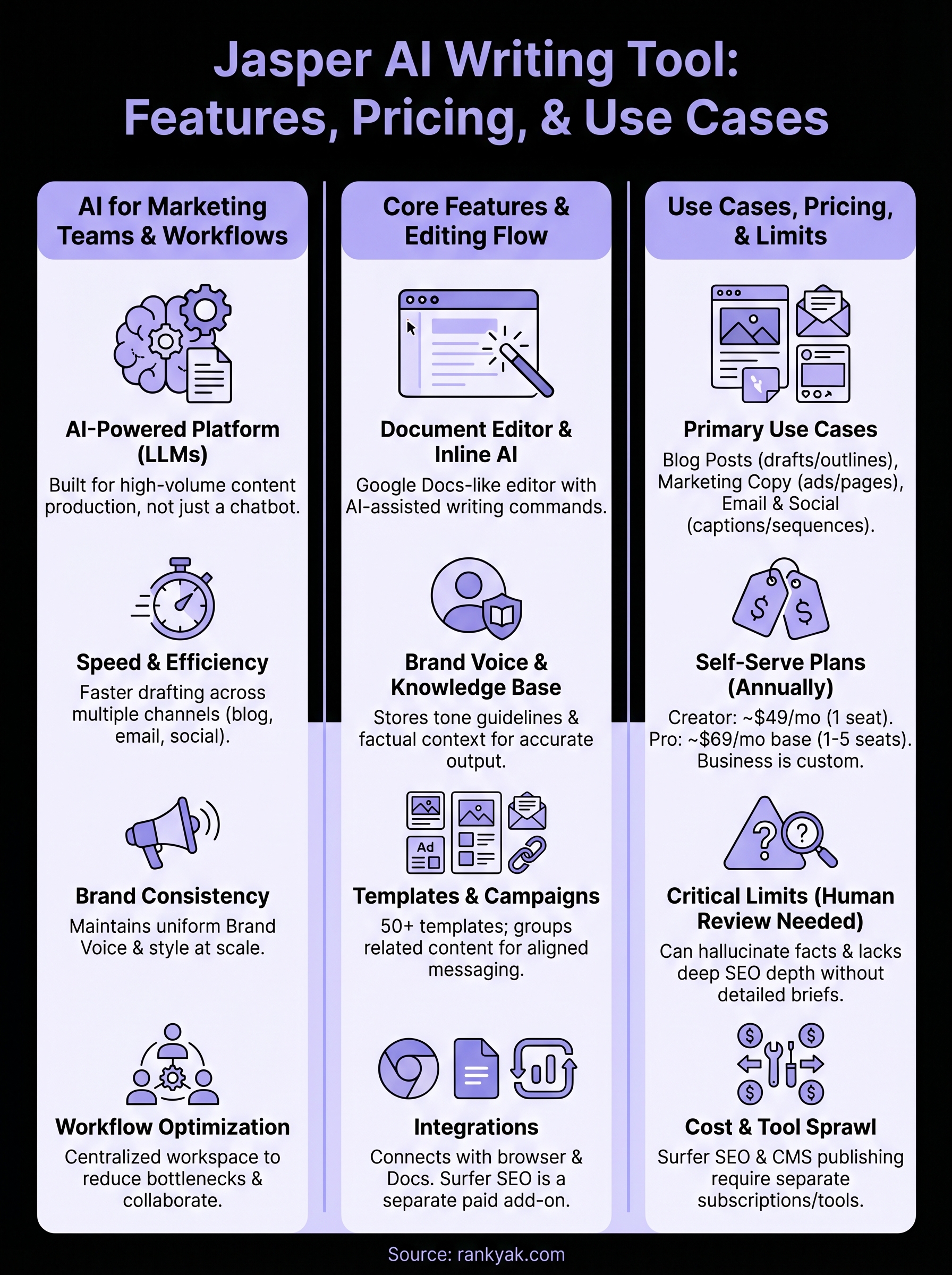
The Creator plan runs at $49 per month when billed annually and is designed for individual users. It includes access to the core document editor, over 50 templates, the browser extension, and basic brand voice configuration. This plan works for solo content creators or small business owners who need to generate content regularly without coordinating across multiple team members.
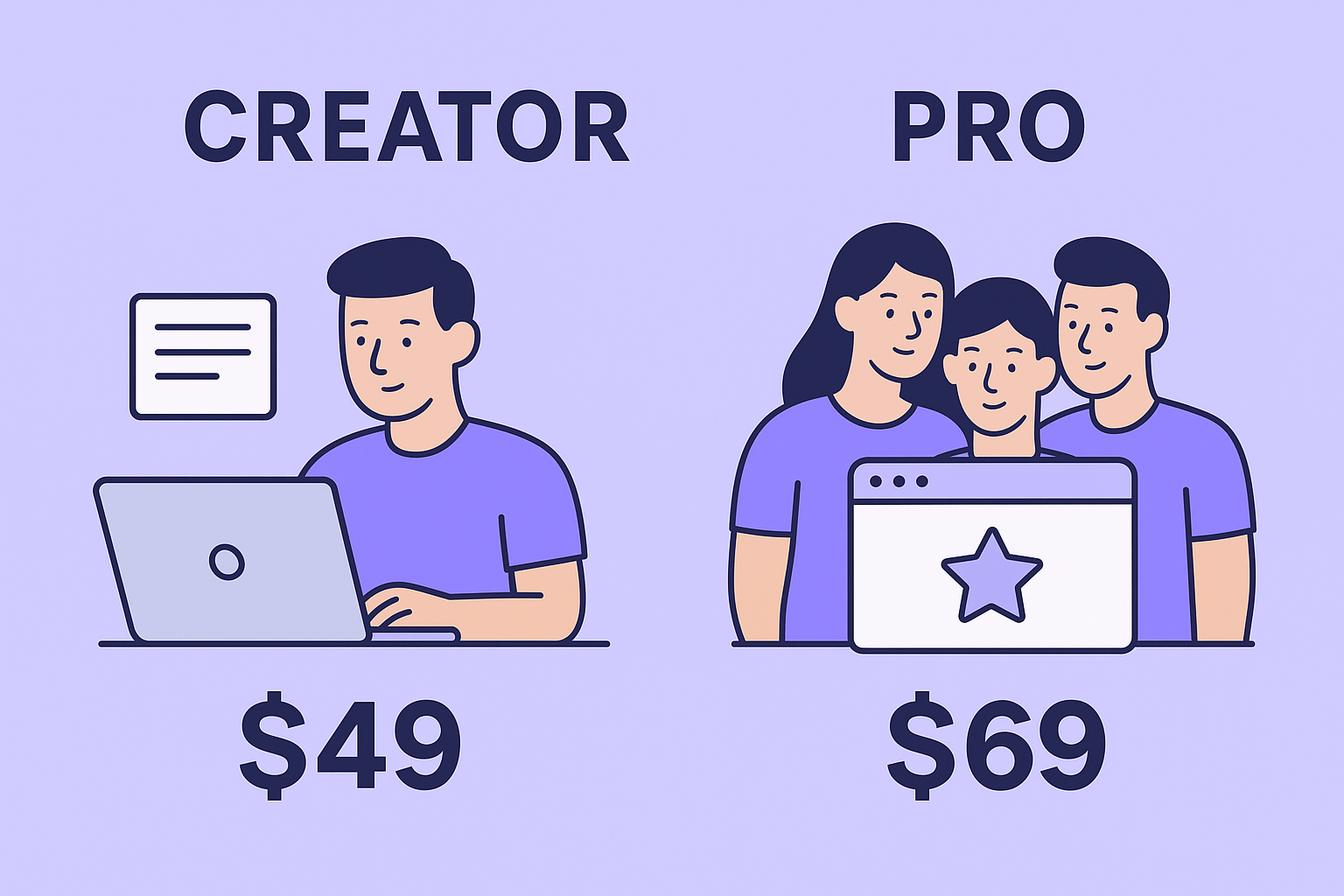
The Pro plan starts at $69 per month for one seat and supports up to five seats, making it the entry point for small marketing teams. At this tier, you get everything in Creator plus collaboration features, expanded brand voice controls, and the ability to share documents and templates across the team. Additional seats increase the monthly cost, so a team of five on the Pro plan costs meaningfully more than the listed base price.
Check the per-seat pricing carefully before selecting a plan, because the total cost for a team often looks quite different from the starting price listed on the plans page.
What Business and Enterprise Tiers Cover
For larger organizations, Jasper offers a Business tier with custom pricing. This level adds advanced security controls, a dedicated account manager, API access, and custom workflow features that are not available on the self-serve plans. Security and integration capabilities at this tier typically include single sign-on, SOC 2 Type II compliance documentation, granular role-based permissions, and audit logs, which matter if your IT or legal team needs to sign off before a marketing department rolls out a new AI tool company-wide. Organizations that need SSO, advanced permissions, or guaranteed support response times will find this tier relevant, but the cost requires a direct conversation with Jasper's sales team rather than a straightforward signup. Compared to lighter-weight AI writing tools that charge $20 to $30 a month, Jasper sits toward the higher end of the pricing spectrum overall, which reflects its focus on team collaboration and enterprise controls rather than single-user drafting.
What Is Not Included
Several features that complement Jasper require separate paid subscriptions you need to budget for independently. The Surfer SEO integration adds on-page optimization scoring but only works if you already pay for a Surfer account. Jasper also does not include built-in publishing to your website, which means you still need a separate process to publish content into WordPress, Shopify, or Webflow from the editor. These gaps are worth factoring into your total cost of ownership before comparing Jasper's price to an all-in-one alternative.
Jasper Limits and How to Avoid Mistakes
Every AI writing tool has gaps, and the jasper ai writing tool is no exception. Knowing where those gaps show up before you build workflows around the platform saves you from costly corrections later and keeps your content quality consistent enough to actually serve your audience.
Factual Accuracy and Hallucinations
Jasper can generate text that sounds authoritative but contains incorrect facts, outdated statistics, or plausible-sounding claims that are simply wrong. This happens most often with technical topics, niche industries, and anything requiring current data. The underlying language model fills gaps with confident-sounding text rather than admitting it does not know something, which means errors can slip through if you are not actively checking.
Never publish Jasper output without a dedicated fact-check pass, especially on any claim that involves numbers, dates, or specific product details.
The most practical way to handle this is to treat every generated draft as an unverified first pass rather than finished content. Build a review step into your workflow where someone with subject knowledge reads the full document before it goes anywhere near your publishing queue. That single habit eliminates the most common source of quality failures teams run into with AI-generated content.
SEO Gaps and Shallow Coverage
Jasper generates text that covers topics in a general, surface-level way unless you provide detailed briefs or supplement generation with explicit SEO guidance. Without clear instructions about search intent, competing pages, or the specific questions your audience is asking, output tends to stay broad. You get readable drafts that cover obvious points but miss the depth and specificity that actually earns rankings on Google.
To close this gap, build writer-ready content briefs before you generate anything. Include the primary keyword, secondary topics to cover, questions to answer, and any competitor angles you want to address. Pairing Jasper with automated keyword discovery and clustering gives the platform the context it needs to produce drafts worth editing rather than drafts worth rewriting.
Cost and Tool Sprawl
Jasper's monthly cost compounds quickly once you add the tools you need alongside it. SEO scoring requires a separate Surfer subscription. Publishing to your CMS requires a separate workflow or integration layer. Analytics stay in a completely different platform. By the time you have assembled the full stack you actually need, the per-month total looks nothing like the base Jasper plan price. Audit what you genuinely use before renewing, and compare that against all-in-one alternatives priced as one subscription that bundle keyword research, writing, and publishing.
Next Steps
The jasper ai writing tool gives marketing teams a real speed advantage for drafting copy, maintaining brand voice, and covering content volume across channels. But it works best when you treat it as a drafting accelerator, not a finished-content machine. Every output needs a review pass, accurate briefing, and a clear SEO strategy behind it before it earns a place on your site.
If your goal is content that actually ranks and drives organic traffic, you need more than fast drafts. You need keyword research, structured content planning, and automatic publishing working together in one place. That is exactly what RankYak handles for you, from identifying the right keywords to writing and publishing SEO-optimized articles on your site daily without the tool sprawl that comes with patching multiple platforms together.
Start a free trial of RankYak's automated SEO today and see how it moves the needle faster than building workflows around disconnected tools.
Lars Koole is a co-founder of RankYak and has worked in SEO since 2021, on the side where a strategy has to become a live page: inside agencies, alongside them, for clients directly, and in-house on the products being ranked. He is a software engineer by trade, which is how that page gets built. Before RankYak he founded companies of his own, two of which were acquired. At RankYak he owns the engineering and everything AI, and works out the solution and the implementation of each new feature.
