Keyword Research for Local SEO: Step-By-Step for Local Wins
Most local businesses pour money into ads while ignoring the one channel that brings customers who are already searching for what they sell. Organic search drives the majority of local purchase decisions, but only if your site shows up for the right terms. That's where keyword research for local SEO becomes the difference between a business that gets found and one that doesn't.
The challenge? Local keyword research isn't the same as standard SEO keyword research. You're not just chasing volume, you're targeting intent tied to a specific place. "Best pizza" and "best pizza in Austin" are fundamentally different searches with different ranking strategies. Miss that distinction, and you'll waste months creating content that never reaches your neighbors.
This guide walks you through the entire process, step by step: from identifying the local terms your customers actually type into Google, to building a content plan around those keywords, to using the right tools for the job. Whether you handle this manually or let a platform like RankYak run automated keyword discovery and content creation for you, you'll leave with a clear, repeatable system for winning local search traffic.
What local SEO keyword research actually is
Local SEO keyword research is the process of finding the specific search terms that people in a defined geographic area type when looking for businesses, products, or services like yours. It overlaps with standard keyword research in some ways, but the goal is fundamentally different. Instead of ranking nationally for broad terms, you want to capture high-intent searches from people who are close enough to actually become customers. That means every keyword you target carries two components: what someone wants and where they are when they want it.
Local keyword research is not about finding the highest-volume terms nationally. It's about finding the terms your nearby customers use right before they make a buying decision.
How local keywords differ from standard keywords
Standard keyword research focuses on search volume, competition, and topic relevance. If you're writing a blog about fitness, you might target "how to build muscle" regardless of where your readers are located. Local keyword research adds a third dimension: geographic specificity. A plumber in Denver doesn't care how many people in New York search for "emergency plumber." They care about how many people in Denver, Aurora, or Lakewood type that same phrase at 11pm on a Tuesday.
This geographic layer changes how you build your entire keyword list. A keyword like "dentist" has national search volume, but it's nearly useless without location context. The terms that actually drive local business are high-intent queries like "dentist near me," "dentist in [neighborhood]," and "pediatric dentist [city name]." These location-modified keywords tell Google exactly who you serve and where, which directly influences how it connects you to nearby searches.
| Keyword Type | Example | Who It Targets |
|---|---|---|
| Generic | "plumber" | Anyone, anywhere |
| Local with city | "plumber in Denver" | People searching in or for Denver |
| Near me | "plumber near me" | People with device location enabled |
| Neighborhood | "plumber in Capitol Hill Denver" | Hyper-local, high-intent searchers |
Why local search intent changes everything
When someone searches "best Italian restaurant" versus "best Italian restaurant in Chicago", the second search carries a far stronger purchase signal. That person is not casually browsing. They are deciding where to eat tonight, and they want an answer fast. Understanding this distinction is the foundation of doing keyword research for local SEO correctly, because you are not just targeting searchers in general. You are targeting nearby buyers at the precise moment they are ready to act.
Local intent also determines which Google SERP features your keywords can activate. Terms with clear local intent pull up the Map Pack, the block of three local businesses that appears above standard organic results, which is why a step-by-step local SEO plan for Google Maps matters as much as your keyword list. That Map Pack placement often captures more clicks than the organic listings beneath it. When you build your keyword list with local intent as the filter, you are not just writing for the ten blue links. You are positioning your business for maps, reviews, local knowledge panels, and voice search results that drive real calls and foot traffic.
Finally, local intent helps you prioritize. Not every keyword on your list deserves the same amount of effort. A term with modest search volume but strong local purchase intent, like "same-day HVAC repair [your city]," will bring you a customer this week. A high-volume generic term might bring traffic that never converts. Sorting your keywords by intent quality, not just volume, is what separates a local SEO strategy that generates revenue from one that just generates page views.
Step 1. Set your service and location targets
Before you search for a single keyword, you need a clear picture of what you offer and where you offer it. Skipping this step causes most local keyword research to fail before it starts. Without defined service and location targets, you end up with a sprawling keyword list that points in ten directions and ranks in none.
Define your core services first
Start by listing every specific service or product you provide, not broad categories. "HVAC" is a category. "AC installation," "furnace repair," and "duct cleaning" are services. Each one can anchor its own set of local keywords and, eventually, its own dedicated page. The more specific your service list, the more targeted your keyword research for local SEO becomes, and the faster you move from generic traffic to customers who are ready to book.
Use this template to map your services before you touch any keyword tool:
| Service Category | Specific Service | Search Intent Notes |
|---|---|---|
| HVAC | AC installation | Summer peak demand |
| HVAC | Furnace repair | Emergency, high urgency |
| HVAC | Duct cleaning | Lower competition, informational |
| HVAC | Thermostat replacement | Transactional, near-me intent |
The most overlooked step in local SEO is treating all service lines as one keyword target instead of building a distinct page for each.
Map your real geographic reach
Once your services are listed, define every geographic area you actually serve. This goes beyond your city. It includes the neighborhoods, suburbs, counties, and zip codes where your customers come from and where you can realistically show up and do the work. A plumber in Houston might serve the Heights, Montrose, Sugar Land, and Katy, and each one is worth its own location target.

Organize your targets into three tiers:
- Primary area: Your main city or metro (example: "Denver, CO")
- Secondary areas: Neighboring towns or suburbs you serve regularly (example: "Aurora, Lakewood, Englewood")
- Micro-local areas: Specific neighborhoods or zip codes where you want to build visibility (example: "Capitol Hill, LoDo, Five Points")
This tiered list becomes the geographic modifier layer you apply to every service keyword in the steps ahead. When you combine your service list with your location tiers, you have the raw material for a local keyword list that maps directly to how real customers in your area actually search. Every keyword you build from this point forward traces back to this foundation.
Step 2. Build a seed list from real customer language
The best keyword list doesn't start with a tool. It starts with the exact words your customers use when they describe their problem, search for help, or explain why they chose you. Most businesses skip this step and jump straight to keyword tools, which means they end up targeting terms that look good on paper but don't match how real people in their area actually search. Your seed list is the raw, unfiltered input that makes every downstream tool output more accurate and locally relevant, and it is the first stage of any practical keyword research workflow.
The most accurate local keyword research starts with your customers, not a spreadsheet.
Mine the places customers already speak your language
Your customers are already telling you exactly what to target. You just need to know where to look. Google Business Profile reviews are one of the best sources: people describe the service they needed, the problem they had, and often the specific neighborhood or situation. Read through your last 30 reviews and highlight every phrase that describes a service or location. Customer service emails, intake forms, and support chats are equally valuable. If someone writes "my water heater stopped working this morning and I need someone in Lakewood today," that's a seed keyword waiting to happen: "water heater repair Lakewood."
Other high-value sources to mine:
- Transcripts from sales or service calls - listen for how customers name their problem
- FAQ pages on your site - the questions you get repeatedly reflect real search behavior
- Social media comments and DMs - people ask for recommendations using natural search language
- Nextdoor and neighborhood forums - locals ask for service recommendations using the same terms they'd type into Google
Turn raw phrases into structured seed keywords
Once you've collected 20-30 phrases, strip them down to their core components: the service name and any location, urgency, or modifier attached to it. A phrase like "I was looking for someone to fix my roof after the storm in Arvada" becomes "roof repair Arvada" and potentially "storm damage roof repair Arvada."
Build a simple table to organize what you find:
| Raw Customer Phrase | Seed Keyword | Modifier Type |
|---|---|---|
| "needed a plumber fast in the Heights" | plumber Heights Houston | Neighborhood + urgency |
| "looking for a dentist that takes kids" | pediatric dentist [city] | Service variant |
| "best Thai food near downtown" | Thai restaurant downtown [city] | Neighborhood + near me |
This structured seed list is the foundation for keyword research for local SEO done the right way. Every keyword you validate in the steps ahead should trace back to how a real customer in your area actually described what they needed.
Step 3. Expand keywords using Google and tool data
Your seed list gives you a strong starting point, but it's limited to what you already know. The next step is to systematically expand that list using data from Google and keyword tools so you can discover terms your customers search that you've never thought to target. This is where keyword research for local SEO shifts from guesswork to evidence.
Use Google's free tools first
Google itself gives you some of the most accurate local search data available, and most of it costs nothing. Start with Google Search Console (if your site is already live) to see which queries are already driving impressions. Filter by location in the Performance report to identify local queries you rank for but haven't fully optimized. You'll often find keywords sitting at positions 8 to 15 that you can push into the top five with a single page update.
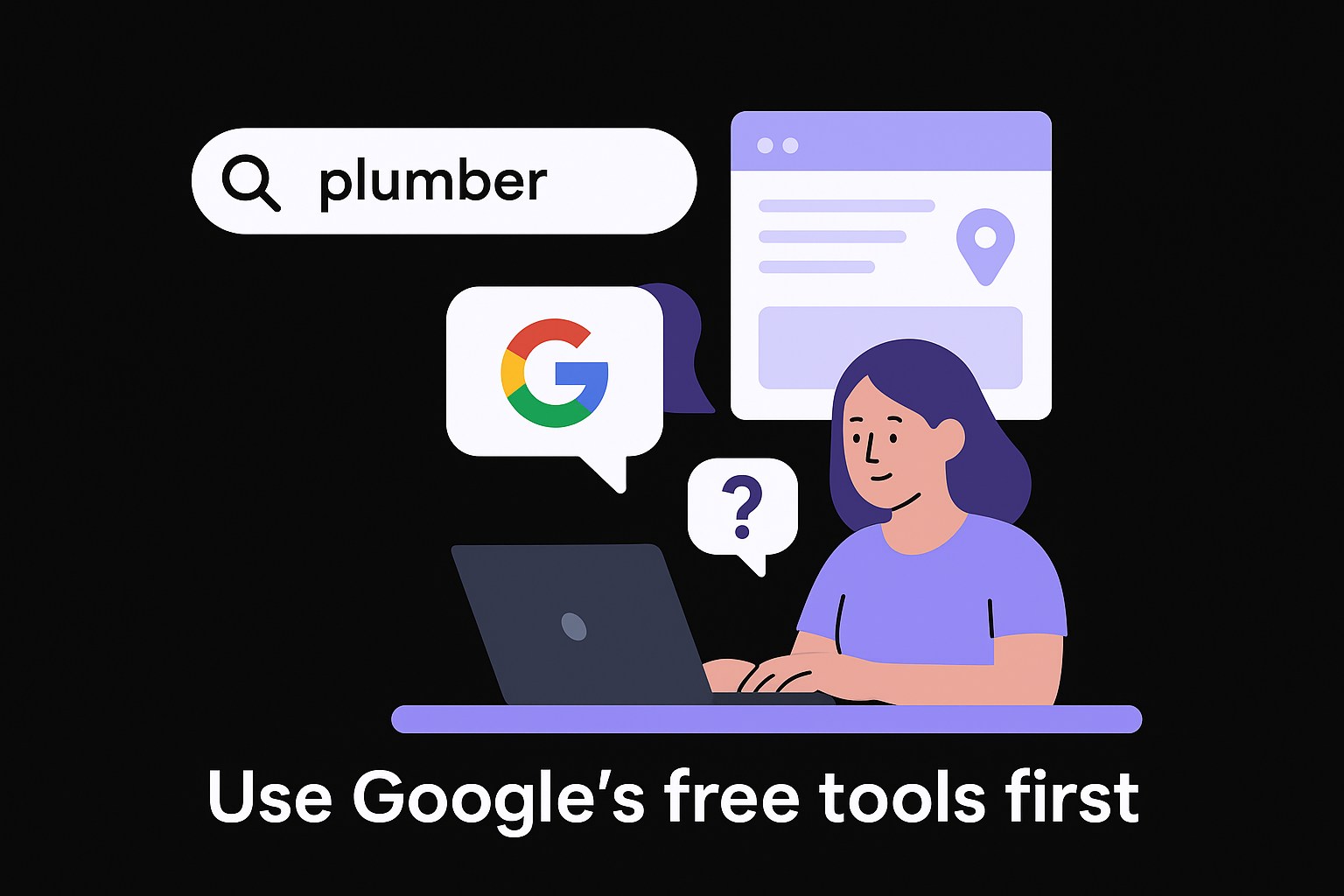
Next, use Google Autocomplete and People Also Ask for every seed keyword you collected in Step 2. Type each seed phrase into Google without hitting enter and note every suggestion that appears. Then scroll down to the "People Also Ask" box on the results page. Both features pull from real search behavior, so every suggestion reflects an actual query people in your market are typing.
Google Autocomplete suggestions are based on real search volume and trends, making them one of the most reliable free sources for local keyword discovery.
Build a quick log as you go:
| Seed Keyword | Autocomplete Variations | People Also Ask Finds |
|---|---|---|
| plumber Denver | plumber Denver CO, plumber Denver emergency | How much does a plumber cost in Denver? |
| dentist Austin | dentist Austin TX, dentist Austin no insurance | What is the cheapest dentist in Austin? |
Layer in tool data for volume and competition
Free Google data tells you what people search, but it doesn't give you monthly search volume or keyword difficulty scores. For that, use one of the best tools for keyword research to validate and prioritize your expanded list. Pull each keyword into your tool of choice and filter by local search volume rather than national volume, since a term with 50 local monthly searches often outperforms a term with 5,000 national searches when it comes to actual conversions.
When you export your expanded list, keep only keywords that meet two criteria: they carry clear local intent (service plus location modifier) and they show enough monthly search volume to justify creating a dedicated page or section around them.
Step 4. Check intent and local SERP signals
A keyword with solid search volume means nothing if Google doesn't treat it as a local search. Before you commit a page or content asset to any keyword on your list, you need to verify two things: that the intent matches what your business actually offers, and that Google is already surfacing local results for that query. This check takes five minutes per keyword and saves you from building pages that rank in the wrong lane.
Read the SERP before you write a word
The fastest way to validate a keyword's local intent is to search for it yourself in an incognito window with your location set to your target city. Look at the first page of results and note what types of content Google returns. If you see a Map Pack (the block of three local business listings) near the top, that keyword carries strong local commercial intent, and your Google Business Profile, not just your website, needs to be part of your small business local SEO checklist for it.
If the SERP shows a Map Pack for your keyword, Google has already decided it's a local search. That's your green light to optimize both your site page and your Google Business Profile around that term.
Use this quick checklist every time you evaluate a keyword:
- Map Pack present? Yes = strong local intent confirmed
- Organic results dominated by local businesses? Yes = good fit for a service page
- Results dominated by national directories like Yelp? Yes = you can still compete with a well-optimized local page
- Results dominated by informational blog posts? Yes = keyword may be too broad; reconsider its priority
Match keyword intent to the right page type
Once you confirm local intent is present, you need to match each keyword to the correct type of page on your site. A transactional keyword like "emergency plumber Denver" belongs on a dedicated service-area page with a clear call to action, phone number, and trust signals like reviews and certifications. An informational keyword like "how often should I service my furnace in Denver" belongs on a blog post or FAQ page, the kind of content marketing a local business uses to build authority without competing against its conversion-focused pages.
Mapping intent to page type correctly is what separates keyword research for local SEO that converts from a list that just generates traffic with no revenue attached. When your page type matches what the searcher expects to find, Google rewards you with stronger rankings and users stay longer because they got exactly what they came for.
Step 5. Steal smart ideas from local competitors
Your competitors have already done part of the keyword research for local SEO work for you. They've tested pages, built content, and discovered which terms drive local traffic in your market. Rather than starting from scratch, you can run a competitor keyword analysis and build on what's working for them with better execution. This doesn't mean copying their content. It means finding your competitors' best keywords and the gaps they've exposed through their own SEO efforts.
Identify the local competitors worth studying
Not every business in your area deserves your attention. Focus on the competitors who rank on the first page of Google for the core service keywords you identified in your seed list. Run a quick search for your top three to five seed keywords in incognito mode and note which local businesses appear consistently in both the Map Pack and the organic results beneath it. Those are your real SERP competitors, not just the businesses you know by name.
Your true local SEO competitors are the businesses Google keeps showing for your target terms, not necessarily the businesses you think of as direct rivals.
Look for patterns across these sites. If three out of five top-ranking competitors all have a dedicated page for "emergency [service] [city]," that's a strong signal that Google rewards that page structure in your market. Record which page types and URL structures appear most often among top-ranking local competitors before you move to keyword extraction.
Pull the keywords your competitors rank for
Once you've identified which competitors rank consistently, examine the pages that perform best for them. Look at their title tags, H1 headings, and page URLs to understand which keyword combinations they're targeting. For each competitor page you find, log the primary keyword it targets and any geographic modifiers it uses.
Use this template to organize your competitor keyword findings:
| Competitor | Page URL | Target Keyword | Location Modifier | Page Type |
|---|---|---|---|---|
| Competitor A | /ac-repair-denver | AC repair | Denver | Service page |
| Competitor B | /emergency-plumber-aurora | Emergency plumber | Aurora | Service page |
| Competitor C | /furnace-repair-lakewood | Furnace repair | Lakewood | Service page |
Any keyword that appears across two or more competitor pages is worth adding to your own list. These terms have proven local demand and ranking potential. Your job is to build a stronger, more focused page around them than your competitors already have.
Step 6. Map keywords to pages and Google Business Profile
The last step in keyword research for local SEO is the one most people skip: connecting each validated keyword to a specific page on your site and to your Google Business Profile. Without this mapping step, your keyword list stays a spreadsheet and never becomes traffic. Every keyword you've researched needs a clear home, whether that's an existing page you'll update, a new page you'll build, or a section of your Google Business Profile you'll optimize.
Build a keyword-to-page map
Your keyword-to-page map is a simple document that assigns each keyword to exactly one page. This prevents you from targeting the same keyword on multiple pages, which causes your own content to compete against itself in Google's rankings. One keyword, one page: that's the rule. If two keywords are closely related, like "AC repair Denver" and "air conditioner repair Denver," they can share a single page as the primary and secondary target. But two distinct services each need their own dedicated URL.
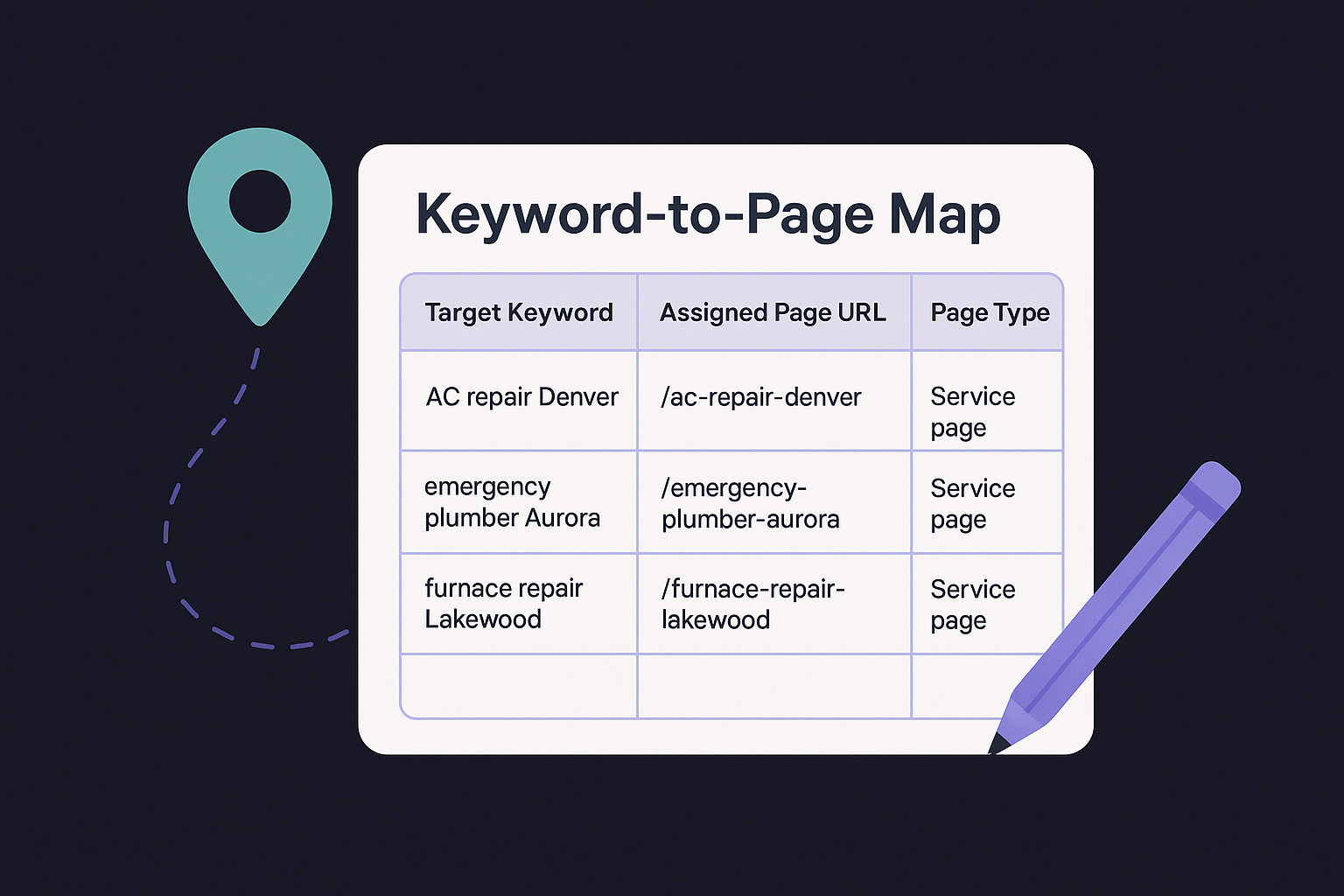
Use this template to build your map before you write or update a single page:
| Target Keyword | Secondary Keyword | Assigned Page URL | Page Type | Status |
|---|---|---|---|---|
| AC repair Denver | air conditioner repair Denver | /ac-repair-denver | Service page | Build new |
| emergency plumber Aurora | 24 hour plumber Aurora | /emergency-plumber-aurora | Service page | Build new |
| furnace repair Lakewood | furnace service Lakewood | /furnace-repair-lakewood | Service page | Update existing |
| how often service furnace Denver | furnace maintenance tips Denver | /blog/furnace-maintenance-denver | Blog post | Build new |
Fill in every column before you start writing, because the status column tells you whether to create a new page or update what you already have.
Optimize your Google Business Profile with target keywords
A fully optimized Google Business Profile is a separate ranking asset from your website, and it responds to keyword signals in its own way. Add your primary service keywords and city name into your business description, keeping the language natural. Use the Services section to list each specific service by name, matching the terminology from your keyword map. If Google offers a category that aligns with your top keyword, select it as your primary category.
Your GBP posts also give you a recurring opportunity to reinforce local keyword signals. When you publish a weekly update or promotion, naturally include the service name and location in the first sentence. These signals compound over time and strengthen the connection Google makes between your profile and the local searches you want to own.
Put your local keyword list to work
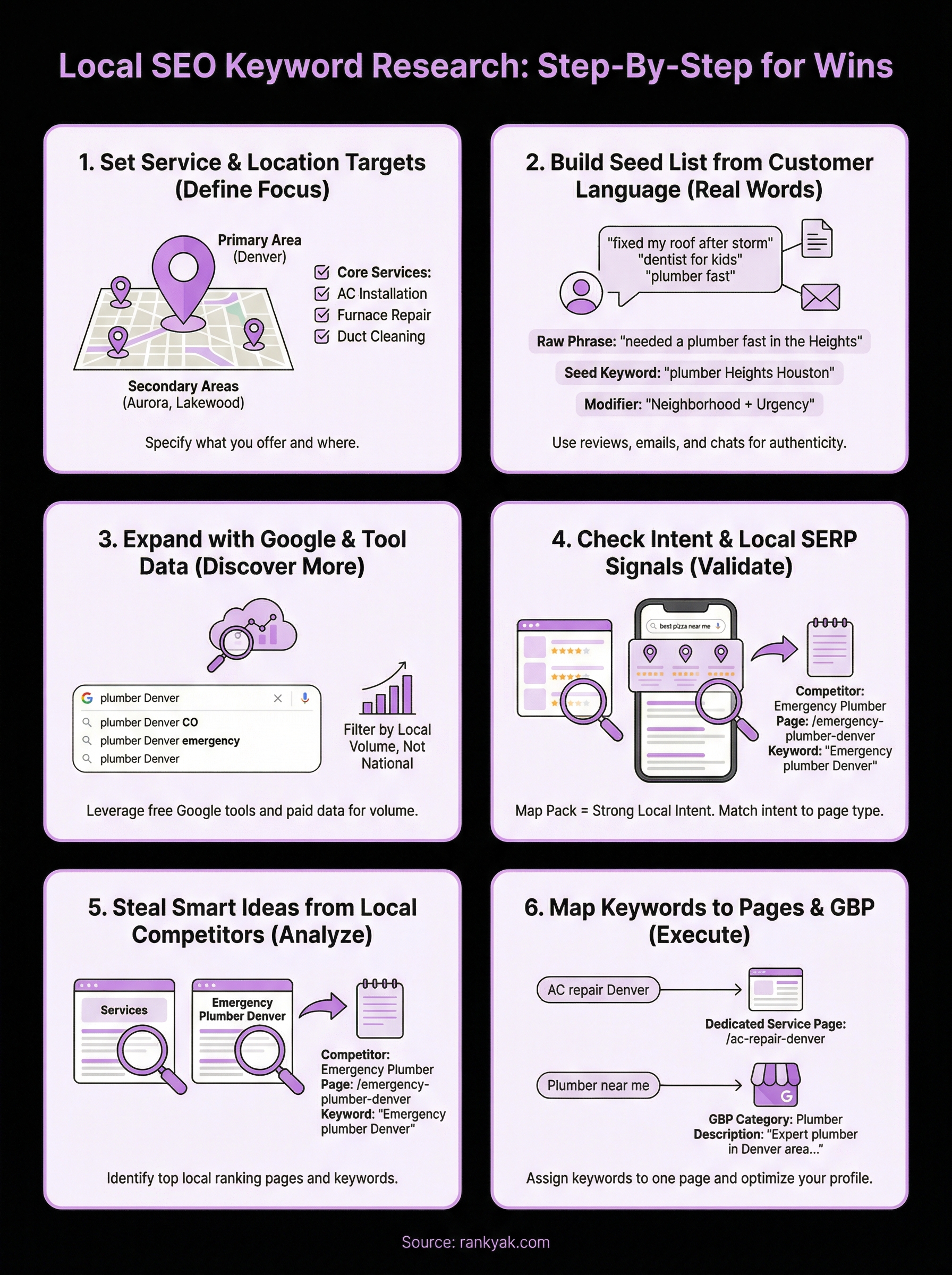
You now have a complete, repeatable system for keyword research for local SEO that covers every stage from defining your service and location targets to mapping validated terms to pages and your Google Business Profile. The difference between businesses that dominate local search and those that stay invisible almost always comes down to consistent execution, not secret tactics.
Start with the first two steps this week. Define your services, set your location tiers, and build your seed list from real customer language. That foundation will make every tool you use in Steps 3 through 6 produce sharper, more relevant results. Every keyword you validate and assign to a page is a direct path to a nearby customer who is already searching for what you sell.
If you want to skip the manual grind and let automation handle keyword discovery and daily content creation, see how RankYak helps local businesses own the searches in their area and start your free trial.
Allan de Wit is a co-founder of RankYak and has worked in SEO since 2015: inside agencies, alongside them, for clients directly, and in-house on the products being ranked. He came to it as a software engineer building for marketers, which is why the platform is built the way it is. He went on to start companies of his own, two of which were acquired. At RankYak he sets the product direction and owns the features, the quality bar, the design, and the UX.
