Moz Keyword Analysis: How to Read Volume, CTR & Difficulty
Moz is one of the most established names in SEO tooling, and its keyword research suite gives you a solid way to evaluate search opportunities before committing time or budget to content. But if you've ever opened Moz's Keyword Explorer and felt unsure about what the numbers actually mean, or how to act on them, you're not alone. Understanding Moz keyword analysis metrics like search volume, CTR potential, and keyword difficulty, and what keyword analysis actually measures, is the difference between chasing dead-end terms and targeting ones that actually move the needle.
This guide walks you through how to use Moz's keyword tools step by step, from running your first query to interpreting difficulty scores and identifying keywords worth targeting. You'll learn what each metric tells you, how to filter results effectively, and how to turn raw data into a plan that drives organic traffic.
And if you'd rather skip the manual research altogether, that's exactly what RankYak's automated SEO platform handles, keyword discovery, content creation, and publishing, all on autopilot. But whether you're doing it by hand in Moz or letting automation handle the heavy lifting, understanding these fundamentals will make you a sharper SEO operator. Let's get into it.
What Moz keyword analysis actually includes
Before you start pulling keywords, it helps to know exactly what data you're working with. Moz keyword analysis centers on its Keyword Explorer tool, and it helps to know everything Keyword Explorer reports on a keyword before you rely on it, because it gives you a layered view of each keyword across several distinct metrics. Each metric answers a different question about a keyword's potential, and knowing which one to prioritize for a given situation makes your research faster and more accurate. Moz also integrates this data with its broader link index, so the difficulty scores you see are grounded in real domain authority data rather than abstract estimates.
The core metrics Keyword Explorer reports
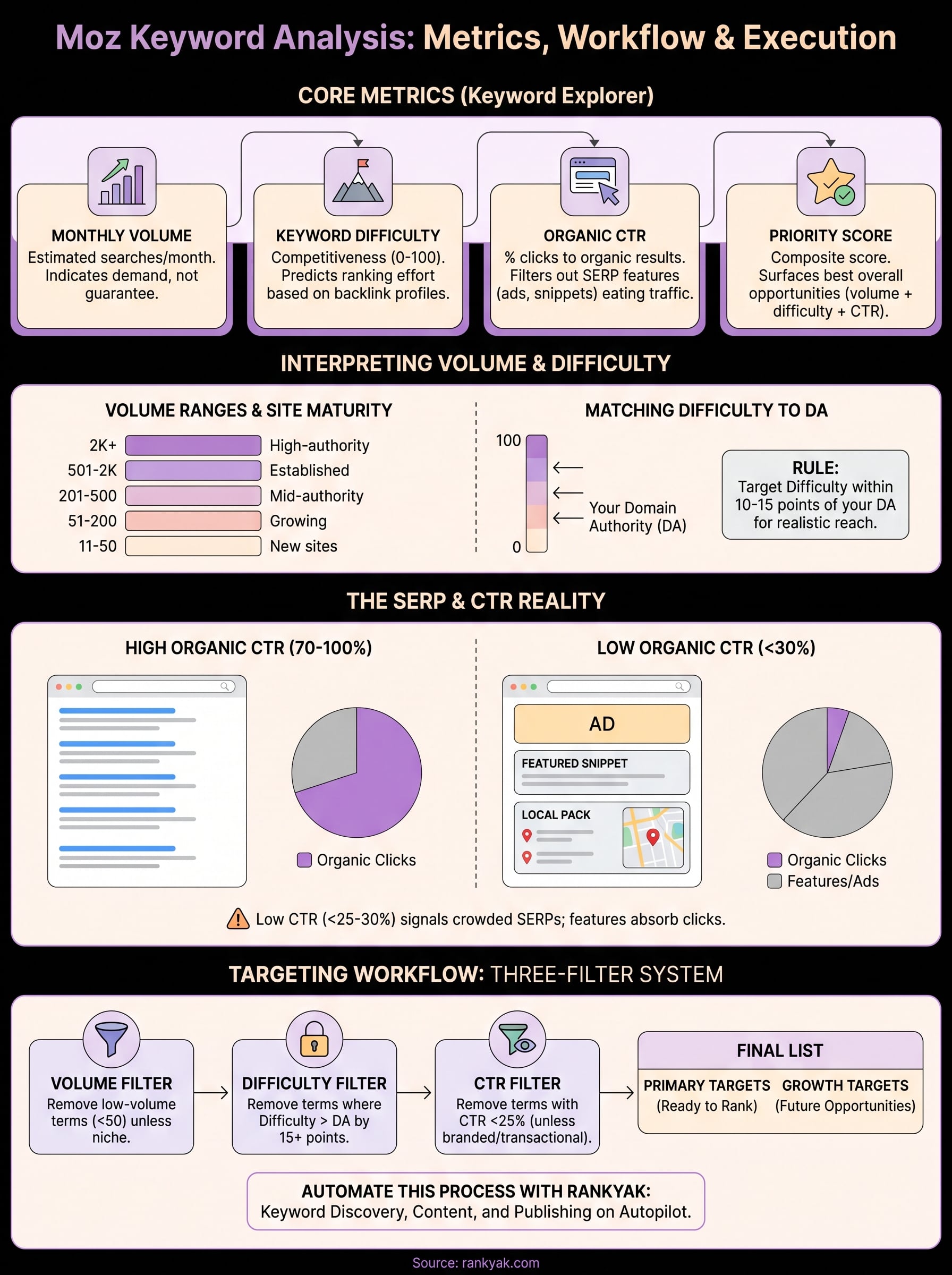
Keyword Explorer surfaces four primary data points for every keyword you search: monthly search volume, keyword difficulty, organic CTR, and priority score. These are not interchangeable. Volume tells you how many people search for a term each month, but it says nothing about how competitive the results page is or whether searchers actually click on organic links. You need all four numbers working together to make a sound targeting decision, and Moz's layout is designed to show you all four at a glance without requiring extra configuration.
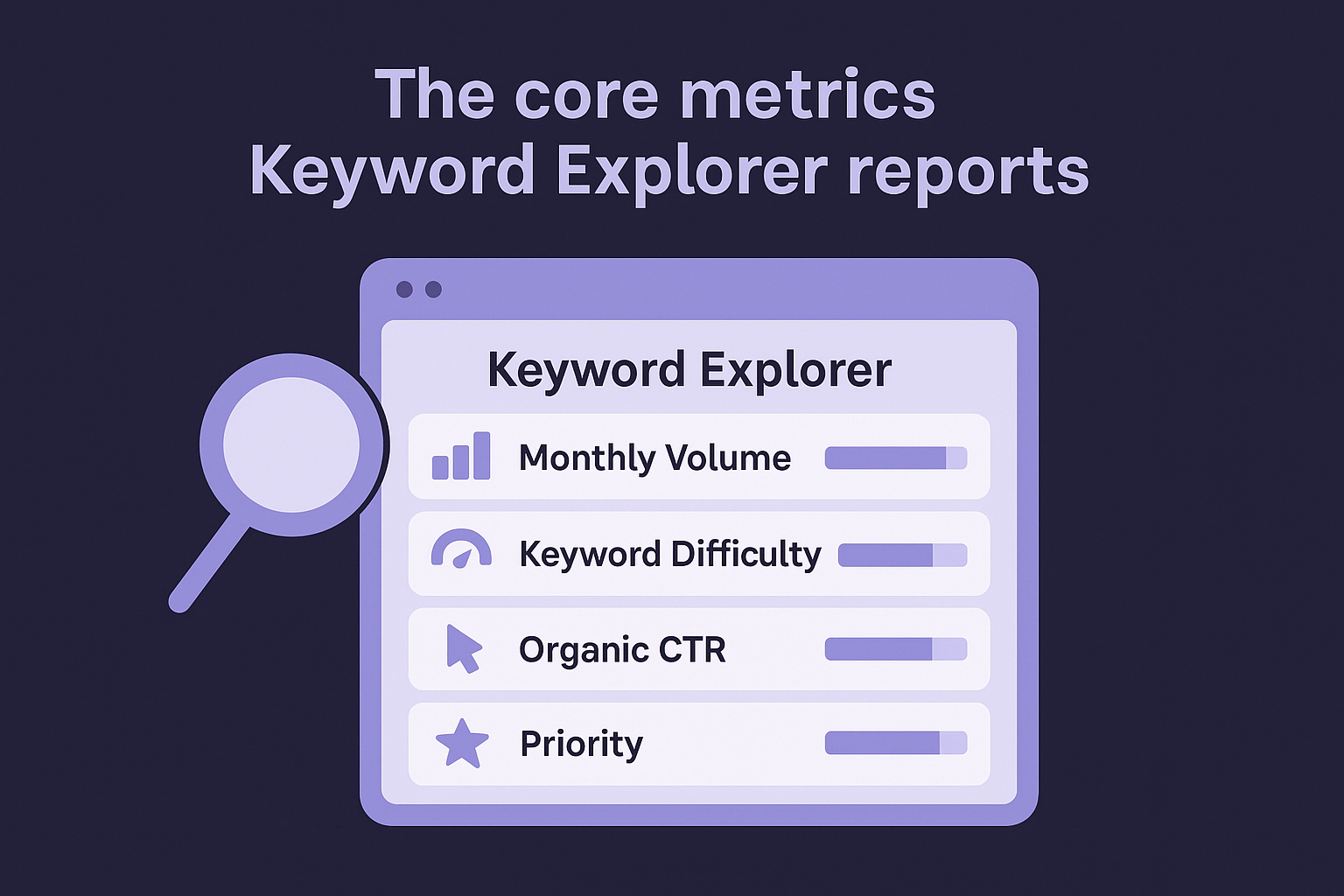
A quick reference for what each metric covers:
| Metric | What it measures | Why it matters |
|---|---|---|
| Monthly Volume | Estimated searches per month | Shows demand for the term |
| Keyword Difficulty | Competitiveness score (0-100) | Predicts ranking effort required |
| Organic CTR | % of clicks going to organic results | Filters out SERP features eating traffic |
| Priority | Composite score combining the three above | Surfaces the best overall opportunities |
The priority score is especially useful when you are scanning a large keyword list, because it collapses four variables into one number and lets you sort quickly without losing nuance.
How Moz builds its volume and difficulty estimates
Moz calculates volume estimates using clickstream data and search sampling, the same approach behind most of the leading keyword research tools, which means the numbers reflect real browsing behavior rather than just raw query counts. This distinction is worth understanding because two keywords with identical volume estimates may behave differently depending on how seasonal or niche they are. Keyword difficulty is built from the Domain Authority and Page Authority of the pages currently ranking on page one. The more authoritative those pages are, the higher the difficulty score climbs, and the more effort you will need to compete.
Neither metric is perfect on its own, but together they give you a realistic baseline for gauging whether a keyword is within your reach, and it pays to know what search volume and difficulty really tell you before you decide.
What SERP analysis adds to the picture
Beyond the headline metrics, Keyword Explorer lets you dig into the actual SERP for any keyword directly inside the tool. You can see which pages currently rank, their individual Page Authority scores, and what SERP features are present, such as featured snippets, image packs, or knowledge panels. This matters because a keyword with strong volume and moderate difficulty might still be a poor target if the top results are all high-authority domains with a featured snippet locked in.
SERP feature presence also directly shapes the organic CTR metric. When Google's own panels or ads dominate the top of the results page, fewer clicks reach organic listings even if the term gets thousands of searches per month. Reviewing the SERP breakdown alongside the CTR number gives you a combined, honest picture of what you are actually competing for, rather than what the raw volume alone would suggest.
Step 1. Start with a seed keyword and set your context
Every useful moz keyword analysis session starts the same way: with a single seed keyword that reflects what you actually want to write about. A seed keyword is not your final target. It is your starting point in any step-by-step keyword research workflow, and Moz uses it to pull a list of related terms, questions, and variations you can evaluate and prioritize. Before you type anything into Keyword Explorer, you need to be clear about your goal, whether you want to rank for an informational query, a product comparison, or a transactional term, because that context shapes every filtering decision you make afterward.
Choose a seed keyword that reflects your actual content goal
Your seed keyword should map to a real piece of content you plan to create, not just a topic you find interesting in the abstract. For example, if you run a project management software company, a seed keyword like "task tracking tool" is better than "productivity" because it is specific enough to return usable variations. Once you enter it into Keyword Explorer, Moz returns a list of related suggestions, questions, and broadly related terms across separate tabs.
Here is a quick framework for picking your seed keyword before you open the tool:
- Match the content type: informational seeds (how to, what is) return different results than transactional ones (buy, best, pricing)
- Be specific enough to filter noise: a narrower seed returns a tighter, more relevant keyword list
- Reflect your current domain authority: if you are a new site, seeds that imply high competition are likely to surface unwinnable terms
Starting with a precise seed keyword cuts your filtering time in half and keeps the resulting keyword list relevant to your actual content pipeline.
Set your location and context before you search
Keyword Explorer lets you filter results by country, and this setting affects both volume estimates and the SERP data Moz surfaces. If your business operates in the US, set your location to the United States before running any query. Running a search without setting location means you may see global averages that do not reflect the actual competition you face in your target market.
You should also note the search intent of your seed keyword before moving into the metrics. Moz surfaces some intent signals through the SERP preview, but you still need to confirm manually whether the top-ranking pages are blog posts, product pages, or tools, because that tells you what content format Google expects for the term.
Step 2. Check keyword volume and interpret the numbers
Once you have your seed keyword in Keyword Explorer, the first number you'll see is monthly search volume. Moz reports volume in ranges rather than exact figures, such as 101-200 or 1K-2K, because no tool has perfect data on every query. Your job is not to find the highest-volume term on the list but to find a term where demand and attainability overlap for your specific site and content stage.
Read Moz's volume ranges without over-indexing on size
Moz groups volume into brackets, and this can frustrate people who want precise numbers. But the bracket system is actually useful because it signals roughly how much traffic a ranking page might see without implying false precision. In a moz keyword analysis session, treat the range as a directional indicator: a keyword in the 1K-2K bracket will drive meaningfully more traffic than one in the 101-200 bracket if your page lands in a top-three position, but neither number guarantees clicks on its own.
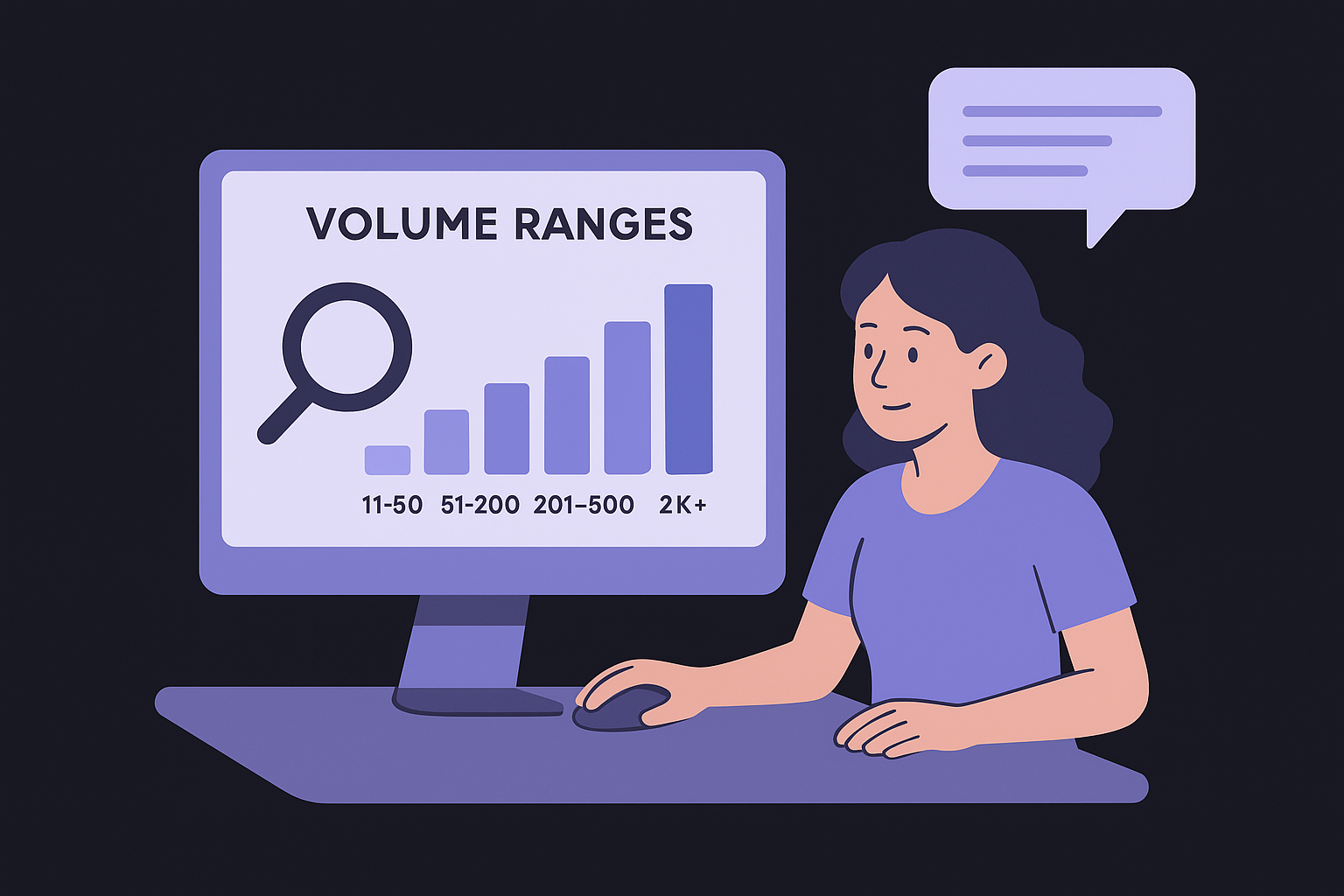
Here is a quick reference for matching Moz volume ranges to your site's current authority stage:
| Volume Range | Best suited for |
|---|---|
| 11-50 | New sites building topical authority |
| 51-200 | Growing sites targeting niche terms |
| 201-500 | Mid-authority sites with some backlinks |
| 501-2K | Established sites or well-linked content |
| 2K+ | High-authority domains ready for competitive terms |
Volume is a ceiling, not a guarantee. The number tells you how much traffic is theoretically available, not how much you will actually capture.
Factor in seasonal patterns before committing to a term
Some keywords spike hard in certain months and fall flat the rest of the year, which is why reading seasonal demand in Google Trends is worth the extra minute. Moz does not show a historical trend graph by default inside Keyword Explorer, so you should cross-check seasonal terms using Google Trends before building content around them. A keyword that shows 1K-2K monthly volume might be pulling that average from three peak months, with near-zero searches for the other nine.
Check the monthly average alongside the realistic floor, especially for any keyword tied to a season, event, or product cycle. Building content around a term that flatlines outside its peak window means you are investing effort into a page with a short useful life unless you structure it to stay relevant year-round.
Step 3. Use organic CTR to spot crowded SERPs
Organic CTR in Moz Keyword Explorer tells you what percentage of searchers actually click on an organic result after typing in a query. This number drops sharply when Google fills the results page with ads, featured snippets, knowledge panels, or shopping carousels, because those elements absorb clicks before any organic listing gets a chance. A keyword can show strong volume and still deliver disappointing traffic if its CTR score sits low, so you need to evaluate this metric before you commit to a target.
Why organic CTR reveals more than volume alone
Volume tells you how many people search for a term. Organic CTR tells you how many of those people are actually available to you as an organic publisher. In a moz keyword analysis session, these two numbers rarely align perfectly, and the gap between them is where most keyword research goes wrong. Targeting a 2K-volume keyword with a 30% organic CTR gives you a much larger realistic traffic opportunity than a 5K-volume keyword with an 8% CTR, even though the second term looks more impressive on paper.
Always calculate estimated organic clicks by multiplying volume by CTR before you add any keyword to your shortlist.
Here is a quick CTR benchmark table to help you interpret Moz's organic CTR scores:
| Organic CTR Score | What it signals |
|---|---|
| 70-100% | Clean SERP, mostly organic results |
| 40-69% | Some SERP features present, still worthwhile |
| 20-39% | Heavy feature presence, traffic will be limited |
| Below 20% | Ads or panels dominate, reconsider unless intent is strong |
How to read low CTR as a warning signal
When you spot a keyword with a CTR score below 30%, your next step is to open the SERP preview inside Keyword Explorer and identify exactly which features are pushing organic results down the page. Branded queries, local packs, and direct-answer boxes are the most common culprits. If the feature filling the top of the page answers the query completely without requiring a click, organic rankings on that term will underperform regardless of your content quality.
Use this as a filtering step in your research workflow. If a keyword shows low CTR and the SERP is dominated by features you cannot compete with or appear in, flag it and move to the next candidate on your list rather than building content around a term that is structurally limited.
Step 4. Read Moz difficulty the right way
Keyword difficulty in Moz runs on a 0-100 scale, much like every other keyword difficulty checker, and most people misread it by treating any score above 50 as off-limits. That framing leaves a large portion of genuinely winnable keywords on the table. In a moz keyword analysis workflow, difficulty is a relative number, not an absolute barrier, and its value only becomes clear when you read it against your own domain authority and backlink profile.
Understand what the difficulty score actually reflects
Moz calculates difficulty by analyzing the Domain Authority (DA) and Page Authority (PA) of the pages currently occupying the top 10 organic results for a keyword. A high difficulty score means those ranking pages carry strong link equity. It does not mean the content is better, the topic is more competitive editorially, or that you cannot rank with superior relevance and structure. You are measuring the link strength of your competition, nothing more.
Difficulty tells you how hard it is to outrank current results based on link authority, not content quality, so a well-structured page from a growing domain can still break through at mid-range scores.
Here is a practical reference for mapping Moz difficulty scores to realistic targeting decisions:
| Difficulty Score | What it signals | Who should target it |
|---|---|---|
| 1-30 | Low competition, weak incumbents | New or low-DA sites |
| 31-50 | Moderate competition, mixed authority | Sites with DA 20-40 |
| 51-65 | High competition, strong backlink profiles | Sites with DA 40-60 |
| 66-79 | Very competitive, established domains dominate | DA 60+ with solid link profiles |
| 80-100 | Extremely competitive, major brands rank | High-authority domains only |
Match difficulty to your domain authority before targeting
Before you flag any keyword as a target, compare the difficulty score to your current DA inside Moz's Site Explorer. If your DA sits at 25 and you are chasing a keyword with difficulty 70, you will need an outsized backlink investment to compete. Targeting keywords where the difficulty score sits within 10-15 points of your DA gives you a realistic shot without requiring a large link-building campaign upfront.
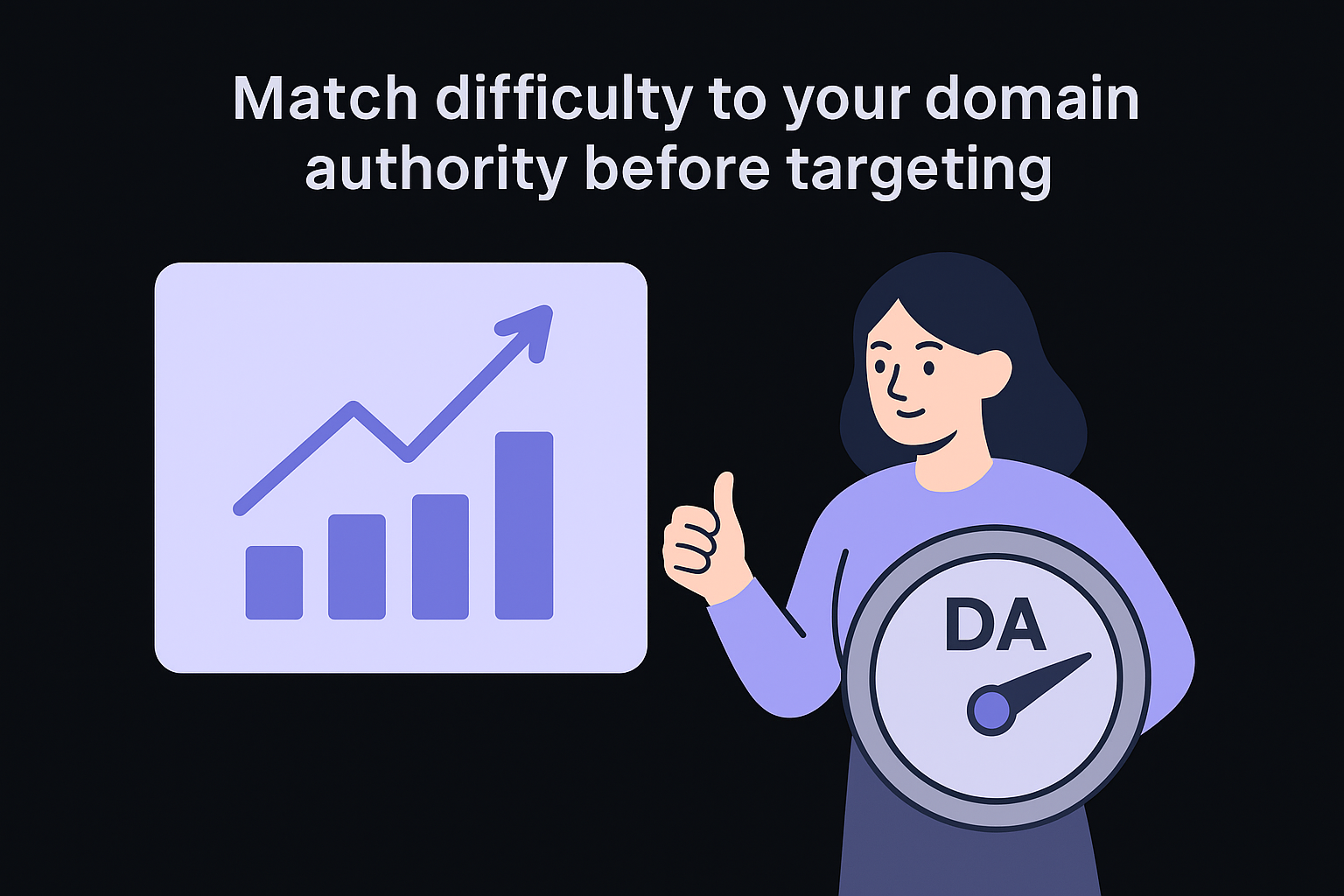
Use this as a hard filter in your research process: set a maximum difficulty threshold based on your DA, then sort your keyword list to surface only the terms that fall within range. You can always revisit higher-difficulty terms later as your authority grows, and in the meantime keep finding low difficulty keywords you can realistically win.
Step 5. Pick winners and build a keyword list you can use
Filtering by volume, CTR, and difficulty gives you three separate signals. Now you need to combine them into a single pass so you walk away from your moz keyword analysis session with a concrete list of targets, not a spreadsheet full of half-evaluated terms. The goal at this stage is to apply a consistent scoring framework, the same one any step-by-step keyword analysis relies on, and then export a list formatted so you can actually act on it.
Apply a three-filter scoring system
Run every keyword on your list through these three filters in sequence before you add it to your final targets. Treat each filter as a pass/fail gate:
- Volume filter: Remove any keyword with a monthly volume range that falls too low to justify the content investment. For most sites, that floor sits at 50+ monthly searches. Set your threshold based on your conversion rate and the value of the traffic you expect.
- Difficulty filter: Remove any keyword where the difficulty score exceeds your DA by more than 15 points. This keeps your list realistic and prevents you from burning effort on terms where you are structurally outgunned.
- CTR filter: Remove any keyword with an organic CTR below 25% unless you have a specific reason, such as strong transactional intent or a branded play, to justify targeting a SERP that is already dominated by features.
After applying all three filters, the keywords that survive are your primary targets. Everything else goes into a secondary list you revisit as your domain grows.
Use this simple scoring template to evaluate each keyword before you commit:
| Keyword | Volume Range | Difficulty | Organic CTR | Pass/Fail |
|---|---|---|---|---|
| [your term] | 201-500 | 34 | 58% | Pass |
| [your term] | 1K-2K | 72 | 21% | Fail |
| [your term] | 51-200 | 28 | 64% | Pass |
Export and organize your final list
Moz lets you export your keyword list as a CSV from the Keyword Explorer interface, which makes organizing your winners straightforward. Once you download the file, sort your passing keywords into two columns: primary targets with difficulty within your DA range, and growth targets you plan to tackle in three to six months as your authority increases.
Keeping these two groups separate prevents you from accidentally prioritizing terms you are not ready to rank for while also making sure you do not lose sight of valuable opportunities further down the road.
Your next move
You now have a complete moz keyword analysis workflow: seed keywords, volume interpretation, CTR filtering, difficulty matching, and a scoring system that produces a list you can actually execute against. The process works, but it requires consistent time each week to pull data, filter results, and decide what to write next. That time adds up fast, especially if you run more than one site or publish content on a regular schedule.
RankYak handles that entire process automatically. It identifies high-potential keywords for your niche, builds a daily content plan, writes fully SEO-optimized articles, and publishes them directly to your CMS without requiring manual input at any stage. You get the research, the content, and the publishing handled in one place. If you want to stop spending hours in keyword tools and start seeing consistent organic growth instead, see how RankYak finds and scores keywords for your niche and let the platform do the work for you.
Lars Koole is a co-founder of RankYak and has worked in SEO since 2021, on the side where a strategy has to become a live page: inside agencies, alongside them, for clients directly, and in-house on the products being ranked. He is a software engineer by trade, which is how that page gets built. Before RankYak he founded companies of his own, two of which were acquired. At RankYak he owns the engineering and everything AI, and works out the solution and the implementation of each new feature.
