Canonical Tags for SEO: Best Practices, Examples, Setup
If you've ever had two or more URLs serving up the same (or nearly the same) content, Google has to pick one to index. Without clear direction, it might choose the wrong one, or worse, split your ranking signals across all of them. That's exactly the problem canonical tags for SEO solve. They tell search engines which version of a page is the "original," so your link equity and ranking power go where you actually want them.
Getting canonicalization wrong can quietly tank your organic performance. Duplicate pages compete against each other in what amounts to keyword cannibalization, crawl budget gets wasted, and the page you care about most may never surface in results. It's one of those technical SEO details that's easy to overlook but painful to ignore. Whether you're running an e-commerce store with filtered product pages or a blog with syndicated content, incorrect or missing canonical tags create problems that compound over time.
This guide breaks down what canonical tags are, how they work, when to use them, and, just as important, when not to. You'll get real implementation examples across platforms like WordPress, Shopify, and Webflow, plus common mistakes to avoid. At RankYak, our automated content engine handles technical SEO details like canonical structure so your articles are optimized from the moment they publish. But understanding how canonicalization works gives you the knowledge to audit your entire site and fix issues no tool can catch on its own.
What canonical tags are and how they work
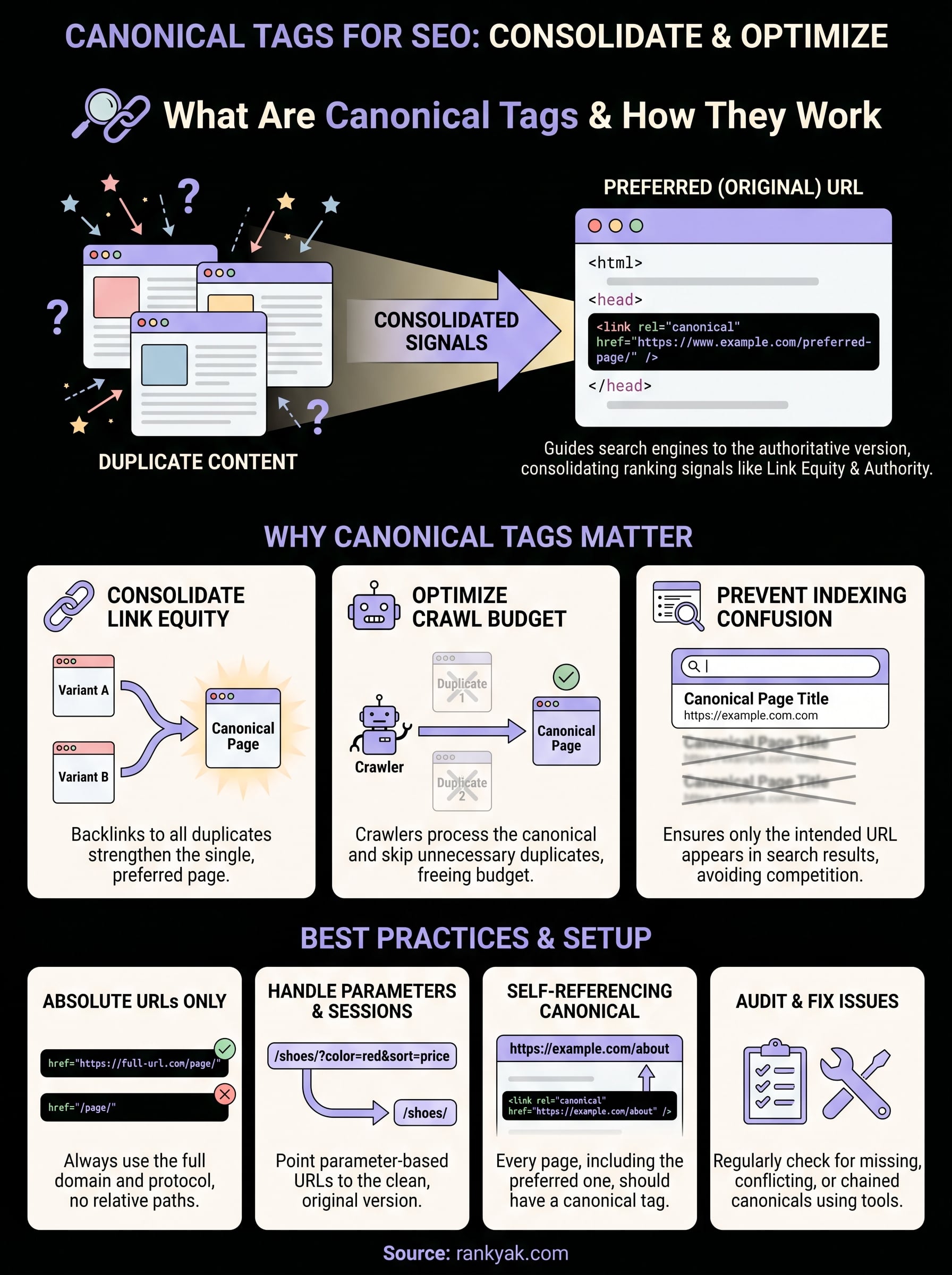
A canonical tag is an HTML element you add to the <head> section of a webpage to signal to search engines which URL is the preferred, authoritative version of that content. It uses the rel="canonical" attribute and points directly to the URL you want indexed. When Google encounters this tag, it funnels ranking signals like backlinks and authority toward that one URL instead of distributing them across multiple duplicates or variants.
The anatomy of a canonical tag
The tag itself is a single line of HTML that belongs inside the <head> block of any page you want to identify as a variant or duplicate:
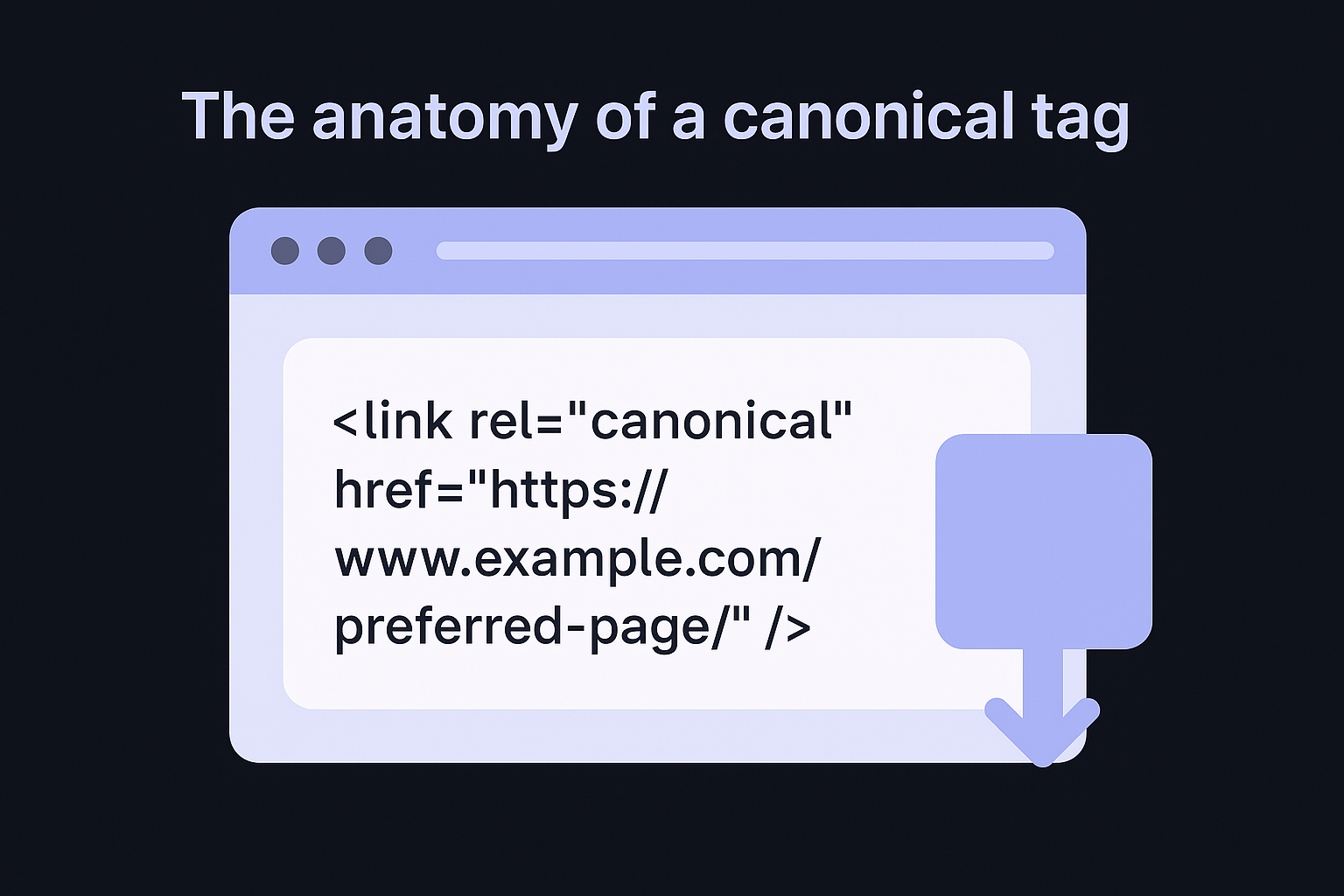
<link rel="canonical" href="https://www.example.com/preferred-page/" />
The href value must always be an absolute URL, meaning it includes the full domain and protocol rather than just the path. If your preferred page is https://www.example.com/red-shoes/, that complete address goes into the href attribute. Using a relative path like /red-shoes/ instead is a frequent mistake that causes crawlers to resolve the URL differently depending on server and subdomain configurations, potentially sending signals to the wrong location entirely.
Always use absolute URLs in canonical tags. Relative paths introduce ambiguity that can silently misdirect search engine signals.
You can also implement canonicals through an HTTP header rather than in the HTML itself, which you can confirm by inspecting a page's response headers, and which is especially useful for non-HTML files like PDFs. The response header approach works the same way conceptually but sits at the server level instead of the page level.
How search engines process canonical signals
Google treats canonical tags as a strong hint, not an absolute command. In most cases it respects the tag, but it can override your choice if the canonical URL is blocked by robots.txt, returns a non-200 status code, or contains substantially different content from the page declaring it. When that happens, Google selects its own canonical based on other signals, which often means it picks a URL you did not intend.
When everything is configured correctly, canonical tags for SEO work by consolidating link equity from duplicate URLs into one. If three URL variants of the same page each have backlinks pointing to them, the canonical version absorbs credit from all three, making it stronger in search results than any individual variant could be on its own. Without that consolidation, those signals stay fragmented and none of the pages performs as well as it should.
Search engines also use canonicals to reduce unnecessary crawling. Rather than revisiting near-identical pages repeatedly, a crawler processes the canonical version and skips the rest, freeing up crawl budget for the pages that actually matter to your rankings.
Why canonical tags matter for SEO
Search engines cannot rank two identical pages at the same time. When duplicate URLs exist without a canonical signal, Google has to make its own decision about which one to index, and that decision may not favor the page you've worked hardest on. Using canonical tags for SEO gives you direct control over that choice instead of leaving it up to an algorithm.
Duplicate content splits your ranking signals
Every backlink pointing to a page passes link equity to that URL. If your product page exists at five slightly different URLs due to filters, tracking parameters, or session IDs, each link only strengthens the URL it points to rather than your intended page. Consolidating those signals through a canonical tag means the page you care about accumulates authority from all those sources combined, which directly improves its position in search results.
Fragmented link equity across duplicate URLs is one of the most common reasons a well-linked page underperforms in organic search.
Without proper canonicalization, you also risk Google indexing a version of your page you never intended to surface, such as a filtered URL with tracking parameters or a staging variant that somehow got indexed. That indexed URL becomes what searchers see in results, and it often converts worse or confuses visitors who land on it.
Crawl budget and indexing efficiency
Search engine crawlers have a finite crawl budget allocated per site, so getting Googlebot to spend it well matters, because they spend it on every URL they discover. Duplicate pages consume that budget without contributing anything useful. On large sites with hundreds or thousands of pages, this inefficiency means important new content takes longer to get indexed because crawlers waste cycles on variants that should never be crawled in the first place. Setting canonicals correctly keeps crawlers focused on the pages that actually drive results for your site.
How to set up canonical tags correctly
Setting up canonical tags for SEO correctly comes down to placing the right HTML element in the right location with an accurate URL. The tag belongs in the <head> section of your page's HTML, and every page on your site should carry a canonical tag, including the preferred page itself, which should self-reference. A self-referencing canonical on your main page prevents any other URL from being treated as a canonical alternative without your knowledge.
Adding the tag in HTML
For sites where you control the HTML directly, add this line inside your page's <head> block:
<link rel="canonical" href="https://www.example.com/your-page/" />
Make sure the href value exactly matches the URL you want Google to index, including the correct protocol (https vs. http) and trailing slash if your site uses one consistently. Even small inconsistencies between the canonical URL and the actual page URL can cause Google to ignore the tag.
Double-check that your canonical URL returns a 200 status code and is not blocked by robots.txt, otherwise Google will disregard it completely.
Platform-specific setup
Most major CMS platforms handle canonical tags through built-in settings or plugins, so you rarely need to edit raw HTML, and the same holds across the CMS platforms RankYak publishes to. Here is how each major platform handles it:
- WordPress: SEO plugins like Yoast or Rank Math let you set the canonical URL directly inside the post editor, no code required.
- Shopify: Self-referencing canonicals generate automatically for product pages, but you may need to override them manually for pages with URL parameters or duplicate collections.
- Webflow: Set canonical URLs inside the page settings panel under SEO options without touching any custom code.
Regardless of your platform, always verify your canonical tags are rendering correctly by checking the page source after publishing.
Canonical tag best practices and real examples
Following a few consistent rules when working with canonical tags for SEO keeps your implementation clean and prevents the crawling issues that quietly drag down rankings. The core principle is straightforward: every URL on your site should either declare itself as the canonical or point clearly to one that does. When you apply this rule consistently across your entire domain, search engines spend less time guessing and more time indexing the pages you actually want ranked.
Handle URL parameters and session IDs
E-commerce sites and content platforms generate duplicate URLs constantly through filters, sorting options, and session tracking. A product page like /shoes/?color=red and /shoes/?sort=price likely serve the same or near-identical content. Set the canonical tag on each parameter-based URL to point back to the clean, parameter-free version so Google does not treat each variant as a separate page and split your authority across all of them.
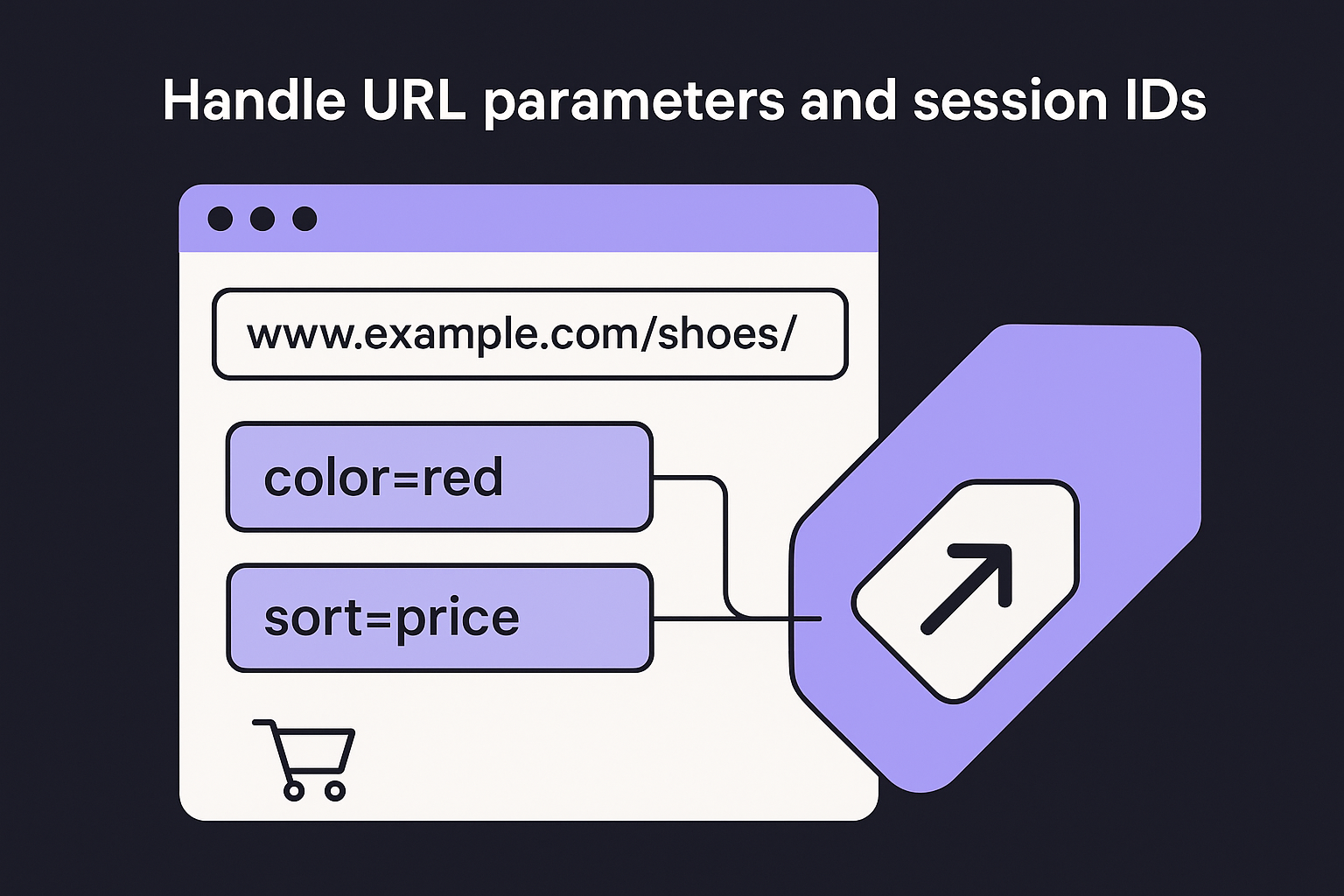
Always strip tracking parameters from your canonical URL, even if those parameters appear in the current page's address bar.
For example, if your main product URL is https://www.example.com/running-shoes/, every filtered or sorted variant of that page should carry a canonical pointing to exactly that address, not to another parameter variant.
Keep HTTPS and trailing slash formats consistent
Mixed signals between HTTP and HTTPS, a common symptom of an unfinished HTTPS migration, or inconsistent use of trailing slashes create unintentional duplicate URLs that confuse crawlers. Your canonical tag should always reflect the exact URL format you use consistently across your site. If your preferred URL is https://www.example.com/blog/post/, every canonical referencing that page must use that precise format. Even one character difference causes Google to treat them as separate URLs, fragmenting the authority you have built through links and content over time.
Validate your XML sitemap and verify your canonical URLs against its entries to confirm they all follow the same format before publishing any new content.
How to audit and fix canonical tag issues
Running an audit on canonical tags for SEO does not require advanced technical skills, but it does require the same systematic approach a broader technical SEO audit checklist follows. Start by crawling your site with a tool like Google Search Console, which surfaces coverage issues and indexing anomalies that often trace back to canonical problems. Export your indexed URLs and cross-reference them against the canonical tag each page declares to confirm Google is indexing the pages you actually intended.
Check for missing and conflicting canonicals
Your first priority is identifying pages that have no canonical tag at all or that carry a canonical pointing to a different page than intended. Both cases give Google room to make its own indexing decisions. Look for the following common issues during your audit:
- Pages with no canonical tag in the
<head>section - Canonical tags pointing to redirected URLs instead of the final destination
- Pages declaring a canonical that returns a non-200 status code
- Multiple canonical tags on a single page, which causes Google to ignore all of them
If your canonical tag points to a URL that redirects, trace the full redirect chain and update it to point directly to the final destination URL instead.
Fix canonical chains and loops
A canonical chain happens when Page A points to Page B, and Page B points to Page C, rather than both pointing directly to Page C. Google may follow chains, but the further it has to travel, the more likely it is to either ignore the signal or stop early and index the wrong URL. Fix chains by updating every canonical to point directly to the final preferred URL without any intermediate steps.
Canonical loops occur when two pages point to each other as the canonical. Resolve loops by deciding which URL is truly preferred and updating both pages to reference that single URL consistently.
Next steps
Canonical tags for SEO are one of the most direct tools you have for controlling how search engines index and rank your content. Getting them right means your best pages accumulate authority rather than bleed it across duplicates, and crawlers spend their time on the URLs that actually matter to your business. Start by auditing your current setup with Google Search Console, then fix any missing, chained, or conflicting canonicals you find. From there, set a rule that every new page you publish carries a correct self-referencing canonical before it goes live.
Staying on top of technical SEO details like this takes consistent attention, especially as your site grows. RankYak handles canonical structure automatically for every article it generates, so your content is optimized the moment it publishes without you needing to check each page manually. If you want SEO running on autopilot, hand keyword research, writing, and publishing to RankYak with a free trial and see how much time you get back.
Allan de Wit is a co-founder of RankYak and has worked in SEO since 2015: inside agencies, alongside them, for clients directly, and in-house on the products being ranked. He came to it as a software engineer building for marketers, which is why the platform is built the way it is. He went on to start companies of his own, two of which were acquired. At RankYak he sets the product direction and owns the features, the quality bar, the design, and the UX.
