Title Tag Optimization: Best Practices To Boost SEO CTR
Your page could be sitting at position #5 on Google and still get almost zero clicks. The reason? A weak title tag. Title tag optimization is one of the most underrated levers in SEO, it directly affects both where you rank and whether anyone actually clicks through to your site. Yet most people either stuff keywords into it, copy their H1 verbatim, or let their CMS auto-generate something generic.
A well-crafted title tag does two jobs at once: it signals relevance to search engines and convinces real humans that your page is worth their time. Get it wrong, and you're leaving traffic, and revenue, on the table. Get it right, and you can see measurable CTR improvements without publishing a single new page.
This guide breaks down exactly how to write title tags that perform. You'll get actionable best practices for length, keyword placement, formatting, and intent matching, the same principles baked into how RankYak generates SEO-optimized content daily. Whether you're writing title tags manually, working through a step-by-step on-page SEO checklist, or looking for a way to automate your on-page SEO, these strategies apply.
What title tags are and why they matter
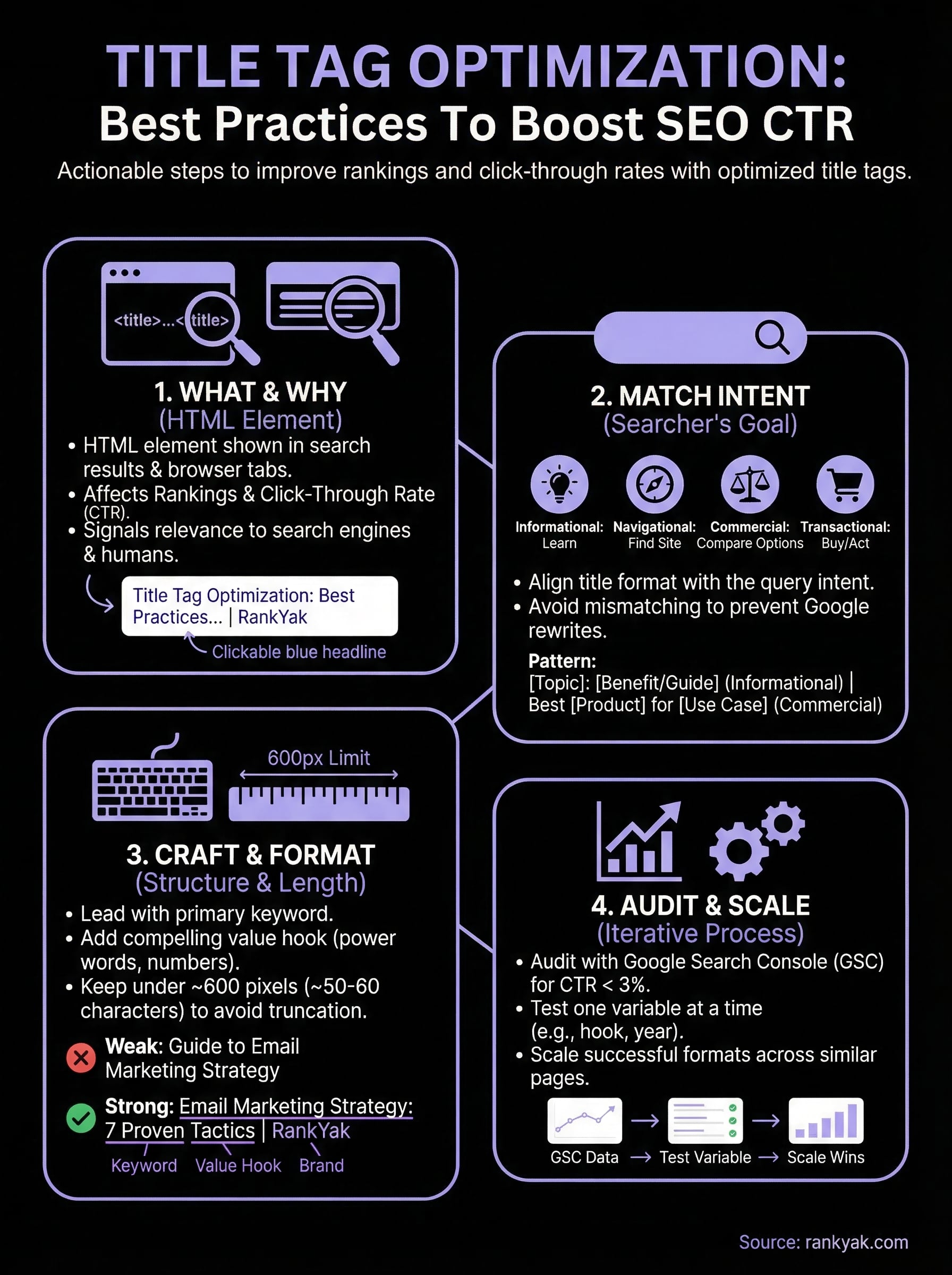
A title tag is an HTML element that defines the title of a web page. Search engines display it as the clickable blue headline in search results, and browsers show it in the tab at the top of the window. It lives in the <head> section of your page's HTML, invisible to visitors on the page itself, but one of the first things both crawlers and searchers encounter.
What a title tag looks like in code
Every page on your site should have exactly one title tag. The syntax is straightforward, but the decisions behind it are not. Here is what a properly formatted title tag looks like:
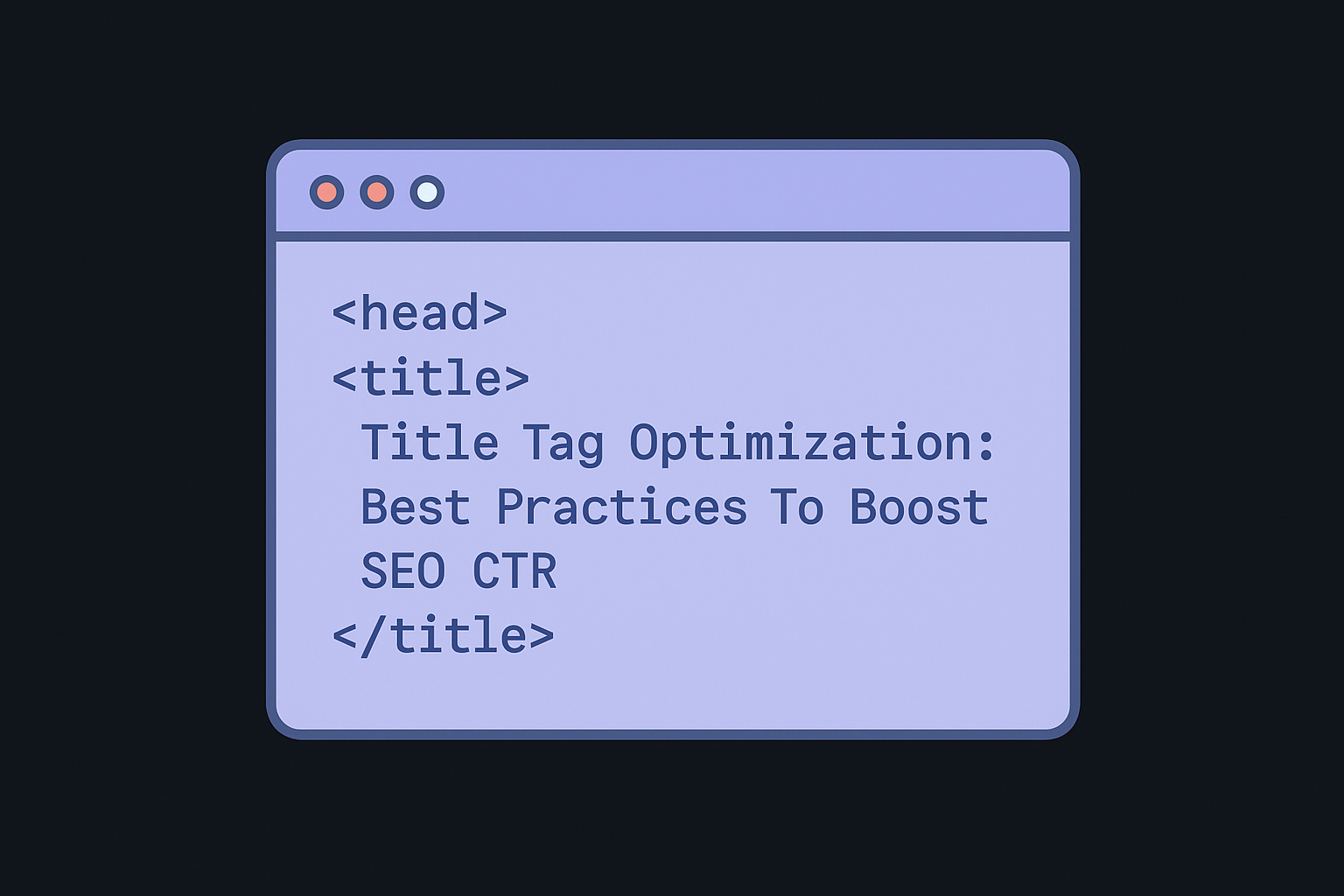
<head>
  <title>Title Tag Optimization: Best Practices To Boost SEO CTR</title>
</head>
Your CMS or page builder may generate this field automatically, but that does not mean the output is optimized. WordPress, for example, often defaults to the page name followed by the site name, which produces weak, generic titles that do nothing for your rankings or CTR.
How search engines and users see your title tag
Google reads your title tag to understand your page's topic and match it to relevant search queries. At the same time, the person searching sees your title as the headline in the results and decides in under two seconds whether your page is worth clicking. These two audiences, crawler and human, have different but overlapping needs, and your title tag has to serve both.
Your title tag is the first impression your page makes in search results, and a poor first impression costs you clicks every single day.
Search engines do not always display the exact title you write. Google's system can rewrite your title if it decides your version is misleading, too long, or a poor match for the query. The more closely your title matches the page content and the search intent, the less likely Google is to override it.
Why title tag optimization moves the needle
Strong title tag optimization improves two metrics that directly affect your organic performance: rankings and click-through rate. Google uses title tags as a lightweight ranking signal to confirm topical relevance, but the bigger impact is on CTR. A title that communicates clear value and matches what the searcher wants can lift your CTR by several percentage points without any change in position.
Pages that move from a 2% CTR to a 5% CTR at position five effectively triple their organic traffic from that keyword. That is not a small adjustment. It is the kind of gain that compounds over time as Google interprets higher engagement as a positive signal for your page.
Step 1. Match the search intent and page content
Before you write a single word, you need to know what the searcher actually wants when they type a query. Title tag optimization starts here, not with keyword density or character counts. If your title promises something your page does not deliver, Google will rewrite it, and searchers will bounce fast.
Identify the intent type
Search intent falls into four main buckets: informational, navigational, commercial, and transactional. Each one demands a different title structure. A how-to guide and a product comparison page should never share the same title format, even if they target a similar keyword. Use the table below to match your title pattern to the intent you are targeting:
| Intent Type | What the Searcher Wants | Title Pattern |
|---|---|---|
| Informational | To learn something | "How to [Topic]" or "[Topic]: A Complete Guide" |
| Navigational | To find a specific site or page | Brand name + page name |
| Commercial | To compare options before buying | "Best [Product] for [Use Case]" |
| Transactional | To complete an action or purchase | "Buy [Product]" or "[Service] Pricing" |
Mismatching intent is the single fastest way to guarantee Google rewrites your title and users skip your result entirely.
Check your title against the page
Once you have the intent pinned down, read your actual page content and confirm your title accurately reflects what a visitor will find. If the page is a step-by-step tutorial, your title should signal that format. If it is a product comparison, lead with that framing so the searcher immediately knows what they are getting.
Run this self-check before you finalize any title:
- Does the title match the primary topic of the page?
- Does it reflect the page format (guide, list, review, tutorial)?
- Would a searcher feel satisfied after clicking, or misled?
If you answer "no" to any of those, rewrite before publishing.
Step 2. Draft a clear title that earns the click
Once you know the intent, you need to write a title that pulls the click, or let an AI meta description generator draft title and description pairs for you. Title tag optimization is not just about keywords; it is about writing a headline that feels like the obvious choice for the searcher. Your title competes against nine other results on the page, so every word needs to earn its place.
Lead with your target keyword
Place your primary keyword as close to the start of the title as possible. Search engines weight early terms more heavily, and searchers scan the beginning of a headline before reading further. A title that buries the keyword in the middle loses both the ranking signal and the visual match that triggers a click.
Front-loading your keyword is one of the most reliable ways to signal relevance without adding any extra length.
For example, if you target "email marketing strategy," compare these two options:
- Weak: A Complete Guide to Building an Email Marketing Strategy
- Strong: Email Marketing Strategy: A Complete Guide for 2026
The second version puts the keyword first and adds a year to signal freshness, which consistently boosts CTR on competitive queries.
Add a compelling value hook
After the keyword, your title needs a reason to click. Power words, numbers, and format signals all work well here. Phrases like "step-by-step," "in 10 minutes," or "without [common frustration]" tell the searcher exactly what they get. Use the template below as a starting point:
[Primary Keyword]: [Benefit or Format] + [Qualifier]
Apply that template to real examples:
- Title Tag Optimization: Step-by-Step Guide for Higher CTR
- Email Marketing Strategy: 7 Proven Tactics for Small Businesses
- On-Page SEO: Complete Checklist for 2026
Step 3. Format for readability and truncation
Even a perfectly written title can get cut off in search results if you ignore formatting. Title tag optimization requires you to think about length, structure, and how Google renders your text before it ever reaches a searcher's eyes. A title that truncates at the wrong point loses its value hook and sends a weaker click signal.
Keep your title within the pixel limit
Google does not measure title length in characters; it measures in pixel width, with a display limit of roughly 600 pixels, which you can check against a SERP snippet preview before publishing. In practice, this translates to around 50 to 60 characters for most fonts, though wider characters like "W" and "M" consume that budget faster. Use this as your working rule:
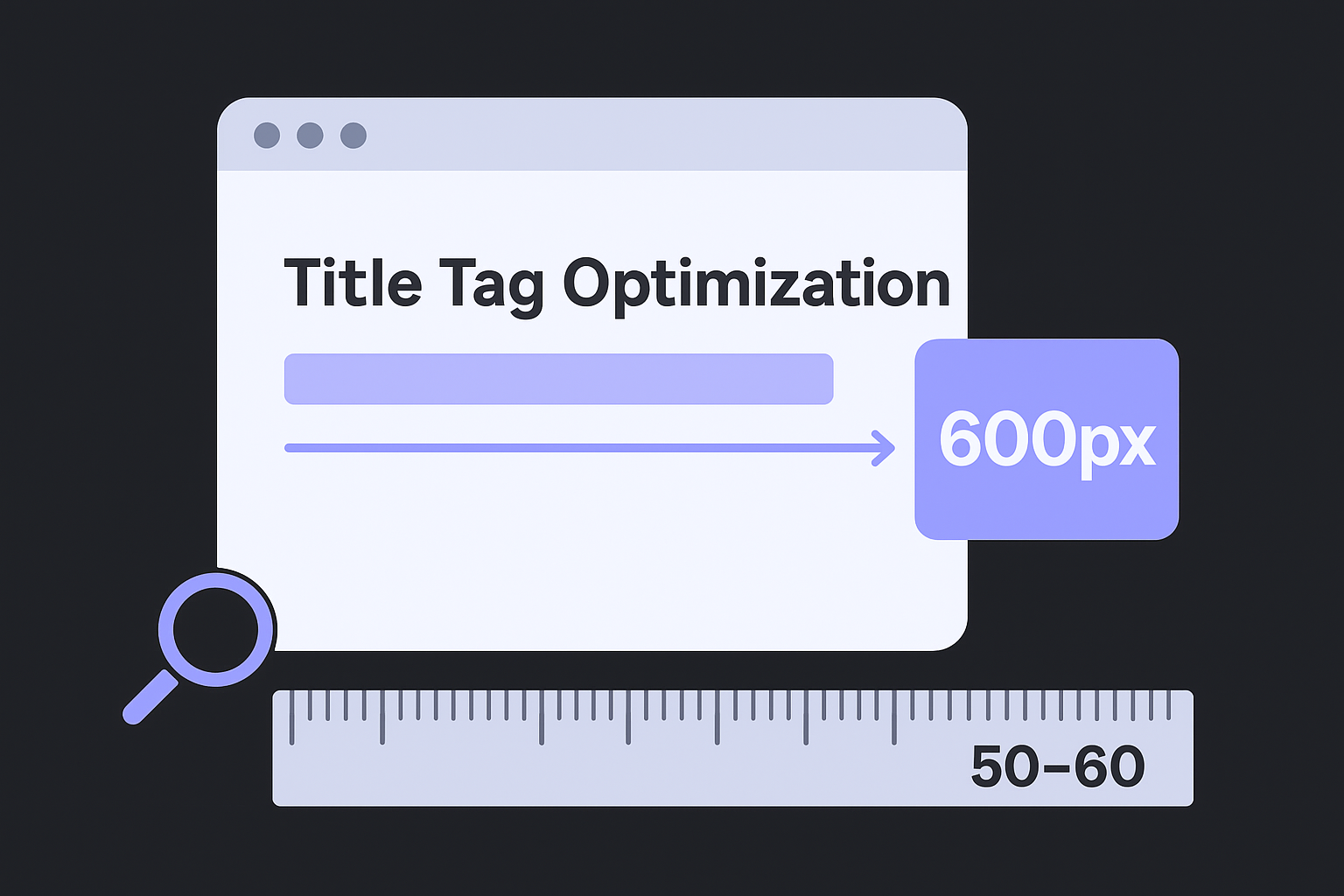
- 50 characters or fewer: Safe for almost any character combination
- 51 to 60 characters: Test it to confirm nothing critical gets cut
- Over 60 characters: High risk of truncation; trim or reorder
If your value hook gets cut off, the searcher only sees your keyword and none of the reason to click, which directly drops your CTR.
Structure your title to survive truncation
Write your title so that the most important information appears first. Put your keyword and your core value proposition in the first 50 characters, then push brand names and secondary qualifiers to the end. That way, even if Google trims the tail, the headline still makes sense and earns the click.
Use this formatting template as your starting point:
[Keyword] + [Value Hook] | [Brand or Qualifier]
For example: Title Tag Optimization: 4-Step Guide | RankYak
That structure keeps the critical content visible and moves the brand to a position where truncation does the least damage to your click potential.
Step 4. Audit, test, and scale title tags
Writing a strong title once is not enough. Title tag optimization is an ongoing process, and the data you collect after publishing tells you more than any checklist can. Start with a bulk meta tag audit, then run small tests, and apply what works across your entire site.
Pull CTR data from Google Search Console
Google Search Console gives you the exact data you need to find underperforming titles. Open the Performance report, filter by page, and sort by impressions descending. Any page with high impressions but a CTR below 3% is a candidate for a title rewrite.
A page sitting at position four with a 1.5% CTR is a quick win; a better title can triple your traffic without changing your rank.
Look for these signals when you scan the report:
- CTR below 3% at positions one through five
- Titles that do not include the top query Google is matching to the page
- Pages where Google has already rewritten your title in search results
Test one variable at a time
When you rewrite a title, change only one element per test so you know exactly what drove the result. Swap the value hook, adjust the keyword position, or add a number, but not all three at once. Give each change at least four weeks of data before drawing conclusions.
Once you confirm a pattern works, replicate it at scale, and use a site audit that finds the pages losing clicks to surface the rest. If adding a year to informational titles lifts CTR on one page, apply that format across every comparable page on your site and track the cumulative impact over the following month.
Where to go from here
Title tag optimization is a repeatable process, not a one-time fix. You now have a clear framework: match intent before you write, lead with your keyword, keep the title within the pixel limit, and use Google Search Console data to audit and improve what is already live. Apply these steps to your highest-traffic pages first, and you will see CTR gains within weeks.
From there, the real leverage comes from consistency and scale. Rewriting titles manually across a growing site takes time you likely do not have. That is where automation makes the difference. RankYak handles keyword research, SEO-optimized article creation, and automatic publishing every day, so your entire content operation runs without constant manual input. If you want to stop spending hours on individual optimizations and start compounding your organic traffic growth on autopilot, see how RankYak puts your content on autopilot with a free three-day trial.
Lars Koole is a co-founder of RankYak and has worked in SEO since 2021, on the side where a strategy has to become a live page: inside agencies, alongside them, for clients directly, and in-house on the products being ranked. He is a software engineer by trade, which is how that page gets built. Before RankYak he founded companies of his own, two of which were acquired. At RankYak he owns the engineering and everything AI, and works out the solution and the implementation of each new feature.
