Technical SEO Guide: 2026 Checklist for Crawling & Indexing
You can publish the best content on the internet, but if search engines can't crawl or index your pages, none of it matters. That's the core problem a solid technical SEO guide addresses, making sure your site's foundation is built so Google (and AI-powered search tools) can actually find, understand, and serve your content to the right people.
Technical SEO covers everything from site speed and structured data to XML sitemaps and crawl budgets. It's not glamorous work, but skipping it is one of the most common reasons sites plateau in organic traffic despite consistent publishing. And with Google's crawling and indexing behavior continuing to evolve through 2026, staying current isn't optional.
At RankYak, we automate the content side of SEO, keyword research, article creation, publishing, but we know firsthand that automation only delivers results when the technical layer is solid. That's why we put this checklist together.
This guide walks you through every technical SEO fundamental you need to get right in 2026, from crawlability and indexation to Core Web Vitals and structured data. Each section includes actionable steps you can apply immediately, whether you're running a WordPress blog, a Shopify store, or a custom-built site.
Why technical SEO still decides visibility in 2026
Some SEO practitioners treat technical work as a one-time setup task. You fix broken links, submit a sitemap, and move on. That thinking costs you rankings. Google's crawling and indexing systems are not static, and every algorithm update, infrastructure change, or rendering shift creates new ways for technically weak sites to lose ground. In 2026, staying visible in search means treating technical SEO as an ongoing discipline, not a checkbox you complete once and forget.
Google's crawl and rendering pipeline keeps evolving
Google doesn't simply download your HTML and read it. Googlebot fetches your pages, passes them to a rendering queue, and processes JavaScript before it can see your full content. This two-step process means a site that looks perfect in a browser can still have invisible content from Google's perspective. If your navigation, headings, or key body text only appear after JavaScript executes, Googlebot may never process them on the first crawl pass.
A page that renders correctly in your browser but relies entirely on client-side JavaScript for its main content can still appear nearly blank to Googlebot until a second rendering crawl occurs, which Google does not guarantee will happen quickly.
Google has published detailed guidance on this in its crawling and indexing documentation. Rendering delays can push your freshest content out of the index for days or weeks, which directly hurts you if you publish time-sensitive material or target competitive keywords where freshness matters. Knowing how this pipeline works is a core part of any practical technical SEO guide.
AI-powered search adds a new layer of technical requirements
Search in 2026 goes well beyond ten blue links. Google's AI Overviews, Bing Copilot, and standalone AI tools like ChatGPT pull from the open web, and all of them rely on being able to access, parse, and trust your content. If your robots.txt blocks AI crawlers unintentionally, or your page structure is disorganized, you reduce your chances of appearing in these surfaces. This is not a future concern. It is happening now, and every site owner needs to account for it.
Structured, crawlable pages also feed into how AI-generated answers cite sources. When AI systems evaluate pages, they favor content that loads reliably, uses clean semantic HTML, and carries clear authorship signals. Poor technical foundations quietly remove you from consideration across multiple search surfaces at once, without any obvious warning signal in your analytics.
The compounding cost of technical debt
Technical SEO problems rarely arrive with a single dramatic traffic drop. Instead, they accumulate quietly over time. One misconfigured canonical tag leads to duplicate content diluting your link equity. A slow Time to First Byte (TTFB) subtly reduces how often Googlebot revisits your site. A few accidental noindex tags exclude important pages from the index entirely. Individually, each issue seems minor. Together, they create a ceiling on your organic growth that content alone cannot push through.
Sites that allow technical debt to build over months waste crawl budget on low-value pages, which means Googlebot spends less time on the pages you actually want ranked. You end up with a content library that is larger on paper than it is in Google's index. Fixing these issues later is always more expensive than catching them early, both in the time you spend on remediation and in the organic traffic you forfeit while the problems sit unaddressed. Getting ahead of this is the entire point of running a step-by-step technical SEO audit on a regular schedule.
How crawling works and how to fix crawl blockers
Crawling is the process where Googlebot visits your pages, follows links, and downloads content to send back to Google's servers. Think of it as a librarian walking through your site, picking up books to read. Every page Googlebot cannot reach is a page that cannot rank, regardless of how well-optimized the content is. Before you fix anything, you need to understand the full chain of events that gets your page in front of Google's systems.
How Googlebot discovers your pages
Googlebot discovers new URLs in two main ways: following links from already-known pages and reading your XML sitemap, which you can check tag by tag against the sitemaps.org protocol before you rely on it. When you publish a new article, Googlebot finds it either through internal links pointing to it or through the sitemap you submit in Google Search Console. If neither path exists, that page can go unvisited for weeks or longer. This is why a clean internal link structure and a regularly updated sitemap are not optional, they are the baseline requirement in any practical technical SEO guide.
Pages with no internal links pointing to them, called orphan pages, are the most common reason new content sits undiscovered in Google's crawl queue.
The most common crawl blockers and how to fix them
Several issues actively prevent Googlebot from reaching your pages. Your robots.txt file is the most dangerous because a single misconfigured line can block entire directories without any visible warning in your browser. Open your robots.txt at yourdomain.com/robots.txt and confirm that no critical pages or folders carry a Disallow rule they should not, or validate every directive and test whether a path is allowed for Googlebot. Google Search Console's URL Inspection tool lets you test any URL to verify whether Googlebot can actually access it.
Beyond robots.txt, three other blockers appear frequently across sites of every size:
- Noindex tags placed by mistake: Check your CMS settings, especially staging environments pushed to production with noindex still active on key pages, and scan the meta tags across a whole list of URLs to catch the stragglers.
- Server errors (5xx responses): Googlebot backs off from pages returning server errors and reduces crawl frequency for your entire domain over time.
- Crawl budget drain: Large parameter-based URLs, infinite scroll, and faceted navigation generate duplicate URLs that consume your crawl budget without adding indexable value. Use canonical tags and URL parameter settings in Search Console to limit this waste, and read up on getting Googlebot to crawl your site efficiently.
Fixing crawl blockers is not a one-time audit task, which is why an automated audit that finds weak pages and proposes a fix for each belongs in your workflow. Run a crawl check monthly using Google Search Console's Coverage report so new issues surface before they compound into sustained ranking losses.
How indexing works and how to control what indexes
Crawling and indexing are two separate processes, and confusing them is a mistake that costs rankings. Crawling means Googlebot visited your page. Indexing means Google actually stored and processed that page in its search index. A page can be crawled but never indexed, and that distinction is critical to understand in any serious technical SEO guide. Once Googlebot downloads your content, Google's systems evaluate whether the page is unique, useful, and worth serving to searchers before adding it to the index.
What happens after Googlebot downloads your page
After crawling, Google runs your page through a quality assessment before deciding whether to index it. Pages that are thin, heavily duplicated, or that return soft 404 errors (pages that display content but signal "not found" semantically) frequently get crawled but excluded from the index. Google also evaluates whether your page adds something distinct to its index. If your content closely mirrors another page on your own domain or across the web, Google may choose to index only one version, which is often not the one you intended.
A page missing from Google's index is not always a sign of a penalty. It usually means Google decided the page was not worth storing, which is a content and technical quality signal you can act on.
How to control which pages enter the index
You control indexation through two primary mechanisms: noindex meta tags and canonical tags. A noindex tag tells Google to crawl the page but exclude it from the index entirely. Use this deliberately on thin pages, admin pages, thank-you pages, and filtered search result pages that provide no unique value to searchers. Canonical tags work differently. They tell Google which version of a URL is the authoritative one when duplicate or near-duplicate versions exist across your site, so it pays to know how to set up canonical tags the right way.
Audit your index regularly using Google Search Console's Indexing report to spot pages excluded for reasons you did not intend. Pay close attention to the "Crawled - currently not indexed" and "Discovered - currently not indexed" categories. The first means Google visited the page but chose not to index it. The second means Google knows the page exists but has not crawled it yet, often because your crawl budget is being consumed elsewhere. Both are problems you can fix with targeted technical changes rather than publishing more content.
Site structure and internal links for fast discovery
How you build site architecture for SEO determines how efficiently Googlebot moves through your content. A flat site structure, where most pages sit within two or three clicks of your homepage, gets more of your content crawled and indexed faster than a deeply nested hierarchy that buries important pages five or six levels deep. Every extra click layer between your homepage and a target page reduces the crawl priority Google assigns to that page, which means freshly published content can sit undiscovered longer than it should.
How flat site architecture speeds up crawling
The goal of a flat architecture is to minimize click depth across your entire site. Pages within three clicks of your homepage receive the most crawl attention, because link equity and crawl signals flow outward from your most-authoritative pages. A simple way to test your current structure is to open Google Search Console and review which pages are getting crawled regularly compared to those that sit idle. Pillar pages and category hubs are the practical tools you use to flatten architecture, grouping related content under shared parent pages so Googlebot encounters your full library in fewer hops.
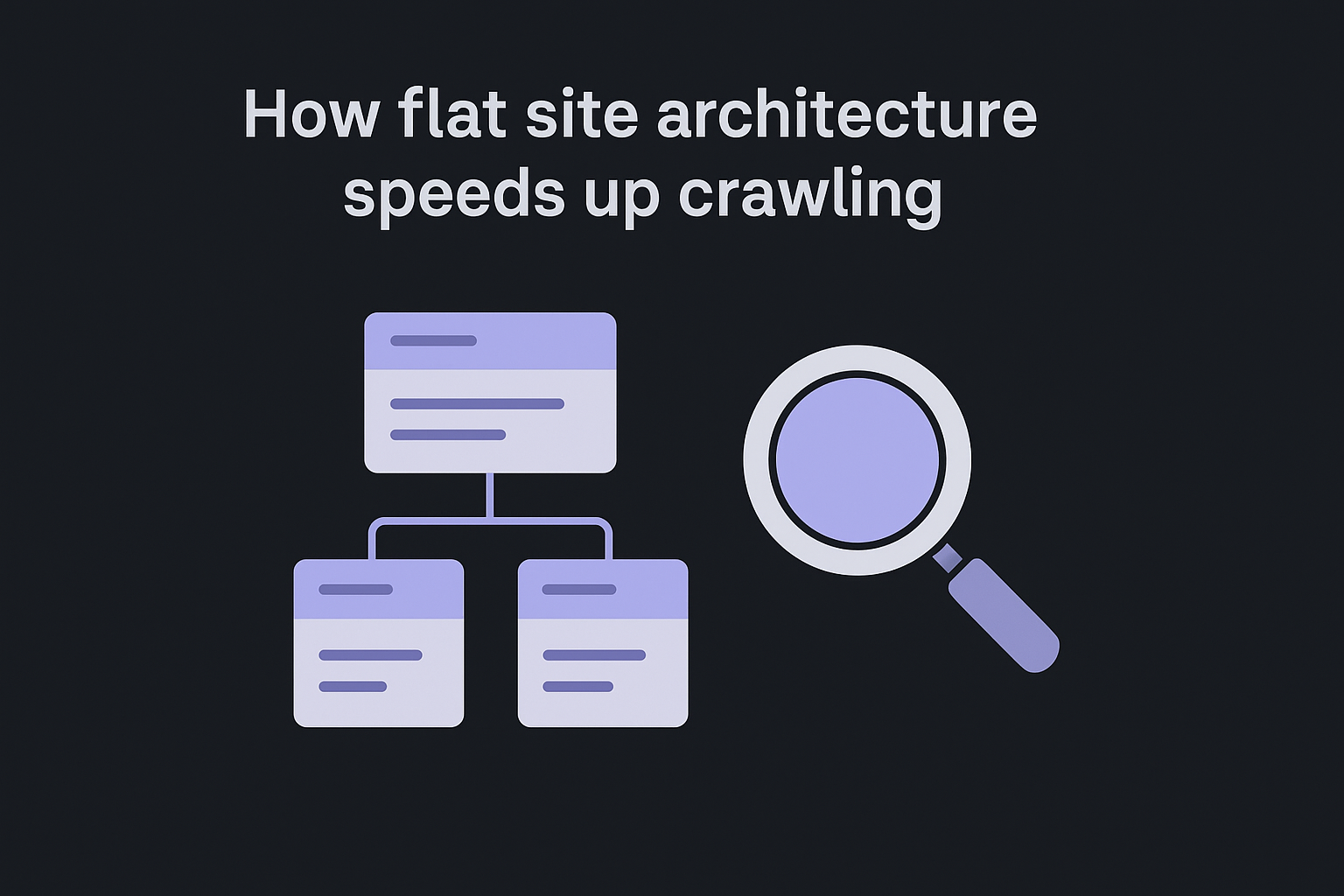
Pages buried beyond four clicks from your homepage are often treated as low-priority by Googlebot, which means they get crawled infrequently regardless of how strong the content is.
A simple architecture model looks like this:
| Level | Page type | Click depth |
|---|---|---|
| Level 1 | Homepage | 0 clicks |
| Level 2 | Category or pillar page | 1 click |
| Level 3 | Individual articles | 2 clicks |
How to use internal links to distribute crawl priority
Internal links do two things that every technical SEO guide emphasizes: they help Googlebot discover your pages, and they pass authority signals from stronger pages to newer ones. Every internal link you place from a high-traffic page to a new article signals to Googlebot that the new page is worth visiting. Without those links, new content competes for crawl attention on the same level as every other undiscovered URL in your queue.
Anchor text also matters because it gives Google context about what the linked page covers. Use descriptive anchor text that reflects the target page's primary keyword rather than generic phrases like "click here" or "read more." Review your internal link distribution at least quarterly, making sure that your most important pages receive the most internal links pointing to them, not just your homepage.
Technical performance: Core Web Vitals and mobile
Page speed and mobile performance are not optional enhancements you add after everything else is working. Google uses Core Web Vitals as a confirmed ranking signal, which means slow pages compete at a direct disadvantage against faster ones, even when the content quality is equal. Any complete technical SEO guide needs to treat performance as a foundational element, not something you revisit only when traffic drops.
What Core Web Vitals measure and why they matter
Google currently tracks three Core Web Vitals metrics across all pages. Each metric measures a distinct aspect of how real users experience your page from the moment they land on it, and understanding what each one captures tells you exactly where to focus your remediation work first.
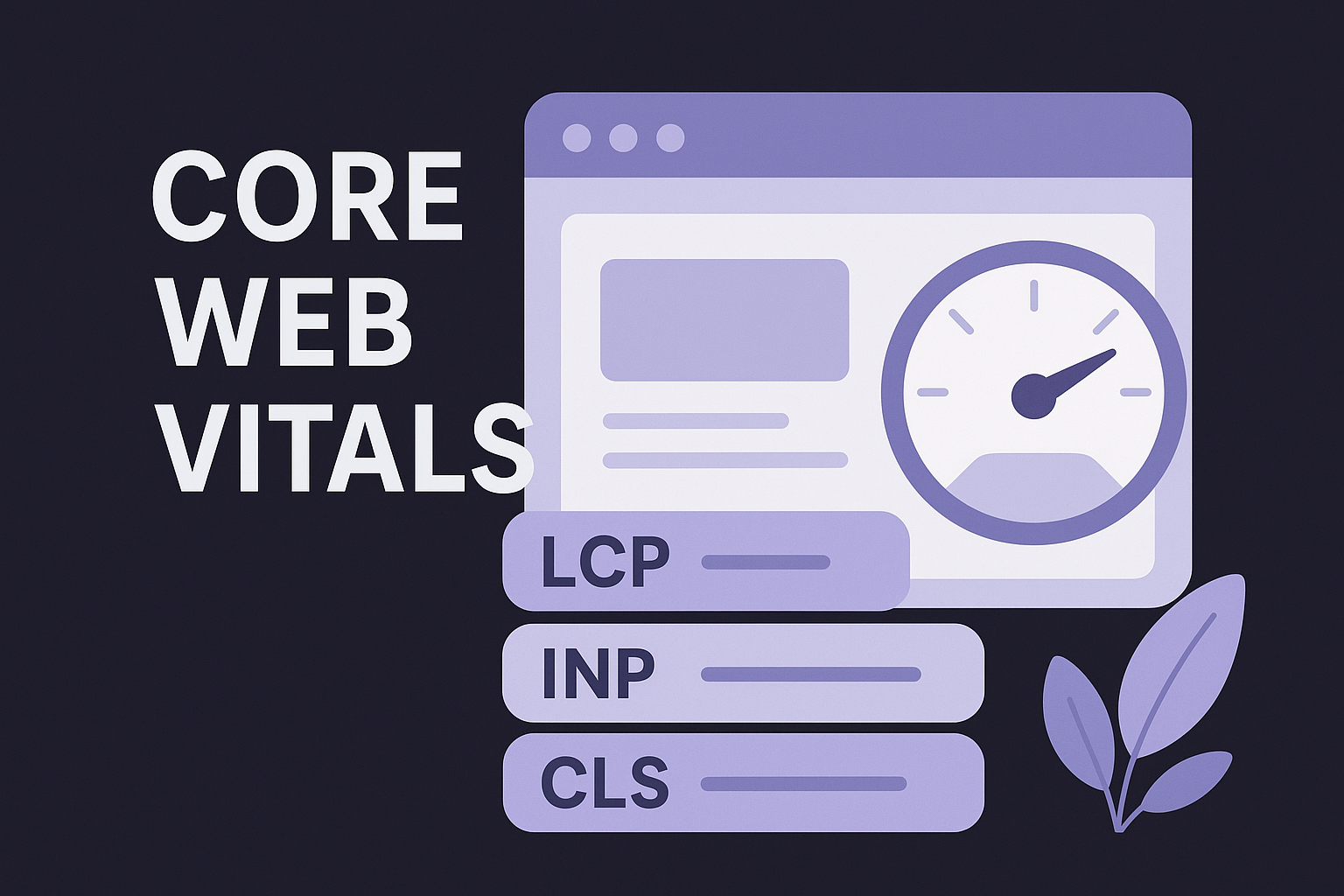
| Metric | What it measures | Good threshold |
|---|---|---|
| Largest Contentful Paint (LCP) | How fast your main content loads | Under 2.5 seconds |
| Interaction to Next Paint (INP) | How quickly your page responds to input | Under 200 milliseconds |
| Cumulative Layout Shift (CLS) | How much your layout shifts during load | Under 0.1 |
Google's PageSpeed Insights tool, available at developers.google.com/speed/pagespeed/insights, gives you both field data and lab data for each metric alongside specific recommendations for your actual pages. Use it alongside the Core Web Vitals report in Google Search Console, which shows aggregate performance across your entire site segmented by URL group.
Pages that fail Core Web Vitals thresholds lose the page experience signal that Google awards to fast, stable pages, compounding the impact of any other technical issues already present on your site.
How to fix performance on mobile
Mobile performance deserves separate attention because Google indexes the mobile version of your site first through mobile-first indexing, which means mobile SEO best practices determine your rankings regardless of how fast your desktop version loads. If your desktop site loads in 1.8 seconds but your mobile version takes 4.5 seconds, Google evaluates the 4.5-second experience when it assigns your page experience signal.
Your fastest mobile wins come from three targeted areas: compressing images and serving them in next-generation formats like WebP, eliminating unused JavaScript that blocks rendering before your main content appears, and enabling browser caching so returning visitors load pages significantly faster. Also check your server response time directly, because a slow Time to First Byte (TTFB) damages your LCP score regardless of how well you optimize front-end assets. Aim for a TTFB under 800 milliseconds for pages you want crawled and indexed consistently.
Structured data, canonicals, and duplicates at scale
As your site grows, three issues start causing outsized problems: disorganized structured data, misused canonical tags, and duplicate content spread across multiple URLs. Each one can quietly suppress your rankings by confusing Google about which page to index, how to categorize your content, and which version of a URL carries your authority signals. Every complete technical SEO guide needs to address these at scale, because the risks compound fast when you are publishing content daily.
How structured data improves your search visibility
Structured data uses Schema.org vocabulary to label the elements on your page in a format Google can read directly without interpretation. Adding structured data to articles, products, FAQs, and review pages tells Google's systems exactly what type of content each page contains, which improves your eligibility for rich results in search, including star ratings, breadcrumb trails, and featured snippets. These enhanced appearances increase your click-through rate without requiring any additional ranking improvement.
Validate your structured data using Google's Rich Results Test at search.google.com/test/rich-results before pushing any schema to production. Errors in your markup can disqualify a page from rich result eligibility entirely, which means you lose the benefit even when the underlying schema is correctly placed, so pull the JSON-LD from a live URL and check it for the properties each rich result requires. Check the Enhancement reports inside Google Search Console regularly, since they surface warnings and errors at scale across your full URL set rather than one page at a time.
Implementing Article schema on your blog posts and Product schema on your product pages gives Google a structured signal about content type that it can act on immediately, rather than inferring it from your HTML alone.
How to manage canonicals and duplicate content at scale
Canonical tags solve one of the most common technical problems that scales poorly: multiple URLs serving the same or very similar content. Print pages, session IDs, URL parameters from filters, and HTTP versus HTTPS variations all create duplicate versions of pages that split your link equity and confuse Google about which URL to rank, so check what every URL names as its canonical across a whole list. Setting a canonical tag on every page pointing to the preferred URL consolidates those signals into a single source.
Duplicate content does not have to be exact to create indexing problems. Thin category pages, paginated archives, and boilerplate-heavy product descriptions all generate near-duplicate content that Google may decline to index. Audit your indexed pages quarterly using Google Search Console's Indexing report, then apply canonicals or noindex tags to pages that add no unique value to searchers. Keeping your indexed content set clean protects your crawl budget and concentrates ranking signals where they matter most.
What to do next
Every item in this technical SEO guide points toward the same outcome: giving Google a clean, fast, well-structured site that it can crawl and index without friction. Start by running the Coverage and Core Web Vitals reports in Google Search Console today. Those two reports surface the highest-impact issues most sites carry, and fixing them requires no new content, only targeted technical corrections to what you already have.
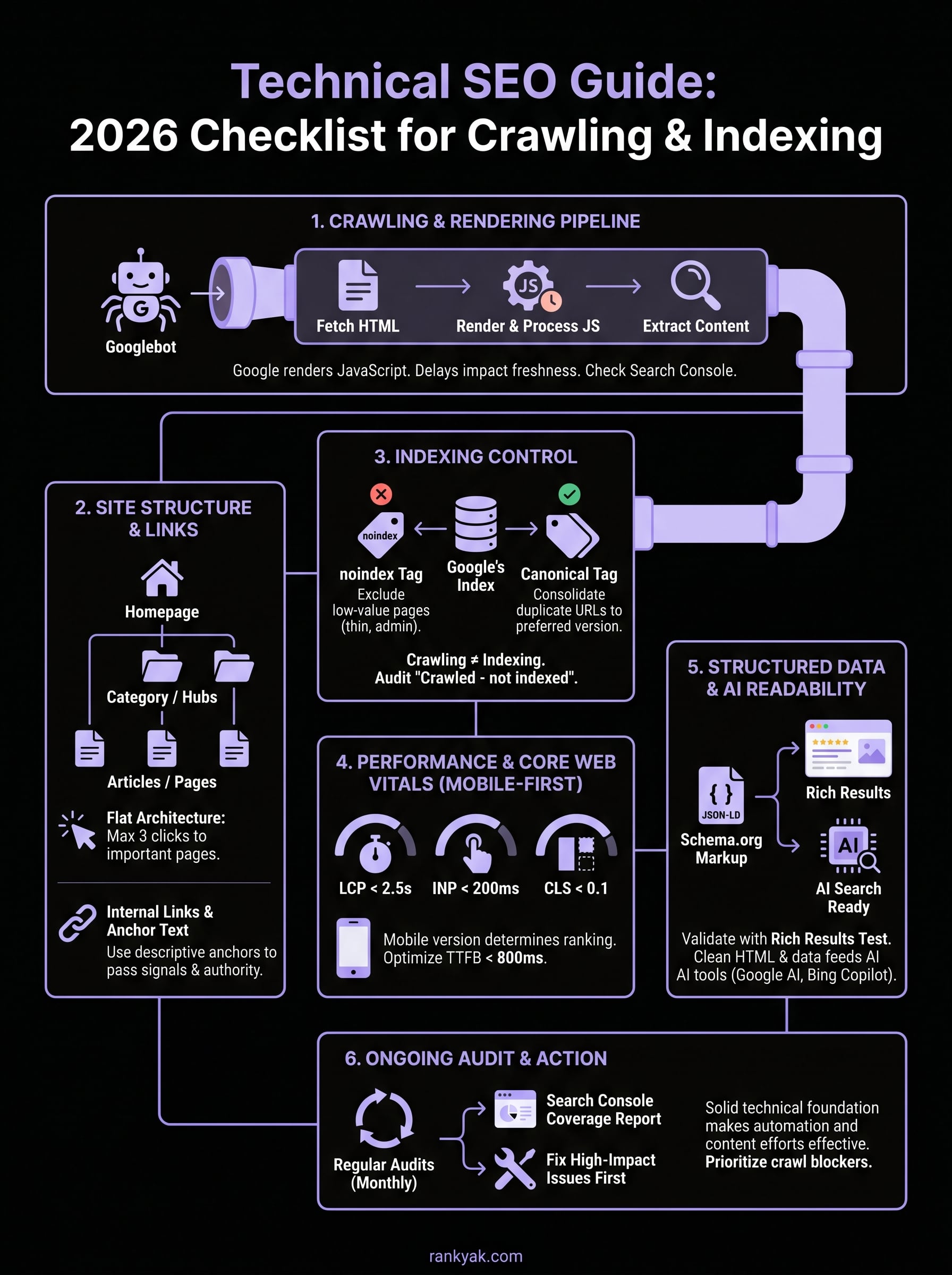
Work through the checklist in order: crawl blockers first, then indexation controls, then site structure, then performance, then structured data and canonicals. Each layer builds on the previous one, so fixing crawl issues before cleaning up duplicate content keeps your remediation focused and measurable.
Once your technical foundation is solid, consistent content output becomes the growth engine. If you want that part automated, hand daily SEO content creation and publishing to RankYak so you can focus on the technical work that only you can do.
Lars Koole is a co-founder of RankYak and has worked in SEO since 2021, on the side where a strategy has to become a live page: inside agencies, alongside them, for clients directly, and in-house on the products being ranked. He is a software engineer by trade, which is how that page gets built. Before RankYak he founded companies of his own, two of which were acquired. At RankYak he owns the engineering and everything AI, and works out the solution and the implementation of each new feature.
