Crawl Budget Optimization: Get Googlebot To Crawl Your Site
You can publish the best content on the internet, but if Googlebot can't find it, or wastes its time on pages that don't matter, none of it ranks. That's the core problem behind crawl budget optimization, and it's one most site owners completely overlook. Google doesn't have unlimited resources to crawl your site. It assigns a budget, and how efficiently that budget gets spent determines which of your pages actually make it into the index.
This matters even more when you're publishing content consistently. If you're using a platform like RankYak to generate and publish SEO-optimized articles daily, you need Googlebot picking up those new pages fast, not burning through old redirects, duplicate URLs, or broken links. A bloated crawl path means fresh content sits undiscovered while search engines spin their wheels on junk.
This guide breaks down exactly what crawl budget is, why it directly affects your rankings, and the specific steps you can take to make sure Google spends its time on the pages that actually grow your traffic. Whether you're running one site or managing several, these strategies apply across the board, and they're surprisingly straightforward once you understand the mechanics.
Why crawl budget affects SEO
Most people think about SEO in terms of keywords and backlinks. Those matter, but they only work if crawling and indexing actually let search engines find your pages. Crawl budget is the number of pages Googlebot will crawl on your site within a given timeframe. When that budget runs out, Googlebot stops, and any pages it hasn't reached yet don't get indexed until the next crawl cycle. For sites publishing content regularly, that delay can directly translate into missed ranking opportunities and slower traffic growth. Understanding why this happens is the first step toward fixing it.
Indexing speed determines how fast new content can rank
When you publish a new article, it doesn't rank the moment it goes live. Googlebot needs to discover it, crawl it, and then pass it through the indexing pipeline before it has any chance of appearing in search results. The faster Googlebot crawls your new pages, the sooner they can start accumulating ranking signals like clicks, dwell time, and internal link equity. Sites with poor crawl efficiency often see new content sitting unindexed for days or even weeks, while competitors with cleaner sites get their pages indexed and ranking much sooner.
If your site wastes crawl budget on low-value URLs, your best content waits in line behind pages that will never rank.
Crawl budget optimization directly solves this problem. When you clear the path for Googlebot, it spends its limited time on content that actually matters, which means new articles move through the indexing queue faster. This compounds quickly if you publish daily or near-daily content. A crawl delay of even 48 hours, multiplied across dozens of new pages published each month, adds up to a significant indexing gap that your competitors won't have if their sites are cleaner.
Low-value pages pull crawl time away from good content
Your site almost certainly has pages that Googlebot shouldn't bother with. Faceted navigation URLs, paginated archive pages, thin category pages, legacy redirects, and session-based URL parameters can all generate thousands of duplicate or near-duplicate URLs that look like separate pages to a crawler. Googlebot follows each one, burns through your crawl allocation, and never reaches the pages you actually want ranked. This is a structural problem that no amount of on-page optimization can fix.
This isn't a theoretical risk. A mid-sized e-commerce site using product filters can generate tens of thousands of crawlable URLs from a few hundred actual products. A blog with poorly configured pagination can duplicate every post across multiple URL paths. Each wasted crawl is one fewer important page discovered and indexed in that cycle, and it adds up fast on sites with large content libraries.
Site authority directly influences how much Googlebot crawls you
Google doesn't assign the same crawl budget to every site. Sites with stronger authority, more backlinks, and higher traffic get crawled more frequently. This creates a compounding dynamic: higher-authority sites get crawled more often, their new content indexes faster, they accumulate ranking signals sooner, and their authority climbs further as a result.
The flip side is that a site full of crawl errors, broken links, and wasted pages signals low reliability to Google's systems. That can gradually reduce how often Googlebot returns. Addressing crawl inefficiency isn't just about protecting your current budget. It also sends a positive signal about site quality, which can increase your crawl rate over time as Google's systems recognize your site as well-maintained and worth prioritizing.
How Google sets crawl budget
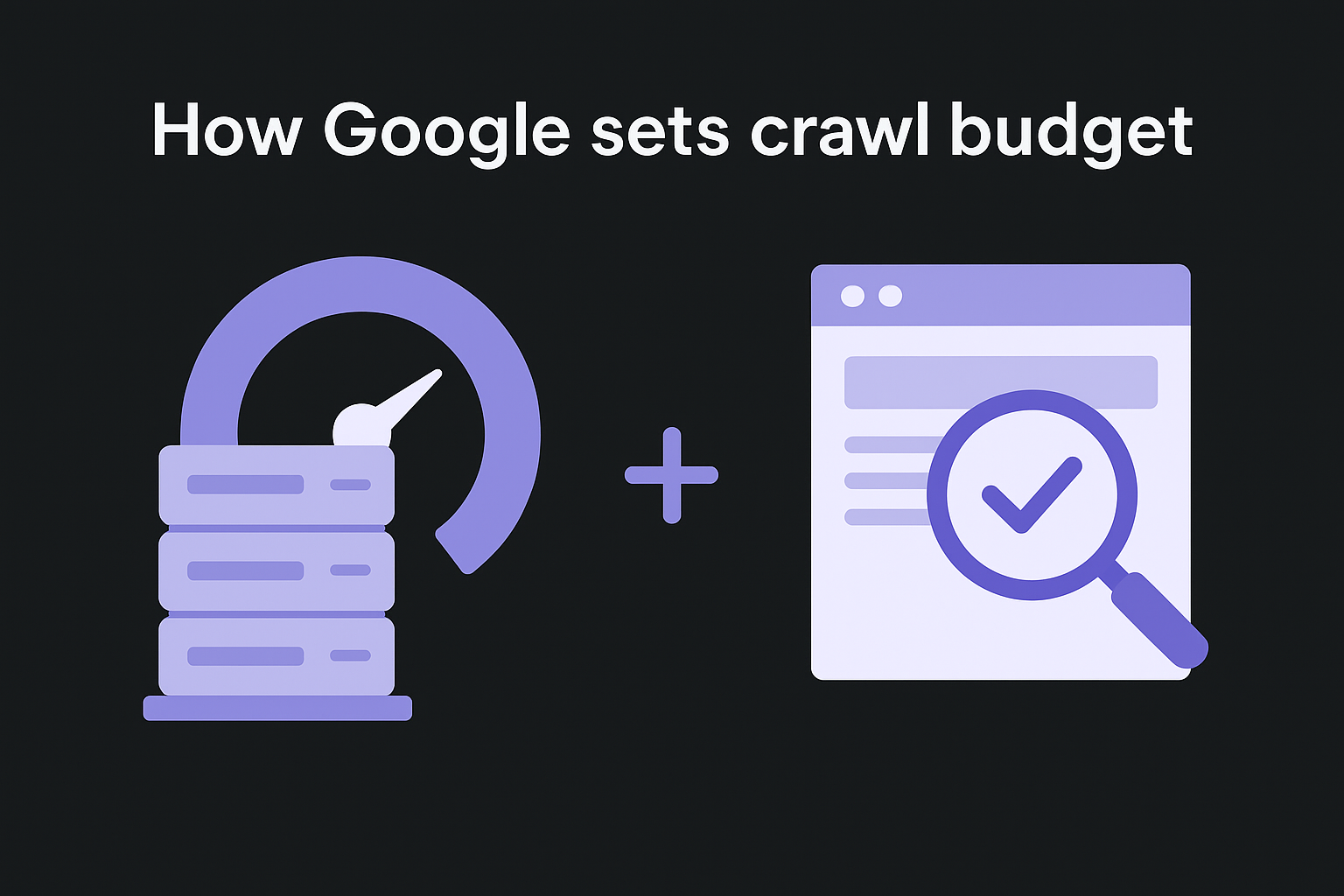
Google doesn't pick a crawl number arbitrarily. It calculates your site's crawl budget based on two separate factors that work together: how fast your server can handle requests and how much Google thinks your pages are worth crawling. Knowing how Google arrives at that number gives you real leverage when doing crawl budget optimization, because you can influence both factors directly.
Crawl rate limit keeps your server stable
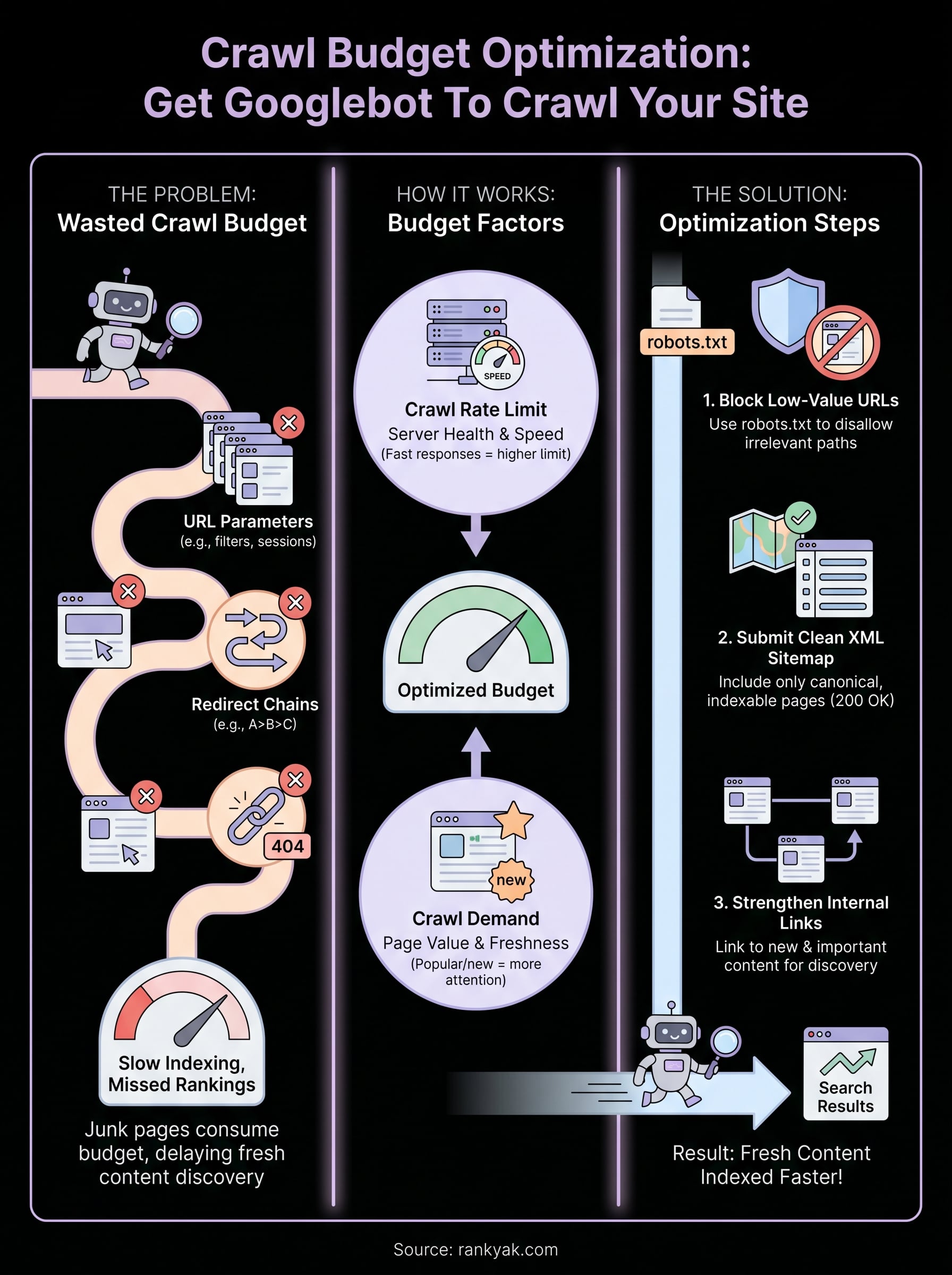
Google's crawler monitors how your server responds to its requests. When your server returns pages quickly and consistently, Googlebot treats that as a signal it can request more pages without causing problems. When response times slow down or errors appear, Googlebot backs off to avoid overloading your infrastructure. This ceiling is called the crawl rate limit, and it adjusts automatically based on server performance data.
A slow or unstable server doesn't just frustrate users. It directly shrinks how many pages Googlebot will attempt to crawl in each cycle.
You can also manually request a lower crawl rate through Google Search Console if you're experiencing server strain, but most site owners should focus on improving server response time rather than limiting crawl access. A faster server unlocks a higher crawl ceiling, which means more pages indexed in less time.
Crawl demand reflects how much Google values your pages
Even if your server can handle unlimited requests, Google only crawls pages it believes are worth the effort. Crawl demand is determined by how popular and fresh your pages appear. Pages with strong backlinks, high traffic, and recent updates attract more crawl attention than thin or neglected pages. Google also considers how recently a URL changed. If a page hasn't been updated and shows no new signals, Googlebot is less likely to revisit it frequently.
This means the quality and popularity of your content directly shape how often Googlebot returns. Sites with strong link profiles and consistent publishing schedules tend to see higher crawl demand because Google recognizes them as active and authoritative. Publishing new content regularly is one way to keep crawl demand elevated, but only if your site isn't wasting that demand on low-value URLs that dilute the overall signal. Both the rate limit and crawl demand have to work in your favor for your crawl budget to be genuinely useful.
How to see your crawl activity
Before you can do effective crawl budget optimization, you need to know what Googlebot is actually doing on your site right now. Without real data, you're guessing. Two sources give you the clearest picture: Google Search Console's crawl stats report and your server logs. Each one tells a different part of the story, and using both together gives you the full view.
Google Search Console crawl stats
Google Search Console has a dedicated Crawl Stats report under the Settings section of your property. Once you have set up Google Search Console, it shows you how many pages Googlebot crawled per day over the past 90 days, along with the response codes it received and how long those responses took. This is the fastest way to spot problems without any technical setup.
A sudden drop in daily crawl activity often signals a server issue, a robots.txt change, or a structural problem that pushed Googlebot away.
When you open the Crawl Stats report, focus on three things: the total crawl requests over time (to see if the trend is rising or falling), the breakdown of response codes (to catch a spike in 404s or 5xx errors), and the average response time (to identify server slowness). If you see a large share of your crawl requests returning errors or redirects, that's wasted budget you can reclaim. The report also breaks down crawls by file type and Googlebot type, which helps you spot whether Googlebot is spending significant time on images, scripts, or other non-content resources.
Server log analysis
Your server logs record every request Googlebot makes, including URLs that Search Console may not surface. Access logs capture the raw URL-level data that shows you exactly which paths Googlebot hit, how often, and with what result. This is especially useful for identifying crawl traps, parameter-based URL explosions, and pages you thought were blocked but weren't.
Most hosting providers store access logs you can download directly, or you can use log management tools to filter for Googlebot's user agent (Googlebot for desktop and Googlebot-Mobile for mobile). Once you isolate those rows, sort by URL frequency. The pages appearing most often in the logs are consuming the most crawl budget, and if many of them are irrelevant to ranking, that's where you focus your cleanup work first.
How to find crawl waste on your site
Knowing that crawl waste exists is one thing. Knowing exactly where it lives on your site is where crawl budget optimization actually begins. Crawl waste comes from URLs that Googlebot visits but that contribute nothing to your rankings or user experience. These fall into predictable categories, and once you know what to look for, finding and fixing them becomes a systematic process rather than a guessing game.
URL parameters and session-based paths
Dynamic websites frequently generate multiple URL variations for the same content through sorting filters, tracking parameters, session IDs, and search queries. These append to a base URL and create hundreds or thousands of unique-looking paths that point to identical or near-identical pages, so it pays to check the canonical tag on each variant. If your site uses an e-commerce platform or CMS with filtering options, this is likely your single biggest source of crawl waste.
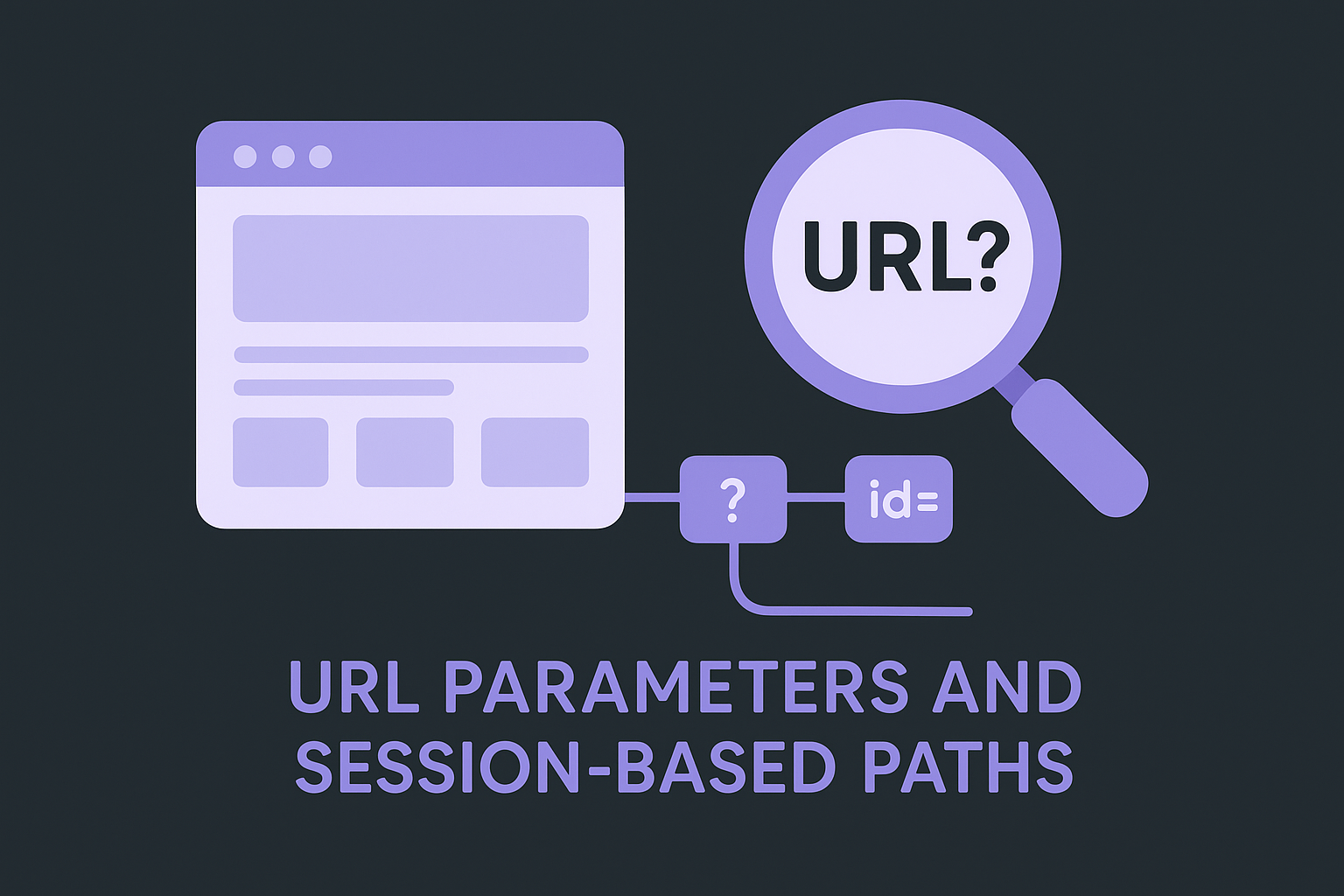
A single product page with five filter parameters can generate dozens of crawlable URLs, none of which deserves its own spot in Google's index.
Check your server logs or the URL report in Google Search Console and filter for URLs containing question marks or common parameter strings like ?sort=, ?ref=, or ?sessionid=. Any URL that exists only because of a parameter variation, and that doesn't serve a distinct user need, is wasted crawl budget you can reclaim by blocking it via robots.txt. You can also use the URL Parameters tool in Search Console to tell Google how to handle specific parameters without blocking them entirely.
Redirect chains and broken links
Redirect chains are another reliable source of crawl waste. When Googlebot hits a URL that redirects to another URL that redirects again, it burns crawl budget on navigation rather than discovery. Each hop costs a separate crawl request, and long chains can cause Googlebot to abandon the trail before reaching the final destination. Trace the full redirect chain behind your internal links and collapse every chain down to direct redirects from old URLs straight to their final live destinations.
Broken links returning 404 or 410 status codes waste crawl budget in a similar way. If Googlebot repeatedly requests URLs that no longer exist, it's spending its allocation on dead ends instead of fresh content. Cross-reference your internal links against your live URL inventory by checking every link on a page, then update or remove any links pointing to pages that have been deleted or moved without a proper redirect in place.
How to optimize crawl budget step by step
Once you know where the waste is coming from, you can act on it in a logical order. Crawl budget optimization works best as a layered process rather than a one-time fix. Start with changes that block unnecessary crawl activity, then move to steps that actively guide Googlebot toward your highest-value pages.
Block low-value URLs in robots.txt
The fastest way to reclaim crawl budget is to stop Googlebot from reaching URLs that will never rank. Open your robots.txt file, or build a valid robots.txt from presets, and add Disallow directives for the patterns that generate parameter-based duplicates, internal search result pages, admin paths, and filtered navigation URLs you identified in your audit. Google reads your robots.txt before each crawl cycle, so changes take effect on the next visit without requiring any manual request.
Blocking low-value URLs in robots.txt is the highest-leverage step because it immediately redirects Googlebot's attention toward pages that actually matter.
Be specific with your directives. Blocking paths like /search/ or /filter/ covers most parameter-based waste without touching important content. After updating the file, validate it using the robots.txt Tester in Google Search Console to confirm your rules work as intended before Googlebot arrives.
Submit a clean XML sitemap
Your XML sitemap tells Googlebot which pages deserve attention. Many site owners submit sitemaps that include redirected URLs, noindexed pages, or thin content that shouldn't be indexed at all. Run the file through an XML sitemap validator and clean it so it contains only canonicalized, indexable pages that return a 200 status code. A sitemap with 500 carefully chosen URLs signals far more value than one with 5,000 noisy entries.
Submit the updated sitemap through Google Search Console and monitor the "Discovered" vs. "Indexed" ratio in the coverage report. A large gap between those two numbers often points to remaining structural issues worth addressing.
Strengthen your internal linking
Googlebot discovers pages by following links, and in a well-planned site architecture for SEO, pages with strong internal link equity get discovered and revisited far more often than orphaned pages with no internal links pointing to them. Audit your content and make sure every important page receives links from at least a few related, high-traffic pages. Fresh content especially depends on internal links for fast discovery. Focus your linking on:
- New articles published in the last 30 days
- Pages with strong backlinks that can pass equity inward
- Topic cluster hub pages that tie related content together
Final checklist and next steps
Crawl budget optimization comes down to a repeatable set of actions, not a one-time audit. Before you move on, run through this checklist to confirm you've covered the foundations:
- Block parameter-based and low-value URLs in robots.txt
- Submit a clean XML sitemap containing only indexable, 200-status pages
- Collapse redirect chains to single-hop redirects
- Fix or remove internal links pointing to 404 pages
- Add internal links to newly published content within 30 days of publishing
- Monitor crawl stats in Google Search Console monthly
Once these are in place, your job shifts to keeping the site clean as it grows. Every new page you publish adds to the crawl queue, so consistent publishing discipline matters as much as the initial cleanup. If you want to publish high-quality, SEO-optimized articles daily without creating new crawl problems, start your free trial and let RankYak's automated site audit find and fix the pages losing clicks while the platform handles the content side.
Lars Koole is a co-founder of RankYak and has worked in SEO since 2021, on the side where a strategy has to become a live page: inside agencies, alongside them, for clients directly, and in-house on the products being ranked. He is a software engineer by trade, which is how that page gets built. Before RankYak he founded companies of his own, two of which were acquired. At RankYak he owns the engineering and everything AI, and works out the solution and the implementation of each new feature.
