9 Technical SEO Audit Tool Options That Flag Hidden Errors
Broken links, crawl errors, duplicate meta tags, slow-loading pages, these are the kinds of issues that silently tank your rankings while you're focused on creating content. The frustrating part? Most of them won't show up unless you run a proper scan with a technical SEO audit tool designed to catch what the human eye misses.
Even if your content strategy is dialed in, technical problems underneath the surface can prevent Google from indexing your pages correctly, or from ranking them at all, which is why it helps to know how to run a technical SEO audit from start to finish. That's exactly why we built RankYak to handle the content side of SEO on autopilot: so you can spend your time fixing the structural issues that actually move the needle. But to fix them, you need to find them first.
This article breaks down nine technical SEO audit tools, free and paid, that scan your site for hidden errors, flag performance bottlenecks, and give you actionable steps to improve your search visibility. Whether you're managing one site or ten, these tools will help you uncover the issues holding your rankings back and prioritize what to tackle next.
1. RankYak
RankYak is an all-in-one SEO automation platform that goes beyond content creation. While it's built to generate and publish daily SEO-optimized articles for your site, it also monitors the technical health of your site to make sure the content it produces has a solid foundation to rank on. It connects content strategy with the structural work that supports it.
How RankYak finds technical SEO problems
Rather than running a standalone crawler, RankYak integrates directly with Google Search Console to surface the technical signals Google is already sending about your site. It pulls in crawl errors, indexing issues, and performance data directly from the source, meaning the problems it flags are the ones Google has actually identified. You don't need to manually set up scans or schedule audits; the platform pulls this data automatically as part of your overall SEO workflow.
Connecting to Google Search Console gives you direct access to the exact data Google uses to evaluate your site's technical health.
Technical SEO checks and alerts to expect
This platform monitors the key technical signals that affect your content's ability to rank and get indexed, and its audit that finds weak pages and proposes fixes turns those signals into concrete work. When you connect your site, you get visibility into issues like pages that aren't being indexed, coverage errors, crawl anomalies, and Core Web Vitals data pulled from Search Console. RankYak also uses this data to inform how it plans and structures new content, so your internal linking, topic clusters, and page structure are built to avoid common technical pitfalls from day one.
- Coverage errors and indexing gaps
- Crawl anomalies flagged by Google
- Core Web Vitals performance data
- Internal linking gaps surfaced during content planning
- Topic cluster structure to prevent keyword cannibalization
When RankYak fits best
RankYak works best for small to medium-sized businesses and entrepreneurs who want a single platform to handle both content creation and SEO monitoring without juggling multiple tools. If you need a dedicated technical SEO audit tool with deep crawl configurations and raw data exports, you'll want to supplement it with another option from this list. But if your priority is consistent content output with built-in SEO intelligence, RankYak gives you the core technical visibility you need without additional overhead or cost.
RankYak pricing
RankYak keeps its plans simple, and what RankYak costs includes every feature: keyword discovery, daily article generation (up to 5,000 words), automated publishing, backlink exchange, and Google Search Console integration. You also get a 3-day free trial with no commitment required, so you can test the full platform before you decide.
2. Semrush Site Audit
Semrush Site Audit is one of the most recognized technical SEO audit tool options on the market. It runs a thorough crawl of your site and surfaces issues across more than 140 technical checks, giving you a clear, prioritized list of what to address first rather than dumping raw data on you with no direction.
How Semrush Site Audit crawls your site
Semrush sends its own crawler to scan your site on a schedule you control, whether that's daily, weekly, or on demand. It maps every URL it discovers and checks crawlability, redirect chains, and page structure so you get a complete picture of how search engines actually navigate your site. You can also configure the crawl to mimic Googlebot, which makes the results more relevant to how your site actually performs in organic search.
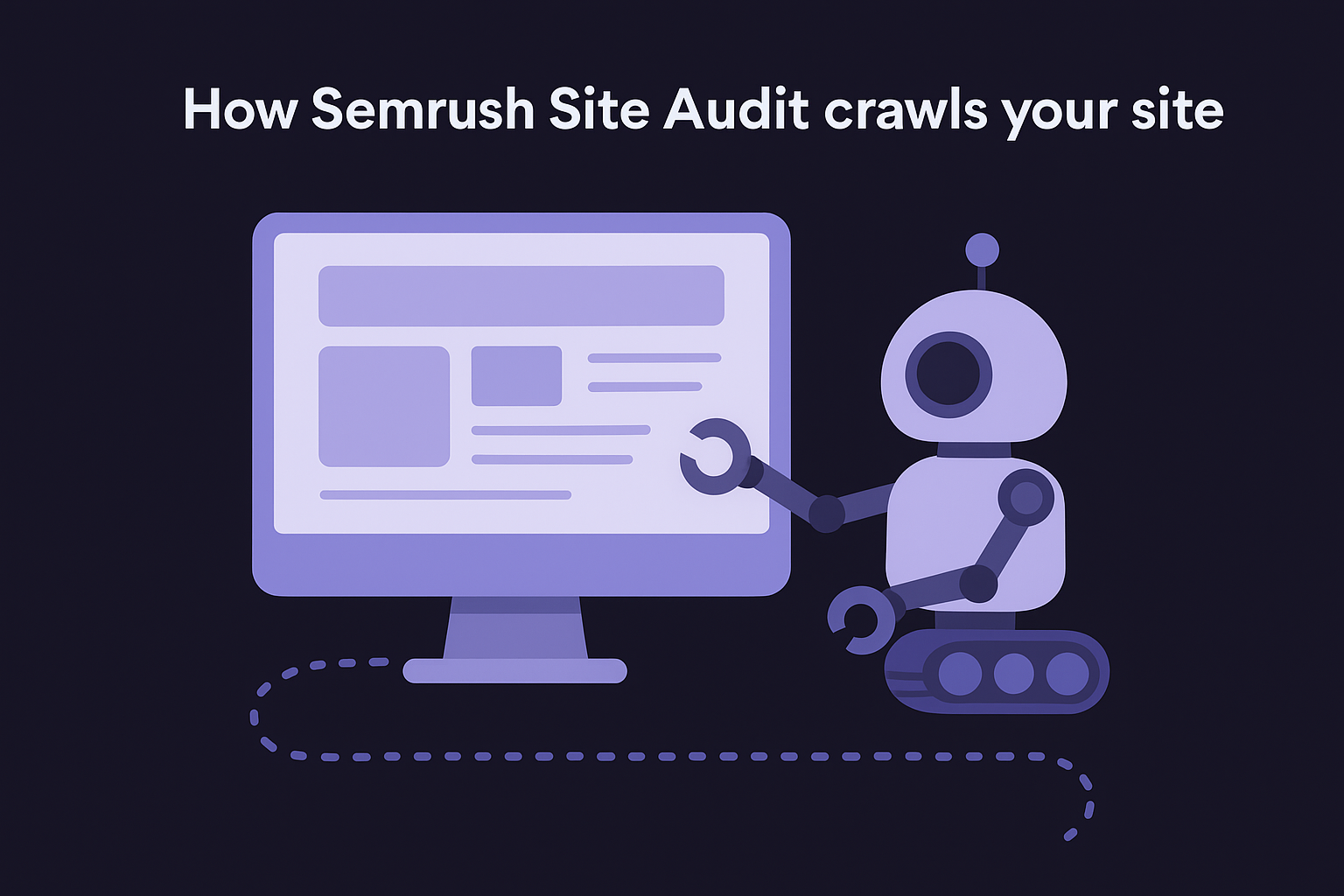
Setting up recurring automated crawls lets you catch new technical issues before they quietly compound into ranking problems.
Technical SEO checks and reports to expect
The audit covers a broad range of issues, from broken internal and external links to duplicate content, missing meta tags, slow page speed, HTTPS problems, and hreflang errors for multilingual sites. Each issue is labeled by severity (errors, warnings, or notices), so you can work through fixes in the right order, ideally against a prioritized audit checklist, without wasting time on low-impact problems.
- Broken links and redirect chains
- Missing or duplicate title tags and meta descriptions
- Core Web Vitals and page speed data
- HTTPS and mixed content errors
- Crawlability and indexability problems
When Semrush fits best
Semrush works well for marketers and SEO professionals who want a full-suite platform that combines site auditing with keyword research, backlink analysis, and competitor tracking in one place. If you already use Semrush for other SEO tasks, the site audit adds significant value without requiring an additional subscription or tool.
Semrush pricing
Semrush offers a limited free plan with basic access. Paid plans start at $139.95 per month for the Pro tier, which includes auditing for up to 100,000 pages per month. Higher tiers unlock more crawl credits, additional users, and advanced reporting.
3. Ahrefs Site Audit
Ahrefs Site Audit is a dedicated technical SEO audit tool built into the broader Ahrefs platform. It runs its own crawler across your entire site and organizes the results into a clean health score with categorized issues you can filter, sort, and act on without needing to dig through raw data.
How Ahrefs Site Audit runs crawls and audits
Ahrefs crawls your site using AhrefsBot, which you can configure to run on a custom schedule or trigger manually whenever you push significant changes. The crawler maps your site structure, follows internal links, and checks every URL it discovers against a set of technical rules covering performance, structure, and crawlability. You can limit crawl depth, set URL filters, and connect to Google Search Console to cross-reference what Google is actually indexing versus what the crawler finds on your site.
Cross-referencing your crawl data with Search Console gives you a more accurate picture of which indexing gaps are actually affecting your organic visibility.
Technical SEO checks and reports to expect
The audit surfaces issues across more than 100 SEO checks, organized by category so you can focus on one area at a time. You get clear visibility into crawlability problems, broken links, redirect issues, slow pages, and duplicate or missing on-page elements like title tags and meta descriptions. Ahrefs also flags orphan pages, which are pages with no internal links pointing to them, a detail that many other tools overlook entirely.
- Broken internal and external links
- Redirect chains and loops
- Missing, duplicate, or long title tags and meta descriptions
- Orphan pages and internal link gaps
- HTTP/HTTPS and mixed content issues
When Ahrefs fits best
Ahrefs works best for SEO practitioners and content teams who already rely on its keyword and backlink tools and want auditing built into the same workflow. If you need deep crawl customization and want backlink data alongside technical health, Ahrefs keeps everything in one place, though it's worth seeing RankYak compared with Ahrefs before you commit.
Ahrefs pricing
Ahrefs no longer offers a free tier. Paid plans start at $129 per month for the Lite plan, which includes site auditing for up to 5,000 crawl credits per month. Higher tiers increase crawl volume and unlock additional user seats and reporting features.
4. Screaming Frog SEO Spider
Screaming Frog SEO Spider is a desktop-based technical SEO audit tool that runs crawls directly from your computer rather than from a cloud server. It gives you raw, unfiltered access to your site's technical data, making it a favorite among SEO professionals who want full control over how they analyze and export results.
How Screaming Frog crawls and exports issues
You install the application on your desktop and point it at a domain, list of URLs, or sitemap. Screaming Frog then crawls every URL it discovers and logs the technical data in real time as the results populate in the interface. Once the crawl finishes, you can export any report as a CSV or Excel file, making it easy to share findings with developers or filter data in your own spreadsheet tools. You can also connect it to Google Analytics and Search Console to pull in additional performance signals alongside the crawl data.
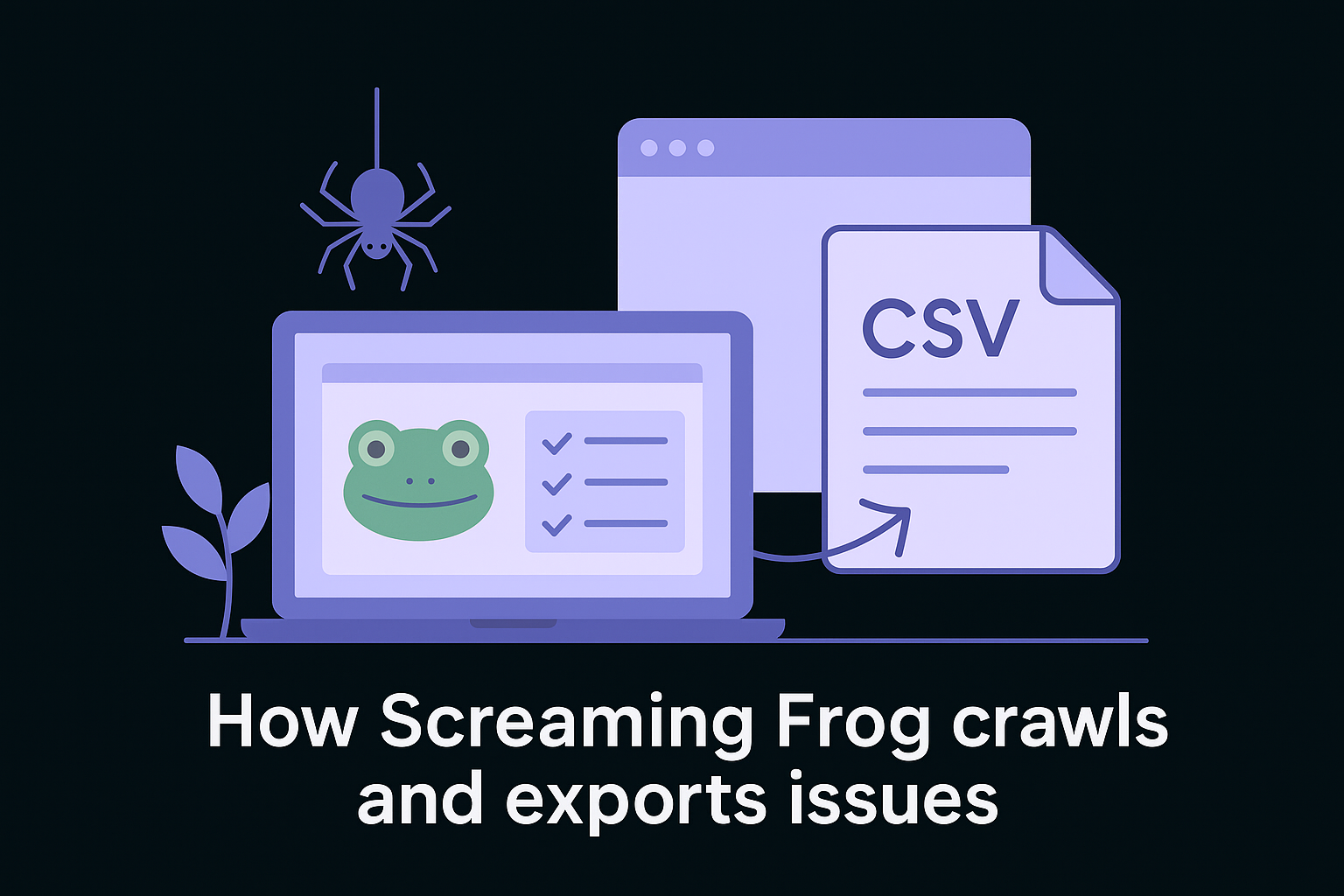
Exporting raw crawl data into a spreadsheet lets you build custom filters and prioritization systems tailored to your specific site structure.
Technical SEO checks and reports to expect
Screaming Frog checks a wide range of on-page and structural issues in a single crawl. You get detailed data on response codes, redirect chains, page titles, meta descriptions, header tags, image alt text, canonicals, and hreflang attributes. It also flags duplicate content, which you can spot-check with a bulk canonical tag checker, along with broken links and pages blocked by robots.txt or noindex tags.
- Broken links and redirect chains
- Missing or duplicate title tags and meta descriptions
- Canonical and hreflang errors
- Blocked or noindexed pages
- Image alt text gaps
When Screaming Frog fits best
Screaming Frog works best for technical SEOs and developers who need granular crawl data and full export flexibility. If you run large or complex sites with custom configurations, the level of control it offers is hard to match with any cloud-based alternative.
Screaming Frog pricing
Screaming Frog offers a free version that crawls up to 500 URLs. The paid license costs $259 per year and removes the URL cap while unlocking advanced features like JavaScript rendering, custom extraction, and Google integrations.
5. SE Ranking Website Audit
SE Ranking Website Audit is a cloud-based technical SEO audit tool that combines deep site crawling with progress tracking over time, so you can see whether the fixes you're making are actually improving your site's health score.
How SE Ranking audits and tracks fixes over time
The platform crawls your site on a schedule you set and assigns a website health score based on the total number of errors, warnings, and notices it finds. What separates it from many other tools is the historical tracking dashboard, which logs each audit run so you can compare scores across weeks or months. This makes it easy to show stakeholders that your technical fixes are moving the needle.
Tracking your site health score over time turns technical SEO from a one-off task into an ongoing, measurable process.
Technical SEO checks and reports to expect
Each crawl checks a solid range of on-page and structural issues across your entire site. Every issue comes with a clear explanation and a recommended fix, so you don't need deep technical knowledge to act on the results. You also get severity-based categorization to help you prioritize errors before warnings.
- Broken links and redirect chains
- Missing or duplicate title tags and meta descriptions
- Page speed and Core Web Vitals issues
- Canonicalization and hreflang errors
- Blocked or noindexed pages
When SE Ranking fits best
SE Ranking works best for small business owners and freelance SEOs who want an affordable all-in-one platform with auditing, rank tracking, and keyword research under one roof, and how SE Ranking measures up against RankYak is a useful side-by-side if content output is your real bottleneck. If you value seeing your progress over time rather than just a one-time snapshot, the historical tracking makes it worth a close look.
SE Ranking pricing
Paid plans start at $65 per month, with higher tiers unlocking more crawl pages, additional user seats, and deeper reporting options. SE Ranking also offers a free trial so you can test the audit features before committing to a plan.
6. SEO Site Checkup
SEO Site Checkup is a straightforward, web-based technical SEO audit tool built around simplicity. You enter a URL, and it immediately runs a scan and returns a scored report organized by issue type, with each check explained in plain language so you understand not just what's wrong but why it matters.
How SEO Site Checkup scans and prioritizes issues
SEO Site Checkup runs instant on-demand scans from your browser with no installation required. It grades your site on a 100-point scale and groups issues into clearly labeled categories like meta information, page speed, social, and security, making it easy to locate specific problem areas without scrolling through a wall of raw data.
The scored, categorized format makes it easier to hand off audit results to a developer or non-technical team member who needs clear direction on what to fix.
Technical SEO checks and reports to expect
Each scan covers the core technical factors that affect how search engines read and rank your pages. Issues are explained with a short description and a recommended fix attached to each check, so you spend less time researching and more time acting.
- Missing or duplicate title tags and meta descriptions
- Broken links and redirect issues
- Page speed and mobile-friendliness
- HTTPS and security errors
- Sitemap and robots.txt configuration
When SEO Site Checkup fits best
SEO Site Checkup works best for business owners and beginners who want a quick, readable overview of their site's technical health without setting up a full crawl tool. It suits situations where you need a fast gut-check on a single URL or want to explain technical issues to someone without an SEO background, much like the free SEO tools you can run without an account.
SEO Site Checkup pricing
SEO Site Checkup offers a free single-URL scan with limited checks. Paid plans start at $29.95 per month, which unlocks full checks, monitoring, and PDF reporting.
7. Seobility Website Audit
Seobility is a cloud-based technical SEO audit tool that focuses on making crawl results readable and actionable, even if you don't have deep technical expertise. It crawls your site and groups every issue it finds into clearly organized categories, so you can move through fixes systematically rather than working through an unstructured list of errors.
How Seobility crawls and groups technical issues
Seobility runs automated crawls on a recurring schedule and maps every URL on your site, then sorts the issues it finds into logical groups like meta information, page quality, page structure, link structure, and server configuration. This grouping system makes it straightforward to hand off specific sections to a developer without explaining the broader audit context from scratch each time.
Organized issue categories reduce the time you spend translating audit results into clear developer tasks.
Technical SEO checks and reports to expect
Each crawl produces a site health score alongside detailed reports covering the checks that affect your rankings most. You get a clear breakdown of every problem with descriptions explaining why each issue matters so you're not left guessing about priority.
- Missing or duplicate title tags and meta descriptions
- Broken internal and external links
- Slow page load times and server response issues
- Canonicalization and duplicate content problems
- Blocked or noindexed pages
When Seobility fits best
Seobility works best for freelancers and small business owners who want a reliable audit tool with clean reporting at a lower price point than the major platforms, and it sits comfortably alongside other budget-friendly SEO tools for small businesses. If you're running a site with under 25,000 pages and want consistent monitoring without a steep learning curve, Seobility covers the essentials without overwhelming you with configuration options.
Seobility pricing
Seobility offers a free plan that crawls up to 1,000 URLs per month with basic reporting. Paid plans start at $50 per month, unlocking higher crawl limits, more tracked keywords, and advanced project features.
8. Serpstat Site Audit
Serpstat is a multi-functional SEO platform that includes a site audit module built to evaluate both your site's technical health and its overall structure. It combines crawl data with competitor and keyword intelligence from the broader platform, giving you more context around the technical issues it surfaces.
How Serpstat audits site health and structure
Serpstat crawls your site and produces a site audit score based on the errors and warnings it finds across your pages. You can run audits on demand or set them to run automatically, and the platform tracks changes between audit runs so you can monitor whether fixes actually improved your score. It organizes issues by severity and category, making it easier to hand off prioritized tasks to a developer without needing to explain the full audit from scratch.
Tracking score changes between audits gives you concrete evidence that your technical fixes are making a measurable difference.
Technical SEO checks and reports to expect
Each crawl functions as a thorough technical SEO audit tool, checking your site against a wide range of structural and on-page factors. Every issue comes with a description and a suggested fix, so you know exactly what action to take without guessing at the solution.
- Broken links and redirect chains
- Missing or duplicate title tags and meta descriptions
- Canonicalization and duplicate content issues
- Page speed and mobile usability problems
- Blocked or noindexed pages
When Serpstat fits best
Serpstat works best for SEO professionals and agencies who already use the platform for keyword research and competitor analysis and want auditing built into the same workspace. If you manage multiple client sites and want one login for auditing, rank tracking, and keyword data, Serpstat keeps everything connected, the same way managing SEO for multiple clients from one workspace removes the juggling on the content side.
Serpstat pricing
Serpstat offers a free plan with limited crawl credits to get you started. Paid plans begin at $59 per month, which includes expanded crawl limits, full audit reporting, and access to the platform's broader SEO toolset.
9. Siteimprove technical SEO
Siteimprove is an enterprise-focused platform that combines technical SEO with accessibility monitoring, content quality checks, and analytics in a single workspace. It's built for larger organizations that need to manage site health across thousands of pages with multiple team members involved in reviewing and resolving issues.
How Siteimprove monitors technical SEO at scale
Siteimprove crawls your site on an automated schedule and surfaces problems across your entire domain, even when you're dealing with a high page count. Rather than just listing issues in a report, it lets you assign fixes directly to team members within the platform, so nothing gets buried in a separate project management tool.
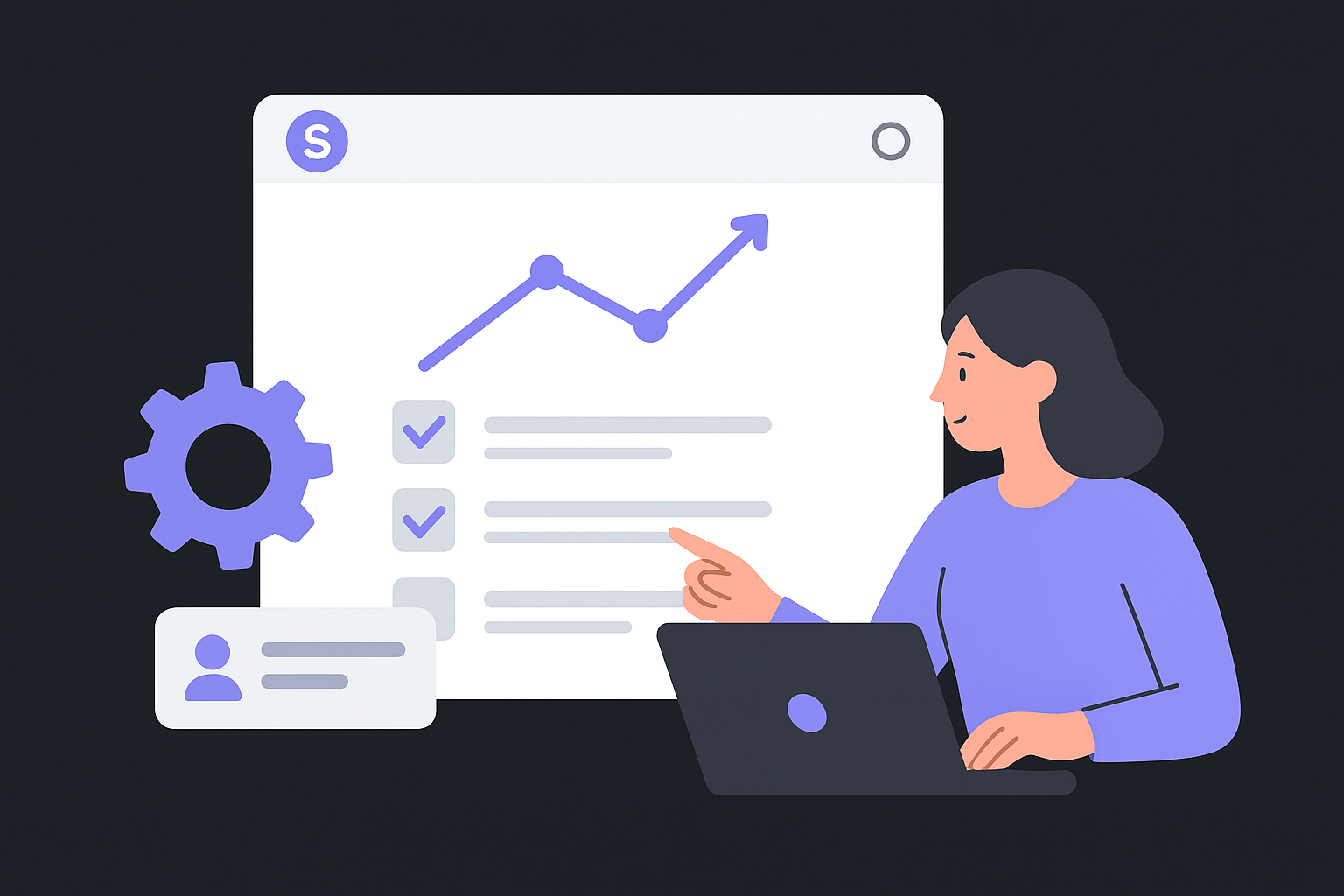
Built-in task assignment closes the gap between identifying a technical problem and actually getting it resolved by the right person.
This workflow-focused approach makes Siteimprove a strong technical SEO audit tool for organizations where multiple departments own different sections of the site and coordination is a real bottleneck.
Technical SEO checks and reports to expect
Each crawl covers a solid range of technical factors with results presented in a prioritized dashboard that surfaces the most critical issues first. You don't need to sort through hundreds of raw data points to find where to focus your effort.
- Broken links and redirect errors
- Missing or duplicate title tags and meta descriptions
- Crawlability and indexability issues
- Page speed and Core Web Vitals data
- Mobile usability problems
When Siteimprove fits best
Siteimprove works best for enterprise teams and large organizations that need combined technical SEO, accessibility, and content monitoring in one place, especially where enterprise SEO workflow automation is already part of the plan. If your team requires built-in collaboration and task management alongside auditing, Siteimprove covers ground that most standard audit platforms don't.
Siteimprove pricing
Siteimprove does not publish fixed pricing on its website. All plans are quote-based, so you contact their sales team for a rate specific to your site size and feature requirements. This makes it a better fit for organizations with larger budgets than for small businesses looking for transparent monthly pricing.
Next steps
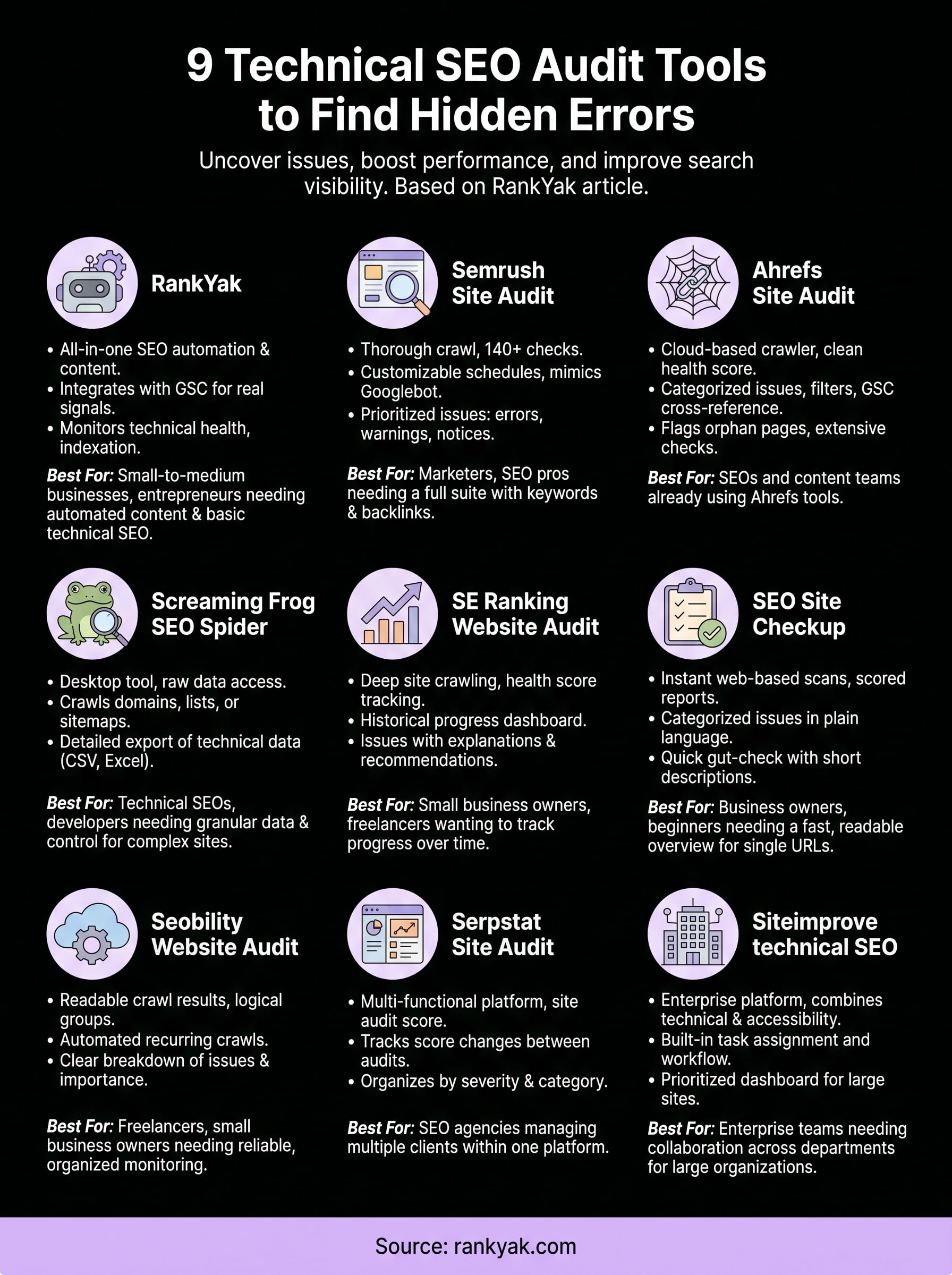
Every tool on this list helps you find a different layer of what's slowing your site down. If you're just getting started, Screaming Frog or Seobility give you solid coverage at a low cost. If you need a full-suite platform that combines a technical SEO audit tool with keyword research and backlink data, Semrush or Ahrefs are worth the investment. For enterprise teams managing large sites across multiple departments, Siteimprove handles the scale and coordination most other tools can't.
Fixing technical issues clears the path, but you still need consistent, well-structured content to rank. That's where RankYak handles the heavy lifting. It generates daily SEO-optimized articles, publishes them automatically, and uses your Google Search Console data to keep your content strategy aligned with your site's actual health. Start your free 3-day trial and see how much faster your organic growth moves when you put content and SEO on autopilot with RankYak.
Allan de Wit is a co-founder of RankYak and has worked in SEO since 2015: inside agencies, alongside them, for clients directly, and in-house on the products being ranked. He came to it as a software engineer building for marketers, which is why the platform is built the way it is. He went on to start companies of his own, two of which were acquired. At RankYak he sets the product direction and owns the features, the quality bar, the design, and the UX.
