What Is Technical SEO? Basics, Checklist, And Best Practices
You can publish the best content on the internet, but if search engines can't properly crawl, index, or render your pages, none of it matters. That's the core of what is technical SEO, the behind-the-scenes optimization that makes your site accessible and understandable to Google. Without it, even brilliant articles sit invisible in search results, buried under competitors who got the fundamentals right.
Technical SEO covers everything from site speed and mobile-friendliness to crawl budgets, structured data, and XML sitemaps. It's the foundation that supports your content strategy, your keyword targeting, and your backlink efforts. Get it wrong, and the rest of your SEO stack underperforms. Get it right, and you give every page on your site a fair shot at ranking.
This guide breaks down the basics of technical SEO, walks through a practical checklist, and covers the best practices you need to keep your site in good standing with search engines. Whether you handle SEO manually or use an automated platform like RankYak to publish optimized content daily, understanding these technical building blocks is essential, because great content needs a solid infrastructure to perform.
Why technical SEO matters
Understanding what is technical SEO is only the first step. The more pressing question is why it affects every other part of your SEO strategy. Technical SEO forms the foundation of your entire online presence, and problems at this layer can nullify even the most well-researched content or the strongest backlink profile. Search engines need to reliably crawl, index, and serve your pages before any ranking signal can work in your favor.
Google can't rank what it can't find
Search engines operate by sending bots, called crawlers, to discover and index pages across the web. When your site has broken crawl paths, blocked resources, or incorrect robots.txt directives, those bots may skip your most important pages entirely. A page that never gets crawled never gets indexed, and a page that never gets indexed never ranks, no matter how strong the content is.
How site architecture shapes crawling plays a direct role here. Internal linking, URL structure, and XML sitemaps all guide crawlers through your site efficiently. If you bury important pages deep inside confusing navigation or fail to submit a proper sitemap, you waste crawl budget on low-value pages while high-priority content stays invisible. Google's own documentation confirms that well-structured sitemaps help their systems discover content faster, particularly on large sites.
If search engines can't find your pages, your content strategy is working against itself.
Technical problems silently drain your rankings
Many technical issues don't produce obvious errors. Your site might load, look normal to visitors, and still bleed ranking potential every day. Duplicate content, slow page load times, and missing canonical tags are common culprits that quietly suppress visibility without triggering any clear alarm.
Page speed is one of the most measurable technical factors. Google has used Core Web Vitals as a ranking signal since 2021, and sites that fail these performance benchmarks face a real disadvantage in competitive search results. Slow pages also increase bounce rates, which signals poor user experience and pushes rankings down further, costing you from both directions at once.
Mobile usability is another area where silent damage accumulates. Google uses mobile-first indexing, meaning it primarily evaluates the mobile version of your pages when determining rankings. If your desktop site is polished but your mobile experience is broken or stripped down, your rankings will reflect the weaker version, regardless of how good your content is, which is why mobile SEO optimization deserves its own attention.
Technical SEO multiplies your other efforts
Think of technical SEO as a force multiplier. When your site is fast, crawlable, and properly structured, every piece of content you publish gets a better start. Your backlinks pass authority more efficiently through a clean internal link structure. Your on-page optimizations carry more weight because Google can fully render and understand each page.
Without a solid technical foundation, you spend more time and budget producing content and building links, only to see diminishing returns. Adding structured data to your pages, for example, can unlock rich results in search, giving your pages more real estate and higher click-through rates. However, structured data only works when the rest of your technical setup allows Google to process it correctly.
Strong technical SEO also supports your presence in AI-powered search tools. As AI platforms like ChatGPT and Perplexity increasingly surface web content in their answers, having a well-indexed, fast, and clearly structured site improves your chances of being referenced. The same fundamentals that help Google understand your site help AI systems cite it accurately.
How technical SEO works
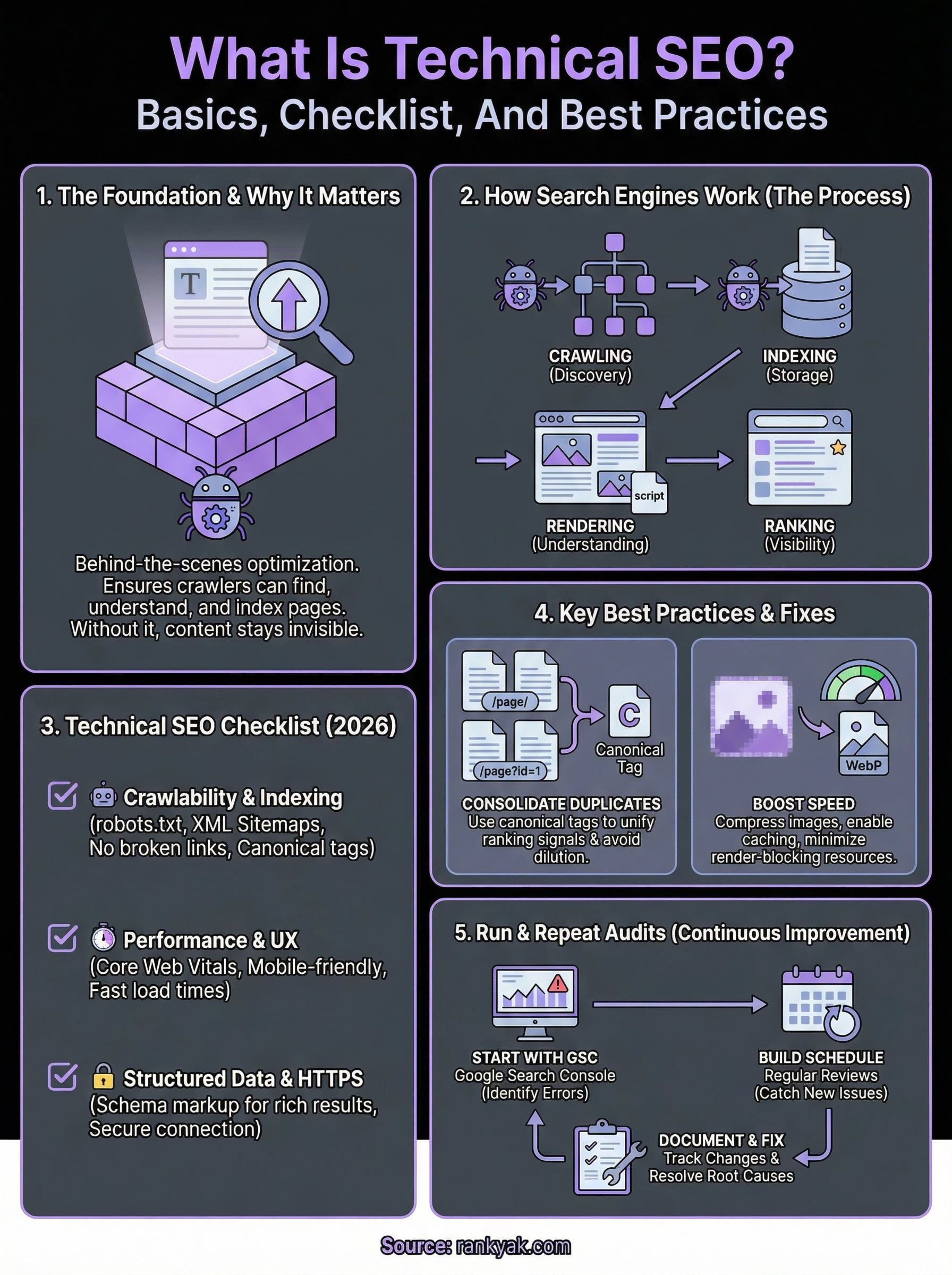
When you dig into what is technical SEO, you quickly realize it operates across several distinct layers. Search engines follow a specific process to discover, evaluate, and serve every page on your site, and each step in that process can either support or block your visibility. Understanding how these layers connect helps you identify exactly where your site might be losing ranking potential and what to fix first.
Crawling and indexing
Search engines start by sending crawler bots to follow links across the web, discovering new and updated pages along the way. When a bot lands on your site, it reads your robots.txt file first, which tells it which sections it can and cannot access, so it is worth checking what your robots.txt allows. From there, it traces your internal links and sitemap to map out the full structure of your content.
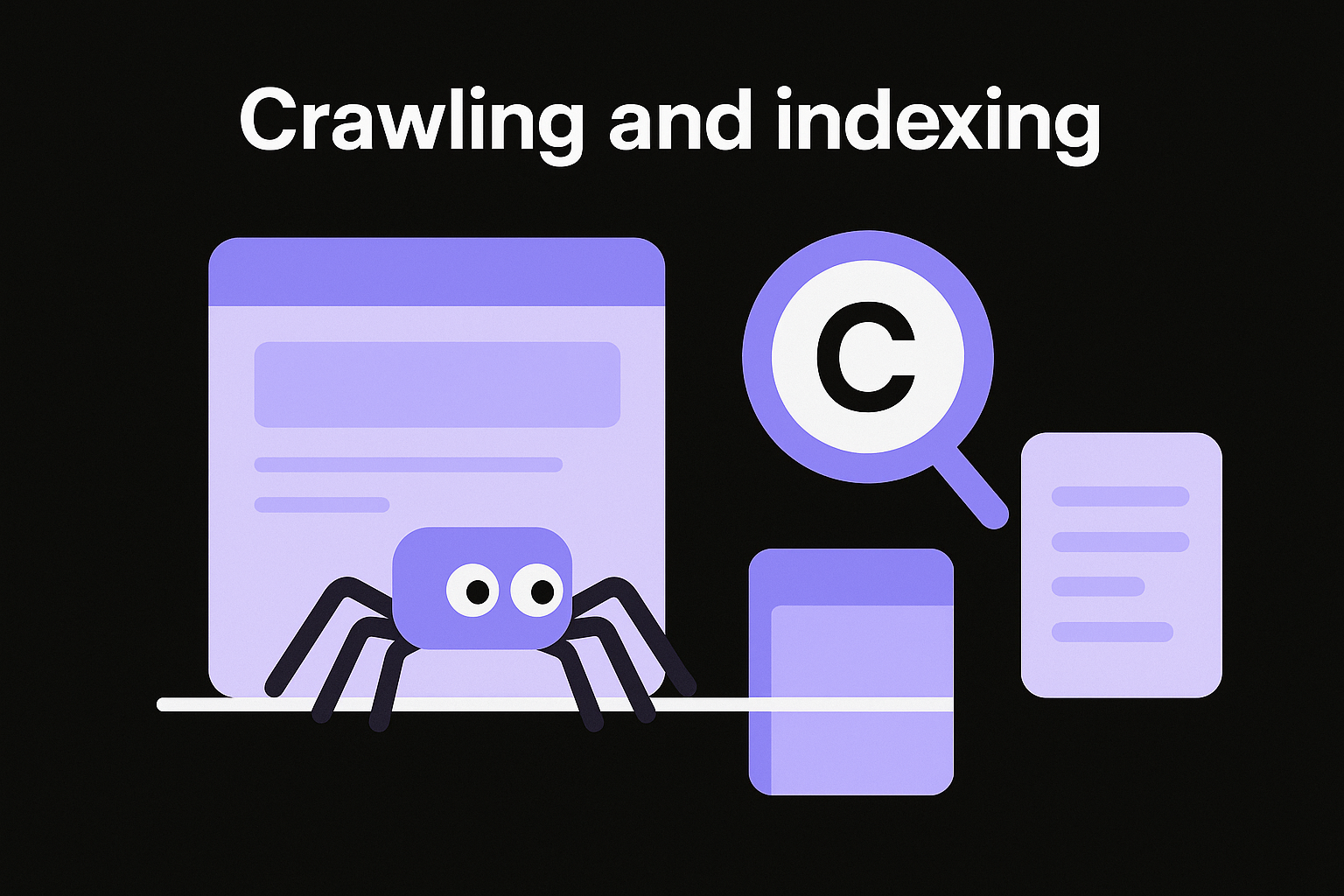
Once a page is crawled, it enters indexing, where Google stores and organizes the page's content in its database. Not every crawled page gets indexed. Google evaluates quality, relevance, and technical signals before deciding what to store. You can monitor this process directly in Google Search Console, which shows which pages are indexed, which are excluded, and the specific reason behind each decision. Reviewing this data regularly is one of the most direct ways to catch indexing problems before they compound.
Crawling gets bots to your pages, but indexing is what puts you in the running to rank.
Rendering and understanding
After crawling and indexing, Google renders your pages, meaning it processes the HTML, CSS, and JavaScript to understand what a user actually sees. This step matters more than most site owners realize. If your site depends heavily on JavaScript to load critical content, Google's crawler may miss that content entirely if rendering fails. The result is a page that looks complete to visitors but appears thin or empty to search engines.
During this rendering stage, Google also reads your on-page structure, including heading hierarchy, internal link context, and keyword placement. Structured data markup, following the schema.org vocabulary, gives search engines additional context about what each page covers. Rich results like FAQs, product reviews, and how-to steps only appear in search when your structured data is implemented correctly and your technical setup allows Google to process it without errors, which is why it pays to audit the JSON-LD already on your pages. The more clearly your pages communicate their purpose, the more accurately search engines can match them to the right queries.
Technical SEO checklist for 2026
Knowing what is technical SEO gives you the framework, but applying it requires a concrete list of items to check and maintain. This 15-step technical SEO checklist covers the areas that carry the most weight in 2026, organized by priority so you can work through them systematically. Each item represents a real ranking factor that search engines evaluate when deciding how to treat your pages.
Crawlability and indexing
Your first priority is making sure Google can actually reach and store your content. Crawl issues often go undetected for weeks, quietly preventing pages from appearing in search while everything looks fine on the surface. Use Google Search Console to review your coverage report regularly.
Check the following items in this category:
- robots.txt file: Confirm it is not accidentally blocking important pages or directories
- XML sitemap: Submit a clean sitemap that includes only canonical, indexable URLs, and check your sitemap against the protocol first
- Canonical tags: Apply them consistently to prevent duplicate content from splitting ranking signals
- Redirect chains: Trace every redirect hop to eliminate multi-hop redirects and replace them with direct 301 redirects
- Crawl errors: Fix 404s and server errors flagged in Search Console before they accumulate
Performance and user experience
Site speed and mobile usability now function as direct ranking inputs, not just quality indicators. Google's Core Web Vitals measure loading speed, visual stability, and interactivity, and pages that fail these benchmarks lose ground to faster competitors even when their content is stronger.

A one-second delay in load time significantly reduces both conversions and search rankings on mobile devices.
Run a PageSpeed Insights test using Google's tool to identify specific performance bottlenecks on each key page. Beyond speed, confirm that your site passes mobile usability checks in Search Console and that all content, images, and interactive elements render correctly on smaller screens.
Structured data and HTTPS
Security and context are the final two pillars of a complete technical audit. Every page on your site should load over HTTPS, and any HTTP pages should redirect cleanly to their secure equivalents, which is why HTTPS matters for rankings. Browsers and search engines both treat unsecured pages as lower quality.
Structured data markup using the schema.org vocabulary helps search engines understand your content and qualify your pages for rich results. Add relevant schema types such as Article, FAQ, or Product to pages where the format matches, and validate your markup using Google's Rich Results Test to catch errors before they block eligibility.
Best practices and common fixes
Once you understand what is technical SEO and have worked through a checklist, the real work shifts to applying fixes efficiently and keeping them in place. Most technical problems fall into a handful of recurring categories, and addressing them follows a predictable pattern. You don't need to overhaul your entire site at once. Prioritizing high-impact fixes and working through them systematically produces better long-term results than trying to correct everything at the same time.
Fix duplicate content and canonicalization
Duplicate content is one of the most common technical problems on established sites, and it often appears without anyone deliberately creating it. URL variations like trailing slashes, HTTP vs. HTTPS versions, or session-based parameters can all generate separate indexed versions of the same page, splitting your ranking signals across multiple URLs instead of concentrating them in one place.
The fix is direct: add a canonical tag to every page pointing to the preferred URL, then check the canonical each page declares. This tells Google which version to index and which to treat as secondary. For larger sites, also audit your XML sitemap to confirm it only lists canonical, indexable URLs and not parameter-heavy variants. Clean, consolidated URLs protect the authority each page accumulates over time and prevent crawl budget waste on duplicate versions.
Canonical tags are small additions that prevent significant ranking losses across an entire site.
Improve page speed without a full rebuild
Slow page load times cost you rankings and visitors, but improving performance doesn't always require a developer. Compressing images to modern formats like WebP and enabling browser caching are two changes that produce measurable speed gains without touching your site's core code. Most CMS platforms support these optimizations through built-in settings, so you can implement them quickly and see results in your next performance audit.
For deeper issues, focus on reducing render-blocking resources. Scripts and stylesheets that load before your page content delay time-to-first-byte and directly hurt your Core Web Vitals scores. Move non-critical JavaScript to load asynchronously and defer any stylesheets that aren't needed for the initial render. Google's PageSpeed Insights gives you a prioritized list of specific improvements for each page, so you apply effort where it creates the most measurable gain. Running this check on your highest-traffic pages first keeps your time focused on the fixes that protect the rankings that matter most.
How to run and repeat a technical audit
Running a technical audit is how you put everything covered in what is technical SEO into practice on your own site. The process doesn't need to be complicated, but it does need to be systematic and repeatable. A one-time audit catches existing problems, but regular audits catch new ones before they drag down pages that are actively ranking.
Start with Google Search Console
Google Search Console is the most reliable free starting point for a technical audit because it gives you direct data from Google's own crawlers, so set up Google Search Console before anything else. Begin by reviewing the Coverage report to identify pages that are excluded, blocked, or returning errors. Each exclusion includes a specific reason, which tells you exactly what to fix rather than leaving you guessing.
Work through the report in order of severity. Server errors (5xx) and "Submitted URL not found" errors need immediate attention because they represent pages Google actively tried to reach and failed. After clearing those, move to the Core Web Vitals report to see which pages are failing performance thresholds and on which devices. Search Console surfaces these issues with specific URLs, so you can address them one by one rather than making broad changes that risk breaking other parts of your site.
Fixing errors flagged directly by Google's crawler gives you the highest-confidence improvements available in any technical audit.
Build a repeatable audit schedule
A single audit is a starting point, not a permanent fix. Your site changes constantly, and so does Google's understanding of it. New pages get published, plugins get updated, and redirects get added, each of which can introduce new technical problems that didn't exist during your last review.
Set a recurring schedule based on how frequently your site changes. For sites publishing content daily, a monthly crawl check in Search Console keeps issues from accumulating. For smaller sites with less frequent updates, a quarterly review covers most risks. Pair each scheduled audit with a quick performance check using Google's PageSpeed Insights to catch any speed regressions introduced by recent changes.
Document your findings and fixes each time you run an audit. Keeping a simple log of what you found, what you changed, and when you changed it creates a reference you can track over time. Recurring patterns in that log often point to a root cause, such as a plugin that repeatedly generates redirect errors or a template that consistently fails mobile usability checks, that you can fix permanently rather than patching each time it reappears.
Wrap-up and next steps
Technical SEO is the infrastructure layer that determines whether all your other SEO work actually pays off. Understanding what is technical SEO helps you see why crawlability, site speed, structured data, and clean URL structures are not optional extras but the baseline every page needs to compete in search results. Fix the foundation first, and every piece of content you publish starts from a stronger position.
Running regular audits, applying the checklist items covered here, and tracking your fixes over time keeps your site in good standing as Google's systems evolve. If you're publishing content daily and want that content to land on a technically sound site from the start, RankYak handles both the SEO framework and daily content creation so you're not managing those two tracks separately. Start your free 3-day trial, let RankYak's site audit surface and fix the pages losing clicks, and put your content strategy on autopilot.
Lars Koole is a co-founder of RankYak and has worked in SEO since 2021, on the side where a strategy has to become a live page: inside agencies, alongside them, for clients directly, and in-house on the products being ranked. He is a software engineer by trade, which is how that page gets built. Before RankYak he founded companies of his own, two of which were acquired. At RankYak he owns the engineering and everything AI, and works out the solution and the implementation of each new feature.
