12 Technical SEO Best Practices for Faster Crawls & Ranks

You can publish the best content on the internet, but if search engines can't crawl or index your pages properly, none of it matters. That's the reality of technical SEO best practices, they form the invisible foundation that determines whether your site actually shows up in search results or gets buried.
The frustrating part? Most technical SEO issues are silent. You won't get an alert when Google struggles to render your JavaScript, or when a misconfigured robots.txt blocks your highest-value pages. You'll just notice traffic flatline, or worse, drop, and wonder what went wrong. Fixing these problems doesn't require a computer science degree, but it does require knowing where to look and what to prioritize.
This guide breaks down 12 actionable technical SEO practices, a 15-step technical SEO checklist in spirit, that directly impact how fast Google crawls your site, how efficiently it indexes your pages, and how well you rank. Whether you handle SEO manually or use an automated platform like RankYak to publish optimized content daily, these infrastructure fundamentals need to be in place first, otherwise, even the best content strategy is building on a cracked foundation.
1. Automate technical SEO audits with RankYak
Running a technical SEO audit manually is time-consuming and easy to deprioritize, which is why an automated site audit earns its place. You fix issues once, move on, and discover months later that a plugin update broke your sitemaps or a new page category got accidentally blocked by robots.txt. Continuous automation closes that gap by catching problems before they drain your rankings.
What it is and why it matters
A technical SEO audit is a systematic review of how well search engines can crawl, render, and index your site. It covers broken links, missing canonical tags, slow load times, and structured data errors. Without regular checks, small issues compound quietly until Google pulls back on how frequently it crawls your site, which directly limits your organic visibility.
Regular audits are not a one-time cleanup, they are an ongoing process that keeps your site accessible to search engines at all times.
How to implement it
RankYak builds technical best practices into every article it publishes: clean heading structure, internal linking, optimized metadata, and proper markup. Applying these technical SEO best practices from the start means fewer errors to diagnose later. You connect your site once, and the platform handles the technical layer for each new page automatically. For existing pages, pair RankYak with Google Search Console to surface crawl errors and indexing problems on an ongoing basis.
How to audit and monitor it
Open Google Search Console and review the Coverage report weekly. It shows which pages Google indexed, which it excluded, and the specific reason for each exclusion. Set up email alerts so you hear about server errors or sudden indexing drops right away instead of discovering them during a manual check.
Track your crawl stats under the Settings menu to catch drops in crawl frequency, which usually signal an underlying technical problem. A sharp drop in Googlebot activity often precedes a ranking decline by several weeks.
Common pitfalls and quick fixes
The most common mistake is treating an audit as a one-time event. Schedule a monthly review that covers these four core signals:
- Index coverage: Pages indexed vs. excluded and why
- Core Web Vitals scores across mobile and desktop
- Sitemap status and submission date in Search Console
- Crawl error counts and their HTTP status codes
When you spot a spike in 404 errors, redirect those URLs to the closest relevant page with a 301 redirect rather than simply removing them.
2. Build a crawlable site architecture
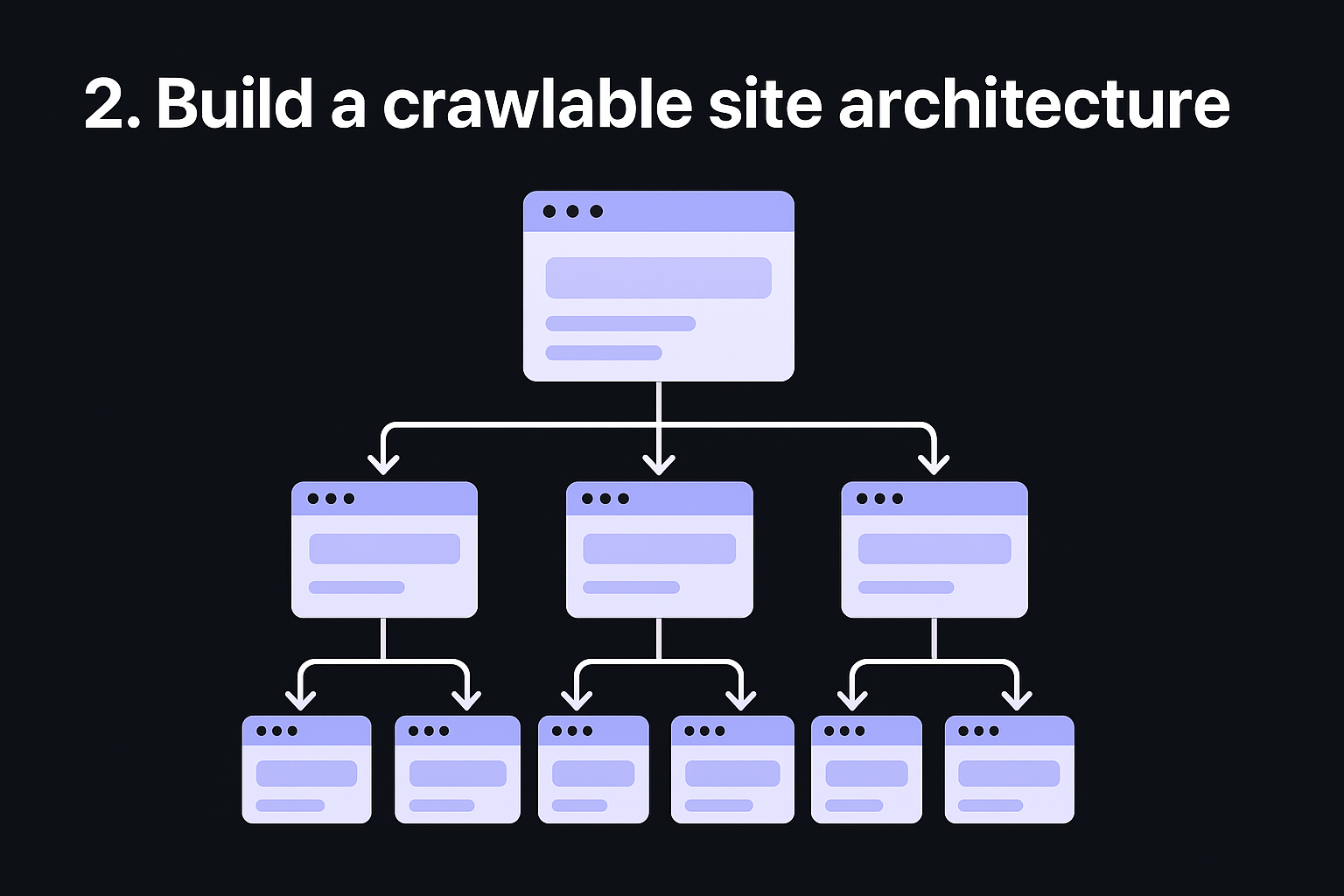
Site architecture determines how efficiently Googlebot moves through your pages. A flat, logical structure ensures crawlers reach every important page quickly, while a tangled hierarchy buries content deep in your site where bots rarely venture.
What it is and why it matters
Site architecture for SEO refers to how your pages link to each other and how many clicks it takes to reach any given page from your homepage. Google allocates a crawl budget to every site, meaning it only crawls a set number of pages per visit, so crawl budget optimization decides how much of your site gets seen. If your most valuable pages sit four or five clicks deep, Google may never crawl them frequently enough to reflect your latest updates.
Keeping every important page within three clicks of your homepage is one of the most effective technical seo best practices you can apply.
How to implement it
Use a flat hierarchy where your homepage links to main category pages, and those link directly to individual content pages. Avoid creating orphan pages since crawlers discover pages through link paths, not thin air.
How to audit and monitor it
Run a crawl using Google Search Console's URL Inspection feature. Check which pages receive internal links and flag any page with zero internal links pointing to it. Both signals tell you exactly where your architecture has gaps.
Common pitfalls and quick fixes
The biggest mistake is adding pages without updating your internal linking structure. Every new page you publish should receive at least one contextual internal link from a relevant existing page to stay crawlable and discoverable.
3. Submit and maintain XML sitemaps
An XML sitemap is a file that lists every important URL on your site, giving Google a direct roadmap to your content rather than relying solely on crawling through links.
What it is and why it matters
A sitemap tells search engines which pages exist, when they were last updated, and which ones matter most. Without one, Google may miss new pages entirely, especially on large or recently launched sites where internal linking is still sparse. Submitting a sitemap speeds up the discovery and indexing process significantly.
A well-maintained sitemap is one of the most straightforward technical SEO best practices you can implement today.
How to implement it
Most CMS platforms generate sitemaps automatically. On WordPress, plugins like Yoast or Rank Math create and update your sitemap file. After generating it, submit the sitemap URL directly in Google Search Console under the Sitemaps section to ensure Google picks it up promptly without waiting for organic discovery.
How to audit and monitor it
Check your sitemap status in Search Console monthly, and validate your XML sitemap to confirm every URL and tag is legal. The report shows how many URLs Google discovered versus how many it successfully indexed. A large gap between those two numbers signals deeper problems with page quality or crawl budget that need attention before they compound.
Common pitfalls and quick fixes
The most damaging mistake is including URLs that return errors or are blocked by robots.txt in your sitemap. Audit your sitemap quarterly to remove noindex pages, redirect chains, and 404 URLs so your sitemap only references pages you actively want Google to index.
4. Control crawling with robots.txt and meta robots
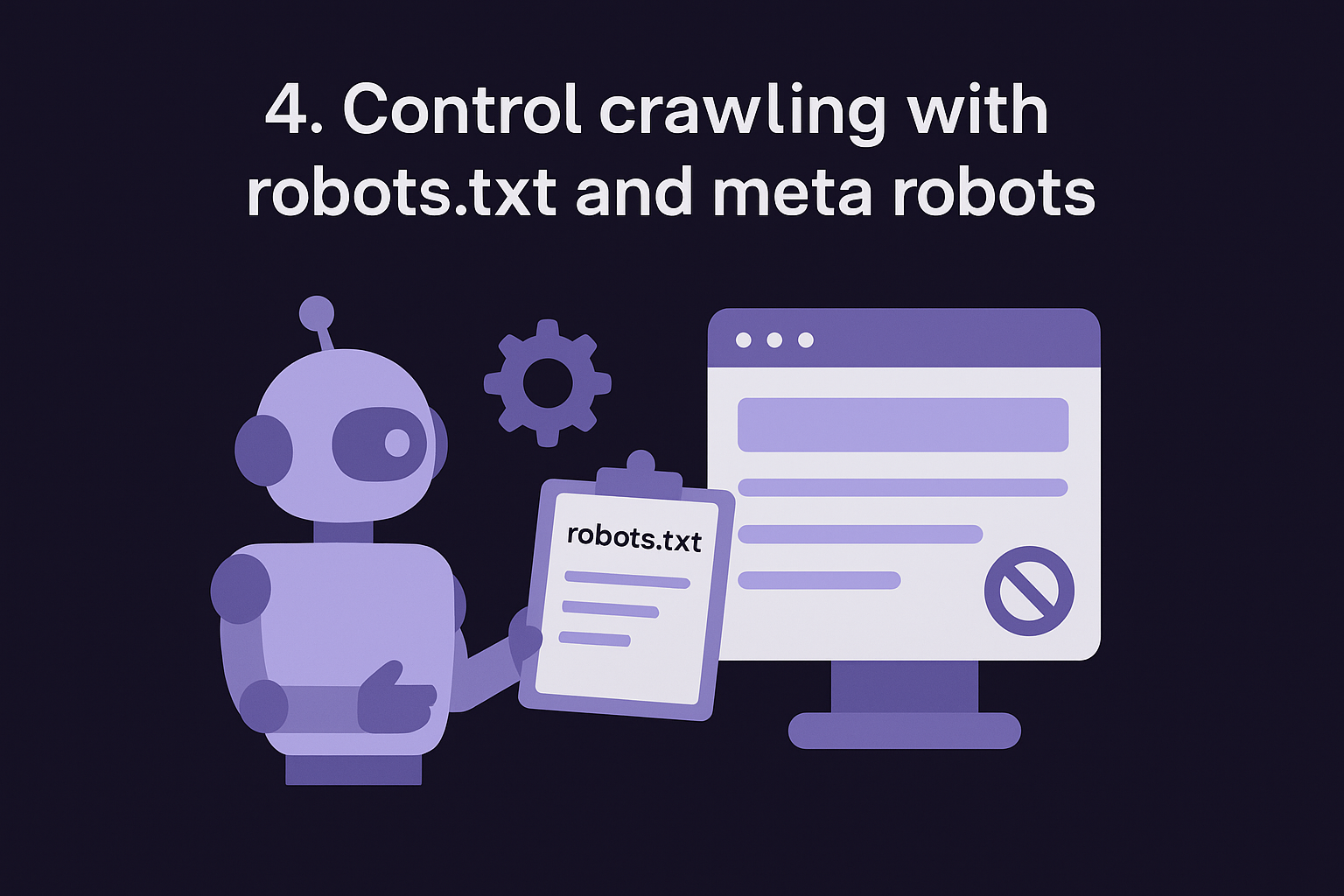
Your robots.txt file and meta robots tags give you direct control over what Googlebot crawls and what it ignores. Used correctly, they protect your crawl budget and keep search engines focused on your most valuable pages.
What it is and why it matters
Robots.txt is a plain-text file that sits at your domain root and tells crawlers which sections of your site to avoid entirely. Meta robots tags work at the page level, letting you block indexation or prevent Googlebot from following links on a specific URL. Together, these two controls let you prevent search engines from wasting crawl budget on admin pages, duplicate parameter URLs, or staging content that should never appear in search results.
Misconfiguring either of these files is one of the fastest ways to accidentally block your entire site from being indexed.
How to implement it
Build a valid robots.txt file, add it to your domain root, and specify rules using Disallow directives. For page-level control, add <meta name="robots" content="noindex, nofollow"> to pages you want excluded from the index. Following these technical seo best practices consistently prevents Googlebot from crawling unnecessary pages.
How to audit and monitor it
Use the Google Search Console robots.txt tester to confirm your file syntax is valid. Check the URL Inspection tool on individual pages to verify whether Google can currently index them and why.
Common pitfalls and quick fixes
The most costly mistake is blocking entire URL paths that include live content you want ranked. Always test any new robots.txt rule in a robots.txt validator before publishing it to production.
5. Fix indexation with canonical tags
Duplicate content is one of the most common indexation problems, and it often goes unnoticed until you see unexpected pages ranking instead of the ones you actually want Google to index. Correct canonical tag setup gives you direct control over which version of a page Google should treat as the primary source of truth.
What it is and why it matters
A canonical tag is an HTML element you place in the <head> of a page to signal which URL represents the preferred version of that content. Without it, Google may split ranking signals across multiple URLs that serve identical or near-identical content, diluting the authority of all of them. This is especially common on e-commerce sites with filtered product pages, or blogs where content appears under multiple category paths.
Applying canonical tags correctly is one of the most overlooked technical SEO best practices, yet it directly affects which of your pages accumulate authority and rank.
How to implement it
Add a <link rel="canonical" href="https://yourdomain.com/preferred-url/"> tag to the <head> section of every page, including self-referencing canonicals on pages with no duplicates. Most CMS platforms handle this automatically when configured properly.
How to audit and monitor it
Use Google Search Console URL Inspection to check which URL Google treats as canonical for any given page. A mismatch between your declared canonical and Google's chosen canonical indicates a deeper crawl or content signal conflict that needs resolving.
Common pitfalls and quick fixes
Never place a canonical tag pointing to a noindexed page or a URL that returns a redirect, and run a bulk canonical checker to catch either case. Both signals contradict each other and force Google to guess your intent, which rarely ends in your favor.
6. Prevent duplicate versions with redirects and HTTPS
Your site can inadvertently serve the same content under multiple URLs, splitting ranking signals and confusing Googlebot about which version to index. Redirects and HTTPS enforcement eliminate that confusion by consolidating everything into one authoritative version.
What it is and why it matters
When your site is accessible via both http:// and https://, or via both www and non-www variations, Google may treat each as a separate URL with separate authority. That means your backlinks, crawl budget, and ranking signals get diluted across versions rather than concentrating on a single canonical domain. Applying these technical SEO best practices early prevents that fragmentation from ever taking hold.
Serving one consistent version of your domain under HTTPS is a baseline requirement, not an optional upgrade.
How to implement it
Set up 301 redirects from all insecure and non-preferred domain variants to your canonical HTTPS version. On most servers, you configure this in your .htaccess file or server settings. Once redirects are in place, ensure your SSL certificate is valid and auto-renewing so your HTTPS version never goes offline unexpectedly.
How to audit and monitor it
Use Google Search Console to verify that Google has indexed your preferred domain version and not a duplicate. Check your Coverage report for any unexpected indexing of HTTP URLs or alternate www variants.
Common pitfalls and quick fixes
Trace every hop in your redirect chains and avoid chains where HTTP redirects to www, which then redirects to HTTPS. Chains slow down crawling and dilute link equity. Consolidate into a single direct redirect from every non-preferred variant straight to your canonical HTTPS URL.
7. Improve Core Web Vitals and page speed
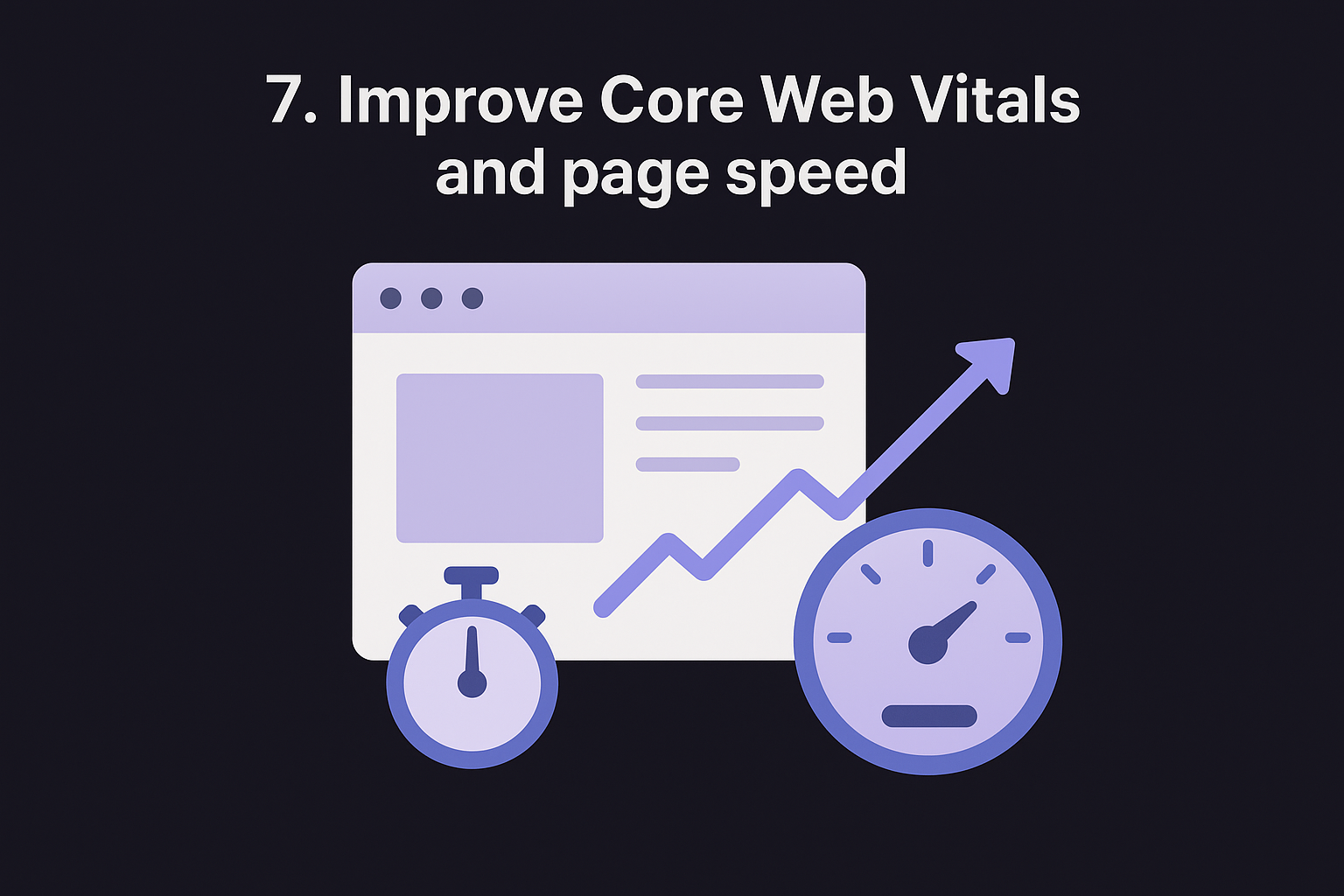
Page speed directly affects both user experience and how Google ranks your pages. Slow-loading pages drive visitors away before they see your content, and Google's Core Web Vitals signals now factor directly into ranking decisions.
What it is and why it matters
Core Web Vitals are three specific performance metrics Google uses to measure real-world page experience: Largest Contentful Paint (LCP), Interaction to Next Paint (INP), and Cumulative Layout Shift (CLS). Each metric captures a distinct aspect of how your page loads and responds. Applying technical SEO best practices around page speed is no longer optional since Google uses these signals as an active ranking factor.
Poor Core Web Vitals scores can suppress rankings even when your content is strong and your technical setup is otherwise clean.
How to implement it
Compress and properly size images before uploading them, use a content delivery network (CDN) to serve assets from servers closer to your visitors, and enable browser caching so returning users load pages faster. Minimize render-blocking JavaScript and CSS by deferring non-critical scripts until after your main content loads.
How to audit and monitor it
Run your pages through Google PageSpeed Insights to get both lab scores and real field data. Monitor the Core Web Vitals report inside Google Search Console to track which specific URLs fail thresholds across mobile and desktop separately, since scores often differ significantly between the two.
Common pitfalls and quick fixes
The most common mistake is uploading large uncompressed images that inflate page weight without any visible quality gain, which makes optimizing images for SEO one of the fastest speed wins available. Convert images to WebP format and set explicit width and height attributes on image elements to prevent layout shifts during load.
8. Make your site mobile-first and accessible
Google indexes the mobile version of your site first, so your mobile experience directly controls how well you rank. If your desktop looks polished but your mobile version loads slowly or breaks, your rankings drop across all devices regardless of how strong your content is.
What it is and why it matters
Mobile-first indexing means Google uses your mobile page as the primary version it crawls and ranks, so mobile SEO optimization decides your rankings on every device. Accessibility strengthens this further by ensuring pages work for users with disabilities, which lowers bounce rates and lifts the engagement signals that influence how Google evaluates your pages.
Treating mobile as an afterthought costs you rankings regardless of how strong your desktop experience is.
How to implement it
Use a responsive design framework that adapts your layout to any screen size automatically. Make sure these key elements are in place:
- Tap targets sized for touch interaction (at least 44x44 pixels)
- Font sizes readable without zooming
- Content structure intact and logical on smaller screens
How to audit and monitor it
Run your pages through Google's Mobile-Friendly Test and check the Mobile Usability report in Search Console. Flag every page with viewport or touch target failures and resolve them before Googlebot revisits your site.
Common pitfalls and quick fixes
One of the most overlooked technical SEO best practices for mobile involves hidden content. CSS that collapses sections on smaller screens prevents Google from indexing that content, so keep your core page content fully present in the HTML at every screen size.
9. Ensure JavaScript rendering does not hide content
Modern websites rely heavily on JavaScript, but Googlebot processes JavaScript differently than a standard browser does. Content that loads client-side through JavaScript may never get indexed if Google cannot render it in time during a crawl.
What it is and why it matters
JavaScript rendering becomes a problem when your critical page content, including headings, body text, and internal links, only appears after JavaScript executes in the browser. Googlebot crawls pages in two waves: it fetches the HTML first, then renders JavaScript later using its Web Rendering Service. That delay means content dependent on JavaScript may sit in a queue for days before Google processes it.
If your main content only exists inside JavaScript, Google may index a blank or incomplete version of your page.
How to implement it
Serve your primary content and internal links in the initial HTML response rather than injecting them via JavaScript. For frameworks like React or Next.js, enable server-side rendering (SSR) so Googlebot receives fully rendered HTML on the first request without waiting for client-side execution.
How to audit and monitor it
Use Google Search Console's URL Inspection tool and click "View Crawled Page" to see exactly what Googlebot rendered on your page. Compare that screenshot against what your browser displays, and flag any missing text, headings, or links that fail to appear in Googlebot's rendered version.
Common pitfalls and quick fixes
One of the most overlooked technical SEO best practices around JavaScript involves lazy-loaded content. Avoid placing critical headings or body text inside components that only render after user interaction, since Googlebot rarely triggers those events during its crawl.
10. Add structured data for rich results
Structured data gives Google explicit context about your content by marking up page elements in a format it can read directly. Adding it is one of the technical SEO best practices that can get your pages featured in rich results like review stars, FAQ panels, or product carousels above standard search listings.
What it is and why it matters
Schema markup is code you add to your HTML using Schema.org vocabulary formatted as JSON-LD. It helps Google understand what a page is about beyond reading plain text, unlocking rich results that earn significantly higher click-through rates than standard blue links.
Rich results can substantially increase your click-through rate, making structured data one of the highest-leverage technical improvements you can apply without touching your core content.
How to implement it
Add JSON-LD structured data blocks to your page's <head> section with a JSON-LD schema generator, using schema types that match your content, such as Article, Product, FAQPage, or HowTo. Google's Structured Data Markup Helper walks you through generating valid markup for each schema type without writing code from scratch.
How to audit and monitor it
Test every page using Google's Rich Results Test to confirm your markup is valid and eligible for enhanced search features. Check your live JSON-LD property by property, and monitor the Enhancements section in Search Console to track errors and warnings across your entire site as new pages go live.
Common pitfalls and quick fixes
Avoid marking up content that does not visibly appear on the page itself. Google requires structured data to reflect actual on-page content, and mismatches trigger manual penalties that remove your rich results entirely.
11. Find and fix broken pages and links
Broken pages and dead links quietly erode your site's authority and crawl efficiency. Every 404 error Googlebot encounters wastes a portion of your crawl budget and signals poor site maintenance, which can suppress rankings over time.
What it is and why it matters
A broken page returns a 404 status code, meaning the URL no longer exists. A broken link points to one of these dead pages, either from your own site or from external sources pointing inward. Each broken link severs a path that Googlebot would otherwise follow to discover and index your content, making this one of the most impactful technical SEO best practices to address consistently.
Every broken internal link is a dead end for Googlebot, cutting off crawl paths to pages you want ranked.
How to implement it
Check every link on a page first, then fix the broken internal ones by updating them to point to live, relevant URLs. For pages that previously earned backlinks from other sites, set up 301 redirects to the closest equivalent live page so you preserve accumulated link equity rather than discarding it entirely.
How to audit and monitor it
Open Google Search Console and check the Coverage report for pages returning 404 errors. Review the "Referring pages" list inside each error to identify which internal pages still point to those broken URLs, then prioritize fixing links on high-traffic pages first.
Common pitfalls and quick fixes
Avoid redirecting every broken page to your homepage as a blanket fix. Google treats irrelevant redirects as soft 404s, which carry the same negative signal as a true broken page and do nothing to recover lost authority.
12. Use Search Console to track crawling and indexing
Google Search Console gives you direct visibility into how Googlebot crawls and indexes your site. No other free tool puts this level of crawl and indexing data in your hands, and every paid option in a technical SEO platform comparison builds on top of it, making Search Console the backbone of any serious set of technical SEO best practices.
What it is and why it matters
Search Console is a free platform from Google that surfaces crawl errors, index coverage data, Core Web Vitals scores, and manual action alerts all in one place. Without it, you are flying blind on the most critical signals that determine whether your pages appear in search results.
Search Console is not just a reporting tool, it is your primary feedback loop between your site and Google.
How to implement it
Verify your site in Google Search Console by adding a DNS record or HTML tag to your domain. Once verified, submit your XML sitemap immediately so Google can start mapping your full URL inventory against what it has actually indexed.
How to audit and monitor it
Check the Coverage and Sitemaps reports weekly to catch new indexing gaps early. Review the URL Inspection tool on your most important pages each month to confirm Google's rendered version matches your intended content and that no unexpected exclusions have appeared.
Common pitfalls and quick fixes
The biggest mistake is ignoring "Excluded" URLs in the Coverage report. Each exclusion reason tells you something specific: "Crawled, currently not indexed" often signals thin content, while "Blocked by robots.txt" flags a configuration error that needs immediate attention.
Next steps
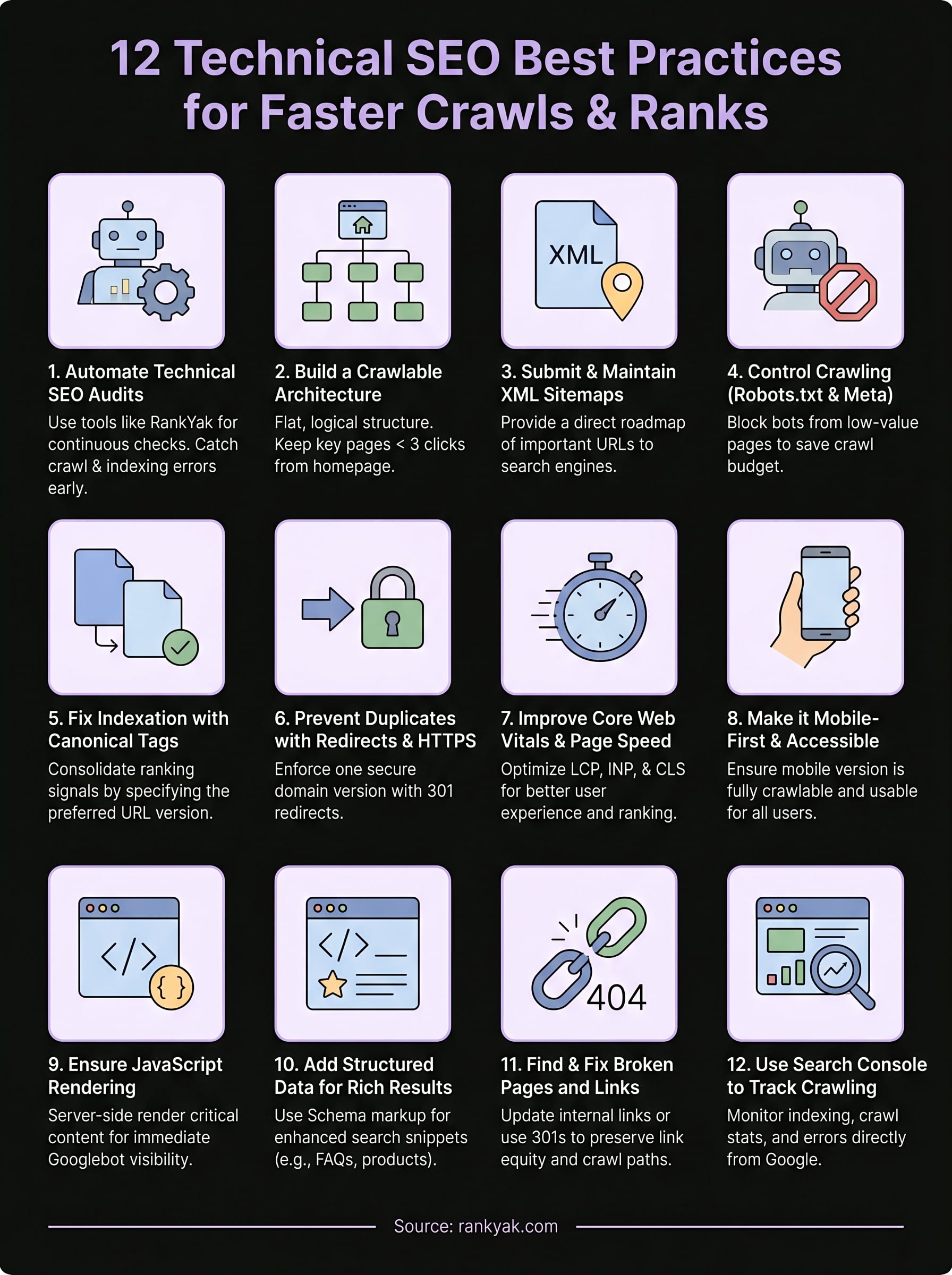
These 12 technical SEO best practices give you a complete infrastructure checklist to work through, from crawl control and sitemaps to Core Web Vitals and structured data. Each one directly affects how efficiently Google discovers, renders, and ranks your pages. Skipping even a few of them creates gaps that quietly suppress your organic traffic while your competitors pull ahead.
Getting the technical foundation right is only half the equation. Your site also needs a consistent stream of well-structured, optimized content published at a pace that builds authority over time. That is where the real compounding growth happens. If you want to handle both sides without hiring an agency or managing a team of writers, try automated daily SEO content and see how it pairs with the technical groundwork you have already put in place. Fix the foundation, then let the content do the work.
