On-Page SEO: What It Is and How to Optimize Your Pages
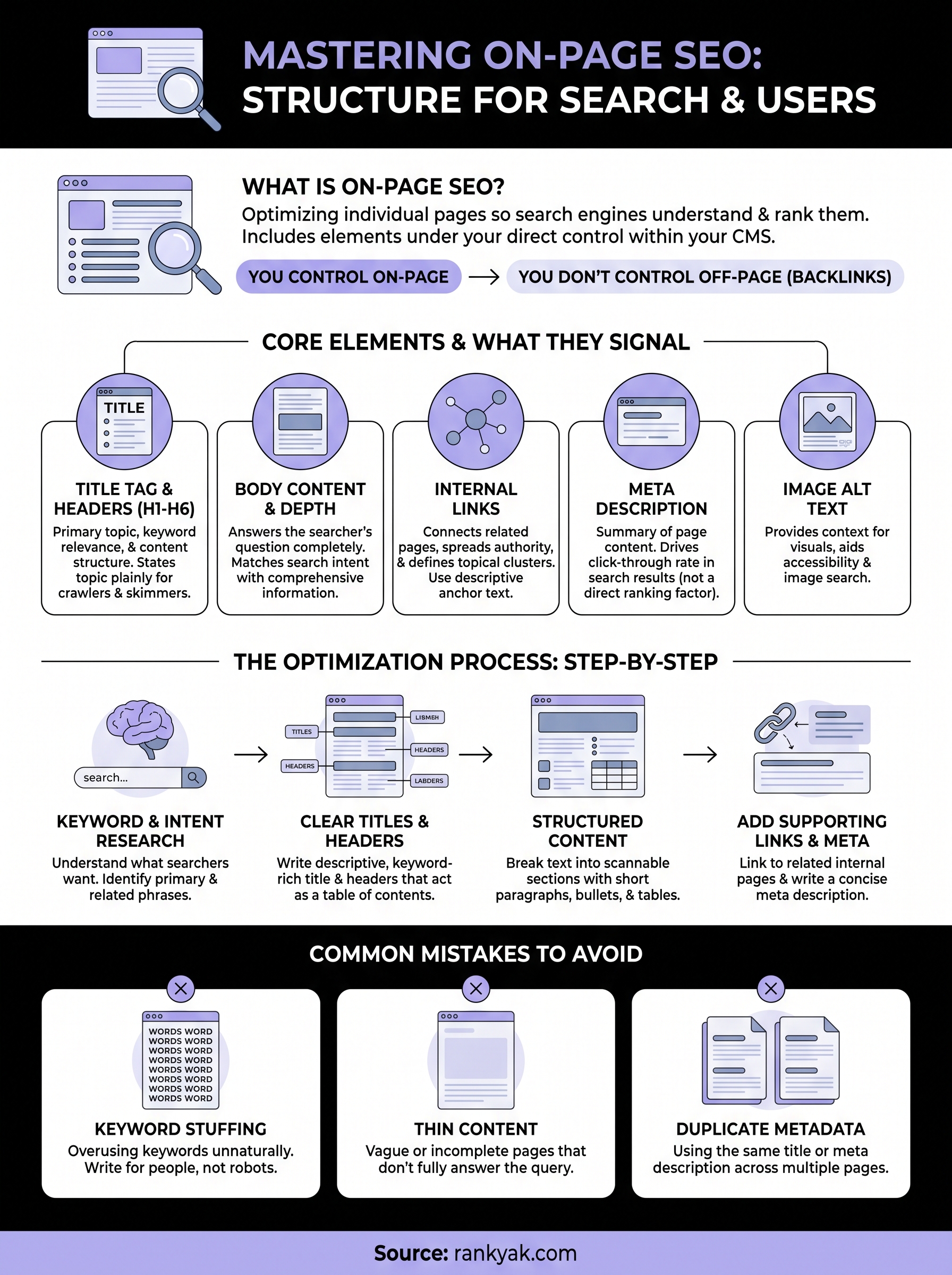
You can publish content every day and still watch your traffic stay flat. Nine times out of ten, the problem isn't your writing, it's what's happening (or not happening) on the page itself. SEO on-page SEO covers every element you control directly on a page: your title tags, headers, content structure, internal links, and how well the page actually answers the searcher's question.
So what does on-page SEO mean, exactly? It's the practice of optimizing individual web pages so search engines understand what they're about and rank them for the right queries. Unlike off-page work like link building, on-page optimization happens entirely within your CMS, meaning you can start improving rankings today without waiting on anyone else.
In this guide, you'll get a practical on-page SEO strategy you can apply immediately: how to structure content around search intent, which HTML elements actually move the needle, and specific on-page SEO optimization techniques for titles, headers, and internal linking. We built RankYak around these exact principles, so consider this the framework behind every article our platform generates.
Why on-page SEO matters for your rankings
Search engines rank pages, not entire websites, which means every page needs its own signals to compete for a query. Google's algorithm parses your title tag, headers, body copy, and internal links to figure out what a page covers and how well it answers a specific search. Skip on-page optimization and you're asking a search engine to guess your topic from context clues buried in unstructured text. Get it right and you hand Google a clear map of your content, exactly what it needs to match your page to the right searcher.
Search engines can't read minds, only pages
Crawlers don't understand nuance the way a human reader does. They rely on structural cues, like an H1 that states your topic plainly, header tags that break content into scannable sections, and schema markup that labels your content type. Structured content tells Google's crawler where the answer lives on a page, which matters more than it sounds. A 2,000 word article with no headers and a vague title competes at a serious disadvantage against a shorter piece organized around the exact phrase people search for.
You control on-page SEO, off-page factors you don't
Off-page SEO depends on other websites deciding to link to you, mention you, or share your content, none of which you can force on a timeline. On-page optimization is the opposite: every element sits inside your CMS, under your control, changeable in minutes. That's why it's the first lever most site owners should pull when rankings stall. You don't need outreach campaigns or months of relationship building to fix a missing meta description or a title tag stuffed with your brand name instead of your target keyword.
Matching content to search intent decides whether you rank at all
Ranking factors mean nothing if your page answers the wrong question. Someone searching "on page seo optimisation" wants a practical breakdown of techniques, not a sales pitch for an agency. Search intent is the filter Google applies before it even looks at your headers or keyword placement, so a beautifully optimized page built around the wrong angle still won't rank for what people actually want.
A perfectly optimized page that answers the wrong question will never outrank a plain page that answers the right one.
The specific factors on-page SEO puts in your hands
Once you understand which elements actually influence rankings, prioritizing your optimization work gets a lot easier. Here's a breakdown of the core factors and what each one signals to search engines:
| On-page element | What it signals to Google | Why it matters |
|---|---|---|
| Title tag | Primary topic and keyword relevance | First thing shown in search results, drives click-through rate |
| H1 and subheadings | Content structure and topic hierarchy | Helps crawlers and readers scan for relevance quickly |
| Body content | Depth and completeness of the answer | Determines whether the page satisfies search intent |
| Internal links | Relationships between pages and topical authority | Distributes ranking power across your site |
| Meta description | Summary of page content | Doesn't directly affect rankings but drives click-through rate |
| Image alt text | Context for visual content | Supports accessibility and image search visibility |
Every row in that table represents something you can adjust today without touching your backlink profile or waiting on external factors. According to Google's own Search Central documentation, well-structured, descriptive content consistently performs better in search because it gives their systems less to guess about. That's the entire premise behind on-page SEO optimization: reduce ambiguity, and you reduce the odds that Google ranks a competitor's page instead of yours for the exact query your business needs to win.
How to optimize your pages for on-page SEO
Knowing the theory behind on-page SEO doesn't help until you apply it to an actual page. Here's the step-by-step process we recommend, the same one RankYak follows when it drafts and structures every article it publishes for customers.
Start with keyword research and a clear search intent match
Before you touch a headline, figure out what someone typing your target phrase actually wants to find. Pull up the current top-ranking pages for your keyword and note whether they're guides, product pages, or comparison lists, because Google has already told you which format wins. Researching keywords properly should point you toward one primary phrase and a handful of related variations to weave into your headers and body copy naturally, not stuff into every sentence.
Write title tags and headers that state the topic plainly
Your title tag is the single highest-leverage element on the page, so optimize the title tag by putting your primary keyword near the front and keeping it under 60 characters so it doesn't get truncated in search results. Headers should read like a table of contents for your topic, and a heading structure check confirms each one signals exactly what the section below covers. This is the core of on page optimization in seo: removing any guesswork about what a page or section addresses.
If a stranger could skim only your headers and understand your entire argument, your header structure is doing its job.
Structure your content for depth and scannability
Break long sections into short paragraphs, use bullet points for lists of steps or specs, and answer the core question within the first 100 words so readers (and Google) don't have to dig for it. A practical checklist for content structure:
- Lead with the direct answer, then expand with detail
- Keep paragraphs to three or four sentences
- Use H2 and H3 tags to break up every 300 to 400 words
- Add tables for comparisons or specs instead of burying data in prose
- Include at least one concrete example or data point per major section
Content that follows this pattern satisfies both a skimming reader and a crawler trying to extract structured information, which is exactly what modern on-page content optimization requires.
Add internal links and optimize supporting elements
Link to two or three related pages on your own site using descriptive anchor text, not generic phrases like "click here." This spreads authority across your site and helps Google understand how your content connects into broader topic clusters. Finish by writing a meta description that summarizes the page in under 155 characters and adding alt text to every image that describes what it actually shows, not just repeats your keyword. Together, these smaller details round out an on page SEO optimization pass that leaves nothing on the table.
On-page SEO examples to guide your strategy
Seeing the difference between a mediocre page and an optimized one makes the abstract advice above concrete. Below are real before-and-after style examples you can compare against your own pages, essentially a mini on page optimization seo tutorial you can copy directly. Each example targets one of the elements covered earlier, so you can see exactly how to do on page optimization in seo without guessing at what "good" looks like.
Title tag transformations
Nothing exposes weak on-page work faster than a vague title tag. Compare the versions below for a page targeting someone running a small bakery who searches for cake decorating tips.
| Before | After |
|---|---|
| Cake Tips - Sweet Treats Bakery | 15 Cake Decorating Tips for Beginners (2026 Guide) |
| Our Services | Custom Wedding Cakes Delivered in Austin, TX |
| Blog Post #47 | How to Store Buttercream Frosting So It Doesn't Melt |
Every "after" version leads with the phrase a real person types into search, states a clear benefit, and drops the generic branding that adds nothing for search engines or readers.
Header structure for a comparison page
Structuring headers around the actual questions a reader has changes how both crawlers and skimmers process a page. A page comparing two project management tools should never bury its verdict under a single generic "Overview" header. Instead, a strong header outline looks like this:
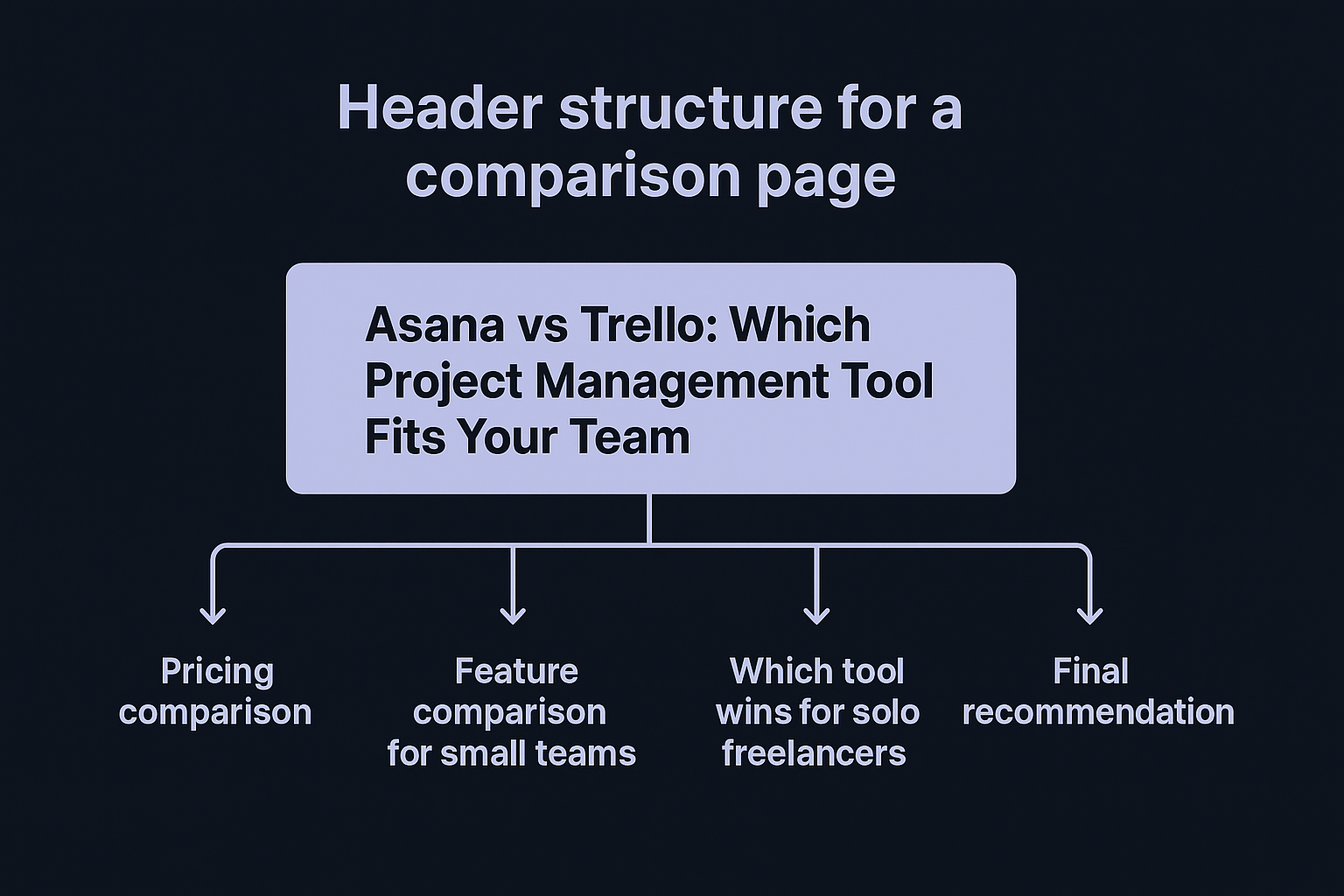
- H1: Asana vs Trello: Which Project Management Tool Fits Your Team
- H2: Pricing comparison
- H2: Feature comparison for small teams
- H2: Which tool wins for solo freelancers
- H2: Final recommendation
A reader scanning only your headers should walk away knowing your conclusion, not just your topic.
Internal linking done right
Internal links work best when the anchor text tells Google, and the reader, exactly what's on the other end. A blog post about seo on page optimisation for ecommerce sites, for example, should link out to a dedicated page on schema markup using anchor text like "how product schema markup helps ecommerce rankings" rather than "read more here." Specificity like that reinforces topical relevance and gives crawlers a clearer signal about how your pages relate to each other, which is a core part of any working on-page seo optimization techniques checklist. Skip this step and even a well-written page ends up isolated, with no clear path telling Google which cluster of content it belongs to.
Common on-page SEO mistakes that hurt rankings
Even experienced site owners repeat the same handful of errors, and each one quietly caps how high a page can rank no matter how much content you publish. Spotting these mistakes on your own pages takes ten minutes and often explains months of flat traffic. Below are the ones we see most often when auditing sites before they switch to a structured on page seo strategy.
Stuffing keywords instead of writing for people
Repeating your target phrase in every other sentence used to work, but modern algorithms flag keyword density that high as manipulative rather than helpful. Google's own guidance on helpful content makes clear that content written primarily to game rankings, rather than serve readers, gets penalized rather than rewarded. Variations and natural phrasing signal expertise; robotic repetition signals the opposite.
Publishing thin pages that never fully answer the question
Thin content is the single biggest reason otherwise well-optimized pages stall on page two. A 400-word page that touches a topic without answering the follow-up questions a reader actually has will lose to a competitor who covers the full picture, even if that competitor has fewer backlinks.
No amount of keyword placement fixes a page that doesn't fully answer what the searcher came to find.
Leaving titles and meta descriptions duplicated across pages
Running the same title tag or meta description across dozens of pages confuses search engines about which page should rank for a given query, so audit your meta tags in bulk before it kills your click-through rate in results where every listing looks identical. Quick fixes worth checking across your site:
- Search Console for duplicate title tag warnings under the Pages report
- Templated CMS titles that never got customized per page
- Meta descriptions left blank, letting Google auto-generate a weak snippet
- Category and tag pages competing with your main content for the same keyword
Skipping internal links and orphaning new content
Orphan pages, ones with zero internal links pointing to them, sit outside your site's structure for SEO and are nearly invisible to crawlers no matter how good the content is. Publishing a new article and never linking to it from existing pages wastes the work you put into writing it. Every new page needs at least one link from an established page on your site to signal it's part of your content structure, not a standalone afterthought.
Ignoring page speed and mobile rendering
Google indexes and ranks based primarily on the mobile version of your site, so a page that loads slowly or renders awkwardly on a phone undermines every other optimization you've made, which is why mobile SEO best practices come first. Compressing images, minimizing render-blocking scripts, and testing your layout on an actual phone, not just a resized browser window, catches problems before they cost you rankings on on-page seo optimization work you already did correctly elsewhere.
Putting on-page SEO into practice
None of the techniques above require a redesign or a new tool budget, just a page-by-page audit against the checklist you now have. Fix your title tags, tighten your header structure, add the internal links you've been skipping, and you'll see movement before you touch a single backlink. On-page SEO rewards the sites willing to do this unglamorous work consistently, not the ones chasing the next algorithm trick.
The hard part isn't knowing what to fix, it's finding the hours to fix it across dozens or hundreds of pages every month. That's the gap RankYak closes: every article it drafts already applies these on-page optimization principles, from keyword-matched titles to structured headers and internal linking, before it ever reaches your CMS. If you're managing this across client sites rather than just your own, RankYak's workspace for client sites shows how much of this you can hand off entirely.
Allan de Wit is a co-founder of RankYak and has worked in SEO since 2015: inside agencies, alongside them, for clients directly, and in-house on the products being ranked. He came to it as a software engineer building for marketers, which is why the platform is built the way it is. He went on to start companies of his own, two of which were acquired. At RankYak he sets the product direction and owns the features, the quality bar, the design, and the UX.
