
How to Optimize Content for SEO: A Step-by-Step Guide

Publishing content without a plan is like throwing darts blindfolded, you might hit the board occasionally, but you're wasting most of your effort. Knowing how to optimize content for SEO is what separates pages that attract consistent organic traffic from those buried on page five. The problem? Most guides either oversimplify the process or drown you in outdated tactics that no longer move the needle with Google's ranking systems.
This guide breaks the process into clear, repeatable steps, from aligning with search intent and placing keywords strategically, to structuring your content so both readers and search engines can follow it. You'll also learn how to handle on-page elements like meta tags, internal links, and readability, plus newer considerations like making your content visible in AI-powered search platforms such as ChatGPT and Perplexity.
At RankYak, we automate this entire workflow, keyword discovery, content creation, optimization, and publishing, so your site grows on autopilot. But whether you're doing it manually or letting our platform handle it for you, understanding the fundamentals matters. It helps you make smarter decisions, evaluate what's working, and build a content engine that compounds over time. Let's get into it.
What content optimization means in 2026
Content optimization used to mean sprinkling keywords into your text and calling it done. In 2026, the bar is significantly higher. Google's ranking systems now evaluate dozens of signals simultaneously, from how thoroughly you cover a topic to whether your page loads fast on a mobile device. If you want to know how to optimize content for SEO today, you need to understand that optimization is a system, not a single action you take before hitting publish.
From Keyword Density to Topic Coverage
The old rule was simple: use your keyword a certain number of times per 100 words. That metric is largely irrelevant now. Google's natural language processing has advanced to the point where it understands synonyms, related concepts, and the intent behind a query. A page that mentions "running shoes" 20 times but never discusses fit, cushioning, or terrain types will lose to a page that covers the full topic with depth and context.
What this means for you is that topic coverage beats keyword frequency. Before writing, map out every subtopic, question, and related concept your target reader would reasonably want answered. Google's People Also Ask feature gives you a free window into what real users are searching for. Your goal is to become the most useful resource on that topic, not just the one that repeats the target phrase most often.
Comprehensive topic coverage signals authority to Google more reliably than keyword repetition ever did.
The Role of AI Search in Your Strategy
Search behavior has shifted. A growing number of users now ask questions directly in AI platforms like ChatGPT, Perplexity, and Google's AI Overviews, and those systems pull answers from web content. Showing up in AI-generated responses requires the same core principles as ranking in traditional search: clear structure, authoritative sourcing, and direct answers to specific questions.
Practically, this means formatting your content with clear headings, concise definitions, and factual statements that AI systems can extract and cite. If your article answers "what is X" or "how does Y work," put the direct answer in the first one or two sentences under that heading. AI crawlers reward content that is scannable and self-contained, so structure is not optional.
Why Technical Quality and Content Work Together
You cannot separate the content itself from the technical environment it lives in. Page speed, mobile usability, and Core Web Vitals directly affect how Google ranks your content, because a slow or broken page creates a poor experience regardless of how well-written the article is. Google measures signals like Largest Contentful Paint (LCP) and Interaction to Next Paint (INP) to assess real-world page performance.
Strong writing quality and a solid technical setup must reinforce each other. A well-optimized article sitting on a slow server, with broken images and no internal links, will still underperform against a technically sound competitor. This is why modern content optimization treats the page as a complete unit: the words, the structure, the metadata, the visuals, and the underlying performance all feed into your final ranking position.
What Google Actually Rewards
Google's helpful content guidelines make the goal clear: create content primarily for people, not for search engines. This means demonstrating real experience, citing credible sources, and giving readers a complete answer so they do not have to search again. E-E-A-T (Experience, Expertise, Authoritativeness, and Trustworthiness) is not a checklist you complete once; it is a standard your entire site must consistently meet across every published page.
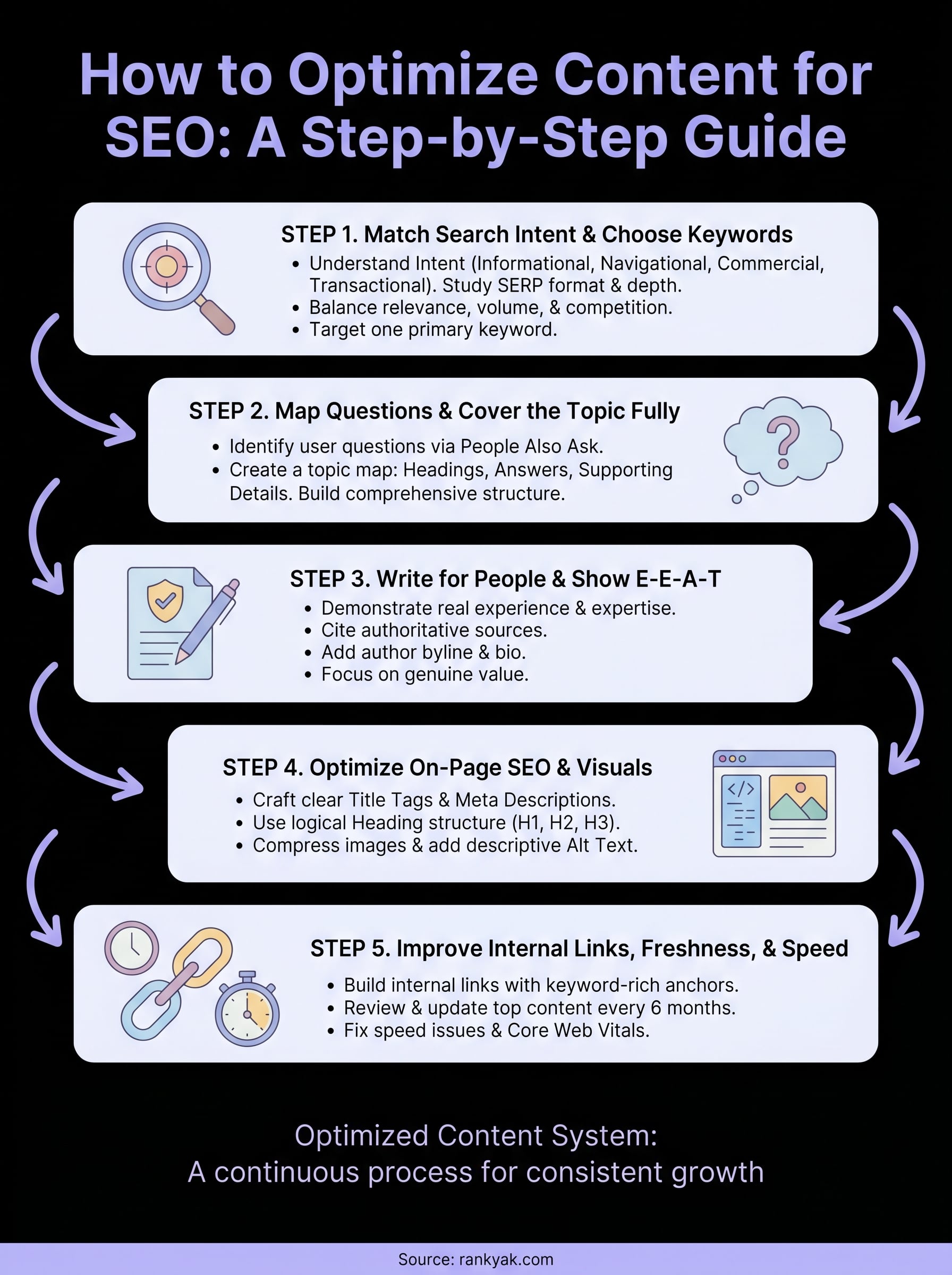
Step 1. Match search intent and choose keywords
Every piece of content starts with one question: what does the person searching this keyword actually want? Search intent is the reason behind a query, and if your page does not match it, no amount of keyword optimization will save your rankings. Google groups intent into four categories: informational (want to learn), navigational (want to find a site), commercial (want to compare), and transactional (want to buy). Knowing which category your keyword falls into tells you what format and depth your content needs.
Identify the Intent Behind Your Target Query
The fastest way to check intent is to search the keyword yourself and study the first page of results. If the top results are all listicles, your page should probably be a list. If they're detailed how-to guides, match that structure. Google already tested what works for that query, and the SERP layout reflects it. Ignore this signal and you are fighting an uphill battle before you write a single word.

Pay close attention to the content format, length, and angle of the top-ranking pages. A keyword like "how to optimize content for SEO" returns step-by-step guides, which tells you the reader wants actionable instructions. A keyword like "best content optimization tools" returns comparison articles, signaling a commercial audience that wants to evaluate options before deciding. Match the format the SERP shows you, not the format you assumed would work.
Matching search intent is the single most important step you can take before writing a word of your content.
Choose Keywords with the Right Signals
Once you understand intent, pick keywords that give your content a realistic path to ranking. Look for a combination of relevance, search volume, and competition level rather than chasing the highest-volume terms in your niche. A keyword with 500 monthly searches and low competition will drive more traffic than a keyword with 50,000 searches where every top result is a major brand with thousands of backlinks.
Use the following checklist when evaluating a keyword:
- Relevance: Does it directly match what your page covers?
- Intent fit: Does your planned content format match what the SERP shows?
- Competition: Can your site realistically compete based on current domain authority?
- Supporting keywords: Are there related terms and questions you can naturally include?
Targeting one primary keyword per page keeps your focus sharp and helps search engines understand exactly what the content covers, which reduces keyword cannibalization across your site.
Step 2. Map questions and cover the topic fully
Ranking well requires more than targeting the right keyword. You need to cover the topic with enough depth that both readers and search engines see your page as the most complete resource available. When you learn how to optimize content for SEO at this level, you stop writing around a single phrase and start building a comprehensive answer to everything your target reader would reasonably want to know.
Find the Questions Your Readers Are Already Asking
Google surfaces what users want through features like People Also Ask, autocomplete, and related searches. These are free signals that show you exactly which questions real people type into the search bar around your topic. Open an incognito browser, search your primary keyword, and write down every question and related phrase you see before you outline your article.
The questions Google surfaces in People Also Ask and autocomplete are a direct map to what your audience still needs answered after their first search.
Here are the sources to mine for questions before you write:
- People Also Ask: Expand each question to reveal deeper follow-up questions
- Autocomplete suggestions: Type your keyword and note every variation Google completes
- Related searches: Scroll to the bottom of the results page for eight additional keyword variations
- Reddit and forums: Search your topic on Reddit to find how real users phrase their questions in their own words
Build a Topic Map Before You Write
Once you have your list of questions, organize them into a logical content structure before writing a single sentence. Group related questions under the same heading, remove duplicates, and sequence the sections so each one builds on the previous. This process turns a scattered keyword list into a clear outline that covers the topic completely.
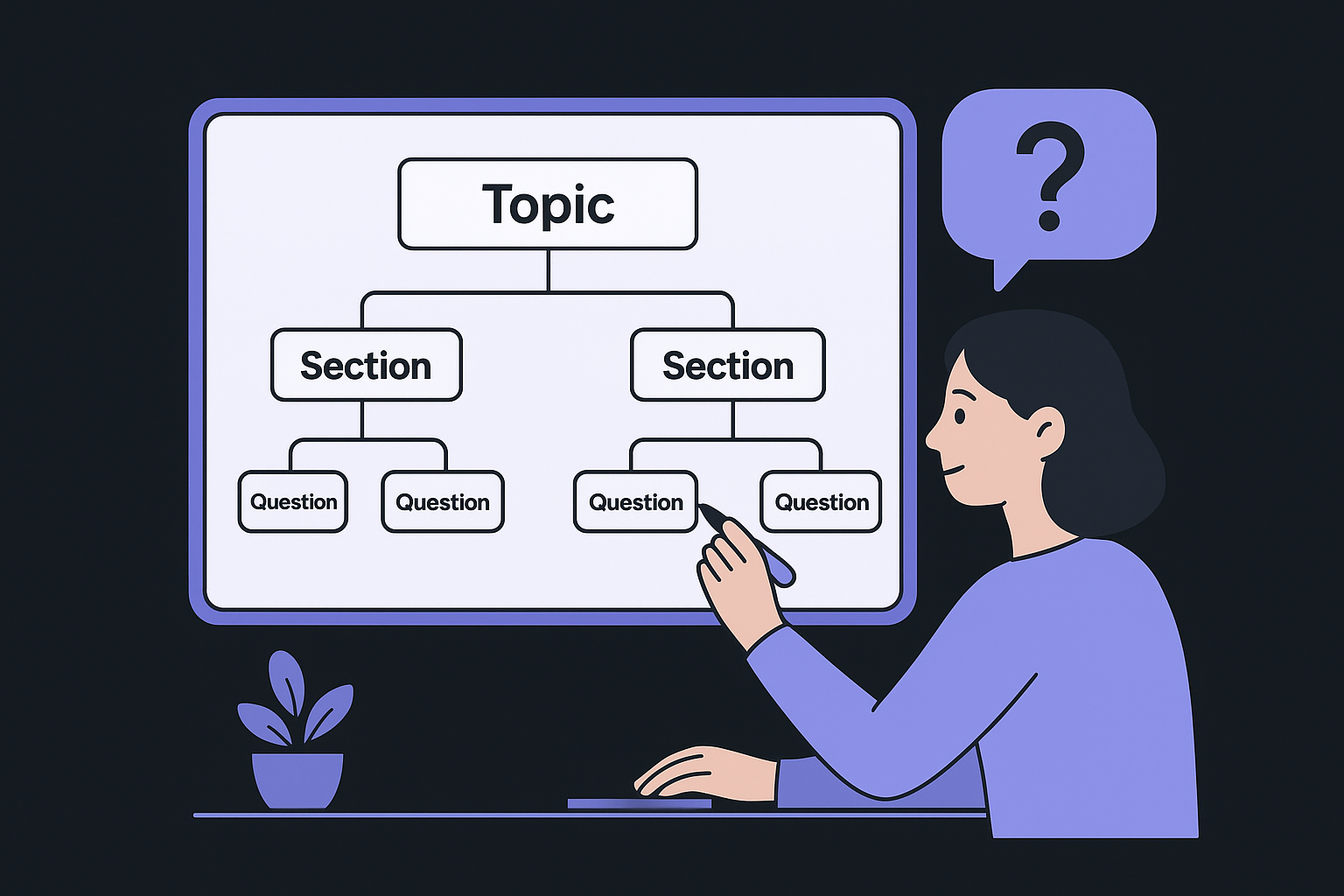
Use a simple table to map out your content before drafting:
| Section heading | Question it answers | Supporting detail needed |
|---|---|---|
| What is X | Definition and context | Example, statistic, or comparison |
| How to do Y | Step-by-step process | Numbered list or visual |
| Common mistakes | What to avoid | Brief explanations |
| FAQ | Leftover reader questions | Short, direct answers |
Filling in this table takes ten minutes and prevents the most common gap in content coverage: writing at length without actually answering what your reader came to find. A topic-mapped article also tends to earn more featured snippets, because Google can clearly identify which section directly answers which query.
Step 3. Write for people and show E-E-A-T
Writing for people sounds obvious, but most content fails this test. Pages loaded with keyword repetition and generic statements tell Google nothing about the author's expertise or reliability. When you learn how to optimize content for SEO properly, you realize that demonstrating genuine knowledge on the page is just as important as any technical adjustment. Google's systems are designed to identify content that shows real experience, authoritative sourcing, and consistent trustworthiness, and they reward pages that clear those bars.
Content that genuinely helps a reader finish their task will always outperform content that was written primarily to rank.
Demonstrate Real Experience in Your Content
Your writing needs to show that you or your team has actually worked with the topic, not just researched it. Specific details, original observations, and concrete examples signal first-hand experience in ways that generic summaries cannot. If you're writing about content optimization, reference specific outcomes, name the platforms you used, and explain what you tried that did not work. Vague claims like "this strategy improves rankings" carry far less weight than "after restructuring our headings and adding an FAQ section, the page moved from position 11 to position four within six weeks."
Use this checklist to add E-E-A-T signals to your content before publishing:
- Author byline: Include the author's name and link to an author bio page
- First-hand examples: Add at least one specific case, result, or real-world observation
- Cited sources: Link to authoritative references from recognized organizations like Google Search Central when you make factual claims
- Publication and update dates: Show readers when the content was written and last reviewed
- Credentials or context: Briefly note the background that qualifies the author to write on this subject
Build Trust Through Transparent Authorship
Readers and search engines both respond to clear authorship signals. If your content carries no byline, no author bio, and no indication of who wrote it or why, you are leaving trust on the table. Add a short author description at the bottom of each article that mentions relevant experience and the topics they cover regularly. Even a two-sentence bio builds more credibility than an anonymous post.
Your site's About page also plays a role. A clear, specific description of your site's purpose and the people behind it gives Google additional context for evaluating whether your content is produced by a credible source on the topic.
Step 4. Optimize on-page SEO and visuals
On-page SEO covers the elements within your page that signal to Google what your content is about and how relevant it is to a given query. When you know how to optimize content for SEO at the on-page level, you control the strongest direct ranking signals available to you: title tags, meta descriptions, heading structure, and image attributes. Getting these right before you publish takes less than 30 minutes per page and makes a measurable difference in how search engines interpret your content.
Write Title Tags, Meta Descriptions, and Headings That Work
Your title tag is the single most important on-page SEO element. Keep it under 60 characters, include your primary keyword near the front, and write it so the benefit to the reader is immediately clear. Your meta description does not directly affect rankings, but a well-written one improves click-through rate, which drives more traffic from the same position. Keep it under 155 characters, include the keyword naturally, and give the reader a specific reason to click your result over the others.
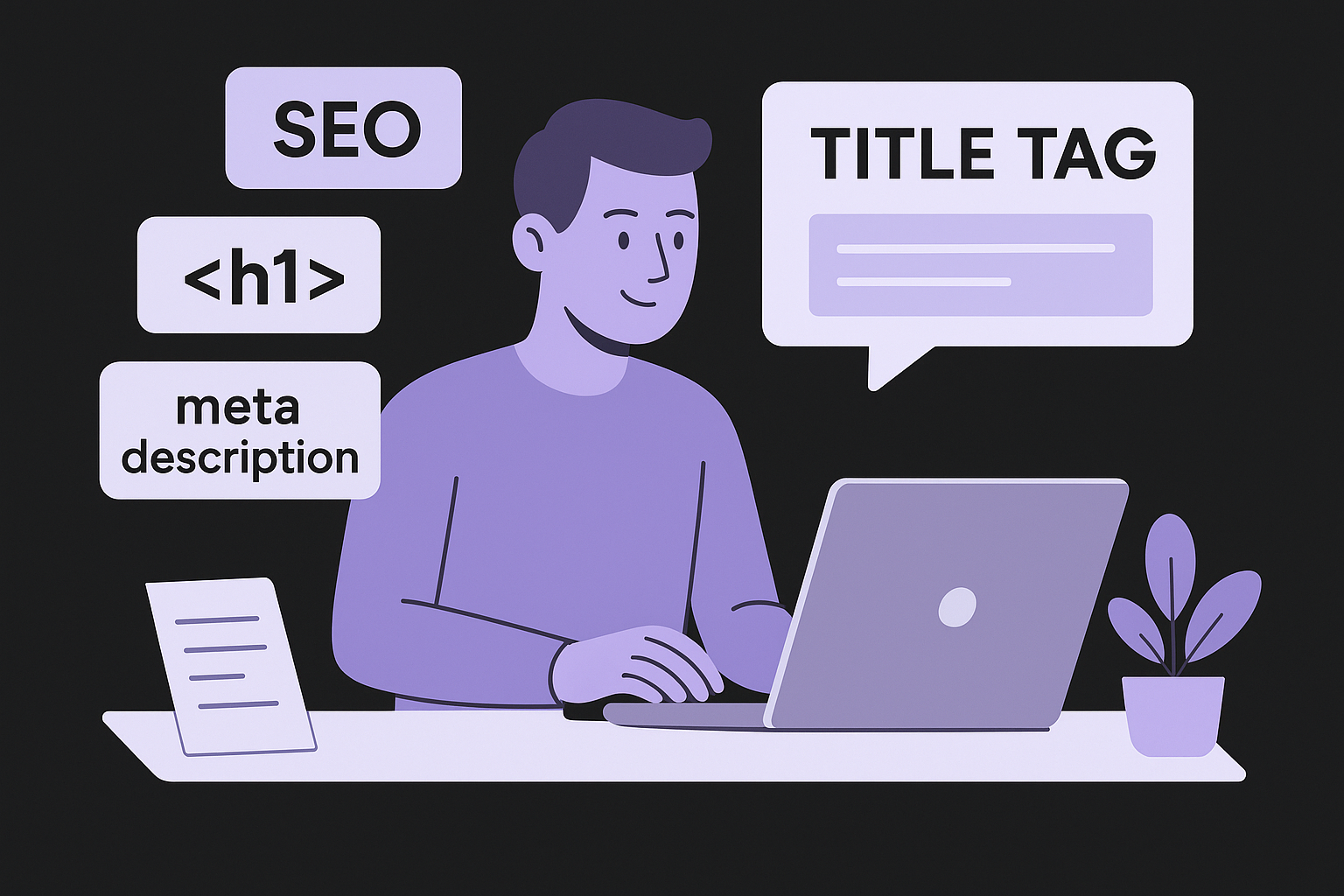
A title tag that front-loads the keyword and states a clear benefit consistently outperforms a clever or vague title in search results.
Use this template as a starting point for every page you publish:
Title tag:        [Primary keyword] + [specific benefit or differentiator] | [Brand]
                  Example: How to Optimize Content for SEO: A Step-by-Step Guide | RankYak

Meta description: [Direct value statement with keyword] + [call to action]
                  Example: Learn the exact steps to optimize your content for SEO, from
                  keyword placement to on-page structure. Start ranking higher today.

H1:               Matches the title tag closely (can be identical)
H2s:              Cover each major subtopic using related keywords naturally
H3s:              Break down steps, questions, or details under each H2
Compress and Tag Your Visuals Properly
Uncompressed images slow your page down and hurt both user experience and rankings. Use WebP for photos and SVG for graphics wherever possible, since both deliver smaller file sizes without visible quality loss. Every image also needs descriptive alt text that tells search engines what the image shows, which supports both accessibility and image search visibility.
Follow these rules for every image you add:
- File name: Use descriptive words separated by hyphens, not "image001.jpg"
- Alt text: Describe the image in plain language and include the keyword only if it fits naturally
- File size: Compress images below 100KB before uploading to keep load times fast
- Dimensions: Set display dimensions in your HTML or CSS to prevent layout shifts during page load
Step 5. Improve internal links, freshness, and speed
The final layer of knowing how to optimize content for SEO involves three elements most publishers overlook after hitting publish: internal links, content freshness, and page speed. Each one sends Google a signal about how well your site is maintained and how useful your content remains over time. Neglecting any of these three after the initial publish date means you leave ranking potential on the table that your competitors are actively collecting.
Build Internal Links That Guide Readers and Search Engines
Internal links do two jobs at once: they help readers find related content on your site, and they pass authority between pages so your strongest content lifts the pages that need support. Every new article you publish should link to at least two or three existing pages, and those existing pages should link back to your new content where relevant. Anchor text matters: use descriptive phrases that reflect the target page's topic rather than generic phrases like "click here" or "read more."
Follow these rules when adding internal links:
- Link from high-traffic pages: Pages that already rank send more authority through their outbound links
- Use keyword-rich anchor text: Match the anchor text to the target page's primary keyword naturally
- Limit links per page: Aim for 3 to 8 internal links per article to keep the page focused
- Check for broken links regularly: A broken internal link wastes crawl budget and frustrates readers
Internal links are one of the fastest ways to improve rankings on pages stuck just outside the top five results.
Update Existing Content and Fix Speed Issues
Content that stays stale for 12 months or more starts losing rankings as fresher pages move in. Set a schedule to review your top 20 pages every six months and update any statistics, examples, or instructions that no longer reflect current reality. Changing the date alone without updating the substance does nothing: Google's systems detect whether the content itself changed, not just the timestamp at the top of the page.
Page speed ties directly into your rankings through Core Web Vitals, which Google uses as a ranking signal. Run your pages through Google PageSpeed Insights to find specific issues like render-blocking scripts, oversized images, or unused CSS. Fix the highest-impact items first, since reducing Largest Contentful Paint by even one second can push a borderline page into a score range that supports stronger, more stable rankings.
Wrap it up and keep improving
Knowing how to optimize content for SEO gives you a repeatable system rather than a one-time fix. Each step in this guide builds on the previous one: match intent, cover the topic fully, demonstrate real expertise, nail your on-page elements, and maintain the page after it publishes. None of these steps work in isolation, and skipping any one of them creates a gap that a competitor will eventually fill.
The work does not stop after you hit publish. Set a review schedule, track your rankings through Google Search Console, and update your top pages every six months to keep them relevant and competitive. Small, consistent improvements compound over time, and steady attention to your content library separates sites that grow from sites that plateau.
If you want this entire process running on autopilot, start your free trial with RankYak and let the platform handle keyword research, content creation, and publishing for you every single day without manual effort.

Get Google and ChatGPT traffic on autopilot.
Start today and generate your first article within 15 minutes.

SEO revenue calculator
How much revenue is your website leaving on the table?
Take a quick quiz and see exactly how much organic revenue you're missing out on, along with personalized tips to fix it.
-
4 questions, under 1 minute
-
See traffic and revenue potential
-
No email required
Free · takes 1 minute · no signup needed
Question 1 of 4
Question 2 of 4
Question 3 of 4
Question 4 of 4
Your SEO growth potential
Extra visitors / month
after 6-12 months of consistent publishing
Revenue potential / year
at your niche's avg. conversion rate
Articles needed (12 mo)
to reach this traffic level
ROI with RankYak
at $99/mo ($1,188/year)
To hit that number, you'd need to:
- Build a topical authority strategy for your niche
- Research keywords & map out a full topical cluster
- Write, edit & publish an article every single day
- Build backlinks to the articles you publish
RankYak handles all of this automatically, every day.
* Estimates based on industry averages. Results vary by niche, competition, and domain authority. Most SEO results become visible after 3-6 months of consistent publishing.