How To Avoid Keyword Cannibalization And Protect Rankings
You publish article after article, targeting what seem like the right search terms, but your rankings barely move. Worse, pages that used to perform well start slipping. The culprit is often hiding in plain sight: your own content is competing against itself. Knowing how to avoid keyword cannibalization is one of the most overlooked skills in SEO, and ignoring it can quietly erode the rankings you've worked hard to build.
Keyword cannibalization happens when multiple pages on your site target the same (or very similar) search terms, forcing Google to choose between them. Instead of one strong page ranking well, you end up with two or more weak pages splitting authority, clicks, and relevance signals. It's a problem that compounds over time, especially for sites that publish content consistently without a clear keyword strategy in place.
This guide walks you through how to spot cannibalization on your site, fix existing conflicts, and set up systems that prevent it from happening again. You'll learn practical techniques like keyword mapping, content auditing, and strategic internal linking. It's also exactly the kind of problem that RankYak's automated content planning is built to solve, by assigning distinct keyword targets to every article it generates, so your pages work together instead of competing against each other.
What keyword cannibalization is and when it matters
Keyword cannibalization occurs when two or more pages on your website target the same search query and end up competing for the same ranking position. Google's crawlers find both pages, recognize they serve similar intent, and struggle to decide which one deserves to rank. The result is that neither page performs as well as it could if all the authority, backlinks, and relevance signals were concentrated in a single, well-optimized URL.
When Google has to choose between your own pages, you've already lost control of which one ranks.
How Google picks between competing pages
Google doesn't flip a coin when it encounters two similar pages. It evaluates dozens of signals: which page has stronger backlinks, which one earns more clicks in search results, which one other pages on your site link to most often, and which one Google's crawlers index consistently. The problem is that these signals can shift unpredictably, causing your rankings to fluctuate even when you haven't changed anything. One page might rank this week, a different page next week, and your overall visibility drops because neither page builds consistent momentum.
Understanding this mechanism is what makes knowing how to avoid keyword cannibalization so valuable. When your pages send mixed signals, Google distributes ranking credit across both instead of concentrating it on one strong URL. You end up with two underperforming pages, and no amount of on-page optimization will fix the underlying structural conflict between them.
When cannibalization actually hurts your site
Not every instance of overlapping keywords is a serious problem. If you have a product page and a blog post that both mention "running shoes," that's normal content overlap, not cannibalization. The issue becomes significant when both pages are genuinely competing for the same primary keyword and targeting the same search intent.
Here are the situations where cannibalization causes real ranking damage:
- Multiple posts targeting identical queries: Two blog articles both optimized for "best project management software for small teams" will split click-through rates and link equity between them.
- Service pages overlapping with blog content: A page selling "email marketing services" and a blog post titled "email marketing services for startups" often confuse Google about which URL to prioritize.
- Paginated content without canonical tags: Category or archive pages that share keywords with individual posts can quietly cannibalize your best-performing content over time.
- Location pages with duplicated copy: City-specific pages built with nearly identical text and the same primary keyword trigger cannibalization across your entire location set.
Recognizing these specific patterns early is far more effective than trying to recover rankings after the damage is done. Proactive keyword management is how you stay ahead of the problem rather than scrambling to untangle it months later when traffic has already declined.
Step 1. Confirm you have a cannibalization problem
Before you fix anything, you need hard evidence that cannibalization is actually occurring on your site. Many site owners restructure content based on gut feeling, which wastes time and can introduce new issues. Google Search Console is the fastest free starting point to confirm the problem without spending money on third-party tools.
Check Google Search Console for ranking overlaps
Open Google Search Console, navigate to Search Results, and filter by a keyword you suspect is causing trouble. Click on that query, then switch to the Pages tab. If you see more than one URL appearing for the same query, you have confirmed cannibalization. Note which URL earns more impressions and which earns more clicks, because that data will directly inform the fix you choose.
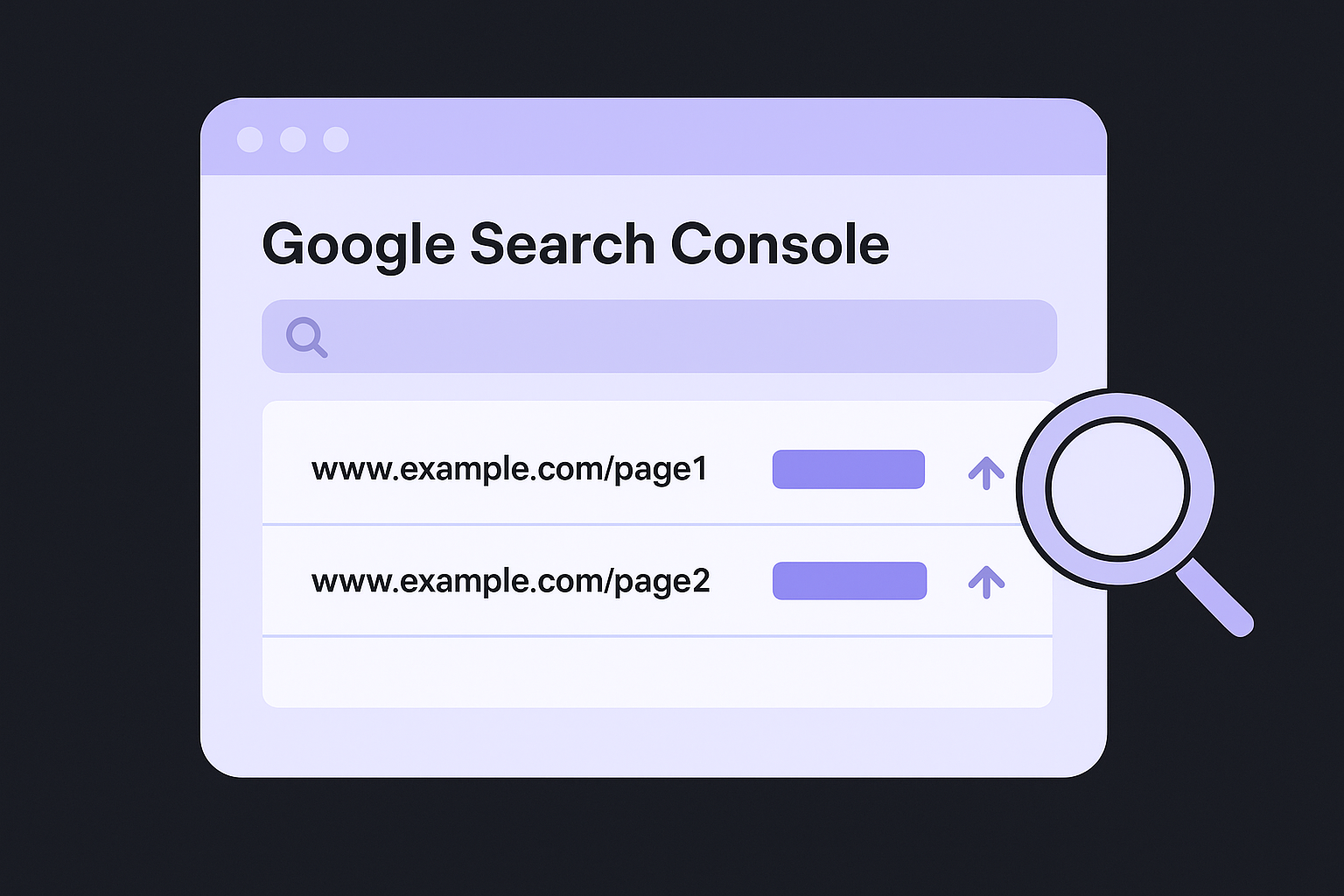
Two URLs competing for one query is the clearest sign that Google cannot decide which page deserves to rank.
Watch for these patterns in the data:
- Multiple URLs listed under one query in the Pages tab
- Fluctuating average position on a query where you have made no recent changes
- Low click-through rate on a high-impression query, often caused by Google alternating between two pages
Run a site search to surface duplicate targets
A Google site search gives you a quick visual snapshot of which pages Google associates with a specific term. Type the following directly into Google's search bar:
site:yourdomain.com "target keyword phrase"
Replace yourdomain.com with your actual domain and insert the keyword you want to audit. If two or more of your pages appear in the results, Google treats both as relevant to that term. Work through your most important keywords one by one and log your findings in a spreadsheet with three columns: keyword, competing URLs, and current average position. That spreadsheet becomes your record of pages competing for the same searches, and it tells you exactly how far the problem extends before you start making any changes. Knowing the full scope upfront is central to understanding how to avoid keyword cannibalization at scale.
Step 2. Choose the right fix for each URL
Once your audit identifies competing URLs, your next move is selecting the right resolution method for each conflict, the same judgment an automated site audit applies when it proposes a fix for every weak page. Not every cannibalization problem calls for the same fix. Choosing the wrong approach can strip ranking signals from a page that was actually performing well, so understanding your options before acting saves you from creating new problems while solving old ones.
The fix you choose should match the relationship between the competing pages, not just the severity of the traffic drop.
Four fixes and when to use each
Each cannibalization scenario maps to a specific remedy. Use this table to match your situation to the correct action:
| Situation | Fix | How |
|---|---|---|
| One page clearly outperforms the other | 301 redirect | Redirect the weaker URL to the stronger one |
| Both pages cover the same topic with thin content | Consolidate | Merge both into one comprehensive page |
| A page serves a purpose but shouldn't rank for that query | Canonical tag | Point the canonical to the primary URL |
| Pages target similar keywords but serve different intent | Differentiate | Rewrite each page to address a distinct search goal |
Pick the winning URL before you act
Before you redirect or rewrite anything, identify which URL should survive the process. Pull your cannibalization audit spreadsheet and compare the two competing pages across three metrics: total backlinks pointing to each URL, average click-through rate from Search Console, and the number of internal links each page currently receives. The URL that wins on at least two of these three metrics is your keeper.
If both URLs score roughly equal across all metrics, default to the page with the stronger backlink profile, since reclaiming that link equity through a redirect is far easier than rebuilding it from scratch. This decision process is one of the most practical parts of learning how to avoid keyword cannibalization, because it forces you to evaluate pages on real performance data rather than assumptions about which one you think deserves to rank.
Step 3. Implement fixes without losing SEO value
Executing changes correctly is just as important as choosing the right fix. A poorly implemented redirect or a missing canonical tag can strip ranking signals from the page you're trying to protect, undoing all the work you put into your audit. Every fix you make should preserve the SEO value that your affected URLs have already built up, so the authority transfers cleanly rather than evaporating.
Moving link equity and ranking signals cleanly depends entirely on how you implement the fix, not just which fix you choose.
Set up 301 redirects that pass link equity
A 301 redirect tells both users and Google that a page has permanently moved to a new URL. Done correctly, it transfers the majority of ranking signals, including backlinks, from the old URL to the new one, and you can trace the full redirect chain afterward to confirm nothing loops or stalls on the way. If you run your site on Apache hosting, add the redirect directly to your .htaccess file rather than relying on a plugin, since server-level redirects are faster and more reliable:
Redirect 301 /old-page-slug/ https://yourdomain.com/new-page-slug/
After adding the redirect, open Google Search Console and use the URL Inspection tool to request indexing on the destination URL. This prompts Google to re-crawl and update its index faster than waiting for its next scheduled pass.
Add canonical tags to resolve intent conflicts
When two pages need to coexist but one should receive primary ranking credit, a canonical tag is the right tool, and it pays to follow canonical tag best practices when you set it up. Place this tag in the <head> section of the page you want Google to treat as secondary:
<link rel="canonical" href="https://yourdomain.com/primary-page-slug/" />
The URL inside the href attribute must point to your preferred ranking page, something you can confirm with a bulk canonical tag check once the tag is live. Knowing how to avoid keyword cannibalization means understanding that canonical tags guide Google rather than force it, so pair each canonical with strong internal links pointing to the primary URL. That combination sends a consistent directive across both technical and contextual signals.
Step 4. Prevent it with a keyword map and process
Fixing existing conflicts is only half the work. The other half is making sure you never create new ones. A keyword map is the simplest system you can build to track which page owns which query, and it takes about 30 minutes to set up initially. Without one, every new article you publish is a gamble on whether it overlaps with content you've already created.
Build a keyword map in a spreadsheet
Your keyword map is a living document that connects every important keyword on your site to exactly one URL, and generating a topical map of pillars and supporting articles gives you a head start on filling it in. Open a spreadsheet and create these five columns:
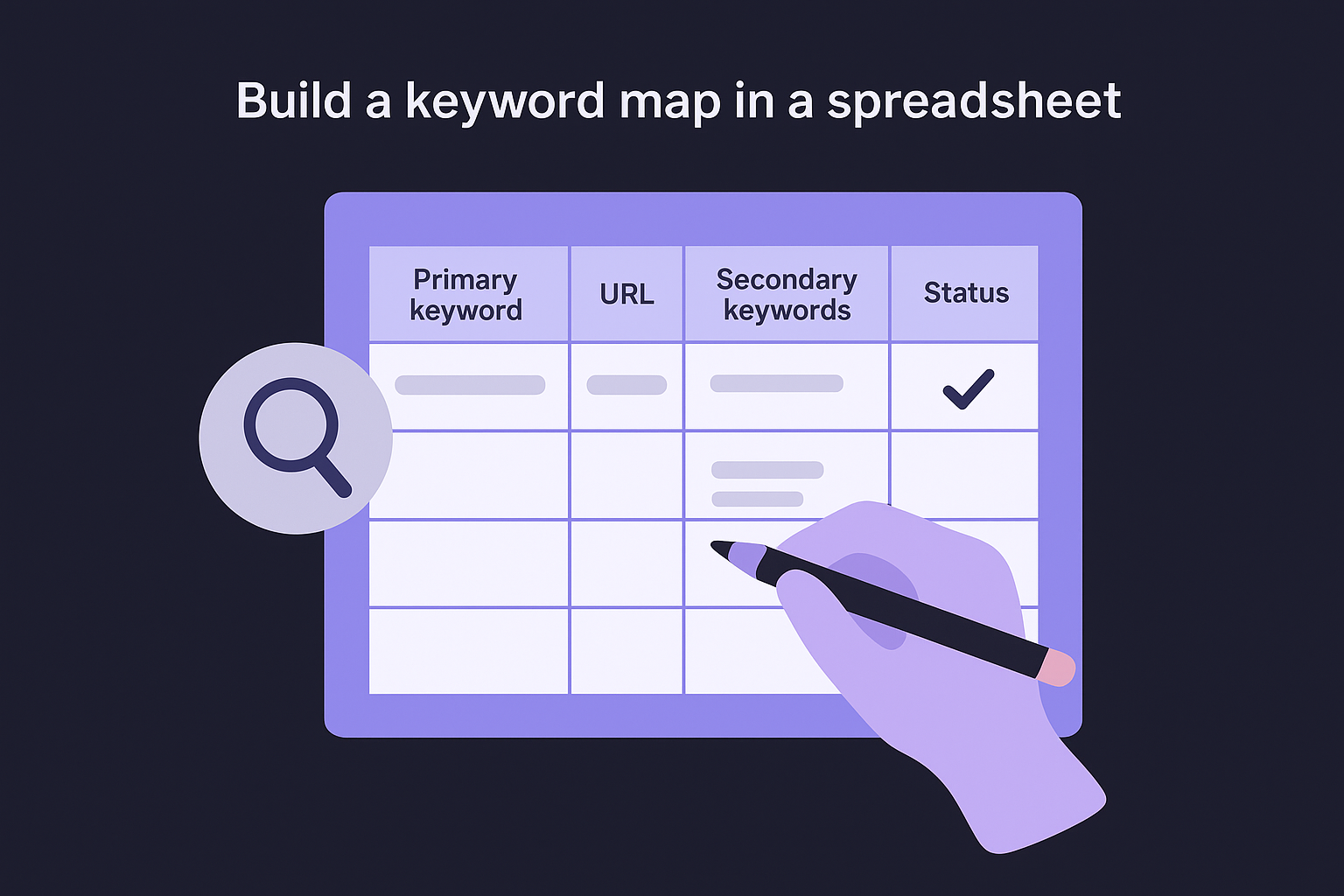
| Column | What to record |
|---|---|
| Primary keyword | The exact query you want this page to rank for |
| URL | The page that owns this keyword |
| Secondary keywords | Related terms the same page also targets |
| Status | Published, Draft, or Planned |
| Date last audited | When you last confirmed no new page conflicts with this one |
Fill in every existing page first, then check each new keyword against the map before you assign it to a new article. If the keyword already appears in the document, you know that topic is taken and you need to either differentiate the angle substantially or skip the idea entirely.
Set a one-keyword-one-URL rule for every new piece of content
Assign one primary keyword to one URL, and never let two pages share the same primary target; grouping your keyword list into the clusters one article can rank for makes that assignment obvious. This rule is the core of knowing how to avoid keyword cannibalization before it starts, because it forces a decision at the planning stage rather than the cleanup stage. Before any new article goes into production, verify it against your keyword map first.
Prevention at the planning stage costs far less time than rebuilding rankings after Google has already split your authority across two competing URLs.
Run a quick review of your keyword map every quarter. Remove retired pages, update any URLs that have changed, and flag primary keywords that appear more than once so you can resolve those conflicts before they affect your traffic.
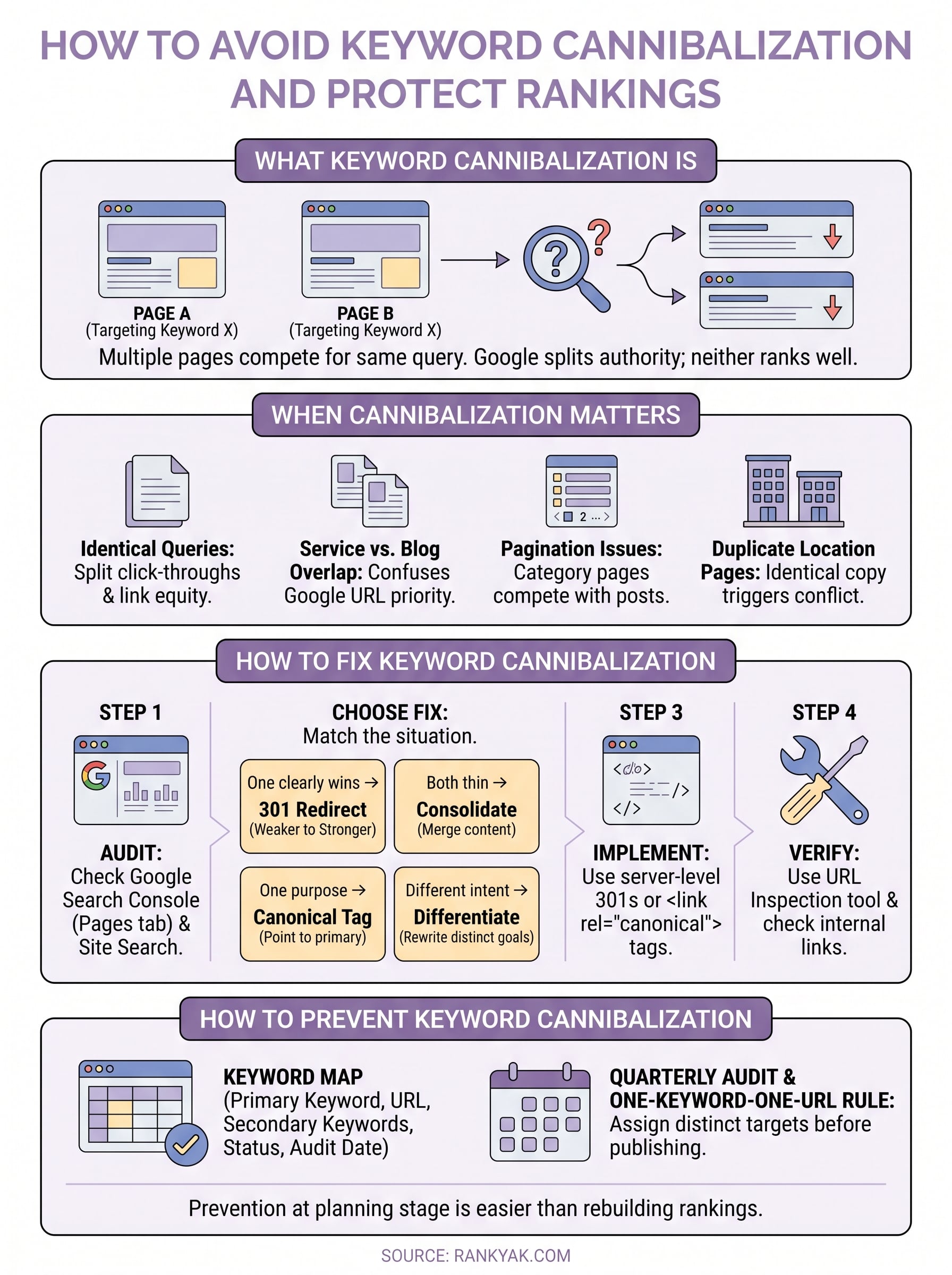
Keep Rankings Stable Going Forward
Keyword cannibalization is not a one-time problem you fix and forget. Every new article you publish is an opportunity to either strengthen your site's structure or accidentally introduce a new conflict. The good news is that once you understand how to avoid keyword cannibalization, maintaining that discipline is mostly a matter of sticking to your keyword map and running a quarterly audit to catch anything that slips through.
Your keyword map, your 301 redirects, and your canonical tags are only as effective as the habit you build around them. Check your Search Console data once a month for any queries where two URLs start sharing impressions. Flag them early, before Google has time to split your authority across both pages. Fixing a conflict early takes minutes; recovering lost rankings takes months.
If you want a system that handles this automatically, RankYak's automated content planning assigns distinct keyword targets from the start so your pages always work together.
Allan de Wit is a co-founder of RankYak and has worked in SEO since 2015: inside agencies, alongside them, for clients directly, and in-house on the products being ranked. He came to it as a software engineer building for marketers, which is why the platform is built the way it is. He went on to start companies of his own, two of which were acquired. At RankYak he sets the product direction and owns the features, the quality bar, the design, and the UX.
