Home / Blog / How to Do On-Page SEO: A Step-by-Step Guide and Checklist

How to Do On-Page SEO: A Step-by-Step Guide and Checklist

Allan de Wit
Allan de Wit
·
January 1, 2026

You publish content regularly. You follow basic SEO advice. But your pages still languish on page three while competitors dominate the top spots and capture all the clicks. The frustration builds as you watch your traffic stay flat month after month. Here's the reality: writing good content is not enough. Most website owners skip critical on-page optimization steps or apply them inconsistently, leaving easy wins on the table.

On-page SEO solves this problem by systematically optimizing every element of your webpage that affects rankings. When you get it right, your pages climb search results, attract more organic visitors, and convert better. Unlike link building or other off-page tactics, you control everything about on-page optimization. No waiting for external factors or other websites.

This guide breaks down the complete on-page SEO process into actionable steps. You'll learn exactly how to pick pages worth optimizing, research keywords that match search intent, structure content for maximum impact, write titles that get clicks, fix technical issues holding you back, and measure your results. At the end, you'll get a reusable checklist to optimize every page on your site systematically.

What on-page SEO is and why it matters

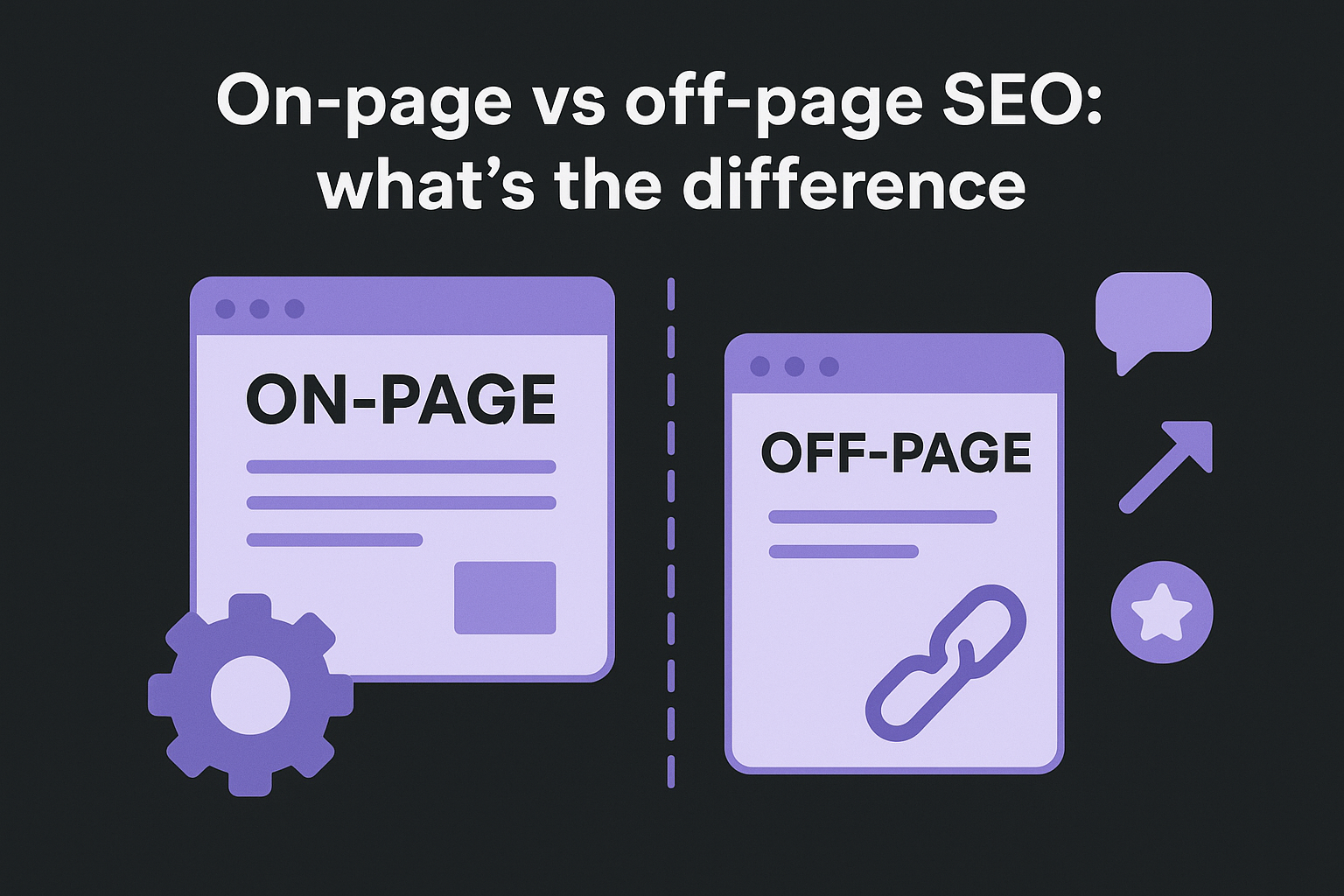
On-page SEO encompasses every optimization you make directly on your webpage to improve its ranking potential. This includes your content quality, HTML tags, page structure, URLs, internal links, images, and technical performance. Unlike off-page SEO (which focuses on backlinks and external signals), on-page optimization sits entirely within your control. You decide what to fix, when to fix it, and how to implement changes without waiting for anyone else.

What counts as on-page SEO

On-page SEO covers multiple optimization layers working together. Your content layer includes the actual text, keywords, topic depth, readability, and how well you match search intent. The HTML layer involves title tags, meta descriptions, header tags (H1 through H6), and structured data markup. Your technical layer covers page speed, mobile responsiveness, URL structure, canonical tags, and crawlability. Finally, the user experience layer addresses internal linking, navigation, multimedia elements, and overall page layout.

What counts as on-page SEO

Each element sends signals to search engines about your page's purpose and quality. When you optimize these factors systematically, you create compound effects that boost rankings far beyond what any single change achieves alone.

Why on-page SEO delivers results

Learning how to do on-page SEO transforms your organic performance because you address the foundation of search visibility. Google's algorithm evaluates hundreds of on-page signals to determine where your content deserves to rank. Pages with strong on-page optimization consistently outperform similar content that lacks these fundamentals. You gain immediate competitive advantages when you optimize properly while competitors ignore these details.

On-page SEO also prepares your content for AI platforms like ChatGPT and Perplexity, which cite well-structured, authoritative pages in their responses.

The return on investment for on-page work exceeds most other SEO tactics. You implement changes once, and they continue benefiting your rankings indefinitely. Better yet, these optimizations improve user experience simultaneously, which increases engagement, reduces bounce rates, and drives more conversions from the traffic you already attract.

Step 1. Pick the right page to optimize

You cannot optimize every page at once, so strategic page selection determines whether your on-page SEO efforts produce fast results or waste time. Most websites have hundreds or thousands of pages, but only a subset actually drives meaningful traffic or has realistic ranking potential. Smart optimization starts by identifying your highest-leverage opportunities where improvements will move the needle on traffic and conversions.

Trying to optimize everything simultaneously leads to scattered efforts and mediocre results. Instead, focus your energy on pages that already show promise or serve critical business functions. This approach lets you prove ROI quickly, build momentum, and then expand your optimization efforts systematically.

Start with high-potential pages

Your existing top performers represent the best starting point because they already rank somewhere in Google's results. Pages ranking on positions 11 through 30 (pages 2 and 3) offer especially strong potential since small improvements often push them onto page one. Use Google Search Console to identify these pages by checking your average position data for queries where you rank between positions 5 and 30.

Look for pages that receive consistent impressions but low clicks. This pattern signals that your page shows up in search results regularly but loses clicks to competitors. Often, optimizing your title tag and meta description alone can dramatically increase your click-through rate.

Prioritize based on business value

Not all traffic holds equal value for your business. A page ranking for a high-intent keyword that converts visitors into customers matters far more than one attracting casual browsers. Create a simple scoring system that weighs traffic potential against business impact to guide your optimization queue.

Pages supporting your core products or services deserve priority even if current traffic looks modest. These pages often target valuable keywords with strong commercial intent. Similarly, cornerstone content that supports multiple other pages through internal linking should move up your list because improvements here lift your entire content ecosystem.

Focus your initial on-page optimization on 5 to 10 pages that combine existing ranking momentum with clear business value rather than trying to fix everything at once.

Step 2. Research keywords and search intent

Effective on-page optimization begins with choosing the right keyword target for each page you optimize. Many website owners skip this research step and jump straight into writing, which leads to content that ranks for nothing or attracts the wrong visitors. When you understand how to do on-page SEO properly, you start by researching both the keyword opportunity and the searcher's underlying intent before touching your content. This research shapes every optimization decision you make afterward.

Your keyword research determines whether you target a term people actually search for or waste effort on phrases with zero traffic potential. Search intent analysis reveals what type of content Google wants to rank, which prevents you from creating the wrong content format entirely. Together, these two research activities ensure you optimize around a winnable target that matches what searchers need.

Find your primary keyword

Start by identifying one primary keyword that represents the main topic of your page. This keyword should have sufficient search volume to justify your optimization effort while remaining relevant to your business goals. Use Google Search Console to find keywords your page already ranks for, then select the most promising term based on current position and monthly searches.

Look for keywords where you rank between positions 5 and 30 since these represent realistic improvement targets. A page ranking at position 15 might only need solid on-page optimization to break into the top five. Check the keyword's search volume to confirm people actually use this phrase regularly.

Your primary keyword should also align with your page's actual purpose. Avoid forcing unrelated keywords onto existing pages just because they show high volume. Instead, ensure your chosen keyword naturally matches what your content covers and what action you want visitors to take.

Identify the four search intent types

Google categorizes every search query into one of four intent types: informational, navigational, transactional, or commercial investigation. Understanding these categories prevents you from creating content that mismatches what searchers expect and what Google wants to rank.

Identify the four search intent types

Informational intent covers searches where users want to learn something or find answers. Keywords include "how to," "what is," "guide," and "tutorial." Navigational intent occurs when searchers look for a specific website or brand. Transactional intent signals readiness to buy or complete an action, often including terms like "buy," "discount," "near me," or product names. Commercial investigation sits between informational and transactional, where users compare options before deciding.

Intent Type Common Indicators Content Format
Informational how to, what is, guide, why Blog posts, tutorials, explainers
Navigational brand names, login, official Homepage, product pages
Transactional buy, price, discount, coupon Product pages, service pages
Commercial Investigation best, vs, review, comparison Comparison posts, reviews

Match your content format to the dominant intent for your target keyword. When search intent and your content format align, your optimization efforts multiply their effectiveness.

Analyze SERP patterns for intent signals

Google's search results reveal exactly what content format ranks for your target keyword. Open an incognito browser window and search for your primary keyword, then examine the top 10 results carefully. Look for patterns in content type, length, structure, and angle that winners share.

Do the top results consist mainly of blog posts, product pages, videos, or comparison articles? This pattern tells you what format Google considers most relevant. Check whether ranking pages offer comprehensive guides exceeding 2,000 words or short, focused answers under 800 words. Notice whether these pages target beginners or advanced users in their language and depth.

Study the common questions, subtopics, and angles that top-ranking pages cover to ensure your optimized content meets or exceeds the current ranking standard.

Document these SERP patterns before optimizing because they define your content requirements. If every top result includes comparison tables, you need one too. When winners emphasize step-by-step processes, your optimized page must deliver the same structure. This competitive analysis ensures your on-page SEO improvements align with proven ranking patterns rather than guesswork.

Step 3. Plan the page structure and URL

Your page structure and URL form the architectural foundation that search engines use to understand your content before they read a single word. Planning these elements before you write saves you from awkward retrofits later and ensures your optimization efforts build on solid ground. A well-structured page guides both users and search engine crawlers through your content logically, making it easier for Google to identify your main topics and subtopics while keeping visitors engaged.

Skipping this planning step leads to disorganized content with unclear hierarchy, confusing URLs, and missed opportunities to signal relevance to search engines. When you map out your structure first, you create a blueprint that keeps your content focused on your target keyword while naturally incorporating related terms.

Create a logical heading hierarchy

Start with one H1 tag that clearly states your page's main topic and includes your primary keyword. Your H1 should match or closely resemble your title tag while remaining natural and reader-friendly. Never use multiple H1 tags on a single page, as this confuses search engines about your page's primary focus.

Build your content outline using H2 and H3 tags that break your topic into digestible sections. Each H2 represents a major subtopic supporting your main keyword, while H3 tags divide those sections further when needed. This hierarchy helps search engines extract featured snippets and better understand your content organization.

H1: Your Main Topic (includes primary keyword)
├── H2: First Major Subtopic
│   ├── H3: Supporting point 1
│   └── H3: Supporting point 2
├── H2: Second Major Subtopic
│   └── H3: Supporting point
└── H2: Third Major Subtopic

Your heading structure should flow logically from general to specific, guiding readers through your content without confusing jumps between topics.

Build clean, keyword-focused URLs

Create short, descriptive URLs that include your primary keyword separated by hyphens. Avoid unnecessary words, numbers, dates, or parameters that add no value. A clean URL structure improves click-through rates and helps search engines understand your page topic instantly.

Good URL: yoursite.com/on-page-seo-guide Bad URL: yoursite.com/blog/2026/01/article-12345-learn-how-to-do-on-page-seo-optimization-techniques

URLs with 3 to 5 words perform best because they balance keyword inclusion with readability while avoiding keyword stuffing that looks spammy.

Keep your URL structure flat rather than deeply nested when possible. Each additional subdirectory adds distance from your domain's authority and makes URLs harder to share and remember.

Step 4. Optimize titles and meta description

Your title tag and meta description create the first impression searchers see in Google results, directly impacting whether they click your page or scroll past it. These two HTML elements function as your search result advertisement, and optimizing them properly can double or triple your click-through rate without changing your ranking position. When you learn how to do on-page SEO effectively, you realize these elements serve dual purposes: signaling relevance to search engines while persuading humans to click.

Most website owners either ignore these elements entirely or stuff them with keywords that repel human readers. The optimization sweet spot balances strategic keyword placement with persuasive copywriting that compels action. Google often rewrites poorly crafted titles and descriptions, so your optimization must satisfy both algorithmic requirements and user expectations.

Write title tags that drive clicks

Your title tag should include your primary keyword near the beginning while staying under 60 characters to avoid truncation in search results. Place your most important information first because users scan from left to right and Google cuts off longer titles with ellipses. Every title needs a clear value proposition that answers "Why should I click this result instead of the others?"

Use power words that trigger curiosity without crossing into clickbait territory. Words like "guide," "checklist," "step-by-step," and "complete" signal comprehensive content. Include your brand name at the end when space permits, separated by a vertical bar or hyphen.

Template: [Primary Keyword]: [Value Proposition] | [Brand]
Example: On-Page SEO: Step-by-Step Guide and Checklist | YourBrand
Example: How to Do On-Page SEO in 2026 (With Examples) | YourBrand

Test title variations by monitoring your click-through rate in Google Search Console, then refine titles on underperforming pages to match patterns from your top performers.

Craft compelling meta descriptions

Write meta descriptions between 140 and 160 characters that expand on your title's promise and include your primary keyword naturally. Google bolds keywords matching the searcher's query, which increases visibility and click appeal. Your description should summarize the page's core benefit while creating urgency or curiosity that drives clicks.

Front-load the most compelling information in your first 120 characters since mobile displays truncate earlier than desktop. Include a clear call-to-action using verbs like "learn," "discover," "get," or "find" that guide the next step.

Template: [Action verb] [primary keyword] [benefit]. [Supporting detail]. [Call to action].
Example: Learn how to do on-page SEO with our step-by-step guide. Get a free checklist and optimize your pages for higher rankings today.

Avoid duplicating your title verbatim in your description. Use this space to provide complementary information that strengthens your value proposition rather than repeating what the title already communicates.

Step 5. Improve your on-page content

Your actual page content represents the most influential ranking factor you control directly. Search engines analyze your text to determine topic relevance, content depth, expertise, and user value. Writing great content involves more than inserting keywords, it requires delivering comprehensive answers that satisfy search intent completely while remaining engaging and easy to read. When you understand how to do on-page SEO correctly, you realize content optimization blends strategic keyword usage with genuine value creation that serves both algorithms and human readers.

Low-quality content kills rankings regardless of how well you optimize other elements. Google's algorithms specifically target thin, duplicate, or unhelpful content that fails to provide unique value. Your optimization work must start with substantive content that thoroughly covers your topic before you fine-tune technical details.

Write comprehensive, valuable content

Target 1,500 to 3,000 words for most informational pages because comprehensive content consistently outranks superficial articles. Depth matters more than length alone, so focus on covering your topic thoroughly rather than hitting arbitrary word counts. Address every important subtopic, answer related questions, and provide actionable insights that readers cannot find elsewhere.

Research what currently ranks by analyzing competitor content gaps. Note topics they cover superficially or miss entirely, then address those areas better in your optimized page. Include specific examples, case studies, data, or personal experience that adds credibility and uniqueness.

Your content should demonstrate expertise through practical details and accuracy. Vague generalizations fail to convince either readers or search engines of your authority. Replace generic advice with specific steps, numbers, and concrete recommendations that readers can implement immediately.

Content that answers questions completely while adding unique insights or data earns better rankings than articles that rehash existing information without adding value.

Position keywords naturally throughout

Place your primary keyword in the first 100 words of your content to signal relevance early. This placement helps search engines quickly identify your topic while confirming to readers they found the right page. Avoid forced keyword stuffing that disrupts natural flow or sounds robotic.

Position keywords naturally throughout

Use your primary keyword 2 to 5 times per 1,000 words depending on natural context. Focus on semantic variations and related terms that support your main topic rather than repeating the exact phrase mechanically. Google understands synonyms and context, so natural language beats keyword density formulas.

Include keywords in these strategic locations:

  • First paragraph (within 100 words)
  • At least one H2 or H3 heading
  • Naturally throughout body paragraphs
  • Final paragraph or conclusion
  • Image alt text where relevant

Related terms and long-tail variations should appear naturally as you explain your topic. These semantic keywords help search engines understand your content scope while capturing additional search queries.

Format for readability and engagement

Break your content into short paragraphs of 2 to 4 sentences maximum. Walls of text intimidate readers and increase bounce rates, while scannable content keeps visitors engaged longer. Each paragraph should communicate one clear idea before moving to the next.

Use bullet points and numbered lists to organize information that readers need to scan quickly. Lists break up text visually and make action steps or key points immediately accessible. Bold important phrases or concepts to help readers identify crucial information while skimming.

Formatting elements to include:
- Short paragraphs (2-4 sentences)
- Bullet lists for scannable information
- Numbered lists for sequential steps
- Bolded key phrases and concepts
- Subheadings every 250-400 words
- White space between sections

Add transition phrases that connect sections smoothly and maintain logical flow. Words like "however," "additionally," "similarly," and "consequently" guide readers through your content while signaling relationships between ideas. This structure improves comprehension and time on page, both positive ranking signals.

Internal links and multimedia elements strengthen your on-page optimization by improving user engagement and helping search engines understand your site structure. These elements work together to keep visitors on your page longer, reduce bounce rates, and distribute ranking power throughout your website. Adding them strategically transforms isolated pages into interconnected assets that support your entire content ecosystem while enhancing the user experience.

Many website owners overlook these elements or add them haphazardly without strategy. Learning how to do on-page SEO properly means treating internal links and media as essential ranking factors rather than optional extras that you add as an afterthought.

Build strategic internal linking

Link to 3 to 5 related pages on your website using descriptive anchor text that includes relevant keywords. These internal links help search engines discover and index your content while distributing authority from stronger pages to newer ones. Each link should add genuine value by directing readers to complementary information that expands on points you mention.

Place internal links naturally within your content where they provide context or additional resources. Avoid generic anchor text like "click here" or "read more." Instead, use descriptive phrases that tell readers and search engines what they will find on the linked page.

Poor anchor text: "Learn more here"
Better anchor text: "discover our complete keyword research guide"
Poor anchor text: "Click this link"
Better anchor text: "check out these title tag optimization examples"

Strategic internal linking increases the time visitors spend on your site while helping search engines understand your content relationships and topic authority.

Optimize images and multimedia

Add relevant images, screenshots, or diagrams every 300 to 500 words to break up text and illustrate key concepts. Each image needs descriptive alt text that includes your target keyword or related terms naturally. Alt text helps search engines understand your images while improving accessibility for visually impaired users.

Compress your images before uploading to maintain fast page load speeds without sacrificing visual quality. Large image files slow your page dramatically and hurt rankings. Use descriptive filenames that include relevant keywords separated by hyphens rather than generic names like "image1.jpg" or "screenshot.png."

Videos embedded from platforms like YouTube enhance engagement and increase time on page. Position videos where they support your written content rather than replacing it, since search engines still rely primarily on text to understand your page topic.

Step 7. Fix technical on-page essentials

Technical on-page elements directly impact your ability to rank because search engines prioritize pages that load quickly, function smoothly, and provide excellent user experiences. These behind-the-scenes factors determine whether Google can crawl your content efficiently and whether visitors stay on your page or bounce immediately. Fixing technical issues often produces immediate ranking improvements since these problems actively prevent your otherwise strong content from performing well.

Understanding how to do on-page SEO requires addressing technical factors that most content creators ignore. Your perfectly optimized content means nothing if your page takes seven seconds to load or breaks on mobile devices. These technical essentials form the infrastructure that supports all your other optimization work.

Optimize page speed and Core Web Vitals

Your page must load in under three seconds to avoid losing visitors and rankings. Google measures page experience through Core Web Vitals, which assess loading speed (Largest Contentful Paint), interactivity (First Input Delay), and visual stability (Cumulative Layout Shift). Run your page through Google's PageSpeed Insights to identify specific performance bottlenecks holding you back.

Optimize page speed and Core Web Vitals

Compress all images to under 200 KB using tools like TinyPNG or converting to WebP format. Enable browser caching so returning visitors load your page faster. Minify your CSS and JavaScript files by removing unnecessary characters and whitespace. Defer non-critical JavaScript so your main content loads first before less important scripts run.

Quick fixes for page speed:
- Compress images to WebP format
- Enable GZIP compression on server
- Minimize HTTP requests
- Use a content delivery network (CDN)
- Remove unused CSS and JavaScript
- Implement lazy loading for images

Pages loading in under 2 seconds earn significantly better rankings and conversion rates compared to pages taking 4+ seconds, making speed optimization one of the highest-impact technical improvements you can make.

Ensure mobile responsiveness

Mobile devices generate over 60% of search traffic, so your page must display and function flawlessly on smartphones and tablets. Google uses mobile-first indexing, meaning it evaluates your mobile version first when determining rankings. Test your page using Google's Mobile-Friendly Test to catch rendering issues before they hurt your visibility.

Verify that your text remains readable without zooming, buttons are large enough to tap easily, and content adapts smoothly to different screen sizes. Avoid pop-ups that cover the entire mobile screen or force users to close multiple overlays before accessing your content. Check that your images scale properly and navigation menus work intuitively on touch screens.

Fix broken elements and errors

Scan your page for broken internal links that lead to 404 errors and damage user experience while wasting crawl budget. Use your browser's developer tools to identify missing images, failed scripts, or console errors that prevent proper page rendering. Fix or remove any embedded content like videos or maps that no longer work correctly.

Implement proper canonical tags if your content exists at multiple URLs to prevent duplicate content issues. Add schema markup for your content type (article, product, recipe) to help search engines understand your page structure better. Ensure your page includes only one H1 tag and uses heading hierarchy correctly without skipping levels.

<!-- Example canonical tag -->
<link rel="canonical" href="https://yoursite.com/on-page-seo-guide" />

<!-- Example article schema -->
<script type="application/ld+json">
{
  "@context": "https://schema.org",
  "@type": "Article",
  "headline": "How to Do On-Page SEO",
  "author": {
    "@type": "Person",
    "name": "Your Name"
  }
}
</script>

Step 8. Track results and iterate

Your on-page optimization work only succeeds when you measure the impact and refine your approach based on actual performance data. Implementing changes without tracking results leaves you guessing whether your efforts improved rankings or wasted time. Understanding how to do on-page SEO requires building a continuous feedback loop where you monitor key metrics, identify what works, and double down on winning strategies while fixing elements that underperform.

Most website owners optimize pages once and never return to assess results or make improvements. This approach misses opportunities to compound your gains and leaves underperforming elements draining your potential traffic indefinitely.

Monitor ranking changes and traffic

Check your keyword rankings weekly using Google Search Console or tracking tools to spot upward or downward trends quickly. Focus on your primary keyword plus the top 5 to 10 related terms you targeted during optimization. Record your starting position before making changes so you can measure improvement accurately.

Watch your organic traffic patterns over 30 and 90-day periods since rankings fluctuate daily but trends emerge over weeks. Compare traffic from your optimized pages against similar unoptimized content to isolate the impact of your specific improvements. Document which optimizations correlate with the strongest traffic increases to replicate those tactics across other pages.

Track your click-through rate in Google Search Console because improving CTR from 2% to 5% often delivers more traffic than climbing one ranking position.

Measure user engagement signals

Monitor bounce rate and time on page to gauge whether visitors find your optimized content valuable or leave immediately. High bounce rates above 70% signal that your content fails to match search intent despite ranking well. Increased time on page after optimization indicates your improvements enhanced engagement successfully.

Check scroll depth data through your analytics platform to verify readers consume your full content rather than abandoning after the first screen. Look for sections where readers consistently drop off, then improve those areas with better formatting, more engaging examples, or clearer explanations.

Run regular optimization cycles

Revisit your top 20 pages every quarter to refresh outdated information, improve underperforming sections, and test new optimization techniques. Add new examples, update statistics, and expand sections that resonate with readers based on your engagement data. Even small improvements to already-ranking pages often yield significant traffic gains over time.

On-page SEO checklist to reuse

You need a systematic checklist that you can apply to every page you optimize moving forward. This reusable framework eliminates guesswork and ensures you never skip critical optimization steps that impact rankings. When you follow the same proven process repeatedly, your optimization work becomes faster, more consistent, and produces predictable results across your entire website. This checklist codifies everything you learned about how to do on-page SEO into a practical tool you can reference daily.

Pre-optimization audit items

Before touching any content, document your starting position to measure improvement accurately. Record your current ranking for the primary keyword, monthly organic traffic to the page, and click-through rate from search results. Take screenshots of your existing title tag and meta description as they appear in search results. This baseline data proves whether your optimization work delivers actual results or wastes effort.

Check these technical elements before optimizing content:

  • Current page load speed and Core Web Vitals scores
  • Mobile responsiveness and display issues
  • Broken links or missing images on the page
  • Existing internal links pointing to this page
  • Current URL structure and any redirect chains

Core optimization checklist

Work through these optimization tasks systematically for every page you improve. This list covers all essential ranking factors you control directly and ensures consistent implementation across your site.

Category Task Completed
Keyword Research Identify primary keyword with search volume
Analyze search intent from SERP patterns
Document 5-10 related keywords
Content Write 1,500+ words covering topic comprehensively
Place primary keyword in first 100 words
Use keyword 2-5 times per 1,000 words
Break content into 2-4 sentence paragraphs
HTML Elements Create H1 with primary keyword
Add H2/H3 subheadings every 250-400 words
Write title tag under 60 characters
Craft meta description 140-160 characters
Build clean URL with primary keyword
Media & Links Add images every 300-500 words
Write descriptive alt text for all images
Compress images under 200 KB
Include 3-5 internal links with keyword anchors
Technical Verify page loads under 3 seconds
Test mobile display and functionality
Add schema markup for content type

This checklist transforms on-page optimization from an overwhelming task into a repeatable process that consistently improves your rankings when applied to each page.

Post-optimization verification

After implementing your changes, validate everything works correctly before moving to the next page. Preview your page on desktop and mobile devices to catch display issues. Run your URL through Google's PageSpeed Insights and Mobile-Friendly Test to confirm technical improvements registered properly.

Request indexing through Google Search Console to accelerate the ranking impact of your optimizations. Set a reminder to check rankings and traffic 7, 30, and 90 days after optimization to measure results and identify optimization techniques that deliver the strongest performance gains.

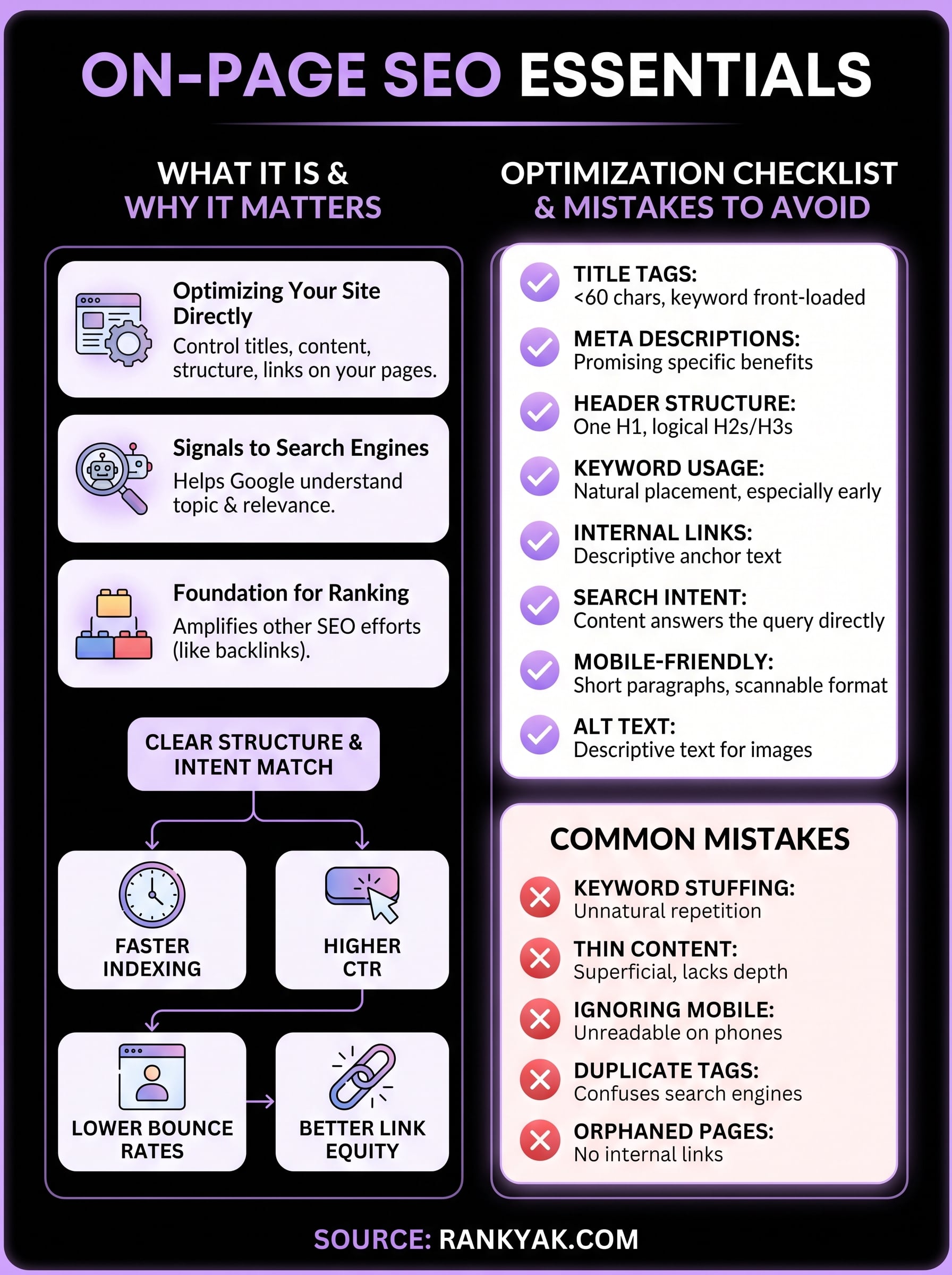
how to do on-page seo infographic

Keep improving each key page

You now know how to do on-page SEO systematically using a proven checklist that covers every ranking factor under your control. The difference between stagnant rankings and consistent traffic growth comes down to applying this process repeatedly across your most valuable pages. Your first optimization cycle builds momentum, but the real gains compound when you return to your top pages quarterly to refresh content, update examples, and refine elements that underperform based on actual performance data.

On-page optimization never truly ends because search algorithms evolve, competitors improve their content, and user expectations shift constantly. Your quarterly review schedule keeps your pages competitive and prevents decay that sends rankings sliding backward over time. RankYak automates this entire process by handling keyword research, content optimization, and publishing daily without requiring your manual effort on every page. The platform ensures every article follows on-page best practices from day one, letting you scale your SEO work far beyond what manual optimization allows while maintaining quality.

Background

Automate your SEO and increase your ranking

Start today and generate your first article within 15 minutes.

Start your free trial