Content Planning: How To Create A Content Calendar That Wins
You know you need to publish content consistently. You've probably even started a few times, knocked out a couple blog posts, felt good about it, then watched the momentum fizzle within a week or two. The missing piece isn't motivation or ideas. It's a system. Specifically, knowing how to create a content calendar that turns scattered publishing into a repeatable, organized process.
A content calendar does more than tell you what to post and when. It connects your content efforts to actual business goals, driving organic traffic, building authority, and making sure you're not just creating for the sake of creating. Without one, you're guessing. With one, every article has a purpose.
At RankYak, we automate the entire content lifecycle, from keyword discovery to publishing, so we've seen firsthand what separates calendars that drive results from ones that collect dust. This guide walks you through building your own content calendar step by step, covering the tools, templates, and key elements you need to stay consistent and actually rank.
What a content calendar is and what it includes
What a content calendar is, in short: a planning document that maps out what content you'll publish, where you'll publish it, and when. It's not just a list of dates and topics. It's a strategic tool that connects your content output to business goals, keyword targets, and audience needs. When you understand how to create a content calendar properly, you stop reacting to whatever feels urgent and start planning weeks or months ahead with purpose.
The core definition
Most people picture a content calendar as a spreadsheet with a topic name and a date slapped next to it. A well-built calendar is more structured than that. It captures the full lifecycle of a piece of content, from the initial keyword idea through drafting, publishing, and promotion. It tells you who owns each task, what the deadline is, and which channel the content lives on. That visibility keeps teams aligned and solo creators from losing track of what should have gone live last Tuesday.
Your calendar also acts as a historical record. Once you've been publishing for a few months, you can look back and see what topics you've covered, where you have gaps, and which content types are pulling the most traffic. Without a calendar, that information lives in your head or scattered across folders, and you end up guessing what to write next rather than building on what's already working.
A content calendar isn't a nice-to-have. It's the infrastructure that turns sporadic publishing into a predictable growth engine.
What every content calendar needs
Your calendar needs specific fields to be genuinely useful. Without them, you're looking at a list of topics with no context around ownership, timing, or goal. The exact fields depend on your workflow, but the core elements stay consistent regardless of team size or industry. Here's what a solid content calendar entry includes:
| Field | What it captures |
|---|---|
| Publish date | The target date the content goes live |
| Content title | Working title tied to your target keyword |
| Target keyword | The primary search term the piece targets |
| Content type | Blog post, video, social post, email, etc. |
| Channel | Where it publishes (website, LinkedIn, newsletter) |
| Status | Draft, in review, scheduled, or published |
| Owner | Who is responsible for creating or approving it |
| CTA or goal | What action you want the reader to take |
Each field serves a specific purpose in your planning process. The publish date keeps you accountable to a real deadline. The target keyword connects every piece to your SEO strategy so you're not just creating content, you're building topical authority over time. The status column gives you an instant snapshot of where everything stands without chasing anyone for updates. If you're a solo operator, you can trim a few fields, but the keyword, date, and status columns are non-negotiable no matter how lean your operation is.
Step 1. Set goals, channels, and posting cadence
Before you add a single topic to your calendar, you need to know what you're building toward and where your content will live. Skipping this step means you'll fill your calendar with content that feels productive but doesn't move any business metric. Setting goals, channels, and cadence upfront gives every piece of content a clear reason to exist.
Define your goals first
Your content goals need to be specific and tied to measurable outcomes. "Get more traffic" is not a goal. "Rank in the top five for ten target keywords within six months" is a goal you can build a publishing plan around. Common content goals include growing organic search traffic, building an email list, generating leads, or increasing brand visibility in your niche. Pick one or two, write them down, and let them filter every content decision you make from here on out.
Your goals are the filter that keeps your calendar focused. Without them, any topic feels like a good idea.
Choose your channels
Each channel has its own format, audience, and frequency expectations, so you need to decide which ones you'll actually commit to before figuring out how to create a content calendar that works for your specific situation. A blog post serves a different purpose than a LinkedIn update or a weekly email. Start with the channel your audience already uses, not the one that sounds exciting. If your customers search Google for answers, your primary channel is your website blog. Add one or two secondary channels only if you have the capacity to maintain them consistently.
Set a realistic posting cadence
Consistency beats volume every time. Publishing one well-researched article per week outperforms five rushed posts followed by three weeks of silence. Look at your available time and resources, then set a cadence you can sustain for six months without burning out. A practical starting point for most small sites is one blog post per week, one email per week, and two to three social posts per channel. Adjust from there once you see what's actually sustainable.
Step 2. Pick a tool and build your calendar template
Once you've set your goals and cadence, you need somewhere to track everything. The tool you pick matters less than how consistently you use it. A simple spreadsheet that you update every week beats a sophisticated platform you abandon after day three. When you're figuring out how to create a content calendar, start with what you'll actually maintain, not what looks the most impressive on paper. Switching tools mid-stride wastes time and kills momentum.
Choose your tool
Among the best content calendar tools, your two main options are spreadsheets or project management tools. A Google Sheets content calendar works well for solo creators and small teams because it's free, flexible, and easy to share with collaborators instantly. If you prefer a visual board layout, a Notion content calendar setup or Trello gives you drag-and-drop status columns that make it easier to see bottlenecks. Pick based on your actual team size and workflow, not what sounds productive.
The best tool is the one you open every week without thinking twice about it.
Build your template
Copying a free content calendar template download is the fastest way to get started. Below is a simple spreadsheet template you can replicate in Google Sheets today by creating a new document and adding these column headers:
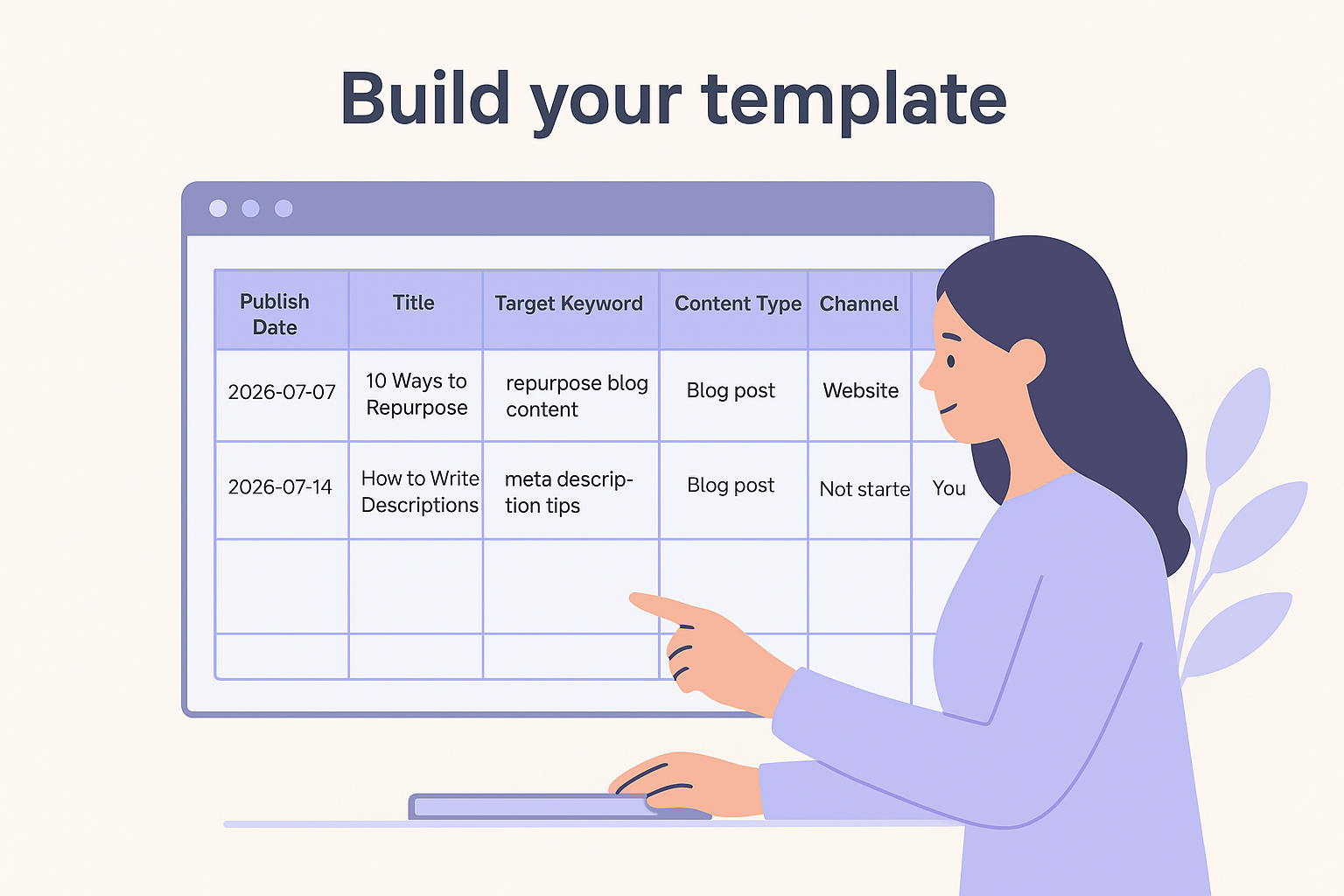
| Publish Date | Title | Target Keyword | Content Type | Channel | Status | Owner | CTA |
|---|---|---|---|---|---|---|---|
| 2026-07-07 | 10 Ways to Repurpose Blog Posts | repurpose blog content | Blog post | Website | Draft | You | Newsletter signup |
| 2026-07-14 | How to Write Meta Descriptions | meta description tips | Blog post | Website | Not started | You | Free trial |
Each row represents one piece of content. Keep the status column updated so you see at a glance what's on track and what's slipping. Add a notes field to capture details like required internal links or images. Keep the template simple enough that filling in a new row takes under five minutes, so updating it never becomes a task you avoid.
Step 3. Populate the calendar with content that fits
With your template ready, it's time to fill it in. This is where most people either get it right or fall into the trap of adding whatever sounds interesting that week. Populating your calendar with purpose means every topic connects back to a keyword your audience is actually searching for and a goal you defined in Step 1. Random content fills a calendar but rarely ranks.
Start with keyword research
A practical keyword research workflow is the fastest way to find topics your audience already wants. Use Google Search Console to identify queries where your site already shows up but doesn't yet rank in the top three. Those are strong opportunities to target first. From there, type your main topic into Google and look at the "People also ask" section to surface related questions that belong in your calendar. Aim to populate at least four weeks of content before you start publishing.
Here's a simple process to follow:
- Pull 10 to 15 keyword ideas from your research
- Assign each keyword a content type (blog post, guide, listicle)
- Order them by priority: quick wins first, then broader topics
- Drop each one into a calendar row with a working title and publish date
Group topics into clusters
Once you have a list of keywords, group related topics together into clusters, following a content pillar strategy rather than scattering them randomly across your calendar. A cluster means you publish one broad pillar article on a core topic, then build out supporting articles that cover specific subtopics and link back to the pillar. This structure signals topical authority to Google and makes it easier for readers to navigate your content.
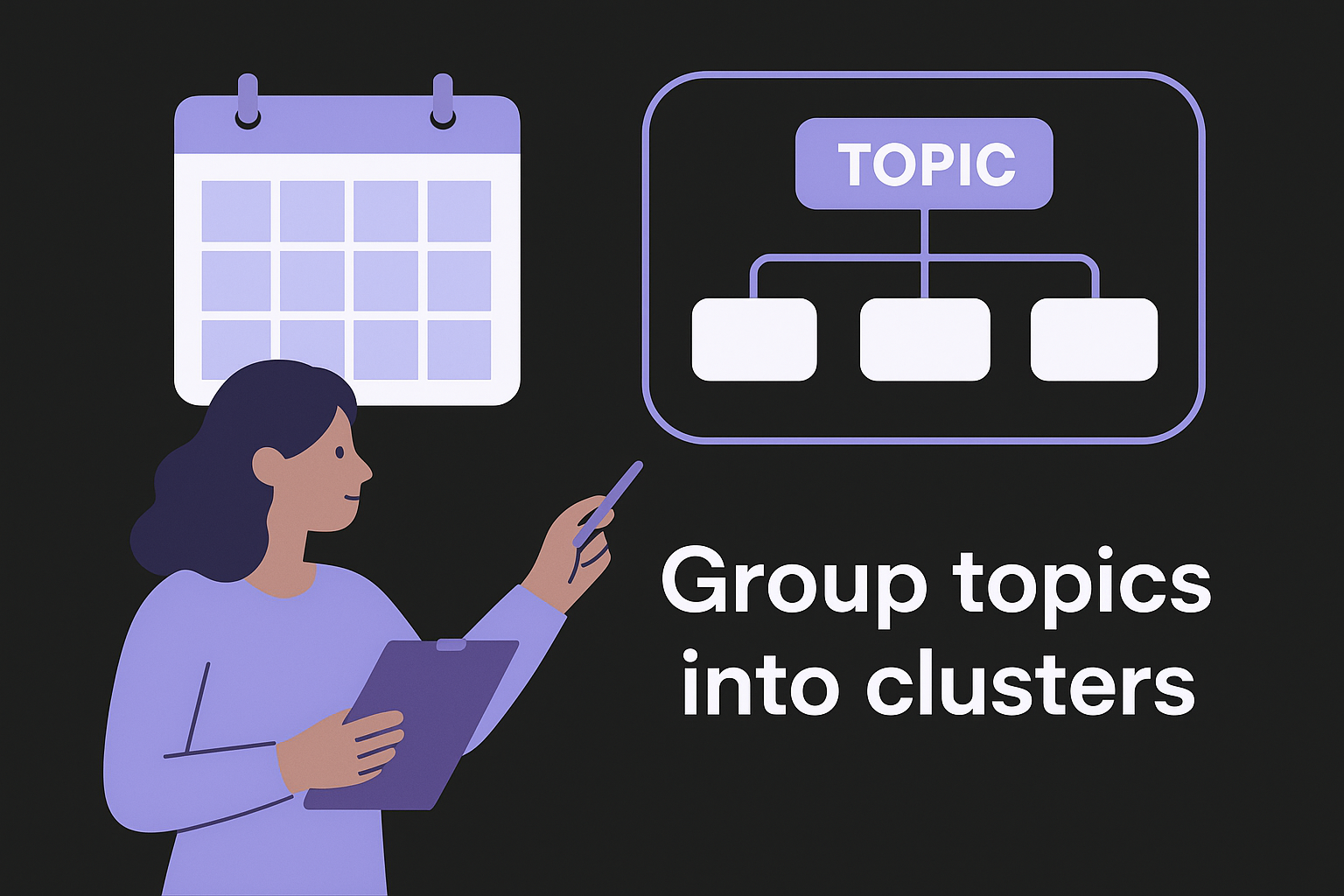
When you understand how to create a content calendar around topic clusters, your entire site builds authority faster than individual, unconnected posts ever will.
For example, if your pillar topic is "email marketing," supporting articles might cover subject line tips, list segmentation, and email automation basics. Plan three to five supporting articles per pillar to get the full benefit.
Step 4. Publish, measure, and keep it realistic
Publishing on schedule feels like the finish line, but it's actually the starting point for improving your calendar over time. Once your content goes live, the data it generates tells you which topics resonate, which formats drive clicks, and whether your cadence is sustainable. Treating publishing as a one-way street, where you put content out and move on, means you repeat what doesn't work and miss what does.
Track what matters
You don't need a dozen content marketing KPIs to know if your calendar is working. Three core numbers give you a clear picture: organic clicks, average position in search results, and time on page. Pull these from Google Search Console weekly. If a published article starts climbing in impressions but hasn't crossed the first page yet, that's a signal to update and strengthen it, not abandon it.
Use a simple tracking log alongside your calendar to capture performance over time:
| Article Title | Publish Date | Target Keyword | Impressions | Avg. Position | Clicks |
|---|---|---|---|---|---|
| How to Write Meta Descriptions | 2026-07-14 | meta description tips | 840 | 14.2 | 22 |
| 10 Ways to Repurpose Blog Posts | 2026-07-07 | repurpose blog content | 1,200 | 8.6 | 67 |
Update this log once a month so you can spot trends across your entire content plan rather than looking at individual articles in isolation.
Keep the calendar honest
This is where understanding how to create a content calendar pays off long-term: revise your plan based on reality, not ambition. If you committed to two posts per week but consistently ship one, change the cadence. A calendar built on a pace you can't maintain becomes something you dread opening.
Consistency at a lower frequency always outperforms an aggressive schedule that breaks down after a month.
Review your calendar at the end of each month. Drop topics that no longer fit your goals, replace them with better keyword opportunities from your tracking log, and carry forward anything that slipped. That monthly review keeps your calendar a living tool rather than an outdated document you stopped trusting.
Wrap It Up and Plan Next Month
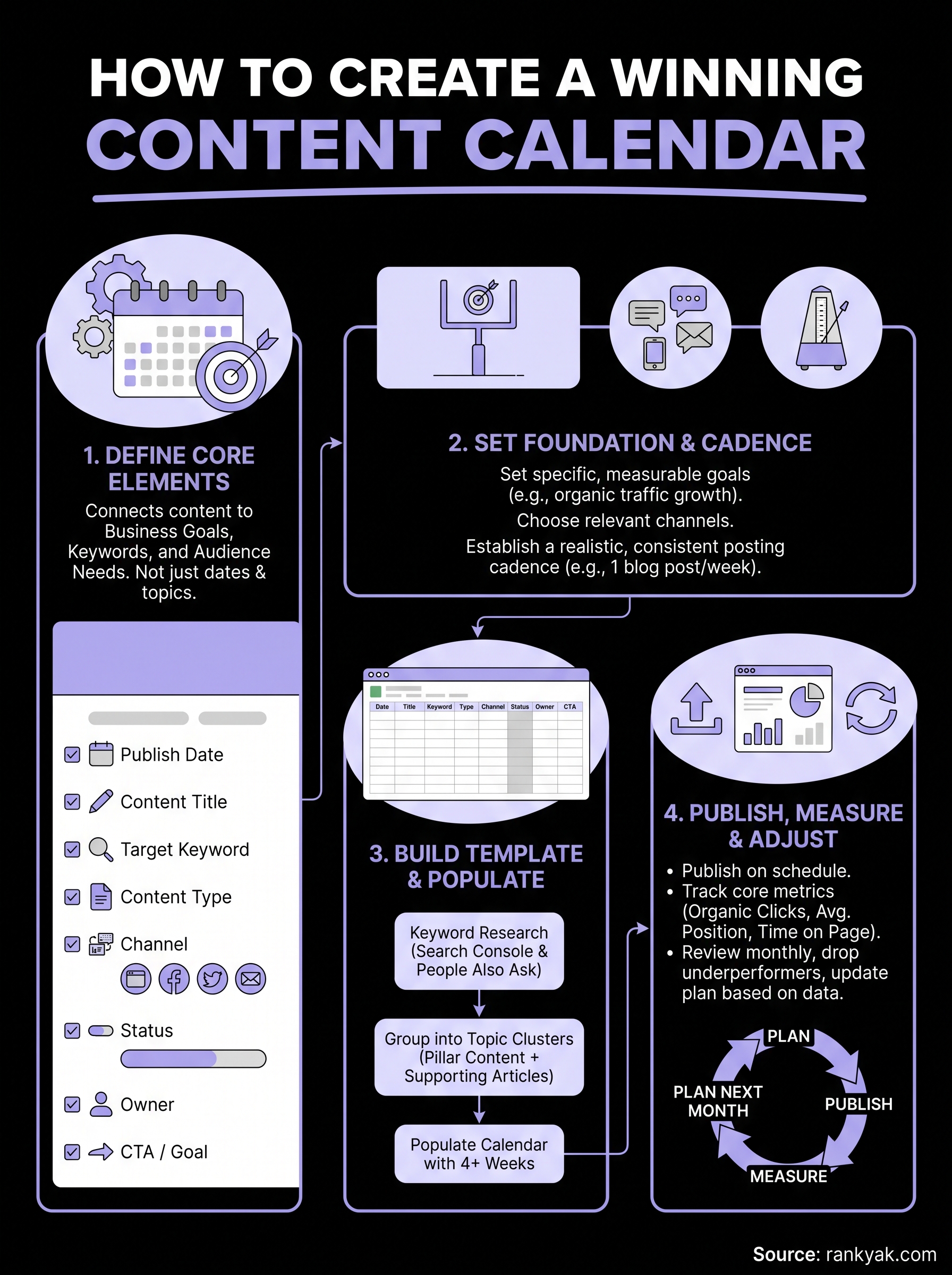
Building a content calendar isn't a one-time project. You set goals, pick a tool, fill in your topics, publish, and then use the data to make next month sharper than the last. That cycle is how to create a content calendar that compounds over time rather than stagnating after the first few weeks.
Your monthly review is the most important habit you can build. Spend 30 minutes at the end of each month pulling your top-performing articles, dropping dead-weight topics, and filling the next four weeks with keyword-backed ideas. One focused planning session keeps your calendar fresh and removes the guesswork from your publishing routine.
Ready to skip the manual keyword research, scheduling, and publishing grind entirely? RankYak's automated content calendar handles all of it for you automatically, so you can focus on growing your business instead of managing a spreadsheet.
Lars Koole is a co-founder of RankYak and has worked in SEO since 2021, on the side where a strategy has to become a live page: inside agencies, alongside them, for clients directly, and in-house on the products being ranked. He is a software engineer by trade, which is how that page gets built. Before RankYak he founded companies of his own, two of which were acquired. At RankYak he owns the engineering and everything AI, and works out the solution and the implementation of each new feature.
