Keyword Research Step By Step: A Practical SEO Workflow
Most SEO guides dump a list of tools at you and call it a strategy. But keyword research step by step requires more than plugging your niche into a tool and picking whatever has the highest search volume. It requires a repeatable process, one that connects what people actually search for to content you can realistically rank.
The problem? Keyword research is where most businesses either overthink or underthink. Some spend weeks buried in spreadsheets, chasing metrics that don't move the needle. Others skip research entirely, publishing content based on gut feelings and wondering why it never leaves page five. Neither approach works, and both waste time you could spend on things that actually grow your business. What you need is a clear, sequential workflow that takes you from a blank slate to a prioritized list of keywords worth targeting.
That's exactly what this guide walks through. You'll learn how to generate seed keywords, analyze search intent, evaluate difficulty and opportunity, group keywords into clusters, and build a content plan from the results. Every step is actionable and built around how search engines rank content in 2026, including Google's emphasis on helpful, experience-driven pages. And if you'd rather automate the heavy lifting, RankYak handles this entire workflow daily, from discovering high-potential keywords to publishing optimized articles on your site, so you can focus on running your business instead of running keyword reports.
Let's break it down.
What keyword research is and what it is not
Keyword research is the process of finding the exact words and phrases your potential customers type into search engines, then using that information to decide what content to create. It connects your business goals to real search demand, which is why keyword research matters so much for SEO. Done poorly, or skipped entirely, it means you're writing content for an audience that may not exist on Google at all.
What keyword research actually is
At its core, keyword research is a decision-making framework. You're not just collecting a list of words. You're answering three questions at once: What are people searching for? Why are they searching for it? And can you realistically rank for it? These three questions anchor any solid keyword research step by step process, and every tool, metric, and tactic you use feeds back into them.
Keyword research only works when it connects real user intent to content your site can credibly produce and rank.
The work includes identifying seed terms, discovering related queries, analyzing how competitive each keyword is, and mapping keywords to the right type of content. That last part gets overlooked often. A keyword is not just a target. It's a signal about what format your page should take, whether a blog post, a landing page, a comparison article, or a product page. Getting the format wrong means getting the ranking wrong, even if your content is otherwise strong.
What keyword research is not
Keyword research is not a one-time task you complete before launching a site and then forget. Search behavior changes. Competitors publish new content. Google rolls out algorithm updates. Your own business evolves. All of this means your keyword list from two years ago is outdated in some areas. Treating it as a static document is one of the fastest ways to stall organic growth.
It is also not a volume game, and understanding how short-tail and long-tail keywords differ makes that obvious. A keyword with 50,000 monthly searches is worthless if it has nothing to do with what you sell, if the intent doesn't match your page, or if the top ten results are dominated by sites with authority you can't match this year. Chasing high-volume keywords without context is how businesses produce hundreds of articles that bring traffic but never convert a single visitor into a customer.
Here's a clear breakdown of what keyword research is versus what it's commonly mistaken for:
| What it IS | What it is NOT |
|---|---|
| A repeatable research process | A one-time launch task |
| Intent-driven content planning | Picking the highest search volume |
| Matching keywords to page formats | Stuffing terms into existing pages |
| Ongoing competitive analysis | A set-and-forget spreadsheet |
| Mapping terms to business goals | Collecting as many keywords as possible |
Finally, keyword research is not the same as keyword optimization after the fact. Optimization is what you do to a page once research tells you what to target. Research comes first. If you're writing a page and then figuring out which keywords to add, you've reversed the process. The result is usually a page that doesn't fully satisfy what searchers want, which is exactly what Google's helpful content systems are designed to filter out. You build the page around the keyword and its intent, not the other way around.
Step 1. Set goals, audience, and topic buckets
Before you open any keyword tool, you need to know what you're trying to achieve and who you're trying to reach. Skipping this step is why so many businesses build a keyword list that technically looks strong but generates zero qualified traffic. Every keyword you eventually target should trace back to a specific business goal and a real audience need, not just a number in a spreadsheet. This foundational work takes less than an hour, but it shapes every decision that follows in the research process.
Define your business goals first
Your goals determine which keywords actually matter for your business. A SaaS company trying to convert free trial signups needs different content than a local plumber trying to generate phone calls, even if both operate in the same broad niche. Write down two or three concrete outcomes you want from organic traffic: lead generation, product purchases, demo bookings, or newsletter signups. These goals act as a hard filter later in the process, cutting keywords that bring traffic but deliver no real business value, and they are the same goals you carry into building an SEO strategy you can actually execute.
Your keyword list should serve your business model, not just your traffic report.
Know your audience before you research
Your audience shapes the exact language your keyword list uses. A B2B procurement manager searching for enterprise security software types very differently than a startup founder looking for a free password manager. Before you run any keyword research step by step process, write a one-sentence description of your ideal visitor and the specific problem they need to solve. This exercise keeps you grounded when tools surface thousands of options that look attractive on paper but pull in visitors who will never convert.
Use this quick template before you start collecting keywords:
Audience profile
- Who they are: [job title, business size, or life situation]
- Primary problem: [what they need to fix or find]
- Awareness level: [knows the solution exists / only knows the problem]
- Search language: [technical terms vs. plain everyday language]
Build your topic buckets
Topic buckets are three to seven broad themes your business covers, and they act as the organizing structure for every keyword you eventually collect. If you sell accounting software, your buckets might look like this:

- Invoicing and billing
- Expense tracking
- Tax preparation
- Payroll management
- Small business finance
Each bucket becomes a category that will hold dozens of specific keyword targets once you start expanding your list. Map each bucket directly to a business goal so your research stays focused instead of sprawling into topics that attract visitors who will never take action on your site.
Step 2. Build seed keywords from real customer language
Seed keywords are the short, foundational phrases that anchor your entire research process. Before you run any keyword research step by step workflow through a tool, you need a starting set of terms grounded in how your actual customers describe their problems. Tools are strong at expanding on what you give them, but they cannot invent the right starting point for you. If you feed them generic industry terms, you get generic results. Your seed list should come from real customer language, not from what sounds technically correct inside your niche.
Where to find real customer language
Your customers already tell you exactly how they search without realizing it. You just need to start collecting that language systematically rather than guessing at it. The most reliable sources are the ones where your customers speak without a filter, meaning places where they're asking for help, leaving feedback, or describing frustration in their own words.
The most accurate keyword data you have isn't sitting in any tool. It's already in the words your customers use when they talk to you.
Look for language in these specific places:
- Support tickets and chat logs: Customers describe their problem using the exact phrasing they'd type into Google
- Sales call recordings or notes: Prospects ask questions before buying that map directly to bottom-of-funnel keywords
- Product reviews on sites like Amazon: Reviewers explain problems and outcomes in natural, search-ready language
- Community forums and Reddit threads: People phrase questions the way they actually think, not the way an industry insider would
- FAQ submissions on your own site: These reveal what visitors don't understand and what they're actively searching for
Pull specific phrases from each source without paraphrasing. Copy the exact wording your customers use, because that's the wording they type into Google.
Turn customer language into seed keywords
Once you have raw phrases, condense them into short keyword stems, typically two to four words each. These stems are what you'll expand in the next step using tools and SERP data. Use this template to move from raw language to usable seed keywords:
Raw phrase: "how do I stop my invoices from being ignored"
Core problem: invoice follow-up
Seed keywords: invoice follow-up, unpaid invoice reminder

Raw phrase: "what software tracks my team's hours without annoying them"
Core problem: team time tracking
Seed keywords: team time tracking, employee time tracking software
Aim to collect fifteen to thirty seed keywords before moving forward. A smaller, well-grounded list outperforms a large list built on assumptions every time. These seeds drive every tool query and SERP analysis in the steps ahead, so getting the language right here saves you considerable cleanup work later, especially when you start hunting down long tail keyword opportunities.
Step 3. Expand the list with tools and SERP mining
Your seed keywords give you the foundation, but they represent a small fraction of what people actually search. This step turns that short list into hundreds of viable candidates by pulling from two complementary sources: keyword research tools and the search engine results pages (SERPs) themselves. Running a thorough keyword research step by step expansion means using both, because each one surfaces queries the other tends to miss.
Use tools to multiply your seed list
Keyword research tools worth using in 2026 take each seed term and return related queries, questions, and long-tail variations, along with competition data. Paste each seed keyword individually into your tool, then export every suggestion before you filter anything. You want the full raw output first. The most useful output types to collect are:
- Questions: These map directly to informational content and featured snippet opportunities
- Long-tail variations: Three to five word phrases that show higher purchase intent than broad head terms
- Related terms: Synonyms and adjacent topics that reveal how people describe the same problem differently
- Year-based modifiers: Phrases like "best [tool] 2026" that signal high-intent comparison searches
Collect everything into a single spreadsheet before you evaluate a single metric. Sorting and pruning at this stage wastes time, because you haven't validated intent yet.
The raw output stage is not the place to make decisions. Collect first, then evaluate.
Mine the SERPs for queries tools miss
Tools pull from historical databases, which means they reflect past search behavior rather than current demand. Opening Google and running searches on your seed keywords reveals SERP features that expose real, recent demand: People Also Ask boxes, autocomplete suggestions, and related searches at the bottom of the page. Each one is a query real people submitted recently.
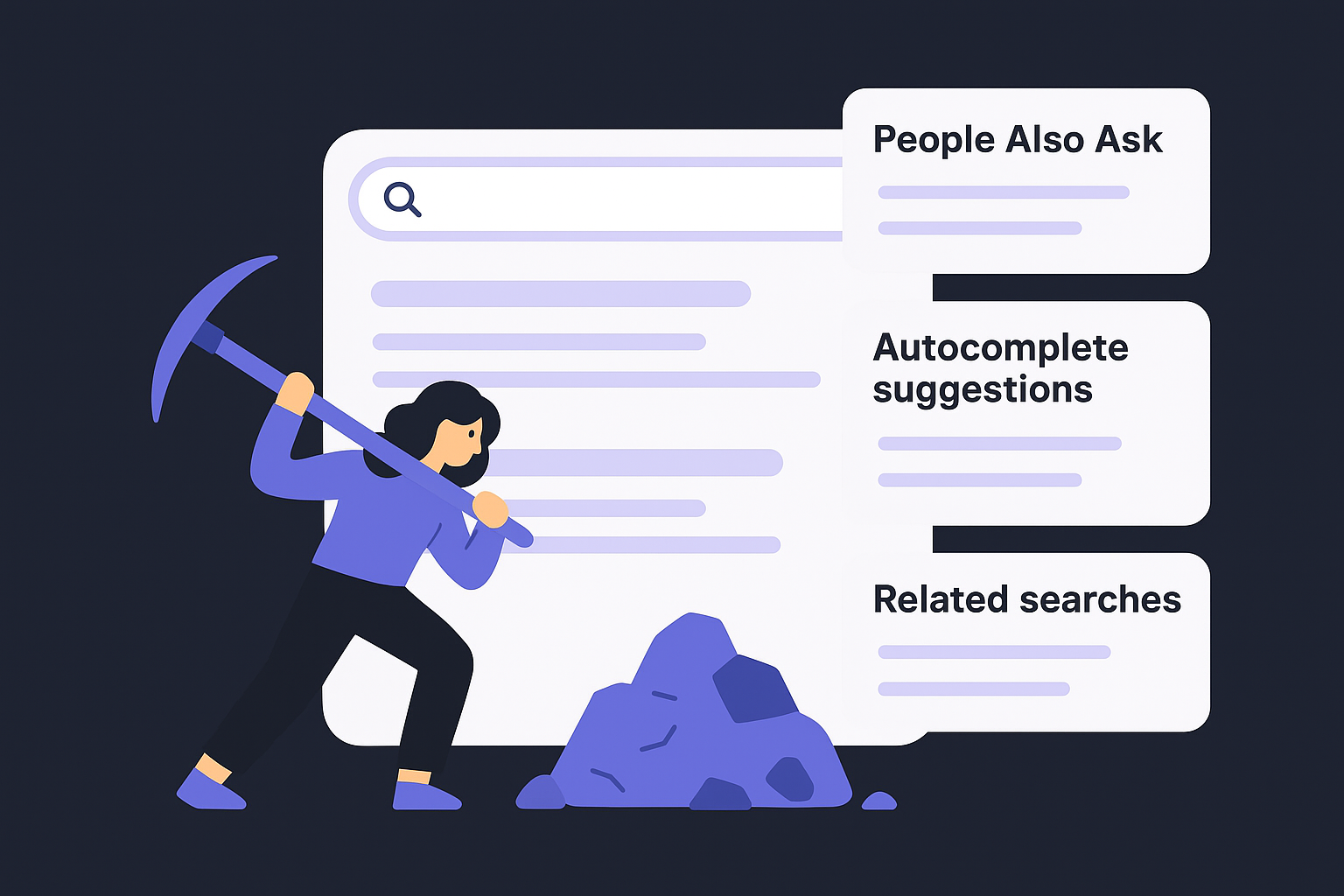
For each seed keyword, record the following directly from the SERP:
Seed keyword: [invoice follow-up]

People Also Ask:
- How do you politely follow up on an unpaid invoice?
- What is a good reminder email for an invoice?

Autocomplete suggestions:
- invoice follow-up email template
- invoice follow-up after no response

Related searches (bottom of page):
- invoice reminder letter
- overdue invoice follow-up
Repeat this process for every seed keyword on your list. After a few rounds, clear patterns will emerge: clusters of related queries pointing to specific content angles you might not have predicted from tools alone. Those patterns become the raw material you carry into the filtering step.
Step 4. Filter and score keywords with core metrics
After expanding your list, you're looking at a spreadsheet with hundreds of raw candidates. This step cuts that number down to the keywords worth targeting, using a small set of core metrics applied consistently across every row. Most keyword research step by step guides stop at collecting data, but the real work is building a scoring system that makes decisions for you, so you're not relying on gut feel when you have five hundred candidates and a limited publishing schedule.
The four metrics that matter
You don't need to track every data point your keyword tool surfaces. Four metrics do the real filtering work, and each one answers a distinct question about whether a keyword belongs on your final list, starting with what search volume and difficulty actually mean.
| Metric | What it measures | Why it matters |
|---|---|---|
| Monthly search volume | How often the term is searched | Confirms real demand exists |
| Keyword difficulty (KD) | How competitive the SERP is | Tells you if ranking is realistic |
| Cost per click (CPC) | What advertisers pay per click | Signals commercial intent |
| Traffic potential | Total traffic the top page earns | Shows true opportunity beyond the primary keyword |
A keyword with low volume and low difficulty often beats a high-volume term you have no realistic shot at ranking for this year.
Volume alone is a trap. A keyword with 30,000 monthly searches but a keyword difficulty score above 80 is essentially off-limits unless your domain has years of authority behind it, so run candidates through a keyword difficulty checker before committing. CPC acts as a commercial intent signal: advertisers only pay for clicks that convert, so a high CPC next to a keyword tells you the traffic has buying power, not just curiosity.
How to score your keyword list
Build a simple scoring sheet that weights each metric based on your goals. Assign points for each threshold, then sum the total for every keyword to produce a ranked list without second-guessing individual picks.
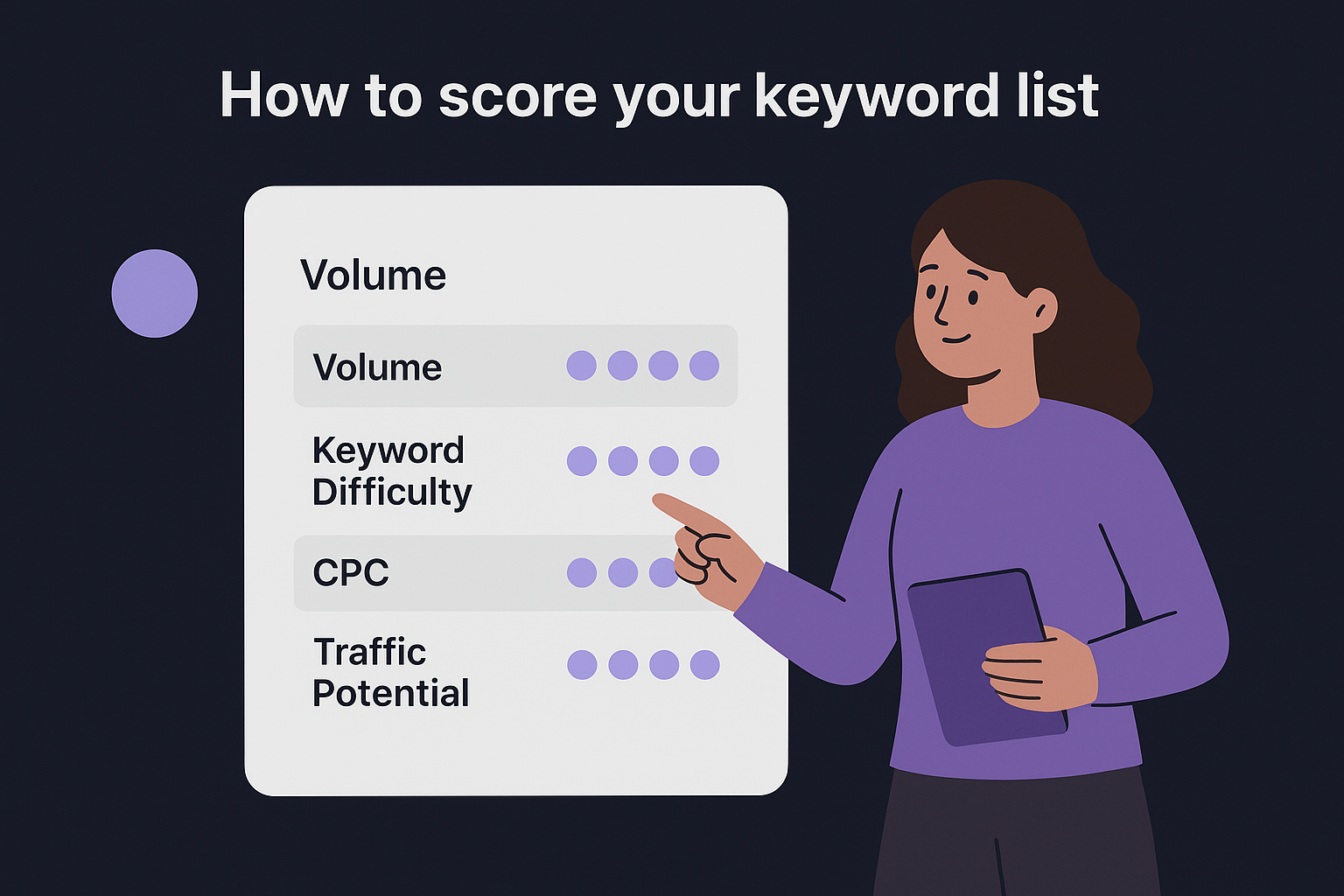
Scoring template (scale: 0-3 per metric, max score: 12)

Volume:
  0 = under 100/mo
  1 = 100-999/mo
  2 = 1,000-9,999/mo
  3 = 10,000+/mo

Keyword Difficulty:
  3 = 0-29  (low)
  2 = 30-49 (medium)
  1 = 50-69 (hard)
  0 = 70+   (very hard)

CPC:
  0 = under $0.50
  1 = $0.50-$1.99
  2 = $2.00-$4.99
  3 = $5.00+

Traffic Potential:
  0 = under 200/mo
  1 = 200-999/mo
  2 = 1,000-4,999/mo
  3 = 5,000+/mo
Sort every keyword by total score, then draw a cutoff line. Any keyword scoring seven or above earns a spot on your working list. Those below that threshold get archived, not deleted, because your situation changes as your domain grows authority over time.
Step 5. Validate search intent and choose the page type
A keyword with a strong score means nothing if you build the wrong type of page for it. Search intent is the reason behind a query, and Google's ranking systems are specifically designed to match results to that reason. Every keyword research step by step workflow must include an intent check, because publishing a blog post when Google is ranking product pages for the same term means your content will not rank regardless of quality.
Getting the intent right tells you what kind of page to build before you write a single word.
The four intent types and what they signal
Search intent falls into four categories, and each of the types of keywords in SEO points toward a specific content format. Recognizing which one applies to your keyword early in the process saves you from producing content that satisfies no one.
| Intent type | What the searcher wants | Typical page format |
|---|---|---|
| Informational | To learn something | Blog post, guide, FAQ |
| Navigational | To find a specific site or page | Brand page, login page |
| Commercial | To compare options before buying | Comparison post, review |
| Transactional | To buy or sign up now | Product page, landing page |
Navigational keywords are rarely worth targeting unless the searcher is already looking for your brand specifically. Focus your content production on informational, commercial, and transactional terms, since those three map directly to different stages of the buying process and give you a realistic shot at converting the traffic you earn.
How to confirm intent from the SERP
Your tool may assign an intent label automatically, but the SERP itself is the real source of truth. Open Google and search for the keyword, then look at what the top five results actually are. If the top results are all listicles, Google has decided this keyword belongs to list-format content. If the top results are all product pages, a blog post will not outrank them.
Use this quick validation check for each keyword on your working list:
Keyword: [your keyword here]

SERP audit:
- Page type of results 1-5: [blog post / product page / landing page / comparison]
- Featured snippet present: [yes / no]
- People Also Ask present: [yes / no]

Conclusion:
- Correct page type for this keyword: [_______]
- Does my planned page match this format: [yes / no / needs adjustment]
Run this check for every keyword before you hand it to a free content brief generator and turn it into a brief. If your planned page type does not match what Google already rewards, adjust the format rather than pushing content that fights the intent signals the results page clearly shows you.
Step 6. Cluster keywords and map them to one page
Clustering is where your filtered keyword list transforms into an actual content structure. Instead of treating each keyword as a separate page target, you group related terms that share the same search intent and topic under a single page. This prevents keyword cannibalization, which happens when multiple pages on your site compete for the same query and split your ranking signals rather than concentrating them, a problem an automated cannibalization audit can surface on pages you already published. Every keyword research step by step workflow that skips this step ends up producing overlapping content that dilutes authority instead of building it.
How clustering works
Clustering starts with a simple test you can apply by hand or with a free tool that groups a keyword list into clusters: if two keywords would produce the same page, they belong in the same cluster. A keyword like "invoice reminder email" and "invoice follow-up email template" both signal that the searcher wants a template-driven guide on following up after sending an invoice. Publishing two separate pages for these terms splits your traffic and confuses Google about which page to rank for each query. Group them under one primary keyword, treat the remaining terms as secondary targets, and build one page that satisfies all of them.
One page that fully addresses a cluster of related keywords will almost always outrank five thin pages, each targeting a single term.
Look for these signals when grouping keywords:
- Same SERP results: If two keywords return mostly the same top-ranking pages, Google treats them as the same topic
- Same core question: If both keywords ask the same thing in different words, they belong together
- Same page format: If both require the same structure, such as a guide or a product page, they fit in one cluster
Map one cluster to one page
Once you build your clusters, assign each one to a specific page type and URL. Use a mapping template to keep everything organized before you move into content planning:
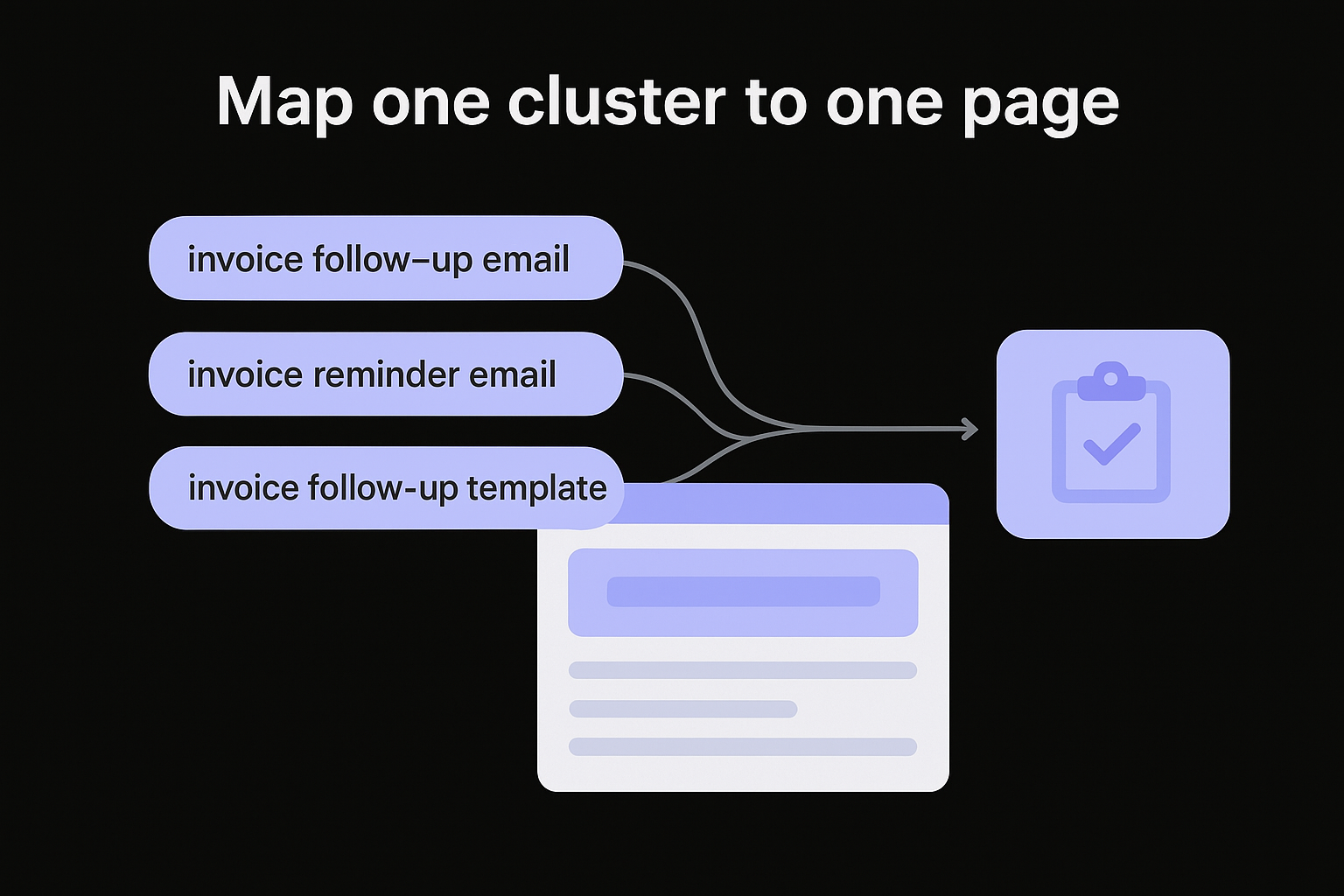
Cluster mapping template

Primary keyword: [invoice follow-up email]
Secondary keywords: [invoice reminder email, follow-up email for unpaid invoice,
                     invoice follow-up template]
Page type: Blog post / guide
Target URL: /blog/invoice-follow-up-email
Content goal: Drive template downloads
Business goal: Newsletter signups
Fill out one row per cluster, not per keyword. When you reach the prioritization step, you schedule pages, not individual terms. This structure keeps your content plan clean and ensures every piece of content you produce serves a distinct purpose rather than competing with pages you've already published.
Step 7. Prioritize and turn your list into a roadmap
You've built a filtered, clustered keyword list. Now you need to turn it into a publishing schedule that tells you exactly what to produce and in what order. Without this final step, your keyword research step by step process stays a spreadsheet exercise that never translates into actual content. Prioritization answers one question: which clusters do you publish first to get the best return given your current domain strength and business goals?
How to rank your clusters by opportunity
Every cluster on your list scores differently against three factors: how quickly it can rank, how closely it ties to a revenue goal, and how much traffic it can realistically send your site. Score each cluster against these three factors using a simple framework, then sort your list by total score before you assign any publishing dates.
Cluster prioritization scoring (0-3 per factor, max: 9)

Ranking speed potential:
  3 = KD under 30 and your domain can compete now
  2 = KD 30-49 and you have some topical authority
  1 = KD 50-69, longer timeline
  0 = KD 70+, park for later

Revenue tie:
  3 = Directly supports a conversion goal (signup, purchase, demo)
  2 = Supports a mid-funnel decision (comparison, review)
  1 = Informational with weak revenue connection
  0 = No clear path to conversion

Traffic potential:
  3 = 5,000+ monthly visits to top page
  2 = 1,000-4,999/mo
  1 = 200-999/mo
  0 = Under 200/mo
Sort every cluster by total score, highest to lowest. Any cluster scoring seven or above goes into your first publishing wave. Clusters scoring four to six go into a second wave, timed for after you've built topical authority with the first batch.
Build your publishing schedule
Take your ranked clusters and assign each one a target publish date based on how often you publish. If you produce two articles per week, your top ten clusters cover your next five weeks. This removes the daily decision of "what do I write about today," which is where consistency breaks down for most content operations, and it is exactly what a rolling content plan built from your keyword pool handles for you.
Your roadmap only works if you protect it from scope creep. Adding unscored keywords mid-cycle resets the priority logic you just built.
Use this template to finalize your schedule:
Publishing roadmap template

Week | Cluster (Primary keyword)        | Score | Page type    | Goal
-----|----------------------------------|-------|--------------|------------------
1    | invoice follow-up email          | 8     | Blog post    | Newsletter signup
1    | small business invoicing tips    | 7     | Blog post    | Free trial click
2    | best invoicing software 2026     | 9     | Comparison   | Demo booking
2    | how to track expenses manually   | 6     | Blog post    | Informational
Fill one row per cluster, not per keyword, and commit to the schedule for at least six weeks before reviewing performance data.
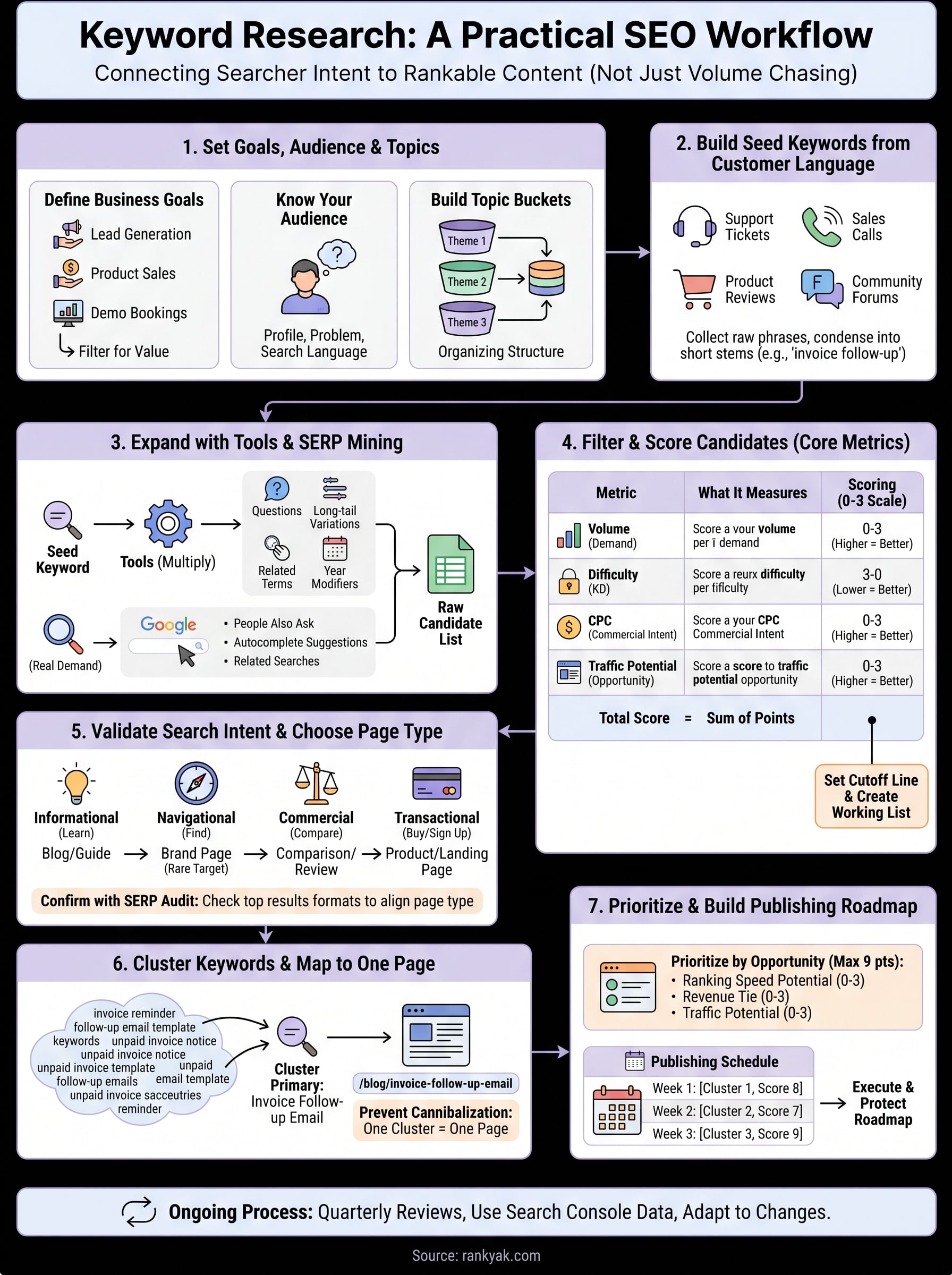
Keep it working over time
Keyword research step by step is not a project you complete once. Search behavior shifts, competitors publish new content, and Google's ranking signals evolve throughout the year. Set a quarterly review date on your calendar and revisit your roadmap each time it comes around. Check which published pages gained traction, which stalled, and whether new queries have emerged in your topic buckets.
During each review, pull your Google Search Console data to find keywords your pages already rank for but don't target directly. These become new cluster candidates without requiring any additional research from scratch. Drop any keyword that consistently ranks below position 20 after six months and replace it with a fresher opportunity your scoring system surfaces.
Running this cycle keeps your content plan current and your publishing schedule full. If you want the entire keyword discovery, clustering, and publishing workflow handled automatically every day, let RankYak research, write, and publish for you.
Allan de Wit is a co-founder of RankYak and has worked in SEO since 2015: inside agencies, alongside them, for clients directly, and in-house on the products being ranked. He came to it as a software engineer building for marketers, which is why the platform is built the way it is. He went on to start companies of his own, two of which were acquired. At RankYak he sets the product direction and owns the features, the quality bar, the design, and the UX.
