Meta Description Optimization: Best Practices + Examples
Your page could rank #1 on Google and still get ignored. If the meta description optimization is off, or missing entirely, searchers will scroll right past your result and click on someone else's. That tiny snippet of text beneath your title in search results is one of the most underrated levers for driving organic click-through rates (CTR). It doesn't directly affect rankings, but it absolutely affects whether people actually visit your site.
A well-written meta description acts like a mini sales pitch. It tells the searcher, "This page has exactly what you need." A bad one, or a default one auto-generated by Google, often misses the mark. The difference between the two can mean thousands of lost clicks over time, even when your content is solid. And since Google sometimes rewrites your meta description anyway, knowing how to write one that sticks requires understanding character limits, pixel widths, and search intent all at once.
This guide breaks down everything you need to get meta descriptions right: the ideal length, how to match search intent, formatting best practices, and real examples you can learn from. Whether you're writing them manually or relying on a tool like RankYak for automatic SEO article generation, these principles apply. Every article RankYak publishes is built with on-page SEO factors like meta descriptions baked in, so your content doesn't just rank, it actually earns the click.
Why meta descriptions still matter for SEO
Google confirmed years ago that meta descriptions are not a direct ranking factor. That confirmation leads a lot of site owners to deprioritize them or skip them entirely, which is a mistake. While they don't move your page up or down in the results, they have a strong influence on whether someone clicks your result at all, something that matters far more than most people realize.
They drive click-through rate directly
Your click-through rate (CTR) is the percentage of people who see your page in search results and actually click on it. When two pages rank in similar positions, the one with a more compelling description consistently pulls more traffic from the same spot. A well-crafted meta description tells the searcher exactly what they'll find and gives them a clear reason to choose your page over the others listed right beside it.
A higher CTR means more traffic from the same ranking position, which effectively multiplies the value of every piece of content you publish.
Getting more clicks from your current rankings is one of the fastest ways to grow organic traffic without producing new content. If you have pages sitting on page one that aren't getting clicked, a bulk meta description audit followed by a rewrite is the first place to start.
Google uses CTR as a quality signal
Search engines watch how users interact with results. When a lot of people click your result and then stay on your page, that signals that your content delivered what the searcher expected. When people skip your result repeatedly, or click and bounce back immediately, Google interprets that as a sign your page may not be the best match. Meta description optimization plays a real role in shaping those first interactions.
Your meta descriptions feed indirectly into how Google evaluates your page's relevance and user satisfaction. It's not a direct line from a better description to a higher ranking, but the chain of effects is real. A stronger description drives more clicks, which leads to more time on page and lower bounce rates, both of which contribute positively to how Google scores your content over time.
They shape first impressions before the click
Your meta description is often the first full sentence of context a searcher reads about your page. The title gives them a topic, which is why title tag optimization matters too, but the description gives them confidence. If the description is vague, cut off mid-thought, or clearly auto-generated, it introduces doubt at exactly the wrong moment in the decision to click.
People make fast decisions when scanning search results. They skim titles and descriptions in under a second and move on. A sharp, specific description that speaks directly to what the searcher is trying to accomplish creates trust before they ever land on your page. That trust is what consistently turns a solid ranking into an actual visit.
How meta description optimization works in Google
Meta description optimization isn't just about writing a good sentence and hoping it shows up. Google has its own logic for when it uses your meta description, when it rewrites it, and how it displays it across different devices. Understanding that logic helps you write descriptions that are more likely to appear the way you intend.
When Google rewrites your meta description
Google rewrites meta descriptions more often than most people expect. Studies consistently show that Google overrides the meta description you write in a significant percentage of search results, often pulling a sentence or passage directly from your page content instead. This usually happens when Google determines that your description doesn't closely match the searcher's query.
The best way to reduce rewrites is to write meta descriptions that directly answer the specific question or intent behind your target keyword.
If your page targets multiple search intents or a broad topic, Google may show different descriptions for different queries. That's not necessarily a problem, but it does mean that writing a tight, intent-focused description for your primary keyword gives you the best chance of having your words shown rather than something scraped from the middle of your page.
How the snippet gets generated
When Google doesn't use your meta description, it pulls text from the body of your page that it thinks best matches what the searcher typed. This means your page content itself functions as a backup description pool. Pages with clear, well-structured sentences near the top of the article tend to produce cleaner auto-generated snippets than pages that open with images, tables, or dense blocks of text.
You can influence this by making sure your opening paragraphs are specific and scannable. Even if Google rewrites your meta description for some queries, having both a strong custom description and well-written page content gives you two layers of control over what searchers see in the results.
How to write meta descriptions that win clicks
Writing a meta description that earns clicks comes down to two things: knowing exactly what the searcher wants and giving them a clear, specific reason to choose your page over others. Generic descriptions that summarize the page topic at a high level rarely perform well. Searchers scan quickly, and your description needs to match their intent and speak to the outcome they're after, not just the subject matter.
Match the search intent first
Every query has a goal behind it. Someone searching "best running shoes for flat feet" wants a recommendation, not background information on the topic. Before you write a single word, identify what the searcher is trying to accomplish and write directly to that goal. Your description should feel like a direct response to the question they're asking, even if the full answer lives inside the page.
The closer your meta description matches the searcher's actual intent, the less likely Google is to replace it with something pulled from your page body.
Meta description optimization works best when you treat each description as a targeted message rather than a summary, and a meta description generator can draft a few angles to choose from. If your page covers multiple subtopics, focus the description on the primary intent behind your target keyword, not the full breadth of what the article contains.
Use action-oriented language and a clear benefit
Passive, vague descriptions lose clicks to descriptions that tell readers exactly what they'll get. Start with a strong verb or a direct statement that highlights the specific outcome or value the reader receives by clicking. Phrases like "Learn how to," "Find out which," or "See the full breakdown of" set clear expectations upfront and reduce hesitation before the click.
Your goal is to give the searcher enough confidence to click, not to summarize every section of your page. One sharp, relevant sentence tied directly to their goal almost always outperforms two vague ones that try to cover too much ground at once.
Meta description length, pixels, and truncation
Most SEO guides tell you to keep meta descriptions under 160 characters, but that number is only part of the story. Google doesn't measure descriptions by character count alone. It measures them by pixel width, which means the actual length that displays without cutting off depends on which letters and characters you use, not just how many.
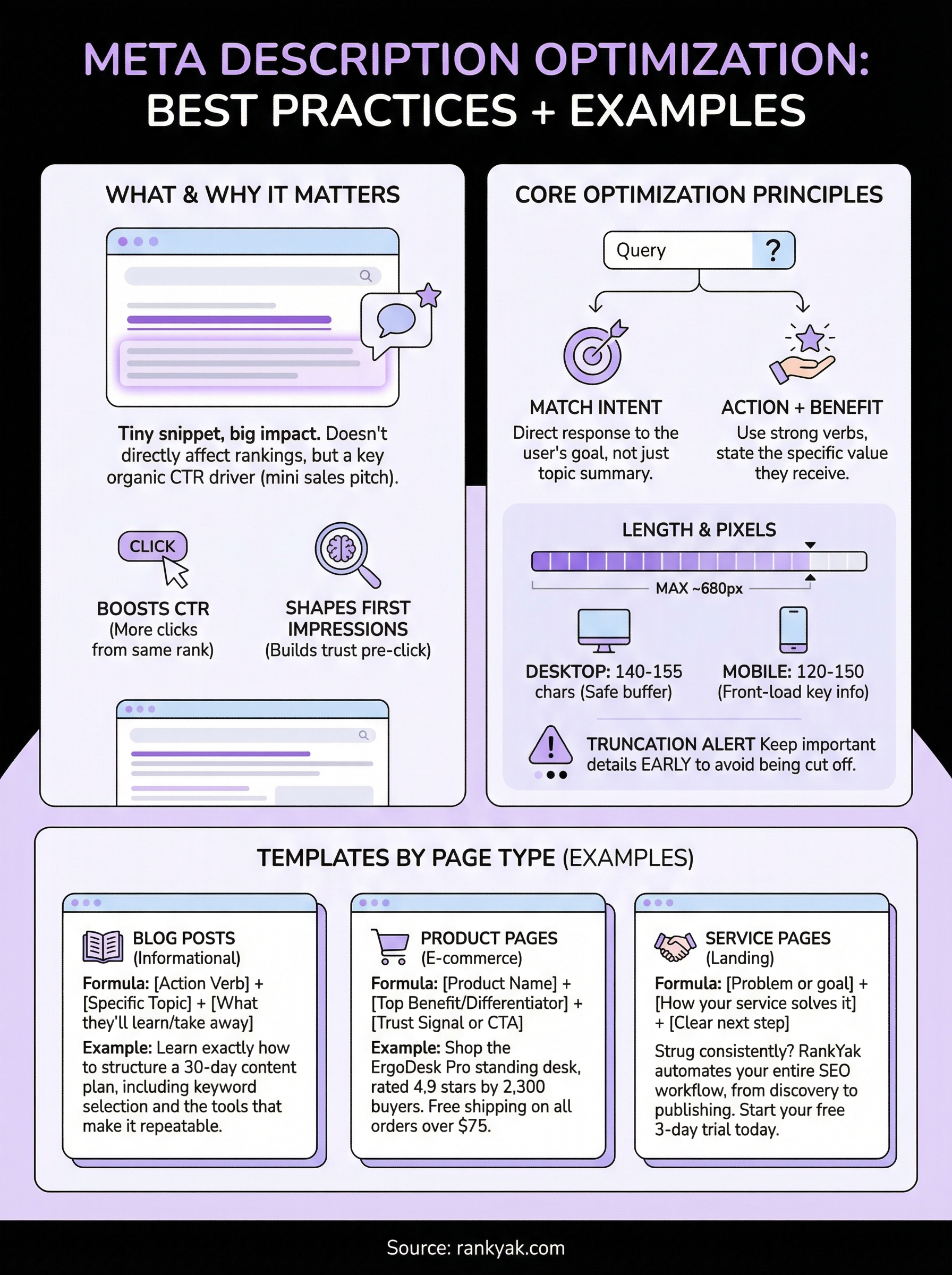
The character and pixel limits you need to know
Google displays meta descriptions up to roughly 680 pixels wide on desktop. In practice, that translates to somewhere between 150 and 165 characters for most normal English text. However, wider characters like capital letters, the letter "W," and punctuation like "%" or "@" consume more pixels per character. A 155-character description that uses a lot of wide characters may still get truncated mid-sentence in search results, so it pays to preview your snippet by pixel width before publishing.
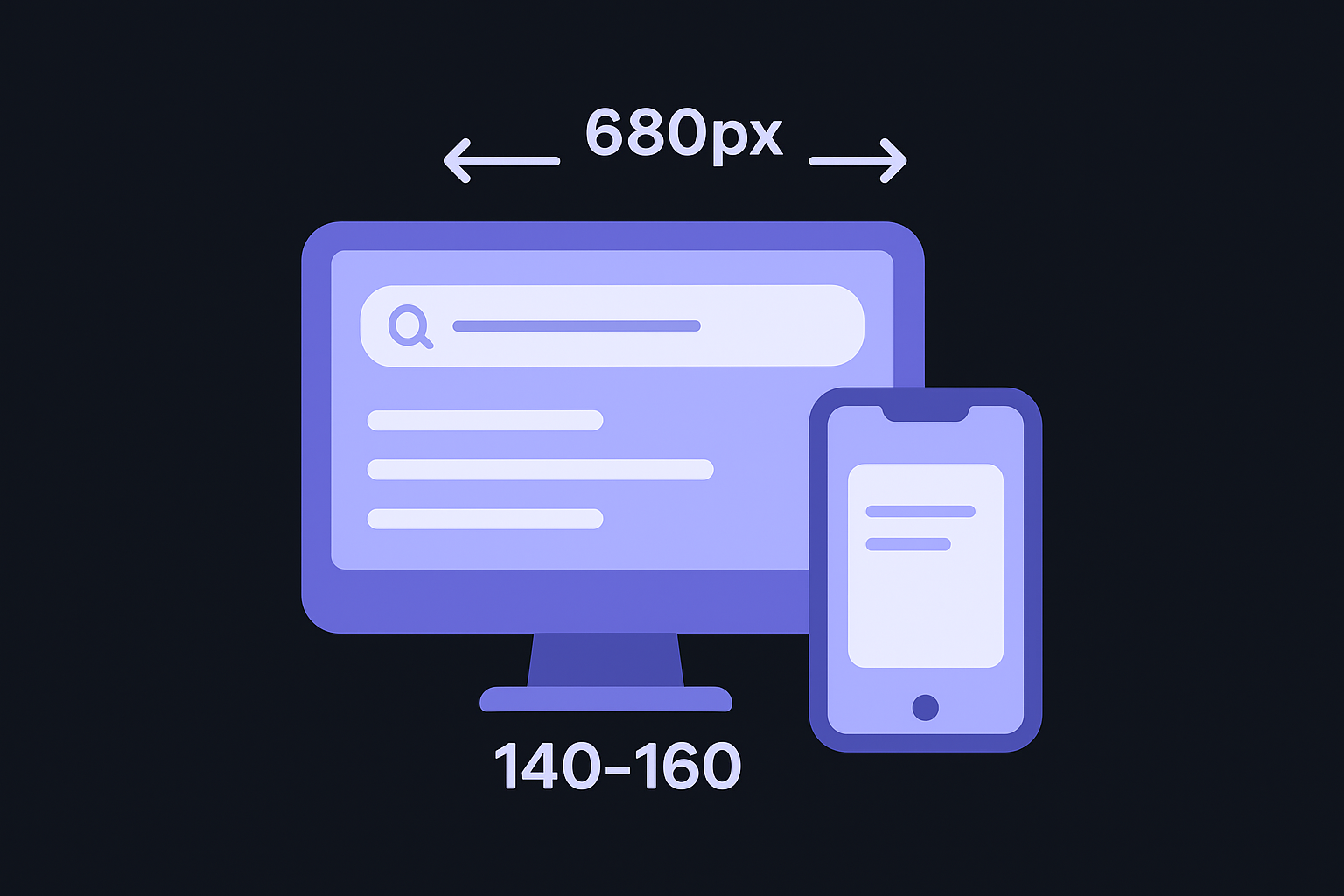
Staying between 140 and 155 characters gives you the safest buffer while still leaving room to write a complete, meaningful description.
The table below shows how different character counts typically behave across devices:
| Device | Approximate pixel limit | Safe character range |
|---|---|---|
| Desktop | ~680px | 140-160 characters |
| Mobile | ~680px | 120-150 characters |
Mobile results can cut off sooner depending on screen size and font rendering, so front-loading your key message within the first 120 characters gives you the best coverage across both contexts.
How truncation affects your message
When Google cuts off your meta description, it adds an ellipsis at the point of truncation, which means anything after that point simply disappears. If your most compelling point sits at the end of the sentence, the searcher never reads it. Poor placement directly undermines your meta description optimization efforts, even when the writing itself is strong.
Structure your description so that the primary benefit or call to action appears early. Put your keyword and the clearest signal of value in the first half of the description. Treat the second half as supporting context, useful if it displays, but never critical to the message if it gets cut.
Examples and templates by page type
Meta description optimization looks different depending on what your page is trying to accomplish. A blog post targets informational intent, while a product page needs to push toward action. Using the right structure for each page type makes your descriptions more effective and reduces the chance Google rewrites them.
Blog posts and informational pages
Informational pages do best when the description signals a clear answer to a specific question. The reader is in research mode, so your description should confirm that your page has the depth they need, not just the topic.
Template: [Action verb] + [specific topic] + [what they'll learn or take away]
Example: "Learn exactly how to structure a 30-day content plan, including keyword selection, publishing cadence, and the tools that make it repeatable."
Lead with the outcome the reader walks away with, not a summary of what the article contains.
That approach works because it matches the reader's goal directly. They want to know what they'll gain before they click, not what sections you included.
Product and e-commerce pages
Product pages need descriptions that highlight a key differentiator and create a reason to click over competitors, which is where AI product description generators can speed up a large catalog. Focus on one specific benefit, a standout spec, or a strong trust signal like reviews or shipping terms.
Template: [Product name] + [top benefit or differentiator] + [trust signal or CTA]
Example: "Shop the ErgoDesk Pro standing desk, rated 4.9 stars by 2,300 buyers. Free shipping on all orders over $75."
Service and landing pages
Service pages are selling a result, not a product. Your description should speak directly to the problem the reader is trying to solve and tie it to the specific outcome your service delivers.
Template: [Problem or goal] + [how your service solves it] + [clear next step]
Example: "Struggling to rank consistently? RankYak automates your entire SEO workflow, from keyword discovery to daily publishing. Start your free 3-day trial today."
Keep every template tight and front-loaded. The specific detail you include is what separates a description that earns clicks from one that blends into the results.
Next steps
Meta description optimization is one of those tasks that pays off faster than most other SEO work because the results show up directly in your click-through rate, often within days of updating a live page. Start by auditing your highest-traffic pages in Google Search Console. Look for pages with strong impressions but low CTR, those are your best candidates for a quick rewrite using the templates and length guidelines from this article.
From there, work your way through product pages, landing pages, and key blog posts. Write each description to the specific intent behind the target keyword, keep it front-loaded, and stay within 155 characters to avoid truncation.
If you want a system that handles meta descriptions, keyword targeting, and on-page SEO automatically every day, let RankYak run your SEO on autopilot and publish fully optimized articles built to earn both rankings and clicks, without the manual work.
Lars Koole is a co-founder of RankYak and has worked in SEO since 2021, on the side where a strategy has to become a live page: inside agencies, alongside them, for clients directly, and in-house on the products being ranked. He is a software engineer by trade, which is how that page gets built. Before RankYak he founded companies of his own, two of which were acquired. At RankYak he owns the engineering and everything AI, and works out the solution and the implementation of each new feature.
