
11 Best Content Calendar Tools for Planning and Scheduling

Publishing content without a plan is like throwing darts blindfolded, you might hit something, but you'll waste a lot of effort getting there. Content calendar tools solve this by giving you a structured way to plan, schedule, and manage everything your team publishes, whether that's blog posts, social media updates, or email campaigns. The right tool turns a chaotic backlog of ideas into a repeatable publishing workflow that actually scales.
But with dozens of options on the market, picking the right one isn't straightforward. Some tools are built for social media teams. Others handle editorial workflows for blogs and websites. A few, like RankYak, go further by automating the entire content lifecycle, from keyword research and article creation to publishing, so your calendar fills itself daily with SEO-optimized content ready to rank.
This guide breaks down 11 of the best content calendar tools available right now. For each one, you'll get a clear look at what it does best, who it's built for, and what it'll cost you, so you can pick the tool that fits your workflow, budget, and goals without second-guessing it.
1. RankYak
RankYak is an all-in-one SEO automation platform that takes content calendar tools a step further by removing the manual work entirely. Instead of giving you a blank calendar to fill, RankYak automatically generates your content plan, finds the right keywords for your niche, writes fully optimized articles, and publishes them directly to your site every day.
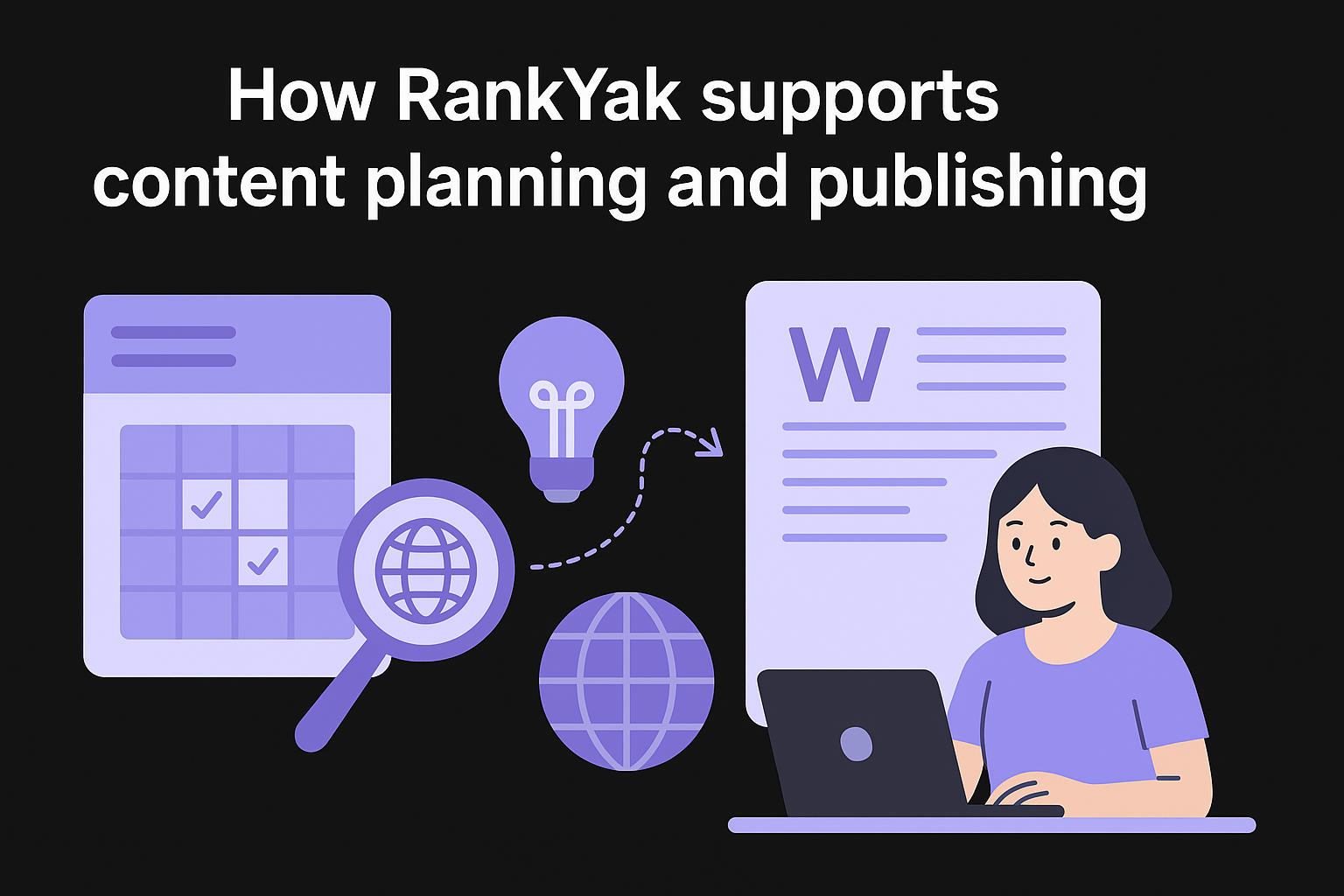
How RankYak supports content planning and publishing
RankYak's smart keyword discovery engine scans your website and niche to identify high-potential keywords that match what your audience is already searching for, both on Google and in AI chat platforms like ChatGPT and Perplexity. From there, it builds a daily content roadmap that decides which topics to target next, so your publishing schedule stays consistent without any manual input from you.
Each article RankYak produces runs up to 5,000 words and is built around search intent, competitor research, internal linking, topic clusters, and E-E-A-T guidelines. The platform also adapts to your brand voice and supports 40+ languages, so content feels native to your site rather than generic. Once written, it publishes automatically to WordPress, Shopify, Webflow, Wix, and other major platforms.
If your biggest content bottleneck is finding time to plan, write, and publish consistently, RankYak removes all three obstacles at once.
Where RankYak fits in a content calendar workflow
RankYak works best as your primary SEO content engine. If your team focuses on blog content, organic traffic, and long-form articles, RankYak replaces the planning, writing, and scheduling steps that typically eat up the most time. You don't need a separate editorial calendar for SEO content because the entire workflow runs automatically.
For teams that also manage social media or email campaigns, pairing RankYak with a lightweight social scheduling tool gives you a complete content operation without juggling multiple complex platforms or coordinating large editorial teams.
RankYak pricing
RankYak offers one straightforward plan at $99 per month, which includes every feature: keyword discovery, daily article generation, automatic publishing, backlink exchange, and multi-site management. There are no tiered feature locks or add-on fees for integrations.
New users get a 3-day free trial with no commitment required. You can cancel anytime during the trial with no questions asked, which makes it easy to test the platform against your actual workflow before committing.
2. Planable
Planable is a collaborative content planning platform built primarily for marketing teams and agencies that need to coordinate social media and content approvals across multiple stakeholders. It combines a visual calendar view with real-time collaboration features, making it one of the more focused content calendar tools available for teams that publish frequently across multiple channels.
How Planable handles planning, previews, and approvals
Planable lets you build content in a visual workspace where posts appear exactly as they will on each platform before you publish them. Your team can leave feedback, tag colleagues, and move content through a customizable approval workflow without switching to email or separate project management tools. This makes the review cycle faster and keeps all feedback attached directly to the content.
If your team loses time chasing approvals across email threads and Slack messages, Planable centralizes the entire process in one place.
When Planable makes the most sense
Planable fits best when your primary output is social media content and your workflow involves multiple reviewers, such as clients, legal, or senior stakeholders. Agencies managing several brand accounts benefit the most from its multi-workspace structure, which keeps each client's content separate without requiring separate logins.
Planable pricing
Planable offers a free plan that covers up to 50 total posts, which works for a short trial but not for ongoing use. Paid plans start at $33 per month for a single workspace, with higher tiers unlocking additional workspaces and advanced approval features. Pricing scales based on the number of workspaces and users, so costs can climb quickly for agencies managing large client rosters.
3. Asana
Asana is a project management platform that many content teams adapt into a functional content calendar. It wasn't built specifically as one of the dedicated content calendar tools on this list, but its flexibility makes it practical for teams that already run operations inside Asana and want to keep editorial planning in the same place.
How Asana works as a content calendar
The platform gives you multiple views, including Timeline, Board, Calendar, and List, so you can visualize your publishing schedule in whatever format your team prefers. You assign each piece of content as a task, set a due date, attach briefs, and track it through custom stages from draft to published. The Calendar view lays your entire schedule out at a glance, and you can filter by assignee or tag to manage workload quickly.
Asana works best as a content calendar when your team already uses it for project tracking and wants to avoid adding a separate tool just for editorial planning.
Best workflows and team setups for Asana
Teams that produce blog posts, landing pages, or long-form content where each piece moves through a structured review and approval process get the most from Asana. Marketing teams with writers, editors, designers, and strategists benefit from its task dependencies and assignee tracking, which keep handoffs clean.
Smaller teams find Asana easier to configure than enterprise tools, especially when they want a single shared workspace that handles both project tracking and content scheduling without extra setup.
Asana pricing
Asana offers a free plan for up to 10 users, covering basic tasks and project views.
Paid plans start at $10.99 per user per month on the Starter tier, with higher plans adding advanced workflows, portfolios, and custom reporting rules.
4. Notion
Notion is a flexible workspace tool that functions well as a content calendar when you need a highly customizable system without paying for a dedicated editorial platform. Teams use it to build databases, link related content, and organize their entire publishing workflow inside a single shared workspace.
How Notion structures editorial and marketing calendars
Notion's database feature lets you build a content tracker where each row represents an article, post, or campaign. You can switch between Calendar, Table, Gallery, and Board views depending on how you want to visualize your publishing schedule. Properties like status, publish date, author, and channel give you full control over how content moves through your workflow, and you can filter or group entries by any field combination.
Notion's real strength is that it lets you design the exact system you need rather than forcing your team into a fixed template.
Best use cases for Notion as a content calendar
Notion fits best for small teams and solo creators who want a low-cost, flexible workspace they can shape around their own process. If your content operation is relatively simple and you don't need built-in approvals or automated scheduling, Notion gives you enough structure without the overhead of more complex content calendar tools.
Notion pricing
The platform offers a free plan that covers unlimited pages and basic collaboration for individuals. Paid plans start at $12 per user per month on the Plus tier, which adds unlimited file uploads, version history, and advanced permissions suited for growing teams.
5. Airtable
Airtable is a spreadsheet-database hybrid that content teams use to build fully custom editorial systems. Unlike dedicated content calendar tools, Airtable doesn't come pre-configured for content planning, but its flexibility means you can shape it into exactly the workflow your team needs, whether that's a simple publishing tracker or a complex multi-channel content operation.
How Airtable builds custom content calendar databases
Airtable stores each piece of content as a record in a database, where you define every field yourself: publish date, content type, assigned writer, target keyword, status, and any other attribute your team tracks. This structure lets you filter, sort, and group your content in dozens of different combinations without being locked into someone else's system design.

If your content workflow doesn't fit neatly into standard project management templates, Airtable gives you the building blocks to create one that does.
Automation, views, and permissions that matter in Airtable
Airtable's Calendar, Kanban, Gallery, and Grid views let your team switch between formats depending on what they need to see at any given moment. You can set up automated triggers that send notifications when a record changes status, assign tasks when a new row gets added, or sync data with external tools through native integrations. Field-level permissions let you control exactly what each team member can edit, which keeps data integrity intact across larger teams without requiring constant oversight.
Airtable pricing
Airtable offers a free plan with limited records per base and basic features for small teams. Paid plans start at $20 per user per month on the Team tier, which adds expanded record limits, advanced automations, and more granular permissions suited for active content operations.
6. ClickUp
ClickUp is a project management platform that works well as a content calendar for teams that want tasks, documents, and scheduling all in one place. It offers more built-in flexibility than most dedicated content calendar tools, making it a practical choice for content operations that span multiple formats and channels.
How ClickUp combines tasks, docs, and calendar views
ClickUp lets you manage content as tasks within a project, then switch between List, Board, Gantt, and Calendar views to see your schedule from different angles. You can attach ClickUp Docs directly to tasks, so briefs, drafts, and feedback all live next to the work they relate to rather than scattered across separate tools.
Keeping your briefs, tasks, and publishing schedule inside one platform removes a lot of the friction that slows down content teams working across multiple formats.
Who should choose ClickUp for content planning
ClickUp fits teams that manage multiple content types simultaneously, such as blog posts, video scripts, and email sequences, and want a single workspace to track all of them. If your team already uses ClickUp for product or project management, adding a content calendar workflow inside the same tool reduces tool sprawl and keeps everyone aligned without onboarding a separate platform.
ClickUp pricing
ClickUp offers a free plan that covers unlimited tasks and basic features for individuals and small teams. Paid plans start at $7 per user per month on the Unlimited tier, which adds integrations, dashboards, and custom fields that make it far more practical for active content teams with multiple contributors and ongoing publishing schedules.
7. CoSchedule
CoSchedule is a dedicated marketing calendar platform built specifically for content teams that need to coordinate both editorial and social publishing in one place. Unlike general project management tools, CoSchedule treats your content calendar as the central hub of your marketing operation, connecting blog posts, social promotions, email campaigns, and team tasks within a single unified view.
How CoSchedule manages editorial and social calendars
The platform's Marketing Calendar gives you a real-time overview of everything your team publishes across channels. You can schedule blog posts alongside the social media promotions that support them, which keeps your entire content distribution strategy visible in one place. CoSchedule also includes ReQueue, a feature that automatically refills gaps in your social schedule with your best-performing past content, so your channels stay active even when your team is focused elsewhere.
Seeing your blog content and social promotions side by side prevents the common problem of publishing an article with no coordinated promotion plan behind it.
When CoSchedule beats generic project management tools
CoSchedule wins when your team needs a purpose-built content calendar tool rather than a general project tracker adapted for editorial use. If your workflow combines long-form content with active social distribution, CoSchedule handles both without requiring separate platforms or manual syncing between tools.
CoSchedule pricing
CoSchedule offers a free Marketing Calendar plan for individuals that covers basic scheduling and calendar visibility. Paid plans start at $29 per user per month on the Social Calendar tier, with the Marketing Suite available at custom pricing for larger teams that need advanced automation and analytics.
8. Hootsuite
Hootsuite is one of the most widely used social media management platforms, and its built-in calendar view makes it a functional option for teams focused on social media scheduling rather than long-form content planning. It gives you a centralized place to plan, schedule, and publish posts across multiple social channels without switching between platforms.
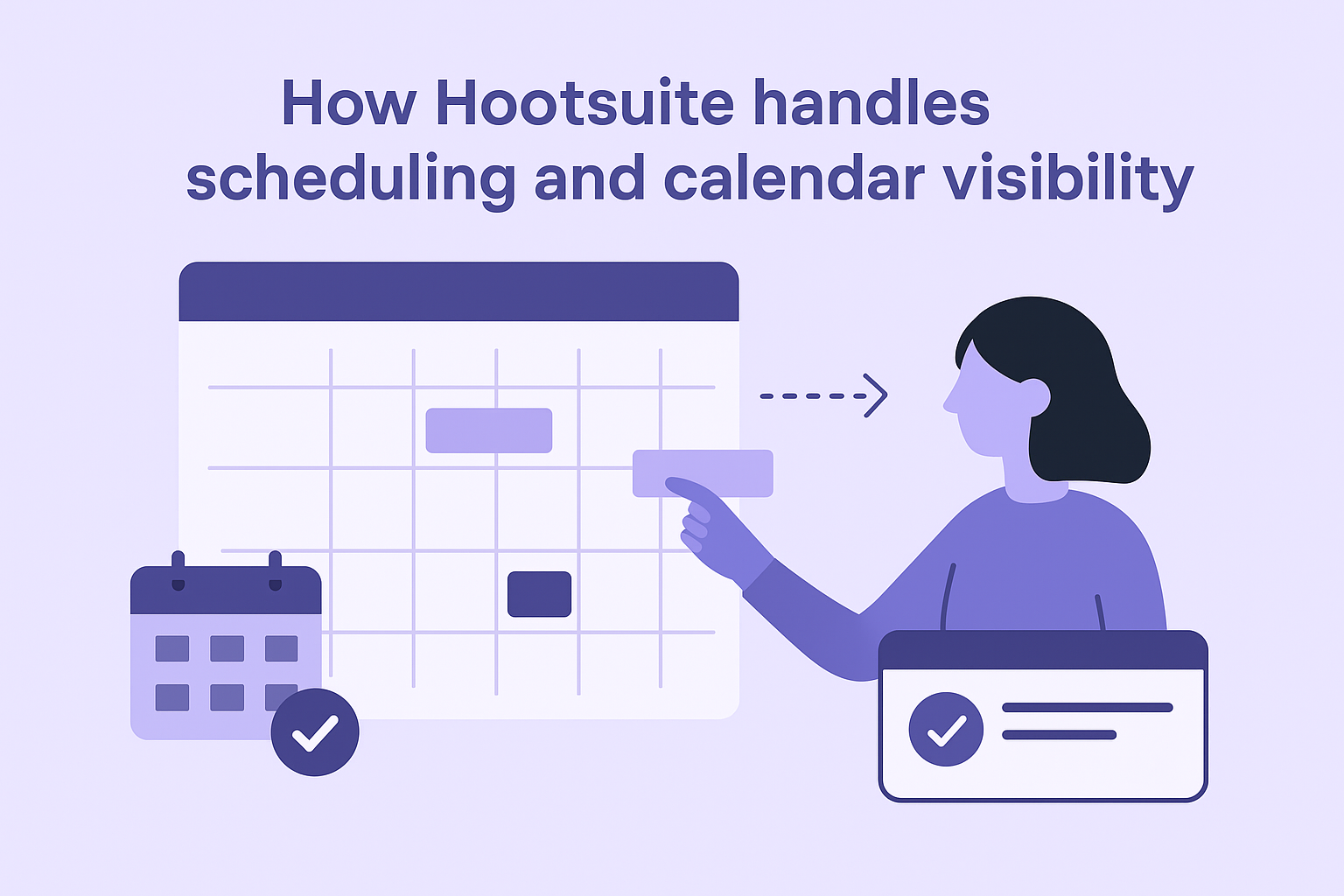
How Hootsuite handles scheduling and calendar visibility
The platform's content calendar displays your scheduled posts across all connected social accounts in a single view. You can drag and drop posts to adjust timing, schedule content in bulk using CSV uploads, and get best time to post recommendations based on your audience's activity patterns. This makes Hootsuite one of the more practical content calendar tools for teams that publish high volumes of social content daily.
If your primary publishing channel is social media, Hootsuite's calendar view gives you a clear picture of what's going live and when, without needing a separate planning tool.
Inbox, listening, and reporting considerations
Beyond scheduling, Hootsuite includes a unified social inbox that pulls messages and comments from all your connected accounts into one stream. Its social listening features let you monitor brand mentions and relevant keywords, while built-in analytics reports show how your content performs over time. For teams that need more than just a posting calendar, these features add real operational value.
Hootsuite pricing
Hootsuite no longer offers a free plan. Paid plans start at $99 per month on the Professional tier, which covers one user and up to 10 social accounts. Higher tiers unlock additional users, accounts, and advanced reporting features at significantly higher price points.
9. Buffer
Buffer is a social media scheduling platform that keeps things deliberately simple. It gives you a straightforward way to plan and queue posts across major social channels without the complexity that comes with larger content calendar tools built for enterprise teams.
How Buffer supports simple scheduling and calendar planning
Buffer's interface is clean and focused: you add posts to a publishing queue, set your preferred posting times, and Buffer works through the queue automatically on your schedule. The calendar view shows everything lined up chronologically, so you can spot gaps in your publishing schedule and fill them quickly without digging through multiple menus.
Buffer works best when you want a clean, low-friction scheduling tool rather than a full content management system.
Analytics and team collaboration trade-offs
Buffer includes basic analytics that show engagement, reach, and clicks for each post, which is enough to identify what content performs well. However, if your team needs advanced reporting or multi-user collaboration workflows, Buffer's capabilities are limited compared to platforms like Hootsuite or CoSchedule. Approval workflows and team permissions exist on paid plans but are not as robust as dedicated collaboration-focused tools, so larger teams often find they need to supplement Buffer with a separate workflow platform.
Buffer pricing
Buffer offers a free plan that covers up to three social channels and basic scheduling for individuals. Paid plans start at $6 per channel per month on the Essentials tier, with the Team tier at $12 per channel per month adding collaboration features and unlimited team members. Pricing scales with the number of channels you connect, so costs can add up quickly if you manage multiple social accounts across several brands.
10. Canva Content Planner and Adobe Express Content Scheduler
Both Canva and Adobe Express bundle basic content scheduling directly into their design platforms, making them convenient options if you already create visual content inside either tool. Neither qualifies as a standalone solution among dedicated content calendar tools, but for solo creators and small teams that prioritize design workflow over complex editorial planning, they remove one step from the process.
How Canva Content Planner handles planning and scheduling
Canva's Content Planner lets you schedule social media posts directly from your design canvas to connected platforms like Instagram, Facebook, Pinterest, and LinkedIn. You pick a date and time, connect your account, and Canva publishes the post automatically. The calendar view is straightforward and visual by nature, which suits creators who build graphics first and plan distribution second.
Canva's scheduling feature works best when design and distribution happen inside the same tool, cutting out the extra step of exporting assets to a separate scheduler.
How Adobe Express Content Scheduler compares for teams
Adobe Express offers a similar built-in scheduler that connects to major social platforms and lets you queue posts directly from your creative workspace. It integrates with Adobe's broader Creative Cloud ecosystem, which makes it more useful for teams already working in Photoshop or Premiere Pro and sharing assets across Adobe apps.
Which one to choose based on your workflow
Choose Canva if your team designs and publishes independently from the Adobe ecosystem. Choose Adobe Express if your workflow depends on Creative Cloud assets and brand kits already managed inside Adobe.
Pricing for Canva and Adobe Express
Canva's scheduling feature is available on the free plan with limited posts; the Pro plan costs $15 per month. Adobe Express is included with Creative Cloud subscriptions, with a standalone free tier that covers basic scheduling.
Next steps
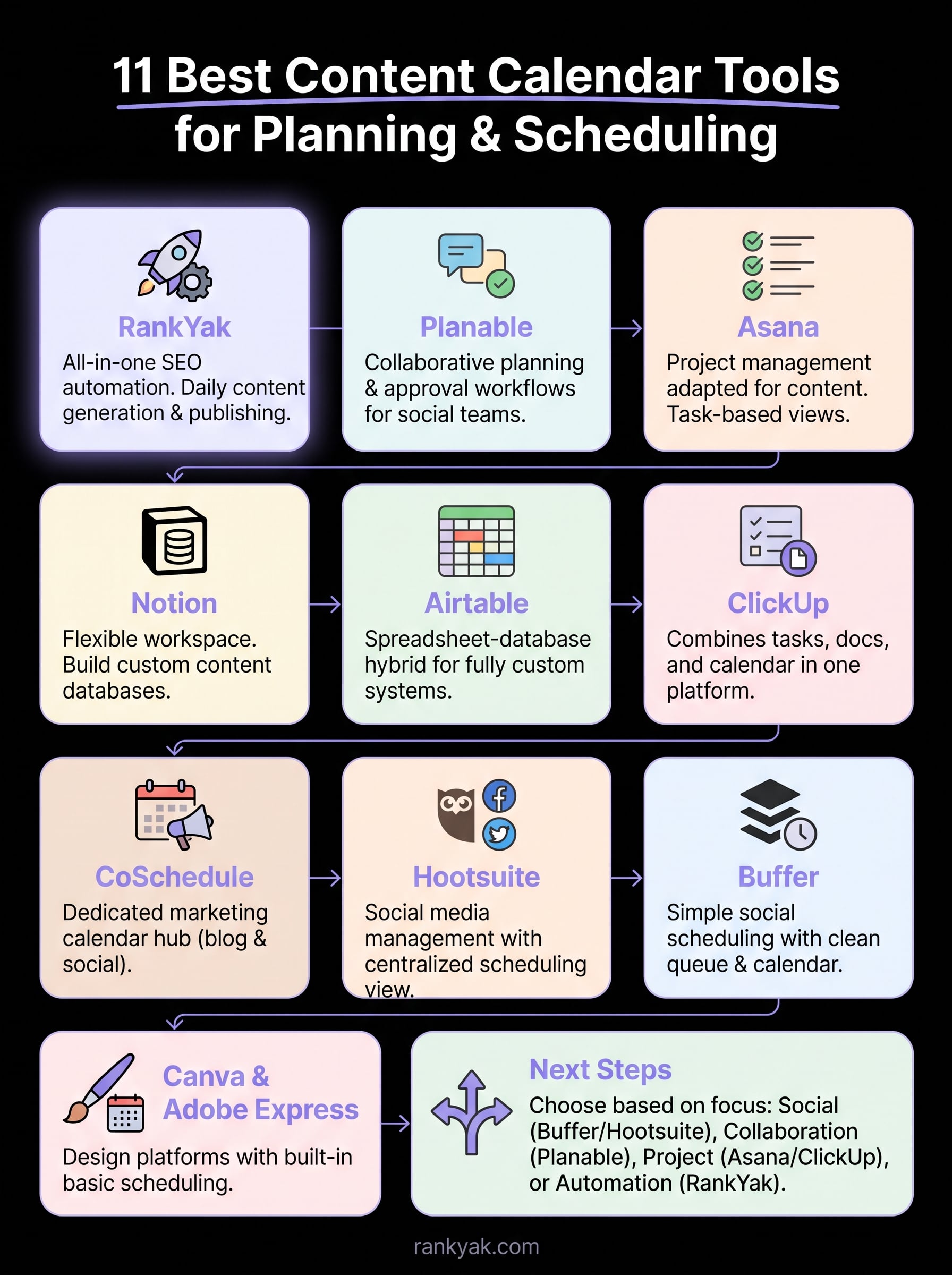
The right tool depends on what you actually need from your publishing workflow. If your focus is social media, Buffer or Hootsuite handles the scheduling without extra complexity. If your team needs approval workflows and multi-stakeholder reviews, Planable fits better. For project-driven editorial teams, Asana, ClickUp, or Notion give you enough flexibility to build a custom system around your process without paying for features you will never use.
But if your goal is to grow organic traffic through consistent blog publishing, most content calendar tools only solve the scheduling problem, not the content creation problem. RankYak solves both by automating keyword research, article writing, and daily publishing, so your calendar fills itself with SEO-optimized content without manual effort from your team. You get one article every day, published directly to your site, built to rank.
Start your 3-day free trial and see how much time you get back when your content pipeline runs on autopilot.

Get Google and ChatGPT traffic on autopilot.
Start today and generate your first article within 15 minutes.

SEO revenue calculator
How much revenue is your website leaving on the table?
Take a quick quiz and see exactly how much organic revenue you're missing out on, along with personalized tips to fix it.
-
4 questions, under 1 minute
-
See traffic and revenue potential
-
No email required
Free · takes 1 minute · no signup needed
Question 1 of 4
Question 2 of 4
Question 3 of 4
Question 4 of 4
Your SEO growth potential
Extra visitors / month
after 6-12 months of consistent publishing
Revenue potential / year
at your niche's avg. conversion rate
Articles needed (12 mo)
to reach this traffic level
ROI with RankYak
on the Professional plan ($129/mo)
To hit that number, you'd need to:
- Build a topical authority strategy for your niche
- Research keywords & map out a full topical cluster
- Write, edit & publish an article every single day
- Build backlinks to the articles you publish
RankYak handles all of this automatically, every day.
* Estimates based on industry averages. Results vary by niche, competition, and domain authority. Most SEO results become visible after 3-6 months of consistent publishing.