11 Best Keyword Clustering Tools For SEO In 2026
If you've ever tried to organize a spreadsheet of 500 keywords by hand, you know how fast that turns into a mess, and why it helps to cluster a keyword list by intent and meaning in one pass. A good keyword clustering tool groups related terms by search intent instead of just search volume, so you build one strong page per topic instead of ten thin ones competing against each other. That distinction matters more in 2026, when Google and AI search engines both reward topical authority over keyword stuffing.
This list answers a simple question: which tools actually cluster keywords well, and which ones just sort them alphabetically and call it a day. You'll find free options for smaller sites and paid platforms built for agencies managing dozens of clients, along with what each one does best.
We cover 11 tools, including standalone topic cluster tools, all-in-one SEO suites, and platforms like RankYak that skip manual clustering entirely by turning grouped keywords straight into a daily content plan and published articles. Whether you want raw clustering data or a fully automated workflow, you'll find the right fit below.
1. RankYak
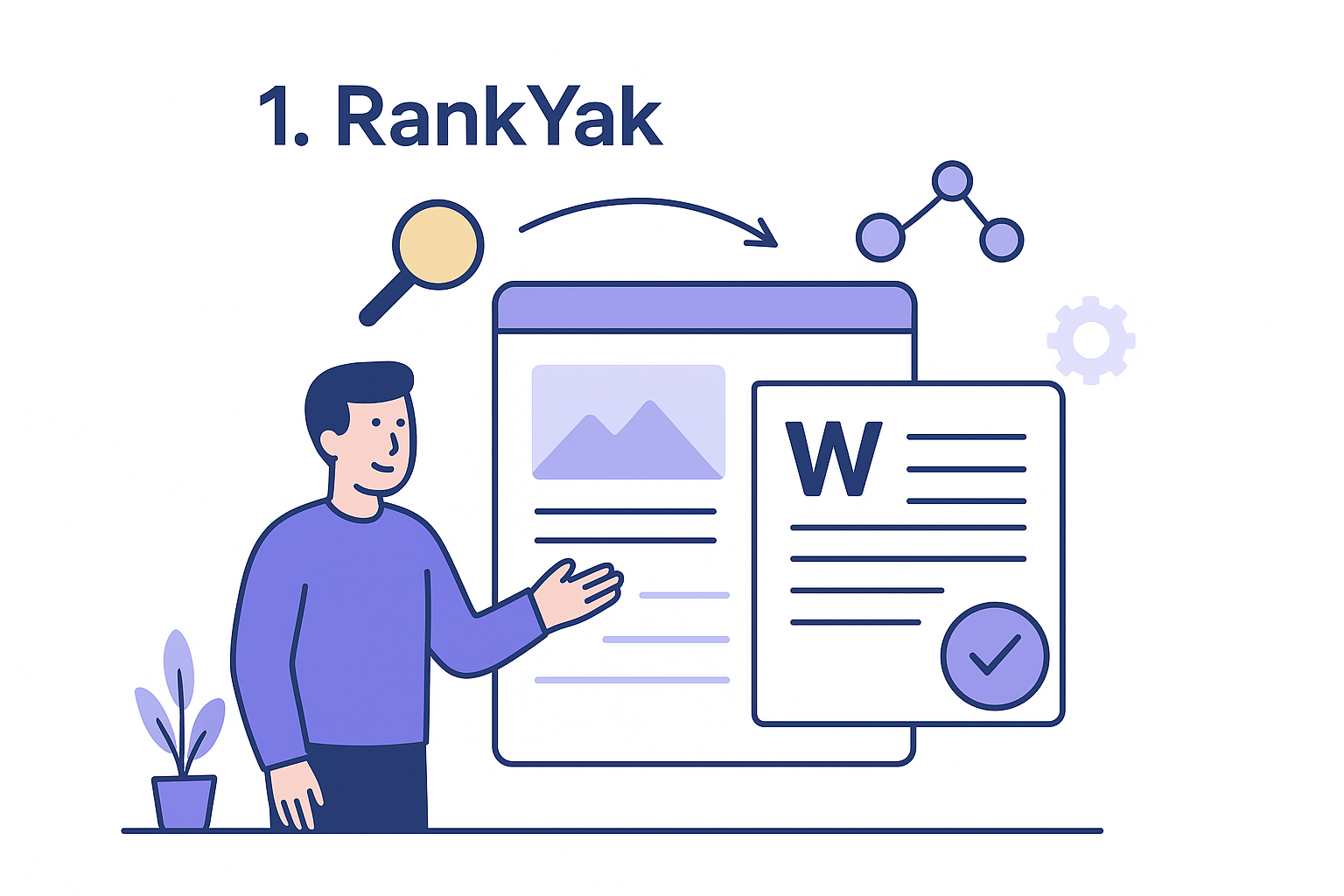
RankYak takes a different approach than most tools on this list: instead of handing you a spreadsheet of clustered keywords and leaving you to write the content yourself, it turns clustering into the first step of a fully automated content pipeline. You get the grouping logic of a dedicated keyword clustering tool, but the output is a published article, not just a list.
How it works
Starting with your website URL and niche, RankYak's automatic keyword discovery pulls keyword opportunities and groups them by search intent rather than raw volume, so terms like "best CRM for freelancers" and "CRM tools for solo consultants" land in the same cluster instead of spawning two competing pages. From there, the platform builds a rolling content plan that decides which cluster to target next based on ranking potential and topical gaps on your site. Once a cluster is chosen, RankYak writes a full SEO article around it and publishes it directly to your CMS, no manual export or copy-paste required.
Clustering keywords is only useful if it leads to published content, and RankYak is the only tool here that closes that loop automatically.
Who it's for
This fits site owners and content marketers who want the strategic benefit of clustering, mapping intent to pages, without hiring an SEO strategist to interpret the data. It also suits agencies running SEO for many client sites, since each site runs its own subscription, keyword set, and content plan under one account. If your goal is a steady stream of ranking articles rather than another dashboard to babysit, this is the tool built for that outcome.
Key features
- Smart keyword discovery that identifies high-potential terms for both Google and AI chat platforms like ChatGPT
- Automated content plan that sequences clusters into a daily publishing schedule
- Full article generation, up to 5,000 words with featured images, built on competitor research and E-E-A-T principles
- Automatic publishing to WordPress, Shopify, Webflow, and custom CMS setups
- Backlink exchange with other niche sites to build authority around your clustered topics
- Multi-site management with separate keyword sets and content plans per site
- Multilingual support across 40+ languages for international keyword clusters
Pricing
RankYak runs on a single plan at $99 a month that includes every feature above, no tiered upsells or hidden add-ons for clustering versus publishing. A 3-day free trial lets you test the full workflow, from keyword discovery to a live published article, before committing, and you can cancel anytime with no questions asked. For teams comparing the cost of an agency retainer or an in-house writer against a flat monthly fee, this plan-by-plan pricing is straightforward enough to model into a budget on day one.
2. LowFruits
LowFruits built its reputation on finding low-competition keywords, but its clustering feature is what turns that raw list into a usable content plan. Unlike suites that bolt clustering onto a bigger toolset, LowFruits treats it as a core function, grouping keywords by shared SERP results so you know which terms genuinely belong on the same page.
How it works
LowFruits pulls Google's top-ranking pages for each keyword you upload, then compares those result sets to spot overlap. When two or more keywords share several of the same ranking URLs, the tool clusters them together on the assumption that Google already sees them as one topic. This SERP-overlap method is more reliable than guessing based on keyword phrasing alone, since it reflects actual ranking behavior rather than surface-level word similarity. You still export the clusters yourself and build the content, but the grouping logic saves hours of manual SERP checking.
Clustering by SERP overlap beats clustering by keyword phrasing, because it shows you what Google already treats as one topic.
Who it's for
Budget-conscious freelance SEOs and niche site owners get the most out of LowFruits, since its low-competition finder and clustering feature work well together for building topical authority on a lean budget. It also suits anyone doing manual content planning who wants a lightweight keyword clustering tool without committing to a full SEO suite. Agencies juggling dozens of small sites often use it as a research layer before handing clusters off to writers.
Key features
- SERP-overlap clustering based on shared ranking URLs
- Low-competition keyword finder with difficulty filters
- Bulk keyword upload and export to CSV
- Google autocomplete and "People Also Ask" scraping for expansion
Pricing
LowFruits offers a free trial with limited credits, then moves to paid plans starting around $19 a month depending on keyword volume needed. There's no free tier for ongoing use, but the entry price stays low enough for solo operators testing the clustering workflow before scaling up.
3. Keyword Insights
Keyword Insights positions itself as a purpose-built clustering platform rather than a bolt-on feature, and it shows in how deep the grouping logic goes. Where LowFruits leans on SERP overlap alone, this tool blends natural language processing with search intent signals to sort keywords into content-ready groups, then adds a way to turn a keyword into a writer-ready brief on top so the handoff to writers is faster.
How it works
You upload a keyword list or connect a data source, and Keyword Insights runs it through an NLP model that groups terms by semantic similarity and shared intent, not just shared SERP results. The tool then labels each cluster with a suggested content type, blog post, landing page, or product page, based on what's already ranking for those terms. From there you can generate a content brief directly from the cluster, complete with subheadings and related questions pulled from the SERP.
Grouping keywords by meaning, not just by which pages happen to rank for them, catches connections that pure SERP-overlap tools miss.
Who it's for
Content teams and in-house marketers who need to brief writers at scale get the most value here, since the jump from cluster to usable brief cuts out a manual step most tools leave for you to handle. It also fits agencies producing content for multiple clients, where consistent briefs matter more than raw keyword data. If your workflow already includes a writing team waiting on structured input, this tool slots in cleanly.
Key features
- NLP-based clustering by semantic similarity and intent
- Automatic content type labeling per cluster
- Content brief generation with SERP-derived subheadings
- Bulk keyword import from CSV or integrated data sources
- Team collaboration features for shared briefs and clusters
Pricing
Keyword Insights starts at roughly $58 a month for its entry plan, with higher tiers scaling by keyword volume and team seats, reaching several hundred dollars a month for agency-level usage. There's no permanent free plan, though a trial period lets you test the clustering and briefing workflow before committing to a monthly rate.
4. Semrush Keyword Strategy Builder
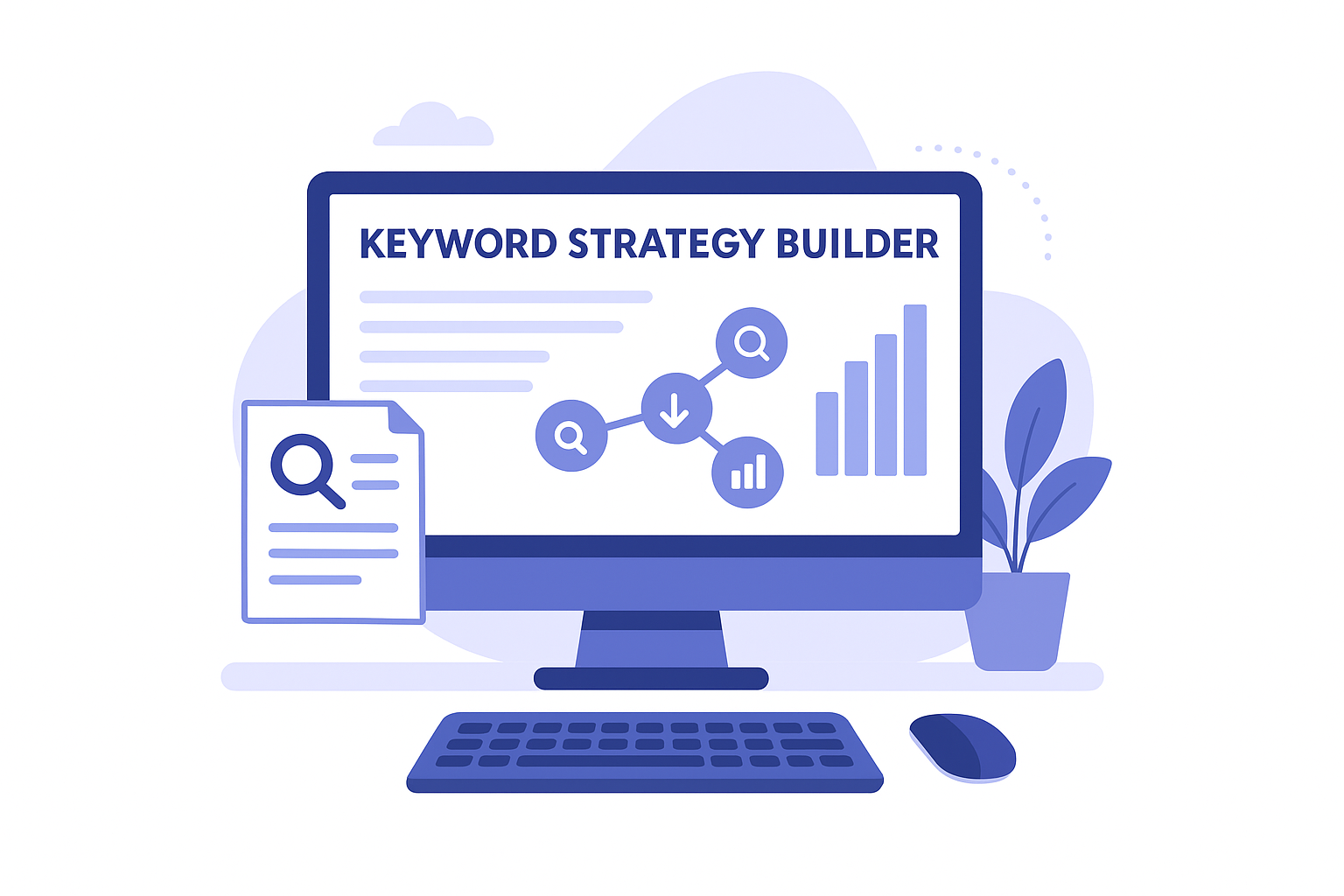
Semrush folded its keyword clustering feature into a broader tool called Keyword Strategy Builder, part of its larger SEO suite rather than a standalone product. This makes it a natural fit if you're already paying for Semrush's other modules and want clustering without adding another subscription to the stack.
How it works
Users feed the tool a seed keyword or a list, and Semrush pulls related terms from its own keyword database before grouping them by topic and search intent, the same data behind a full Semrush keyword analysis. The Keyword Strategy Builder then maps each cluster to a suggested page type and even proposes a site structure, a topical map of pillar pages and supporting articles showing which clusters should lead and which should sit underneath. Because it draws on Semrush's existing volume and difficulty data, you see clustering and competitive metrics side by side without exporting anything.
When your keyword clustering tool already knows your site's traffic and ranking history, the clusters it builds reflect your actual competitive position, not just generic search data.
Who it's for
Existing Semrush subscribers get the most value here, since the clustering feature is included rather than billed separately. It also suits in-house SEO teams at mid-size companies who want clustering tied to the same dashboard they use for rank tracking and site audits, cutting down on tool-switching during content planning.
Key features
- Automated clustering by topic and intent using Semrush's keyword database
- Suggested site structure with pillar and supporting page recommendations
- Built-in volume, difficulty, and competitive metrics per cluster
- Direct integration with Semrush's content and SEO writing tools
Pricing
Keyword Strategy Builder comes bundled into Semrush's paid plans, which start around $139.95 a month for the Pro tier. There's no way to buy clustering alone, so the real cost only makes sense if you're using Semrush's other features too, otherwise you're paying for a lot of tool you won't touch.
5. Ahrefs Keywords Explorer
Ahrefs built its name on backlink data, but Ahrefs Keyword Explorer has quietly become one of the more trusted keyword clustering tools for SEOs who already live inside the platform for research. It doesn't cluster automatically the way some dedicated tools do, but the "Parent Topic" and SERP overlap features give you nearly the same result if you know where to look.
How it works
You enter a seed keyword or a batch of terms, and Ahrefs pulls its own index of ranking data to show which keywords share the same top-ranking pages. The Parent Topic field groups related terms under one representative keyword, so you can see at a glance which variations belong on the same page instead of splitting them into separate posts. Pairing this with the "Also rank for" and "Traffic share" columns lets you manually build clusters based on real overlap, though you're doing more of the grouping work yourself than with a purpose-built clustering tool.
Ahrefs gives you the raw ranking data to cluster keywords accurately, but you still have to do the grouping by hand.
Who it's for
SEO professionals and researchers who already use Ahrefs for backlink audits and rank tracking get the most value here, since clustering becomes one more use for data they're already paying for. It suits people comfortable digging through metrics rather than those wanting a finished cluster handed to them.
Key features
- Parent Topic grouping based on shared ranking pages
- Keyword Difficulty and traffic potential scores per term
- SERP overlap data to manually verify cluster accuracy
- Massive keyword database covering 170+ countries
Pricing
Ahrefs starts at $129 a month for the Lite plan, with Standard and Advanced tiers climbing past $249 and $449 for larger keyword limits and more seats. There's no dedicated clustering add-on, so you're paying for the full research suite whether or not you use every feature.
6. Keyword Cupid
Keyword Cupid narrows in on one job: clustering keywords by search intent and matching them to the exact content type Google already prefers to rank. Where broader suites treat clustering as a feature buried in a bigger dashboard, this tool builds its entire interface around the cluster-to-brief workflow, which makes it faster to learn if that's the only piece you need.
How it works
You upload a keyword list, and Keyword Cupid scrapes the live SERPs for each term to detect the dominant content type ranking, whether that's a listicle, a comparison page, or a transactional product page. It then groups keywords that share the same intent signal and content format into a single cluster, flagging any outliers that don't fit cleanly so you're not forcing mismatched terms onto one page. Each cluster comes with a suggested title and structure pulled from what's already performing in search results, which speeds up the handoff to whoever writes the actual page.
Matching a keyword clustering tool's output to the content type Google already ranks saves you from writing a blog post for a term that only ranks product pages.
Who it's for
Freelance SEOs and small content teams who want intent-matching without the learning curve of a full suite tend to get the most out of Keyword Cupid. It also suits affiliate site owners who need to know quickly whether a keyword deserves a review page or a buying guide, since misjudging that call wastes a full article's worth of effort.
Key features
- Intent detection tied to live SERP content types
- Automatic clustering by shared intent and format
- Suggested titles and structure per cluster
- CSV export for handoff to writers
Pricing
Keyword Cupid runs on a one-time credit system rather than a recurring subscription, with packages starting around $27 for a set number of keyword credits. That structure suits occasional users better than agencies clustering thousands of keywords weekly, since heavy use burns through credits fast and pushes the effective cost above a monthly SaaS plan.
7. SE Ranking
SE Ranking bundles keyword clustering into its all-in-one SEO platform, aiming at agencies and in-house teams who want rank tracking, audits, and clustering under one roof instead of stitching together separate tools. It's less flashy than dedicated clustering apps, but the feature holds up well for anyone already tracking rankings inside the platform.
How it works
Inside the Keyword Grouper tool, you paste in a list of keywords and SE Ranking checks live SERPs to see how much overlap exists between ranking pages for each term. Terms with enough shared URLs get bundled into one keyword cluster, and the tool assigns a suggested primary keyword based on search volume within that group. Because SE Ranking already tracks your site's rankings, you can cross-reference new clusters against pages you've already published, which flags whether a cluster deserves a new page or belongs on one you're already ranking for.
A keyword clustering tool that already knows your ranking history can tell you when a new cluster should update an existing page instead of spawning a competing one.
Who it's for
In-house SEO teams and agencies managing multiple client accounts get the most out of SE Ranking, since clustering sits next to the same rank tracker and audit tools they check daily. It also suits budget-conscious teams comparing costs against Semrush or Ahrefs, since SE Ranking generally undercuts both on price for similar functionality, and it is worth seeing how SE Ranking stacks up feature by feature before you commit.
Key features
- SERP-overlap clustering with automatic primary keyword suggestion
- Cross-reference against existing ranked pages to avoid content overlap
- Bulk keyword import and CSV export
- Integrated rank tracking and site audit tools in the same dashboard
Pricing
SE Ranking's Essential plan starts around $65 a month, with Pro and Business tiers rising past $151 and $259 for higher keyword limits and more managed projects. Compared to Semrush or Ahrefs, this pricing makes clustering feel like a smaller add-on to an already reasonable base cost rather than a premium feature you're paying extra to unlock.
8. Surfer
Surfer built its name on content optimization, scoring drafts against top-ranking pages, but its Keyword Research tool now handles clustering too, aimed at people who plan to write the content inside Surfer anyway. It's less about raw research depth and more about keeping clustering, briefing, and optimization in one continuous workflow.

How it works
You drop in a seed keyword, and Surfer pulls related terms along with search volume and difficulty scores, then groups them by topic similarity using its own NLP model. Clusters show up as expandable groups inside the same dashboard where you'd later build a content brief or run the Content Editor, so there's no export step between research and writing. Surfer also flags which clusters overlap with pages already ranking on your domain, which helps you decide whether a term belongs on an existing page or needs a new one.
A keyword clustering tool that hands you straight into a content editor removes the export-and-reimport step most standalone research tools still require.
Who it's for
Content teams already using Surfer for optimization get the most value here, since clustering becomes one more step in a workflow they've already built around the platform. It also suits solo bloggers and small agencies who want research and writing tools bundled together rather than paying for a separate clustering app on top of an editor subscription.
Key features
- NLP-based clustering tied directly into Surfer's Content Editor
- Search volume and keyword difficulty scores per cluster
- Overlap detection against your own ranked pages
- One-click handoff from cluster to content brief
Pricing
Surfer's Essential plan starts at $89 a month, with Scale and Enterprise tiers priced higher for more content pieces and team seats. Keyword clustering isn't sold separately, so the cost only makes sense if you plan to use Surfer's writing and optimization features too, not just the research side.
9. KeySearch
KeySearch markets itself as the budget-friendly alternative to Ahrefs and Semrush, and its keyword clustering feature follows that same philosophy: fewer bells and whistles, but enough accuracy to plan content without paying enterprise prices. It's a solid pick if you want a keyword clustering tool that doesn't require justifying a $130-a-month line item to a client or a boss, and it sits alongside other SEO tools under $100 a month.
How it works
KeySearch's Keyword Grouper lets you paste in a list of terms, then checks live search results to measure how many ranking URLs overlap between each pair of keywords. Groups form once overlap crosses a set threshold, and you can adjust that sensitivity depending on whether you want tight clusters or broader topic groupings. Results appear in a table you can sort by search volume or difficulty, then export straight to CSV for your content calendar. Because the clustering runs on live SERP checks rather than a static database, the groupings stay reasonably current even for competitive niches that shift often.
Adjustable overlap thresholds let you decide how strict your clusters are, which matters more than most tools admit.
Who it's for
Solo bloggers and small agencies watching their monthly software spend get the most out of KeySearch, since it covers clustering, rank tracking, and basic competitor research without the premium pricing of the bigger suites. It also suits anyone new to keyword clustering who wants a simple interface without a steep learning curve.
Key features
- SERP-overlap clustering with adjustable sensitivity threshold
- Sortable results table by volume and difficulty
- Built-in rank tracker and competitor keyword gap tool
- CSV export for content planning handoff
Pricing
KeySearch starts at $17 a month on its Starter plan, with higher tiers around $34 and $54 a month unlocking more keyword searches and tracked terms. There's no permanent free plan, but a low-cost trial lets you test the clustering accuracy before committing to a monthly rate.
10. Zenbrief
Zenbrief focuses on turning keyword research into content briefs fast, and clustering is the step that makes those briefs accurate instead of generic, which is why it shows up among the best content brief tools. It's a leaner tool than the big suites, built for people who want a keyword clustering tool that skips straight to a usable brief rather than a raw data export you still have to interpret.
How it works
Starting with a topic or seed keyword, Zenbrief scrapes the top-ranking pages and groups related terms by shared SERP presence and semantic similarity. Once a cluster forms, the tool generates a brief for it automatically, pulling headings, questions, and related terms straight from what's already ranking. This means you're not exporting clusters into a separate briefing tool; the grouping and the brief happen in the same pass, which cuts a step most standalone clustering apps still leave on your plate.
A cluster that arrives with its brief attached saves you the extra round trip most clustering tools still require.
Who it's for
Freelance writers and small content agencies producing briefs for clients get the most value here, since the jump from keyword list to writer-ready document happens in one tool instead of two. It also suits solo bloggers who want enough structure to plan a page without learning a full SEO suite's interface first.
Key features
- SERP-based clustering combined with semantic grouping
- Automatic brief generation per cluster, including headings and related questions
- Simple interface aimed at speed over deep customization
- Export options for handing briefs to writers
Pricing
Zenbrief runs on affordable monthly plans, typically starting under $30 a month for individual use, with higher tiers scaling by the number of briefs generated. There's no bloated enterprise tier here, which keeps it approachable for solo operators who just want clusters and briefs without paying for rank tracking or backlink tools they'll never open.
11. Answer Socrates
Answer Socrates takes a narrower angle than the rest of this list: instead of clustering broad keyword lists, it maps out the questions people actually type into Google around a topic, then groups those questions into clusters you can turn into FAQ sections or standalone posts. If you've ever needed a question keyword grouping tool rather than a full research suite, this is the closest fit here.

How it works
Entering a seed keyword pulls data from Google's autocomplete, "People Also Ask," and related search suggestions, then organizes the results into visual clusters based on shared phrasing and topic overlap. The output looks more like a mind map than a spreadsheet, which makes it easy to spot which questions belong together and which ones stand apart as their own content opportunity. You won't get SERP-overlap analysis or difficulty scores here, so this works best as a discovery layer before you run terms through a heavier keyword clustering tool or a long tail keyword tool for volume and competition data.
A tool built purely around questions surfaces content angles that keyword-volume tools tend to miss entirely.
Who it's for
Bloggers and content writers building FAQ sections or answer-focused posts get the most value here, since the clusters map directly onto the kind of subheadings readers search for. It also suits beginners who want a free, low-friction way to see how a topic breaks down into related questions before investing in a paid research tool.
Key features
- Question clustering pulled from autocomplete and "People Also Ask" data
- Visual cluster maps grouped by topic overlap
- Free access with no account required for basic searches
- Export options for saving question lists
Pricing
Answer Socrates is free to use for its core question research and clustering feature, with no paid tier required to access the main tool. That makes it one of the only genuinely free entries on this list, though the trade-off is a narrower feature set than the paid platforms above.
Choosing the right tool for your workflow
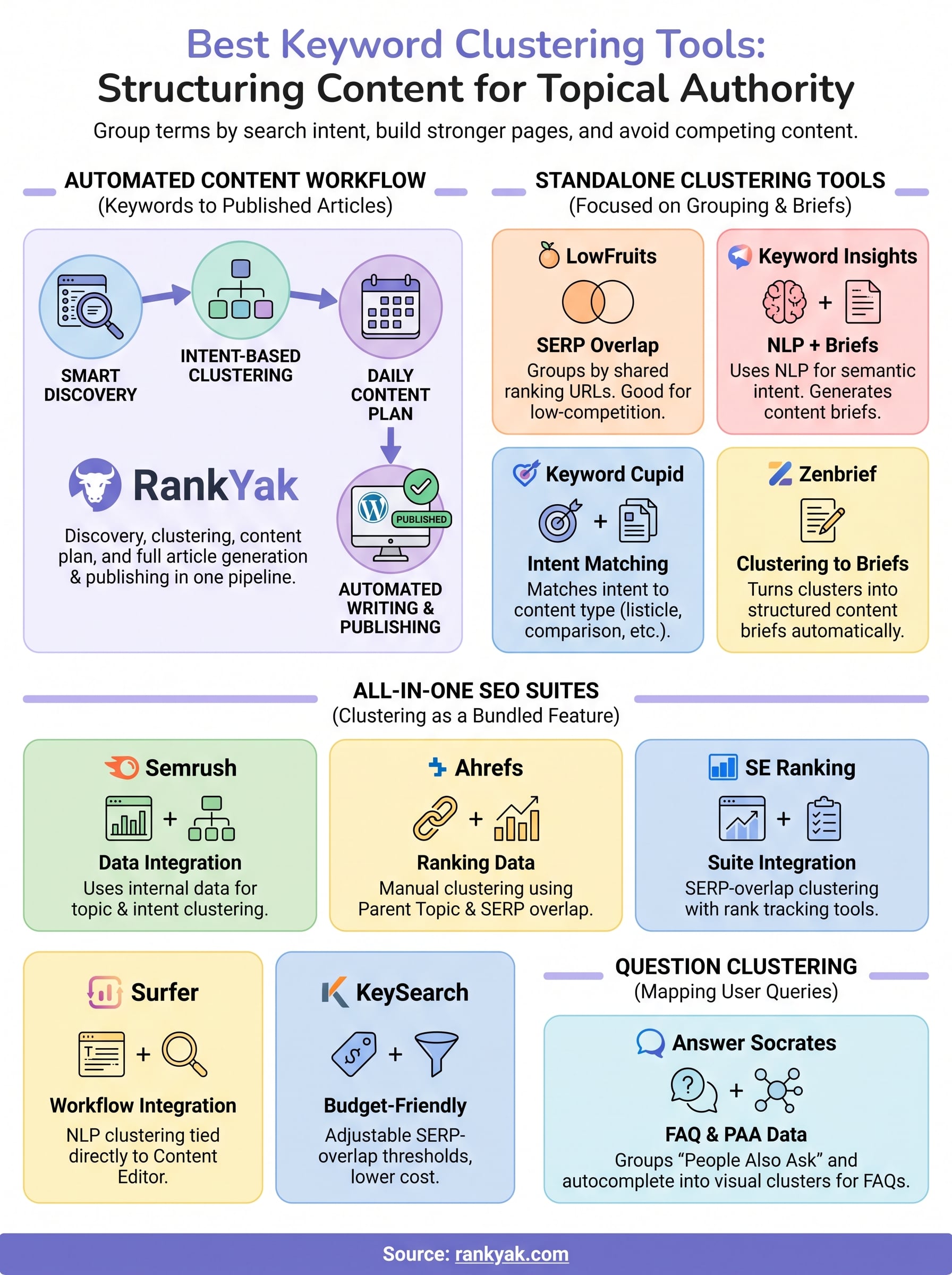
Most of these tools solve half the problem. LowFruits, KeySearch, and SE Ranking give you solid SERP-overlap clustering, but you still export a spreadsheet and start writing from scratch. Keyword Insights and Zenbrief go a step further with briefs, yet someone still has to turn that brief into a finished, published article. Semrush and Ahrefs work well if you already pay for their broader suites, and Answer Socrates earns its spot as a free way to spot question-based content angles early.
If your actual goal is ranking pages, not another dashboard full of clusters waiting for action, that gap between grouping keywords and publishing content is the one worth closing. RankYak handles both ends of that pipeline automatically, from intent-based clustering to a live article on your site. Start RankYak's free trial and see a cluster turn into a published post before you decide anything.
Allan de Wit is a co-founder of RankYak and has worked in SEO since 2015: inside agencies, alongside them, for clients directly, and in-house on the products being ranked. He came to it as a software engineer building for marketers, which is why the platform is built the way it is. He went on to start companies of his own, two of which were acquired. At RankYak he sets the product direction and owns the features, the quality bar, the design, and the UX.
