How To Use The Semrush Link Building Tool To Earn Backlinks
Backlinks remain one of the strongest ranking signals Google uses, but earning them manually is tedious work. The Semrush Link Building Tool is one of the most popular options for streamlining that process, helping you find prospects, manage outreach, and track the backlinks you acquire over time. If you've been staring at it wondering where to start, you're in the right place.
This guide walks you through exactly how to set up and use the tool, step by step, so you can start earning links that actually move the needle. We'll cover everything from configuring your first campaign to sending outreach emails and monitoring your results inside the platform.
At RankYak, we automate SEO end-to-end, including an automatic backlink exchange that connects your site with relevant, high-quality domains in your niche. But whether you use our platform or a standalone tool like Semrush, understanding how link building works is essential. Let's break down how to put Semrush's tool to work for your site.
What the Semrush Link Building Tool does
The Semrush Link Building Tool combines prospect discovery, outreach management, and link monitoring into a single workflow. Instead of jumping between spreadsheets, email clients, and separate link building tools, you handle every stage of link acquisition in one place. The tool pulls prospect data from multiple sources, including your target keywords and your competitors' backlink profiles, so you start with a list that's already filtered by relevance rather than building one from scratch.
How prospect discovery works
When you create a campaign, the tool analyzes your target keywords and the domains currently linking to your competitors. It then surfaces websites that are strong candidates for linking to your content based on those signals. Each prospect receives a score reflecting domain authority and topical relevance, which helps you prioritize outreach toward sites that will actually improve your rankings rather than burning time on low-value links.
The tool's ability to pull competitor backlinks directly into your prospect list is one of its most practical features, because you're targeting sites that have already shown they link out in your niche.
You can filter prospects by metrics like Authority Score, estimated organic traffic, and current outreach status. The filtering system matters because raw prospect lists can run into the hundreds quickly. Narrowing down by minimum authority thresholds and content relevance keeps your outreach focused and improves your response rates significantly. Here's a quick breakdown of the main data points you'll see for each prospect:
| Metric | What it tells you |
|---|---|
| Authority Score | Overall domain strength (1-100) |
| Backlinks | Total links pointing to that domain |
| Organic Traffic | Estimated monthly search visits |
| Status | In Progress, Contacted, Declined, Linked, etc. |
Outreach and link monitoring under one roof
Once you identify your prospects, the tool connects directly to your Gmail or other email account so you can send outreach from inside the Semrush interface. You create email templates, configure follow-up sequences, and log replies without switching between tabs. Every prospect's full communication history stays attached to their record, so you always know where each conversation stands and when a follow-up is due.
After a site links to you, the monitoring side of the Semrush Link Building Tool tracks that link's status automatically. It flags links that go live, switch to nofollow, or disappear entirely. This matters because links don't always stay in place. Pages get restructured, site owners swap out content, and links drop without any notification to you. Catching a lost link early gives you the chance to reach out and get it restored before you lose the ranking benefit it was providing.
The tool also includes a dedicated "Monitor" tab separate from your active outreach queue. This tab lets you add links you've already earned through other channels, pulling them into the same tracking view. Your complete backlink portfolio stays visible in one dashboard rather than scattered across different reports or tools.
Between prospect discovery, direct email outreach, and ongoing link monitoring, the tool covers the full link building cycle. Understanding what each feature does before you dive in makes the setup process much faster, which is exactly what the next steps will walk you through.
Step 1. Set up your link building project
Before the Semrush Link Building Tool starts pulling prospects, you need to create a project and configure it with the right inputs. Go to your Semrush dashboard, click "Link Building" in the left sidebar under the Backlinks section, and select "Start Link Building." If you haven't created a project for your domain yet, Semrush will prompt you to do so before continuing.
Connect your domain and enter your keywords
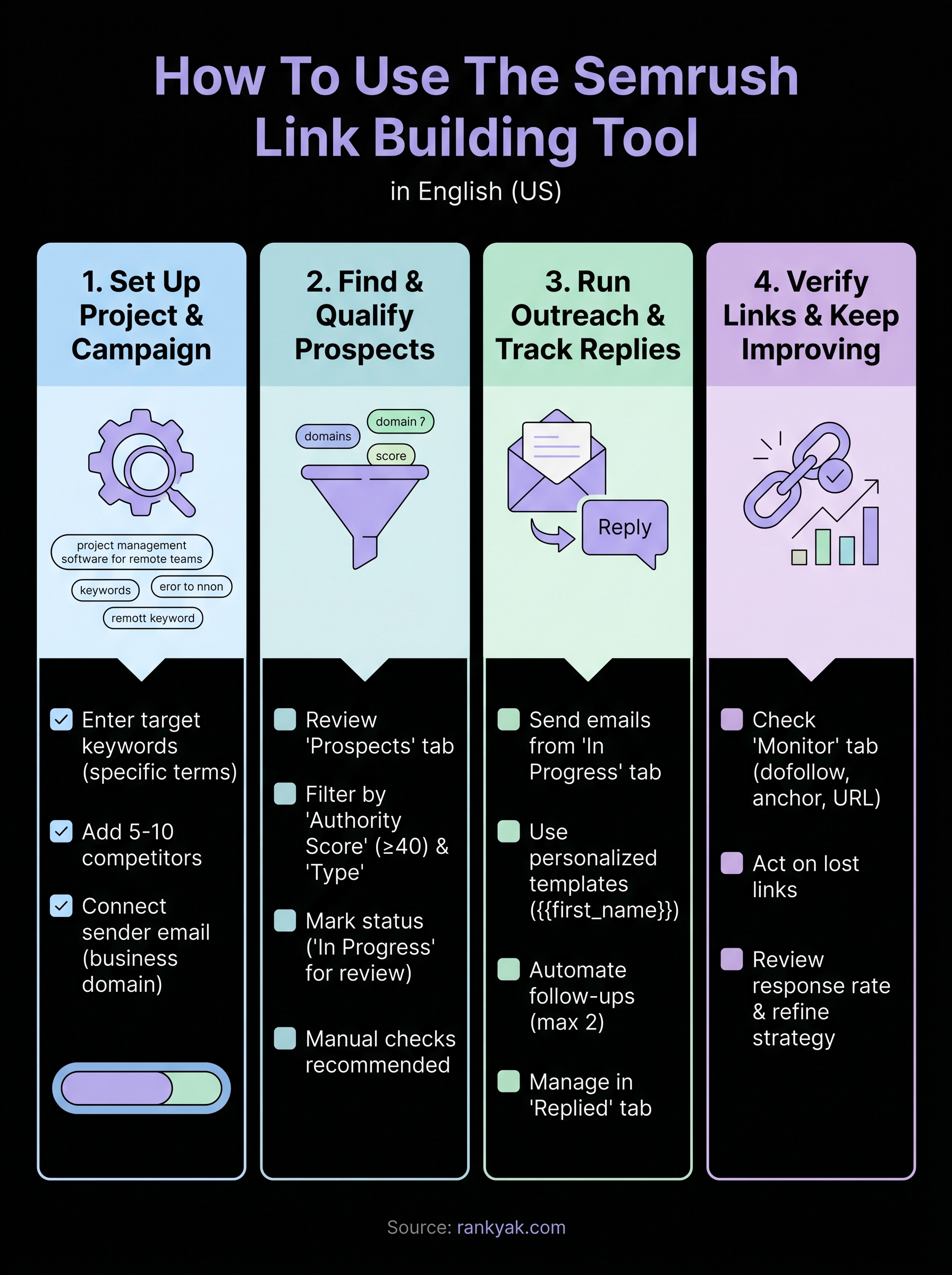
Your first configuration screen asks for two things: your target keywords and the competitors you want to analyze. For the keywords field, enter the search terms you're actively trying to rank for, ideally the ones you shortlisted with Semrush's Keyword Magic Tool, not broad category terms. For example, if you run a project management software company, enter specific long-tail terms like "project management software for remote teams" rather than just "project management." The tool uses these keywords to find pages already ranking for similar terms, which is where your backlink opportunities live.
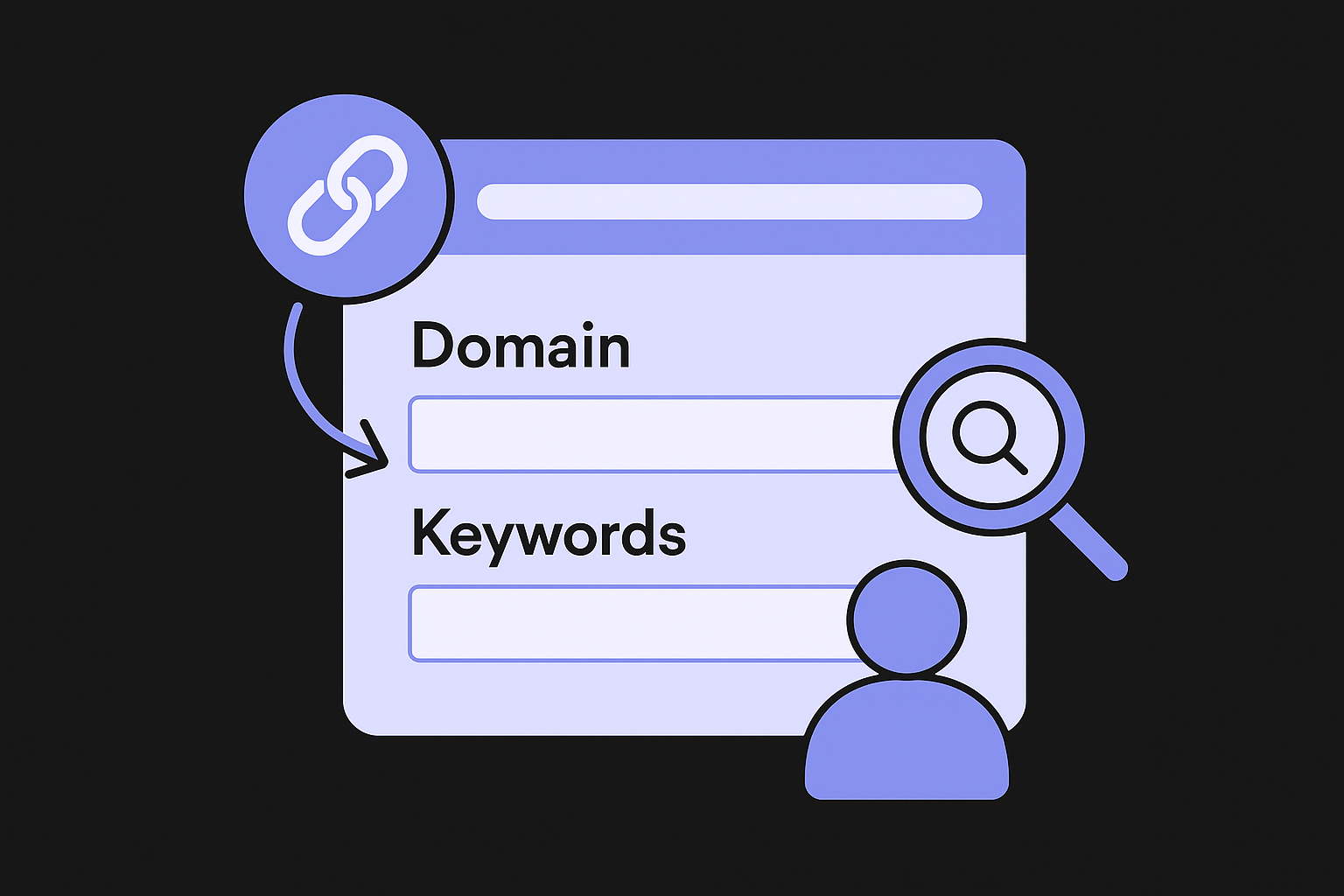
The more specific your keywords, the more relevant your initial prospect list will be, which directly affects how much time you spend filtering later.
Add five to ten competitors in the competitors field. These should be the exact domains outranking you for your target keywords, not industry leaders in a general sense. Semrush mines their backlink profiles to surface sites that are willing to link out in your niche, turning their link equity map into your prospect pipeline.
Finalize your settings and launch the campaign
Once you submit your keywords and competitors, Semrush asks you to confirm your sender details for outreach. Connect your Gmail or another email account here, because you'll send all outreach directly from inside the tool. Make sure the sending address matches the domain you're building links for. Using a personal email unrelated to your business domain tends to lower response rates and looks less credible to site owners.
After connecting your email, review the campaign summary screen to confirm your domain, keywords, and competitors are all correct. Then click "Start Link Building." The tool takes a few minutes to generate your initial prospect list. You'll see a progress indicator, and once it completes, you move directly into evaluating and qualifying the prospects it surfaces.
Step 2. Find and qualify link prospects
Once your campaign generates results, you land on the Prospects tab inside the Semrush Link Building Tool. This tab lists every site the tool identified as a viable linking opportunity based on your keywords and competitor data. Your job at this stage is to work through that list and decide which prospects are worth contacting, which to skip, and which to save for later.
Read the prospect scores and filter aggressively
Every prospect displays an Authority Score alongside a relevance indicator, which tells you how closely the site's content aligns with your niche. Start by setting a minimum Authority Score threshold. For most sites, filtering to prospects with a score of 40 or higher cuts out low-quality domains without eliminating too many real opportunities. You can adjust that number up if you're in a competitive vertical where weaker links carry less weight.
Spending outreach effort on low-authority sites burns time you could use on prospects that actually move your rankings.
Use the "Type" filter to separate prospects by category: Resource pages, Guest posts, and broken link opportunities tend to convert at higher rates than cold outreach to general blog pages. Prioritize those categories first, then work down to other prospect types once your high-probability targets are contacted.
Mark prospects with the right status
The Semrush interface gives you status labels you can assign to each prospect directly from the list. Use these to keep your workflow clean. Mark irrelevant domains as "Not Interested" immediately so they don't clutter your view. For prospects that look strong but need more research, use the "In Progress" label to flag them for review before you move them into active outreach.
When you find a prospect worth pursuing, click through to their actual site and confirm a few things manually: the site publishes content in your niche, it has a real audience, and the contact information is reachable. Tools can surface good candidates, but a 30-second manual check on each priority prospect prevents you from sending outreach to sites that are clearly abandoned or irrelevant. Once you've cleared a prospect, move them to your outreach queue, which sets up the next step.
Step 3. Run outreach and track replies
With your qualified prospects lined up, the Semrush Link Building Tool makes it straightforward to send emails without leaving the platform. Navigate to the "In Progress" tab, select the prospects you're ready to contact, and click "Send Email." Before you send anything, you need to set up at least one email template inside the tool's outreach settings.
Write your outreach email template
Your template does most of the heavy lifting, so keep it short and make the value exchange obvious. Personalization tokens like {{first_name}} and {{website}} pull in recipient data automatically, which saves time while keeping your message from looking like a mass blast. Below is a working template you can paste directly into Semrush's template editor:
Subject: Quick question about {{website}}

Hi {{first_name}},

I was reading your article on [specific page title] and noticed it covers [relevant topic].

I recently published a piece on [your topic] that goes deeper on [specific angle]. I think it would be a useful addition to that page for your readers.

Here's the link: [your URL]

Happy to return the favor if there's anything on our site worth linking to.

[Your Name]
[Your Website]
Swap out the bracketed placeholders with specifics for each batch of prospects you contact. The more concrete your reference to their content, the higher your response rate.
Generic outreach emails get ignored. Reference a specific page or article from the prospect's site every time.
Follow up and manage replies
Send your first follow-up three to five business days after the initial email if you haven't heard back. Semrush lets you configure automated follow-up sequences inside the campaign settings, so you don't have to track this manually. Set a maximum of two follow-ups per prospect to avoid burning the relationship before it starts.
All replies land in the "Replied" tab inside the outreach dashboard. Check this tab daily and update each prospect's status based on the response: mark positive replies as "Agreed" and move them forward, flag rejections as "Declined," and keep non-responders in the follow-up queue. Keeping statuses current prevents duplicate outreach and gives you an accurate picture of where each link opportunity stands.
Step 4. Verify links and keep improving
Earning a commitment from a site owner is not the finish line. Once a prospect tells you they've added your link, you need to confirm the link is live, crawlable, and pointing to the right page before you mark it as won. The Semrush Link Building Tool handles most of this automatically through its Monitor tab, but knowing how to read that data correctly keeps you from counting links that don't actually help your rankings.
Check the Monitor tab for link status
Navigate to the Monitor tab inside your link building campaign. Any link the tool detects as live will appear here with its current status. Look at each confirmed link and verify the following four things before closing out that prospect:
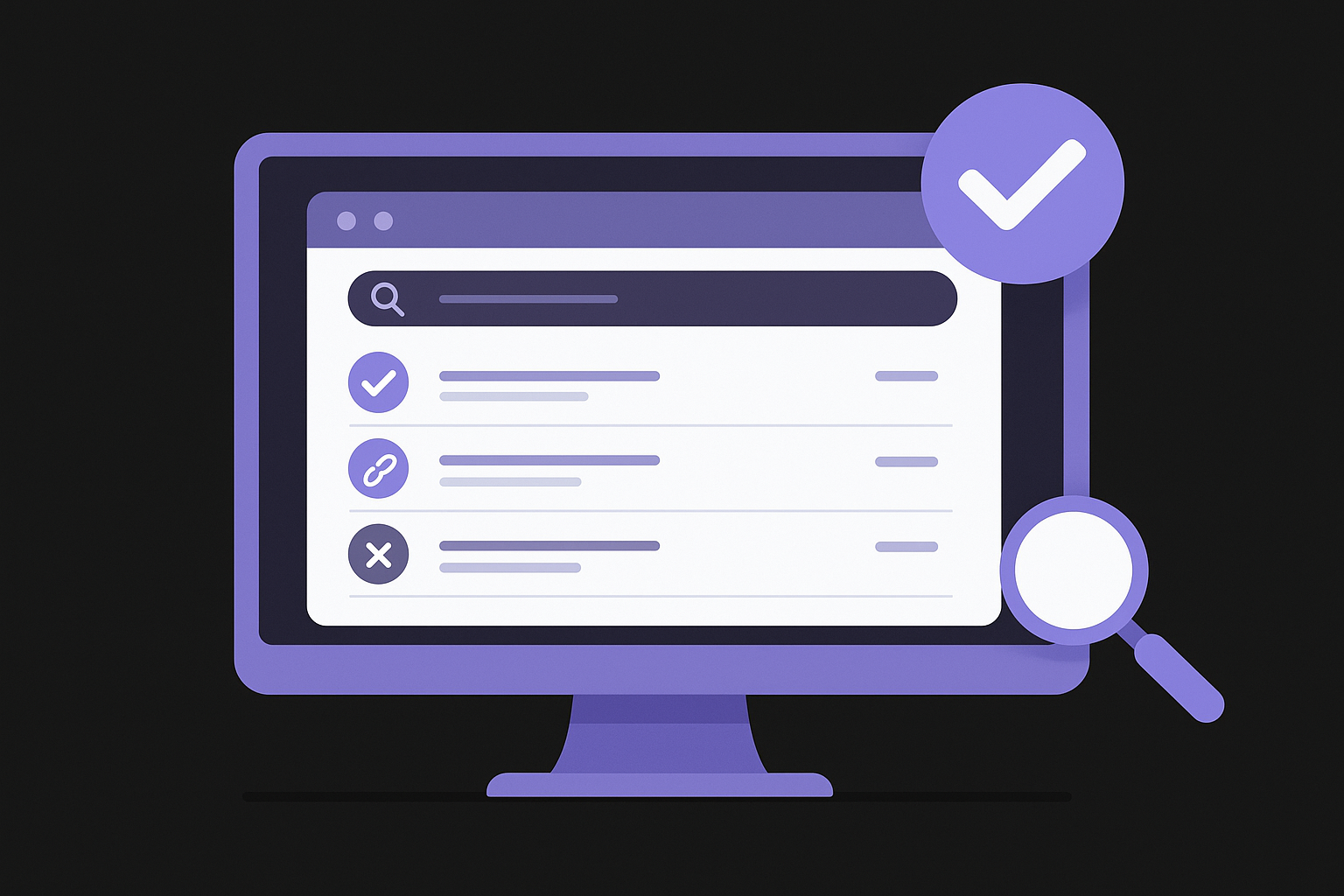
- Link type: Confirm it's dofollow, not nofollow, unless you specifically agreed to a nofollow placement
- Anchor text: Check that the anchor text matches what you requested or agreed to
- Target URL: Confirm the link points to your intended page, not your homepage by default
- Page status: Make sure the linking page is indexed and not returning a 4xx or 5xx error
A link on a page that returns a 404 error passes zero value, so catching that early saves you from losing credit for outreach you already completed.
If a link looks wrong, reply to your existing thread with that contact and request a correction. Most site owners will fix anchor text or URL issues quickly since the page is already live.
Act on what the data shows you
Your Monitor tab also flags lost links automatically, which is where ongoing improvement actually happens. When a previously live link disappears, sort your lost links by Authority Score and prioritize re-outreach to the highest-value domains first. A simple reply to the original email thread referencing the link that dropped is usually enough to get it restored.
Beyond recovering lost links, review your campaign's response rate every two weeks. If fewer than 10% of your outreach emails receive replies, revise your template, tighten the subject line, or shift focus to a different prospect category. Treat each campaign cycle as a feedback loop where the data tells you what to fix next rather than repeating the same approach indefinitely.
Wrap Up
The Semrush Link Building Tool gives you a structured way to find prospects, send outreach, and track every link you earn, all without switching between a dozen different apps. Following the four steps in this guide, from setting up your campaign to monitoring link status, gets you moving faster than building that process manually from scratch.
Link building at scale requires consistency more than anything else. Review your Monitor tab weekly, follow up on lost links promptly, and refine your outreach templates based on what your reply rates tell you. Small adjustments compounded over time produce significantly better results than a single burst of activity.
If you want a system that puts keyword research, content creation, publishing, and backlink building on autopilot, see what RankYak can do for your site. You stay focused on your business while the platform keeps your SEO moving forward every day.
Allan de Wit is a co-founder of RankYak and has worked in SEO since 2015: inside agencies, alongside them, for clients directly, and in-house on the products being ranked. He came to it as a software engineer building for marketers, which is why the platform is built the way it is. He went on to start companies of his own, two of which were acquired. At RankYak he sets the product direction and owns the features, the quality bar, the design, and the UX.
