12 Best SEO Analytics Software Tools in 2026
Picking the right seo analytics software feels overwhelming once you start comparing feature lists, pricing tiers, and conflicting review sites. Every tool claims to track keywords, audit your site, and reveal what's working, but most reviews just repeat marketing copy instead of telling you which platform actually fits your workflow and budget.
This list cuts through that noise. You'll get straight comparisons of the 12 best tools for 2026, covering what each one does well, where it falls short, and who it's actually built for, whether you're a solo site owner, an agency juggling client accounts, or a team that needs deep technical audits alongside rank tracking.
We've included everything from established platforms like Ahrefs and Semrush to newer entrants built for AI search visibility, since ranking in ChatGPT and Perplexity now matters as much as ranking in Google. At RankYak, we build content and SEO automation daily, so we know what separates genuinely useful analytics from dashboards that just look busy. Read on to find the tool that matches your traffic goals and budget.**
1. RankYak
RankYak takes a different angle on seo analytics software than most tools on this list. Instead of just showing you data about your rankings, it acts on that data automatically, turning keyword research and Search Console insights into a daily content plan, written articles, and published pages without you touching a spreadsheet. If you're tired of staring at rank-tracking dashboards and wondering what to actually do with the numbers, this is built for that exact frustration.
Key features
RankYak connects directly to your website and Google Search Console to identify which keywords you're already ranking for on page two or three, the ones closest to a breakthrough. It then builds a full automated content roadmap around those opportunities and writes SEO-optimized articles to close the gap, rather than leaving you to interpret a report and brief a writer yourself.
- Smart keyword discovery: scores keywords by volume and difficulty across your site and niche to surface high-potential terms for both Google and AI chat platforms like ChatGPT and Perplexity
- Automated content plan: generates a daily roadmap deciding exactly which keywords to target next
- Search Console integration: pulls real performance data to prioritize quick wins over guesswork
- Automatic publishing: pushes finished articles straight to the platforms RankYak publishes to, including WordPress, Shopify, Webflow, or a custom CMS
- Automated backlink exchange: connects you with other niche sites to build authority without manual outreach
- Multi-site management: runs separate content plans and subscriptions for each website from one account
The most useful analytics tool isn't the one with the most charts, it's the one that turns your data into published content without extra work on your end.
Every SEO article it writes also factors in search intent, competitor research, and helpful-content guidelines, so the output isn't generic filler. RankYak writes in your brand voice, supports over 40 languages, and adds internal links and topic clusters automatically, which matters if you're trying to build topical authority rather than a pile of disconnected posts.
Best for
RankYak fits small to medium-sized businesses, solo founders, and content marketers who don't have a dedicated SEO team but still need consistent, ranking content published every day. It also works well for agencies managing several client sites, since each site gets its own plan and keyword strategy under one login. If your bottleneck is turning keyword data into finished, published articles rather than collecting more data, this tool solves that specific problem better than a pure analytics dashboard ever will.
Pricing
Compared to the tiered, credit-based systems common elsewhere on this list, RankYak's plans and what each one includes stay simple.
| Plan | Price | What's included |
|---|---|---|
| All-access plan | $99/month | Every feature: keyword discovery, daily articles, auto-publishing, backlink exchange, multi-site support |
| Free trial | 3 days, cancel anytime | Full access, no questions asked |
There's no separate enterprise tier and no add-on fees for extra features, which makes budgeting straightforward if you're comparing total cost against an agency retainer or an in-house hire.
2. Google Search Console
Google Search Console is the free, official window into how Google actually sees your site, and no paid tool on this list replaces it. Every other analytics platform in this article, including RankYak's Search Console integration, pulls from or cross-references this data because it comes straight from the source rather than a third-party crawler's estimate. If you haven't connected your site to Search Console, that's step one before any other tool on this list matters.
Key features
Search Console shows you exactly which queries bring people to your site, your click-through rates, and your average position for every keyword you rank for, even ones you never intentionally targeted. It also flags indexing problems and manual actions that would otherwise tank your visibility without warning.
- Performance reports: real search queries, impressions, clicks, and average position by page
- Coverage and indexing: shows which pages Google has indexed and why others got skipped
- Core Web Vitals: surfaces speed and usability issues affecting rankings
- Sitemap and URL inspection: lets you submit pages and troubleshoot crawl errors directly
No other tool gives you Google's own ranking data for free, which makes Search Console the foundation every other SEO tool builds on.
Best for
Every website owner needs Search Console, full stop. It suits solo bloggers checking which posts are gaining traction just as well as it suits enterprise teams monitoring indexing at scale. Where it falls short is competitor research and keyword discovery beyond your own site, since it only reports on pages Google already knows about you. That's exactly the gap tools like Ahrefs, Semrush, and RankYak's automated keyword discovery are built to fill.
Pricing
Search Console costs nothing and always has. There's no premium tier, no usage limits, and no upsell waiting around the corner.
| Plan | Price | Limitations |
|---|---|---|
| Free | $0 | Data limited to your own verified properties, 16-month history |
Because it's free, there's no reason to skip it even if you're paying for a more advanced platform elsewhere.
3. Ahrefs
Ahrefs built its reputation on backlink data, and it still runs one of the largest link indexes in the industry. Beyond backlinks, it's grown into a full seo analytics software suite covering keyword research, rank tracking, and site audits, which is why so many agencies treat it as their default research tool before touching anything else.
Key features
Ahrefs' Site Explorer lets you plug in any domain, yours or a competitor's, and see their top pages, ranking keywords, and referring domains in seconds. That competitive visibility is what separates it from Search Console, which only ever shows you your own data.
- Site Explorer: backlink profiles, organic keywords, and traffic estimates for any domain
- Keywords Explorer: search volume, keyword difficulty, and click-through-rate estimates across Google, YouTube, and Amazon
- Site Audit: crawls your site for technical issues like broken links, duplicate content, and slow pages
- Rank Tracker: monitors daily position changes for your target keywords across locations and devices
- Content Explorer: finds the most-shared and most-linked content in any niche for content ideas
If you need to know exactly what a competitor is doing to outrank you, Ahrefs' link and keyword data answers that faster than almost anything else on the market.
Best for
Ahrefs suits agencies and in-house SEO teams that need deep competitive research alongside technical audits. It's overkill if all you want is basic rank tracking, and the interface has a learning curve that newer users find intimidating compared to lighter tools like SE Ranking. Content marketers who need to research a niche before writing also lean on it heavily, though it stops short of actually producing the content itself, which is where a tool like RankYak picks up the work, as this feature-by-feature look at Ahrefs and RankYak lays out.
Pricing
Ahrefs prices by data volume and seat count rather than a flat fee, so costs climb quickly for teams.
| Plan | Price | Notes |
|---|---|---|
| Lite | $129/month | 1 user, limited crawl credits |
| Standard | $249/month | More keywords tracked, higher crawl limits |
| Advanced | $449/month | Multiple users, expanded reporting |
| Enterprise | Custom | Full data access, dedicated support |
Most solo users start on Lite and outgrow it within a few months as their tracked keyword list expands.
4. Semrush
Semrush competes directly with Ahrefs for the title of most complete seo analytics software platform, but it leans harder into marketing analytics beyond just SEO. Where Ahrefs feels built by link researchers, Semrush feels built for marketers who also handle PPC, social, and content strategy under one roof. That broader scope makes it a common pick for teams that need one login instead of five separate subscriptions.
Key features
Semrush's Position Tracking tool monitors daily rankings across unlimited locations and devices, and its Domain Overview gives you a fast competitive snapshot for any site you plug in. The platform also bundles in tools that go beyond pure analytics, which is worth knowing before you compare it dollar-for-dollar against a narrower tool.
- Keyword Magic Tool: generates thousands of keyword variations with volume, difficulty, and intent data, the starting point for running a keyword analysis in Semrush
- Site Audit: flags over 140 technical and on-page issues across your site
- Position Tracking: daily rank monitoring by location, device, and search engine
- Organic Research: shows competitor traffic estimates and their top-ranking pages
- On Page SEO Checker: gives page-specific recommendations based on top-ranking competitors
A platform that bundles PPC, social, and content tools alongside SEO analytics only earns its price if you actually use those extra pieces.
Best for
Semrush fits marketing teams and agencies that need SEO data alongside PPC and social reporting in one dashboard, since consolidating tools cuts down on subscription sprawl. Solo site owners and small businesses often find the interface dense and the extra modules unnecessary if SEO analytics is their only goal. It also pairs well with a content automation tool like RankYak, since Semrush surfaces the keyword gaps and RankYak turns them into published articles without the manual handoff.
Pricing
Semrush prices similarly to Ahrefs but adds more bundled features at each tier, which softens the sticker shock somewhat.
| Plan | Price | Notes |
|---|---|---|
| Pro | $139.95/month | 1 user, 5 projects, 500 tracked keywords |
| Guru | $249.95/month | Content marketing toolkit, historical data |
| Business | $499.95/month | API access, extended limits, multiple users |
Annual billing knocks the price down noticeably, which matters if you're committing long term rather than testing the waters.
5. Surfer SEO
Surfer SEO takes a narrower, more surgical approach than the last two entries on this list. Rather than trying to be a full seo analytics software suite, it focuses almost entirely on content optimization, scoring your draft against the top-ranking pages for a target keyword and telling you exactly what to add, cut, or reword. If Ahrefs and Semrush help you find opportunities, Surfer helps you close the gap between a decent draft and a page that actually competes.
Key features
Surfer's Content Editor is the centerpiece: paste in your draft and it grades word count, keyword usage, headings, and structure against the pages currently ranking on page one. That real-time scoring is what makes it feel more like a writing coach than a dashboard.
- Content Editor: live scoring against top-ranking competitors as you write
- SERP Analyzer: breaks down what ranking pages share in common, from word count to keyword density
- Content Audit: reviews existing pages and flags what to update to improve rankings
- Keyword Surfer extension: shows search volume estimates directly in Google search results
- AI outline and writing tools: generates briefs and draft sections based on the same optimization data
Surfer doesn't tell you which keywords to chase, it tells you how to structure the page once you've already picked one.
Best for
Surfer suits content teams and freelance writers who already have a keyword list and need help turning it into pages that match what's already ranking. It's a natural fit if you're writing manually or briefing outside writers and want a scorecard to check their work against. It's less useful if you're starting from zero on keyword research, since it assumes you've already picked your target and just need help executing. Teams that want the optimization and the writing handled together, without a separate editor step, tend to land on an automated option like RankYak instead, and this Surfer SEO and RankYak head-to-head shows where each one stops.
Pricing
Surfer prices by the number of content pieces you optimize per month rather than by seats or crawl credits.
| Plan | Price | Notes |
|---|---|---|
| Essential | $89/month | 30 articles, core Content Editor |
| Scale | $179/month | 90 articles, AI tracker, more team seats |
| Scale AI | $299/month | Higher article limits, added automation |
Costs rise fast if your content volume climbs, since every article you optimize counts against your monthly limit.
6. SE Ranking
SE Ranking positions itself as the budget-friendly alternative to Ahrefs and Semrush without gutting the feature set that matters. It covers the same core ground, rank tracking, site audits, keyword research, and competitor analysis, but at a price point that solo operators and small agencies can actually justify. For teams that want solid seo analytics software without the enterprise price tag, this is usually where the search lands, though it's worth seeing SE Ranking measured against RankYak before you commit.
Key features
Getting started with SE Ranking feels less intimidating than Ahrefs, since the dashboard groups everything by project rather than scattering data across a dozen separate modules. Its rank tracker updates daily and lets you segment results by city-level location, which matters a lot for local businesses that Ahrefs and Semrush price out of reach.
- Rank tracking: daily position updates by city, device, and search engine, including Google, Bing, and YouTube
- Website audit: scores technical health and flags fixes prioritized by impact
- Keyword research: volume, difficulty, and SERP feature data for any keyword or domain
- Competitive research: traffic estimates and shared keyword gaps against rivals
- White-label reporting: lets agencies rebrand reports for clients under their own name, one of several white label SEO platforms built for that
A tool doesn't need Ahrefs-level data depth to be useful, it just needs to answer your specific ranking questions without draining your budget.
Best for
Agencies serving local and small business clients get the most value here, since the white-label reporting and city-level tracking directly serve that market. Solo consultants who need professional-looking client reports without an enterprise budget also gravitate toward it. It's a weaker fit if you need the sheer keyword volume and backlink index size that Ahrefs or Semrush offer, since SE Ranking's database, while solid, doesn't match either at scale.
Pricing
Plans scale by the number of keywords tracked rather than by seats, which keeps costs predictable as you grow.
| Plan | Price | Notes |
|---|---|---|
| Essential | $65/month | 250 keywords, 1 project |
| Pro | $151/month | 1,000 keywords, white-label reports |
| Business | $259/month | 2,500 keywords, API access |
Annual billing cuts these rates further, and a 14-day trial lets you test the platform before committing.
7. Moz Pro
Founded well before the current wave of SEO platforms, Moz Pro helped popularize "Domain Authority," a metric that still gets quoted even outside Moz's own dashboard. It covers the core bases of seo analytics software, keyword research, rank tracking, and site audits, but its real strength now is approachability. If Ahrefs and Semrush feel like control panels built for data analysts, Moz Pro feels built for marketers who want clear guidance without a steep learning curve.
Key features
Moz's Domain Authority score remains the most recognized, if imperfect, shorthand for a site's overall link strength, and plenty of marketers still use it as a quick gut check before diving into deeper research. Moz Pro wraps that scoring system around a fuller toolkit built for everyday SEO monitoring rather than exhaustive technical deep dives.
- Keyword Explorer: volume, difficulty, and how Moz scores keyword priority to help you pick winnable keywords
- Rank tracking: daily position monitoring with visibility into local and mobile results
- Site Crawl: flags technical issues and prioritizes fixes by potential impact
- Link Explorer: backlink data and spam score to judge link quality
- On-page grader: checks individual pages against target keywords for quick optimization wins
Moz Pro trades some of the raw data depth of Ahrefs and Semrush for a friendlier learning curve, which matters if SEO isn't your full-time job.
Small business owners and marketing generalists who handle SEO alongside other duties tend to prefer Moz Pro's simpler interface over denser competitors. It also suits teams that value Moz's long-running educational content and community, like the Moz Blog and Whiteboard Friday, as part of their onboarding. Weaker fits show up when you need enterprise-scale keyword tracking or the largest backlink index available, since Moz's index trails Ahrefs' in raw size.
Best for
Agencies and freelance consultants juggling a handful of small clients get the most mileage from Moz Pro's balance of usable data and manageable pricing. It rarely satisfies teams that need to out-research a competitor at scale, since the keyword and link databases, while solid, don't match the depth of Ahrefs or Semrush.
Pricing
Moderate pricing puts Moz Pro in the same range as SE Ranking, sitting between budget tools and the Ahrefs and Semrush tier.
| Plan | Price | Notes |
|---|---|---|
| Standard | $99/month | 300 tracked keywords, 1 user |
| Medium | $179/month | 1,500 keywords, more campaigns |
| Large | $299/month | 3,000 keywords, multiple users |
A 30-day free trial gives you room to test the platform before any card gets charged.
8. Screaming Frog
Screaming Frog earned its name from the desktop app's little frog icon, and it's still the tool most technical SEOs reach for when they need to crawl a site line by line. Unlike the cloud dashboards on this list, it runs locally on your machine, which means the depth of the crawl depends on your computer's resources rather than a subscription tier. As seo analytics software goes, it's less about tracking rankings over time and more about diagnosing exactly what's wrong with a site right now.
Key features
The SEO Spider crawls every URL, image, script, and redirect on a site the way Googlebot would, then dumps the results into a spreadsheet-style interface you can filter and export. That raw, unfiltered view is what separates it from prettier audit tools that summarize issues into a score and hide the underlying data.
- Site crawling: maps every internal link, redirect chain, and broken URL across a domain
- Duplicate content detection: flags duplicate titles, meta descriptions, and near-identical pages
- XML sitemap generation: builds sitemaps directly from crawl data
- Custom extraction: pulls specific data points from pages using XPath or CSS selectors
- Log file analysis: shows exactly how Googlebot crawls your site using server logs
When you need to know precisely why a page won't index, raw crawl data beats a summarized health score every time.
Best for
Screaming Frog fits technical SEOs and developers who want to inspect a site at the URL level rather than skim a dashboard summary. Agencies running one-off technical SEO audits for new clients rely on it heavily before proposing fixes. It's a poor fit if you want ongoing rank tracking or keyword research, since it does neither, and it assumes some comfort with spreadsheets and crawl settings that casual users find intimidating.
Pricing
A free version crawls up to 500 URLs, enough for small sites or quick spot checks.
| Plan | Price | Notes |
|---|---|---|
| Free | $0 | 500 URL crawl limit |
| Paid license | $259/year | Unlimited crawling, log file analyzer, scheduling |
The paid license is a flat annual fee per user, not a monthly subscription, which keeps long-term costs low compared to cloud platforms.
9. AccuRanker
AccuRanker built its entire reputation on one thing: speed and accuracy of rank tracking. Where Ahrefs and Semrush treat rank tracking as one module among many, AccuRanker treats it as the whole product, updating positions daily with a claimed accuracy rate that agencies managing thousands of keywords rely on for tracking SEO performance in client reports. If your seo analytics software needs come down almost entirely to "where do we rank right now, and did that change overnight," this is the tool built specifically for that question.
Key features
Speed is the headline feature here. AccuRanker's infrastructure pulls fresh SERP data faster than most competitors, which matters when you're tracking volatile keywords after a Google algorithm update.
- Daily rank tracking: updates positions across Google, Bing, and YouTube with high refresh accuracy
- Share of Voice: measures visibility trends across a whole keyword set rather than single rankings
- AI Overview tracking: monitors whether your pages appear inside Google's AI-generated summaries
- Custom tags and grouping: organizes large keyword lists by page, category, or client
- API access: feeds ranking data into external dashboards or client-facing reports
When rank volatility is the metric that matters most to your reporting, tracking speed and accuracy beat feature breadth every time.
Best for
Agencies managing large keyword portfolios across multiple clients get the clearest value from AccuRanker, since its pricing and interface both assume you're tracking thousands of terms rather than a few dozen. Enterprise SEO teams monitoring their own massive site footprints also lean on it for the same reason. It's a poor fit if you need keyword research, backlink data, or site audits, since AccuRanker deliberately skips all three to stay focused on tracking alone.
Pricing
AccuRanker prices strictly by the number of keywords tracked, with no bundled research or audit tools inflating the tiers.
| Plan | Price | Notes |
|---|---|---|
| Recruit | $109/month | 1,000 keywords |
| Master | $179/month | 2,000 keywords |
| Legend | $349/month | 5,000 keywords |
Higher tiers scale up to tens of thousands of tracked keywords for large agencies, and a 14-day free trial lets you test tracking accuracy before committing.
10. Google Keyword Planner
Google Keyword Planner started as a tool built for advertisers, and that history still shows in how it presents data today. It lives inside Google Ads, and while you don't need to run active campaigns to access it, you'll get more precise volume numbers if you do. As seo analytics software goes, it's less about tracking your existing rankings and more about the first step of keyword research: figuring out what people actually search for before you write a single word.
Key features
Keyword Planner pulls its search volume estimates straight from Google's own query data, which makes it more accurate for raw volume than most third-party tools that model estimates from clickstream data. It won't hand you difficulty scores or SERP breakdowns, but the underlying numbers come from the source itself.
- Keyword discovery: generates keyword ideas from a seed term, a URL, or a list of existing terms
- Search volume ranges: shows monthly search volume by location and device
- Competition data: rates how competitive a keyword is for paid bidding, a rough proxy for organic difficulty
- Historical trends: charts volume changes over recent months and years
- Forecasting: estimates clicks and impressions if you ran ads against a keyword list
Ad-focused competition scores don't map cleanly to organic ranking difficulty, so treat this data as a volume check, not a full opportunity assessment.
Best for
Keyword Planner suits early-stage keyword research for anyone who wants free, direct-from-Google volume data before committing to a paid rank tracker. Small business owners just starting their SEO work lean on it because it costs nothing and requires no separate subscription decision. It's a weak fit once you need organic difficulty scoring, competitor gap analysis, or ongoing tracking, since none of that exists here by design.
Pricing
Keyword Planner is free to use inside any Google Ads account, even one with no active spend.
| Plan | Price | Notes |
|---|---|---|
| Free | $0 | Requires a Google Ads account; broader volume ranges without active spend |
Running even a small ad budget tends to sharpen the volume estimates from broad ranges into tighter numbers.
11. AnswerThePublic
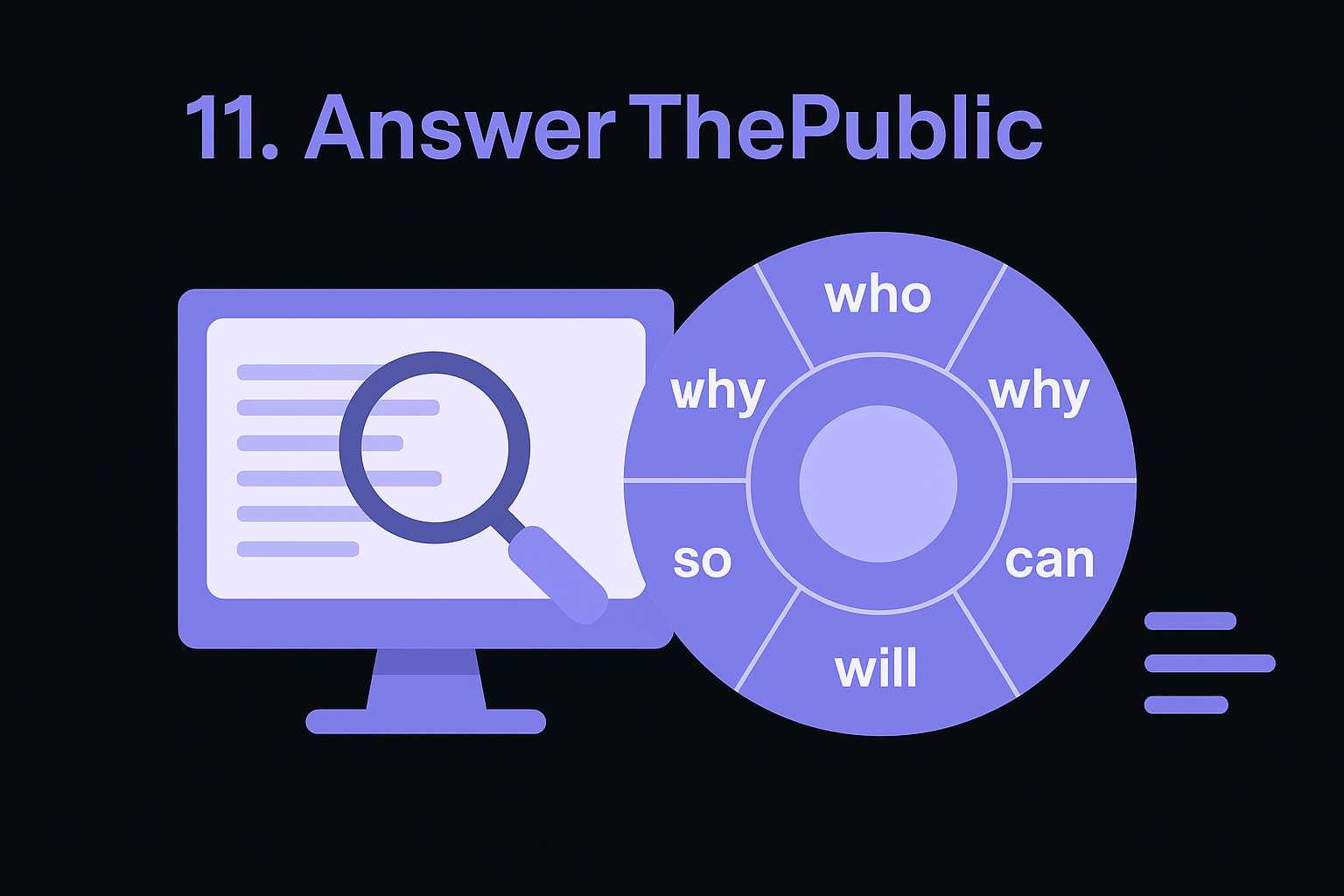
AnswerThePublic takes a raw seed keyword and turns it into a visual map of every question, preposition, and comparison people type into search engines around that term. It scrapes autocomplete data from Google and Bing, then arranges the results into wheels and lists that show you exactly how people phrase their curiosity. As seo analytics software, it's not built for tracking rankings or auditing your site, it's built for the earliest step: understanding what your audience actually wants to know before you write anything.
Key features
The tool's signature visualization wheel groups questions by type, who, what, why, can, will, so you see the full shape of search intent around a topic rather than a flat keyword list. That format makes it easier to spot content gaps than scrolling through a spreadsheet of volume numbers.
- Question data: pulls autocomplete-based questions grouped by category around your seed term
- Preposition and comparison searches: surfaces "X vs Y" and "X for Y" phrasing people actually use
- Alphabetical listings: shows every autocomplete suggestion sorted A to Z for quick scanning
- Search listening dashboard: tracks trending questions and comparisons over time on paid plans
- Export options: downloads results as CSV or image for briefs and content calendars
Question-shaped data reveals the intent behind a keyword that a bare volume number never shows.
Best for
Content marketers and bloggers building FAQ sections, blog outlines, or topic clusters get the most out of AnswerThePublic, since its question format maps directly onto headings readers actually search for. It's a strong early step for anyone using RankYak or a similar tool downstream, since a clearer picture of audience questions makes the resulting automatic keyword discovery sharper. It falls short as a standalone analytics tool, though, since it offers no ranking data, no difficulty scoring, and no way to track whether your content actually performs after publishing.
Pricing
A limited free search lets you test the tool before paying, though repeated searches in a short window get throttled.
| Plan | Price | Notes |
|---|---|---|
| Free | $0 | Limited searches per day, no export |
| Individual | $9/month | Unlimited searches, listening dashboard, CSV export |
| Pro | $99/month | Multiple users, more listening alerts |
The individual plan covers most solo users, while the Pro tier mainly adds seats for agencies running research across several accounts.
12. Google Trends
Google Trends rounds out this list as the free tool that shows you momentum rather than raw volume, and there's a full method for using Google Trends for keyword research. It charts how interest in any search term rises and falls over time, comparing up to five terms at once across regions, languages, and even YouTube or Google Shopping searches. As seo analytics software goes, it won't tell you difficulty scores or backlink counts, but it answers a question none of the other tools on this list handle well: is this topic growing, shrinking, or seasonal, and should you write about it now or wait?
Key features
Trends pulls directly from Google's own search data, normalized on a 0-100 scale so you can compare relative interest rather than absolute volume. That normalization makes it useful for spotting patterns other tools miss entirely.
- Interest over time: graphs search interest for any term across custom date ranges, from the past hour to two decades
- Regional breakdown: shows where a term is searched most, down to the city level in some markets
- Related queries: surfaces rising and top related searches tied to your seed term
- Comparison mode: plots up to five terms side by side to spot which is gaining ground
- Seasonality detection: reveals recurring spikes tied to holidays, events, or annual cycles
Volume tells you how big a topic is right now, but Trends tells you whether it's worth writing about before your competitors notice it's climbing.
Best for
Content planners deciding what to publish next get the most value here, especially for topics with seasonal spikes like holiday gift guides or back-to-school content. It also helps confirm whether a keyword surfaced elsewhere, in RankYak's keyword discovery or an Ahrefs report, is trending up or fading before you commit writing time to it. It's a poor standalone choice if you need actual search volume numbers, difficulty scores, or rank tracking, since Trends deliberately strips all of that away in favor of relative interest.
Pricing
Google Trends costs nothing and requires no account to browse basic data.
| Plan | Price | Notes |
|---|---|---|
| Free | $0 | No sign-in required; full comparison and export tools included |
Exporting a chart or embedding it takes one click, which makes it an easy addition to any content brief without adding another line item to your software budget.
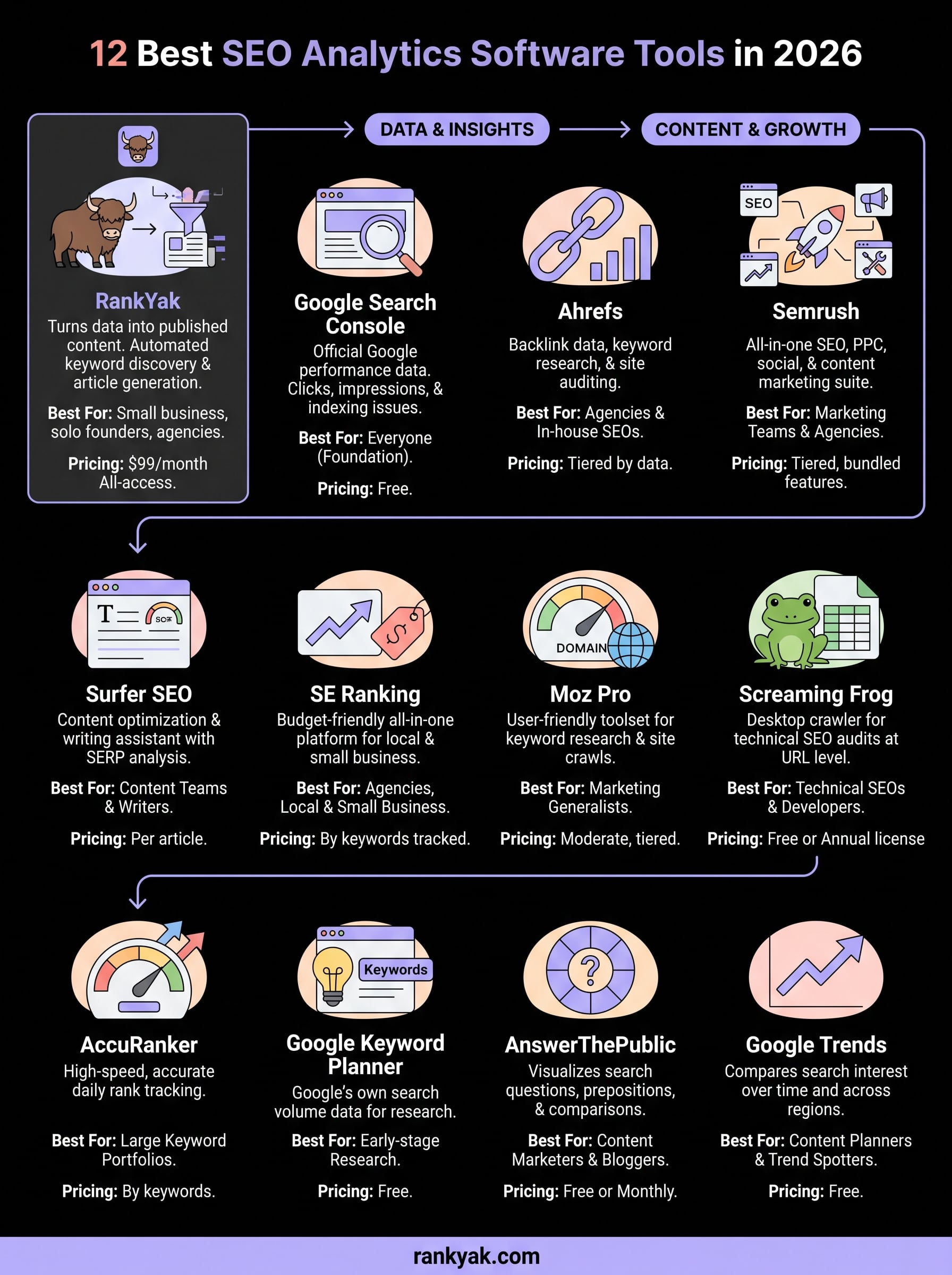
Finding the right fit for your SEO stack
No single tool on this list does everything, and that's fine. Google Search Console and Google Trends cost nothing and belong in every workflow, while Ahrefs, Semrush, and SE Ranking earn their price tags through deeper competitive research and rank tracking. Screaming Frog and AccuRanker solve narrow problems well, and AnswerThePublic plus Keyword Planner fill the earliest research gaps before you write a word.
But collecting data isn't the same as growing traffic. Most of these platforms hand you reports and leave the actual writing, publishing, and internal linking to you or a hired writer. That gap is exactly where RankYak fits in, turning keyword and Search Console data into daily articles that publish themselves, so your analytics stack produces content instead of just dashboards.
Whether you're managing this for yourself or running SEO across multiple client sites from one account, start your 3-day trial today.
Lars Koole is a co-founder of RankYak and has worked in SEO since 2021, on the side where a strategy has to become a live page: inside agencies, alongside them, for clients directly, and in-house on the products being ranked. He is a software engineer by trade, which is how that page gets built. Before RankYak he founded companies of his own, two of which were acquired. At RankYak he owns the engineering and everything AI, and works out the solution and the implementation of each new feature.
