12 Notion Content Creation Template Ideas for Busy Creators
Content creators juggle a lot, keyword research, editorial calendars, publishing schedules, and the actual writing itself. A notion content creation template can bring order to that chaos, giving you a single workspace to plan, track, and execute your content strategy. But with hundreds of templates floating around, finding the right one takes time you probably don't have.
That's where this guide comes in. We've compiled 12 practical Notion template ideas designed specifically for busy creators who need systems that work. Whether you're a solo blogger, a marketing team lead, or managing content for multiple clients, you'll find options that match your workflow. Each template idea focuses on solving a real organizational problem, not just looking pretty in your sidebar.
At RankYak, we automate the heavy lifting of SEO content automation, from keyword discovery to daily publishing. But we also know that strong organizational systems make everything run smoother. These templates can help you stay on top of your content pipeline, track what's performing, and keep your strategy focused, whether you're writing everything yourself or letting automation handle the production side.
1. RankYak SEO plan to Notion content pipeline
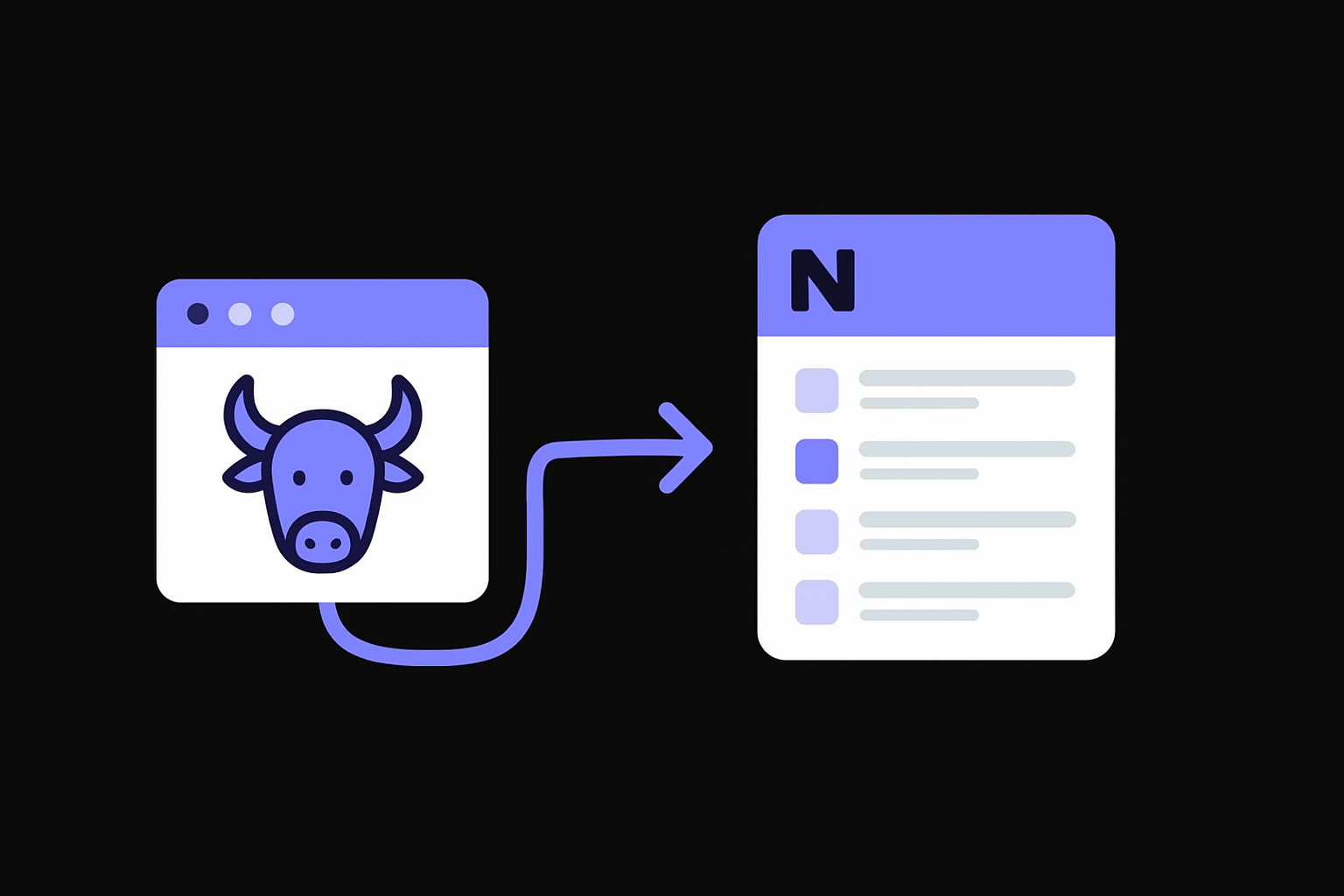
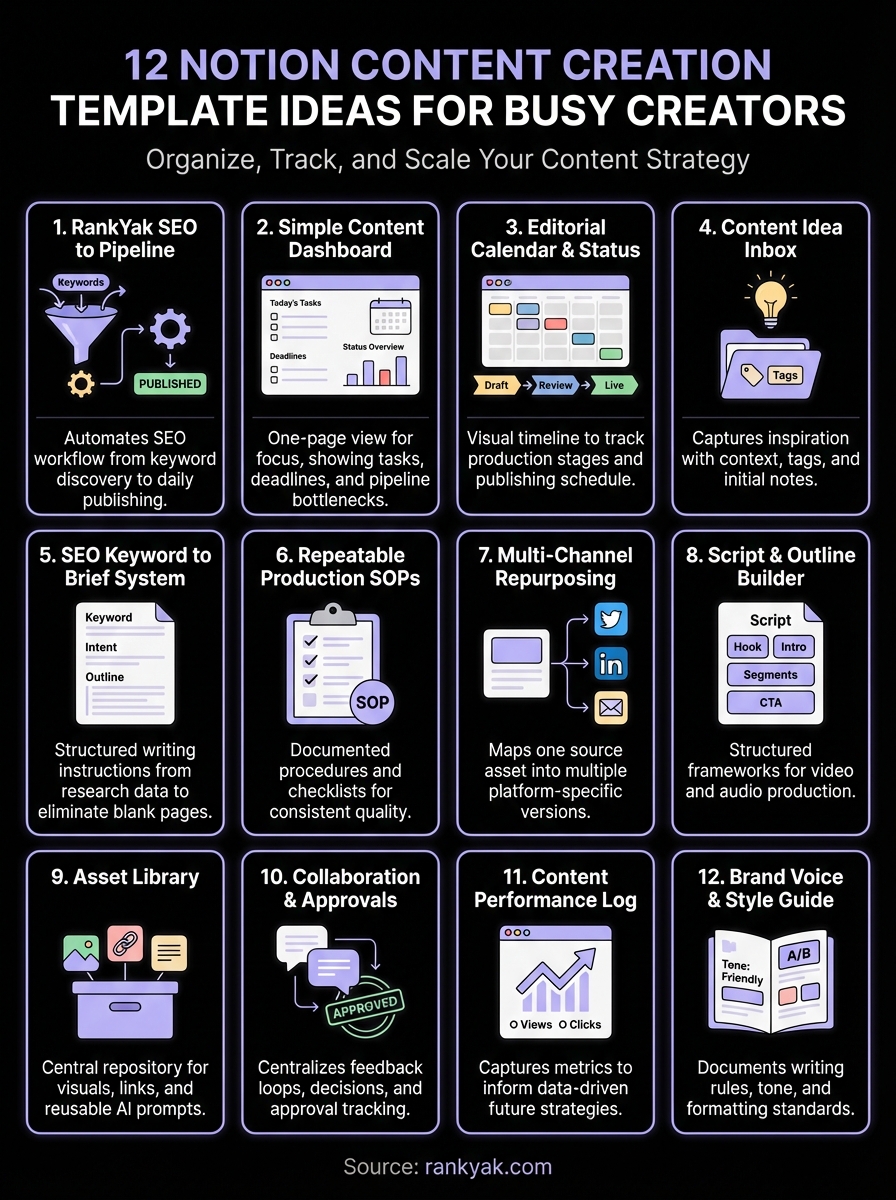
This notion content creation template connects your automated SEO workflow directly to your Notion workspace, transforming keyword opportunities into trackable content projects. You import your RankYak-generated content plan into a structured database, then manage everything from topic selection to final publishing without bouncing between platforms. The template turns abstract SEO strategy into concrete production tasks your team can execute on.
What this template helps you ship
You need a system that converts keyword research into published articles without constant back-and-forth. This template gives you a single source of truth where each SEO opportunity becomes a specific content piece with clear status, deadlines, and assigned owners. Your keyword data flows into Notion properties that track search volume and keyword difficulty, intent, and target publish dates, so you can prioritize what to write based on real metrics instead of guessing.
The structure forces you to decide which keywords actually warrant content, preventing the scatter of half-started drafts. Every entry shows exactly where it sits in your production pipeline, from research phase through publication, making bottlenecks visible immediately. Teams can see what's been assigned, what's stuck in review, and what's ready to ship, all in one dashboard view.
Core databases and properties to include
Your main database should house each content piece as a separate entry with properties for target keyword, search volume, keyword difficulty, content type (blog post, guide, listicle), word count target, and current status. Add priority level and estimated traffic fields so you can sort by potential impact rather than just churning out articles in random order.
Include related fields for internal linking opportunities, target publish date, writer assignment, editor assignment, and actual publish date. Tracking planned versus actual dates reveals where your workflow consistently slows down. Add a URL field for the published link, making it easy to reference live content later for updates or performance tracking.
Building these properties upfront saves hours of reorganization later when your content library grows past fifty pieces.
How RankYak fits into the workflow
RankYak writes and publishes a researched SEO article to your site every day, but you still need visibility into what's coming and how it performs. Export your rolling RankYak content calendar as a CSV and import it into this Notion database, or manually add upcoming topics that RankYak has queued. Your template becomes the command center where you see both automated and manual content side by side.
Use the template to track additional editorial tasks around RankYak's output, like adding custom images, updating internal links after new articles publish, or scheduling social promotion. The integration point isn't technical API magic but rather a simple content inventory that shows you everything happening on your site, regardless of whether you wrote it manually or automation handled it.
Best for and common pitfalls
This template works best for creators who run consistent publishing schedules and need clear visibility into what's planned versus what's live. Solo bloggers, small marketing teams, and agencies managing multiple client sites all benefit from the structure, especially when mixing automated content with custom editorial pieces.
Common pitfalls include overcomplicating the database with too many properties that never get filled out, creating bottlenecks by requiring too many approval stages, and failing to regularly review older entries to spot patterns in what works. Keep your status pipeline simple with no more than five stages, and archive completed content monthly so your active views stay focused on current work.
2. Simple content creation dashboard
A simple content creation dashboard gives you one page where all your active work lives, cutting out the endless clicking through folders and views. This notion content creation template strips away complexity, showing you only what matters right now: today's tasks, upcoming deadlines, and content stuck in your pipeline. The entire system centers on speed, getting you from login to productive work in seconds instead of minutes.
What to put on the home page
Your dashboard needs three core widgets positioned for instant visibility. Start with a linked view showing content due this week, filtered to exclude anything already published or archived. Add a quick capture section where you can jot down new ideas without opening a separate database, keeping momentum when inspiration strikes mid-task.
Place a status overview that counts how many pieces sit in each stage of your workflow, making bottlenecks obvious at a glance. Include shortcuts to your most-used databases and templates so you never waste time hunting for the right page. The goal is a clean, focused interface that answers your main question every morning: what needs your attention today?
The minimum viable databases behind it
You only need two databases to make this work: one for content pieces and one for quick capture inbox items. Your content database tracks title, status, due date, assigned writer, and publish URL. Keep property columns minimal because each extra field adds friction when creating new entries.
The inbox database needs just three fields: idea text, content type suggestion, and a checkbox for whether you've reviewed it. Everything starts here before graduating to your main content tracker. Resist the urge to add complexity until you've consistently used the basic setup for at least a month.
Most creators add too many databases too soon, creating maintenance work that slows down actual content production.
Views to add for a fast daily workflow
Create a calendar view filtered to show only content with due dates in the next two weeks, giving you a realistic planning horizon. Add a board view grouped by status so you can drag pieces through your workflow without opening individual pages. Include a table view sorted by priority that surfaces your highest-impact work regardless of due date.
Set up one completed work archive view that shows everything published in the last 30 days, useful for quick reference when planning related content or checking what you've already covered. Avoid building views you'll never check, they clutter your navigation and slow down the interface.
Best for and common pitfalls
This template works best for solo creators or small teams producing fewer than 20 pieces per month who need speed over elaborate tracking. Content marketers running lean operations, freelancers managing multiple clients, and startup teams with limited resources all benefit from the stripped-down approach.
Common pitfalls include gradually adding properties and views until the dashboard loses its simplicity, failing to actually use the quick capture inbox so ideas still scatter across tools, and never archiving completed work so active views become cluttered. Review your dashboard monthly and remove anything you haven't touched in that period to maintain the speed advantage.
3. Editorial calendar with status pipeline
An editorial calendar with status pipeline transforms scattered content plans into a visual workflow where every piece moves through clear production stages, the same job dedicated content calendar software handles outside Notion. This notion content creation template combines time-based planning with status tracking, letting you see both when content should publish and where it currently sits in production. You get a complete picture of your content operation, spotting delays before they wreck your publishing schedule and ensuring nothing falls through the cracks.
Statuses that keep production moving
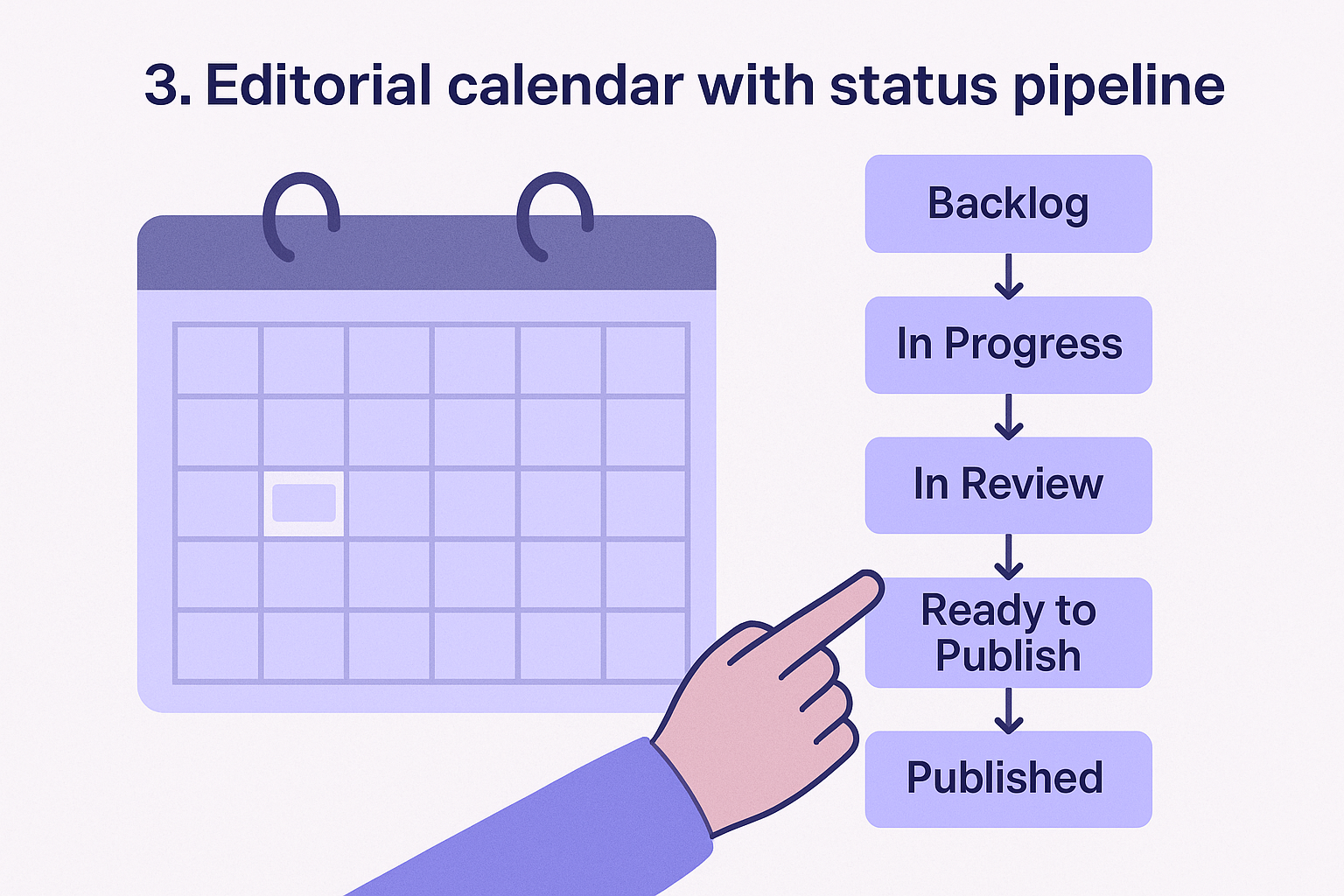
Your status pipeline needs five core stages that match how content actually moves through your workflow: Backlog, In Progress, In Review, Ready to Publish, and Published. Each status represents a specific handoff point where responsibility shifts, preventing the confusion of who owns what. Avoid creating more than six statuses because extra stages just create places for work to get stuck.
Add a Failed or Paused status for content that hits unexpected roadblocks, keeping it visible without cluttering your active pipeline. This separation lets you revisit stalled pieces later instead of letting them haunt your in-progress queue forever.
Calendar, board, and timeline views to set up
Build a calendar view that displays all content by target publish date, giving you a monthly overview of what ships when, much like the Notion content calendar template ideas built around dates. Create a board view grouped by status where you drag cards between columns as work progresses, making workflow movement tactile and immediate. Add a timeline view for long-form projects that span multiple weeks, showing how different pieces overlap and compete for resources.
Filter your calendar view to show only unpublished content so completed work doesn't clutter your planning horizon. Set your board view to sort by priority within each status column, surfacing the most important work automatically.
Building multiple views of the same database costs nothing but gives you different lenses for different planning needs.
How to handle due dates and dependencies
Assign target publish dates to every content piece when you create it, even if that date later shifts. Use a separate internal deadline field set 3-5 days before publish date to account for review cycles and last-minute fixes. Track dependencies with a relation property linking to other content that must publish first, preventing situations where you reference articles that don't exist yet.
Best for and common pitfalls
This template works best for teams publishing 10+ pieces monthly who need coordination across writers, editors, and designers. Marketing departments, content agencies, and media companies all benefit from the structured handoff system that prevents bottlenecks.
Common pitfalls include setting unrealistic due dates that constantly get pushed back, creating status stages that don't match your actual workflow, and failing to update statuses promptly so the pipeline becomes unreliable. Review your average time in each status monthly to spot where delays consistently occur.
4. Content idea inbox and swipe file
A content idea inbox and swipe file captures inspiration the moment it strikes, preventing those brilliant thoughts from disappearing into the void of your notes app. This notion content creation template creates a dedicated space where every headline, angle, competitor example, and random spark gets logged with enough context that you'll actually remember why it mattered three months later. You build a searchable library of raw material that feeds your editorial calendar instead of scrambling for topics every week.
Capture fields that prevent idea rot
Your inbox database needs three essential fields that transform vague thoughts into actionable content: the idea itself (short description), inspiration source (where you found it), and initial notes (why it caught your attention). Add a date added timestamp so you can track how old ideas are and decide when to archive ones that never gained traction.
Include an urgency or timeliness field marking whether this idea has an expiration date, like seasonal content or trending topics. Track estimated content type with options like blog post, video, social thread, or email so you can filter by format when planning specific channels. These capture fields take 30 seconds to fill but save hours of trying to reconstruct why you bookmarked something weeks ago.
Tagging system for topics, formats, and angles
Build a multi-select tag property for content topics that align with your main categories, making it easy to filter ideas when you need content for a specific subject area. Add format tags like tutorial, opinion, case study, or roundup so you can balance content types across your calendar instead of accidentally publishing five listicles in a row.
Create angle tags that describe the approach, such as beginner-friendly, contrarian, data-driven, or personal story. This system lets you quickly find ideas that match both topic and tone when planning.
Tagging takes discipline upfront but pays back massively when you need to find the perfect idea under deadline pressure.
How to turn ideas into assigned drafts
Add a promote to draft button that creates a new entry in your main content database with pre-filled fields pulled from the idea record. Set up an automation or manual template that copies the idea text, tags, and notes into a proper content brief structure with added sections for target keyword, outline, and word count.
Best for and common pitfalls
This template works best for creators who regularly consume content and need systematic capture for the constant stream of inspiration. Bloggers, podcasters, and social media managers all benefit from the organized idea repository.
Common pitfalls include capturing ideas without enough context to remember later, letting the inbox grow past 100 entries without promoting or archiving anything, and never actually reviewing old ideas when planning new content.
5. SEO keyword to content brief system
An SEO keyword to content brief system turns research data into structured writing instructions that eliminate the blank page problem. This notion content creation template captures everything a writer needs to know before drafting, from target keywords and search intent to competitor analysis and required structure, and the best brief generator tools can fill much of it for you. You stop wasting time deciding what to write about or how to approach it because the brief answers those questions before anyone opens a document.
Brief sections that speed up writing
Your brief template needs four core sections that provide complete direction: target keyword with search volume and difficulty metrics, primary and secondary keywords to naturally incorporate, required headings or sections based on SERP analysis, and minimum word count guidance, or you can turn a keyword into a writer-ready brief in one run and paste the result in. Add a content goal statement that explicitly describes what the reader should accomplish after reading, keeping the entire piece focused on delivering that outcome.
Include a tone and angle section specifying whether the piece should be beginner-friendly, technical, conversational, or authoritative. Provide competitor content links with notes on what they covered well and what gaps your piece should fill. These sections transform vague assignments into specific blueprints that reduce revision cycles.
Keyword, intent, and SERP notes to track
Track search intent type with options like informational, navigational, transactional, or commercial investigation so writers understand what stage of the buyer journey they're addressing. Record SERP feature observations noting whether Google shows featured snippets, people also ask boxes, or video results, signaling which format might perform best.
Document top-ranking page insights with word counts, heading structures, and unique angles they take. This competitive intelligence prevents you from writing generic content that duplicates what already ranks.
Capturing SERP patterns in your brief database helps writers create content that matches what Google actually wants to rank.
Internal links and content cluster mapping
Map related content URLs that should receive internal links from the new piece, strengthening your site architecture while distributing link equity. Track parent topic or pillar page connections so every piece reinforces your main content clusters instead of existing in isolation.
Add a future linking opportunities field noting where this piece should receive links once published, creating a two-way linking strategy that builds topical authority over time.
Best for and common pitfalls
This template works best for content teams with multiple writers who need consistent quality regardless of who's drafting. SEO agencies, in-house marketing departments, and publications benefit from the standardized briefing process.
Common pitfalls include creating briefs so detailed they take longer to write than the actual content, failing to update briefs when SERP results shift, and never reviewing which brief elements actually improved content performance.
6. Repeatable production checklists and SOPs
A repeatable production checklists and SOPs system eliminates the mental load of remembering every step in your content workflow, replacing it with documented procedures anyone on your team can follow. This notion content creation template turns tribal knowledge into standardized processes, ensuring every piece meets quality standards regardless of who creates it. You stop losing time to rework and revision because the checklist catches issues before content ships, making consistency automatic instead of accidental.
Checklist templates for each content type
Build separate checklist templates for blog posts, videos, social threads, and newsletters since each format has unique requirements. Your blog post checklist should include steps like verify target keyword appears in title, confirm meta description under 160 characters, add alt text to all images, and insert at least three internal links. Create video production checklists covering script approval, thumbnail creation, caption file generation, and end screen setup.
Store these templates as database entries with toggle lists so team members can duplicate them for new projects and check off items as they complete them. Each checklist becomes a living record of what actually happened during production, useful for identifying where mistakes consistently occur.
QA steps for titles, hooks, and formatting
Your content editing checklist needs specific criteria with pass/fail standards rather than vague guidance like "make it good." Include checks such as title contains 50-60 characters, hook sentence addresses reader's problem directly, subheadings use parallel structure, and no paragraphs exceed four sentences. Add formatting requirements like bold key terms once per section, include one quote block for emphasis, and verify all links open in correct tabs.
Documenting exact quality standards transforms subjective editing into objective checkpoints that reduce approval friction.
Hand-off fields for editors and designers
Track responsibility transfers with owner assignment fields that show who has the content right now and what they need to do with it. Include status-specific notes sections where writers explain what needs review, editors document requested changes, and designers note which visuals they created. Add estimated completion timestamps for each role so delays become visible before they impact publish dates.
Best for and common pitfalls
This template works best for teams with multiple contributors who need consistent output quality across different skill levels, including anyone who outsources content creation to freelancers. Content agencies, publications, and marketing departments all benefit from the documented procedures.
Common pitfalls include creating checklists so long nobody actually uses them, failing to update procedures when workflows change, and never analyzing which checklist items catch the most issues.
7. Multi-channel repurposing tracker
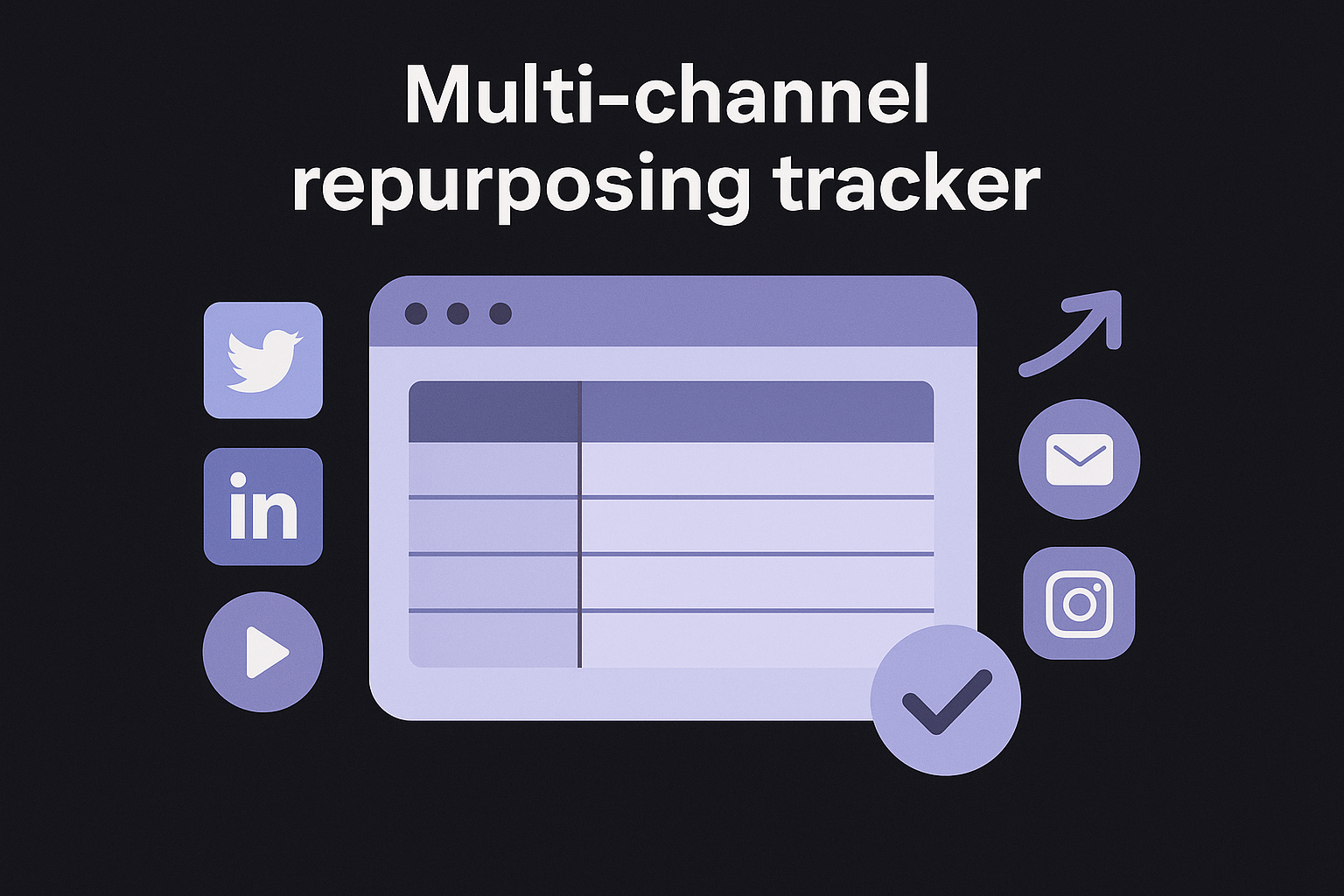
A multi-channel repurposing tracker maximizes the value of every piece you create by systematically transforming one source asset into multiple platform-specific versions. This notion content creation template maps how a single blog post becomes a Twitter thread, LinkedIn carousel, YouTube short, email newsletter segment, and Instagram caption, all tracked in one database. You stop leaving distribution opportunities on the table because the system shows exactly which versions exist and which channels still need content derived from each core piece, which is the backbone of any content distribution strategy.
One source post, many derivatives structure
Your database needs two linked tables where source content lives in one database and derivative versions populate a related database. Each source entry shows all its children versions through a rollup property, giving you instant visibility into how thoroughly you've repurposed that asset. Link derivatives back to their parent with a relation property so you always know which original piece inspired each platform-specific version.
Track creation date for both source and derivatives to identify how quickly you repurpose after publishing the original. Fast repurposing maintains momentum while the topic stays relevant.
Channel-specific fields for specs and hooks
Add a channel property with options for each platform you publish on, letting you filter the derivative database by destination. Include format specifications like character limits for Twitter, aspect ratios for Instagram, or video length for TikTok so creators know the constraints before adapting content.
Create a platform-specific hook field where you write the opening line optimized for each channel's audience expectations. Store performance tracking properties like views, engagement rate, and click-throughs to identify which platforms and formats deliver the best results from repurposed content.
Documenting channel-specific requirements in your template prevents the constant lookups that slow down repurposing workflows.
Scheduling and batching views to add
Build a calendar view filtered by publish date showing when derivatives ship across all channels, helping you space out repurposed content so audiences don't see identical ideas flood their feeds. Create a board view grouped by channel where you batch similar platform work together, making it efficient to knock out five LinkedIn posts in one sitting rather than context-switching constantly.
Best for and common pitfalls
This template works best for creators managing 3+ content channels who need systematic distribution beyond just publishing once. Common pitfalls include creating derivatives that feel too similar across platforms, failing to adapt hooks for different audience contexts, and never reviewing which repurposing approaches actually drive traffic back to source content.
8. Script and outline builder for video and audio
A script and outline builder for video and audio transforms blank pages into structured production documents that speed up recording sessions and reduce editing time. This notion content creation template creates repeatable frameworks for podcasts, YouTube videos, and audio content where every episode follows a proven format. You stop winging it on camera or rambling off-topic because your outline keeps you focused on the planned content, making post-production cleaner and final output more professional.
Database structure for episodes and segments
Your database needs one entry per episode with properties tracking episode number, title, target publish date, and guest name if applicable. Add a linked database for segments within each episode, breaking down intro, main content sections, sponsor reads, and outro into separate blocks you can reorder or reuse. This structure lets you template common segments like intros and CTAs once, then duplicate them across episodes instead of rewriting the same script every time.
Include fields for episode duration target and actual length so you can identify when episodes consistently run long and adjust your outline templates accordingly. Track topic tags to avoid repeating the same angles too frequently.
Hooks, beats, and CTA blocks to template
Create reusable content blocks for your opening hook formula, whether that's a provocative question, startling stat, or story teaser that grabs attention in the first ten seconds. Build beat templates for your main sections with placeholder text showing where examples, transitions, and key points should fall, giving structure without scripting word-for-word.
Store multiple CTA variations as templates you can drop into episode outlines based on your goal, whether driving newsletter signups, product purchases, or social follows. This library prevents the awkward fumbling when you realize mid-recording you haven't planned how to close.
Templating your hooks and CTAs eliminates the energy drain of creating these high-stakes sections from scratch every episode.
Recording, edit, and publish status tracking
Add production stage properties covering scripted, recorded, edited, thumbnail created, and published so you see exactly where each episode sits in your workflow. Include editor assignment and due date fields that make handoffs explicit, preventing episodes from sitting unedited because nobody knew whose turn it was.
Track recording date and publish date separately to measure your production lag time and spot when backlogs are building.
Best for and common pitfalls
This template works best for podcasters and video creators publishing on consistent schedules who need efficient production workflows. Common pitfalls include over-scripting so content sounds robotic, never updating segment templates as your format evolves, and tracking so many production stages that simple episodes feel bureaucratic.
9. Asset library for visuals, links, and prompts
An asset library for visuals, links, and prompts eliminates the frantic search for that perfect image, reusable snippet, or AI prompt you know you saved somewhere three months ago. This notion content creation template becomes your single repository for every content building block you'll reference repeatedly, from brand-approved graphics to competitor analysis links to prompt templates that consistently deliver great results. You stop recreating the same resources or digging through folders because everything lives in one searchable, organized database that surfaces exactly what you need in seconds.
What to store and how to name it
Store visual assets like logos, brand colors, templates, stock photos, and custom graphics in dedicated entries with consistent naming conventions that include asset type, subject, and version number. Keep copywriting templates for email subject lines, social hooks, and call-to-action variations that you've tested and know perform well. Archive reference links to competitor content, industry research, technical documentation, and inspiration pieces that inform your strategy.
Save AI prompts that consistently produce quality across different content types, tagging each with the model it works best on and sample outputs. Your naming system should make assets instantly identifiable without opening them, using formats like "Logo_Primary_Color_2026" or "EmailSubject_ProductLaunch_Testing".
Metadata fields for usage rights and sources
Add usage rights properties specifying whether assets are royalty-free, require attribution, or have expiration dates so you never accidentally violate licensing terms. Track original source URLs for every external asset, making it simple to find updated versions or verify licensing details months later when questions arise.
Include date added and last used fields to identify stale assets that clutter your library. Store creator or contributor information for custom assets so you know who to contact for modifications or new versions.
Fast retrieval views for creators in a rush
Build filtered views grouped by asset type so you can jump straight to visuals, prompts, or links without scrolling past unrelated items. Create a recently added view showing your newest assets first, useful when you know something was just saved but can't remember its exact name.
Add a favorites or most-used view that surfaces your go-to resources immediately, eliminating navigation through rarely-touched items.
Organizing assets by frequency of use rather than alphabetically saves measurable time during deadline-driven production sprints.
Best for and common pitfalls
This template works best for creators who produce multiple content formats requiring diverse resource types. Common pitfalls include dumping assets without tagging them properly, never archiving outdated resources so the library becomes cluttered, and failing to update source links when external pages move or disappear.
10. Collaboration and approvals hub
A collaboration and approvals hub centralizes feedback loops and decision-making in one workspace, eliminating the email chains and scattered comments that delay content launches. This notion content creation template tracks who needs to review what, when approvals happened, and why decisions were made, creating an audit trail that prevents the same debates from resurfacing weeks later. You replace confusion about approval status with clear visibility into exactly where content sits and what's blocking its progress toward publication, the same coordination content strategy platforms are built to provide.
Roles, owners, and approval stages to track
Your database needs person properties for each role involved in production: writer, editor, legal reviewer, brand manager, and final approver. Assign clear ownership at each stage so team members know when content enters their queue and what action they must take. Track approval stages with statuses like Draft Complete, In Editorial Review, Awaiting Legal Approval, and Final Sign-Off Received, making handoffs explicit instead of assumed.
Include a date submitted and date approved field for each stage to measure how long content typically sits in review. Add a skip approval checkbox for low-risk content that doesn't require full review cycles, preventing bottlenecks on routine pieces.
Commenting and decision log fields to include
Create a review comments section where each approver leaves specific feedback with their name and timestamp, keeping all notes in one place instead of scattered across email and Slack. Build a decisions made field that documents why certain directions were chosen or rejected, preventing teams from relitigating settled questions when similar situations arise later.
Add version notes explaining what changed between review rounds so approvers don't waste time re-reading unchanged sections.
Documenting decisions in your approval hub turns institutional knowledge into searchable history that speeds up future projects.
How to avoid version chaos in Notion
Use Notion's page history feature to track changes rather than creating duplicate pages for each version. Store all iterations in one entry with version number properties and change logs that explain what shifted between drafts. Set up locked sections for approved content using page permissions so further edits require explicit re-approval rather than quietly changing finalized work.
Best for and common pitfalls
This template works best for regulated industries or teams with legal review requirements where approval documentation matters. Common pitfalls include creating approval stages that duplicate each other, failing to set response time expectations so content stalls indefinitely, and never reviewing which approval requirements actually prevent problems versus just adding friction.
11. Content performance and analytics log
A content performance and analytics log transforms scattered metrics into actionable insights that inform your next production decisions. This notion content creation template captures how each piece performs across different channels, building a historical record that reveals what topics, formats, and approaches actually drive results. You stop guessing what works and start making data-informed choices about where to invest your limited content creation time, letting past performance guide future strategy instead of relying on hunches.

Metrics to track for each platform
Your analytics database needs platform-specific metric fields covering views, engagement rate, click-through rate, time on page, and conversions for each content piece, pulled from whichever analytics tools that prove content ROI you already run. Track publish date and first 30-day performance separately from lifetime stats to identify whether pieces gain traction immediately or build momentum slowly. Include traffic source breakdowns showing how much came from organic search, social media, email, or direct visits so you understand which distribution channels actually deliver audiences.
Add keyword ranking positions for SEO-focused content, tracking where pieces land in search results for target terms over time. Store social share counts and comment volumes as proxy measures for content resonance even when direct conversion data isn't available.
Post-mortem notes that improve the next piece
Create a lessons learned field where you document what worked and what flopped after each piece goes live. Record unexpected performance patterns like a piece ranking for keywords you didn't target or social posts that bombed despite strong topic research. Note production issues that affected quality such as rushed deadlines, inadequate research time, or unclear briefs, connecting process problems to outcome data.
Capturing these observations while results are fresh prevents you from forgetting crucial lessons by the time you plan similar content months later.
Monthly review views that surface patterns
Build a top performers view sorted by your primary success metric, surfacing your best 10-15 pieces each month to identify common characteristics. Create a underperformers requiring updates filter showing content that gets traffic but converts poorly, marking candidates for optimization. Add a topic and format breakdown that groups performance by content category and type, revealing which subjects and structures consistently deliver results.
Best for and common pitfalls
This template works best for data-driven creators who regularly publish and need systematic performance tracking. Common pitfalls include tracking metrics that don't connect to business goals, never actually reviewing the data you collect, and failing to test changes based on insights you've documented.
12. Brand voice and style guide workspace
A brand voice and style guide workspace ensures every piece you ship sounds like it came from the same person, even when multiple writers contribute to your content pipeline. This notion content creation template documents your writing rules, preferred phrases, formatting standards, and tone guidelines in one central reference that anyone creating content can consult. You eliminate the inconsistency that makes your brand feel disjointed, replacing it with clear standards that guide writers toward content that matches your established voice without requiring constant editorial oversight.
Voice rules that keep writing consistent
Your style guide needs documented tone characteristics with specific examples showing how they apply in practice, such as "conversational but not casual" paired with sample sentences demonstrating that balance. Define vocabulary preferences covering industry terms you embrace versus jargon you avoid, acceptable abbreviations, and branded terms that require specific capitalization. Include perspective and voice guidelines specifying whether you write in first person, use contractions, or address readers directly, preventing jarring shifts between pieces.
Track formatting standards for headlines, subheadings, and body text including sentence case versus title case, number formatting (10 or ten), and how you handle lists and quotes. These rules transform subjective style debates into objective checkpoints.
Reusable blocks for intros, CTAs, and bios
Create templated opening paragraphs for different content types that writers can customize rather than starting from scratch every time. Store multiple CTA variations organized by goal, whether driving newsletter signups, product demos, or social follows, each written in your brand voice. Build author bio templates with standardized formats that maintain consistency across guest posts and bylines.
Templating high-stakes sections like openings and CTAs eliminates the repetitive creative work that drains writer energy on routine content.
Examples library for do and don't patterns
Document side-by-side comparisons showing sentences written in your voice versus styles to avoid, making abstract guidance concrete. Include real examples from published content that exemplify your standards, giving writers models to emulate. Store common mistakes with corrections so new contributors learn from past errors without repeating them.
Best for and common pitfalls
This template works best for teams with multiple contributors who need consistent brand presence across all content. Content agencies managing different client voices, publications with rotating writers, and marketing departments benefit from the centralized style authority. Common pitfalls include creating guidelines so rigid they stifle creativity, never updating standards as your voice evolves, and failing to actually enforce the rules you document so inconsistency persists.
Next steps
These twelve notion content creation template options give you the foundation for organized, efficient content operations. Pick one template that solves your biggest pain point right now, build it out completely, and use it for at least a month before adding another. The compound effect of consistent systems beats the temporary motivation of building five templates you'll abandon by next week.
Your templates handle organization and tracking, but the actual content production still demands significant time and effort. Let RankYak run the entire SEO content pipeline, from keyword discovery to daily publishing, so you focus on strategy while the platform handles execution. You get SEO-optimized articles published automatically to your site every day, feeding your Notion tracking systems with content that actually ranks and drives traffic. The combination of structured planning in Notion and automated production through RankYak creates a content operation that scales without burning you out or requiring a full editorial team.
Lars Koole is a co-founder of RankYak and has worked in SEO since 2021, on the side where a strategy has to become a live page: inside agencies, alongside them, for clients directly, and in-house on the products being ranked. He is a software engineer by trade, which is how that page gets built. Before RankYak he founded companies of his own, two of which were acquired. At RankYak he owns the engineering and everything AI, and works out the solution and the implementation of each new feature.
