Google Business Profile Optimization: Step-By-Step Guide
Your Google Business Profile optimization can be the difference between showing up in the local pack or getting buried beneath competitors. When someone searches for a service near them, Google pulls from these profiles to decide who gets featured, and an incomplete or neglected listing is essentially invisible.
The problem? Most business owners set up their profile once and never touch it again. They miss out on features, ignore key ranking signals, and wonder why the phone isn't ringing from local search. Meanwhile, competitors who actively optimize their profiles are scooping up those ready-to-buy customers.
This guide walks you through every step of optimizing your Google Business Profile, from filling out often-overlooked fields to leveraging reviews, posts, and photos that actually move the needle. Whether you're starting from scratch or cleaning up a neglected listing, you'll leave with a clear action plan.
And once your local presence is locked in, pairing it with consistent, SEO-optimized content is how you dominate organic search more broadly. That's exactly what RankYak automates, daily keyword-targeted articles published straight to your site, so your SEO keeps working even when you're focused on running your business.
How Google ranks local results for your profile
When someone searches "plumber in Austin" or "coffee shop near me," Google doesn't randomly pick which businesses to display. It runs every local listing through a set of ranking signals to decide which profiles appear in the local pack, the three-business block that sits above organic results, which is why a deliberate plan for ranking in Google Maps pays off. Understanding those signals gives you a direct advantage, because every action you take during google business profile optimization maps back to at least one of them.
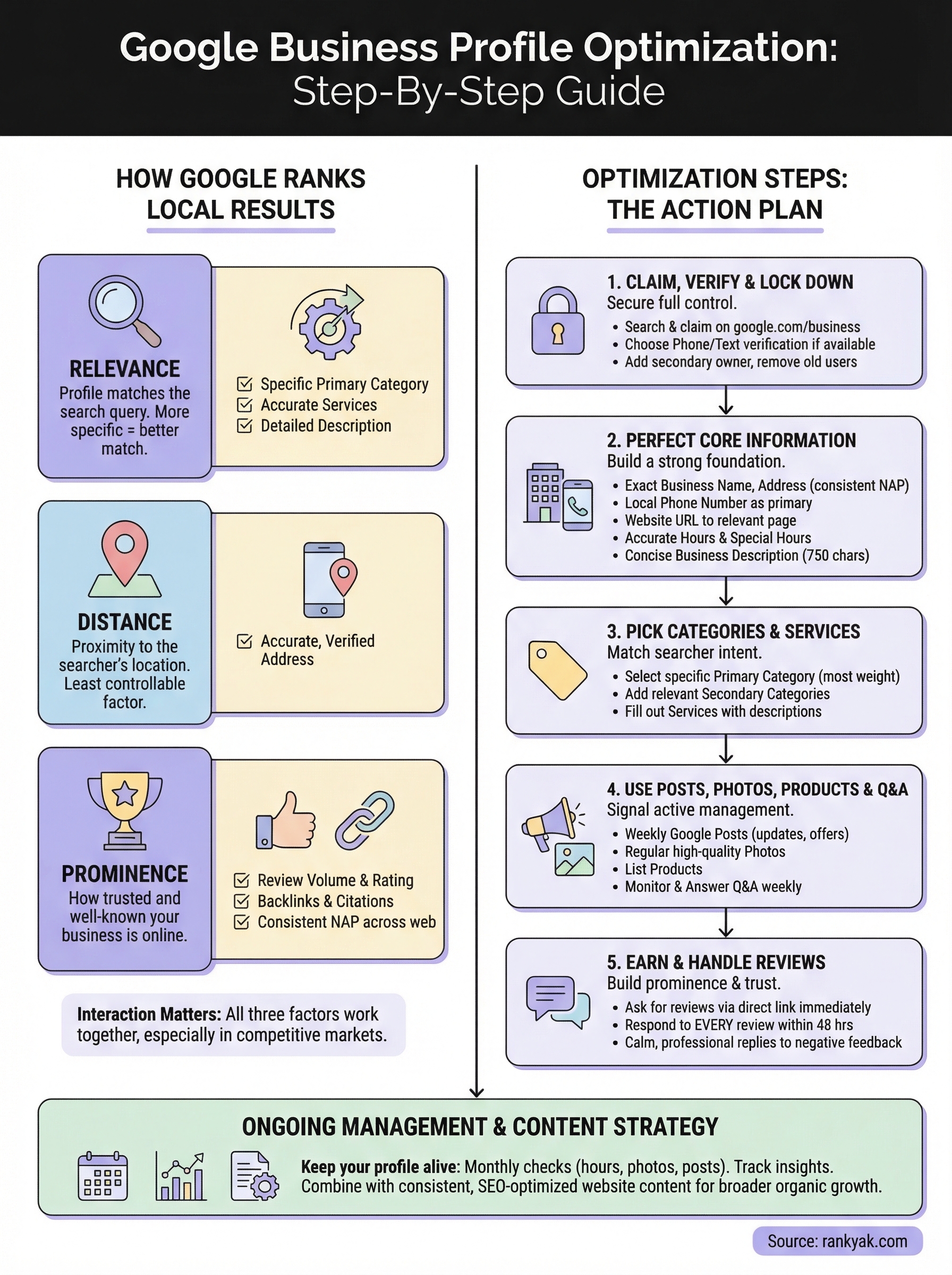
Google officially identifies three core factors it uses to rank local results: relevance, distance, and prominence. These factors aren't equally weighted, and they interact with each other in ways that matter for how you approach your listing. A business that scores well across all three consistently earns positions at the top of local search results.
Relevance: Does your profile match the search?
Relevance measures how well your profile information aligns with what someone is searching for. Google scans your business name, primary and secondary categories, services, description, and even your website to decide if you're a good match for a query. If you run an HVAC company but your profile only says "home services," Google can't confidently connect you to someone searching for "furnace repair near me."
The more specific and complete your profile is, the more searches Google can confidently match you to.
Your business categories carry the most weight within relevance. Google uses them as the primary classification for your listing, and a too-broad or mismatched category can suppress your visibility for the exact queries you care about. Services, attributes, and your business description reinforce those categories and give Google additional signals to build on.
Distance: How close is your business to the searcher?
Distance is the factor you have the least direct control over, but it shapes your ranking in predictable ways. Google calculates how far your listed address sits from the person searching, or from the location mentioned in the query. A searcher six blocks away will see different results than someone eight miles out.
What you can control is keeping your address accurate and verified. An incorrect address, or a service-area business that has incorrectly hidden its address, creates confusion and can suppress your local ranking. Google needs a reliable location to calculate distance, and any ambiguity works against you.
Prominence: How trusted and well-known is your business?
Prominence is the broadest of the three factors, and it's where consistent profile management pays off the most. Google measures your prominence based on how much credible information exists about your business across the web: the volume and quality of your reviews, your overall star rating, the backlinks pointing to your website, citations on directories, and how often people engage with your profile.
Your review volume and average rating directly influence prominence. A business with 180 reviews at 4.6 stars carries significantly more weight than one with 15 reviews at 4.0 stars, even if both are otherwise similar. Beyond reviews, Google looks at how well-linked your website is, which is where local link building tactics come in, and how consistently your business name, address, and phone number appear across the web.
How these factors work together
These three factors don't operate in isolation. A highly prominent business might still lose to a closer competitor on a hyper-local search. A business with perfect relevance might not rank if it has almost no reviews or citations. Understanding this interaction matters because it tells you where to focus your energy.
If you're in a competitive market, building prominence through reviews and consistent citations often moves the needle faster than tweaking your description. If you're in a niche with low competition, relevance and completeness may be enough to claim the top spot. Treat all three as adjustable levers rather than fixed conditions, and you'll make smarter decisions at every step of the optimization process.
Step 1. Claim, verify, and lock down access
Before you do anything else with google business profile optimization, you need to confirm that you actually own and control your listing. Thousands of businesses operate with unclaimed profiles, meaning anyone could edit their information, and Google surfaces those listings with incomplete or stale data. Claiming your profile takes roughly ten minutes and gives you full control over every field that influences your ranking.
How to claim your profile
Start at google.com/business and sign in with a Google account you plan to use long-term for your business, not a personal Gmail you might abandon. Search for your business name and address in the search bar. If Google has already created a profile for your business, you'll see a "Claim this business" option. If no profile exists yet, select "Add your business to Google" and follow the setup flow.
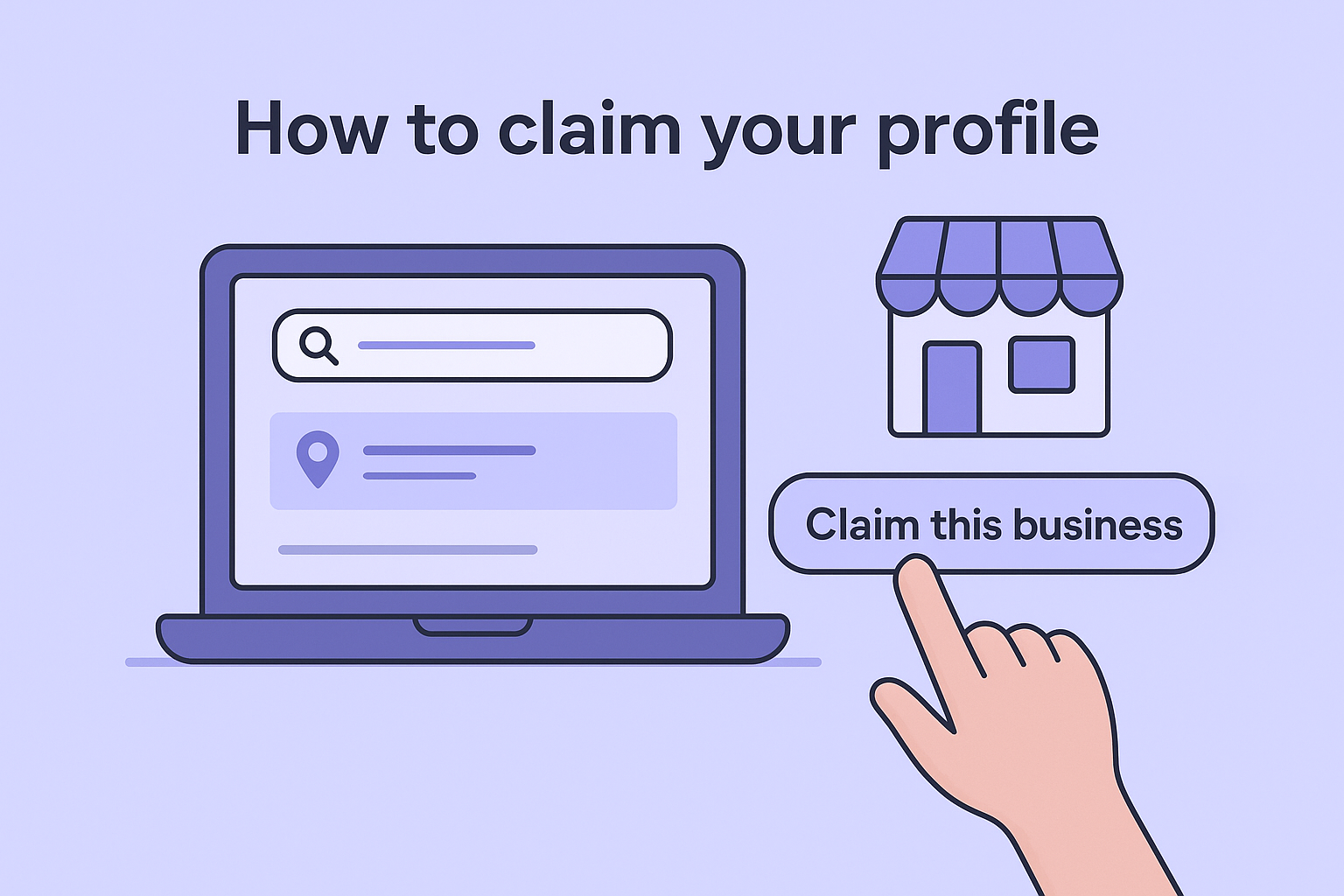
Here's the exact sequence to follow:
- Go to google.com/business and sign in
- Search for your business name
- Select your business if it appears, or choose "Add your business"
- Enter your business name, primary category, and address
- Choose whether you serve customers at your location or at their location
- Add your phone number and website
- Proceed to verification
Verification methods Google offers
Google needs to confirm that you represent the business before unlocking full profile management. The available verification methods depend on your business type and location.
| Method | How it works | Typical timeframe |
|---|---|---|
| Postcard | Google mails a code to your address | 5-14 days |
| Phone call | Automated call with a PIN | Immediate |
| Text message | SMS with a PIN | Immediate |
| Code sent to a verified business email | Immediate | |
| Video recording | Short video of your location and signage | 3-5 days review |
Choose phone or text verification if it's available to you, since waiting for a postcard delays every other optimization step.
Lock down ownership and access
Once verified, go to Business Profile Settings and review who has access to your listing. Add a secondary owner using a different Google account so you're never locked out if something happens to your primary login. Remove any outdated user accounts from previous employees, agencies, or contractors who no longer work with you. A compromised or incorrectly managed profile can have its information changed without your knowledge, which directly undermines the work you put into ranking.
Step 2. Perfect your core business information
Core business information is the foundation every other google business profile optimization effort builds on. If your name, address, phone, or hours contain errors, Google has less confidence in your listing, and searchers who find you get confused before they even contact you. Getting these fields right takes about 20 minutes, and the payoff shows up immediately in how your profile reads and how Google treats it.
Business name, address, and consistency
Your business name field should match exactly what appears on your storefront, website, and official documents. Do not add extra keywords, city names, or taglines to your business name, since Google treats that as spam and can suspend your listing. If your official name is "Harbor Plumbing," that's what goes in the field, nothing more.
Address consistency matters just as much as accuracy. Even small differences like "St." versus "Street" or a missing suite number create inconsistency that weakens your prominence signals across the web. Use the U.S. Postal Service address lookup to confirm your exact address format before entering it, then apply that same format to every directory and citation source you're listed on, as any local SEO checklist for a small business will tell you.
Consistent NAP (name, address, phone) across every online source is one of the most reliable prominence signals Google uses to rank local listings.
Phone number, website, and hours
Add a local phone number as your primary contact rather than a toll-free line when possible. Local numbers reinforce your geographic relevance to Google and feel more trustworthy to potential customers scanning the local pack. If you use call tracking, list the tracking number as your primary contact and add your direct number as a secondary one.
Your website URL should point directly to the most relevant page, which is usually your homepage for single-location businesses. For multi-location businesses, each profile should link to its location-specific landing page rather than the main site, so both Google and users land somewhere directly useful.
Hours need to stay current. Update holidays and special closures using the "Special hours" feature inside your profile dashboard rather than editing your regular hours. Outdated hours are one of the fastest ways to lose customer trust and collect negative reviews.
Business description
Your description field gives you 750 characters to tell Google and searchers what you do. Front-load it with your core service and location in the first two sentences, since only the first 250 characters show before a "more" click. Avoid links and promotional language here since Google will reject them. Write it like this:
"Harbor Plumbing serves residential and commercial customers across downtown Austin, TX. We specialize in emergency repairs, drain cleaning, and full bathroom remodels with same-day availability."
Step 3. Pick categories and services that match
Categories are among the highest-impact fields in google business profile optimization, yet most businesses set them once and never revisit. Google uses your primary category as the main signal for determining which searches your listing qualifies for, which means a wrong or vague choice filters you out of queries your competitors are winning.
Choose your primary category first
Your primary category carries more weight than every other field in your profile except your verified location. Choose the single most specific category that describes your main offering. If you run a residential cleaning business, "House Cleaning Service" beats "Cleaning Service" because it targets the exact searcher intent you want to capture. Browse the full list of available categories inside your Google Business Profile dashboard before committing, since there are thousands of options and many businesses default to something generic when a precise match exists.
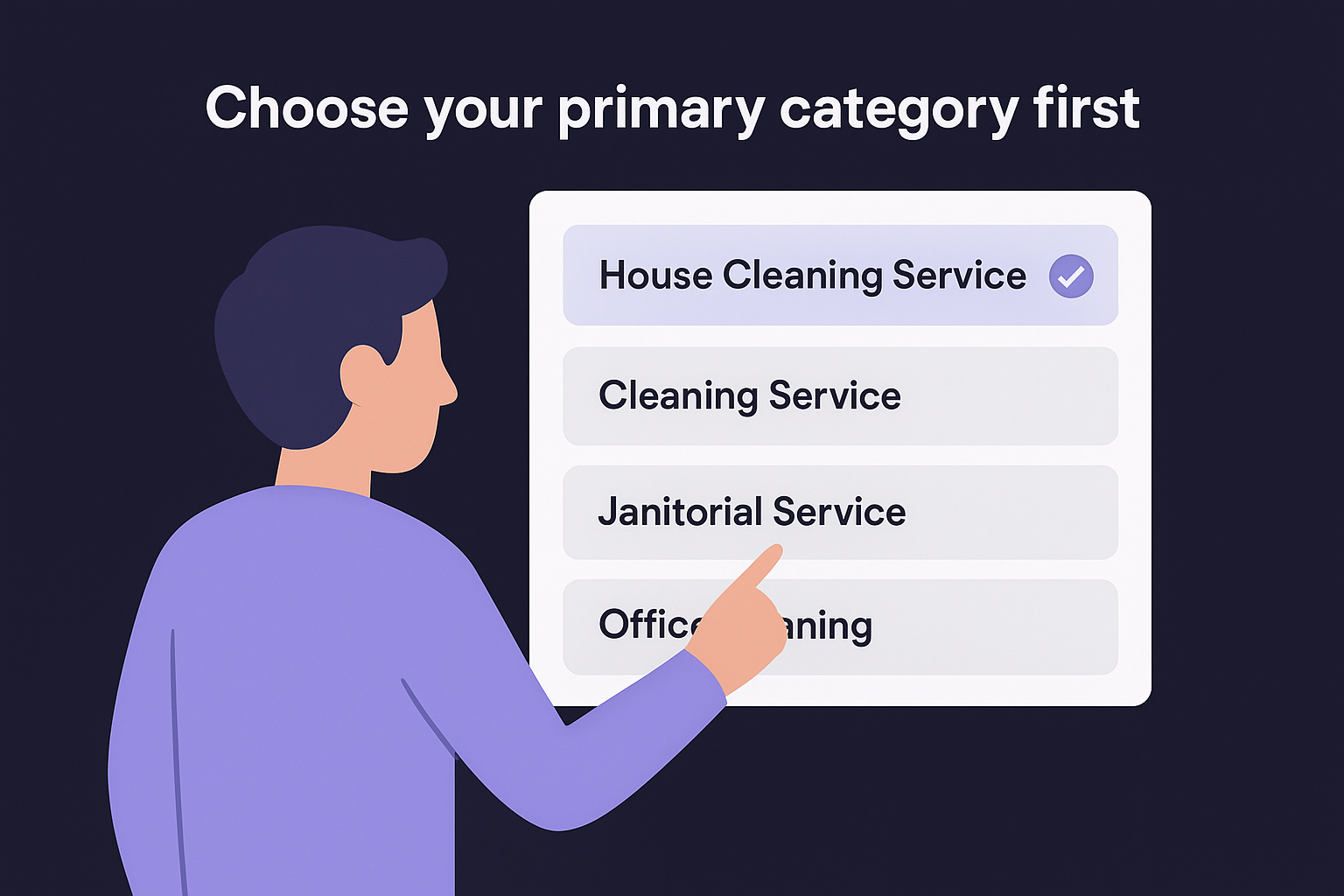
Picking a too-broad primary category is one of the most common mistakes that pushes a listing below competitors who took five extra minutes to get specific.
Use this checklist when selecting your primary category:
- Match your main revenue-generating service, not a side offering
- Go as specific as Google's available options allow
- Check what category your top-ranking local competitors are using by searching your target query and clicking on their profiles
- Avoid selecting a category based on what sounds impressive rather than what accurately describes you
Add secondary categories and services
Secondary categories let you capture additional search queries without diluting your primary relevance signal. Add them only when they represent services you actually offer, not aspirational ones. A plumbing company might add "Drain Cleaning Service" and "Water Heater Installation Service" as secondary categories alongside its primary "Plumber" category. Each addition expands the set of searches Google can confidently match you to, and a round of local keyword research shows you which of those searches are worth capturing.
Services sit in their own section and give you even more granular control. Each service entry includes a name and description field, so use the description to include specific details like "emergency same-day service" or "free estimates." Google indexes this content and uses it to strengthen your relevance for long-tail searches. Here is a simple template for writing service entries:
| Service name | Description example |
|---|---|
| Drain Cleaning | Residential and commercial drain clearing with camera inspection, same-day availability in Austin, TX |
| Water Heater Installation | Gas and electric water heater installs with free estimates and licensed technicians |
| Emergency Plumbing | 24/7 emergency pipe repair and leak detection for homeowners across Travis County |
Step 4. Use posts, photos, products, and Q&A
Most businesses treat this section of google business profile optimization as optional, but these four features are how you signal to Google that your profile is actively managed, which directly influences your ranking over time. Each one feeds the engagement and prominence signals Google monitors.
Posts: Keep your profile current
Google Posts let you publish short updates, offers, events, and announcements directly to your profile, where they appear in both local pack results and your full profile view, making them an easy first step in content marketing for a local business. Posts expire after seven days unless you choose the "Event" format, so plan to publish at least one post per week to maintain visibility. Use this template as a starting point:
Google Post template:
[Action verb] + [what you offer] + [specific detail or benefit] + [call to action]

Example: "Book a free estimate on whole-home water filtration systems
this month. Same-day appointments available. Call us at [phone]
or click to book online."
Keep posts under 150 words and include a photo with every one, since profiles with images consistently generate more clicks than text-only updates.
Photos: Build visual trust
Your photo library tells searchers what to expect before they ever contact you. Add at minimum a cover photo, logo, interior shots, exterior shots, team photos, and photos of your work or products. Google recommends using images that are at least 720 x 720 pixels and uploading them as JPG or PNG files.
Profiles with more than 100 photos receive significantly more direction requests and website visits than those with fewer images, according to Google's own data.
Update your photos at least once a month. Fresh uploads signal activity to Google and keep your profile looking current to visitors who return after an initial search.
Products and Q&A: Fill the gaps
The Products section lets you list individual items or services with a name, price range, photo, and description. Each product entry indexes separately, giving you additional surfaces for Google to match against specific search queries. Add your five to ten most important offerings here with descriptions that include your location and specific details.
Q&A requires your direct attention because anyone can submit both the questions and the answers. Monitor your Q&A section weekly and answer every open question yourself before a stranger does it incorrectly. Seed it with three to five questions your customers actually ask, then answer them clearly and accurately to control the information searchers see first.
Step 5. Earn reviews and handle them well
Reviews are the most visible prominence signal in your entire google business profile optimization effort. Google treats review volume, recency, and rating as direct indicators of how trusted and active your business is, and searchers use them to filter their choices before clicking anything. A profile with a steady stream of recent, detailed reviews consistently outranks one with an older batch sitting untouched, even if everything else is equal.
Ask for reviews the right way
Most customers who have a positive experience won't leave a review unless you make it easy and specific. The most effective method is to send a direct link to your review form immediately after a job or purchase is complete. Find your unique review link inside your Google Business Profile dashboard under "Ask for reviews," then shorten it with a link shortener and include it in your follow-up emails, receipts, or text messages.

Use this template for a post-service review request:
Subject: Quick favor, [First Name]?

Hi [First Name],

Thanks for choosing [Business Name]. We hope everything went
exactly as you expected.

If you have 60 seconds, we'd really appreciate a Google review.
It helps other customers find us and takes less than a minute:

[Your Review Link]

Thank you,
[Your Name]
[Business Name]
Send this within 24 hours of the transaction while the experience is still fresh. Do not offer incentives for reviews since Google's policies prohibit it and a violation can get your profile suspended.
Businesses that ask every satisfied customer for a review consistently build stronger profiles than those who rely on customers to act on their own.
Respond to every review
Responding to reviews signals to Google that you're actively managing your profile, and it signals to searchers that you take customer feedback seriously. Reply to every review, positive and negative, within 48 hours. For positive reviews, keep your response short and specific, reference something they mentioned rather than sending a generic "thanks for the kind words."
Negative reviews require a calm, factual tone and a path to resolution. Never argue in the reply. Use this structure: acknowledge the issue, apologize for the experience, offer to resolve it offline with your contact information. Here's a short template:
Hi [Name], thank you for the feedback. We're sorry your
experience didn't meet expectations. Please contact us directly
at [email or phone] so we can make it right.
Handled well, a thoughtful reply to a negative review often builds more trust with future customers than a perfect rating alone.
Keep your profile ranking over time
Google business profile optimization is not a one-time task. The businesses that hold their local pack position treat their profile like a living asset, not something to set up and forget. Set a monthly calendar reminder to check your hours, refresh photos, publish a new post, and respond to any reviews you've missed.
Track your profile insights inside your Google Business dashboard to see how many people found you through search versus maps, clicked your website, or requested directions. These numbers show you which optimization steps are working and where to push harder next.
Beyond the profile itself, consistent content on your website reinforces your authority and builds signals that lift your local ranking over time. RankYak automates that by publishing a daily SEO-optimized article to your site, so you can own the searches in your area while you stay focused on running your business.
Allan de Wit is a co-founder of RankYak and has worked in SEO since 2015: inside agencies, alongside them, for clients directly, and in-house on the products being ranked. He came to it as a software engineer building for marketers, which is why the platform is built the way it is. He went on to start companies of his own, two of which were acquired. At RankYak he sets the product direction and owns the features, the quality bar, the design, and the UX.
