QuillBot AI Paraphrasing Tool: Pricing, Features & Reviews
The QuillBot AI paraphrasing tool rewrites your text instantly to improve clarity and flow while keeping the original meaning intact. You paste your sentences or paragraphs into the online interface, click one button, and get a rephrased version in seconds. Students use it to avoid repetitive phrasing in essays. Professionals polish their emails and reports. Content creators refine their drafts without starting from scratch.
This article breaks down everything you need to know about using the QuillBot paraphraser in 2026. You'll learn how to access the free version, what features and modes are available, and how the premium pricing works. We'll also cover real user reviews, the pros and cons, and whether the tool is safe to use. If you're looking for a quick way to rewrite text or want to understand what this ai-powered paraphrasing software offers before committing, or you'd rather read reviews of 16 AI writing tools side by side first, you're in the right place.
Why the QuillBot AI paraphrasing tool matters
The quillbot ai paraphrasing tool solves a problem that every writer faces: how to express the same idea in multiple ways without sounding robotic or repetitive. You need fresh phrasing when writing multiple drafts, revising existing content, or adapting text for different audiences. Manual rewrites take hours and drain your creative energy. QuillBot automates this process and delivers results in seconds, letting you focus on the ideas instead of struggling with word choice.
Time savings for writers and professionals
Your writing workload shrinks dramatically when you use automated text paraphrasing. Students who once spent 30 minutes rewriting a single paragraph now finish in under a minute. Business professionals polish five emails before their first coffee break instead of laboring over one. The tool eliminates the bottleneck that comes from staring at a screen, searching for better words, or worrying about repeating yourself.

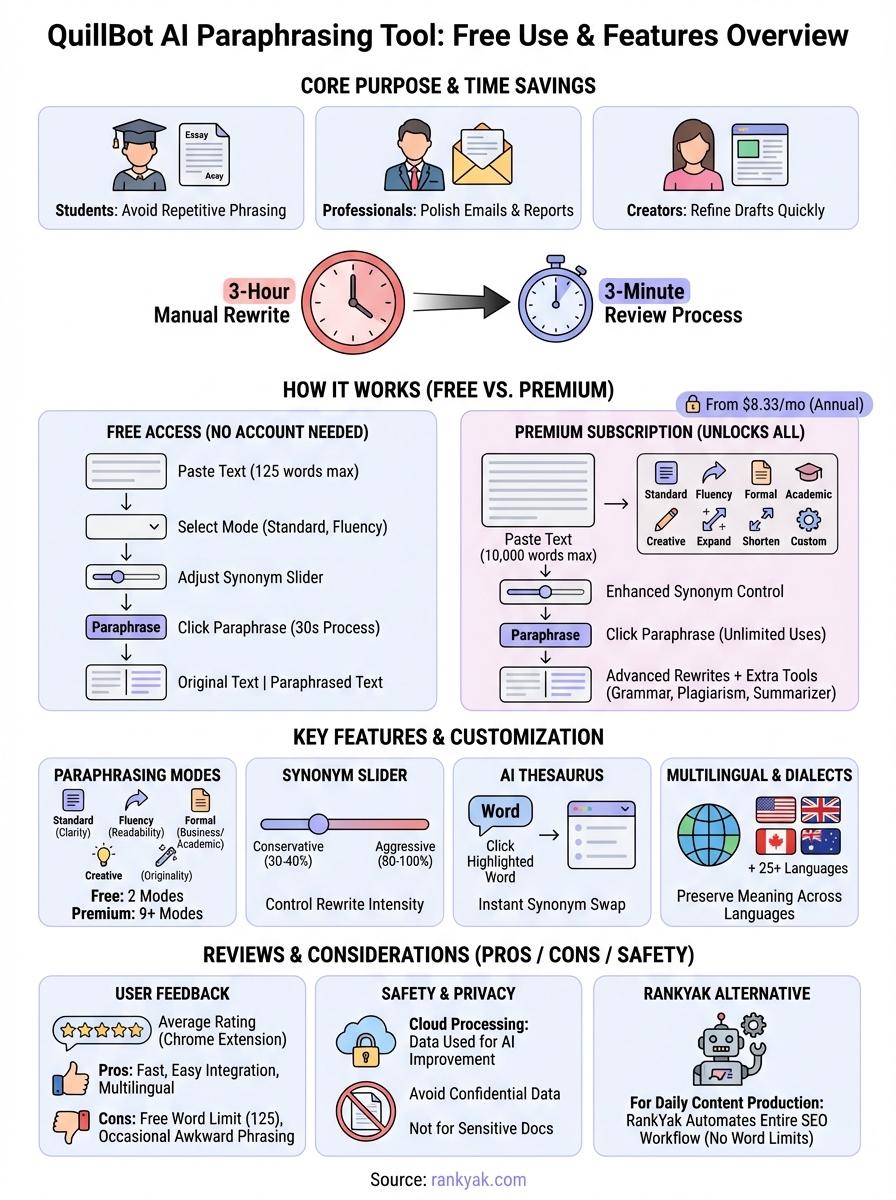
Automated paraphrasing turns a three-hour rewrite task into a three-minute review process.
Quality improvement without expertise
You don't need advanced writing skills to produce polished text. QuillBot suggests vocabulary upgrades and sentence structures that make your work sound more professional, and you can score the reading level of any text afterward to confirm the result reads clearly. A non-native English speaker drafts business proposals that read like they came from a fluent professional. Whether you use it as an essay rewriter for academic work or an article rewriter for blog content, the AI bridges the gap between what you can express and what actually appears on the page.
How to use the QuillBot AI paraphrasing tool
Getting started with the quillbot ai paraphrasing tool requires no account creation or software download for basic use, and it follows the same pattern as a practical workflow for AI writing tools. You visit the website, paste your text into the input box, and click one button to generate a rewritten version. The entire process takes less than 30 seconds from opening your browser to seeing results. Your original text appears on the left while the paraphrased version displays on the right for easy comparison.
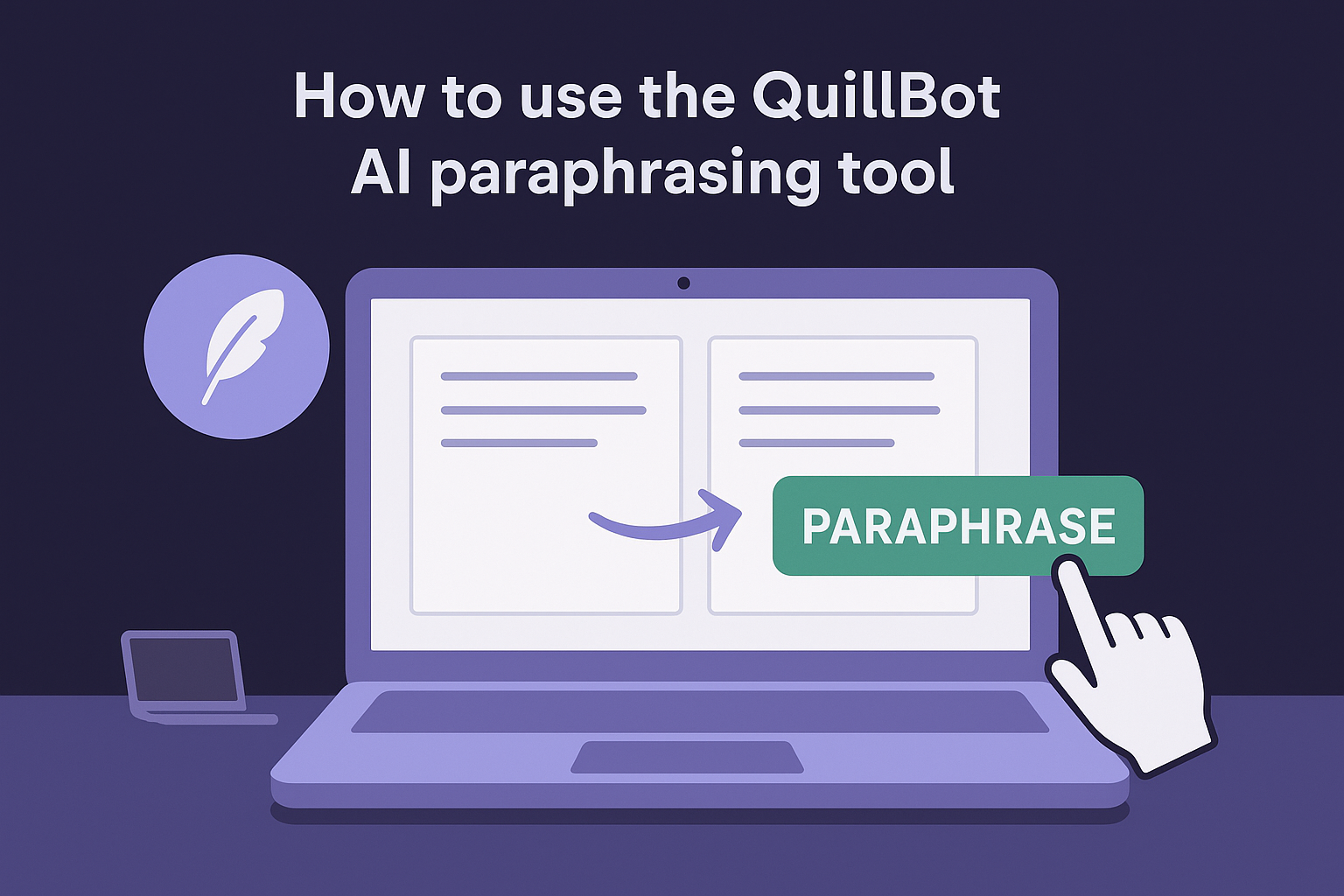
Access the tool and paste your text
You navigate to the QuillBot website and find the paraphrase tool on the homepage or through the main navigation menu. The interface shows a large text box where you paste or type your content directly. The QuillBot free paraphrasing tool lets you paraphrase up to 125 words at a time, which covers most individual paragraphs. Premium subscribers get access to higher word limits per paraphrase. The tool accepts text from any source, whether it's a Word document, email draft, or Google Doc.
The input box accepts plain text only, so any formatting from your original document disappears when you paste it in, and you'll need to reapply bold, italic, or other styling afterward.
Choose your settings and run the paraphrase
Before clicking the paraphrase button, you select a mode from the dropdown menu at the top of this AI rewriter. Free users access two modes: Standard (which changes word choice and sentence structure) and Fluency (which prioritizes readability). You also adjust the Synonym Slider, covered in detail below, which controls how much the tool changes your original text.
The Synonym Slider gives you control over how conservative or aggressive the paraphrasing becomes.
After setting your preferences, you click the "Paraphrase" button and wait 2-3 seconds for the AI to process your text. The tool generates a complete rewrite that appears in the output box on the right side of your screen.
Review and customize your results
Your paraphrased text includes highlighted words that you can click to see alternative synonym options. Each highlighted word opens a dropdown menu with 3-5 different word choices ranked by relevance. You click any suggestion to swap it into your text instantly, letting you fine-tune the output without starting over.
Once you're satisfied with the results, you click the copy button to transfer the paraphrased text to your clipboard. You then paste it into your document, email, or content management system.
QuillBot features, modes, and settings
The quillbot ai paraphrasing tool offers multiple features that control how your text gets rewritten. You adjust these settings before clicking the paraphrase button to match your specific writing goals, whether you need academic formality or simple clarity. Free accounts access a limited feature set while Premium subscribers unlock the full range of modes, higher word limits, and additional customization options.
Paraphrasing modes breakdown
Your choice of mode determines the style and approach the AI uses to rewrite your content. The Standard mode changes vocabulary and sentence structure while maintaining your original meaning, making it suitable for general writing tasks. Fluency mode prioritizes readability and natural flow, fixing awkward phrasing without dramatically altering your words. Free users access only these two modes, which covers most everyday QuillBot paraphrasing needs.
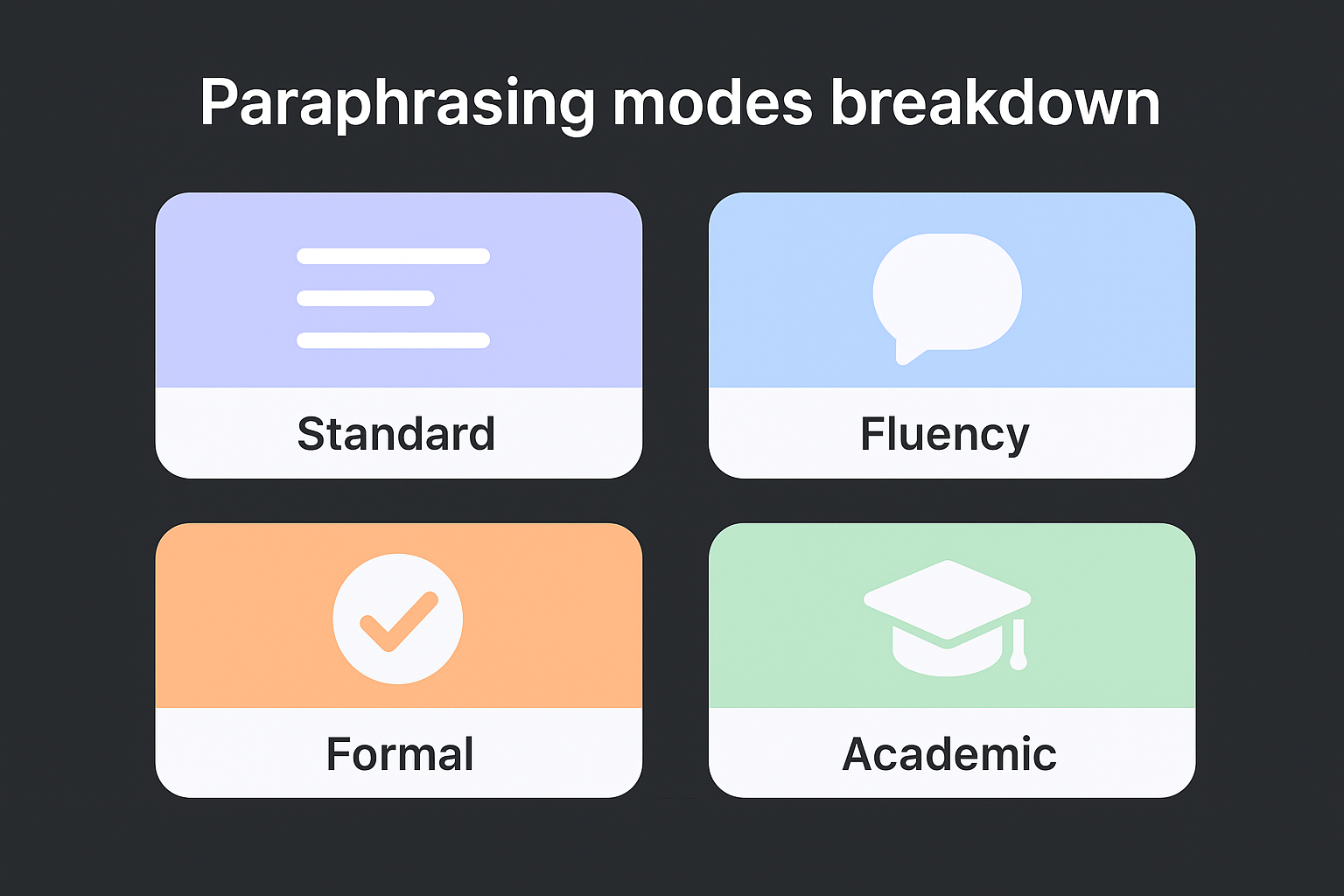
Premium subscribers unlock additional modes that target specific writing contexts. The Formal mode elevates your language with sophisticated vocabulary appropriate for business reports. QuillBot Academic mode incorporates scholarly phrasing and precise terminology that matches research writing standards, making it a go-to essay rewriter for students. Simple mode breaks down complex sentences into easier language that broader audiences understand. Creative mode generates unexpected word choices and sentence structures that make your writing more original. Expand mode adds detail and length to brief statements. Shorten mode condenses your text by removing redundant phrases. Custom modes let you define your own style parameters by mixing attributes like "confident," "witty," or "persuasive."
Premium modes transform generic content into writing that matches your exact audience and purpose.
Synonym slider control
The Synonym slider sits above your text input box and adjusts how aggressively the QuillBot paraphraser rewrites your content. Dragging the slider to the left keeps more of your original phrasing while still making minimal improvements to clarity and word choice. Moving it to the right tells the AI to replace more words with synonyms and restructure more sentences, creating output that differs significantly from your source text.
Writers who want to preserve their voice typically keep the slider at 30-40% on the scale. Content creators looking for maximum variation push it to 80-100% to generate text that reads completely differently from the original. The slider works independently from your selected mode, giving you two layers of control over the final output.
AI-powered thesaurus integration
Every word in your paraphrased output stays clickable, opening a dropdown of 3-5 alternative synonyms ranked by relevance and matched to the surrounding context so swaps stay grammatically correct. Clicking any suggestion swaps it into your text instantly, without triggering a full re-paraphrase.
Multilingual and dialect options
QuillBot supports over 30 languages including Spanish, French, German, Portuguese, Russian, Chinese, and Japanese. Notably, QuillBot does support Arabic language paraphrasing, along with other right-to-left scripts, making it useful for a global audience. You select your target language from a dropdown menu before pasting your text, and the tool paraphrases content in that language rather than translating it. English users choose between four dialect variations: United States, United Kingdom, Canada, and Australia, ensuring spelling and vocabulary match your regional standards. The word "color" automatically becomes "colour" when you select UK English, and similar adjustments apply throughout your paraphrased text. If you're comparing ai-powered paraphrasing software options in the United States, Canada, or Australia, this dialect switching is what separates QuillBot from generic rewriters that only output American spelling. This makes QuillBot a viable AI paraphraser regardless of your region.
Free use limits and premium pricing overview
The quillbot ai paraphrasing tool operates on a freemium model where you access core features without paying but face restrictions on how much content you process. Free accounts let you paraphrase 125 words at a time, which handles most individual paragraphs but forces you to break longer documents into multiple sessions. You get unlimited paraphrases throughout the day, so the word limit becomes the only bottleneck rather than a daily usage cap. Your free account also restricts you to two paraphrasing modes (Standard and Fluency) instead of the full suite available to paying subscribers.
Free account capabilities and restrictions
Your unpaid QuillBot account gives you immediate access to the QuillBot free paraphrasing tool without entering payment information, and it works well as a quillbot free paraphrasing tool for students who mainly need to clean up single paragraphs before submitting essays. Free users also access the AI-powered thesaurus that appears when you click any word in the paraphrased output.
The restrictions become noticeable when you work with longer content. A 500-word blog post requires four separate paraphrasing sessions where you copy chunks of text, paste them individually, and manually combine the results, so it helps to count words, characters, and reading time before you start splitting the draft. Premium modes like Formal, Academic, Simple, Creative, Expand, Shorten, and Custom remain locked behind the paywall.
Free accounts work for testing and light use, but serious writing workflows hit the 125-word limit constantly.
Premium subscription costs and benefits
QuillBot Premium removes the word limit, giving you QuillBot unlimited words capability, up to 10,000 words in a single session. You unlock all paraphrasing modes plus unlimited Custom mode creation where you define your own style parameters. The subscription costs $8.33 per month when you pay annually ($99.95 total), $13.31 monthly on a quarterly plan ($39.95 every three months), or $19.95 for month-to-month billing. Annual subscribers save 58% compared to monthly payments, making it the most economical option if you use the tool regularly.

Premium membership also includes access to QuillBot's Grammar Checker, Plagiarism Checker (with limited monthly scans), Summarizer, Citation Generator, and other writing tools beyond just paraphrasing. You can pause your subscription when you don't need it, and QuillBot offers a three-day money-back guarantee if the premium features don't meet your expectations.
QuillBot reviews, pros, cons, and safety
The quillbot ai paraphrasing tool receives mixed feedback from users who appreciate its speed and convenience but criticize certain limitations. Chrome extension users give it an average rating of 4.5 out of 5 stars based on thousands of reviews, while individual experiences vary depending on writing goals and subscription status. Students and professionals report time savings of 60-90% compared to manual rewrites, though some express frustration with the free version's restrictions and occasional awkward phrasing.
User feedback and ratings
Real users highlight QuillBot's ease of use as the most consistent positive across review platforms. Business professionals praise the integration capabilities, especially the Chrome extension and Microsoft Word add-in, that let them access paraphrasing features directly inside Gmail, Google Docs, and other apps without switching tabs. Students value the plagiarism checker combination that helps verify their rewritten content remains original and properly sourced.
Negative feedback centers on the free tier's 125-word limit, which users describe as too restrictive for practical daily use. Several reviewers mention that the tool occasionally produces unnatural phrasing or chooses synonyms that change the intended meaning, requiring manual review of every paraphrased section. Academic users report mixed results with formal writing, noting that the output sometimes lacks the precision expected in research papers.
Advantages of using QuillBot
Your writing process accelerates dramatically when you automate the rewriting phase. QuillBot processes paragraphs in 2-3 seconds that would take 10-15 minutes to rephrase manually, letting you handle more content in less time. The tool works across 30+ languages with consistent quality, solving paraphrasing challenges for multilingual content creators. Premium subscribers gain access to distinct modes that handle specialized writing contexts from academic papers to social media captions without requiring separate tools, though it is worth seeing which AI writing tools are ranked highest for 2026 before you commit.
QuillBot eliminates the writer's block that comes from staring at text you've already rewritten three times.
Limitations and drawbacks
Your paraphrased output requires human review because the AI sometimes misses context or chooses inappropriate synonyms. Technical writing, legal documents, and medical content present challenges where precise terminology matters, and QuillBot occasionally replaces specialized vocabulary with generic alternatives that change meaning.
Premium pricing becomes expensive if you only need occasional paraphrasing. Monthly subscribers pay $19.95 for features they might use only a few times, making the annual plan more economical but requiring upfront commitment. Content creators who need daily paraphrasing justify the cost easily, while casual users struggle to extract enough value from the subscription.
Security and data privacy
QuillBot processes your text through cloud servers rather than locally on your device, meaning your content passes through their systems during paraphrasing. The company states in their privacy policy that they collect usage data and text inputs to improve their AI models, though they claim not to sell user content to third parties. You should avoid paraphrasing confidential business documents, medical records, legal contracts, or any sensitive information that shouldn't leave your organization.
Key takeaways on QuillBot AI paraphrasing
The quillbot ai paraphrasing tool delivers fast text rewrites that save you hours compared to manual editing. You access basic features for free with a 125-word limit per session, or upgrade to Premium for $8.33 monthly (annual billing) to unlock all modes and process up to 10,000 words at once. The tool works best for general writing tasks like emails, blog posts, and academic papers, though specialized content requires careful human review to maintain accuracy.
Your biggest decision comes down to whether you need occasional rewrites or daily content production. QuillBot handles the former efficiently, but the latter requires either constant copy-pasting with the free version or ongoing subscription costs. If you're building a content system that produces dozens of articles weekly, you need automation that goes beyond paraphrasing. Let RankYak run your SEO end to end: it automates the whole workflow from keyword research through publishing, generating optimized articles daily without manual intervention or word count restrictions.
Allan de Wit is a co-founder of RankYak and has worked in SEO since 2015: inside agencies, alongside them, for clients directly, and in-house on the products being ranked. He came to it as a software engineer building for marketers, which is why the platform is built the way it is. He went on to start companies of his own, two of which were acquired. At RankYak he sets the product direction and owns the features, the quality bar, the design, and the UX.
