Moz On-Page SEO: Checklist, Grader, and Guides
Moz on-page SEO refers to the collection of guides, tools, and frameworks that Moz provides to help you optimize individual web pages for search engines. This includes their comprehensive Beginner's Guide to SEO (specifically the on-page chapter), the on-page optimization checklist, and the On-Page Grader tool that analyzes how well your pages are optimized for target keywords. These resources cover everything on-page SEO involves, from title tags and meta descriptions to content quality and internal linking, all designed to help your pages rank higher in search results.
This article walks you through Moz's on-page SEO resources and shows you how to use them effectively. You'll learn why these tools matter, how to run an on-page audit with the Moz On-Page Grader, what the key elements in their checklist are, and how to interpret the scores and suggestions you receive. We'll also cover common mistakes Moz highlights and look at how automation tools can complement these manual optimization efforts. Whether you're new to on-page SEO or looking to refine your process, this guide gives you a clear path to better optimized pages.
Why Moz on-page SEO resources matter
You need reliable guidance when optimizing web pages, and Moz on-page SEO resources deliver exactly that based on years of search engine research and real-world testing. The tools and frameworks Moz provides aren't theoretical concepts pulled from thin air. They reflect patterns that actually move the needle in search rankings. When you use these resources, you work with a proven methodology that thousands of websites have successfully applied to improve their organic visibility.
Built on real ranking data
Moz has analyzed millions of search results and ranking factors to understand what separates top-performing pages from those stuck on page three. Their on-page SEO guidance stems from this extensive research, not guesswork, and their recommendations are based on correlation studies between ranking position and specific page elements. The company's search ranking factors research and continuous algorithm tracking inform their checklist and tool recommendations, so you're not optimizing in the dark.
"On-page SEO is the practice of optimizing elements on a website in order to rank higher and earn more relevant traffic from search engines."
The On-Page Grader tool specifically compares your page against known ranking factors and competitive benchmarks for your target keyword. This data-driven approach helps you prioritize changes that matter rather than wasting time on elements that have minimal impact. Does Moz affect page ranking directly? No, Moz itself doesn't influence how Google ranks your site. But the best SEO practices Moz documents are drawn from observed Google ranking factors, so following their guidance aligns your pages with what search engines reward.
Free access to proven frameworks
Many SEO resources lock their best guidance behind paywalls, but Moz makes their foundational on-page SEO knowledge and optimization checklist freely available. You can access the Beginner's Guide to SEO from Moz, read detailed explanations of every on-page element, and understand the reasoning behind each recommendation without spending a dollar. For anyone just explaining SEO to a team or client, these Moz resources and this on-page SEO checklist for beginners serve as authoritative reference points.
Integration with actual optimization work
Moz resources don't just teach theory. They help you identify specific problems on your actual pages and provide concrete steps to fix them. The On-Page Grader analyzes your URL in real-time, showing you missing title tags, thin content, broken links, or other issues that hurt your rankings. You can then reference their guides to understand why each element matters and how to optimize it correctly.
How to optimize a page with Moz step by step
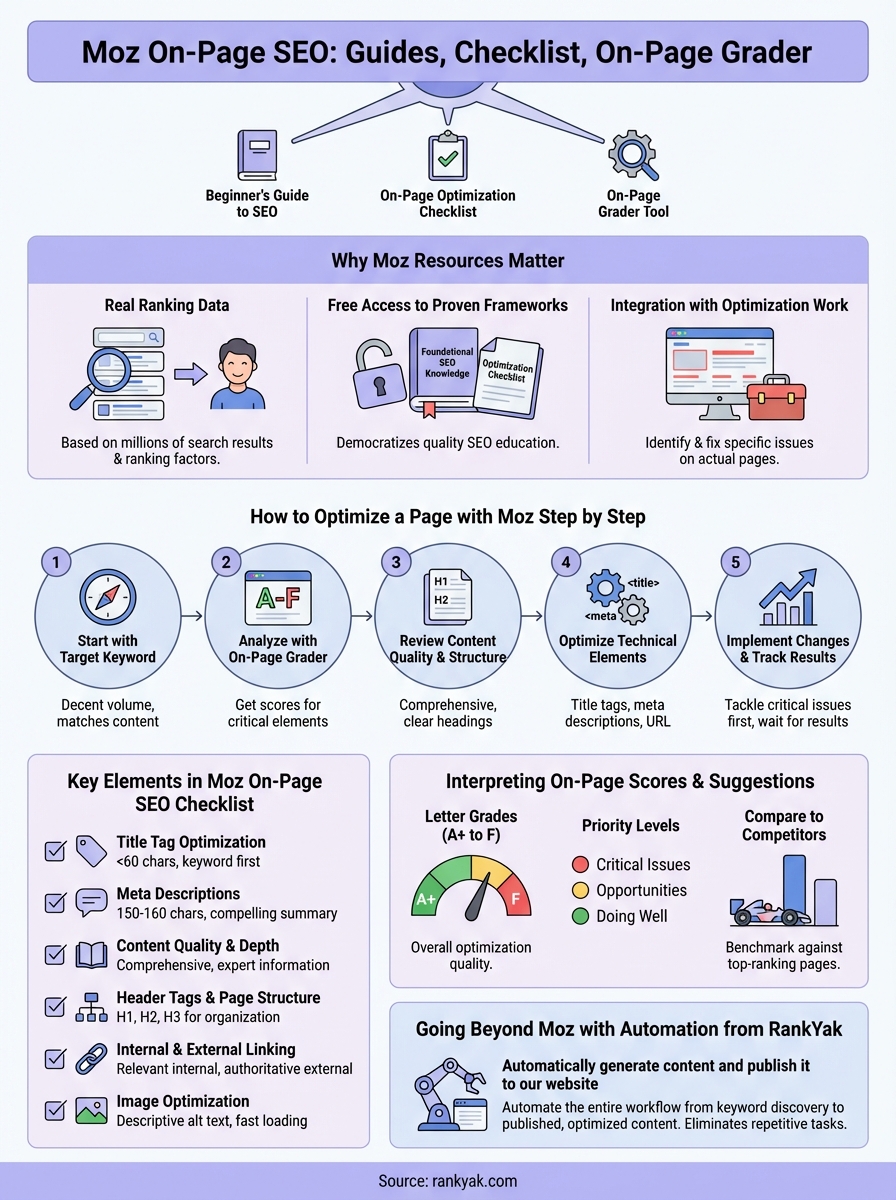
You need a systematic approach to page optimization rather than randomly tweaking elements and hoping for results. Moz on-page SEO resources provide this structure through their guides and grading tool, giving you a clear path from analysis to implementation. This step-by-step workflow ensures you address all critical elements without missing important optimization opportunities.
Start with your target keyword
You must identify the specific keyword or phrase your page should rank for before doing anything else. Open Moz Keyword Explorer and read its volume and difficulty metrics or use their free research tools to find terms that have decent search volume and match what your content actually covers. Don't pick aspirational keywords that have nothing to do with your page's main topic, because forcing irrelevant keywords into your content creates a confusing experience for readers and sends mixed signals to search engines.
Once you select your target keyword, treat it as your north star that guides every decision you make about titles, headings, content structure, and internal links. Your page should naturally and comprehensively address the search intent behind this keyword, giving searchers exactly what they're looking for when they type it into Google.
Analyze your page with the On-Page Grader
Navigate to the Moz On-Page Grader tool and enter your page URL along with your target keyword. The tool runs an immediate analysis and returns a letter grade (A+ through F) that shows how well optimized your page currently is. You'll see specific scores for critical elements like title tag usage, content quality, page structure, and link metrics, which tells you exactly where to focus your efforts.
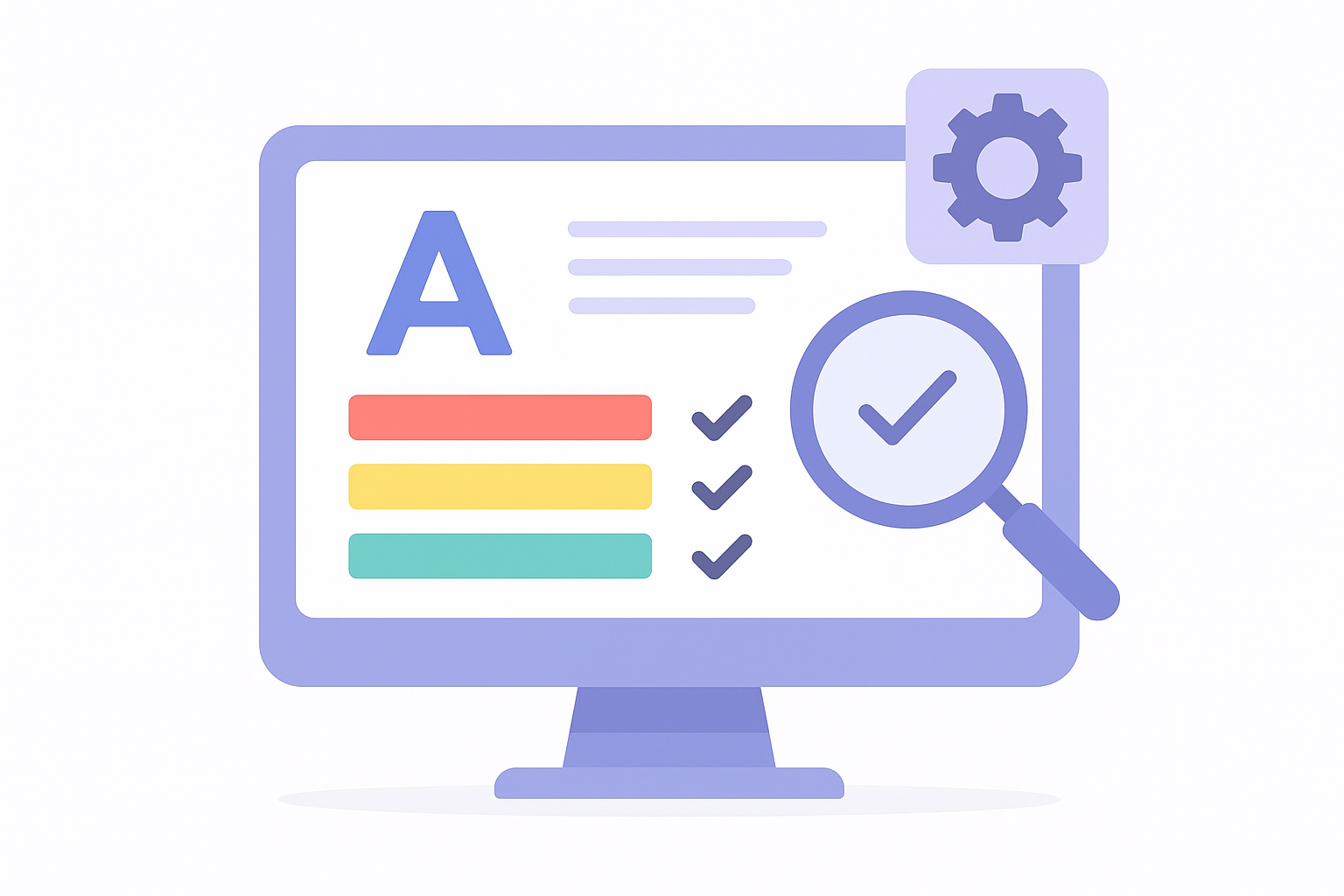
"The On-Page Grader analyzes your URL in real-time, showing you missing title tags, thin content, broken links, or other issues that hurt your rankings."
Review each section of the report carefully and note which areas scored poorly. The tool highlights critical issues in red, opportunities for improvement in yellow, and elements you're doing well in green. This color-coded system helps you prioritize fixes, starting with the most impactful changes first. Pay special attention to any warnings about missing or duplicate title tags, inadequate content length, or lack of keyword usage in important page elements.
Review your content quality and structure
Read through your page content with fresh eyes and evaluate whether it actually answers the searcher's question comprehensively. Moz emphasizes creating content that demonstrates expertise, experience, authority, and trustworthiness, which means your page needs depth rather than surface-level information. Look for opportunities to expand thin sections, add specific examples, include data or research, and structure information in a way that makes it easy for readers to scan and digest. Consider adding Q&A sections to your website content where appropriate, Moz highlights that directly addressing common questions readers have about your topic improves both engagement and relevance signals for search engines.
Check that your content uses clear headings and subheadings (H1, H2, H3 tags) that break up text and signal topic hierarchy to both readers and search engines. Each heading should describe what the following section covers, using natural language rather than keyword-stuffed phrases. Moz guides recommend keeping paragraphs relatively short, using bullet points where appropriate, and ensuring your writing sounds human rather than robotic, which you can verify by scoring the reading level of your draft.
Optimize technical elements
Fix your title tag first, making sure it includes your target keyword near the beginning and stays under 60 characters so it doesn't get cut off in search results. Write a compelling meta description that summarizes your page content in under 160 characters and motivates searchers to click through. These two elements appear directly in search results and significantly impact your click-through rate even if you rank well, so it pays to preview your snippet the way Google truncates it before publishing.
Update your URL structure to make it descriptive and keyword-relevant. Moz recommends short, readable URLs that use hyphens to separate words and clearly indicate the page's topic, for example, a clean slug built from your title like /on-page-seo-checklist/ rather than /page?id=4527. Clean URL naming and logical site organization help search engines understand your page hierarchy and make your links more clickable in search results. If you change an existing URL, set up proper 301 redirects and trace the full redirect chain to preserve any existing link equity. Add descriptive alt text to all images, optimize your internal linking by connecting to relevant related pages on your site, and ensure your page loads quickly on both desktop and mobile devices.
Implement changes and track results
Make your optimization changes systematically, starting with the highest-priority items from your On-Page Grader report. Don't try to fix everything at once, because that makes it harder to understand which changes actually improved your rankings. Instead, tackle critical issues first, then move to medium-priority improvements, and finally address minor optimization opportunities if time permits.
Wait at least two to four weeks after implementing changes before expecting to see ranking improvements, since search engines need time to recrawl your page and reassess its quality. Run the On-Page Grader again after making changes to confirm your score improved, and monitor your rankings and organic traffic in Google Search Console to measure the real-world impact of your optimization work.
Key elements in Moz on-page SEO checklist
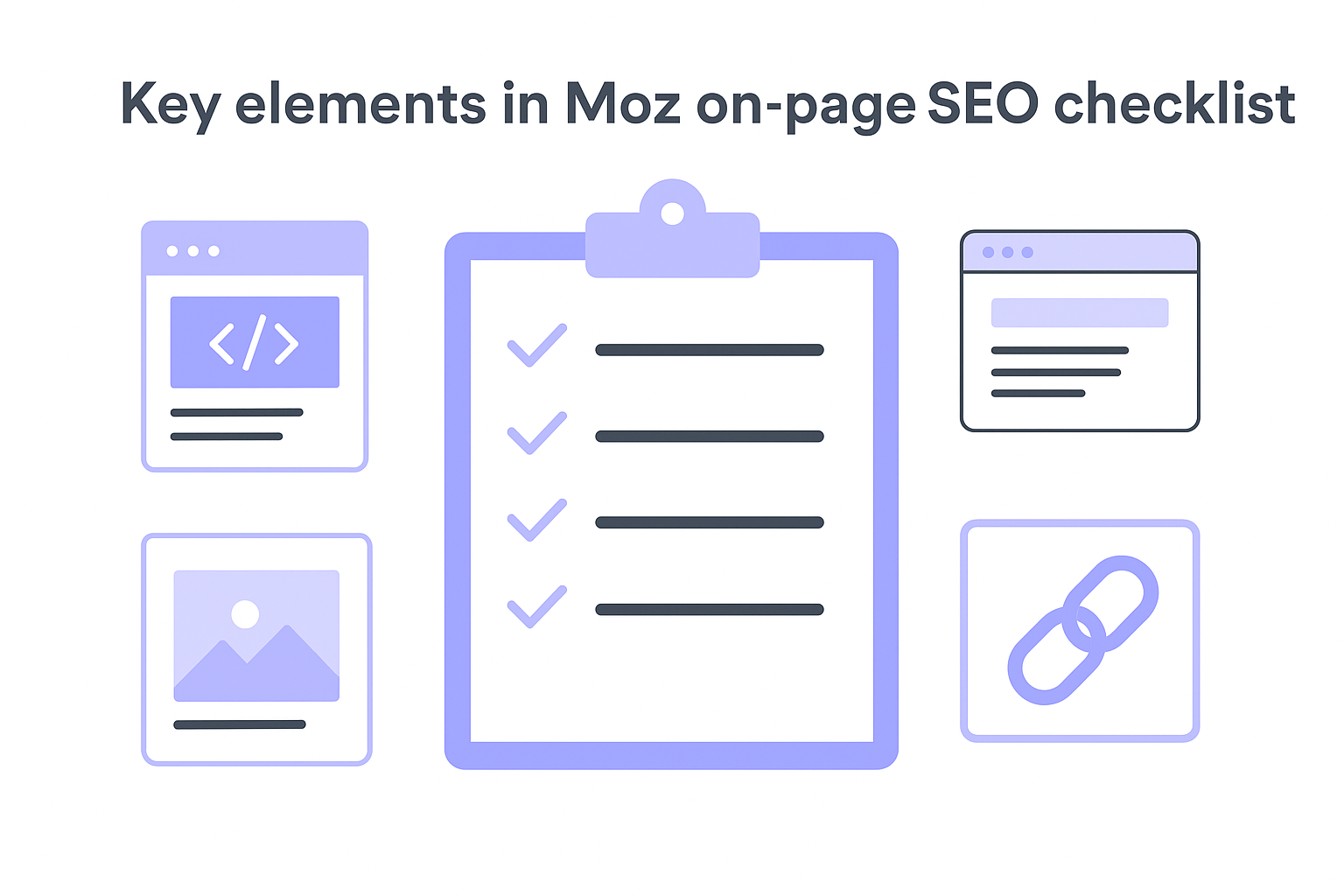
The Moz on-page SEO checklist breaks down optimization into specific, actionable elements that you can check off one by one as you improve your pages. This systematic approach prevents you from overlooking critical ranking factors and ensures you address everything from content quality to technical markup. Treat this as a complete system rather than picking and choosing random items for the best results.
Title tag optimization
Your title tag needs to include your target keyword near the beginning while remaining compelling enough to earn clicks from searchers who see it in results. Moz recommends keeping titles under 60 characters to prevent truncation in search listings, though you should prioritize clarity and relevance over strict character counts. Write titles that accurately describe what your page covers rather than stuffing keywords or making exaggerated claims that your content can't deliver on. This applies to every page type, blog page titles, product pages, and landing pages all follow the same formatting principles for title tags according to Moz.
The title tag serves as your first impression in search results and influences both your rankings and click-through rate, so it repays deliberate title tag optimization. You can check your current title implementation by viewing your page source and looking for the <title> tag in the HTML head section, or by using the Moz On-Page Grader to verify it follows best practices.
Meta descriptions and click-through optimization
You should write a unique meta description for every important page that summarizes your content in 150 to 160 characters and motivates searchers to click. Google doesn't use meta descriptions as a direct ranking factor, but a well-crafted description that matches search intent significantly improves your click-through rate, which can indirectly boost your rankings over time. Include your target keyword naturally in the description since Google often bolds matching terms, making your result more noticeable.
"Meta descriptions should be highly relevant to the content of your page, so it should summarize your key concept in some form."
Think of your meta description as advertising copy that competes against nine other results on the page. Generic or auto-generated descriptions waste this opportunity, so write meta descriptions worth clicking rather than giving searchers no compelling reason to choose your page over others that might have more persuasive summaries.
Content quality and depth
Your page content must provide substantial, comprehensive information that thoroughly addresses the topic rather than offering surface-level coverage that leaves readers needing to search elsewhere. Moz emphasizes creating content that demonstrates expertise and first-hand experience, which means including specific examples, original insights, and depth that goes beyond what competing pages already cover. Aim to create content that's genuinely useful to your target audience rather than hitting arbitrary word counts. Moz also recommends periodically cleaning up content that's gone stale: consolidating duplicate pages, updating outdated statistics, and merging or removing thin posts that never gained traction, which is exactly what an audit that flags decaying pages queues up for you. This keeps your existing pages competitive without requiring you to publish something new every time.
Check that your content answers the primary question behind your target keyword and addresses related questions that searchers likely have. Thin, shallow content that merely rephrases what others have said provides no unique value and typically doesn't rank well regardless of how perfectly you optimize your title tags.
Header tags and page structure
You need clear header tags (H1, H2, H3) that organize your content into logical sections and help both readers and search engines understand your page hierarchy. Your H1 should clearly state your main topic and typically aligns closely with your title tag, while H2s break your content into major sections and H3s create subsections within those areas. This structure makes your content scannable and improves the user experience, which Moz considers a crucial ranking factor. According to Moz's header tags SEO guidance, you should use only one H1 per page and nest subsequent headings in a logical order, never skip from H2 directly to H4, for example, and you can pull the heading outline from any URL to confirm it holds.
Proper header usage also helps search engines identify which parts of your page address specific subtopics, increasing your chances of ranking for related keywords beyond just your primary target term.
Internal and external linking
Your page should include relevant internal links to other pages on your site that provide additional information on related topics, which helps search engines discover and understand your site structure while keeping visitors engaged. Link using descriptive anchor text that tells readers what they'll find on the destination page rather than generic phrases like "click here." Moz recommends balancing internal links with occasional external links to authoritative sources when citing facts or referencing research, which adds credibility to your content.
Avoid excessive linking that overwhelms readers or dilutes the value passed through each link. Quality and relevance matter more than quantity when planning how internal links flow through your site.
Image optimization
You must add descriptive alt text to every image on your page that explains what the image shows for visually impaired users and search engine crawlers. Does Google count alt text in rankings? Yes, alt text is one of the signals Google uses to understand image content and the context of the surrounding page, making it a legitimate on-page ranking factor according to Moz's alt tag best practices. Keep alt descriptions concise, accurate, and relevant to the image rather than stuffing keywords, and audit the alt text on a page to catch the ones left empty or filled with a file name. Moz also notes that image title attributes (the text that appears on hover) provide a minor supplementary signal, though they carry far less SEO weight than alt text. Does the image title affect SEO? Marginally, it's a secondary signal that helps with context but shouldn't be your focus over alt text.
Optimize image file sizes to ensure fast page loading, since slow pages frustrate users and negatively impact your rankings. Use descriptive file names for images rather than generic strings like "IMG_1234.jpg," which provides another opportunity to reinforce your page's topic through metadata.
Running an on-page audit with Moz On-Page Grader
You start your on-page audit by accessing the Moz On-Page Grader tool, which analyzes how well your page targets a specific keyword and identifies optimization opportunities that could improve your rankings. This free tool provides an instant snapshot of your page's current optimization status and highlights specific problems you need to fix. Unlike manual audits that take hours and require deep technical knowledge, or the wider field of on-page audit tools, the On-Page Grader delivers actionable feedback in seconds.
Accessing the On-Page Grader tool
You need either a free Moz account or a Moz Pro subscription to use the On-Page Grader, though the free version limits how many pages you can analyze per month. The free Moz grader is a practical starting point if you only need to audit a handful of pages. Navigate directly to the tool through the Moz website or access it from within your Moz Pro dashboard if you have a paid subscription. To add your website to Moz for ongoing SEO tracking, create a campaign in Moz Pro where you enter your site's domain, this unlocks continuous crawl data, keyword tracking, and on-page recommendations specific to your site. If your site runs on WordPress, you don't need a special plugin, Moz's crawler indexes your pages the same way it would any other site once you add the domain to a campaign, and it typically flags on-page issues within a day or two of the first crawl. Once your campaign is running, the Rankings section of your Moz Pro dashboard shows how each tracked page moves up or down in Google, which is the fastest way to check your page rank in Moz and confirm whether your optimization work is paying off.
Creating a free account takes less than two minutes and gives you immediate access to start analyzing your pages, with no software to install since everything runs in your browser.
Entering your page details
You must provide two pieces of information: your page URL (the exact web address you want to analyze) and your target keyword (the search term you want that page to rank for). Copy and paste your full URL including the https:// prefix to ensure accurate results, since even slight variations in the URL can cause the tool to analyze the wrong page. Enter your target keyword exactly as searchers would type it into Google, using the same phrasing and word order rather than variations or synonyms. Note that the On-Page Grader does not allow search operators (like site: or quotation marks) in the keyword field, enter plain keyword phrases only.
"The tool runs an immediate analysis and returns a letter grade (A+ through F) that shows how well optimized your page currently is."
The keyword you choose determines what the tool measures your page against, so picking the wrong keyword leads to misleading results. If you're unsure which keyword to target, run the audit multiple times with different keywords to see which one your page already optimizes for best.
Understanding the initial report
The tool generates a comprehensive report within seconds that assigns your page an overall letter grade and breaks down your score across multiple optimization categories. You'll see how well your page performs in critical areas like title tag optimization, content quality, keyword usage, page structure, and link metrics. Each category receives its own score that contributes to your overall grade.
The initial report gives you a high-level view of your page's strengths and weaknesses before diving into specific recommendations. You can quickly spot major red flags that need immediate attention versus minor optimization opportunities that offer incremental improvements.
Reviewing detailed recommendations
You need to click into each section of the report to see specific, actionable suggestions for improving your page's optimization. The tool explains exactly what's wrong, why it matters for your moz on-page seo efforts, and provides concrete steps to fix each issue. For example, if your title tag lacks your target keyword, the tool shows your current title, explains the problem, and suggests how to rewrite it for better optimization.
Each recommendation includes context about its relative importance, helping you prioritize fixes that will have the biggest impact on your rankings. You can export Moz on-page reports as a PDF or save them within your Moz account to track improvements over time as you implement changes. Exporting is particularly useful when sharing audit results with clients or team members who don't have Moz access.
Interpreting Moz on-page scores and suggestions
You receive scores across multiple dimensions when the Moz On-Page Grader analyzes your page, but understanding what these numbers actually mean determines whether you can turn that data into ranking improvements. The tool doesn't just tell you your page scores poorly or well; it breaks down performance into specific categories that pinpoint exactly where your optimization efforts should focus. Your ability to correctly interpret these scores and prioritize the accompanying suggestions directly impacts how effectively you can improve your moz on-page seo performance.
Understanding letter grades and numeric scores
Your page receives an overall letter grade ranging from A+ down to F that represents its total optimization quality for your target keyword. An A+ or A means you've implemented most best practices correctly and your page should compete well in search results, while anything below a C indicates serious optimization gaps that likely prevent you from ranking on page one. The tool also assigns numeric scores within each category (typically 0 to 100) that show your performance for specific elements like title tag optimization, content quality, and keyword usage.
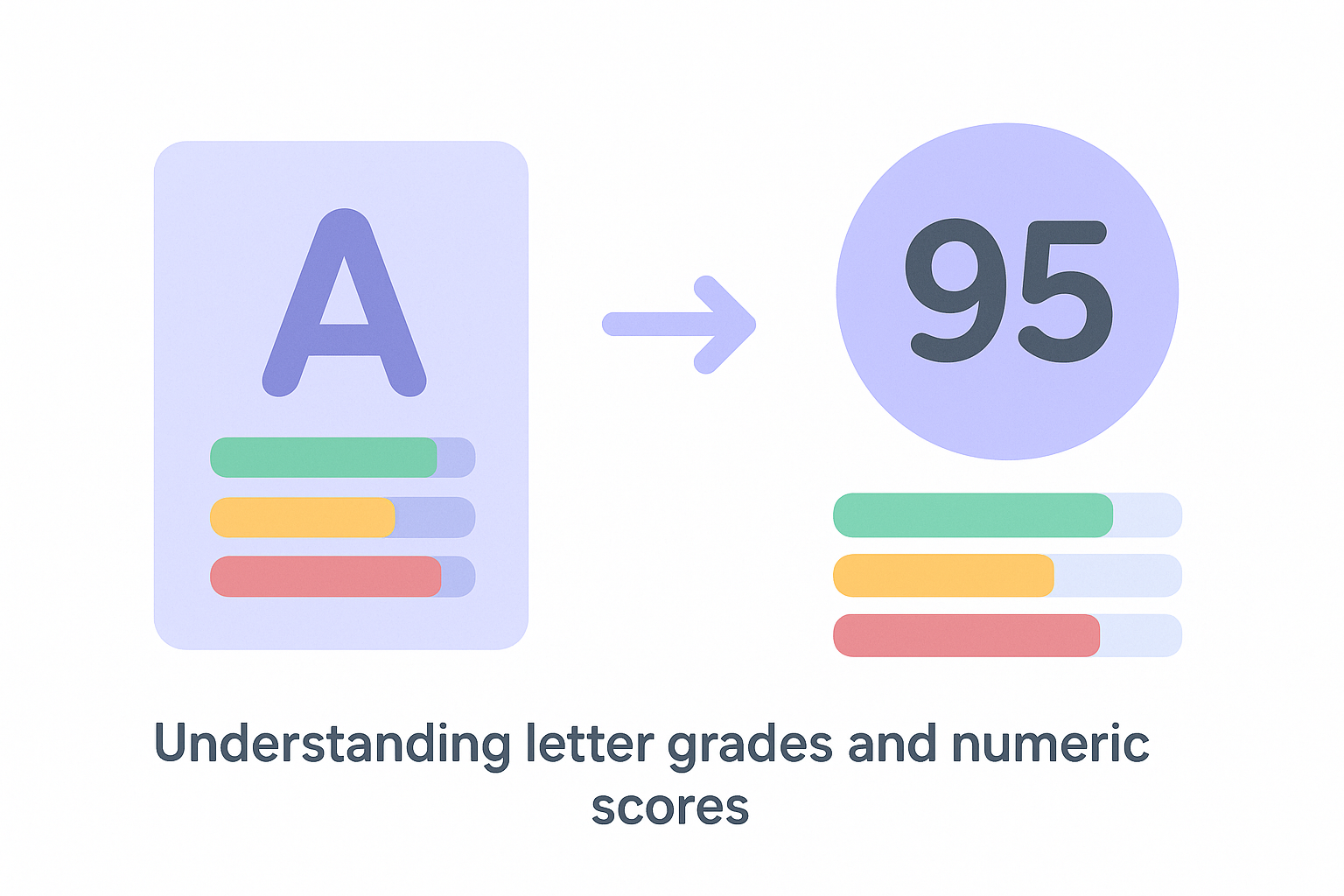
These scores reflect how well your page matches known ranking factors rather than arbitrary standards. A score of 95 in one category doesn't mean you're failing because you didn't hit 100; it means you've addressed that element thoroughly and any remaining improvements offer diminishing returns. Focus your energy on categories scoring below 70, where you'll see the biggest gains from optimization work. As an example of an optimized page in Moz, a page scoring A+ typically has its target keyword in the title tag, H1, and URL; contains comprehensive content exceeding what competitors offer; uses well-structured headers; includes relevant internal and external links; and has optimized images with descriptive alt text throughout.
Priority levels for recommendations
The On-Page Grader color-codes its suggestions to help you distinguish between critical issues (red), moderate opportunities (yellow), and elements you're handling well (green). You should tackle red flags first since these represent fundamental problems that significantly hurt your rankings, such as missing title tags, extremely thin content, or broken internal links you can find by checking every link on a page. Yellow items indicate areas where improvements would help but aren't absolutely critical, like adding more internal links or expanding certain content sections.
"Each recommendation includes context about its relative importance, helping you prioritize fixes that will have the biggest impact on your rankings."
Green indicators show what you're already doing right, which helps you understand your strengths and avoid accidentally undoing good optimization in future edits. Don't waste time perfecting elements that already score well; instead, bring your weak areas up to an acceptable standard before polishing elements that need minimal work.
Comparing your page to competitors
The tool shows you how your page stacks up against top-ranking pages for your target keyword, giving you competitive context for your scores. If competitors average 2,000 words and your page has 500, something you can confirm by counting the words on any published page, this comparison makes it obvious why you're not ranking despite technically optimizing your title tag and meta description correctly. You need to match or exceed what's already working in search results, which means using these competitive benchmarks to set realistic optimization targets rather than following generic best practice checklists.
Common on-page SEO mistakes Moz highlights
Moz on-page seo resources consistently identify the same optimization errors across thousands of analyzed pages, which means you can avoid these pitfalls by learning what trips up most website owners. These mistakes range from technical oversights to strategic misalignments that undermine your content's ability to rank well. You'll find that most errors stem from either outdated SEO practices or fundamental misunderstandings about how search engines evaluate page quality.
Keyword stuffing instead of natural usage
You hurt your rankings when you force your target keyword into every other sentence or cram it into places where it sounds unnatural. Moz tools flag pages that overuse keywords in ways that make content awkward to read or signal manipulation attempts to search engines. Modern search algorithms understand synonyms and related concepts, which means repeating your exact keyword phrase 50 times provides no benefit and often triggers quality filters that push your page down in rankings.
"While keyword use still matters, prescriptive methods like using an exact-match keyword in specific locations a requisite number of times is no longer a tenant of on-page SEO."
The right approach focuses on comprehensive topic coverage using natural language rather than hitting arbitrary keyword density targets, though it still helps to check how often a phrase repeats on a page. Your content should flow naturally while still addressing your target topic thoroughly enough that search engines recognize its relevance.
Ignoring search intent alignment
You waste optimization effort when your page content doesn't actually answer what searchers want to know when they type in your target keyword. Moz emphasizes that a perfectly optimized page with great technical elements still won't rank if it mismatches user expectations. For example, targeting "best running shoes" with a page that only explains how shoes are manufactured frustrates searchers looking for product recommendations and comparisons.
Search engines prioritize pages that deliver what users actually seek, which means you must analyze current top-ranking pages to understand the intent behind your target keyword before creating or optimizing content.
Neglecting mobile optimization
Your page loses significant ranking potential when it loads slowly on mobile devices or requires pinching and zooming to read on small screens. Moz highlights that mobile usability directly impacts rankings since the majority of searches now happen on phones rather than desktops, which makes mobile SEO best practices non-optional. Pages with tiny fonts, unresponsive layouts, or elements that don't adapt to different screen sizes create poor user experiences that search engines actively penalize.
Going beyond Moz with automation from RankYak
You can only optimize pages you know need fixing, which means Moz on-page seo audits identify problems but leave you to manually implement every change, write every piece of content, and publish everything yourself. This manual workflow takes hours per page and becomes unsustainable when you manage multiple websites or need to publish content consistently. RankYak extends beyond audit tools by automating the entire content lifecycle, from keyword discovery through content creation and publishing, eliminating the repetitive tasks that consume most of your SEO time.
Automating the entire on-page workflow
RankYak takes the principles you learn from Moz resources and applies them automatically to generate fully researched, optimized articles every day without manual intervention. The platform researches keywords based on your niche, analyzes search intent and competitor content, writes comprehensive articles that follow on-page best practices, and publishes straight into your WordPress, Shopify, or Webflow site. You receive content that incorporates proper title tags, structured headings, internal linking, and natural keyword usage automatically.
From audit to published content
Manual optimization means you identify problems with the Moz On-Page Grader, research solutions, write or rewrite content, implement technical fixes, and publish changes one page at a time. RankYak compresses this multi-step process into a single automated workflow that produces SEO-optimized content matching Google's helpful content guidelines. Your time shifts from executing repetitive optimization tasks to reviewing published content and monitoring results, which lets you scale your content output to multiple articles per week.
Additional on-page SEO learning resources
You can expand your on-page optimization knowledge beyond Moz tools by exploring several complementary resources that provide different perspectives and deeper technical details. These additional learning sources help you understand the reasoning behind best practices rather than just following checklists. Combining moz on-page seo guidance with official search engine documentation and community knowledge creates a more complete understanding of what actually works in modern SEO.
Google's official search documentation
Google publishes comprehensive guidelines through their Search Central platform that explain exactly what they look for in high-quality pages. You'll find detailed information about structured data implementation, mobile usability requirements, and their approach to evaluating content quality at developers.google.com/search.
"Google's automated ranking systems are designed to prioritize helpful, reliable information that's created to benefit people."
The quality rater guidelines they publish reveal how human evaluators assess page quality, giving you insight into the Experience, Expertise, Authoritativeness, and Trustworthiness factors that automated systems try to measure.
Community forums and case studies
Real-world case studies from other website owners show you how optimization changes perform across different industries and site types, and help you avoid wasting time on tactics that sound good but produce minimal results.
Wrapping up Moz on-page SEO
You now have a complete understanding of how Moz on-page seo resources work and how to apply them to your actual pages for better rankings. The combination of their comprehensive guides, detailed checklist, and On-Page Grader tool gives you everything you need to identify optimization problems and fix them systematically. Your success depends on implementing data-driven changes rather than guessing what might work.
Manual optimization still requires significant time investment for each page you improve and doesn't scale well when managing multiple sites. If you want to move beyond occasional page audits and actually publish optimized content consistently, RankYak automates your entire SEO workflow from keyword research through content creation and publishing. You can see what RankYak costs and start free for 3 days to watch how automation transforms your organic traffic results without the repetitive manual effort that holds most sites back.
Allan de Wit is a co-founder of RankYak and has worked in SEO since 2015: inside agencies, alongside them, for clients directly, and in-house on the products being ranked. He came to it as a software engineer building for marketers, which is why the platform is built the way it is. He went on to start companies of his own, two of which were acquired. At RankYak he sets the product direction and owns the features, the quality bar, the design, and the UX.
