How to Do a Keyword Analysis: A Step-by-Step Guide
You know you need better keywords, but every guide either drowns you in jargon or tells you to "just use a tool" without explaining what to do with the data. How to do a keyword analysis the right way means understanding volume, competition, and intent together, not chasing high-volume terms that never convert.
This guide walks you through the exact process: finding keyword candidates, checking search volume and difficulty, and matching each term to the right search intent so you're not writing content nobody wants to click. You'll also learn which free and paid tools actually save time versus ones that just add noise to your workflow.
By the end, you'll have a repeatable system for picking keywords that bring in traffic and rank. And if manually researching, prioritizing, and writing around dozens of keywords sounds exhausting, you can automate keyword research end to end with tools like RankYak, from keyword discovery to published articles, so you can focus on running your business instead of spreadsheets.
Why keyword analysis matters for your SEO strategy
Most failed SEO campaigns don't fail because of bad writing. They fail because someone picked the wrong keyword before a single word was written. You can produce a beautifully structured, well-researched article and still get zero traffic if the term you targeted has no search volume, or worse, if it attracts the wrong audience entirely. Understanding what keyword analysis is matters here: it's the diagnostic work that happens before content creation, and skipping it is like building a house without checking whether the land can support it.
Picking the wrong keyword guarantees the wrong result, no matter how good the content is.
The cost of guessing instead of researching
When you skip proper research, you end up chasing terms based on gut feeling or what a competitor happens to rank for. That approach produces a scattershot content calendar with no coherent strategy behind it. You'll write about "best CRM software" because it sounds important, without realizing the competition level is dominated by sites with decades of domain authority. Meanwhile, a lower-volume, high-intent variation like "CRM software for solo consultants" sits untouched, ready to convert visitors who are actually ready to buy. Guessing wastes writing hours, publishing slots, and whatever budget you've allocated to content, all for pages that never climb past page five of the results, which is why keyword research is important before a word gets written.
What separates strategic keywords from vanity metrics
Search volume alone tells you almost nothing useful. A keyword with 10,000 monthly searches sounds impressive until you realize it's dominated by informational content from Wikipedia and major publishers, or that searchers are looking for something your business doesn't sell. Strategic keyword selection weighs three factors together:
| Factor | What it tells you | Why it matters |
|---|---|---|
| Search volume | How many people search this monthly | Sets the ceiling on potential traffic |
| Keyword difficulty | How hard it is to rank on page one | Determines realistic timeline and effort |
| Search intent | What the searcher actually wants | Decides whether traffic converts |
A term with modest volume but low difficulty and strong buyer intent will almost always outperform a high-volume, high-difficulty term with mismatched intent. This is the core insight that separates sites that grow steadily from sites that plateau after a few months of publishing.
How this connects to ranking in AI search results
Beyond traditional Google rankings, the way people search is shifting. Tools like ChatGPT, Perplexity, and Gemini now answer questions directly, pulling from content that clearly addresses specific, well-defined queries. Keyword analysis done well naturally surfaces these specific, intent-rich phrases, because the same research that identifies a low-competition long-tail term for Google also tends to identify the exact phrasing an AI model would use to summarize an answer. Google's own guidance on creating helpful, people-first content reinforces this: content built around genuine search demand and clear intent, rather than keyword stuffing, is what both traditional and AI-driven search systems reward.
Setting realistic expectations before you start
Before you open a single research tool, accept that keyword analysis is iterative, not a one-time task. Your first list will need pruning. Some terms will look promising on paper but reveal thin competition data or ambiguous intent once you dig deeper. Treat the process outlined in the next nine steps as a framework you'll revisit quarterly, not a checklist you complete once and forget. Sites that consistently rank treat keyword research as ongoing maintenance, refreshing their target list as search behavior, competitors, and their own site authority evolve.
Step 1. Brainstorm seed keywords for your business
Before you touch any tool, spend thirty minutes thinking like your customer instead of like a marketer. Seed keywords are the broad, obvious terms that describe what you sell or the problems you solve, and they become the raw material every research tool needs to generate useful suggestions, the same starting point any beginner's guide to keyword research uses. Skip this step and you'll waste your tool's keyword suggestions on tangents that have nothing to do with what your business actually offers.
Every strong keyword list starts with a handful of plain, obvious terms, not a fancy tool.
Pull terms from four reliable sources
Start by listing what you already know, then supplement it with what your audience actually says. These four sources cover most of what you need without any paid software:
- Your product or service pages: List the exact terms you use to describe what you sell, plus the informal ways customers describe the same thing.
- Customer support tickets and emails: Search your inbox or helpdesk for phrases customers use when they describe their problem, not your solution.
- Sales call notes: If your team talks to prospects, ask them what words come up repeatedly when someone explains why they're shopping around.
- Google's autocomplete and "People also ask": Type a broad term into Google and note the suggestions that appear before you finish typing, plus the related questions that show up in results.
Think in categories, not just products
Organize your seed list into a few buckets so you don't end up with fifteen variations of the same idea. A software company selling project management tools might build out categories like: product-focused terms ("project management software"), problem-focused terms ("how to track team deadlines"), audience-focused terms ("project management for freelancers"), and comparison terms ("Asana vs Trello alternative"). Each category will lead your research tools down a different path in Step 2, so having four or five buckets instead of one flat list gives you far broader coverage later.
Aim for quantity over precision at this stage
Don't filter yet. Write down 20 to 30 seed terms even if some feel redundant or too broad, because the tools in the next step need enough raw material to generate meaningful keyword variations. A seed list that's too narrow produces a research phase that's equally narrow, and you'll miss opportunities that a slightly different angle would have surfaced. Precision comes later, once you have volume and competition data to actually judge each term against.
Step 2. Expand your list with keyword research tools
Once you have 20 to 30 seed terms, feed them into the best keyword research tools for organic traffic, which multiply your list into hundreds of real variations, long-tail phrases, and questions people actually type into Google. This step turns your gut-feel list into something backed by actual search data, and it's where most of the volume, difficulty, and related-term numbers you'll need in later steps start to appear. Skipping straight to writing without this expansion means you're guessing at phrasing instead of working from what people genuinely search for.
A seed list becomes useful only after a tool expands it into real, measurable variations.
Start with free options before paying for anything
Google itself gives you more free data than most people realize. Type each seed term into the search bar and scroll to the "People also ask" and related searches sections at the bottom of the page, both of which reveal phrasing real users rely on. Google's own Keyword Planner, built for ad campaigns but usable for organic research, adds rough volume ranges and related terms at no cost. Between autocomplete, related searches, and Keyword Planner, you can build a list of 100+ candidate keywords before spending a dollar.
Layer in paid tools for depth and difficulty scoring
Free tools tell you what people search for, but paid keyword analysis tools add the competition scoring and click-through estimates that let you prioritize later. Consider this rough breakdown when deciding what to add to your stack:
| Tool type | Best for | Typical limitation |
|---|---|---|
| Google Keyword Planner | Volume ranges, ad-based data | Broad ranges, not exact numbers |
| Dedicated SEO suites | Difficulty scores, SERP analysis | Monthly subscription cost |
| Site-specific search bars | Real customer phrasing (Amazon, YouTube, Reddit) | No volume or difficulty data |
You don't need every tool in this table running at once. Pick one free source and one paid source, and you'll have enough overlap to cross-check numbers without drowning in duplicate exports.
Export everything into one working sheet
Whatever tools you use, dump every suggestion into a single spreadsheet before you start judging quality. Combine columns for the keyword itself, its source tool, and a blank column for volume and difficulty you'll fill in during Step 3. Keeping everything in one place now saves you from cross-referencing five browser tabs later, and it gives you a single source of truth once you start cutting weak candidates.
Step 3. Check search volume and traffic potential
Now that your spreadsheet has hundreds of candidates, you need real numbers to separate the terms worth pursuing from the ones that will sit at zero traffic forever. Search volume tells you how many people type a given phrase into Google each month, and it's the first filter you apply once your list is populated. Ignore this step and you risk spending a full content slot on a phrase nobody actually searches for, no matter how relevant it feels to your business.
A keyword with zero search volume is a wasted article no matter how well it's written.
Understand what monthly search volume actually measures
Volume numbers from any tool, whether Google Keyword Planner or a paid SEO suite, are estimates averaged over 12 months, not exact counts. Seasonal terms like "tax prep checklist" spike in specific months and look misleadingly low or high depending on when you check, so glance at the trend line, not just the average, before you commit. Treat the number as directional rather than precise, since two tools pulling from different data sources can report volumes that differ by a wide margin for the same term.
Look beyond the top-line number
Don't discard a keyword just because its volume looks small next to a competitor's obvious head term. A phrase with 90 monthly searches but near-zero competition often brings in more actual visitors over a year than a 5,000-volume term buried under ten pages of established competitors, which is exactly what long tail keyword analysis is built to surface. Group your candidates into rough tiers so you can see the shape of your list at a glance:
| Volume tier | Monthly searches | Typical use |
|---|---|---|
| Head terms | 5,000+ | Hard to rank, useful for brand awareness later |
| Body terms | 500-5,000 | Solid traffic if difficulty is manageable |
| Long-tail terms | Under 500 | Easier wins, often higher intent |
Estimate traffic potential, not just search volume
Search volume only tells part of the story, since it counts every search regardless of how many people actually click a result. Some queries trigger featured snippets or AI overviews that answer the question directly on the results page, cutting into click-through rates even for a page-one ranking. Multiply the volume by a realistic click-through estimate for your expected ranking position, usually somewhere between 20 and 30 percent for a top-three spot, before you decide a keyword is worth the writing effort.
Step 4. Assess keyword difficulty and competition
With volume numbers filled in, the next filter is keyword difficulty, the score any keyword difficulty checker tool uses to estimate how hard it is to crack page one for a given term. Most SEO suites calculate this from backlink counts, domain authority, and content depth of the current top-ranking pages, giving you a rough number from 0 to 100. Knowing how to do a keyword analysis properly means never treating volume and difficulty as separate decisions, since a high-volume term with a difficulty score above 70 will drain months of effort before you see any movement.
High search volume means nothing if the difficulty score tells you page one is already locked down.
Read the SERP itself, not just the score
Before trusting any tool's number, open the actual search results page for your target keyword. Difficulty scores are algorithmic guesses, and they miss context a human eye catches instantly. Check for these signals:
- Are the top three results from massive, well-known domains, or a mix of smaller niche sites?
- Do the ranking pages look thin, outdated, or poorly structured despite ranking?
- Are there ads, shopping results, or a featured snippet eating into the organic clicks?
- Does the content type match yours, or are you seeing videos and forums where you planned a blog post?
A low difficulty score paired with a SERP full of outdated, thin articles is a strong signal you can outrank the field with a genuinely better piece.
Compare your site's authority honestly
Newer or smaller sites should weight difficulty scores more heavily than established ones, since a term ranked "medium" difficulty for a site with thousands of backlinks might be genuinely hard for a six-month-old domain. Grade your own site's authority against the average of the current top five results using a free backlink checker, then adjust your target difficulty ceiling accordingly. Sites under a year old typically see the best early wins when they find low difficulty keywords scoring below 20 to 30 on most difficulty scales.
Build a shortlist based on realistic wins
Filter your spreadsheet down to keywords where difficulty aligns with your current site strength, not your ambitions. Rank the remaining candidates by a simple ratio of volume divided by difficulty, since this quickly surfaces the low competition keywords offering the best return for the effort involved. Terms that survive this filter, alongside a healthy SERP with beatable competitors, move forward into the intent check in Step 5.
Step 5. Identify the search intent behind each keyword
A keyword can pass every volume and difficulty check and still be worthless if you misjudge what the searcher actually wants. Search intent describes the goal behind a query, and matching your content format to that goal is what determines whether Google (or an AI model) considers your page a good answer. Miss the intent and you'll rank a product page for an informational query, or a blog post for a query where people expect a tool, and neither will convert or climb.
A perfectly optimized page still fails if it answers a question nobody asked.
Recognize the four core intent types
Most queries fall into one of four buckets, and each of these types of keywords in SEO demands a different content format:
| Intent type | Example query | What the searcher wants | Content format that wins |
|---|---|---|---|
| Informational | "how to do a keyword analysis" | An explanation or guide | Blog post, how-to guide |
| Navigational | "RankYak login" | A specific site or page | Homepage, dedicated landing page |
| Commercial | "best keyword research tools 2026" | Comparison before buying | Listicle, comparison page |
| Transactional | "buy keyword tracking software" | To take action now | Product or pricing page |
Sort your remaining shortlist into these four columns before you write a single headline. Trying to force a transactional keyword into a purely educational article almost always underperforms.
Read the SERP to confirm the real intent
Tool labels for intent are often wrong or oversimplified, so verify manually by searching the term yourself. Look at what's actually ranking on page one: if nine of the ten results are step-by-step guides, Google has already decided this is an informational query, regardless of what a keyword tool tags it as. Note the content format too, since a SERP dominated by videos or comparison tables tells you what your competitors will look like even if you write the best article on the topic.
Match your content plan to confirmed intent
Once you've confirmed intent for each keyword, tag your spreadsheet accordingly so your content calendar reflects a mix rather than an accidental pile of one type. A healthy mix usually leans informational for top-of-funnel traffic, with commercial and transactional terms feeding your money pages further down the funnel. Google's guidance on helpful content makes this explicit: content that satisfies the actual reason someone searched outperforms content optimized purely around a keyword string, no matter how well that string was chosen.
Step 6. Weigh CPC and conversion potential
Cost-per-click data isn't just for advertisers running paid campaigns. CPC is a proxy for how much a click is worth to businesses bidding on that term, and a high CPC almost always signals strong buyer intent even if you never plan to run ads. Ignoring this data means you might rank a page for a phrase everyone searches but nobody pays to advertise against, which usually means the traffic won't convert into revenue either.
A high CPC tells you businesses are willing to pay for that click, and that's a signal worth stealing for free.
Pull CPC data alongside your volume numbers
Most keyword tools, including Google Keyword Planner, display an estimated CPC range right next to search volume, so you don't need a separate research pass. Add a CPC column to your spreadsheet now if you haven't already, since you'll want it visible when you rank keywords in Step 8. A term showing $0.20 CPC next to one showing $8.00 tells you which one attracts advertisers willing to spend real money to reach that searcher, and that gap usually reflects genuine commercial value rather than random noise in the data.
Match CPC ranges to funnel stage
Use rough CPC bands to sanity-check the intent labels you assigned in Step 5:
| CPC range | Likely funnel stage | Content priority |
|---|---|---|
| Under $1 | Awareness, informational | Good for traffic, lower urgency |
| $1-$5 | Consideration, comparison | Solid mid-funnel content target |
| $5+ | Decision, ready to buy | High priority, direct to conversion pages |
A keyword sitting at $6 CPC with decent volume and manageable difficulty deserves a spot near the top of your content calendar, even if its search volume looks modest compared to a broader head term.
Don't chase CPC at the expense of relevance
High CPC alone doesn't guarantee a keyword fits your business, since some expensive terms belong to industries adjacent to yours rather than your actual offer. A legal services site might see huge CPC on "personal injury lawyer" while a related but distinct term like "how to file an insurance claim" carries a fraction of the cost and attracts a completely different searcher. Cross-check every high-CPC candidate against your actual product or service before assuming it deserves priority, because a keyword that pays well for someone else's business won't necessarily convert visitors into your customers. Weighing conversion potential this way, alongside volume and difficulty, keeps your content calendar focused on traffic that actually moves revenue, not just traffic that looks good in a monthly report.
Step 7. Uncover keyword gaps from competitors
Even a thorough brainstorm misses terms you'd never think to search for yourself, and that's where competitor research fills the blanks. Learning how to run a keyword gap analysis lets you compare your current rankings against a competitor's, surfacing every term they rank for that you don't, some of which you'll want to target immediately. Doing how to do a keyword analysis without this step means you're relying entirely on your own imagination, when a competitor's site has already done half the discovery work for you.
Your competitor's ranking keywords are a free list of terms your customers already search for.
Pick three to five real competitors, not just the biggest name
Start with sites that actually compete for your customers, not the industry giant that dominates every category. A local plumbing company should compare itself against other local plumbers ranking in the same city, not a national franchise with a decade of backlinks. List three to five direct competitors whose content style and site size roughly match your own before starting any competitor keyword research, since gaps found there are realistically winnable rather than aspirational.
Run the gap report and filter for relevance
Most paid SEO suites include a built-in gap analysis tool where you enter your domain alongside a competitor's and pull a list of shared and exclusive keywords. Work through the export in this order:
- Remove branded terms (their company name, product names) that don't apply to you.
- Flag terms where they rank on page one and you don't rank at all.
- Cross-check surviving terms against the volume and difficulty data from Steps 3 and 4.
- Note which content format they used, since it tells you what beat the competition already.
Look for gaps across multiple competitors, not just one
Overlap between three or more competitors on the same keyword is a stronger signal than a single competitor ranking for an obscure term. Build a simple table to spot patterns quickly:
| Keyword | Competitor A | Competitor B | Competitor C | Your site |
|---|---|---|---|---|
| project tracking for remote teams | Rank 4 | Rank 7 | Not ranking | Not ranking |
| free invoice template | Rank 2 | Rank 3 | Rank 5 | Not ranking |
Terms where multiple competitors already rank well, and you're absent entirely, belong near the top of your priority list heading into Step 8.
Step 8. Cluster and prioritize your keywords
By now your spreadsheet holds hundreds of qualified candidates with volume, difficulty, intent, and CPC all filled in, but publishing a separate article for every close variation wastes writing hours and confuses Google about which page should actually rank. Keyword clustering groups near-duplicate terms under one target phrase, and you can group a keyword list into clusters in a single pass so "keyword analysis tools" and "tools for keyword research" become one article instead of two competing pages. Skipping this step leads to keyword cannibalization, where your own pages fight each other for the same ranking spot, and avoiding keyword cannibalization means dividing the workload across topics instead.
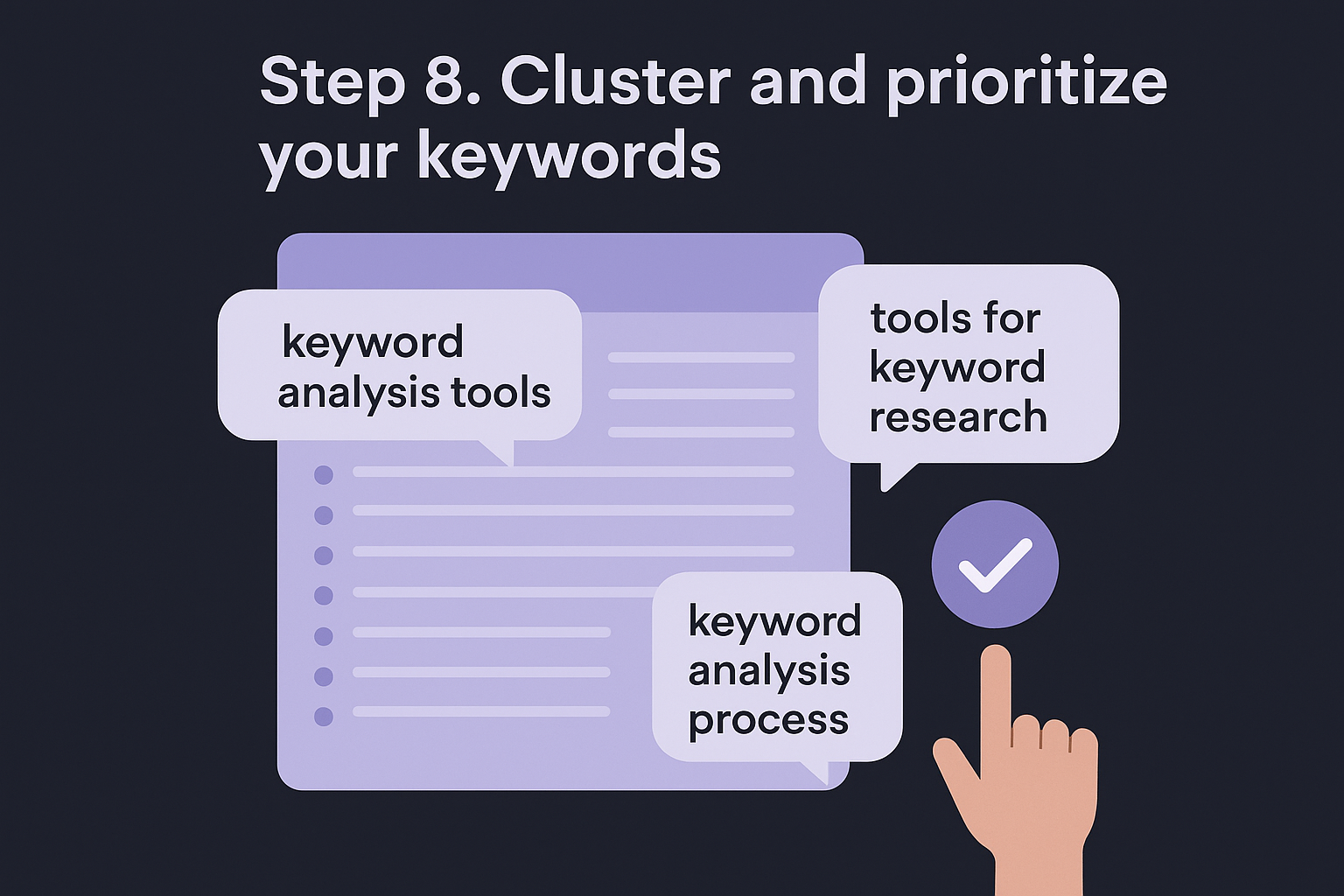
Two pages targeting the same intent don't double your traffic, they just split it.
Group keywords by shared intent and topic
Sort your shortlist by the intent tags from Step 5 first, then look within each intent group for terms a single article could realistically answer. A guide titled "How to Do a Keyword Analysis" can naturally absorb variations like "keyword analysis process," "keyword research steps," and "how to analyze keywords for SEO" without needing four separate posts. Aim for clusters of five to fifteen related terms per pillar article, since anything smaller barely justifies a dedicated page and anything larger usually hides two distinct topics wearing one label.
Prioritize with a simple scoring formula
Once clusters exist, rank them against each other using a formula that balances the data you've already gathered:
priority score = (search volume / difficulty score) x intent weight
Assign intent weight manually: transactional and commercial clusters get a multiplier of 1.5, informational gets 1.0, since buyer-ready traffic earns extra weight even at lower volume. Sort your cluster list by this score, and the top rows become your next several months of content, not a random guess about what feels urgent.
Assign one primary keyword per cluster
Every cluster needs exactly one primary keyword, the phrase your title tag and H1 will target directly, with the remaining terms folded into subheadings and body copy naturally. Choose the primary keyword based on the highest volume within the cluster, provided its difficulty still fits your site's authority level from Step 4. Building the calendar this way keeps your content plan organized around topics instead of isolated keywords, which sets up the tracking work in Step 9.
Step 9. Map keywords to content and track results
With clusters prioritized and a primary keyword assigned to each, the final step is turning that spreadsheet into a content calendar that keeps you consistent, with dates, owners, and a way to measure whether any of this worked. Mapping keywords to content means deciding whether each cluster becomes a new page or slots into an existing one, since publishing a duplicate article on a topic you already cover just recreates the cannibalization problem you solved in Step 8. Skip this step and your research sits in a spreadsheet forever instead of turning into rankings.
Research that never gets mapped to a publishing date is just an expensive list nobody acts on.
Decide between a new page and an update
Check your existing site against every cluster before scheduling new content. If a page already covers 70 percent of a cluster's intent, update it with the missing subtopics and internal links rather than fragmenting your authority across two thin pages. Reserve new URLs for clusters with no real overlap in your current site structure, and note the decision directly in your spreadsheet so nobody on your team accidentally duplicates the work later.
Set up tracking before you hit publish
Connect Google Search Console to your site before the first article goes live, since it's the only free tool that shows you the exact queries driving impressions and clicks to each URL. Track these fields for every mapped keyword so you can judge performance objectively instead of guessing:
| Metric | Source | Check frequency |
|---|---|---|
| Ranking position | Search Console or rank tracker | Weekly |
| Impressions and clicks | Search Console | Monthly |
| Conversions from the page | Analytics goal tracking | Monthly |
Revisit the plan on a fixed schedule
Set a recurring quarterly review to check which mapped keywords climbed, which stalled, and which need a content refresh rather than a brand-new piece. A term stuck on page two for three months often needs stronger internal links or an added section addressing a subtopic competitors cover, not a total rewrite. This is also where tools like RankYak remove the manual grind, since the platform tracks your published articles against Search Console data and automatically feeds fresh keyword opportunities back into your content plan without you rebuilding the spreadsheet from scratch every quarter.
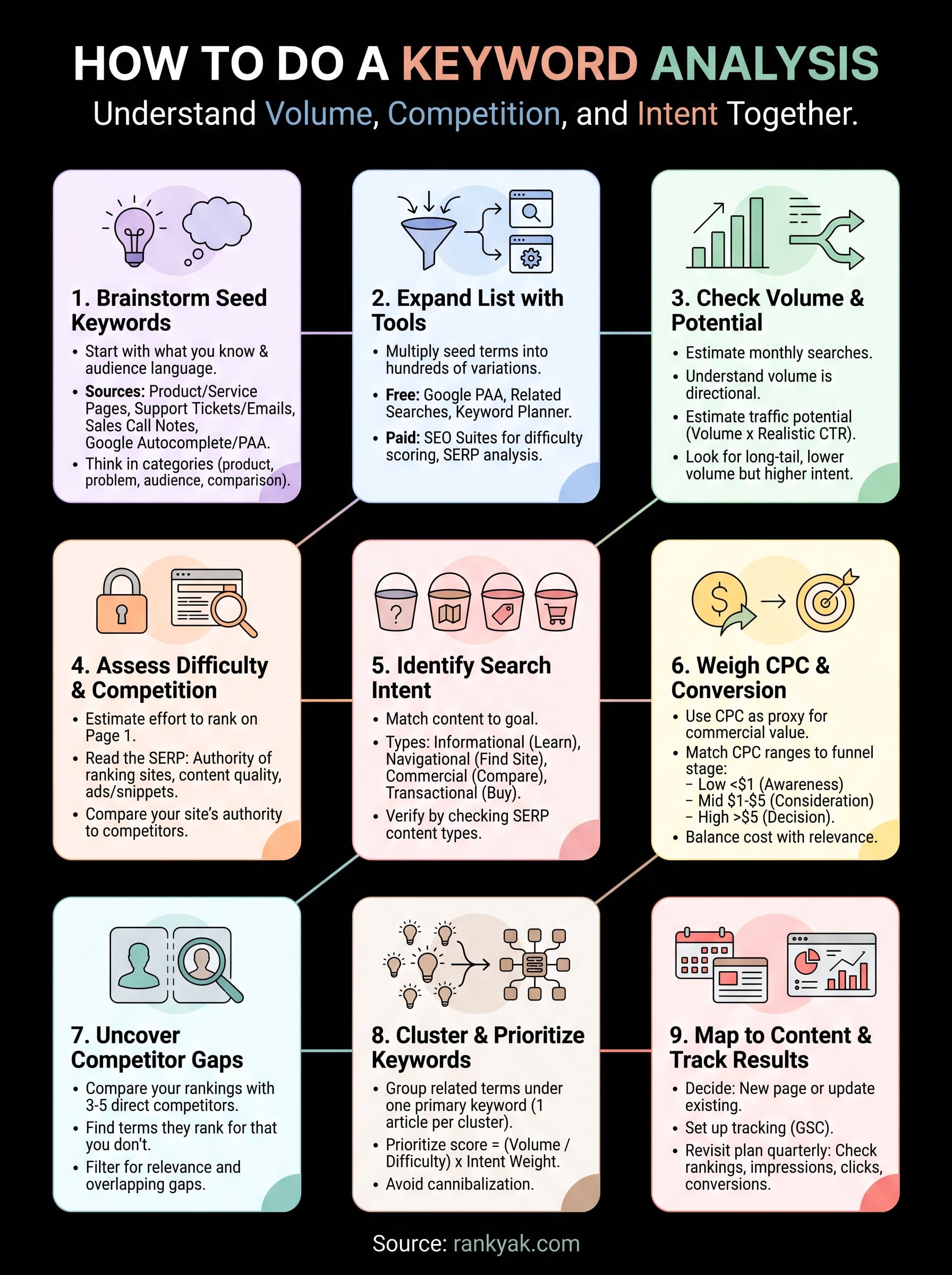
Putting your keyword analysis to work
Nine steps sound like a lot until you realize each one just answers a single question: does this keyword have demand, can you realistically rank for it, and will the traffic actually convert? Keyword analysis stops being intimidating once you treat it as a repeatable filter rather than a one-time research sprint. Run your list through volume, difficulty, intent, CPC, and competitor gaps, then cluster and map what survives, and you'll have a content calendar built on evidence instead of guesswork.
The hard part isn't understanding the process, it's sustaining it every week while also writing, publishing, and tracking results. That's exactly the grind RankYak automates, with automated keyword discovery, scoring, and clustering feeding straight into published articles, so your calendar stays full without you rebuilding spreadsheets every quarter. If you're managing this across multiple client sites, the agency plan handles that scale directly.
Lars Koole is a co-founder of RankYak and has worked in SEO since 2021, on the side where a strategy has to become a live page: inside agencies, alongside them, for clients directly, and in-house on the products being ranked. He is a software engineer by trade, which is how that page gets built. Before RankYak he founded companies of his own, two of which were acquired. At RankYak he owns the engineering and everything AI, and works out the solution and the implementation of each new feature.
